In an interconnected business world, where organizations increasingly rely on external vendors for a range of services, the need for robust vendor risk management has never been more crucial.
Whether it’s outsourcing critical business functions or utilizing third-party technologies, every collaboration introduces a unique set of risks that, if not managed effectively, can jeopardize the integrity and security of your operations.
This blog takes a deep dive into the dynamic field of vendor risk management, uncovering best practices that empower businesses to leverage the advantages of vendor partnerships while effectively guarding against potential pitfalls. It also explores Scrut’s solutions for streamlining vendor management for your organization.
What is vendor risk management?
The term vendor refers to an outside entity that provides goods or services to an organization, often as part of its supply chain. These include cloud service providers, consultants, software developers, payment processors, etc.
Vendor Risk Management (VRM) is a comprehensive approach that organizations adopt to identify, assess, monitor, and mitigate risks associated with their third-party vendors or suppliers.
As businesses increasingly rely on external partners to provide goods, services, or technologies, the potential for various risks also rises. Vendor risk management aims to minimize the impact of these risks on the organization’s operations, reputation, and overall stability.
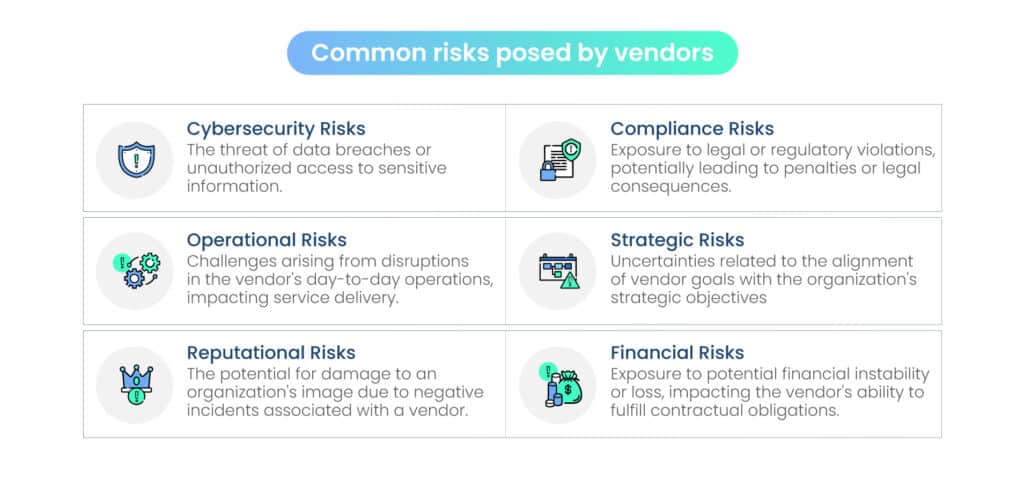
Common risks posed by vendors
What does vendor risk management entail?
Vendor Risk Management (VRM) involves a systematic approach to identify, assess, monitor, and mitigate risks associated with third-party vendors. The key components of vendor risk management include:
1. Risk identification
The process begins with identifying potential risks associated with third-party vendors. These risks can span various areas, including financial stability, data security, compliance with regulations, operational resilience, and more.
2. Risk assessment
Once identified, risks are assessed in terms of their likelihood and potential impact. This involves evaluating the vendor’s practices, controls, and overall risk posture to determine the level of risk associated with the partnership.
3. Due diligence
Thorough due diligence is crucial before entering into any vendor relationship. This involves evaluating the vendor’s financial health, reputation, security protocols, compliance with industry regulations, and any past incidents that may indicate a history of unreliability or security breaches.
4. Contractual safeguards
Implementing robust contracts and service level agreements (SLAs) that clearly define expectations, responsibilities, and obligations of both parties. These agreements should include provisions for risk mitigation, data protection, confidentiality, and compliance with relevant laws and regulations.
5. Monitoring and auditing
Regular monitoring of vendor performance and compliance is essential to ensure that they continue to meet the agreed-upon standards. Periodic audits may be conducted to assess the ongoing effectiveness of the vendor’s risk management practices.
6. Contingency planning
Developing contingency plans for potential disruptions caused by the vendor, such as financial instability, data breaches, or service outages. This ensures that the organization is prepared to respond promptly and effectively in case of unforeseen events.
7. Continuous improvement
Vendor risk management is an ongoing process that requires continuous improvement. Organizations should regularly review and update their risk management strategies, taking into account changes in the business environment, regulations, and the vendor landscape.
VRM Best Practices
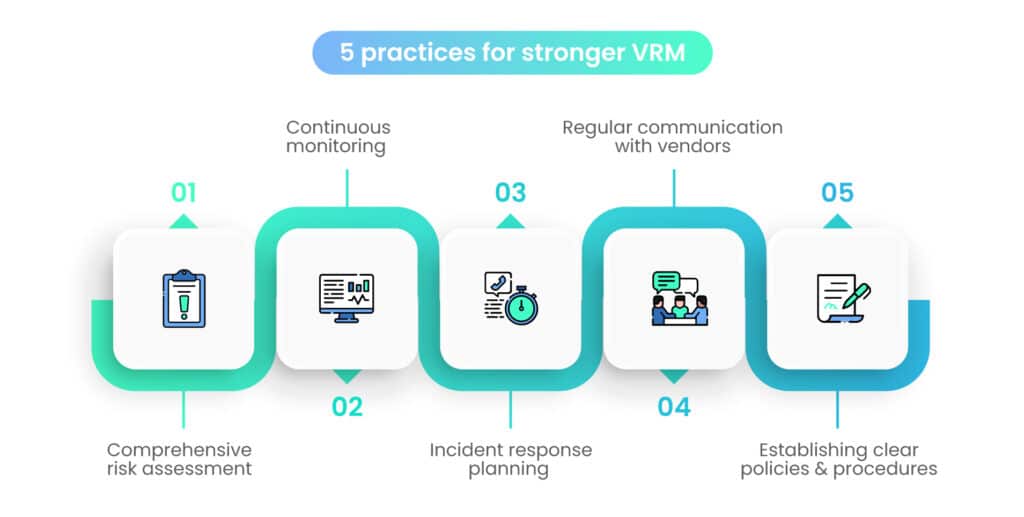
By integrating the following best practices into your Vendor Risk Management program, your organization can not only mitigate potential risks but also foster a proactive and collaborative vendor ecosystem. These practices are essential for creating a resilient and secure vendor ecosystem:
1. Comprehensive risk assessment
Conduct a thorough risk assessment during the vendor onboarding process and periodically thereafter. This should include an evaluation of the vendor’s financial stability, security protocols, compliance history, and overall risk posture.
Consider using risk assessment frameworks and tools to streamline this process and ensure a comprehensive analysis.
2. Establish clear policies and procedures
Develop and communicate clear policies and procedures governing vendor relationships. These documents should outline expectations, responsibilities, and the steps to be taken in case of identified risks.
Ensuring that all stakeholders are aware of and adhere to these guidelines is crucial for the success of any VRM program.
3. Continuous monitoring and auditing
Regularly monitor vendor performance and compliance with established standards. Implementing automated monitoring tools can provide real-time insights into vendor activities.
Periodic audits, both internal and external, help verify the effectiveness of the vendor’s risk management practices and ensure ongoing compliance.
4. Regular training and awareness
Educate employees and stakeholders involved in vendor management about the importance of VRM. Provide training on identifying potential risks, understanding contractual obligations, and reporting any unusual activities.
Creating a culture of awareness ensures that everyone plays a role in maintaining a secure vendor environment.
5. Contractual clarity
Develop robust contracts and Service Level Agreements (SLAs) that clearly define expectations, responsibilities, and obligations of both parties. Include specific provisions related to risk mitigation, data protection, confidentiality, compliance with regulations, and the right to audit. Ensure legal experts review and validate these agreements.
6. Escalation protocols
Establish clear escalation protocols for handling identified risks. Define a hierarchy of steps to be taken in case of a potential issue, ensuring that critical risks are escalated promptly to the appropriate levels of management. This enables swift decision-making and action when necessary.
7. Regular communication with vendors
Foster open and transparent communication with vendors. Regularly discuss performance expectations, any changes in business operations, and potential risks. Building a collaborative relationship based on communication helps in addressing issues proactively and strengthens the overall partnership.
8. Incident response planning
Develop and regularly update incident response plans specific to vendor-related disruptions. Ensure that both the organization and the vendor understand their respective roles and responsibilities in the event of a security breach, service outage, or other emergencies. This preparedness minimizes the impact of incidents on business operations.
9. Stay informed about industry trends
Keep abreast of industry trends, emerging technologies, and evolving risks. The business landscape is dynamic, and staying informed enables organizations to adapt their VRM strategies to new challenges. Participate in industry forums, attend conferences, and engage with peers to share insights and best practices.
10. Continuous improvement
Vendor Risk Management is an evolving process. Regularly review and update your VRM strategies based on changes in the business environment, regulations, and the vendor landscape. Collect feedback from stakeholders and use it to refine and enhance your VRM program continually.
How Scrut can boost your VRM program
Scrut’s comprehensive VRM capabilities can empower your organization to navigate the complexities of vendor relationships with confidence. To elevate your VRM strategies and streamline the process, Scrut introduces powerful features designed to enhance vendor discovery, risk scoring, questionnaire management, and mitigation task tracking.
1. Vendor Discovery: Analyzing your vendor landscape
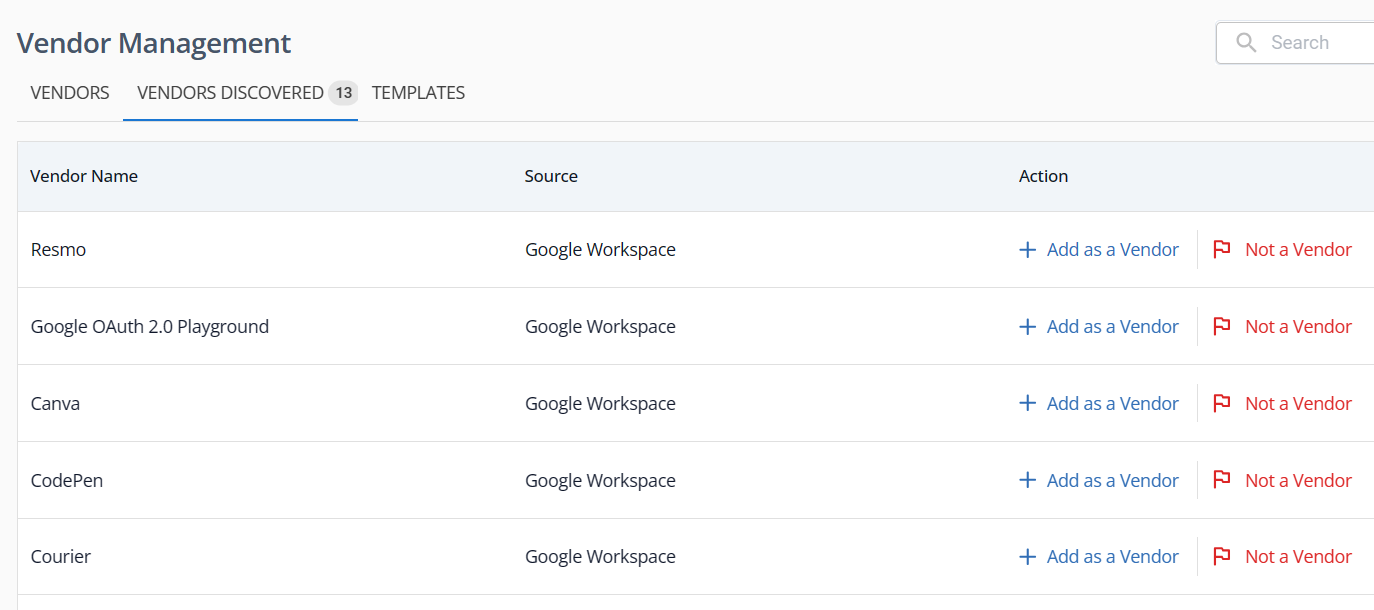
Effectively managing vendor risks begins with a comprehensive analysis of your vendor landscape. Scrut’s innovative ‘vendor discovery’ feature, integrated into the VRM module, takes the guesswork out of identifying vendors. This feature automatically scans your multi-cloud infrastructure for third-party applications that could potentially be vendors.
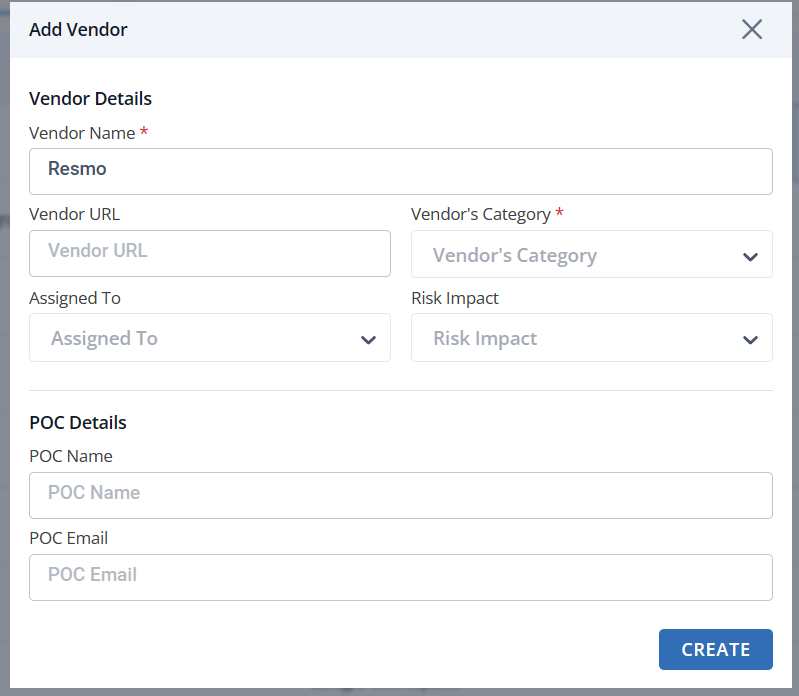
Once identified, Scrut presents a detailed register of these applications, allowing you to determine their vendor status. This not only facilitates better planning but also ensures that all vendors, whether existing or incoming, are accounted for in your risk management strategy.
2. Risk Score: Proactive monitoring and classification
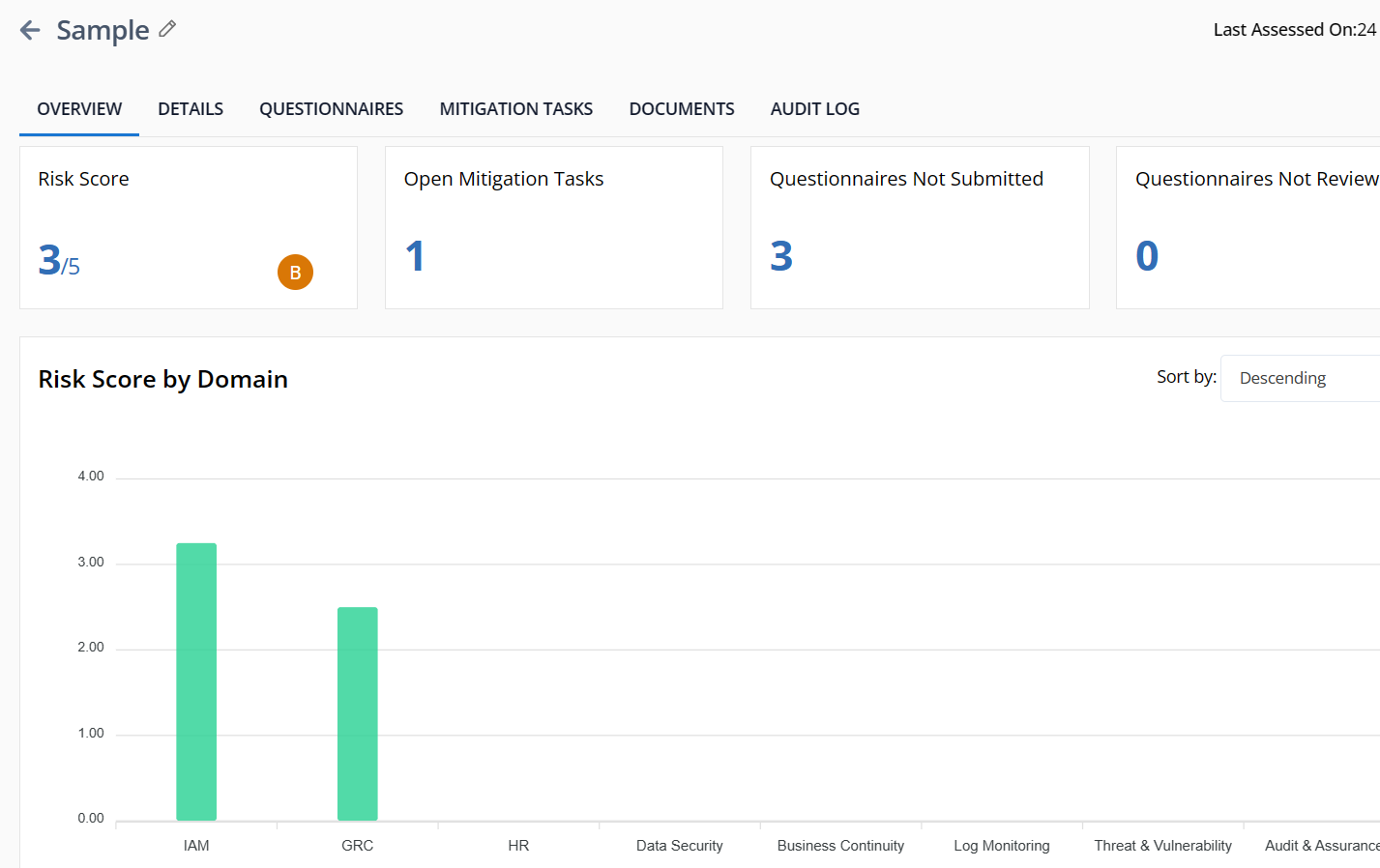
While understanding the impact of risks during vendor onboarding is crucial, ongoing monitoring is equally vital. Scrut’s risk scoring system provides a real-time snapshot of each vendor’s current status. This proactive approach enables you to treat risks promptly and effectively.
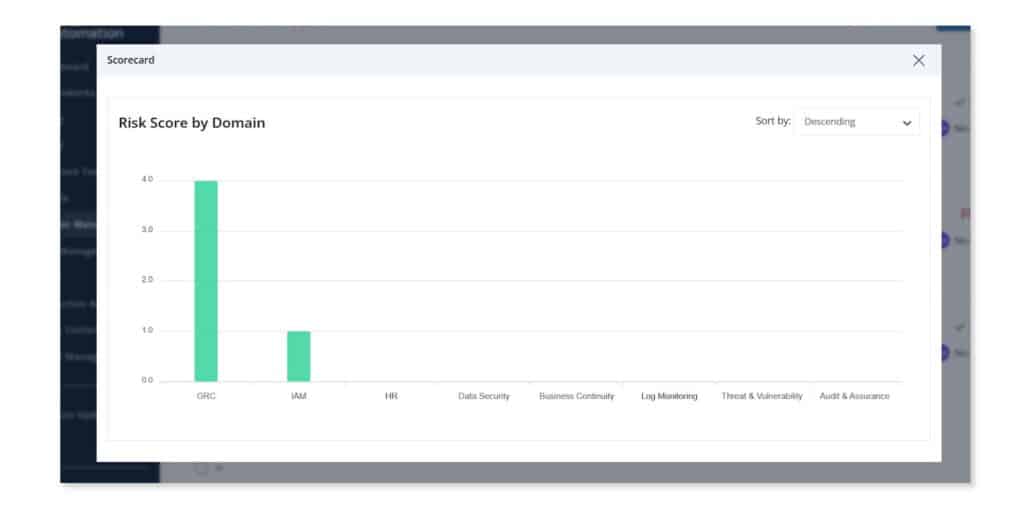
The risk scores are calculated based on responses from questionnaires submitted by vendors. These scores are broken down by domain and contribute to an overall risk score associated with each vendor.
This comprehensive overview allows you to prioritize and allocate resources efficiently.
3. Questionnaires: Customizable assessments for deeper insights
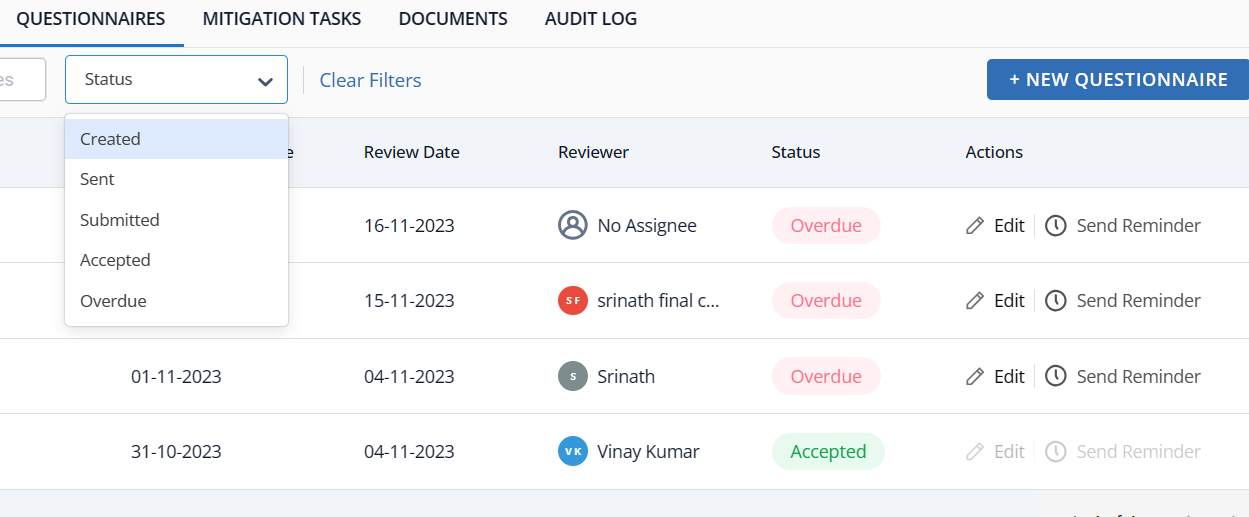
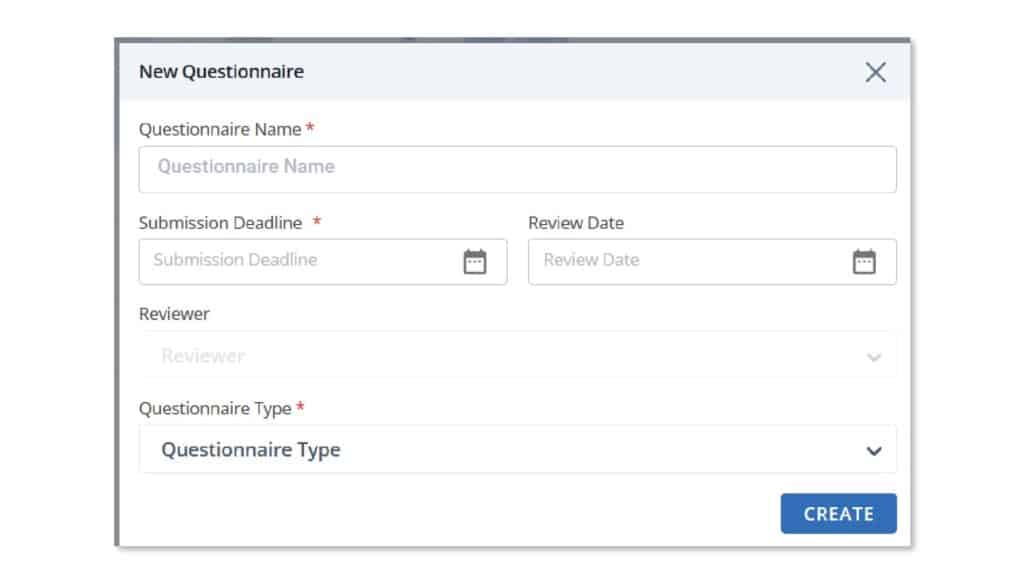
Scrut empowers you to create and manage questionnaires directly on the platform. Choose from four pre-built templates or craft custom questionnaires from scratch. The flexibility extends to specifying submission and review dates, sending reminders, scoring responses, and accepting or rejecting submissions.
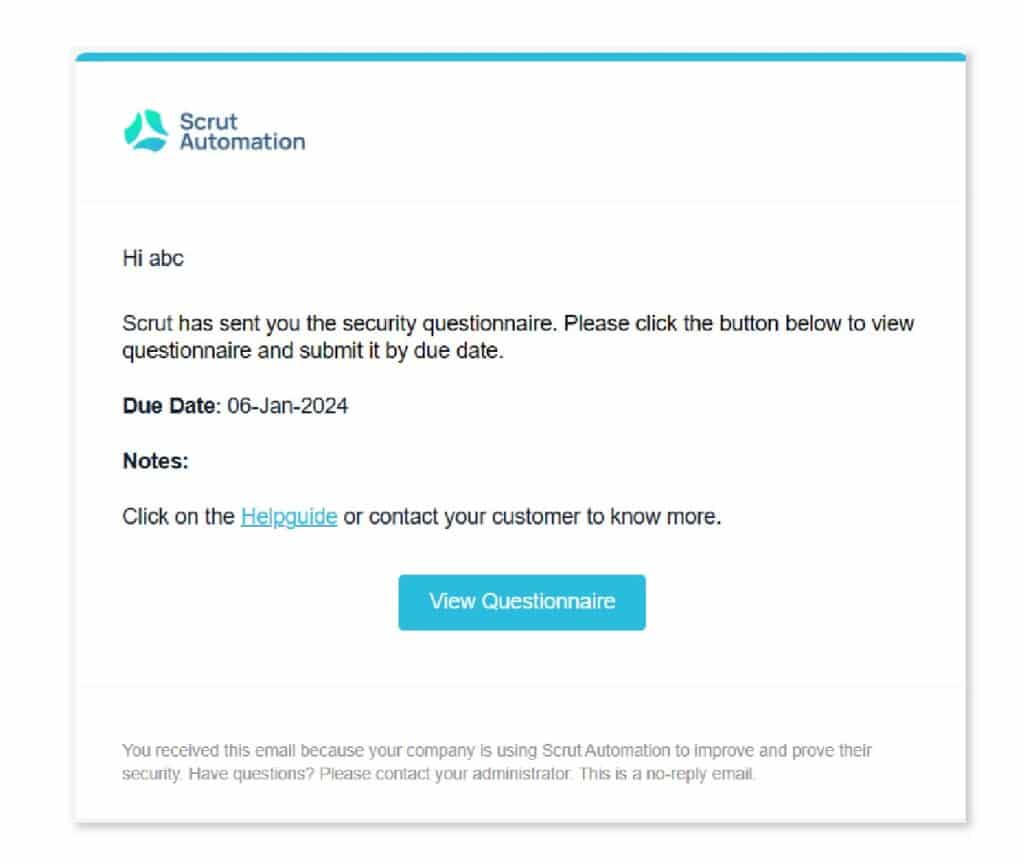
Recipients of questionnaires are directed to a unique, customized portal, simplifying the response process.
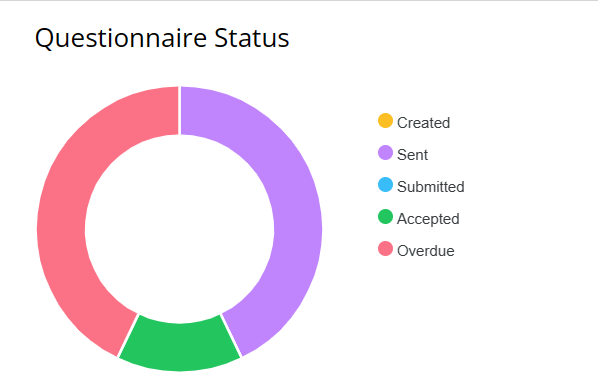
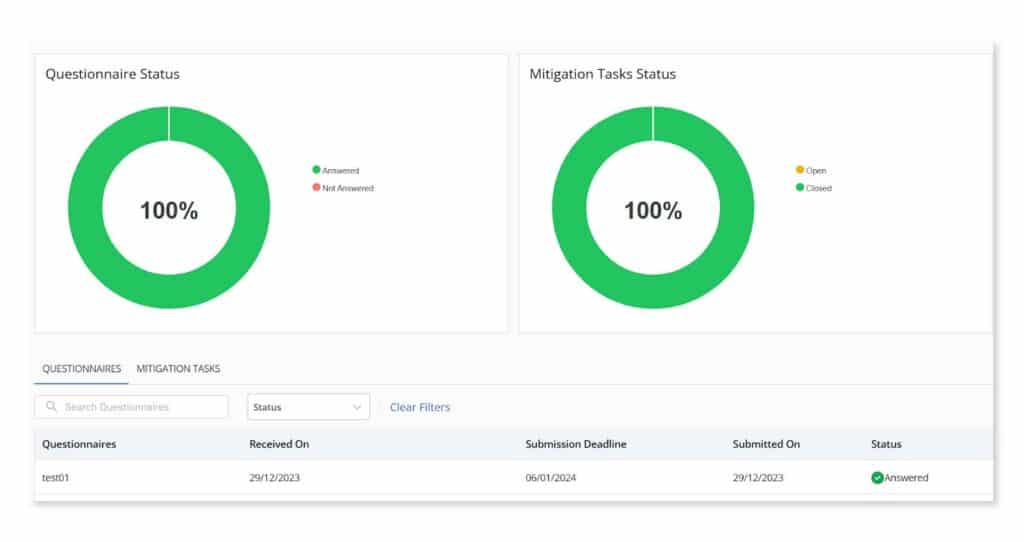
Scrut’s intuitive interface allows for manual searches, segmentation by status, and provides a high-level pictographic view through an actionable pie chart on the vendor overview page.
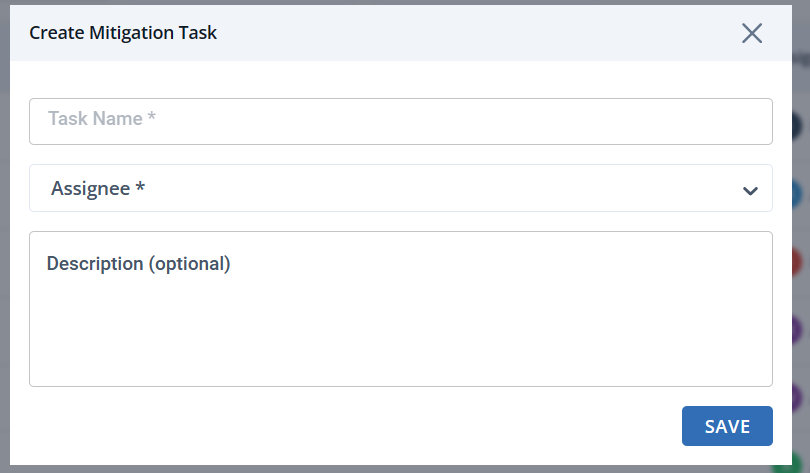
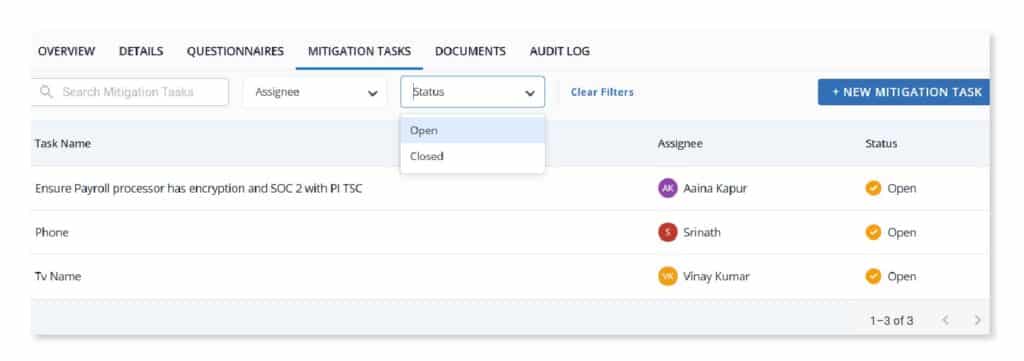
Identifying risks is only the first step; effective collaboration is essential for successful remediation. Scrut facilitates this collaboration by allowing stakeholders to create, track, and manage mitigation tasks directly from the platform.
Inside each mitigation task, stakeholders can add attachments, communicate progress, and document changes. Audit logs provide transparency and a historical perspective on the remediation process.
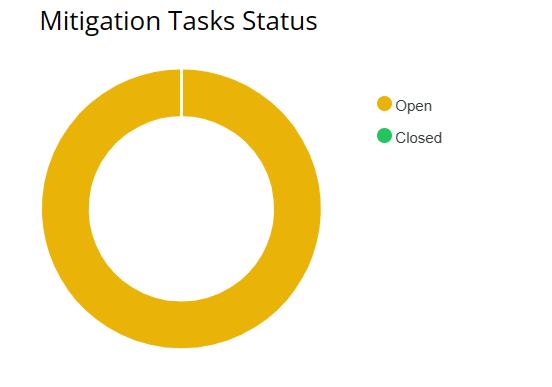
Just like with questionnaires, Scrut offers a high-level pie chart view and detailed segmentation, along with a search functionality, ensuring that nothing falls through the cracks.
Conclusion
As organizations increasingly rely on external vendors for a multitude of services, the need for a robust and adaptive VRM strategy cannot be overstated.
VRM is crucial for safeguarding an organization against potential threats and ensuring the smooth functioning of its operations. By implementing best practices in VRM, businesses can not only mitigate risks but also foster stronger, more resilient vendor relationships.
From comprehensive risk assessments and due diligence to regular monitoring and communication, each step in the VRM process plays a pivotal role in enhancing cybersecurity and promoting overall business continuity.
By staying informed, adapting to changing landscapes, and fostering a culture of collaboration, organizations can build a robust VRM framework that not only protects sensitive data but also contributes to long-term success in an ever-changing business environment.
Scrut, with its innovative features for vendor discovery, risk scoring, questionnaire management, and mitigation task tracking, offers a comprehensive solution to empower businesses in navigating the complexities of vendor relationships. Schedule a demo today to learn more!
FAQs
1. What is Vendor Risk Management (VRM)?
Vendor Risk Management (VRM) is a systematic approach to identifying, assessing, and managing potential risks associated with third-party vendors and suppliers. It involves evaluating the impact of vendor relationships on an organization’s operations, data security, and overall risk posture.
2. Why is Vendor Risk Management important for businesses?
Vendor Risk Management is vital for businesses as it helps mitigate the risks associated with outsourcing various services. By implementing robust VRM practices, organizations can protect sensitive data, ensure compliance with regulations, and establish a resilient framework that safeguards against potential disruptions and threats.
3. What are some Vendor Risk Management best practices?
Several best practices contribute to effective Vendor Risk Management: –Comprehensive Risk Assessments: Regularly evaluate and categorize vendor risks based on their potential impact on the organization. –Due Diligence: Conduct thorough background checks and due diligence before engaging with a new vendor. –Continuous Monitoring: Implement ongoing monitoring processes to stay informed about changes in vendor risk profiles. –Clear Communication: Foster open and transparent communication with vendors to address and resolve potential risks collaboratively. These practices, among others, contribute to a proactive and resilient approach to managing vendor-related risks within an organization.
1 Jun 2022
8minutes
Authored by
Aayush Ghosh Choudhary
Co-founder & CEO at Scrut
Honing vendor risk assessment with Scrut Automation
Back in 2013, Target, one of America’s biggest retailers, suffered a harrowing data breach. Its hackers got away with 41 million credit and debit records and 70 million customer records.
The reason for the breach: Their third-party HVAC company fell for a phishing email.
To avoid a similar fate, vendor risk management should be a vital part of an organization’s security strategy.
Since most organizations today rely on external vendors to fulfill various operational needs, vendor risk assessment is non-negotiable when it comes to managing vendor risks.
In this blog, we will explain what vendor risk assessment is, highlight its importance, provide eight key steps to perform an effective assessment and explore Scrut’s solutions for enhancing vendor assessment for your organization.
What is vendor risk assessment?
Vendor risk assessment is the systematic process of identifying and evaluating the potential risks associated with engaging third-party vendors.
It involves identifying and analyzing vulnerabilities within vendor relationships and measuring their potential impact on the organization.
The assessment is carried out by evaluating the vendor’s security controls, values, goals, policies, procedures, and other relevant factors. Vendors are typically made to fill out a vendor risk assessment questionnaire that requires them to share information about their security controls.
Why is Vendor Risk Assessment Important?
Major security incidents such as the SolarWinds attack and Colonial Pipeline attack, which were major supply chain breaches, call attention to the need for vendor risk assessment.
Here are some reasons why it is important for an organization to perform a thorough vendor risk assessment.
1. Prevents data breaches
Vendors are potential entry points for cybercriminals since they often have access to sensitive data or critical systems.
Performing a thorough risk assessment enables organizations to identify vulnerabilities in the vendor’s security posture and assess their data protection measures. This helps in determining if the vendor is likely to pose risks to the organization’s security.
2. Reduces operational risks
Vendor risk assessment allows organizations to evaluate the capabilities, performance history, and business continuity plans of their vendors. This reduces the likelihood of operational interruptions caused by the inefficiency of service providers.
3. Promotes compliance
It is mandatory for organizations to comply with regulatory frameworks, industry standards, and data protection laws. Associating with vendors who do not adhere to these requirements can result in severe legal and financial consequences.
Performing vendor risk assessments helps in evaluating the compliance posture of vendors, enabling organizations to choose partners that align with their regulatory obligations.
4. Protects reputation
If your vendors engage in unethical practices, suffer from frequent breaches, or fail to meet quality standards, your organization will be guilty by association. Unethical or negligent vendors can damage your company’s reputation.
Vendor risk assessment helps evaluate the reputation, stability, and past performance of your vendors, which ensures the protection of your organization’s reputation.
How to perform vendor risk assessment?
It is important for organizations to conduct vendor risk assessment before engaging with any third-party vendor. This assessment serves as a crucial step to evaluate potential risks associated with the vendor. Only after a thorough assessment and approval can the vendor be considered safe to work with.
Here are five key steps involved in a thorough vendor risk assessment.
1. Identify the typical risks associated with vendors
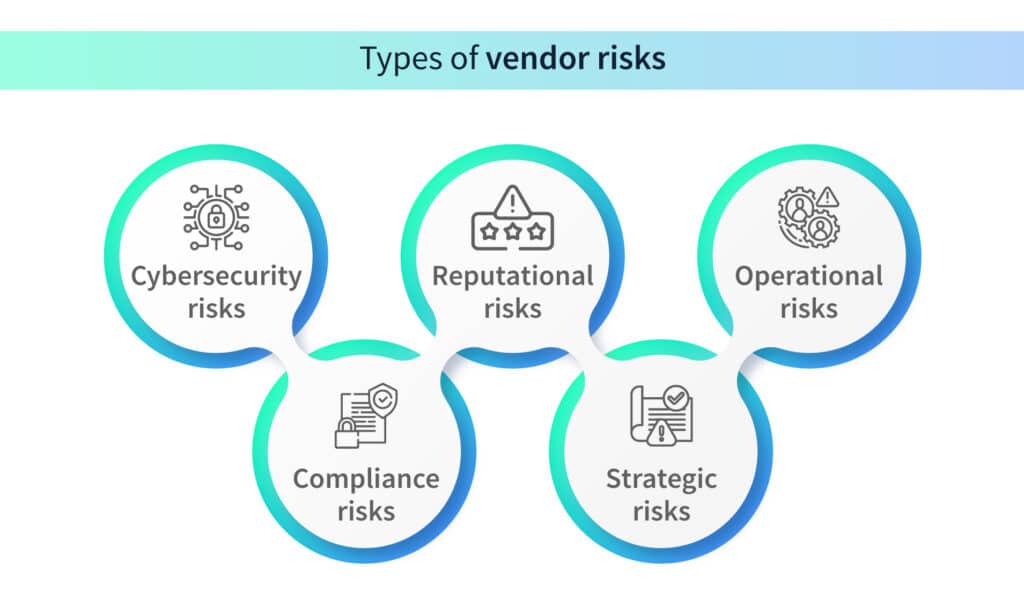
Before diving into the evaluation process, it is important to identify the different risks that could arise when entering into a business agreement with a vendor. It’s crucial to cover all your bases and have a clear understanding of the potential risks associated with different kinds of vendors. Here is a list of the most common vendor risks.
Cybersecurity risks
If any one of your vendors does not enforce adequate cybersecurity measures, your organization becomes vulnerable to cyber-attacks. Vendors who pose cybersecurity risks may have vulnerabilities in their systems, possess inadequate access controls, and enforce weak security practices and data protection measures.
Compliance risks
If your organization engages a vendor that does not comply with laws, regulations, or industry standards, it becomes vulnerable to compliance risks. This could result in your organization being slapped with legal consequences, reputational damage, or financial penalties.
Reputational risks
Vendors with a bad reputation either due to poor security or unethical practices will ruin your organization’s reputation if you engage them. It is important to thoroughly assess the history of vendors before doing business with them.
Additionally, if the vendor suffers a cybersecurity attack, their reputation will be damaged and in turn the reputation of the organization will be dented.
Strategic risks
If a vendor’s strategies clash with the objectives of your organization, it could stand in the way of your business goals. For instance, if they launch a product that competes with your product, it negatively impacts your sales.
Operational risks/business continuity risks
Inefficient vendors could hamper the operations of your business. If they fail to deliver their product or service on time, your organization’s productivity will suffer.
2. Create a vendor risk assessment questionnaire
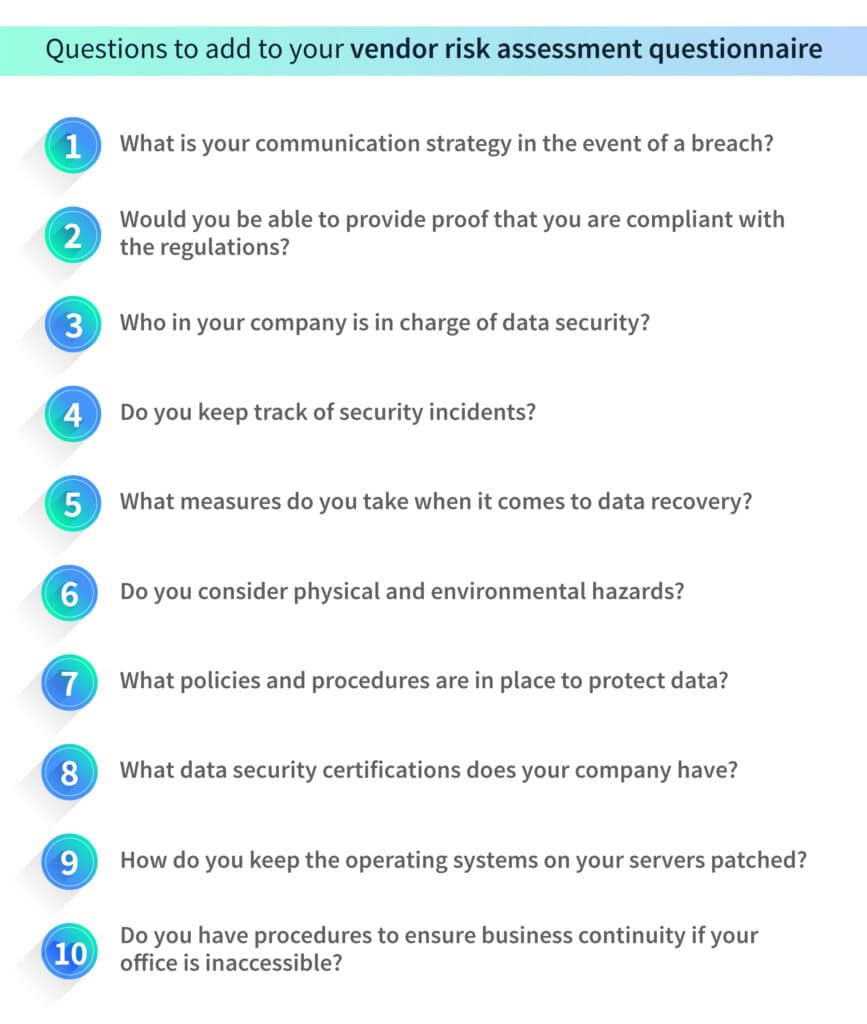
Getting your vendors to fill out a questionnaire that requires them to detail their security measures helps assess the risk they pose to your organization. The questions should focus on areas such as data security, compliance, financial stability, reputation, and IT infrastructure.
Here are some examples of questions that could be included in a vendor risk assessment questionnaire.
3. Analyze vendor risk profiles
Once all your vendors have filled out the questionnaire, you will have an idea of the kind of risks they pose. Conduct a detailed analysis of each vendor’s risk profile by reviewing their security practices, financial reports, audit results, and compliance certifications.
Assess potential risks such as data breaches, service disruptions, compliance failures, financial instability, and legal or regulatory issues.
4. Categorize vendors based on their risk profiles
After you’ve analyzed the risk profiles of your vendors, assign scores based on the levels of risk they pose. Higher risk scores should be assigned to vendors who have access to sensitive data, critical infrastructure, or those involved in key operational processes.
Vendors should be categorized based on their criticality and potential impact on your organization.
It is a good idea to avoid engaging with vendors whose questionnaires revealed poor security measures.
5. Develop risk mitigation strategies
The final step is to develop risk mitigation strategies for the vendor categories that you created. This may involve implementing security controls, conducting security assessments, establishing performance metrics, defining contractual obligations related to security and compliance, and conducting regular audits.
Recommended practices for effective vendor risk assessment
There are a few best practices that can help make your vendor risk assessment strategy even better. We’ve listed them below.
1. Promote vendor communication and education
It is necessary to encourage open and continuous communication with vendors to ensure a collaborative approach to risk assessment.
You could share security expectations, incident response plans, and updates on regulatory compliance with your vendors to have them on the same page as your organization.
You could also educate your vendors by providing them with resources to enhance their understanding of security best practices and industry-specific compliance requirements.
2. Assess vendors regularly
Implementing processes for continuous monitoring and evaluation of vendor performance is an effective way of preventing vendor risks. Conducting periodic reviews, audits, and assessments to detect emerging risks ensures continuous compliance and addresses any deviation from agreed-upon security standards.
3. Involve vendors in incident response plans
By collaborating with vendors to develop incident response plans in the event of a breach, you can reduce the risk of supply chain attacks. You must define clear roles and responsibilities with your vendors to ensure an effective response to security incidents or breaches.
How can Scrut boost vendor risk assessment?
In the realm of vendor risk assessment, Scrut stands as a versatile tool, providing an array of features to streamline and fortify the entire process. Let’s explore how Scrut can contribute to a more efficient and effective vendor risk assessment.
Questionnaire creation
Scrut simplifies the questionnaire creation process, offering the flexibility to use pre-built templates or tailor custom ones. Users can set submission and review dates, as well as designate specific reviewers.
Points of Contact (POCs) can benefit from a dedicated vendor portal, allowing them easy access to answer and submit questionnaires.
The portal also serves as a centralized hub for tracking the status of questionnaires and mitigation tasks, providing a comprehensive overview of ongoing activities.
Reminders and pending status tracking
Automated reminders within Scrut ensure timely responses to pending questionnaires. The platform’s intuitive system allows for efficient tracking of mitigation task statuses, with detailed audit logs offering transparency into the progress of each task.
Evaluation and scoring
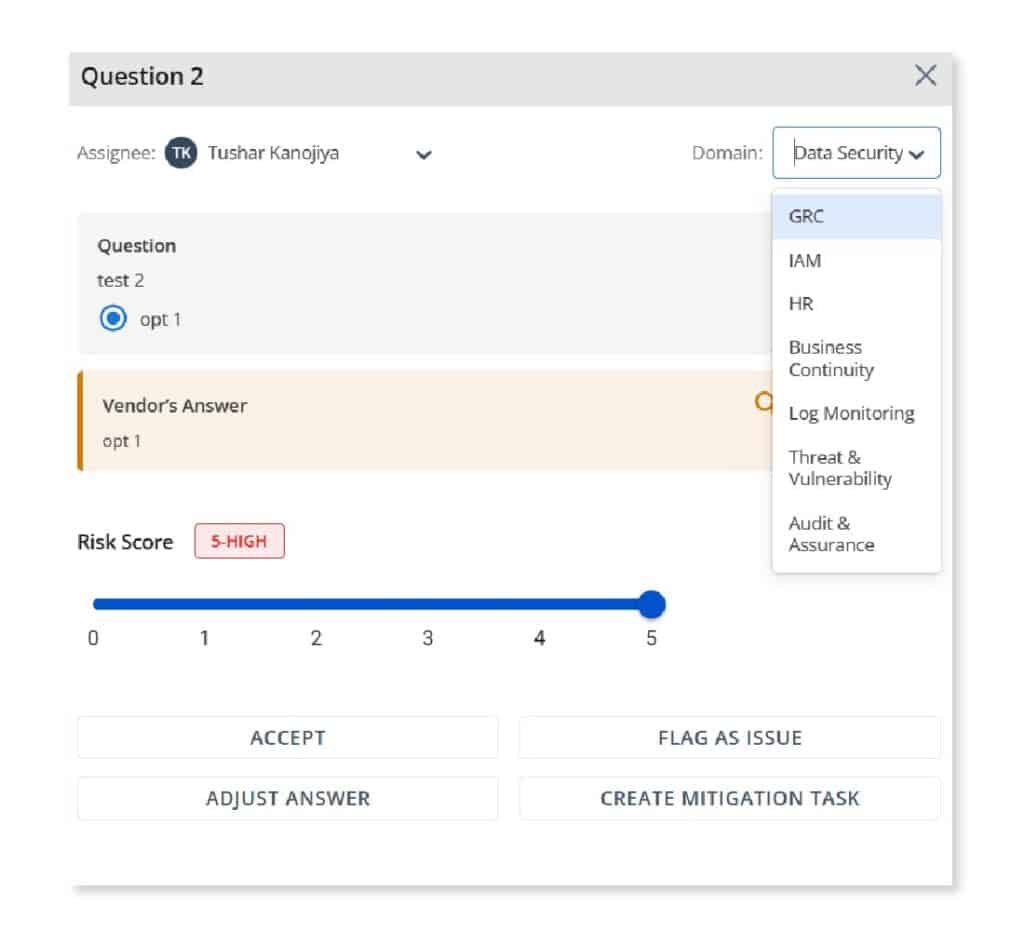
Scrut offers a structured approach to evaluation by allowing administrators to assign specific domains and reviewers for each question. Reviewers have the flexibility to accept, flag, adjust, or create a mitigation task based on their assessments. The overall risk scores dynamically adjust based on these evaluations.
Repository of submitted documents
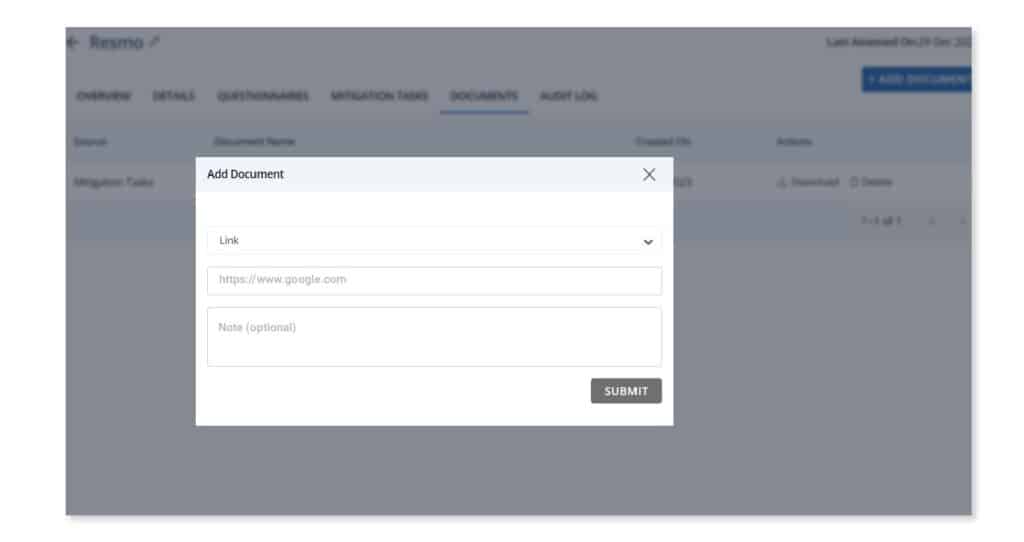
Scrut facilitates an organized repository for each vendor, housing questionnaires and documents related to mitigation tasks. Documents play a pivotal role in assessing a vendor’s risk profile, compliance with regulations, and potential impact on the organization. Scrut efficiently categorizes and tracks documents as Vendor Documents, Questionnaires, or Mitigation Tasks, providing clarity on their source and purpose.
Custom fields – Region, type, security ratings
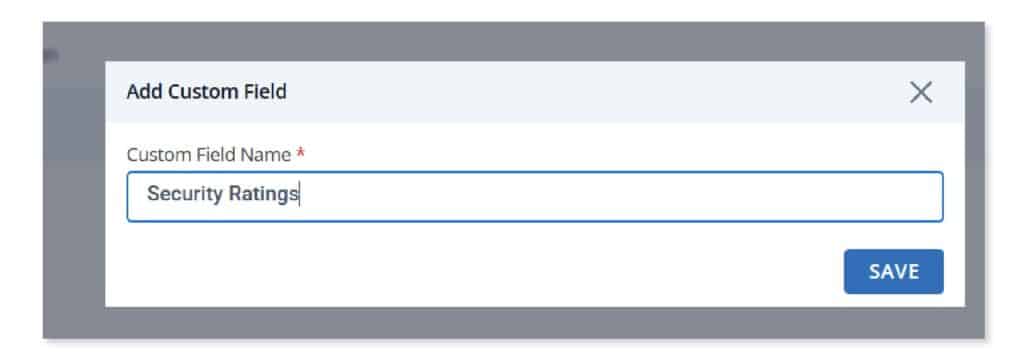
Acknowledging the importance of flexibility, Scrut allows businesses to define and capture additional information about vendors. Users can customize vendor profiles with specific fields such as region, security ratings, or revenue impact. This tailored approach to vendor categorization assists in better planning and operations, recognizing that a one-size-fits-all strategy may not be suitable.
Conclusion
Vendor risk assessment plays a crucial role in safeguarding organizations from potential security threats and vulnerabilities associated with vendor services. By conducting comprehensive assessments, your organization can identify and mitigate risks related to data breaches, service disruptions, compliance failures, and reputational damage.
Using Scrut’s range of solutions can help in not only streamlining but fortifying the entire vendor risk assessment process. Schedule a demo today to learn more.
FAQs
1. What is vendor risk assessment?
Vendor risk assessment is the systematic process of identifying and evaluating the potential risks associated with engaging third-party vendors.
2. What is a vendor risk assessment questionnaire?
A vendor risk assessment questionnaire is a form that requires vendors to detail their security measures in order to assess the potential risks they could pose to an organization.
3. How to perform vendor risk assessment?
• Identify types of risks • Create a vendor risk assessment questionnaire • Analyze vendor risk profiles • Categorize vendors based on risk profiles • Develop risk mitigation strategies
1 Jun 2022
14minutes
Authored by
Aayush Ghosh Choudhary
Co-founder & CEO at Scrut
What are the different types of Security Controls?
In an increasingly interconnected and digital world, the security of data and systems has become a paramount concern for organizations of all sizes and industries. Cyber threats continue to evolve, making it imperative for businesses to implement robust security measures. At the heart of any effective cybersecurity strategy are security controls, which form the bedrock of defense against malicious actors.
According to IBM, the top initial vectors included phishing (41%) and vulnerability exploitation (26%) in 2022. This calls for robust security controls in organizations globally.
To safeguard against threats effectively, it’s crucial to understand the various types of security controls available and how they contribute to an organization’s overall security posture. In this comprehensive guide, we will delve deep into the realm of security controls, shedding light on their significance, types, and best practices for implementation.
Throughout this blog post, we will explore:
Foundational understanding: What exactly are security controls, and why are they indispensable in today’s digital landscape?
Types of security controls: A detailed breakdown of administrative, technical, physical, detective, and preventive controls, with real-world examples.
Selecting the right controls: Factors to consider and methodologies for identifying and prioritizing controls based on organizational needs.
Implementing and maintaining controls: Best practices for planning, deploying, and continuously monitoring security controls.
Conclusion: A recap of key takeaways and the importance of a holistic security strategy.
What are security controls?
Security controls encompass a wide range of measures, safeguards, policies, and technologies designed to protect an organization’s critical assets, including data, systems, networks, and facilities, from various threats. These threats can range from cyberattacks, data breaches, and malware infections to physical intrusions and natural disasters.
Security controls serve as the building blocks of a comprehensive security framework. They are carefully designed and implemented to address specific security objectives, such as confidentiality, integrity, and availability. In essence, security controls are the tools and processes that help organizations manage and reduce risks while safeguarding their most valuable assets.
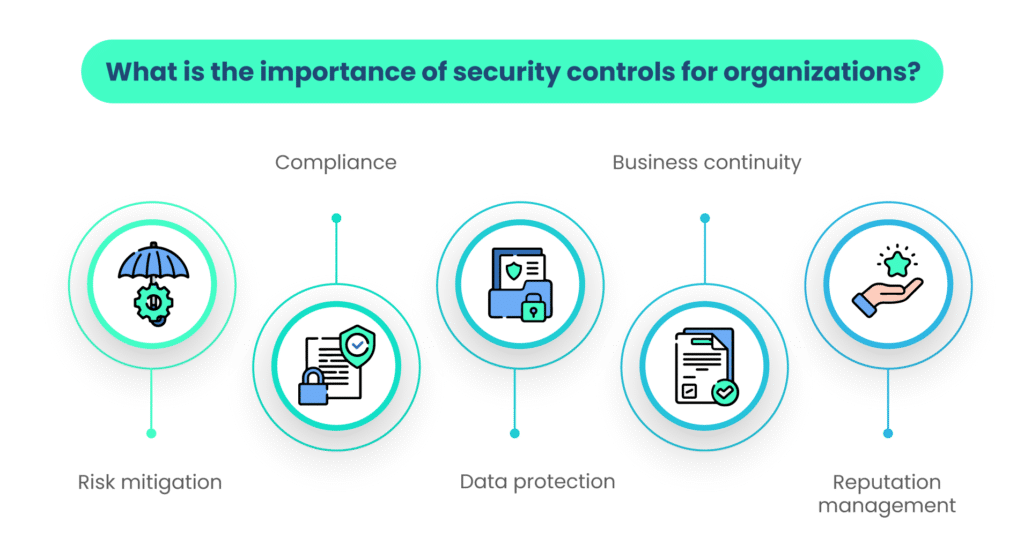
Why are security controls critical for organizations?
Security controls are of paramount importance in today’s digital age for several compelling reasons:
1. Risk mitigation
By implementing appropriate security controls, organizations can identify, assess, and mitigate security risks. This proactive approach reduces the likelihood of security incidents and minimizes their potential impact.
2. Compliance
Many industries are subject to regulatory requirements that mandate the implementation of specific security controls. Compliance with these regulations not only helps organizations avoid legal repercussions but also ensures the protection of sensitive data and privacy.
3. Data protection
Security controls, such as encryption, access controls, and intrusion detection systems, are instrumental in safeguarding sensitive data from unauthorized access, disclosure, or tampering.
4. Business continuity
Security controls contribute to business continuity by ensuring that critical systems and services remain available and functional, even in the face of cyber threats or disasters.
5. Reputation management
Demonstrating a commitment to security through effective controls fosters trust among customers, partners, and stakeholders. This, in turn, helps preserve an organization’s reputation and credibility.
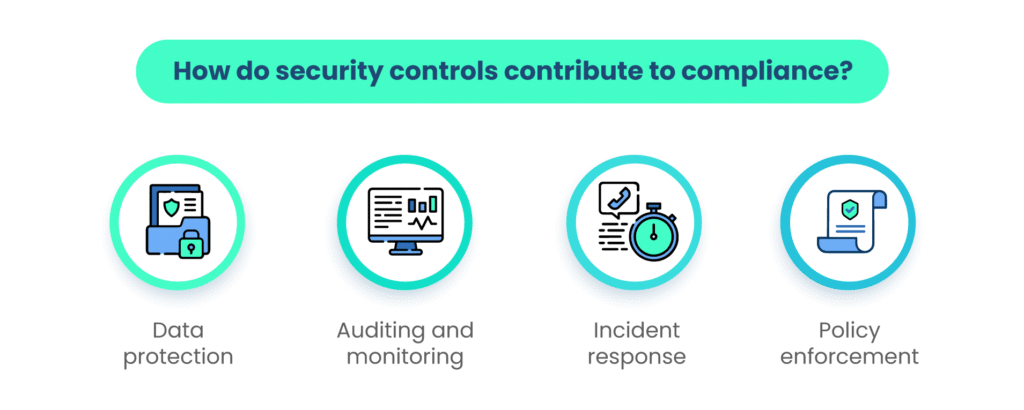
What is the role of security controls in compliance?
Security controls play an indispensable role in helping organizations achieve and maintain regulatory compliance. They serve as the means through which organizations can align their practices with the specific requirements outlined in various laws, regulations, and standards.
Here’s how security controls contribute to compliance:
1. Data protection
Security controls such as encryption, data access controls, and data loss prevention mechanisms are essential for meeting data protection regulations. These controls ensure that sensitive information is adequately safeguarded.
2. Auditing and monitoring
Many compliance frameworks require organizations to maintain detailed audit logs and continuously monitor systems and networks. Security controls provide the necessary tools and processes to achieve this, enabling organizations to track and report on security-related events.
3. Incident response
Compliance often mandates that organizations have robust incident detection and response capabilities in place. Security controls related to intrusion detection, log analysis, and incident management facilitate compliance with these requirements.
4. Policy enforcement
Security controls help organizations enforce security policies and procedures, ensuring that employees and systems adhere to the defined security standards, which is often a key requirement for compliance.
Examples of relevant regulations and standards
Numerous regulations and standards worldwide require the implementation of specific security controls. Here are some notable examples:
General Data Protection Regulation (GDPR): Enforces strict data protection controls for organizations handling the personal data of European Union citizens.
Health Insurance Portability and Accountability Act (HIPAA): Imposes stringent security controls to protect the privacy and security of healthcare information.
Payment Card Industry Data Security Standard (PCI DSS): Mandates security controls for securing payment card data and transactions.
International Organization for Standardization (ISO 27001): Provides a comprehensive framework for implementing a wide range of security controls and is recognized globally.
Understanding the significance of security controls and their role in compliance is crucial for organizations looking to establish a robust cybersecurity posture while meeting regulatory requirements.
What are the different types of security controls?
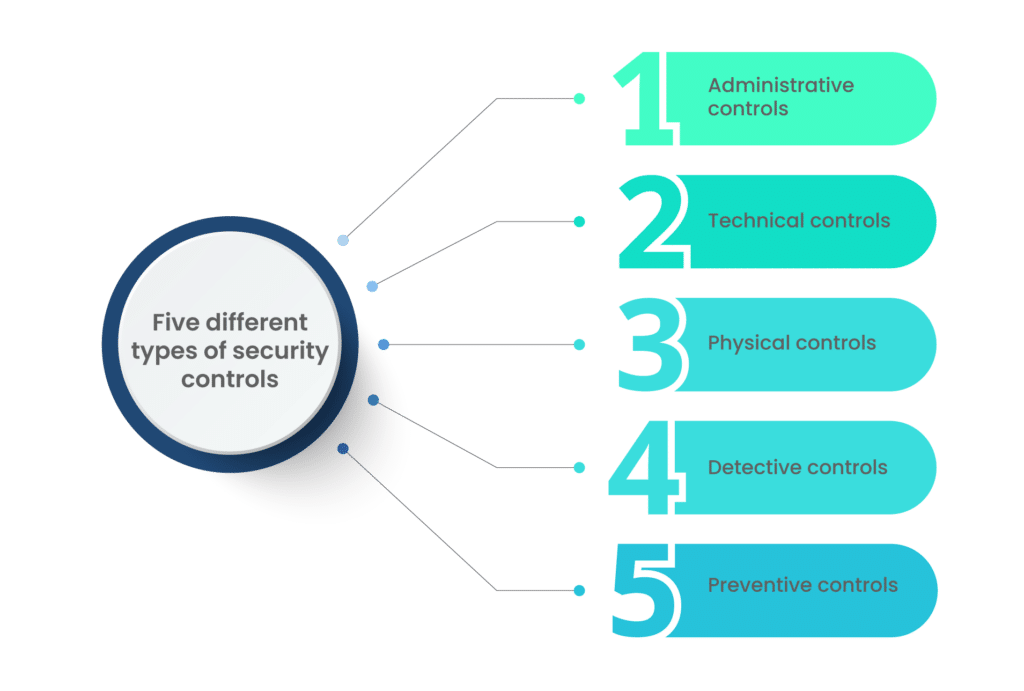
Categories of security controls include:
A. Administrative controls
Administrative controls, also known as managerial controls or organizational controls, are a category of security measures that focus on the administrative and managerial aspects of security management.
These controls are primarily concerned with establishing and maintaining the proper security posture within an organization by defining security policies, procedures, and guidelines. The key purpose of administrative controls is to ensure that security objectives are met, risks are managed, and compliance with security policies is enforced.
Administrative controls help shape an organization’s security culture and provide the framework for other security measures to operate effectively. They are crucial for defining roles and responsibilities, promoting security awareness, and ensuring that security processes and practices align with organizational goals.
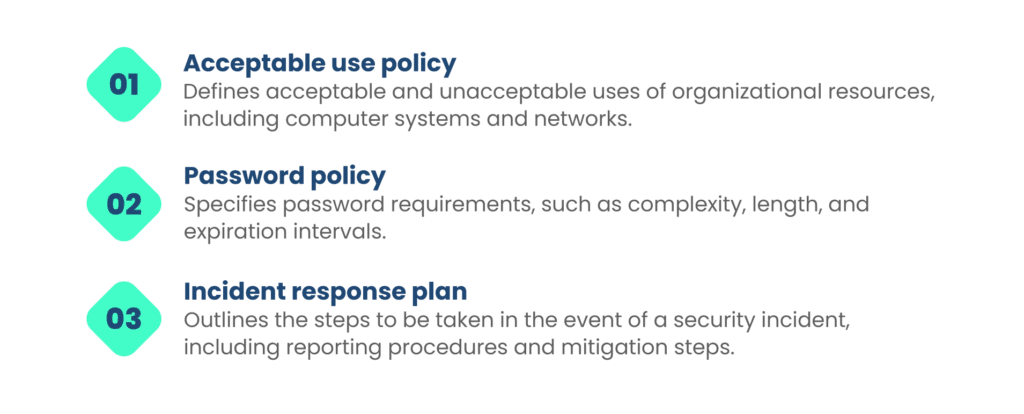
Examples of administrative controls
The following are purposes and examples of various types of administrative controls:
a. Security policies and procedures
Security policies and procedures set the overarching guidelines and rules that govern an organization’s security practices. They outline expectations, responsibilities, and the standards that employees, contractors, and third parties must follow to maintain a secure environment.
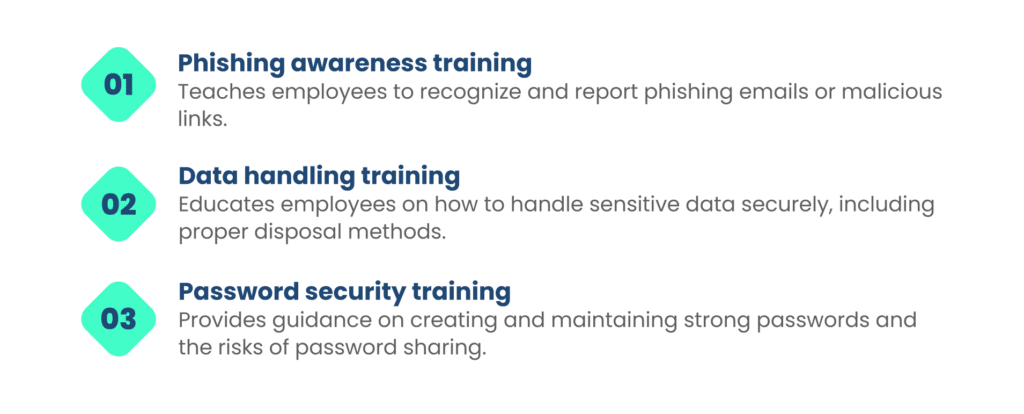
b. Security awareness training
Security awareness training is designed to educate employees and other stakeholders about security best practices, threats, and their roles in maintaining security. It aims to enhance the human aspect of security by reducing the likelihood of social engineering attacks and promoting security-conscious behavior.
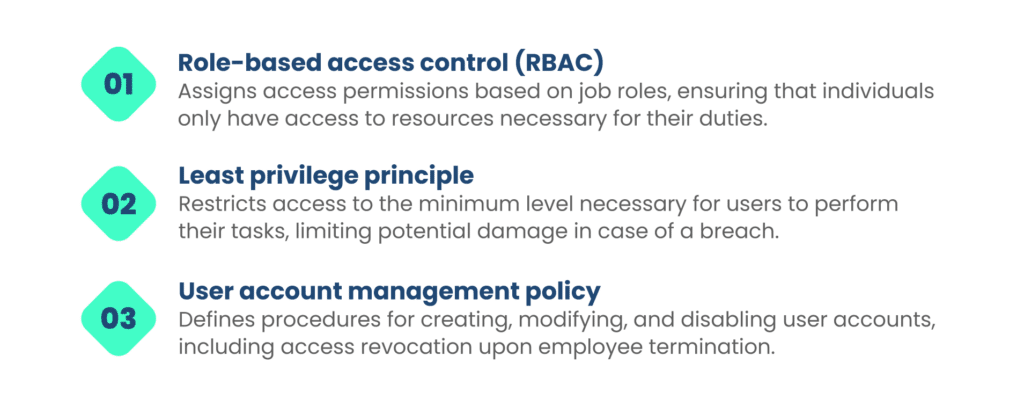
c. Access control policies
Access control policies dictate who can access specific resources, systems, or data within an organization. These policies help ensure that only authorized individuals or systems can access sensitive information, reducing the risk of unauthorized disclosure or modification.
Administrative controls form the foundation of a comprehensive security strategy, providing the structure and guidance needed to implement technical and physical controls effectively. They establish the framework for maintaining a secure and compliant environment while promoting a security-conscious organizational culture.
B. Technical controls
Technical controls, often referred to as logical controls or technological controls, are security measures that leverage technology to safeguard an organization’s systems, networks, and data. These cybersecurity controls are designed to protect against cyber threats by implementing safeguards, monitoring mechanisms, and security features within the IT infrastructure. The primary purpose of technical controls is to detect, prevent, or mitigate security risks and vulnerabilities at the technical level.
Technical controls or digital security controls are essential for fortifying the security posture of an organization’s digital assets. They work alongside administrative and physical controls to create multiple layers of defense, collectively known as defense-in-depth. These cybersecurity controls are particularly crucial for safeguarding against cyberattacks and data breaches.
Examples of technical controls:
Let’s discuss the purposes and examples of some of the technical controls.
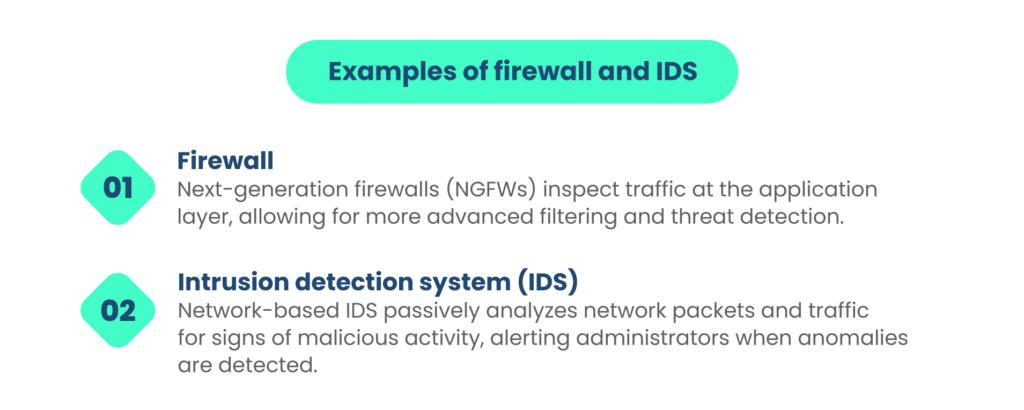
a. Firewalls and Intrusion Detection Systems (IDS)
IDS and Firewalls are foundational technical controls for network security. Firewalls act as barriers that filter and monitor incoming and outgoing network traffic, permitting or denying access based on predefined security policies. IDS, on the other hand, detects and alerts suspicious or malicious network activities.
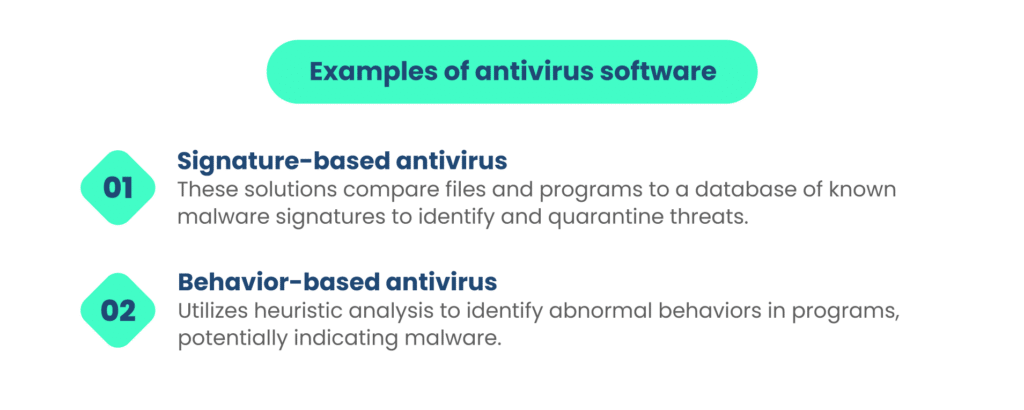
b. Antivirus software
Antivirus software, or anti-malware software, is designed to detect, block, and remove malicious software (malware) from computer systems. This includes viruses, trojans, worms, spyware, and other types of malware.
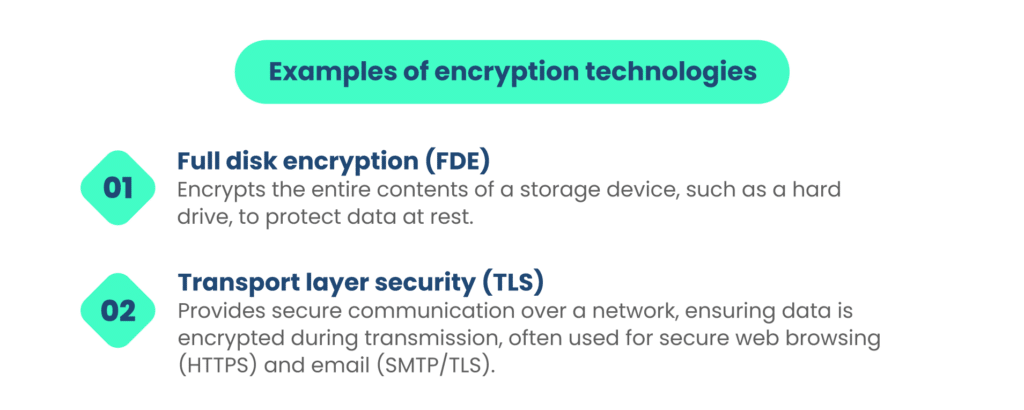
c. Encryption technologies
Encryption is a critical technical control used to protect sensitive data by converting it into an unreadable format (ciphertext) that can only be decrypted with the appropriate encryption key. This ensures data confidentiality, even if it’s intercepted by unauthorized parties.
Technical controls are essential for defending against cyber threats and vulnerabilities that target an organization’s digital assets. These controls play a pivotal role in securing networks, systems, and data, making them a crucial component of any comprehensive cybersecurity strategy.
C. Physical controls
Physical controls are security measures that focus on protecting an organization’s physical assets, facilities, and resources from unauthorized access, damage, or theft. These controls are designed to safeguard the physical environment in which an organization operates, ensuring the security, safety, and integrity of its physical infrastructure. The primary purpose of physical controls is to prevent or mitigate physical security risks and vulnerabilities.
Physical controls are essential for maintaining the physical security of an organization, as they address threats that can directly impact the physical assets and personnel within an organization. These controls often work in tandem with technical and administrative controls to provide a comprehensive security framework.
Examples of physical control:
Some of the examples of physical controls, along with their purposes are:
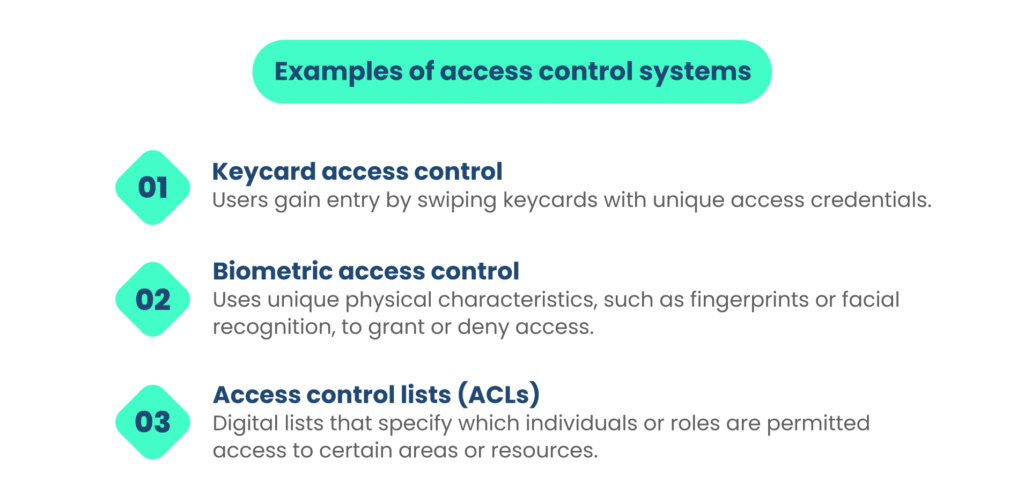
a. Access control systems
Access control systems are designed to manage and restrict access to physical areas or assets within an organization. They determine who is allowed to enter specific areas and under what conditions, enhancing security and preventing unauthorized access.
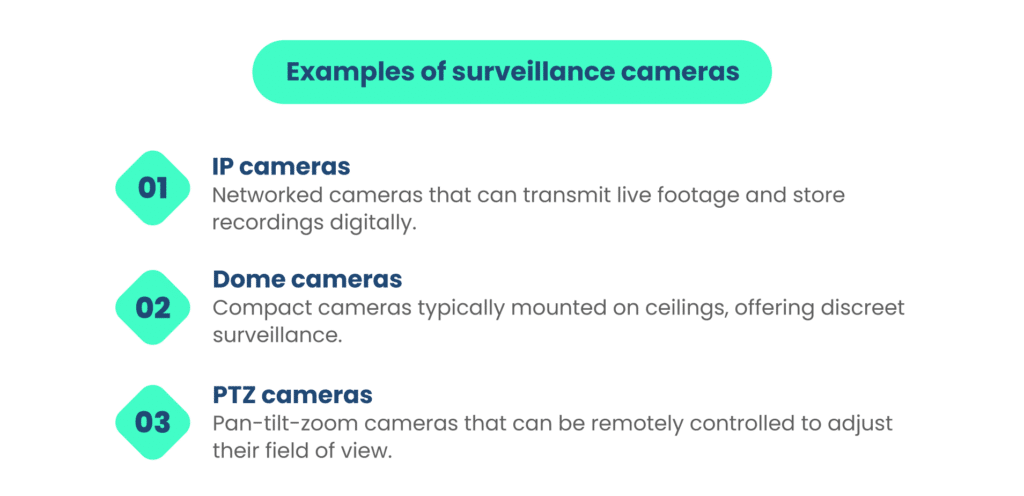
b. Surveillance cameras
Surveillance cameras, also known as closed-circuit television (CCTV) systems, are used to monitor and record activities in and around an organization’s premises. They act as a deterrent to potential intruders, provide evidence in case of incidents, and assist with security monitoring.
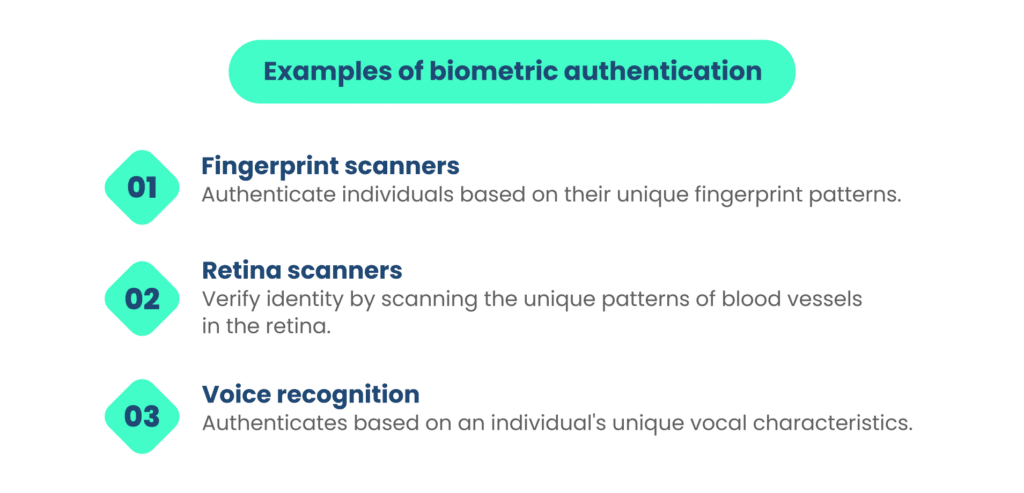
c. Biometric authentication
Biometric authentication relies on unique physical or behavioral characteristics to verify the identity of individuals. It ensures that only authorized personnel gain access to secure areas or systems.
Physical controls are integral for safeguarding an organization’s physical assets, personnel, and infrastructure. They are crucial in preventing unauthorized access, theft, vandalism, and other physical security risks. When combined with other security controls, physical controls contribute to a comprehensive security strategy that ensures the overall safety and integrity of an organization’s environment.
D. Detective controls
Detective controls, also known as detective security measures or detection mechanisms, are a category of security measures focused on identifying security incidents, threats, or vulnerabilities after they have occurred.
These controls are instrumental in recognizing and responding to security breaches, suspicious activities, or non-compliance with security policies and procedures. The primary purpose of detective controls is to facilitate early detection, rapid response, and investigation of security incidents.
Detective controls are an essential component of a comprehensive security strategy, providing organizations with the means to monitor their environment, identify anomalies, and assess the impact of security events. By detecting and responding to incidents promptly, organizations can minimize damage, prevent further compromise, and improve overall security.
Examples of detective controls:
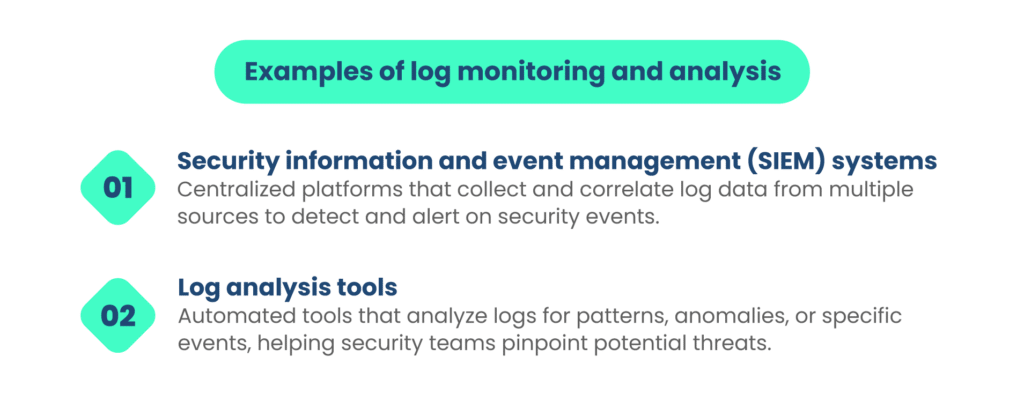
a. Log monitoring and analysis
Log monitoring and analysis involve the continuous collection, examination, and interpretation of logs and event data generated by various systems, applications, and network devices. This process helps identify abnormal or suspicious activities that may indicate security incidents or potential vulnerabilities.
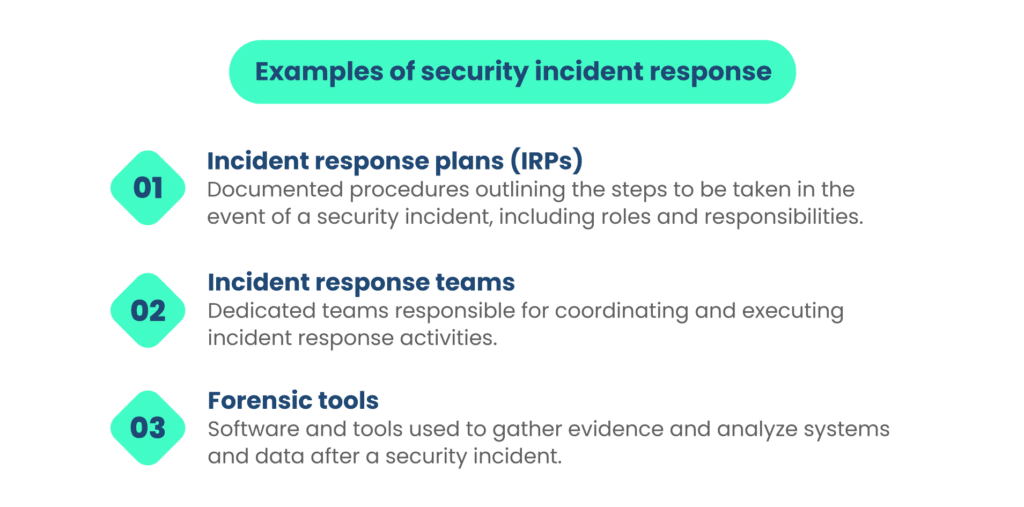
b. Security incident response
Security incident response refers to a set of procedures and actions taken when a security incident or breach is detected. This includes identifying the incident’s nature and scope, containing the threat, eradicating it, and conducting a post-incident analysis to prevent future occurrences.
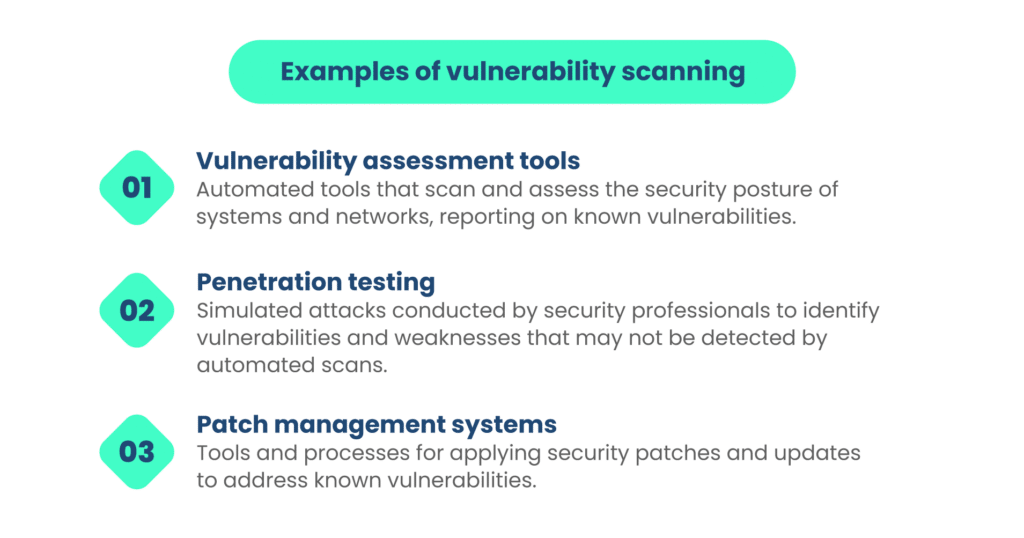
c. Vulnerability scanning:
Vulnerability scanning involves the systematic assessment of systems, networks, and applications to identify vulnerabilities or weaknesses that could be exploited by attackers. It helps organizations proactively address potential security risks.
Detective controls are crucial for identifying and responding to security incidents, which are inevitable in today’s threat landscape. They enable organizations to minimize the impact of security breaches, learn from incidents, and continually improve their security measures. When combined with preventive controls, detective controls create a well-rounded security strategy that addresses both proactive and reactive security needs.
E. Preventive controls
Preventive controls, often referred to as security safeguards or preventive security measures, are a class of security measures designed to proactively mitigate security risks by preventing security incidents, unauthorized access, or vulnerabilities from occurring in the first place. These controls aim to deter or block threats, making it more challenging for malicious actors to exploit weaknesses or gain unauthorized access. The primary purpose of preventive controls is to reduce the likelihood of security incidents and protect an organization’s assets, data, and systems.
Preventive controls are an integral part of a layered security strategy, working alongside other control types such as detective and corrective controls to create a robust security posture. By thwarting threats and vulnerabilities at the outset, organizations can minimize risks and maintain the integrity and availability of their resources. Examples of preventive controls:
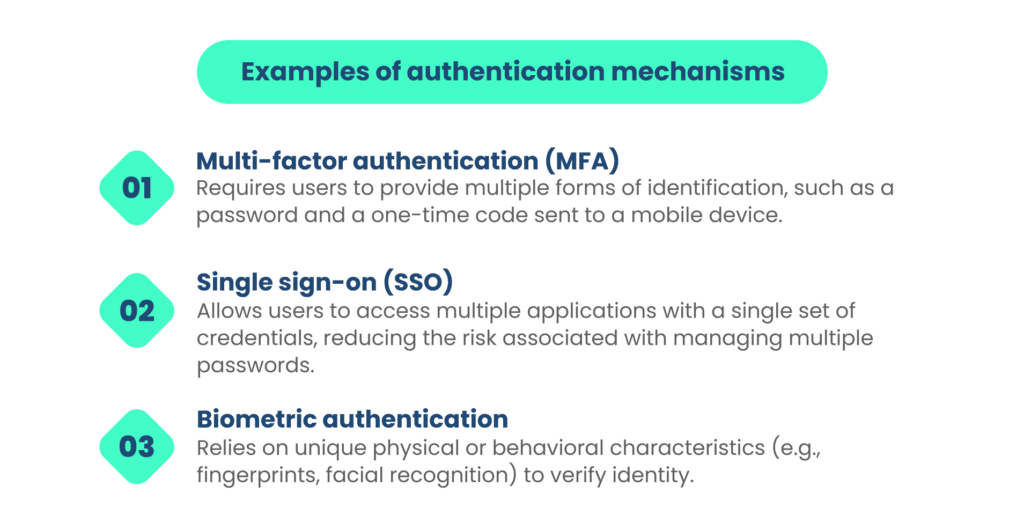
a. Authentication mechanisms
Authentication mechanisms are preventive controls used to verify the identity of users or entities attempting to access systems, applications, or data. These mechanisms ensure that only authorized individuals or entities are granted access, thereby preventing unauthorized access and potential security breaches.
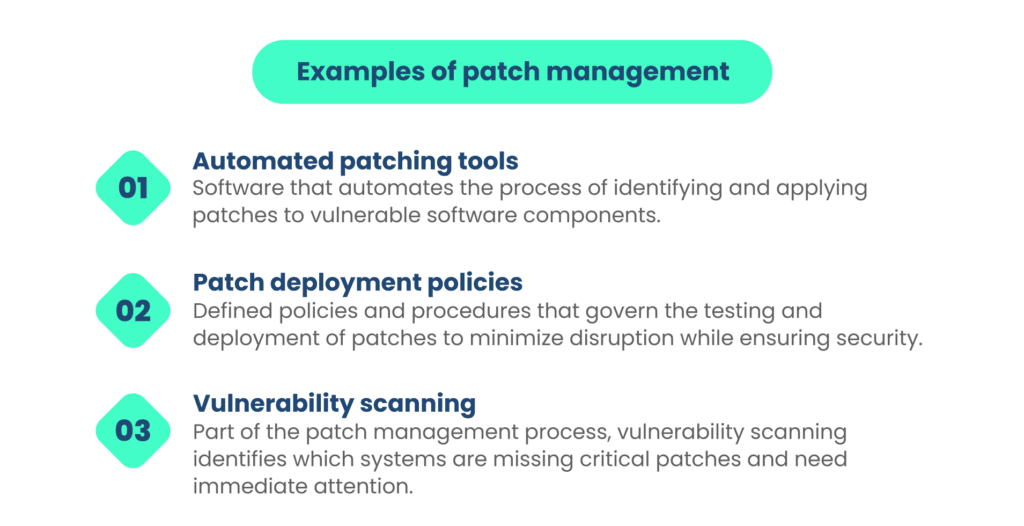
b. Patch management
Patch management is a proactive control that involves regularly updating and applying security patches and updates to software, operating systems, and applications. This practice helps eliminate known vulnerabilities, reducing the risk of exploitation by attackers.
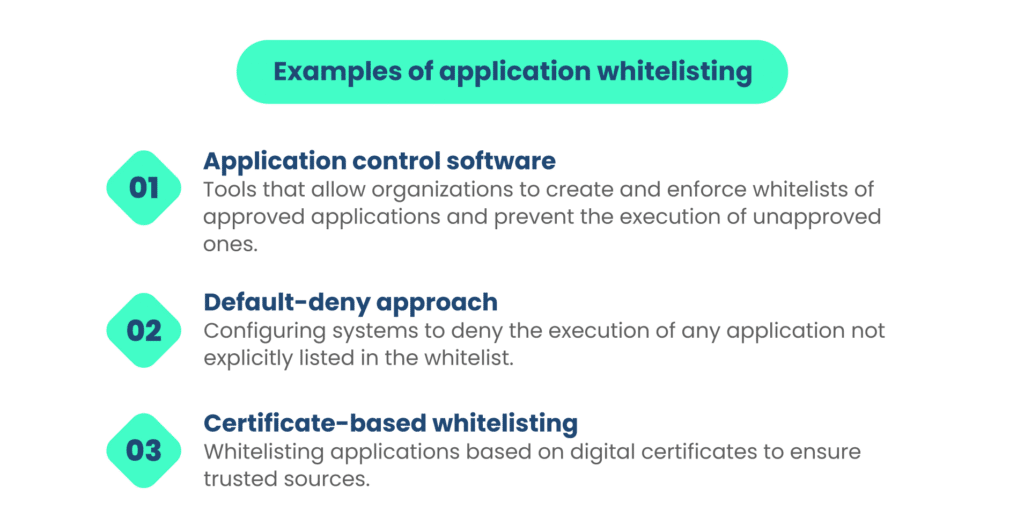
c. Application whitelisting:
Application whitelisting is a preventive control that allows organizations to specify which applications and executable files are permitted to run on their systems. By blocking unauthorized or malicious software, it reduces the risk of malware infections and unauthorized activities.
Preventive controls are essential for fortifying an organization’s security posture by proactively reducing the attack surface and minimizing the opportunities for security incidents to occur. When integrated with other security controls, they form a comprehensive defense strategy that helps protect an organization’s digital assets and data.
Selecting the right security controls
Choosing the right security controls for your organization is extremely important to maintain the balance between efforts and returns.
A. Factors to consider when selecting the right security controls
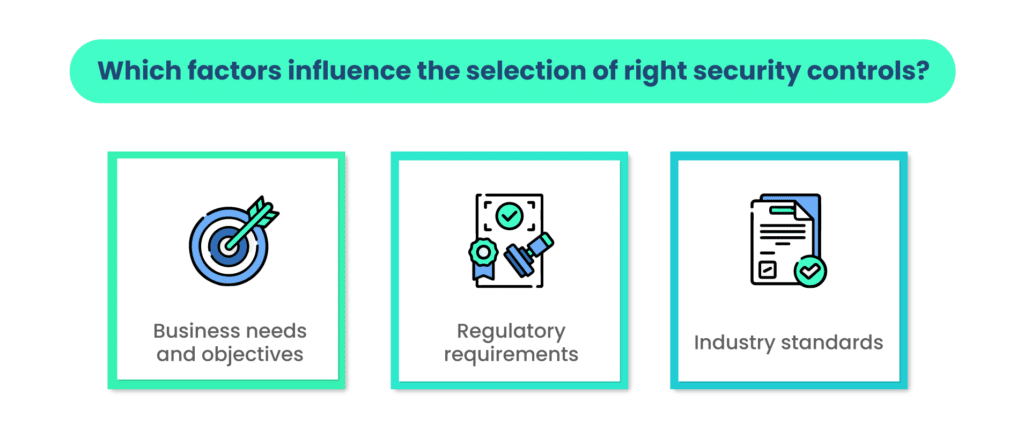
Here are some factors that can affect the selection:
a. Business needs and objectives
The selection of security controls should align with an organization’s overall business needs and objectives. It’s crucial to understand how security measures support or complement the organization’s strategic goals. Consider factors such as growth plans, customer expectations, and revenue targets when choosing security controls.
b. Regulatory requirements
Compliance with relevant laws and regulations is often non-negotiable. Organizations must identify the specific regulatory requirements that apply to their industry and geographic location. These requirements should drive the selection and implementation of security controls to ensure legal adherence.
c. Industry standards
Industry-specific standards and best practices provide valuable guidance for security control selection. Organizations should consider adopting recognized frameworks (e.g., ISO 27001, NIST Cybersecurity Framework) and industry-specific standards (e.g., PCI DSS for the payment card industry) to enhance security.
B. Risk assessment
To carry out risk assessment in the organization, you need to follow the steps given below:
a. Identifying vulnerabilities and threats
A comprehensive risk assessment involves identifying vulnerabilities in an organization’s systems, networks, and processes. This includes understanding potential threats, both internal and external, that could exploit these vulnerabilities. Threat modeling and vulnerability assessments play a crucial role in this phase.
b. Mapping controls to mitigate risks
Once vulnerabilities and threats are identified, organizations should map appropriate security controls to mitigate or manage these risks effectively. This mapping ensures that controls are selected based on their relevance to the identified threats and vulnerabilities. The goal is to create a risk-aware security posture.
C. Customization and layering
The security controls should be customized according to the organization’s specific needs. Let’s consider how.
a. Tailoring controls to specific organizational needs
Security controls are not one-size-fits-all. Organizations should customize controls to suit their unique operational and technological environment. Consider factors such as the organization’s size, industry, culture, and the specific assets that need protection. Customization ensures that controls are practical and aligned with organizational objectives.
b. The concept of defense-in-depth
The concept of defense-in-depth emphasizes the need for layered security. Instead of relying on a single control, organizations should implement multiple controls across different layers (e.g., network, application, physical) to provide redundancy and resilience. This approach ensures that if one control fails or is bypassed, others are still in place to provide protection.
Effective security control selection involves a strategic, risk-based approach that considers the organization’s unique needs, regulatory obligations, and industry standards. It’s not a one-time activity but an ongoing process that adapts to evolving threats and organizational changes. The goal is to create a security posture that is both resilient and aligned with the organization’s objectives.
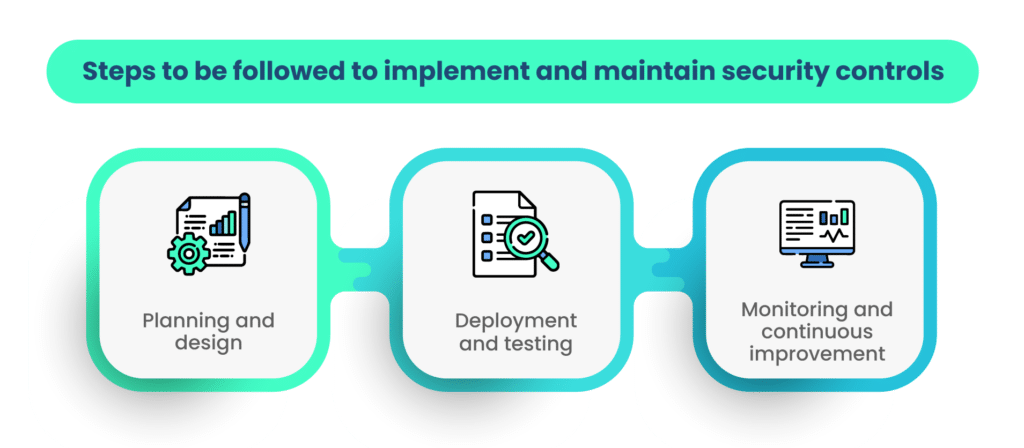
How to implement and maintain security controls?
Figure:
In order to implement and maintain the security controls in the organization, you must follow the steps given below:
A. Planning and design
There are two sub-steps for planning and design.
a. Creating a control implementation plan
Before implementing security controls, organizations should develop a well-defined implementation plan. This plan should outline the specific controls to be deployed, the timeline for implementation, responsible parties, and the budget required. It serves as a roadmap for the entire implementation process.
b. Integration with existing systems
Integrating new security controls with existing systems is critical to ensure seamless operations. Organizations should assess compatibility and dependencies, identifying any potential conflicts or disruptions. A well-planned integration strategy minimizes downtime and operational disruptions during implementation.
B. Deployment and testing
Deployment of the security controls can be done in the following ways
a. Proper installation and configuration
The correct installation and configuration of security controls are fundamental to their effectiveness. This phase involves setting up hardware or software components, defining security policies, and ensuring that controls operate as intended. Proper configuration minimizes vulnerabilities and misconfigurations that could be exploited by attackers.
b. Conducting penetration tests and audits
Penetration testing and security audits assess the effectiveness of security controls in a real-world context. These tests simulate cyberattacks to identify weaknesses, vulnerabilities, and potential gaps in security. Regular penetration testing and audits help organizations validate their security posture and identify areas for improvement.
C. Monitoring and continuous improvement
Deployment of the security controls is not an end in itself. An organization must continuously update the controls to keep them relevant.
a. Regular control performance evaluations
Security controls must be continuously monitored to ensure they are performing as expected. Organizations should establish key performance indicators (KPIs) to assess control effectiveness. Regular evaluations help identify deviations from expected behavior and provide insights into control performance.
b. Adapting controls to evolving threats
The threat landscape is dynamic, with new risks and attack vectors emerging regularly. Organizations should adapt their security controls to address evolving threats. This may involve updating control configurations, adding new controls, or revising security policies to stay resilient against emerging threats.
c. Incident response and control updates
Even with robust preventive measures, security incidents may still occur. Organizations should have an incident response plan in place to address and contain security breaches. Following an incident, it’s essential to conduct a thorough analysis to identify the root causes and make necessary control updates to prevent similar incidents in the future.
Implementing and maintaining security controls is an ongoing process that requires careful planning, continuous monitoring, and a commitment to adapt to changing circumstances. A well-executed security control lifecycle ensures that an organization’s security posture remains effective and resilient against evolving threats.
Conclusion
In our interconnected digital world, cybersecurity is paramount, with ever-evolving threats. Security controls are the foundation of defense against these challenges. This guide has explored their significance, types, and implementation best practices.
We’ve emphasized the vital role of security controls in compliance, ensuring organizations meet regulatory requirements while safeguarding data. We’ve also dissected the five control categories: administrative, technical, physical, detective, and preventive, highlighting their collective strength.
When selecting security controls, align them with your business goals, regulations, and risk assessment results. Customize and layer controls for a resilient defense.
Implementation involves careful planning, seamless integration, testing, and ongoing monitoring. Adaptation to evolving threats is key.
In this digital age, security controls are not a choice but a strategic necessity. Embrace these principles to fortify defenses and navigate the dynamic cybersecurity landscape confidently.
Are you ready to take steps towards security compliance? Scrut can give you complete peace of mind. Book a call with our experts here.
FAQs
1. What are security controls, and why are they important?
Security controls encompass measures and technologies that protect an organization’s assets from various threats, including cyberattacks, data breaches, and physical intrusions. They are essential for managing risks and ensuring the confidentiality, integrity, and availability of critical information.
2. How do security controls contribute to regulatory compliance?
Security controls help organizations meet regulatory requirements by providing the means to align their practices with specific laws, regulations, and standards. These controls ensure data protection, auditing, incident response, and policy enforcement, all of which are often mandated by regulations.
3. What are the different types of security controls?
There are five main categories of security controls: administrative, technical, physical, detective, and preventive. Administrative controls involve policies and procedures, technical controls use technology to protect systems, physical controls safeguard physical assets, detective controls identify security incidents, and preventive controls proactively mitigate risks.
1 Jun 2022
7minutes
Authored by
Aayush Ghosh Choudhary
Co-founder & CEO at Scrut
Wiz Alternatives
Wiz is a cloud security posture management (CSPM) tool that connects to your cloud environment and provides complete visibility into critical misconfigurations, allowing your teams to improve cloud security posture.
Though it is a helpful tool, other CSPM tools are available that will better meet your requirements. In this article, we will cover eight alternatives to Wiz.
Using Wiz, you can visualize all layers of your cloud environment without needing agents, so you don’t miss anything in your cloud environment. Through APIs, the platform connects to AWS, Azure, GCP, VMware vSphere, OCI, Alibaba Cloud, Red Hat OpenShift, and Kubernetes across virtual machines, containers, serverless functions, and data stores such as public buckets, data volumes, and databases.
Let’s discuss the key features of Wiz.
Key features
The tool continuously prioritizes critical risks based on a deep cloud analysis of misconfigurations, secrets, vulnerabilities, malware, sensitive data, and identities to create a single prioritized risk view for your cloud.
With the graph-based network and identity engine, Wiz can prioritize network and identity misconfigurations by focusing on resources it has verified are exposed.
Your teams can easily identify which misconfigurations can lead to lateral movement paths that harm high-value assets like admin identities.
The Wiz Security Graph provides contextual insights into toxic combinations of real risk and attack paths in your cloud, allowing you to reduce your attack surface. You can prioritize misconfigurations based on operational, business, cloud, and data context.
It automatically evaluates over 1,400 configuration rules, unified across runtime and IaC.
Drawbacks
The drawbacks of the Wiz platform are listed below:
The re-assess functionality is limited to a few daily runs and does not always work.
The platform does not support the custom report templates feature.
The status of container discoveries is not automatically updated to resolved.
Kubernetes integration is difficult to implement within CI/CD.
There is a lack of support for on-premises platforms and services.
8 Alternatives to Wiz
Let’s discuss eight alternatives to Wiz, starting with our platform, Scrut.
1. Scrut Automation
Scrut Cloud Security is more than a traditional cloud security posture management tool. It scans and monitors misconfigurations in your public cloud accounts, including AWS, Azure, and Google Cloud Platform. The platform automatically compares your cloud configurations to 200+ cloud control across CIS benchmarks to ensure a strong information security posture.
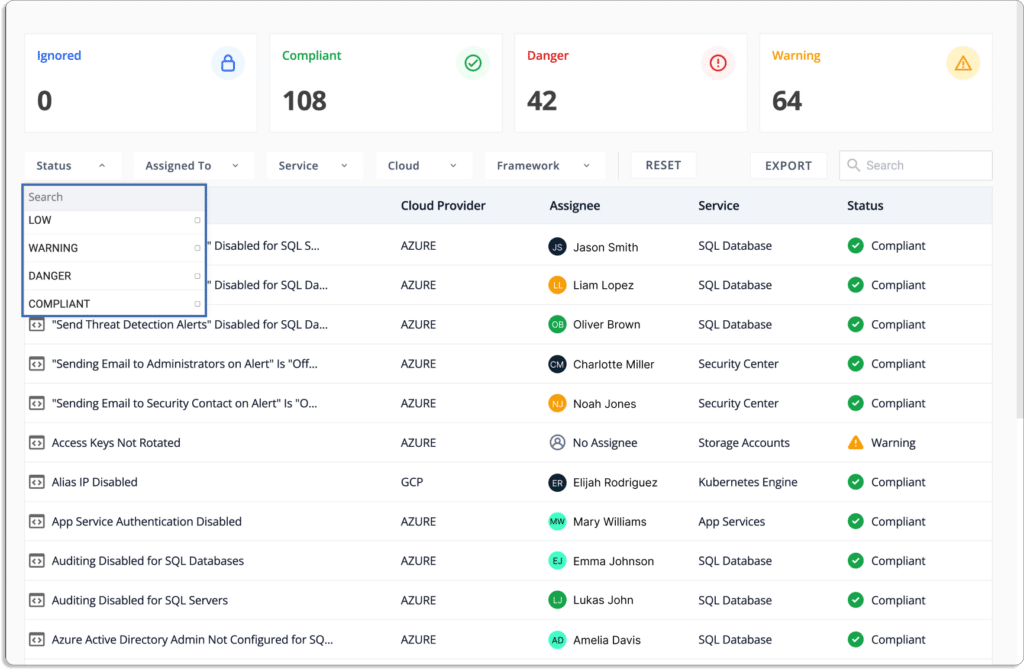
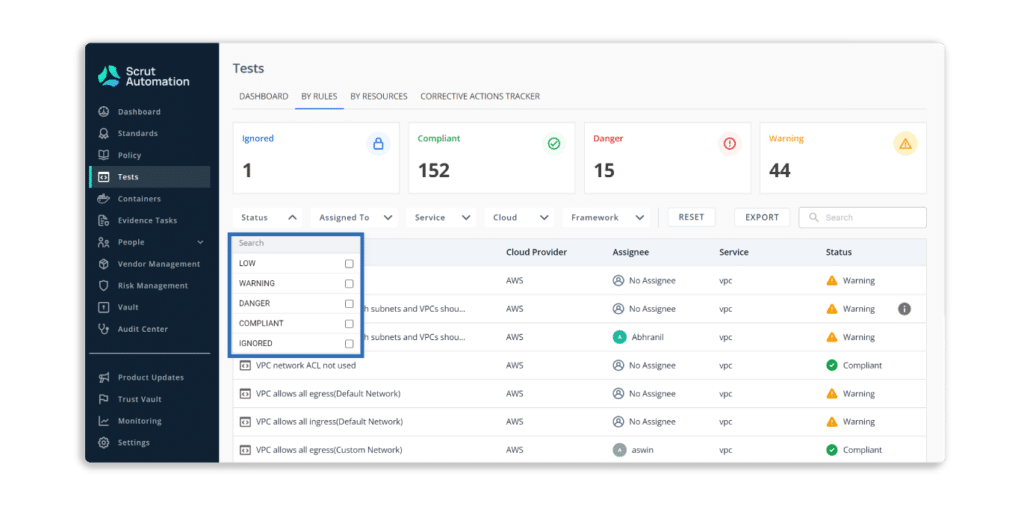
Scrut provides status information for all cloud resources, and if any cloud resource fails to meet your security standards, you will see one of the following statuses:
Danger – The most critical issues that must be addressed immediately.
Warning – After dealing with the “danger” issues, you can proceed to these.
Low – These are low-level risks that can be addressed later.
Ignored – Everything is fine as long as you are compliant.
Pros
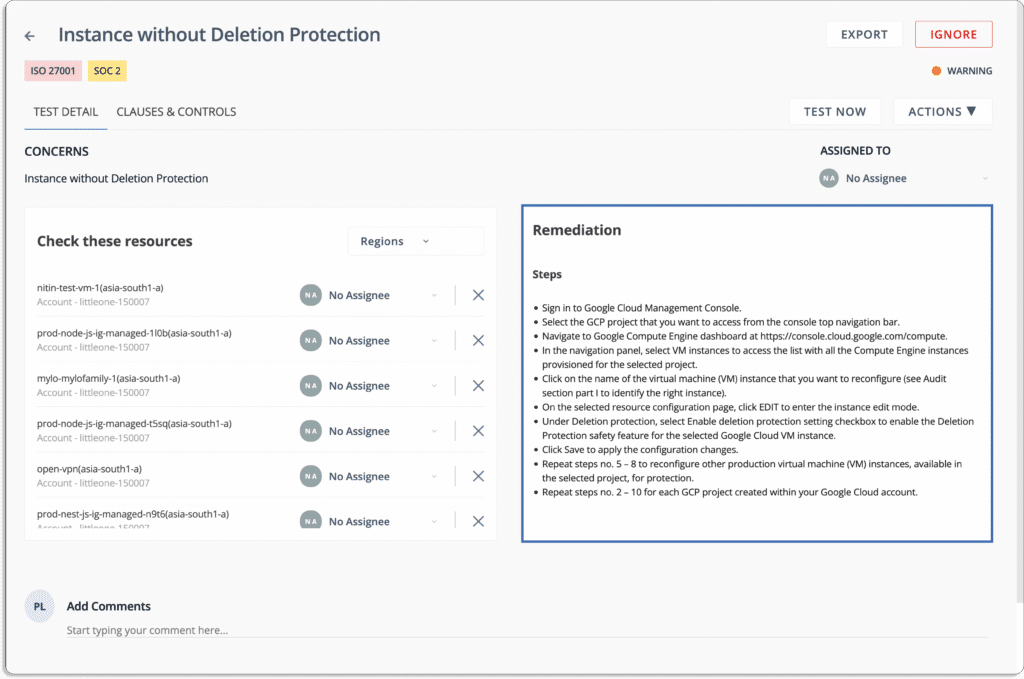
It ensures that your public cloud accounts are always secure and compliant. Scrut sends you alerts with actionable recommendations for correcting misconfigurations.
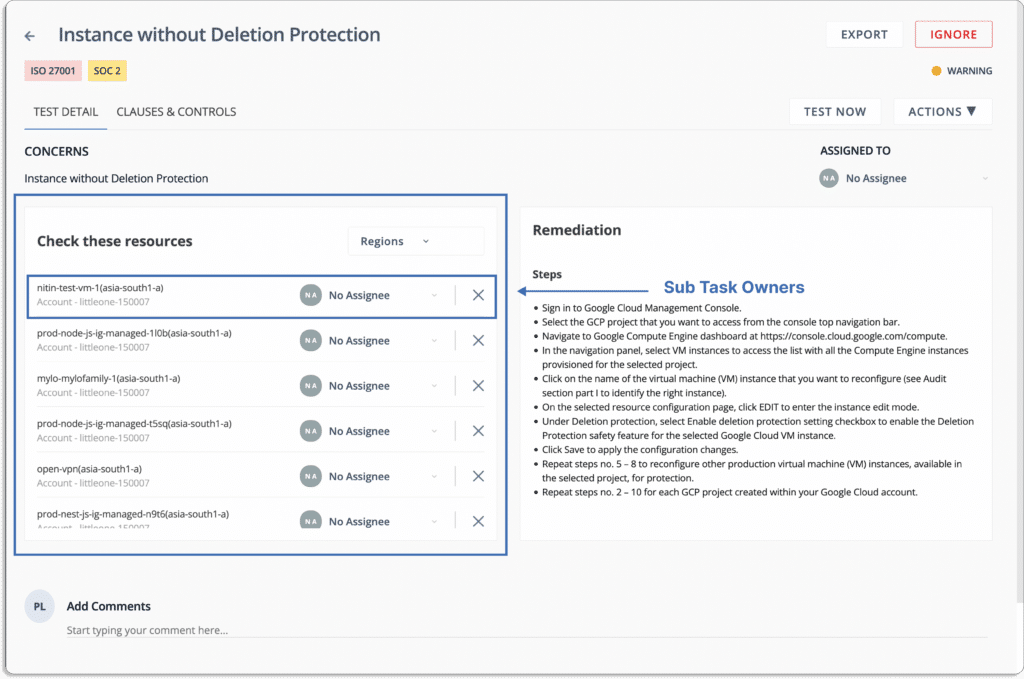
You can also assign tasks to team members to fix misconfigurations, as shown in the screenshot below:
Scrut Cloud Security enables you to implement best-practice security policies consistently across your hybrid and multi-cloud infrastructure to establish full-stack security for all your cloud-native deployments, including virtual machines (VMs), containers, and serverless.
The platform provides the visibility needed to understand your information security activities’ status, efficacy, and impact on your compliance posture. It offers a centralized repository for all information security tasks and artefacts, allowing you to close compliance gaps in real-time and remain compliant 24*7.
The Scrut platform is compatible with multi-cloud and multi-account cloud environments. In less than 10 minutes, you can connect your entire cloud infrastructure, including AWS, Azure, GCP, and others, to the Scrut platform.
JupiterOne unifies and standardizes asset data across your complex multi-cloud environments. The platform collects identity, code, security, endpoint, infrastructure, and ephemeral asset data and maps their relationships to create a complete picture of your digital environment. It provides comprehensive coverage for all of your cloud entities. The tool connects the dots between assets, users, endpoints, code repositories, and more to give your teams a complete picture of their environments. It creates and organizes resource entries automatically in order to continuously assess, audit, and evaluate the configurations of your cloud resources.
Pros
This platform allows users to easily incorporate evidence for SOC, HIPAA, GDPR, and other compliance assessments.
The tool provides inventory assets and configurations using GraphQL.
Cons
There is a steep learning curve to understand the tools’ overall potential.
Lacework uses a single platform for all AWS, Azure, Google Cloud, and Kubernetes configurations to provide a consolidated view of your cloud provider compliance. The platform discovers, monitors, and inventories all assets in your cloud environment. It records daily inventory in order to understand changes over time, even if assets are no longer available. The tool evaluates your security posture and compliance with hundreds of pre-built policies for standards such as PCI, HIPAA, NIST, ISO 27001, SOC 2, and others. Furthermore, it monitors and detects misconfigurations and suspicious cloud activity automatically.
Pros
It alerts security teams in real-time by utilizing machine learning to identify potential security threats.
Lacework offers a variety of security capabilities on a single platform, including threat detection, vulnerability management, compliance monitoring, and incident response.
Cons
Because Lacework does not support two-way integration, it is difficult to synchronize solved issues in Jira.
Aqua Cloud Security Posture Management (CSPM) detects and resolves configuration issues in AWS, Azure, Google Cloud, and other cloud accounts. The tool discovers your cloud resources and maps out your multi-cloud environment using 100% agentless technology that rapidly scans all of your cloud workloads and begins delivering results in minutes. It uses a prioritized list of risk-based insights to solve critical issues. Aqua CSPM audits your cloud accounts continuously against hundreds of configuration settings and compliance best practices, enabling unified multi-cloud security for AWS, Azure, Google Cloud, and Oracle.
Pros
In addition to seeing detailed results, the platform allows users to filter them according to certain criteria.
It offers user-configurable dashboards for cloud security and image scanning.
Cons
Aqua’s user interface have several issues, particularly with the sign-up/sign-in process, authentication, alerts, and results.
The documentation for linking an Oracle Cloud account is out of date.
CloudGuard allows you to seamlessly onboard new cloud accounts while managing compliance and security across AWS, Azure, Google Cloud, Alibaba Cloud, and Kubernetes. The platform automates governance across multi-cloud assets and services, such as security posture visualization and assessment, misconfiguration detection, and compliance framework enforcement. It manages compliance posture and assesses over 50 compliance frameworks and 2,400 security rulesets. Furthermore, the tool’s dashboards provide a summary and data from various Cloudguard sources, such as alerts, protected assets, and external integrations like Tenable.io and Kubernetes.
Pros
With CloudGuard, users can keep track of every activity on their devices.
It gives you better visibility into all of your cloud workloads and services.
Cons
Limitation of integrating with any 3rd party systems.
The platform does not allow access to remediation logs from the dashboard in order to detect failed remediation.
Prisma Cloud is a Cloud Security Posture Management (CSPM) solution that simplifies compliance while reducing the complexity of securing multi-cloud environments. It offers comprehensive visibility across public cloud infrastructure, with continuous, automated monitoring providing insights into new and existing assets and potential threats. The platform automatically resolves policy violations in the Prisma Cloud console, such as incorrectly configured security groups. It detects dangerous security issues using machine learning and threat intelligence.
Pros
Integration of CI/CD, IaC, Containers, and serverless functions is simple.
Provides visibility in the multi-cloud environment.
Cons
The UI is a little complicated because so many features are available to the end user.
Orca is a cloud security posture management (CSPM) solution that monitors cloud environments for misconfigurations, policy violations, compliance risks, and cloud-native services. It prevents risks across every layer of your cloud estate, including workloads and configurations, from development to production, in a single, agentless platform and continuously monitors for active cloud attacks. The platform combines cloud workload, configuration, identity and entitlement security, container security, sensitive data discovery, and detection and response into a single platform that covers the entire SDLC.
Pros
The platform is simple to manage.
It provides comprehensive information on vulnerable cloud resources.
Cons
Orca’s agentless technology, such as memory-loaded applications, provides less visibility into system activity.
Datadog Cloud Security Posture Management (CSPM) checks the configuration of your cloud accounts, hosts, and containers. You can see your entire security posture context by leveraging Datadog’s Cloud Security Management, which includes continuous scanning that tracks all resources, whether ephemeral or long-lasting. The platform monitors compliance with industry benchmarks and controls such as CIS, PCI DSS, and SOC 2.
Pros
It enables users to gather and correlate data from a variety of sources.
The tool customizes the monitoring of the health of deployed services.
Cons
The platform does not support automatic device detection and standard reporting.
Customer Rating
G2- 4.3/5
1 Jun 2022
7minutes
Authored by
Aayush Ghosh Choudhary
Co-founder & CEO at Scrut
Aquasec Alternatives
Aqua is a Cloud Native Application Protection Platform (CNAPP) which safeguards the application lifecycle from development to the cloud. Although it is good, it may not be the best option for everyone. Its limitations include the platform’s user interface having several issues, particularly with the sign-up/sign-in process, alerts, authentication, and results.
Aqua provides complete visibility into your multi-cloud environment, allowing you to identify and correct misconfigurations and other risks that leave you exposed. If you’re looking for Aquasec alternatives, this article will be useful. To help you save time, we’ve compiled a list of the top 8 Aquasec alternatives. Before considering the alternatives, look at Aquasec’s key features and disadvantages.
Key Features
The key features of the platform are listed below:
The Aqua platform safeguards cloud-native applications by reducing their attack surface and detecting vulnerabilities, embedded secrets, and other security issues during the development cycle.
The platform prevents security risks from becoming security incidents by detecting and remediating vulnerabilities, malware, exposed secrets, and other risks in your code, build tools, and delivery pipelines.
It enables seamless team collaboration, eliminates cloud-native blind spots, and prevents successful attacks by utilizing a single source of truth throughout the entire software development lifecycle.
Aqua automates security testing in your CI/CD pipeline and continuously scans registries and serverless function stores for emerging threats.
The tool focuses on the most critical vulnerabilities to prioritize those that pose the most significant risk to your environment based on the workloads you run, the availability of exploits in the wild, and the level of exploitability.
Drawbacks
The platform has some drawbacks, such as:
It may take them some time to explain or resolve issues.
Aqua’s user interface has several issues, particularly with the sign-up/sign-in process, alerts, authentication, and results.
The platform lacks prominent alert notification channels, such as Datadog and Webhooks.
It takes time to integrate it with platforms.
High traffic loads require restarting gateways.
DaemonSet Enforcer taking control of the docker sock on compute nodes puts production runtime at risk.
8 Best Aquasec Alternatives
Let’s discuss eight alternatives to Aquasec, starting with our platform, Scrut.
Scrut Cloud Security can be integrated with your cloud accounts – AWS, Azure, GCP, and others – in less than 10 minutes using pre-built integrations.
The platform displays the status of all cloud resources, and if any cloud resource fails to meet your security standards, you will see one of the following statuses:
Danger – The most critical issues that must be addressed immediately.
Warning – After dealing with the “danger” issues, you can proceed to these.
Low – These are low-level risks that can be addressed later.
Ignored – Everything is fine as long as you are compliant.
Pros
Scrut Cloud Security ensures that your public cloud accounts are always secure and compliant. It sends you alerts with actionable recommendations for correcting misconfigurations.
Furthermore, you can assign tasks to team members to fix misconfigurations.
Scrut Cloud Security enables you to implement best-practice security policies consistently across your hybrid and multi-cloud infrastructure to establish full-stack security for all your cloud-native deployments, including virtual machines (VMs), containers, and serverless.
It provides the visibility required to understand your information security activities’ status, efficacy, and impact on your compliance posture. The tool offers a centralized repository for all information security tasks and artefacts, allowing you to close compliance gaps in real time and stay compliant 24*7.
The platform automatically compares your cloud configurations to 200+ cloud control across CIS benchmarks to ensure a strong information security posture.
Prisma Cloud is the Cloud Native Application Protection Platform (CNAPP), providing security and compliance coverage for infrastructure, workloads, and applications across the entire cloud-native technology stack and hybrid and multi-cloud environments. It simplifies compliance while reducing the difficulty of safeguarding multi-cloud setups. The platform provides complete control and insight over the security posture of each deployed resource. Furthermore, it automatically corrects common configuration errors before they cause security incidents.
Pros
Prisma supports multiple cloud environments.
Prisma cloud secures applications through threat prevention, which can protect against newly generated malware and threats.
Cons
The platform has a variety of interfaces, policies, and approaches, making it difficult to understand.
There is a lack of visibility into system resources.
The platform is not sufficiently automated and requires numerous manual processes.
JupiterOne unifies and standardizes asset data across your complex multi-cloud environments. It collects identity, code, security, endpoint, infrastructure, and ephemeral asset data and maps their relationships to create a complete picture of your digital environment. The tool provides comprehensive protection for all of your cloud entities. It connects the dots between assets, users, endpoints, code repositories, and more to give your teams with a complete picture of their environments. Furthermore, it creates and classifies resource entries automatically to continuously assess, audit, and evaluate the configurations of your cloud resources.
Pros
It provides continuous instrumentation and monitoring of cloud environments and controls.
The platform makes it easy for users to integrate evidence for SOC, HIPAA, GDPR, and other compliance assessments.
Cons
Understanding the tools’ overall potential requires a steep learning curve.
Sysdig Secure is a cloud and container security platform that supports multi-cloud environments and addresses risk across all your cloud accounts and deployments. Teams can use the Sysdig Secure platform to secure builds, detect and respond to runtime threats, and manage real-time cloud configurations, permissions, and compliance.
Pros
The new risk spotlight feature allows users to focus on real and imminent risks.
The platform allows for flexible policy configuration.
CloudGuard Cloud Security Posture Management automates governance across multi-cloud assets and services, detecting configuration errors and enforcing security best practices and compliance standards. It offers cloud security and compliance posture management for cloud-native environments, including Amazon, Azure, Google Cloud, Alibaba Cloud, and Kubernetes. The tool enforces gold standard policies across accounts, projects, regions, and virtual networks while visualizing security posture. It applies runtime CI/CD remediation in place and active security enforcement.
Pros
The platform lets you see your cloud workloads and services in detail.
Flexible enough to deploy everything from large centralized data centres to IoT/OT devices to local branches.
Cons
The cloud guard console makes it difficult to monitor traffic and threats.
The platform does not offer policy recommendations that help users to delete unused objects.
Wiz connects to your cloud environment and provides complete visibility and actionable context on your most critical misconfigurations, allowing your teams to improve your cloud security posture proactively and continuously. You can prioritize misconfigurations using the Wiz Security Graph based on operational, business, cloud, and data context. For instance, you can disregard resources that a cloud service or empty VPCs control. Furthermore, it evaluates your compliance posture against over 35 built-in compliance frameworks, including CIS Azure/GCP/AWS/OCI/ESXi, NIST CFS/SP/800-171/800-53, PCI DSS, SOC2, HiTrust, and others.
Pros
The platform prioritized alerts based on context.
The platform’s threat centre makes it easy to see which resources require attention.
Cons
The Wiz platform does not support the custom report templates feature.
The status of container discoveries is not automatically updated to resolved.
Lacework discovers, monitors, and inventories all assets in your cloud environment. It records daily inventory to understand changes over time, even if assets are no longer available. The tool evaluates your security posture and compliance with hundreds of pre-built policies for standards such as PCI, HIPAA, NIST, SOC 2, and others. It automatically monitors and detects misconfigurations and suspicious cloud activity.
Pros
Lacework provides extensive coverage for a wide range of cloud workloads (including containers, Kubernetes, AWS, and Azure), allowing the organization to secure the entire cloud environment with a single platform.
It easily provides the information required to assess risks and develop a mitigation plan.
Cons
Due to the underlying approach, detections can take up to an hour.
Slack notifications occasionally stopped being linked to events.
Scribe collectors work with your software pipelines to generate attestation of the integrity and provenance of built artefacts and a software bill of materials. The data is analyzed and managed in the Scribe platform, where it can be shared with stakeholders. For each build, the platform analyzes gaps and defines security policies across your CI/CD pipelines.
1 Jun 2022
12minutes
Authored by
Aayush Ghosh Choudhary
Co-founder & CEO at Scrut
Buyer’s guide to cloud security vendors
Cloud storage is no longer a “future tech” but has become a necessity for every individual and every business. Storing data on physical drives is next to impossible as business data is rising exponentially. While the cloud offers numerous benefits, such as scalability, flexibility, and cost-efficiency, it also introduces a host of security challenges.
Protecting sensitive data, ensuring compliance with regulations, and safeguarding against cyber threats are paramount concerns in the cloud environment. Therefore, the importance of cloud security cannot be overstated.
As the demand for robust cloud security solutions continues to rise, the market has witnessed a proliferation of cloud security vendors. These vendors offer a wide range of products and services designed to address the unique security needs of cloud-based operations. This proliferation has created a complex landscape, making it challenging for organizations to choose the right cloud security vendors that align with their specific requirements.
The purpose of this Buyer’s Guide is to assist organizations, IT professionals, and decision-makers in navigating the crowded and ever-evolving cloud security market. We will provide valuable insights, criteria, and considerations to help you make informed decisions when selecting cloud security providers.
How to assess your cloud security needs?
Cloud security needs are ever-evolving, driven by the dynamic nature of cloud environments and the evolving landscape of cyber threats. Organizations must continuously assess and adapt their security measures to protect sensitive data, applications, and infrastructure in the cloud, all while staying compliant with industry regulations and standards.
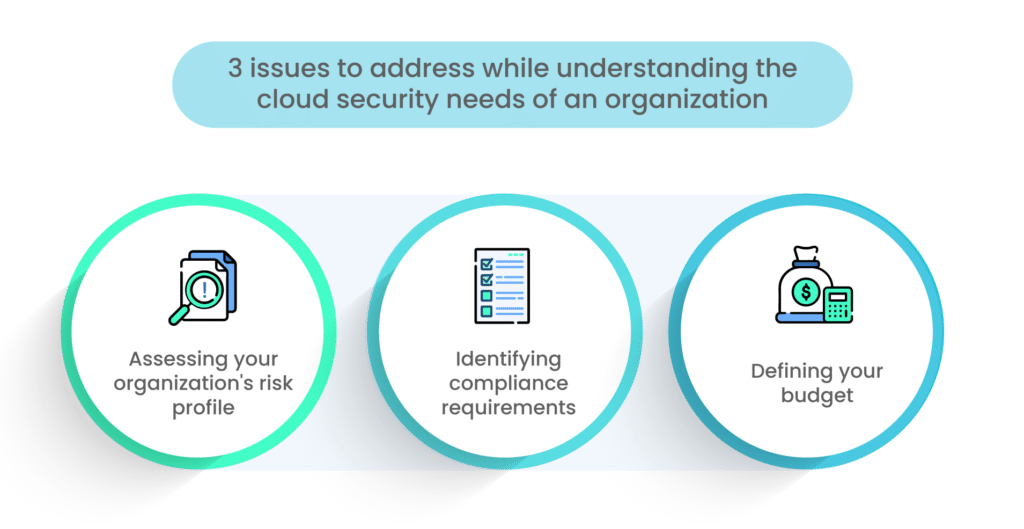
1. Assessing your organization’s risk profile
Before diving into the selection of cloud security providers, it’s crucial to conduct a thorough assessment of your organization’s risk profile. This involves evaluating the specific risks and threats that your organization faces in the cloud environment. Consider factors such as the sensitivity of your data, industry regulations, and potential threats like data breaches, insider threats, and DDoS attacks.
Questions to ask:
What types of data are you storing in the cloud, and how sensitive is this data?
What are the potential risks and threats that could impact your cloud infrastructure and data?
Do you have a clear understanding of your organization’s risk tolerance?
Have you conducted a risk assessment to identify vulnerabilities and prioritize security measures?
2. Identifying compliance requirements
Many organizations operate within regulated industries or must adhere to specific compliance standards. It’s essential to identify and understand the compliance requirements that apply to your organization’s use of the cloud. Compliance standards such as GDPR, HIPAA, SOC 2, and PCI DSS have stringent data security and privacy requirements that must be met.
Questions to consider:
Which compliance standards or regulations does your organization need to adhere to?
What are the specific security and privacy requirements outlined in these regulations?
Are there any data residency or localization requirements that impact your cloud deployments?
Have you documented the necessary compliance controls and measures required for your cloud environment?
3. Defining your budget
Cloud security providers come in a wide range of pricing models, from pay-as-you-go to subscription-based services. It’s essential to define a clear budget for your cloud security initiatives. Consider not only the cost of security tools and services but also the costs associated with ongoing maintenance, training, and incident response.
Key budget-related questions:
What is your allocated budget for cloud security?
Are you looking for cost-effective solutions, or are you willing to invest in premium security offerings?
Have you factored in the total cost of ownership (TCO) for cloud security providers, including training and operational expenses?
Are there any budget constraints that may impact your choice of security solutions?
By thoroughly assessing your organization’s risk profile, compliance requirements, and budget constraints, you’ll be better prepared to make informed decisions when selecting cloud security prooviders that align with your specific needs and priorities.
What are the key considerations for evaluating cloud security vendors?
When selecting a cloud security vendor to protect your organization’s valuable assets in the digital realm, it’s essential to embark on this decision-making journey with a clear understanding of the critical factors to consider.
Below, we outline key considerations that will guide you toward making an informed choice for your cloud security needs.
1. Reputation and credibility
Research and reviews: Investigate the vendor’s reputation by reading customer reviews, industry reports, and case studies. A vendor with a strong track record and positive customer feedback is more likely to deliver reliable security solutions.
Certifications and compliance: Check if the vendor holds industry certifications and compliance with relevant standards. Certifications like ISO 27001 and SOC 2 demonstrate a commitment to security.
2. Range of security solutions
Comprehensive offerings: Assess whether the vendor offers a wide range of security solutions to cover different aspects of cloud security, including identity and access management, data encryption, threat detection, and more.
Scalability: Ensure the vendor’s solutions can scale with your organization’s growth and evolving security needs.
3. Integration capabilities
Compatibility: Determine if the vendor’s solutions integrate seamlessly with your existing cloud infrastructure, applications, and third-party tools.
APIs and documentation: Check if the vendor provides robust APIs and comprehensive documentation for easy integration.
Scalability and flexibility
Scalability: Ensure that the vendor’s solutions can adapt to your organization’s changing needs, allowing you to add or adjust security measures as required.
Customization: Evaluate the flexibility to customize security policies and settings to align with your specific requirements.
4. Performance and reliability
Uptime and availability: Investigate the vendor’s historical uptime and availability records. Downtime can be detrimental to your security posture.
Performance benchmarks: Assess the impact of security solutions on the performance of your cloud services. Minimal performance degradation is crucial.
5. Support and customer service
Support channels: Evaluate the availability of customer support channels, such as email, phone, chat, and a knowledge base.
Response times: Inquire about response times for support requests, especially in the event of security incidents.
6. User-friendliness
Ease of use: Consider the user-friendliness of the vendor’s security solutions. Complex and unintuitive interfaces can lead to operational challenges.
Training and documentation: Check if the vendor provides training materials and documentation to help your team effectively use their solutions.
7. Pricing models
Cost transparency: Understand the vendor’s pricing structure and ensure it aligns with your budget. Be aware of any hidden costs.
Scalability costs: Analyze how pricing scales as your organization grows or requires additional security features.
What are the different types of cloud security providers?
As you explore the realm of cloud security vendors, it’s important to be aware of the various categories and tools available to protect your cloud-based assets.
Here are some key types of cloud security providers:
1. Cloud access security broker (CASB)
CASB solutions act as intermediaries between users and cloud service providers, ensuring that cloud activities align with security policies.
They provide visibility into cloud usage, enforce access controls, and offer threat detection capabilities.
2. Identity and Access Management (IAM)
IAM solutions manage user identities, roles, and permissions for cloud resources.
They play a crucial role in ensuring that only authorized individuals can access sensitive data and applications in the cloud.
3. Data loss prevention (DLP)
DLP solutions monitor and prevent the unauthorized sharing or leakage of sensitive data in the cloud.
They use policies to detect and block actions that could lead to data exposure.
4. Threat detection and response
These solutions use advanced algorithms and threat intelligence to identify and respond to security threats in real time.
They are vital for detecting and mitigating attacks, such as malware, phishing, and insider threats.
5. Encryption and key management
Encryption solutions protect data by converting it into unreadable ciphertext, ensuring that even if data is compromised, it remains secure.
Key management solutions manage encryption keys, a critical component of data protection.
6. Network security
Network security solutions safeguard cloud infrastructure and data by controlling traffic, detecting and preventing intrusions, and mitigating DDoS attacks.
They help create secure network architectures in the cloud.
7. Compliance and governance
Compliance and governance solutions assist organizations in meeting regulatory requirements and industry standards in the cloud.
They provide tools for auditing, reporting, and ensuring adherence to security policies.
These types of cloud security vendors are designed to address specific aspects of cloud security, and organizations often use a combination of them to create a robust security posture tailored to their needs and risk profile. Understanding these categories will help you make informed choices when selecting the right security tools for your cloud environment.
What is the procurement process for cloud security solution?
When you’ve identified your cloud security needs and potential vendors, it’s time to navigate the procurement process.
Here are the key steps involved in procuring cloud security providers:
1. Request for proposal (RFP)
Start by creating a detailed RFP that outlines your organization’s security requirements, expectations, and evaluation criteria.
Distribute the RFP to potential vendors, inviting them to submit proposals that address your specific needs.
2. Vendor demos and trials
Once you receive proposals, request vendor demos and trials. This allows you to get hands-on experience with the security solutions.
During demos and trials, assess how well each vendor’s offerings align with your requirements and how user-friendly they are.
3. Evaluating proposals
Evaluate vendor proposals based on predefined criteria, such as features, scalability, performance, support, and cost.
Consider factors like reputation, compliance, and the vendor’s ability to address your organization’s unique challenges.
4. Negotiating contracts
Initiate contract negotiations with the selected vendor(s). This phase involves discussing terms, pricing, service-level agreements (SLAs), and any customization needs.
Ensure that all aspects of the contract are clearly defined, including licensing, maintenance, and support.
5. Implementation planning
Collaborate with the chosen vendor to develop a comprehensive implementation plan. This plan should include timelines, responsibilities, and milestones.
Consider any necessary training for your team and ensure a smooth transition to the new cloud security solutions.
What are the security best practices for cloud adoption?
As organizations increasingly embrace cloud computing, it’s imperative to establish robust security practices to safeguard data and operations.
Here are some essential security best practices for successful cloud adoption:
1. Security awareness training
Provide ongoing security awareness training to your employees to educate them about the risks and best practices associated with cloud usage.
Ensure that employees understand how to recognize phishing attempts and other security threats specific to the cloud environment.
2. Regular auditing and monitoring
Implement continuous monitoring of your cloud infrastructure and applications to detect and respond to security incidents promptly.
Utilize cloud-specific monitoring tools to track access, configurations, and user activities in real time.
3. Incident response planning
Develop a comprehensive incident response plan tailored to cloud-specific threats and vulnerabilities.
Conduct regular tabletop exercises to ensure your team is prepared to respond effectively to security incidents in the cloud.
4. Cloud security policies and governance
Establish clear cloud security policies and governance frameworks that align with your organization’s overall security strategy.
Define roles and responsibilities for cloud security, including who is responsible for managing configurations, access control, and compliance.
5. Compliance and regulations
Stay informed about relevant compliance standards and regulations applicable to your industry and geographic location.
Ensure that your cloud security practices align with these standards and that you maintain compliance in the cloud.
6. Data encryption
Encrypt sensitive data both in transit and at rest within the cloud environment.
Implement strong encryption mechanisms and key management practices to protect data from unauthorized access.
7. Access control and identity management
Implement robust identity and access management (IAM) policies to control who has access to cloud resources and data.
Utilize multi-factor authentication (MFA) and least privilege access principles to enhance security.
8. Regular security assessments
Conduct regular security assessments, vulnerability scans, and penetration testing on your cloud infrastructure and applications.
Address identified vulnerabilities promptly to mitigate potential risks.
9. Backup and disaster recovery
Establish automated backup processes for critical data and applications in the cloud.
Develop a comprehensive disaster recovery plan to ensure business continuity in case of data loss or service disruption.
10. Third-party risk management
Evaluate and monitor the security practices of third-party vendors and cloud service providers.
Ensure that they meet your organization’s security and compliance requirements.
By incorporating these security best practices into your cloud adoption strategy, you can create a secure and resilient cloud environment that protects your data, meets regulatory requirements, and effectively mitigates security risks.
What are the future trends in cloud security?
As cloud technology continues to evolve, so do the security challenges and solutions associated with it.
Here are some emerging trends in cloud security that are expected to shape the future:
1. Zero trust security model
The zero-trust security model is gaining prominence as organizations shift away from the traditional perimeter-based approach.
Zero trust assumes that threats may exist within the network and requires continuous verification of users, devices, and applications before granting access.
Implementing zero-trust principles in cloud environments enhances security by minimizing the attack surface and reducing the risk of lateral movement by attackers.
2. AI and machine learning in threat detection
Artificial intelligence (AI) and machine learning (ML) are being increasingly used to bolster threat detection and response capabilities.
AI and ML algorithms can analyze vast amounts of data to identify patterns and anomalies that might indicate security threats.
These technologies enhance the ability to detect and mitigate advanced and evolving cyber threats in real time.
3. Container security
Containers have become a fundamental component of cloud-native applications, but they also introduce security challenges.
Container security solutions are emerging to protect containerized applications and ensure the security of container orchestration platforms like Kubernetes.
These solutions focus on vulnerability scanning, runtime protection, and access control for containers.
4. Serverless security
Serverless computing, where code execution is event-driven without managing servers, is on the rise.
Security in serverless environments requires a new approach, addressing issues like function isolation, access control, and event source validation.
Serverless security solutions are emerging to protect against serverless-specific threats and vulnerabilities.
5. Cloud-native security tools
Cloud-native security tools are designed to seamlessly integrate with cloud platforms and DevOps workflows.
These tools provide automated security checks during the development and deployment phases, enhancing the security posture of cloud-native applications.
6. Quantum-safe encryption
With the advent of quantum computing, traditional encryption methods are at risk of being compromised.
Quantum-safe encryption algorithms are being developed and tested to secure data in a post-quantum computing world.
7. Enhanced cloud compliance solutions
As regulations evolve, cloud compliance solutions are becoming more sophisticated, offering automated compliance monitoring, reporting, and remediation.
These tools help organizations maintain compliance while operating in complex cloud environments.
Keeping abreast of these future trends in cloud security is crucial for organizations seeking to stay ahead of emerging threats and ensure the continued protection of their cloud-based assets and data. Integrating these trends into your cloud security strategy will be essential for maintaining a robust security posture in the evolving digital landscape.
Top cloud security companies
There are many cloud security providers in the market at this time. Let’s look at some of the leaders that rule the market today:
Overview: Proofpoint is a cybersecurity company that specializes in email security, phishing protection, and advanced threat intelligence. They provide solutions to protect organizations from email and cloud-based threats.
Key offerings: Proofpoint offers products for email security, email archiving, data loss prevention (DLP), and threat intelligence. Their solutions help organizations safeguard against phishing attacks, malware, and data breaches.
Overview: Check Point Software is a multinational provider of software and hardware products for IT security, including network security, cloud security, and mobile security.
Key offerings: Check Point offers a wide range of security solutions, including firewalls, intrusion prevention systems (IPS), threat prevention, and cloud security. Their solutions are designed to protect networks, cloud environments, and endpoints from cyber threats.
Notable features: Check Point’s SandBlast technology provides advanced threat prevention capabilities, including protection against zero-day threats and malware.
Overview: CrowdStrike is a cybersecurity company known for its cloud-native endpoint protection platform. They focus on endpoint security, threat intelligence, and incident response.
Key offerings: CrowdStrike Falcon is their flagship product, offering endpoint protection, threat hunting, and security incident response. It uses AI and machine learning to detect and prevent threats.
Notable features: CrowdStrike’s threat graph provides real-time visibility and threat intelligence across endpoints, enabling organizations to respond to threats rapidly.
Overview: Palo Alto Networks is a cybersecurity company that specializes in firewall and cloud security solutions. They offer a wide range of products to protect organizations from cyber threats.
Key offerings: Palo Alto Networks provides next-generation firewalls, cloud security, and threat intelligence solutions. Their security platform is designed to secure networks, cloud environments, and endpoints.
Notable features: The Palo Alto Networks Security Operating Platform offers centralized management and automation to improve security posture and reduce manual tasks.
Overview: VMware is a global leader in virtualization and cloud infrastructure solutions. While not exclusively a cybersecurity company, they offer security solutions for virtualized and cloud environments.
Key offerings: VMware offers products like NSX, which provides network security for virtualized environments, and Carbon Black, which focuses on endpoint security. These solutions help organizations secure their virtualized and cloud infrastructure.
Notable features: NSX enables micro-segmentation, allowing organizations to create granular security policies for each application, enhancing network security in virtualized environments.
These companies play significant roles in the cybersecurity landscape, offering a range of solutions to protect organizations from the evolving and complex cyber threats they face.
In Conclusion
In conclusion, cloud storage has evolved into an essential for individuals and businesses, accompanied by intricate security challenges. To navigate this landscape, organizations must continually assess security needs and compliance requirements, define a clear budget, carefully select cloud security vendors based on key criteria, understand various solutions, follow a systematic procurement process, implement crucial security practices, and stay updated on emerging trends in cloud security. By adhering to these principles, organizations can safeguard their cloud assets effectively in the dynamic digital landscape.
Ready to fortify your cloud security? Start your journey today by assessing your needs and exploring trusted vendors. Get Scrut’s cloud security solution to help you through your journey.
FAQs
1. What is cloud storage, and why is it essential for businesses and individuals?
Cloud storage is a service that allows individuals and businesses to store their data and files on remote servers accessible via the Internet. It’s essential because it provides flexibility, scalability, and cost-efficiency for managing and accessing data.
2. What factors should organizations consider when selecting a cloud security vendor?
Organizations should evaluate vendors based on reputation, the range of security solutions offered, integration capabilities, scalability, performance, support, user-friendliness, and pricing models.
3. What steps should organizations follow in the procurement process for cloud security solutions?
The procurement process includes creating a detailed Request for Proposal (RFP), vendor demos and trials, evaluating proposals, contract negotiations, and comprehensive implementation planning.
1 Jun 2022
9minutes
Authored by
Aayush Ghosh Choudhary
Co-founder & CEO at Scrut
CMMC Automation Tools
CMMC ensures that DoD contractors adequately safeguard sensitive information against frequent and complex cyberattacks. Noncompliance could result in losing valuable DoD contracts and expose a contractor to cybersecurity vulnerabilities. Complying with CMMC regulations is one thing. However, maintaining compliance, year after year, is critical. That’s where CMMC automation software comes in.
The Cybersecurity Maturity Model Certification (CMMC) compliance framework is a set of standards that organizations must follow if they want to work with the US Department of Defense (DoD) or the defense industrial base (DIB). It is a US standard for determining the maturity of a company’s cybersecurity program.
The US Department of Defense established CMMC in response to significant compromises of sensitive defence information on contractors’ information systems. The CMMC framework defines five cybersecurity maturity levels that reflect a company’s cybersecurity infrastructure’s ability to safeguard sensitive government information on contractors’ information systems.
Most organizations face the challenge of the lack of internal resources required to implement a plan of action for a new and complex compliance program. Another barrier to CMMC certification for many organizations is the lack of an information security compliance program. Many companies lack the security-centric architecture and compliance management tools required for CMMC compliance. They lack the in-house expertise required to establish an effective compliance program capable of meeting CMMC standards.
12 CMMC Compliance Automation Tools
If your company wants to do business with any federal agency, CMMC software should be on your list. Wondering how to select the right tool for your organization’s needs? We have picked the best 12 CMMC compliance automation tools.
1. Scrut Automation
Scrut automation can help you achieve Cybersecurity Maturity Model Certification by providing a smarter path to compliance by eliminating time-consuming manual procedures and keeping you updated on the progress of your programs.
Scrut supports the following frameworks: SOC 2, SOC 3, ISO 27001, ISO 27701, ISO 27017, ISO 27018, ISO 22301, ISO 20000-1, GDPR, HIPAA, FERPA, HITRUST, FedRamp, CMMC, CCPA, PCI DSS, CSA Star, CMMI – DEV, CMMI – SVC, GLB, NIST 800 171, etc. The platform offers you prebuilt policies vetted by industry experts and aligned with popular industry frameworks, as shown in the screenshot below.
It provides you with prebuilt policies and controls that are mapped to frameworks.
The platform identifies open hazards and critical issues. It provides a single tracker to monitor what needs to be corrected and assists you in assigning and tracking activities all in one window.
Check our customer reviews below.
Pros
Allows you to track all compliance activities in one place – With Scrut, you can track multiple compliances simultaneously. You get the visibility you need to understand the status, efficacy, and impact of your information security activities on your compliance posture with Scrut GRC. It creates a single source of truth for all information security tasks and artifacts, allowing you to close compliance gaps in real-time and remain compliant 24*7.
Automate cloud security monitoring – Scrut is not limited to the basic controls required by popular frameworks. It automatically compares your cloud configurations to 200+ CIS benchmarks to ensure a strong information security posture.
Automated evidence collection – Evidence gathering is a time-consuming and monotonous process that no one enjoys. Scrut eliminates the need for thousands of evidence artifacts to be collected manually by automating evidence collection across 70+ integrations across mapped controls.
Smooth audit process – Scrut automates and streamlines the time-consuming audit tasks, from planning to analysis. The platform simplifies collaboration with your auditors, increasing accountability and speeding up the fulfillment of InfoSec tasks while reducing manual work by up to 75%. You can invite auditors to the platform to manage the entire audit process in real-time, eliminating the need for a back-and-forth between email and drive folders. Scrut allows you to create audit projects and manage access with a few clicks.
Drata is an audit-ready security and compliance automation platform that continuously monitors and collects evidence of a company’s security controls. The platform offers custom controls to help you get compliant and continuously monitor your posture to ensure you stay compliant. It provides visibility into scoping baselines, letting you know what you’ve accomplished and what else needs to be done. Furthermore, it streamlines and automates task management by connecting to Jira, Asana, and other systems.
Pros
Users can see a detailed overview of which compliance requires attention through Drata’s centralized visibility of personnel and assets.
The platform automates the complex and time-consuming compliance process, removing the need for users to keep track of all the various regulations and requirements. All of that information is easily accessible and constantly updated with Drata.
Cons
It doesn’t support the duplicative evidence upload feature. Users have to manually upload duplicate evidence.
The tool doesn’t pick up Windows BitLocker encryption. Users have to manually upload evidence to support that feature.
Customer Rating
G2- 4.9/5
3. Hyperproof
Hyperproof implements a security compliance program that meets DOD expectations. The platform guides you in preparing for the CMMC in a streamlined manner possible by conducting a gap analysis and identifying key actions that must be completed to satisfy CMMC requirements. It quickly collects evidence to document your CMMC compliance efforts.
Pros
Users can create the right control set with Hyperproof frameworks to track risks and issues.
Hyperproof’s control assessment feature enables users to design and test controls, as well as track action plans for any issues.
Cons
Deactivated user accounts still appear in modules because of inherited security controls.
Customer Rating
G2- 4.5/5
4. ZenGRC
ZenGRC CMMC platform provides a central repository for all audit-ready documentation. The solution offers insight into how to move to CMMC audit readiness, from self-assessment to CMMC audit by a third-party assessment organization. It eliminates the tedious manual processes and reduces the time and resource requirements to manage them.
Pros
Users can see where they stand and what needs to be done with ZenGRC auditing functionality.
ZenGRC provides task reminder feature so that the team members don’t have to follow up on every requirements.
Cons
The roles available in ZenGRC are limited. For example, if a contributor is assigned a request, he or she cannot reassign the request to another contributor.
The user’s ability to customize is limited. For example, users cannot customize when they send out notifications.
Customer Rating
G2- 4.4/5
5. Onspring
Onspring is a GRC software that automates the process of mapping CMMC compliance requirements, gathering evidence, and providing documentation to CMMC, making your organization audit-ready. You can monitor your organization’s status for CMMC domains and capabilities in accordance with any of the five CMMC levels using Onspring. You can also assess and track subcontractors’ CMMC compliance.
Pros
The platform increases the scalability because users can construct a workflow without knowing how to code.
Users can easily configure all of the modules without opening change tickets.
Cons
The platform does not automatically update the email while delegating a survey. Users have to adjust it manually.
A major drawback is the absence of active directory integration.
Customer Rating
G2- 4.8/5
6. Logic Manager
Logic Manager is enterprise risk management (ERM) software that enables businesses to plan for the future, protect their reputations, and improve business performance through strong governance, risk management, and compliance (GRC). The platform lets you centralize your controls and collect evidence by streamlining the audit process from beginning to end and determining your certification level.
Pros
The platform provides templated risks library.
The tool responds quickly to incidents when reported.
Cons
The platform does not capture key contract details.
Recent real-time changes are not reflected in the reporting module.
Customer Rating
G2- 4.4/5
7. Sprinto
Sprinto is a security compliance automation platform that integrates with your cloud environment to consolidate risk, map entity-level controls, and run fully automated checks. The platform streamlines your organization’s processes and controls to achieve CMMC. It offers a real-time continuous monitoring feature.
Pros
Sprinto provides complete transparency of the entire compliance process so that users don’t miss anything.
The dashboard makes it easier for teams to close open loops by providing all the latest status and security checks.
Cons
The tool doesn’t include login with the SSO provider such as Okta.
The tool is unable to filter within those lists or sort them.
Customer Rating
G2- 4.9/5
8. AuditBoard
AuditBoard is a cloud-based platform that transforms audit, risk, environmental, social, and compliance management. The tool simplifies CMMC assessments by combining risks, controls, policies, frameworks, and more to equip your organization to meet today’s increasing compliance requirements. It facilitates communication and collaboration with stakeholders by making it simple to deploy surveys, including pre-and post-audit surveys, and automating evidence collection.
Pros
Users can use the tool to create custom reports to view data in Excel, allowing them to analyze trends in the data without having to create custom requests.
Users can use filters and keyword search options to find the controls.
Cons
Dashboard fields may not always be accessible before submitting a ticket. For instance, drop-down values in a questionnaire do not integrate well.
The platform does not offer a Gantt chart for annual schedule audits. Users have to use Excel to monitor the audit plan’s development.
Customer Rating
G2- 4.8/5
9. Secureframe
Secureframe is a GRC platform that assists organizations that work with the DoD in understanding compliance requirements, managing controls, streamlining workflows, and automating tasks and evidence collection to become CMMC compliant. It collects evidence and reviews processes automatically for compliance assessments.
Pros
The software streamlines the compliance process by dividing complicated requirements into manageable tasks and corrections.
The platform integrates with numerous technologies and assists users in comprehending what is required to reach compliance.
Cons
Third-party auditing firms conduct the audits.
The tool does not provide high-level priority order of events.
Customer Rating
G2- 4.6/5
10. OneTrust
OneTrust’s readiness project survey assists you in determining your CMMC 2.0 requirements based on your business operations. The platform makes evidence collection easier by connecting your controls to the evidence tasks required to demonstrate compliance. It automatically gathers the necessary evidence to demonstrate compliance. You can obtain in-platform step-by-step guidance for your organization to help everyone understand what they need to do to support your cybersecurity practices.
Pros
The assessment automation module enables users to collect the data required to manage data protection risks.
The platform has numerous configuration options for business objectives.
Cons
The tool does not provide onboarding instructions.
Sometimes, it can be difficult to navigate and find solutions from a set of guide pages.
When opened in duplicate tabs, the platform keeps its previous settings. For example, where assessments are filtered, it opens the same selection in a new tab.
Customer Rating
G2- 4.3/5
11. Wabbi
Wabbi’s continuous security platform enables organizations at all CMMC levels to scale and maintains application security cost-effectively. The tool implements the practices and processes required for certification and transforming security into a strategic asset in application delivery.
12. Check Point
Check Point CloudGuard assists organizations in achieving and maintaining CMMC compliance by monitoring ongoing corporate systems compliance.
The Check Point compliance software blade compares the customer’s Check Point environment to a library of security practices, highlighting incorrect configuration settings and security flaws. Security best practices are linked to major regulations, such as CMMC, allowing complex regulatory requirements to be translated into security terms.
Pros
The platform offers a three-tier solution that is beneficial from a strategic point of view.
The Check Point team assists users in planning environment topologies, estimating compute resources required, and matching that with hardware.
Cons
The lack of documentation to generate functional troubleshooting.
It is costly, and the pricing models appear to change with each renewal.