How to Choose a Risk Management Software for Your Organization?
Risk management is an essential aspect of any organization’s operations. However, with so many different risk management software options available, it can be difficult to know which one is the best fit for your organization.
In this article, we’ll dive into the details of risk management software and provide a comprehensive guide on what to look for when choosing a risk management software for your organization.
Risk management is a company’s ongoing process of identifying, assessing, and treating potential loss exposure and monitoring risk factors to lessen the impact of damages. Risks can be related to money, reputation, competition, laws, and regulations.
Every business involves some level of risk. Risks cannot be completely eliminated, but you can take steps to reduce their likelihood or impact. That is where risk management software comes in handy.
Risk management software assists CISOs in identifying, assessing, and mitigating risks. Some risk management software can give you risk scores for prioritization and communication with various teams.
Risk management solutions help you know where your risks are and what efforts have been made by the accountable person to mitigate them.
Key Features of Risk Management Software
A risk management tool assists organizations in quickly identifying areas of concern and assessing the risks’ status.
As you improve your company’s risk posture, you will gain practical insights that will help you track issues and quickly address them. It also makes it simple to share reports with your executives and establishes a clear communication chain.
Here are the key features that risk management software offers:
Creation of your risk register: The first step in any risk management process is to identify and comprehend potential risks. Risk management software aids in the identification and documentation of all risks along with their likelihood and impact.
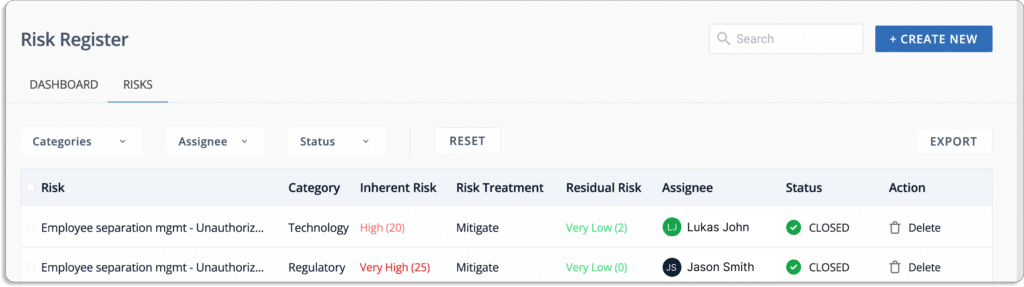
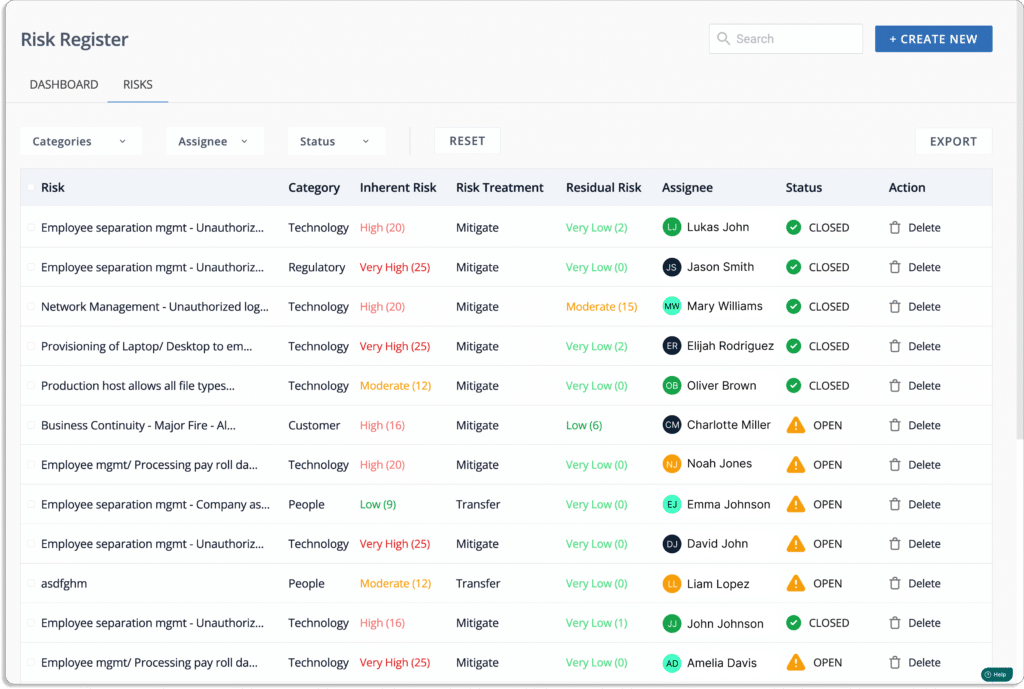
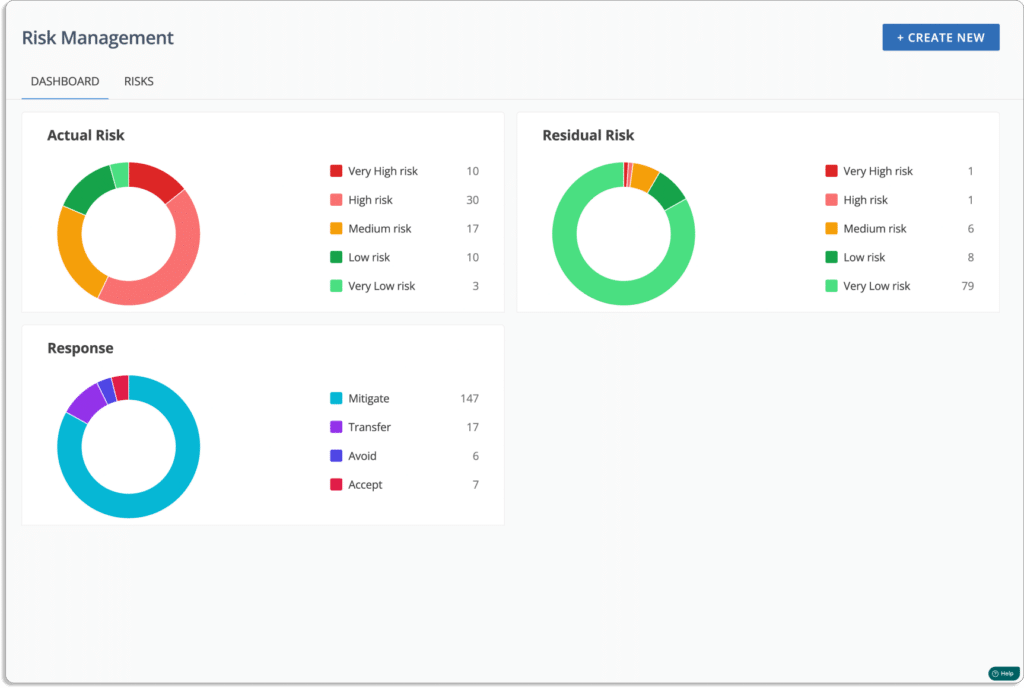
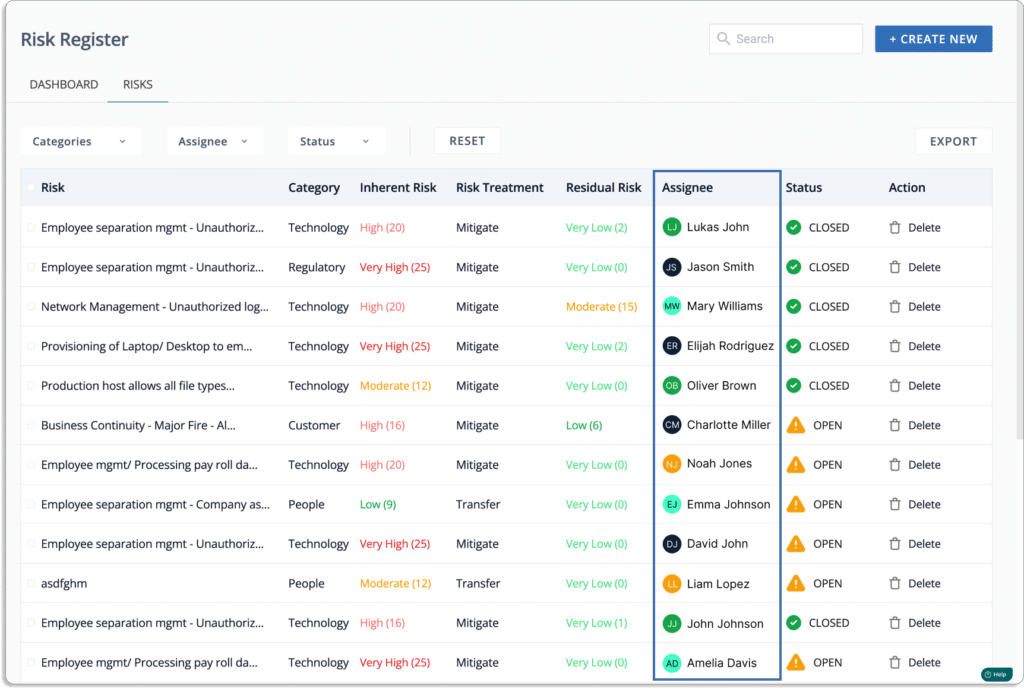
The risk register dashboard shows all the information about each risk to your business, including the nature of the risk, the level of impact it may have, mitigation measures in place to respond to it, and more.
Risk assessment: Risk scoring is another common feature in most risk management software solutions. Since businesses face hundreds of risks today, quantifying risks helps you build a risk treatment plan by assigning the priorities of risks.
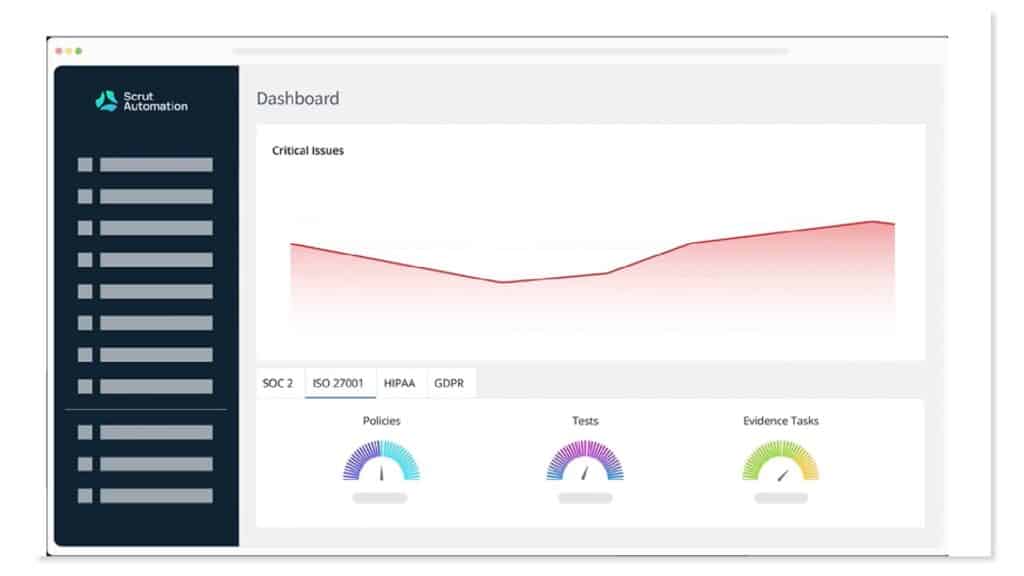
These applications come with a dashboard that helps you visualize, quantify, and communicate your risk posture with your stakeholders.
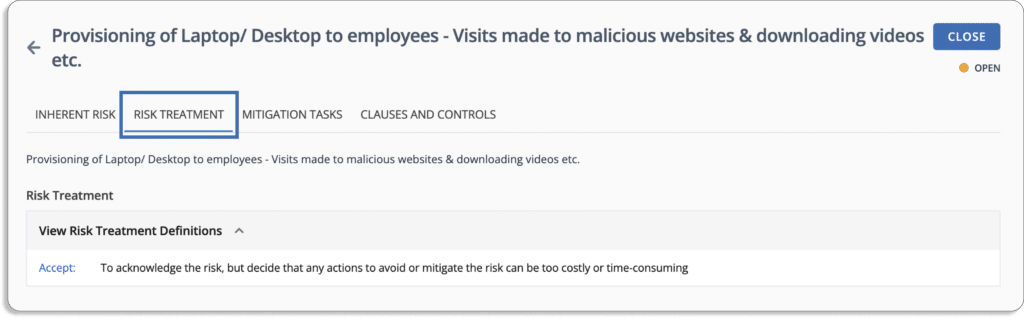
Aids development of a risk treatment plan: Risk management software will be able to track, record, and display risk changes over time. Once identified, you can treat the risk using repositories of mitigation activities, controls, and procedures. Whether you ignore, accept, transfer, or mitigate the risk, the same can be documented and tracked in a risk management software.
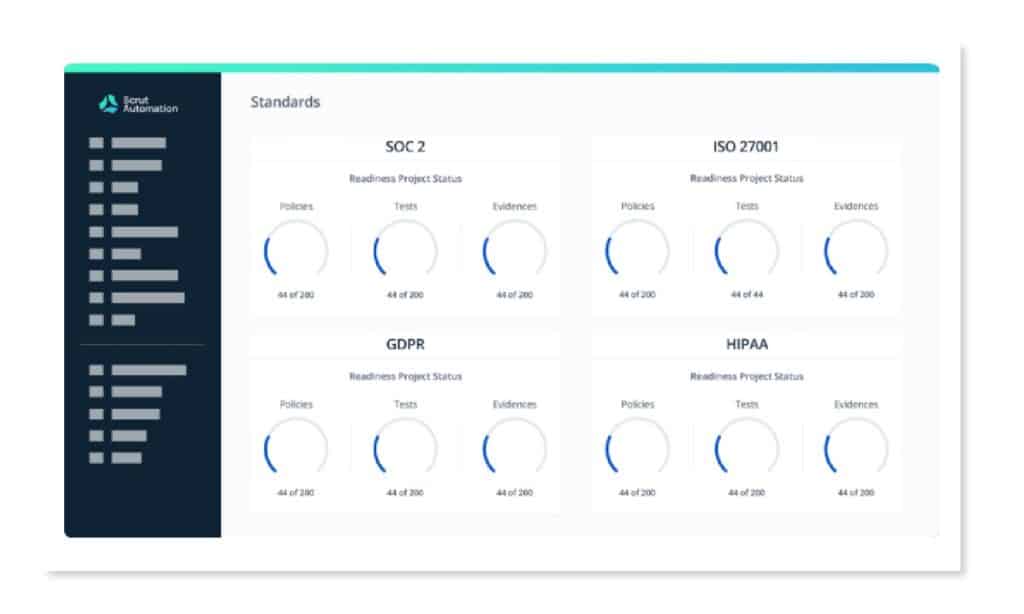
Apart from this, some risk management tools enable the mapping of risks with controls for popular compliance frameworks, like SOC 2, PCI DSS, ISO 27001, and other standards in real time.
Because of the reporting and auditing capabilities of an automated risk management system, you are always aware of potential compliance issues.
Determine your goals and objectives
The first step in selecting the risk management tool is determining your risk-managing goals and objectives. Your risk management software must meet your business objectives while providing organizational value.
Thus, before you start your research, you should outline why your organization needs a risk management tool.
Some key questions you need to ask:
Who will be using the tool?
Are you aware of all the risks associated with your business?
What is the cost-benefit ratio of adopting a risk management tool?
What is the shortcoming in the current way of managing risks?
What new risk areas could emerge in the future?
What compliance frameworks do you need to comply with?
What is the budget for investing in risk management software?
How to Select a Risk Management Tool
Here, we have listed the parameters you should consider while selecting your risk management software. These factors can assist you in narrowing down your software options.
Evaluate how it would help you with Risk Identification
Creating a risk register risk management software should be simple and intuitive.
To assess risks, you first need to identify them. One of the major use cases of risk management software is to help you identify risks.
The volume and complexity of risks that today’s organizations face are increasing exponentially due to rapidly advancing technology. Your risk management software must continuously scan data sources to identify emerging risks.
But risk identification is not limited to reviewing IT assets, such as systems, software, networks, devices, and data. It also includes risks associated with employees and vendors.
Risk management software enables you to create a risk register quickly by pre-poluating the risks that you may face.
A risk register is a repository of all the risks your organization faces that includes
Description of a specific risk
Likelihood of its occurring
Impact of risk
Now, we would like to explain how this looks in practice with the example of Scrut Risk Management.
With Scrut, you can build your risk register within minutes.
You can use Scrut’s risk library, which contains commonly faced risks by different types of organizations.
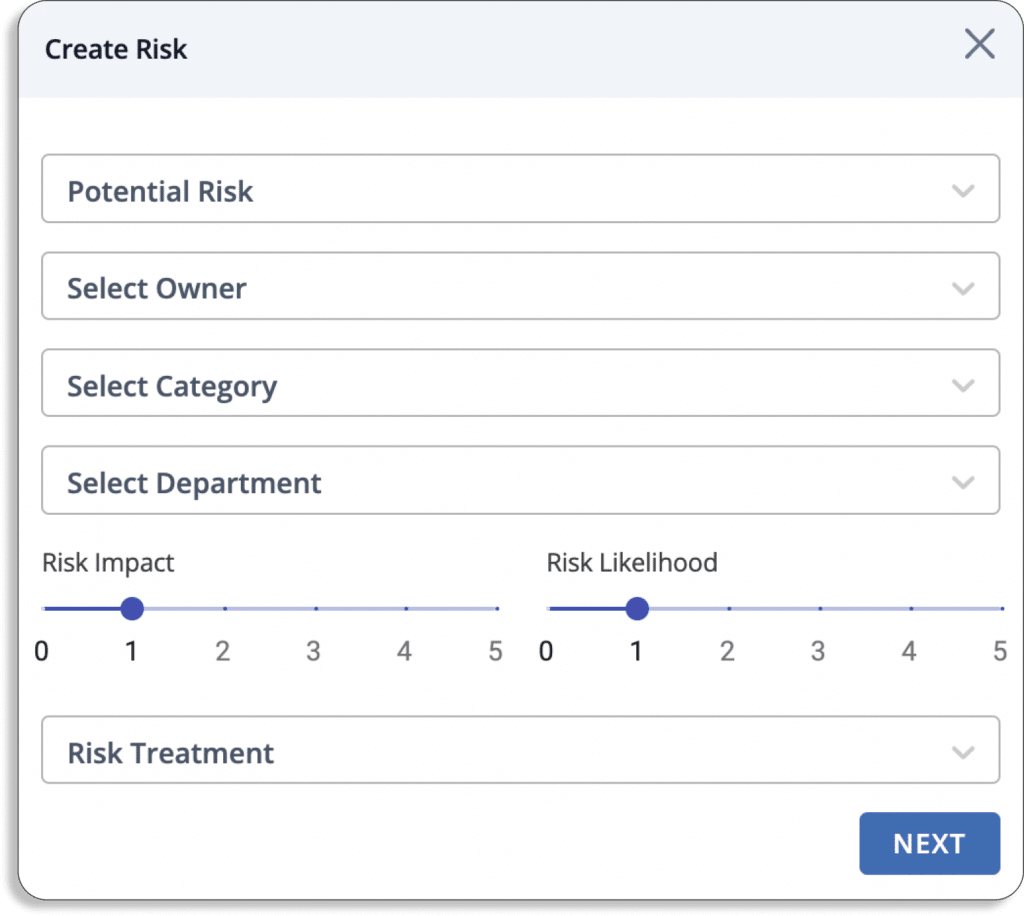
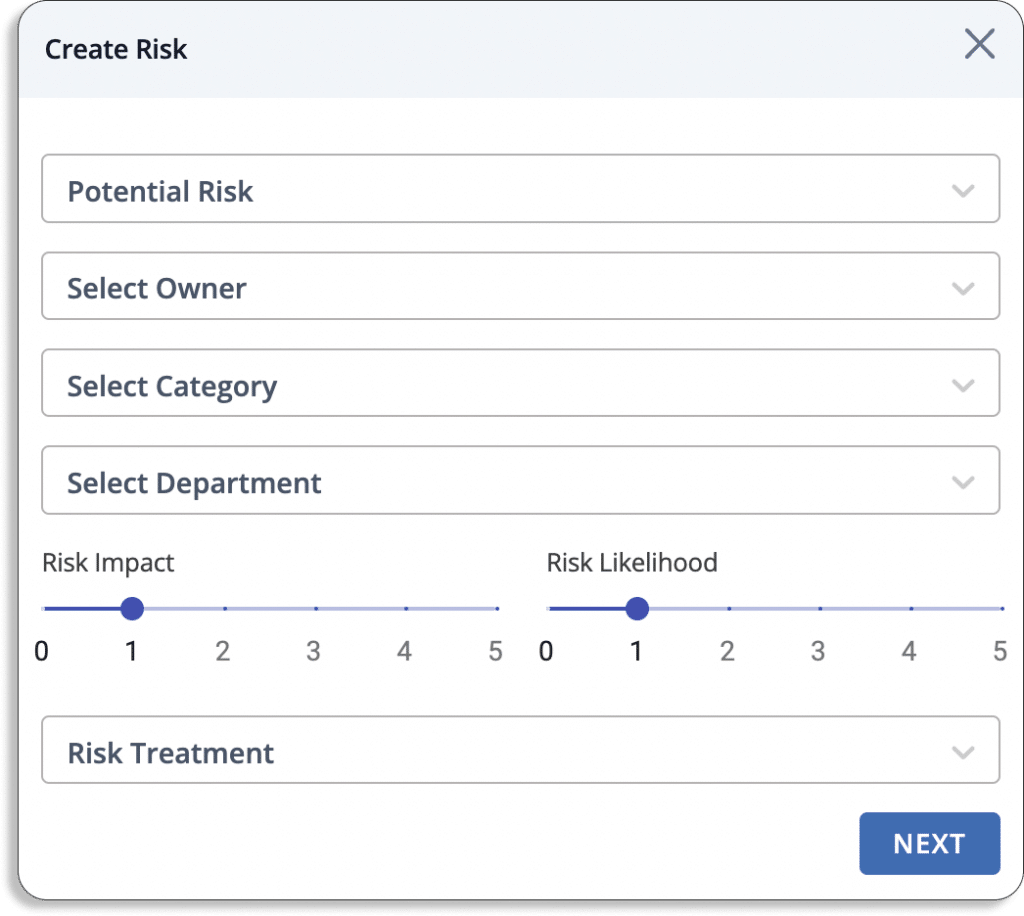
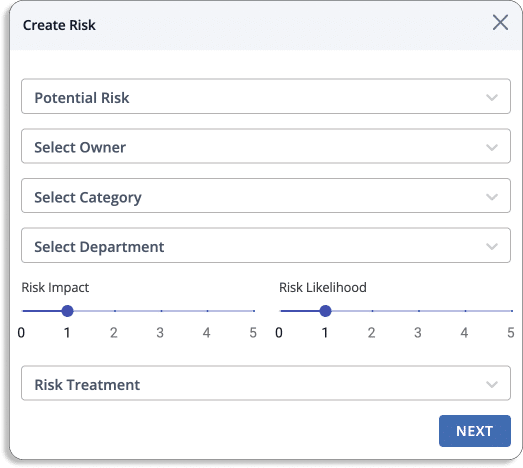
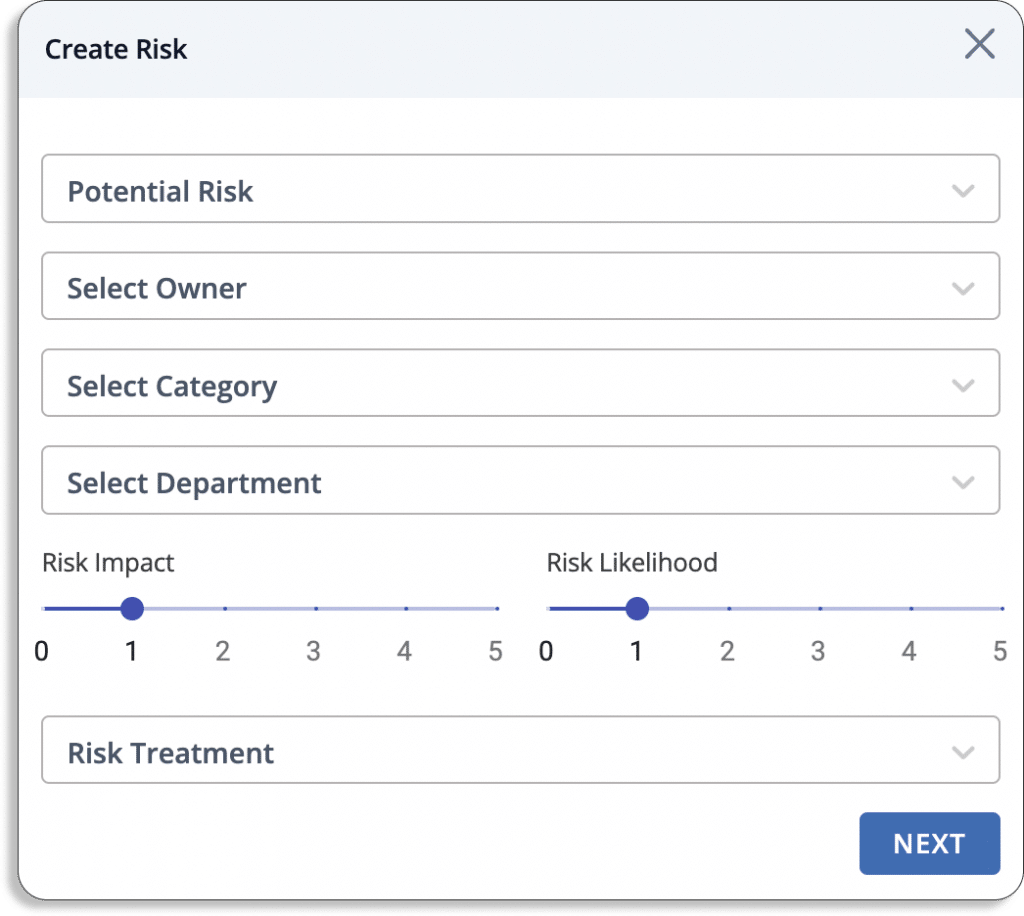
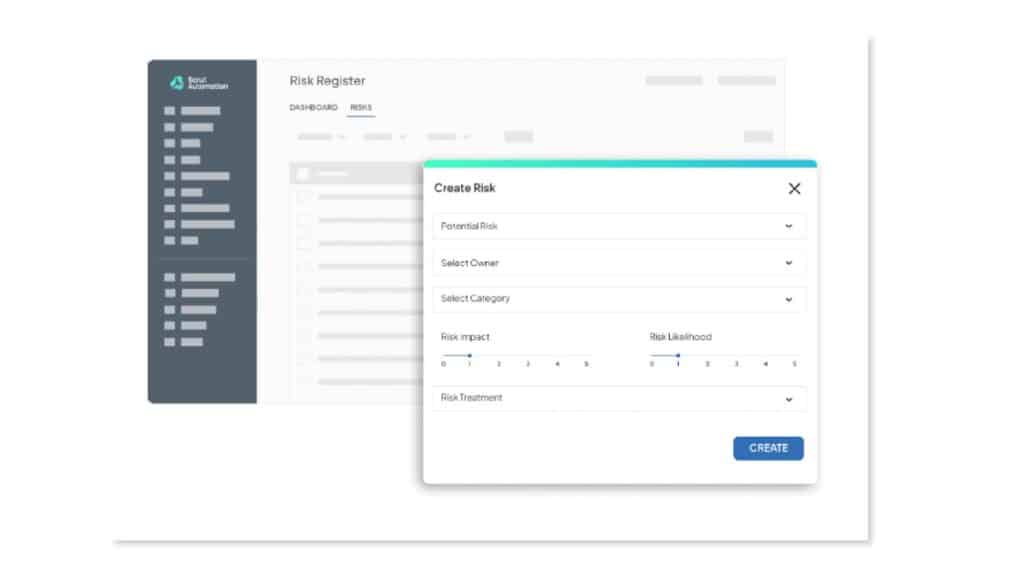
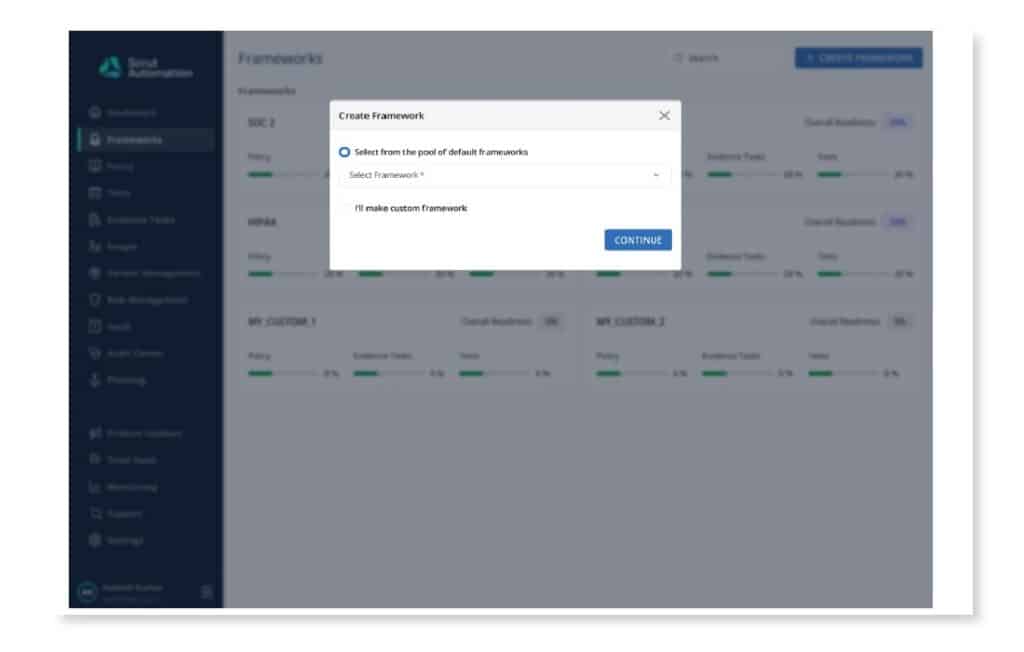
To build your risk library, click on Create New.
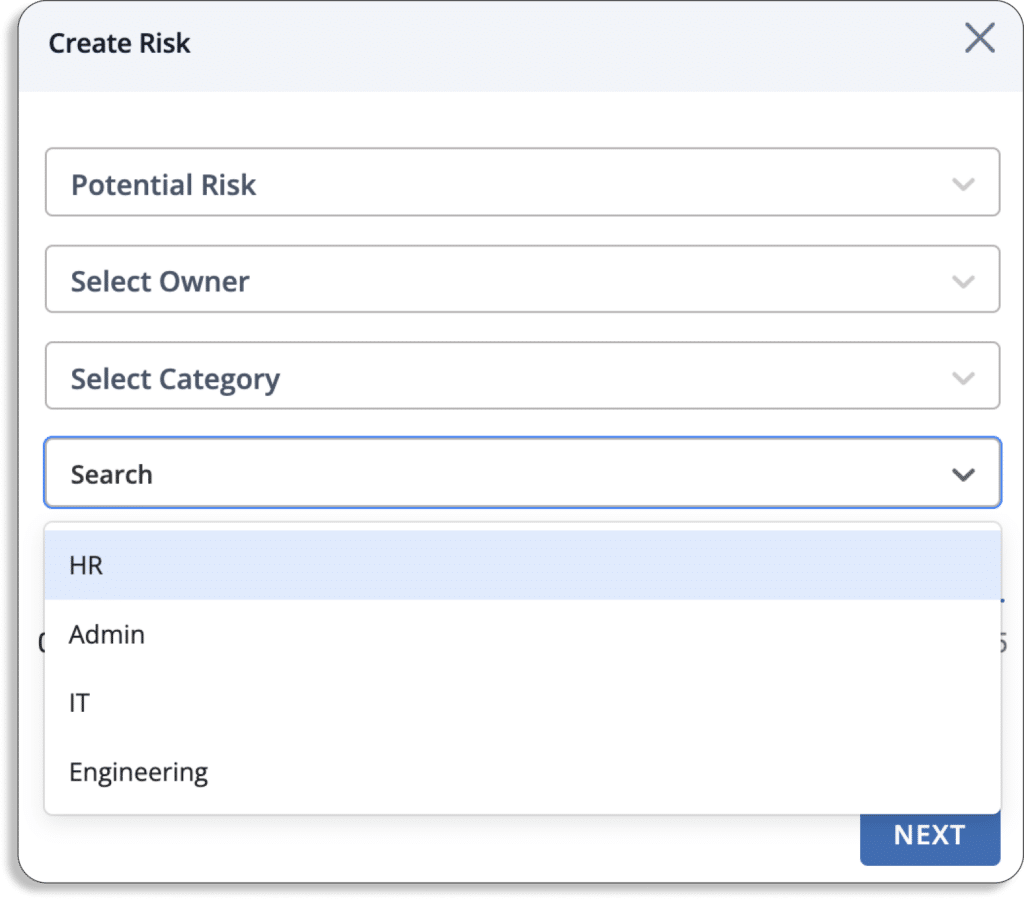
You will see a pop-up like this:
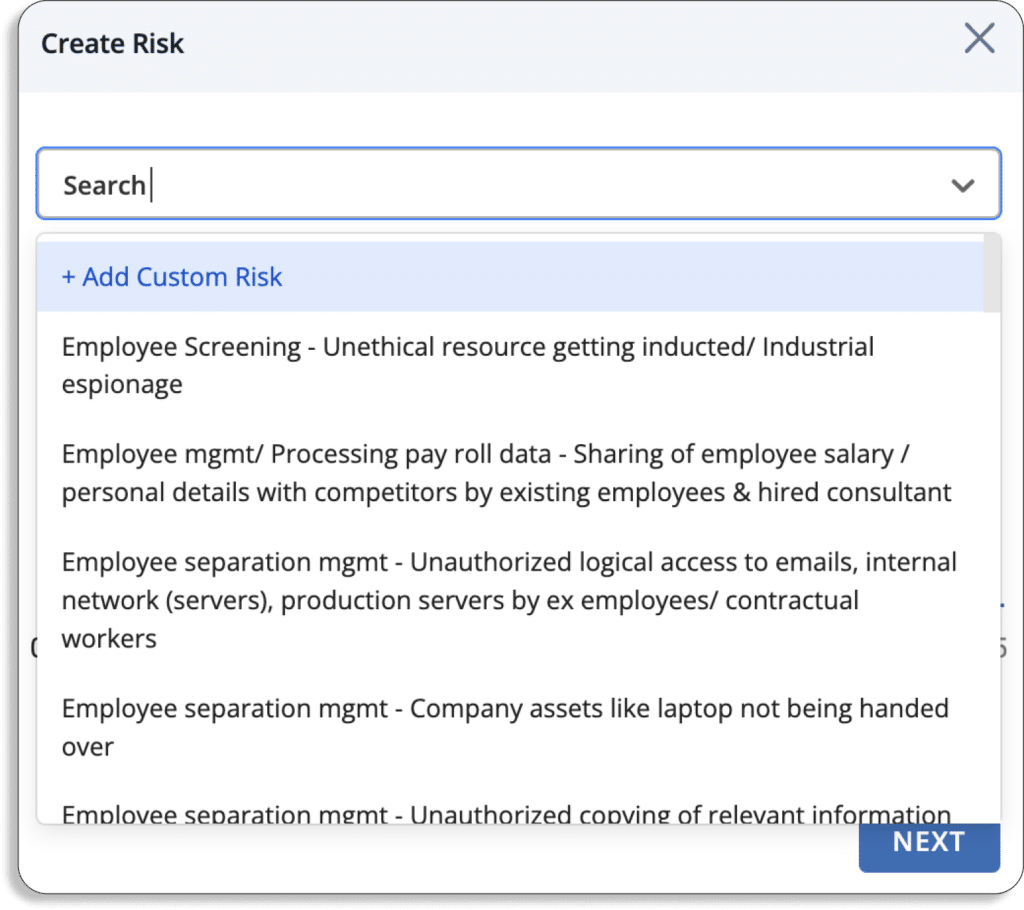
You can choose any risks either from our risk library or create your own custom risks.
Note that Scrut gives you the flexibility to create your own custom risks. In case any risk is not present, you can use the Add Custom Risk option.
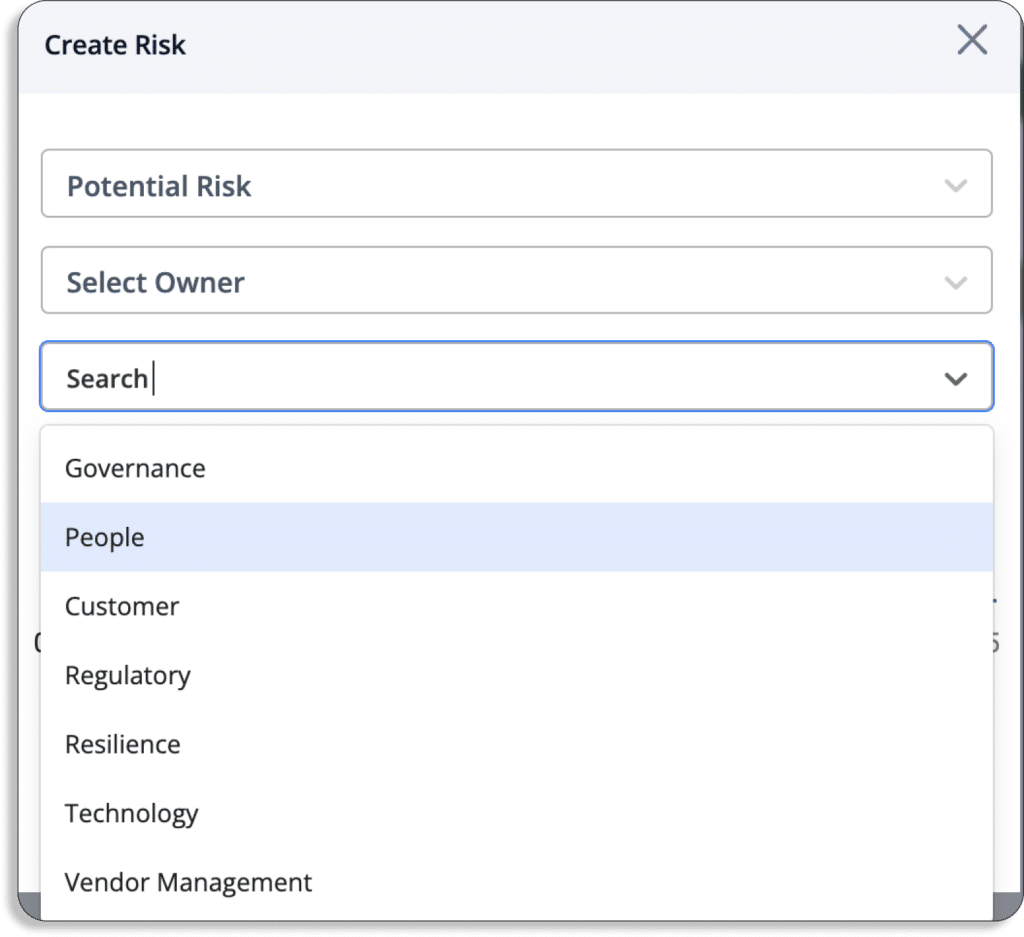
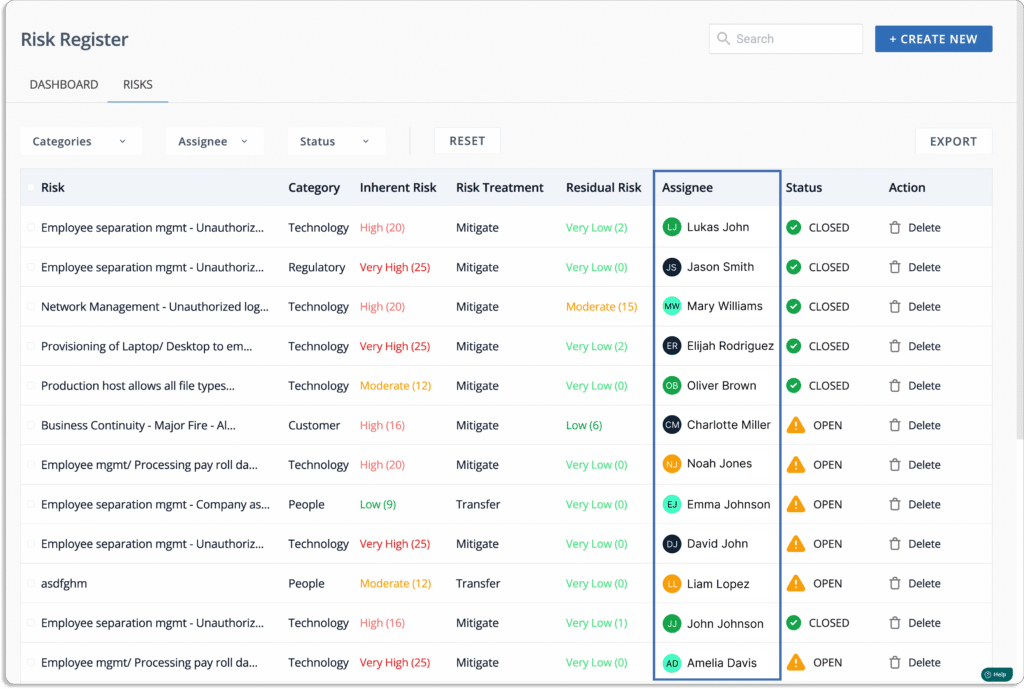
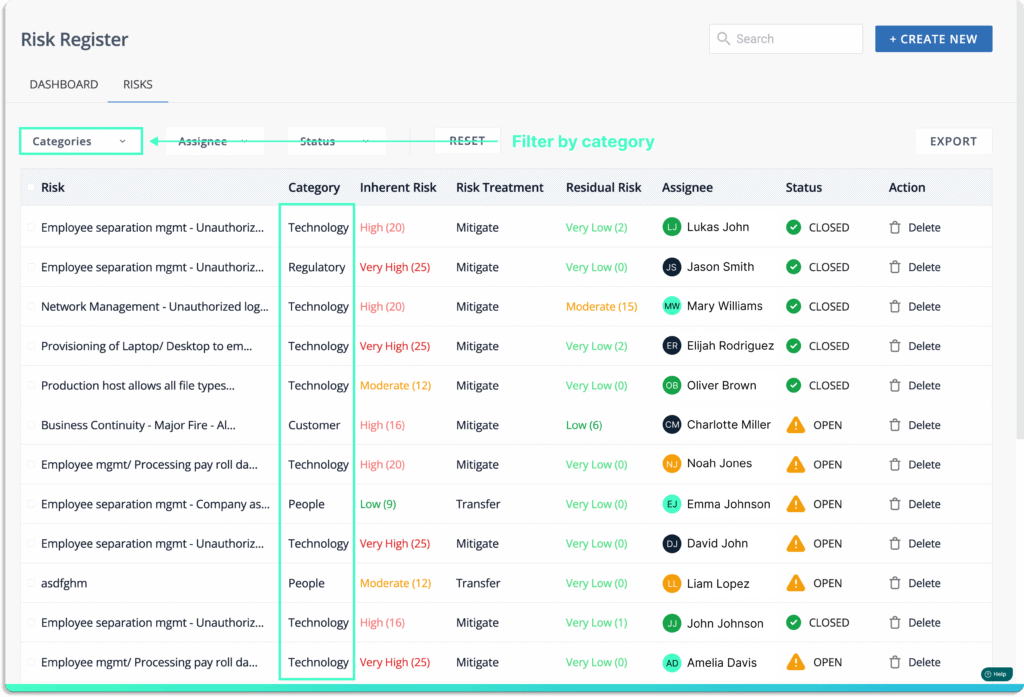
For every risk, assign the person accountable for keeping track and managing it, select the category of the risk.
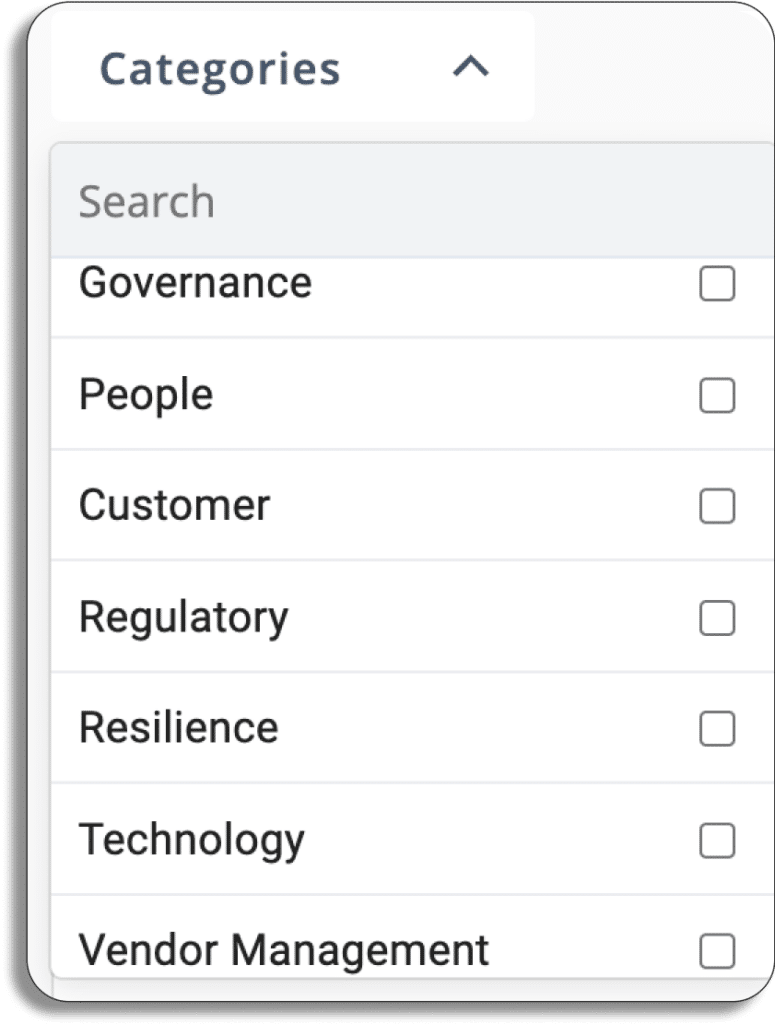
Scrut categorizes risk into 7 categories: governance, people, customer, regulatory, resilience, technology, and vendor management.
Finally, choose the department that the risks fall into. You can select among these departments: HR, admin, IT, and engineering.
At the end of this process, you get a list of all the risks associated with your organization.
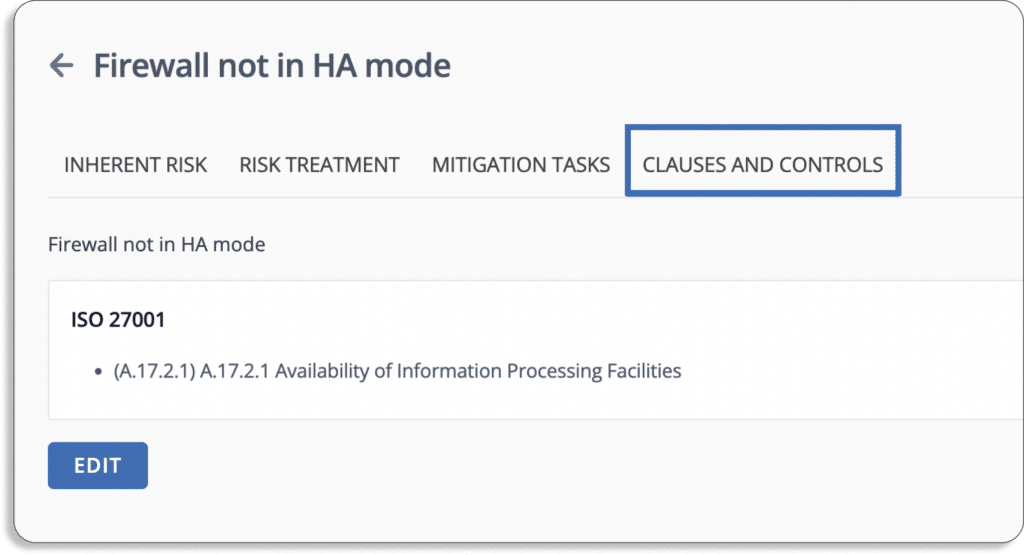
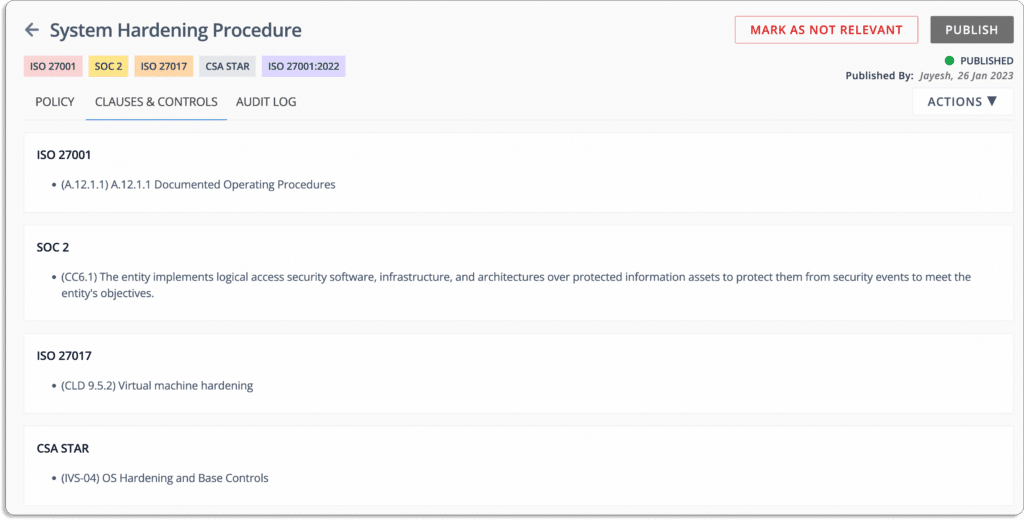
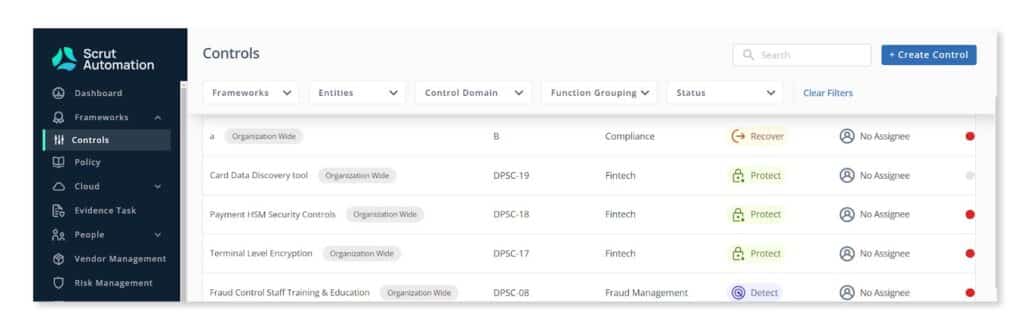
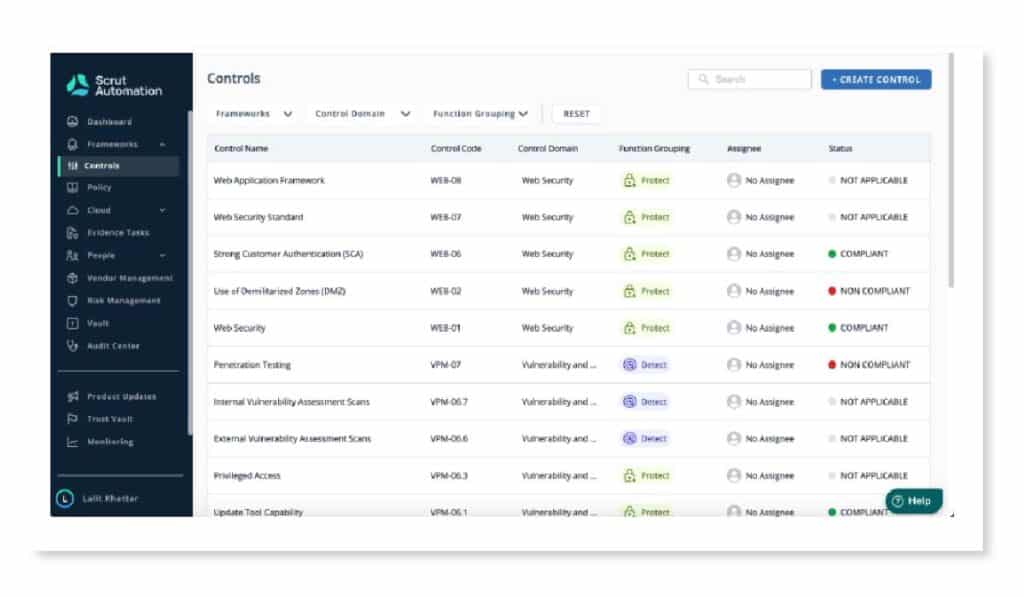
Furthermore, Scrut maps these risks automatically against different compliance frameworks and controls, as shown in the screenshot below.
Evaluate how it helps you withRisk Assessment
In the risk management process, after risk identification, the next step is to assess the risk. Risk assessment provides insights into how different risks affect your organization. Therefore, you can prioritize which risks to work on first.
Thus, you need to evaluate the risk assessment capabilities of your shortlisted risk management solutions.
Now, let’s continue with our Scrut Risk Management example to understand how this works.
Scrut automates your risk assessments in minutes by eliminating the time spent on creating and mapping risks and threats.
Scrut automates your risk assessment by keeping a close eye on your risk posture through continuous risk monitoring.
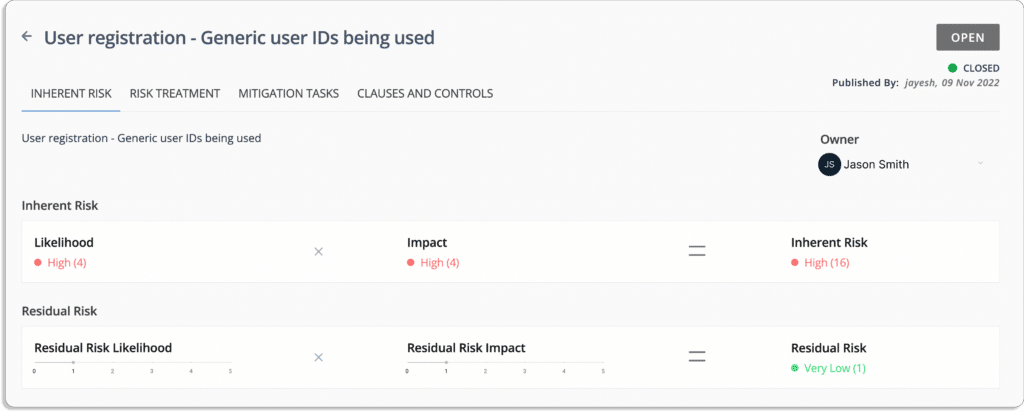
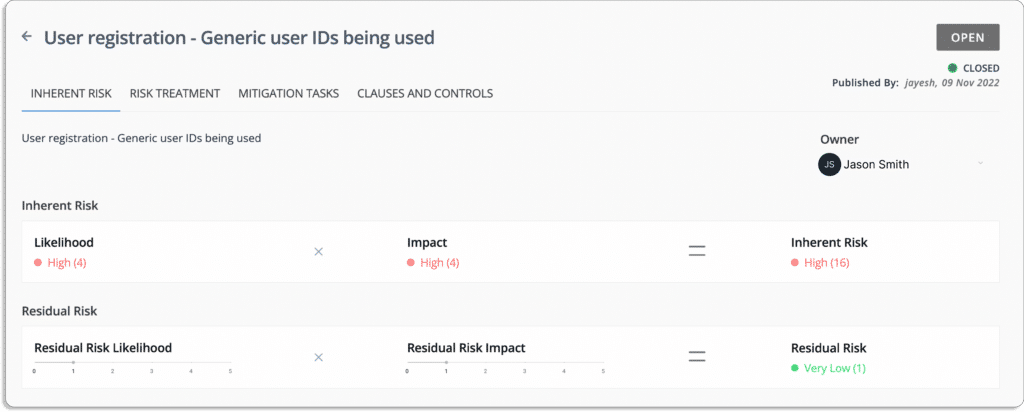
With Scrut, you can assess your risk profile using automated risk scoring. Scrut creates your risk scoring based on the likelihood and impact of events.
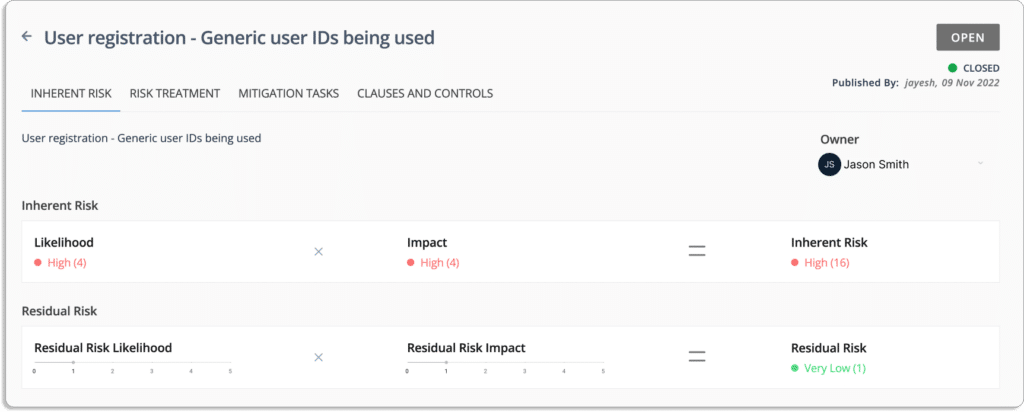
Risk = Likelihood * Impact
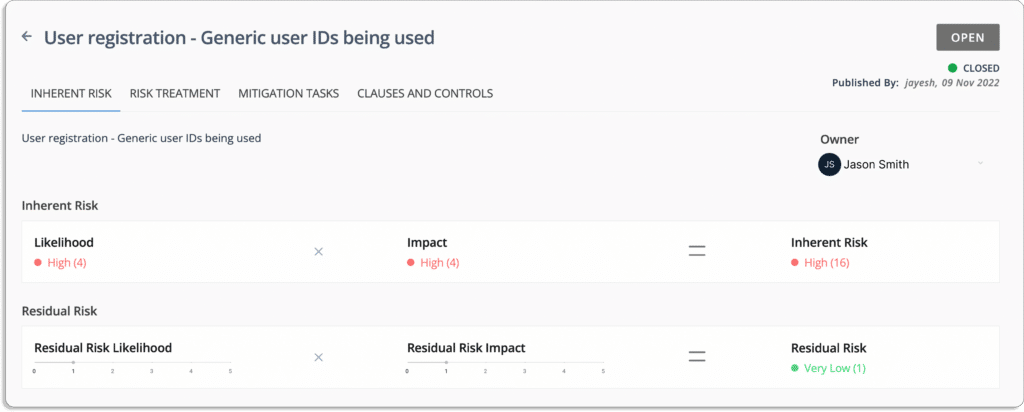
Let’s take an example of employee screening risk, as shown in the screenshot below.
The likelihood of this event = 45 (very high)
The impact in case the event occurs = 4 (high)
Thus, the inherent risk associated with this event is also high = 1620 (high)
Likelihood (5) * Impact (4) = 20
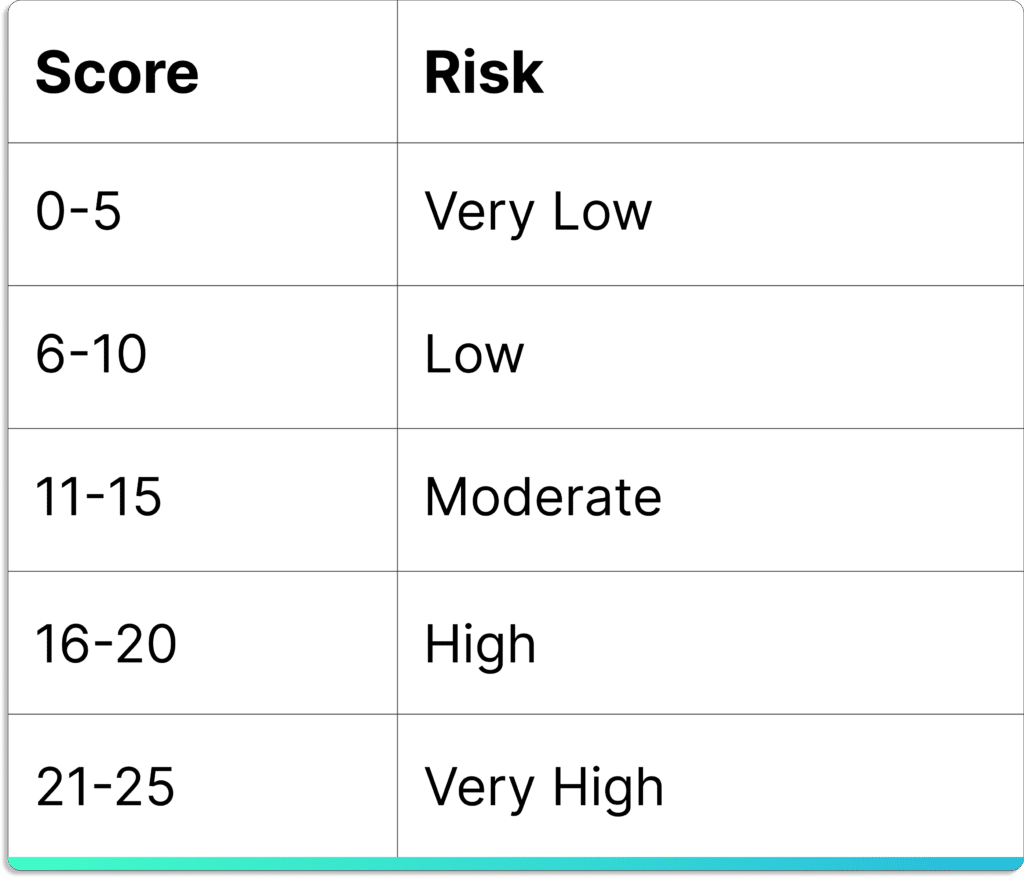
The final score lies between 0 – 25. The following table helps you interpret the final score.
Thus, you can stay ahead of risks with Scrut’s continuous and real-time risk score updates.
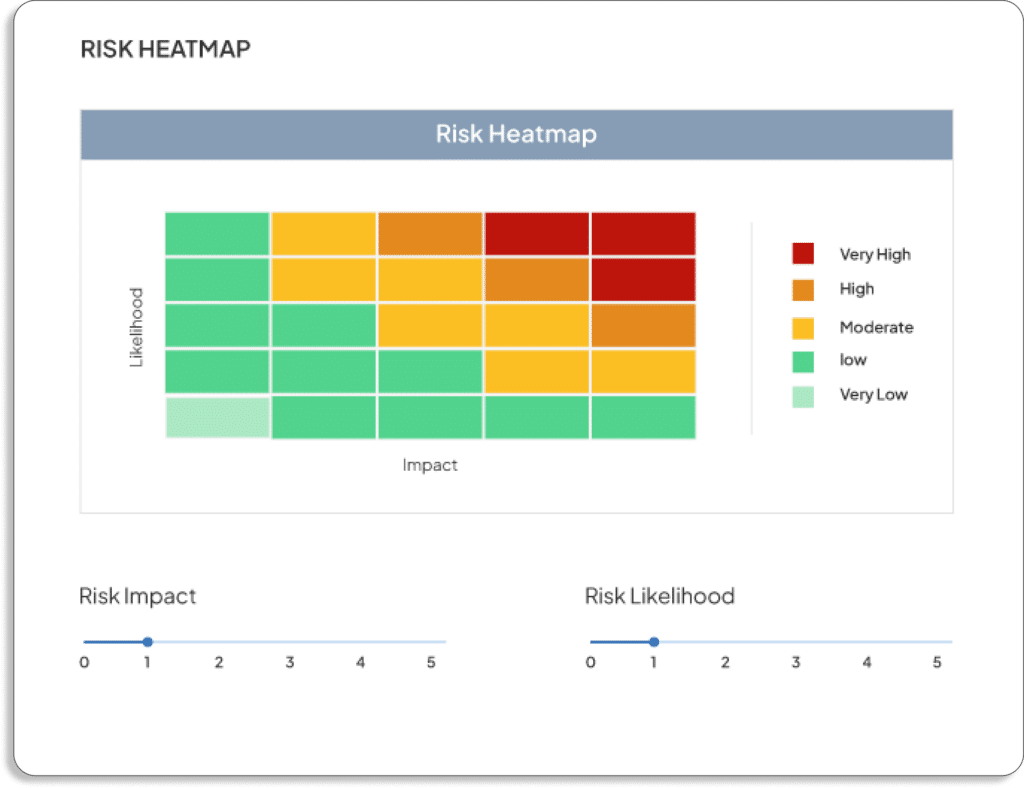
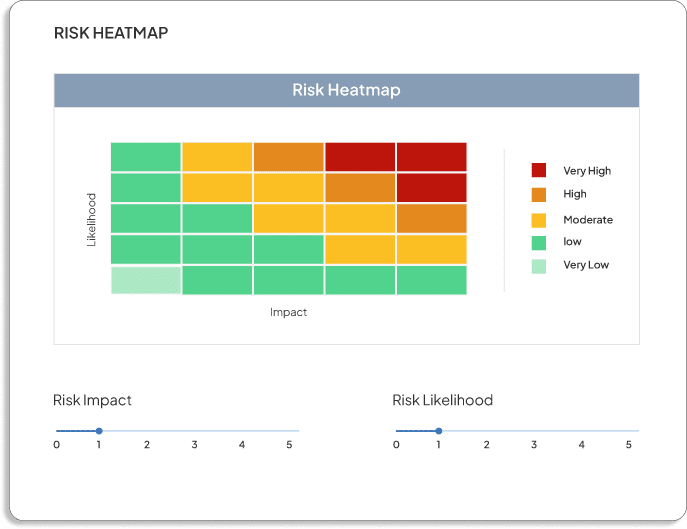
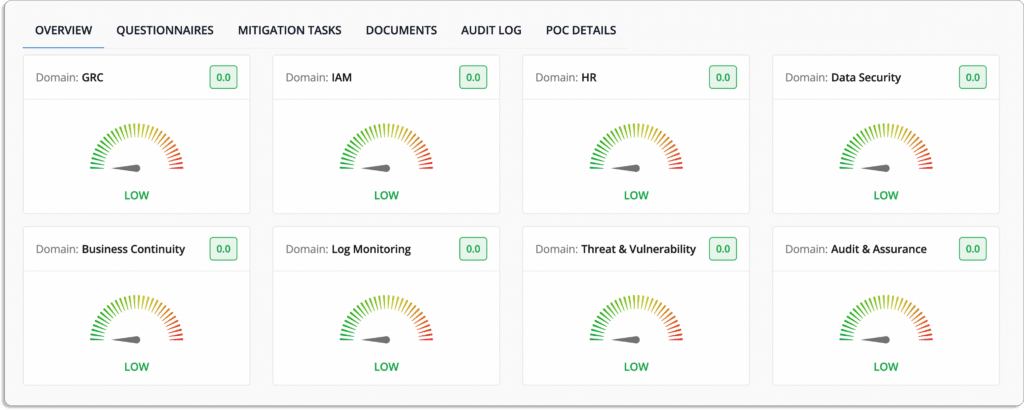
Scrut also helps you visualize your risks with a heatmap.
Risks can be assessed in both their inherent and residual forms.
Many times, it’s not possible to eliminate the risks entirely. After taking possible measures to reduce risks, what remains is called residual risk.
Evaluate how it helps with your Risk Treatment Plan
After risk assessment, the next step is to work on the risk treatment.
Risks can be mitigated through compensating controls implemented in your organization, such as integrating SaaS platforms into the organization’s SSO solution, employee security training, and requiring multi-factor authentication (MFA) for all logins, etc.
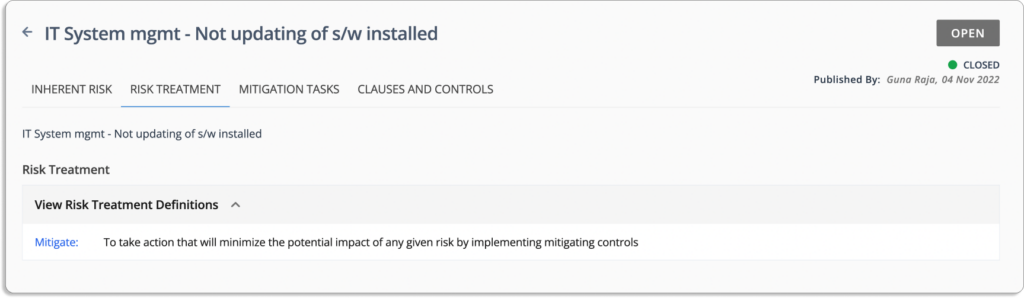
There are mainly 4 ways to treat a risk:
Avoid: To eliminate the chances of risk by correcting an error.
Transfer: To take action by transferring the risk to another entity.
Mitigate: To take action that will minimize the potential impact of any given risk by implementing mitigating controls.
Accept: Sometimes, you need to accept the risk as the cost of treatment is higher than the damage due to the risk itself.
Some risk management software like Scrut suggests these treatments for different risks that is very convenient and time-saving for InfoSec teams.
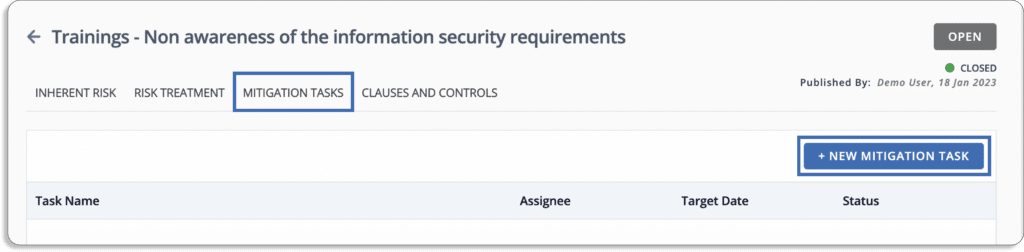
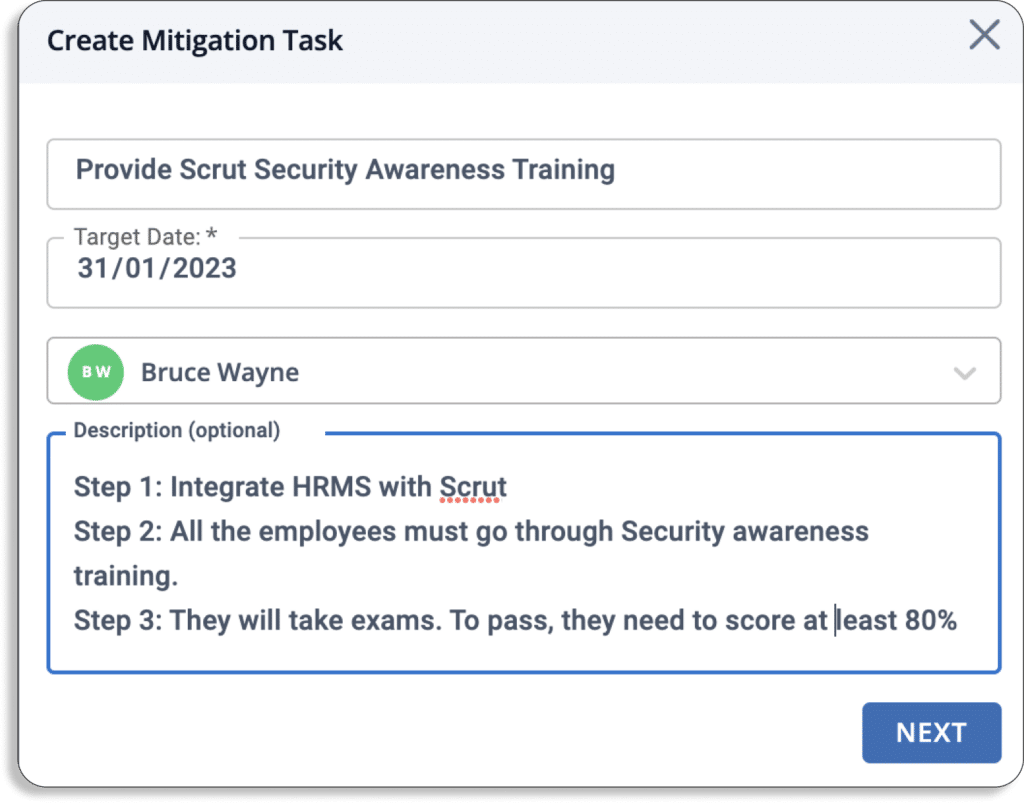
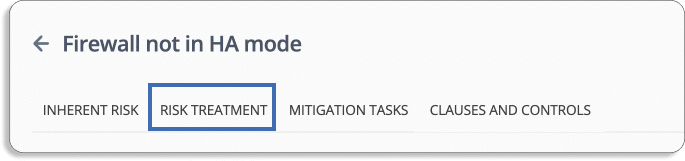
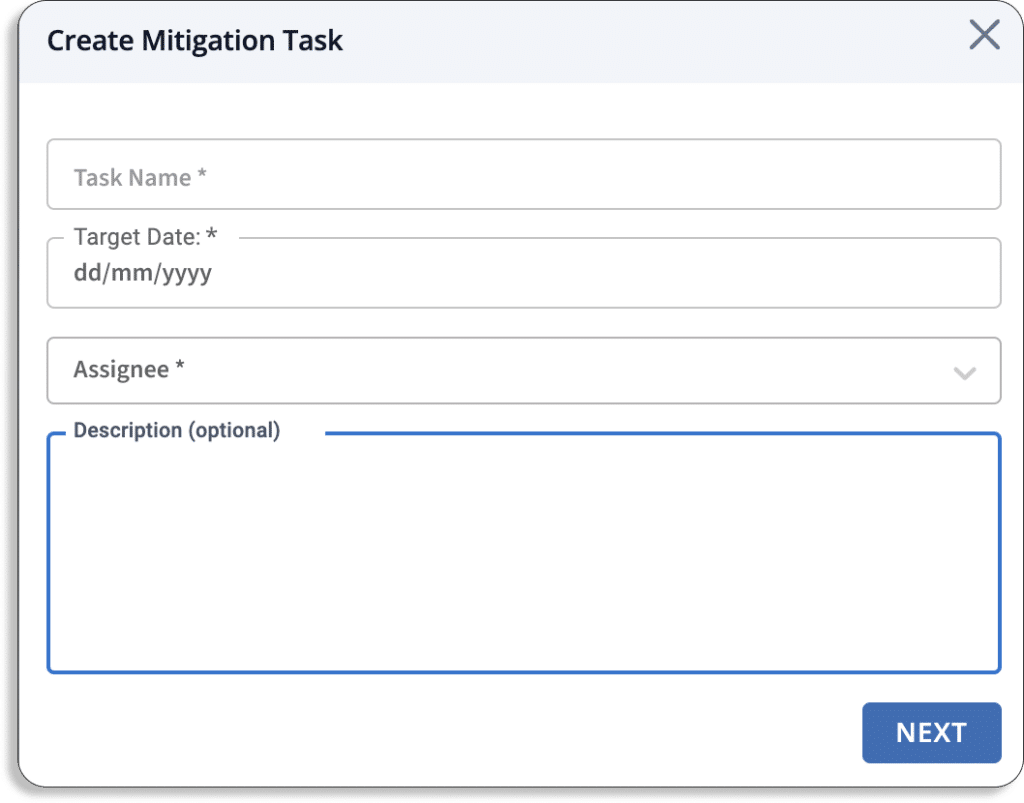
With Scrut Risk Management, you can also create and document mitigation tasks.
You can create a mitigation task by naming the task, the due date, the assignee, and detailed steps to be taken.
This makes sure that the person can be held accountable to complete the tasks on time.
Continuous risk monitoring is a reality with Scrut. You can confidently stay on top of your risk posture with simple-to-configure alerts and notifications integrated with your messaging and mail apps.
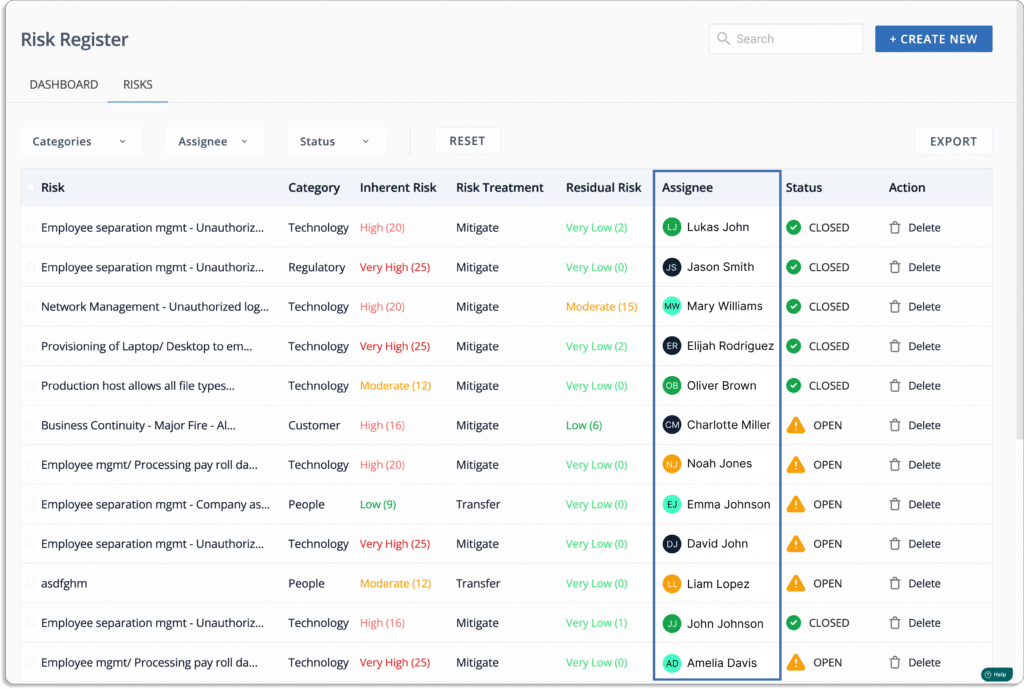
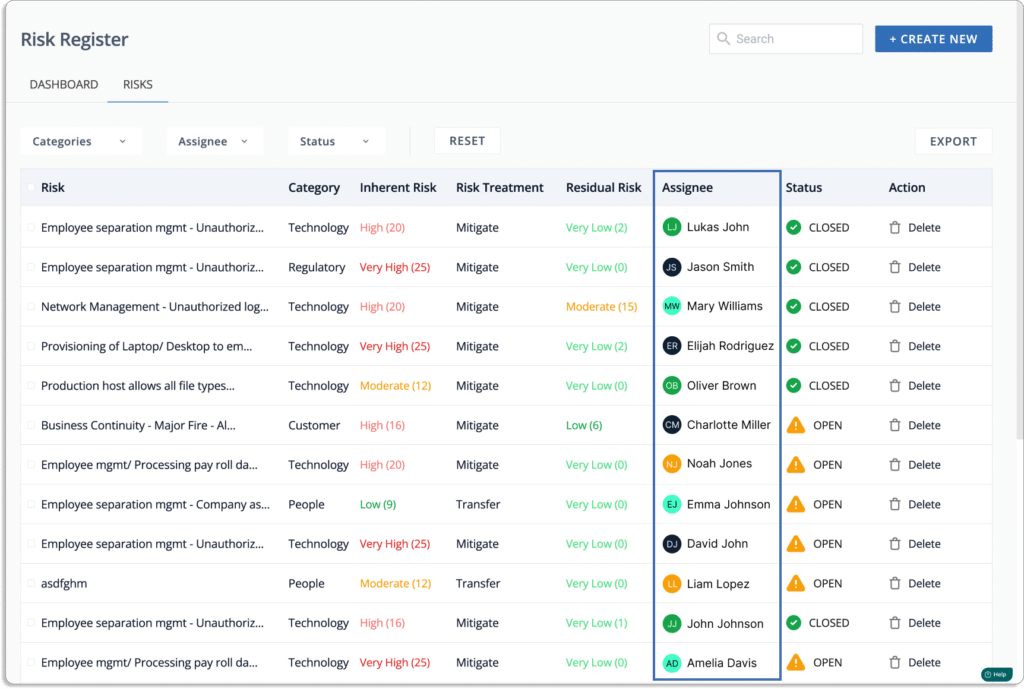
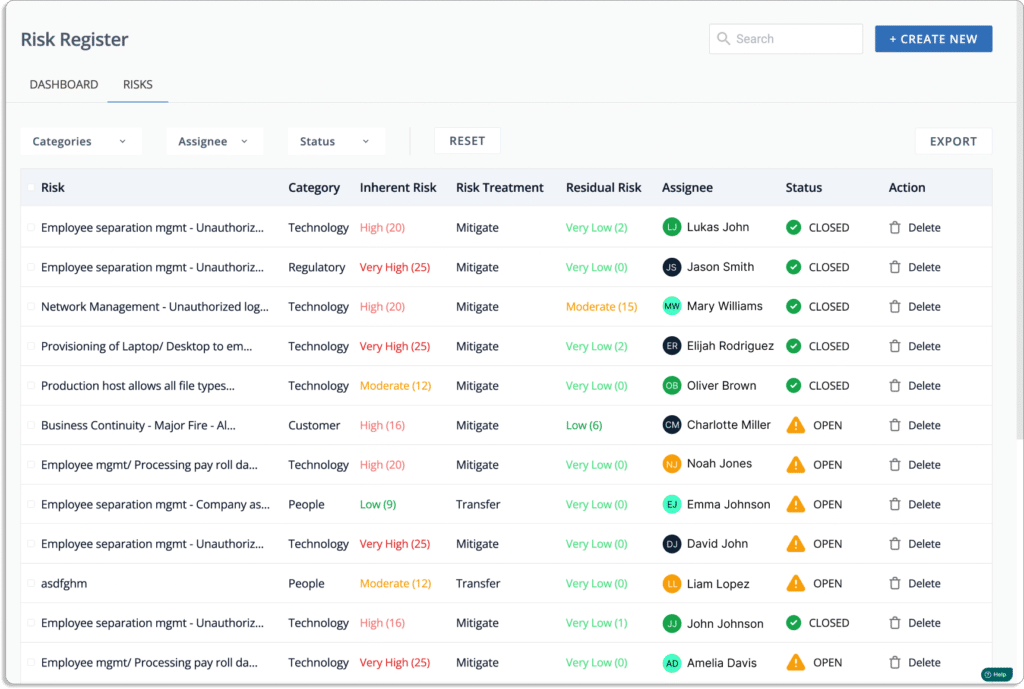
At the end of these steps, you get a complete risk register that looks like this.
Other Factors that Should Be Considered While Choosing Risk Management Tool
While the above factors make a risk management software application effective, the below factors improve your risk posture and make your risk management process efficient.
Security awareness training for employees
Phishing, malware, and ransomware are some of the issues that all businesses face today. Employee mistakes are one of the leading cause of cyber incidents, like data breaches, phising, exfiltration, etc. Thus, you must train employees on how to avoid these mistakes.
The best way to prevent this is to set standards for security practices for your employees and enforce them by following the fundamental rules for all security measures.
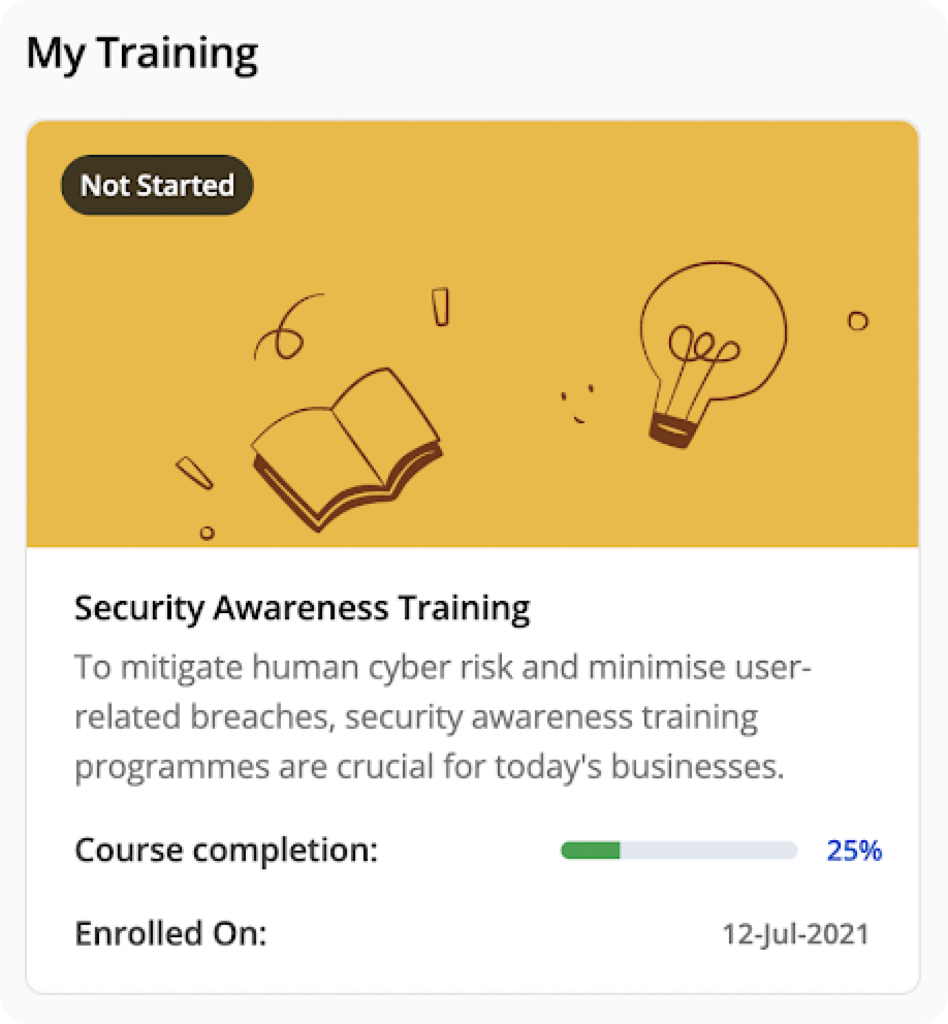
Scrut platform provides pre-built employee information security training courses.
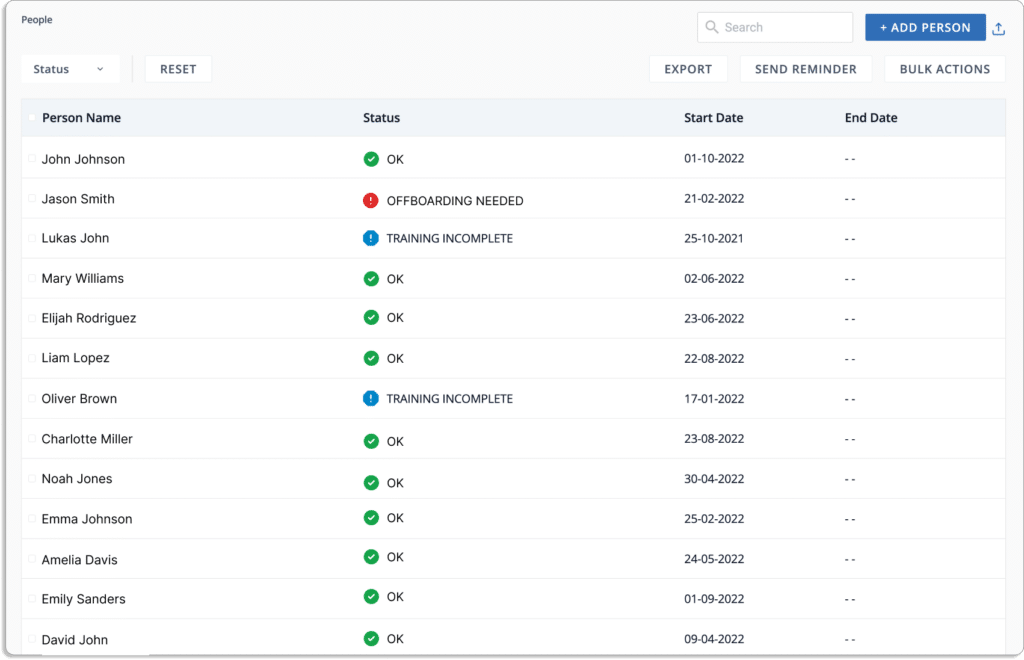
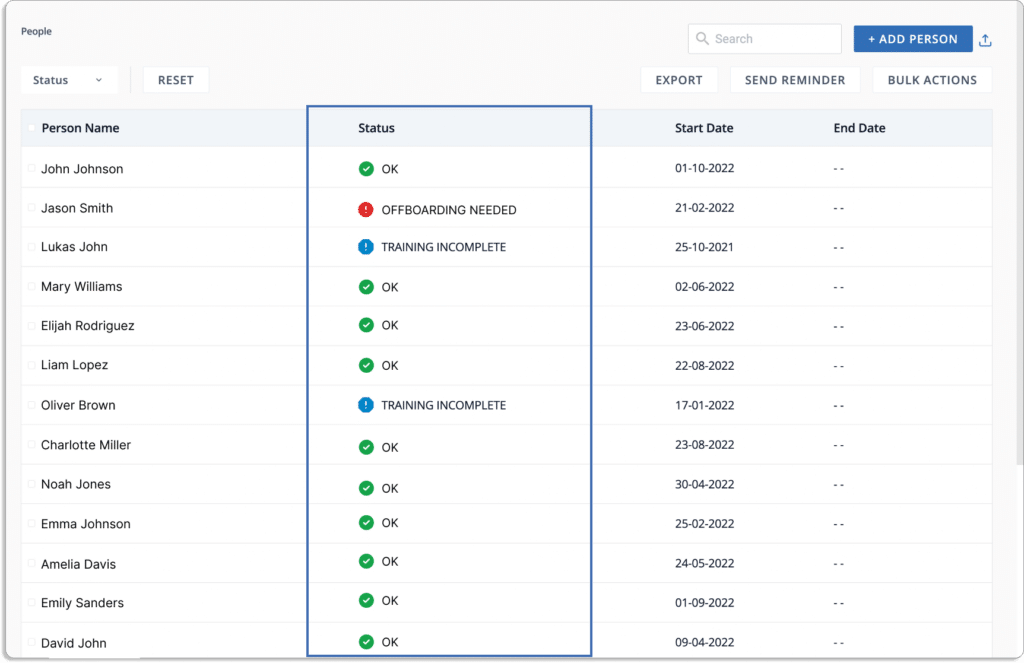
You can connect your HRM or identity provider to import all the employee data in Scrut. Furthermore, Scrut allows you to create alerts, set reminders, and send personalized notifications to employees to complete the training.
Cloud security monitoring capability
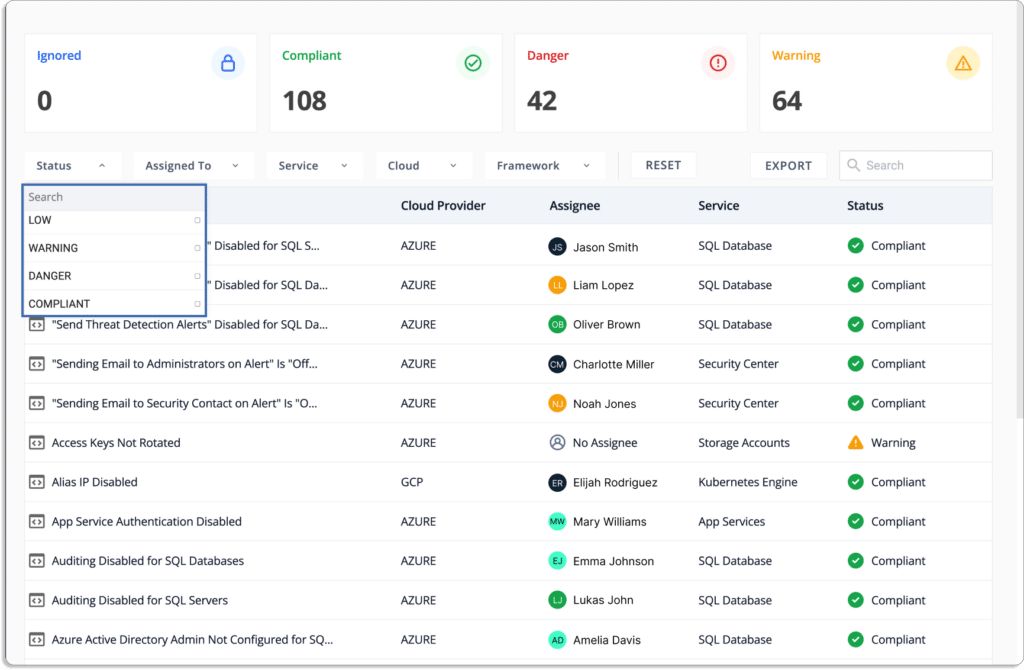
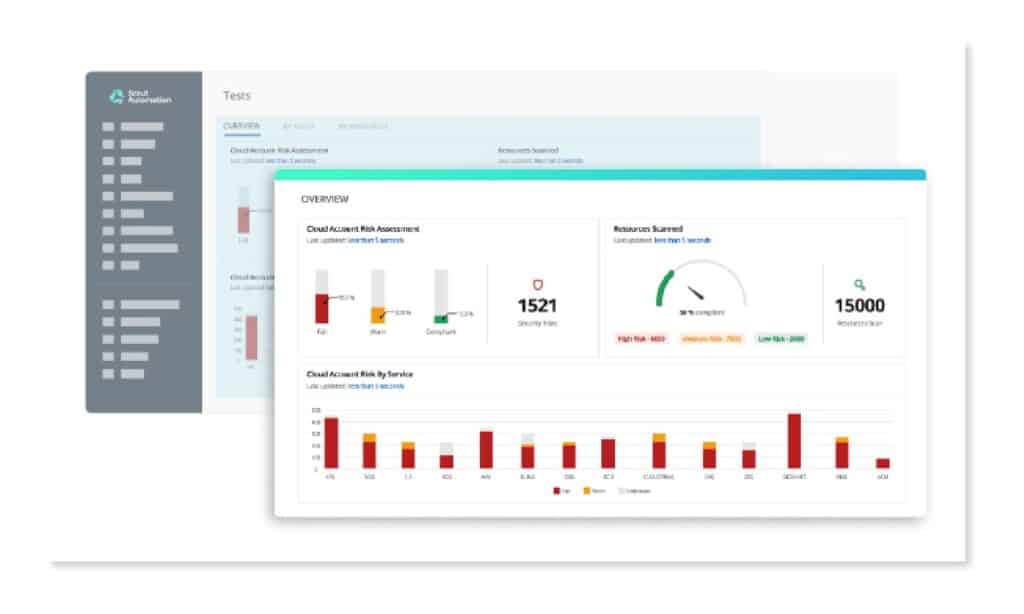
An effective risk management tool should provide continuous cloud monitoring. For example, Scrut automatically tests your cloud configurations against 200+ cloud controls to maintain a strong infosec posture.
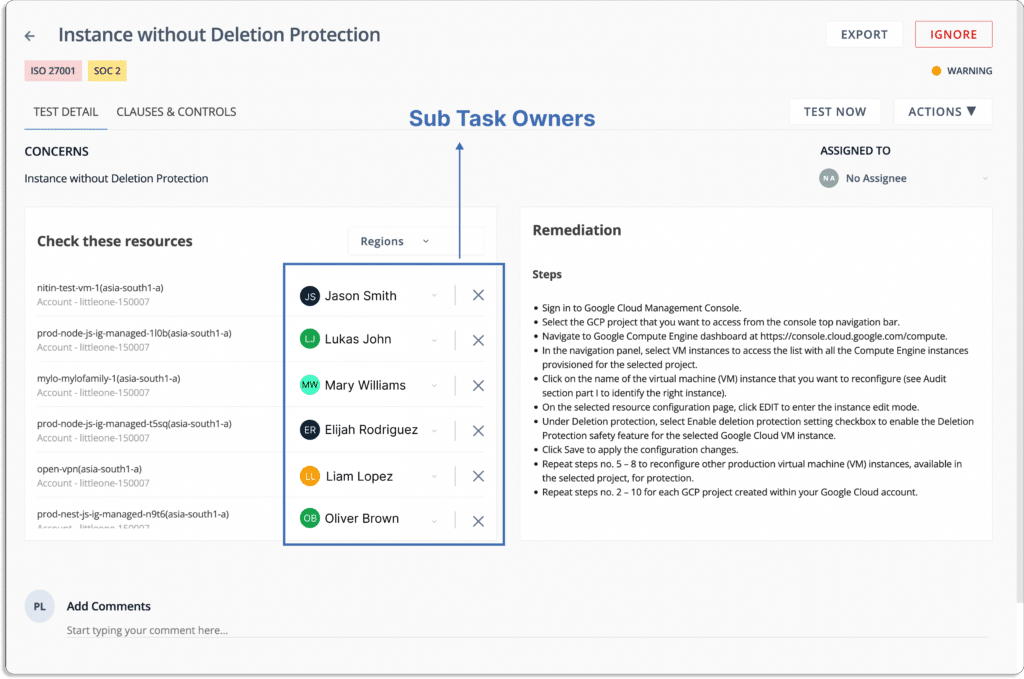
The platform identifies misconfigurations and enables you to assign tasks to internal teammates to fix them. It reduces your risk and compliance exposure across all public cloud accounts.
Scrut cloud security audits your cloud accounts regularly for security risks, misconfigurations, and control threats across hundreds of configuration settings.
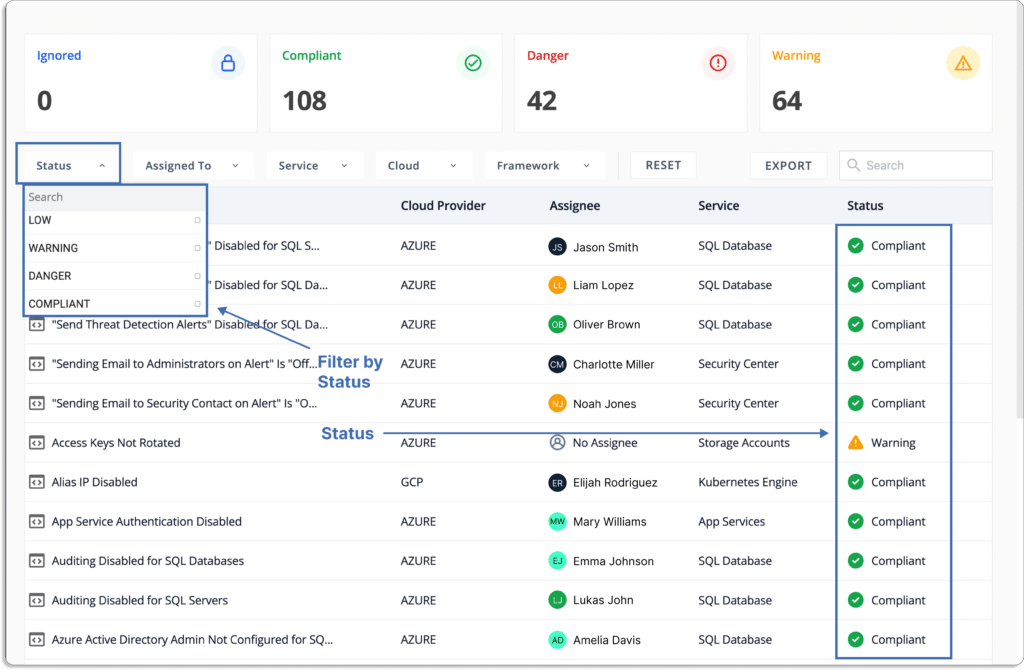
Scrut’s cloud security gives you complete control over your cloud environment. With Scrut’s unified dashboard for all risks and an automated status classification system, you can prioritize your work efficiently.
Workflows automation and task management
With Scrut, you can free your team members from tedious and time-consuming manual work by providing automated workflows for conducting risk assessments and executing treatment plans for risk remediation, acceptance, transference, or avoidance.
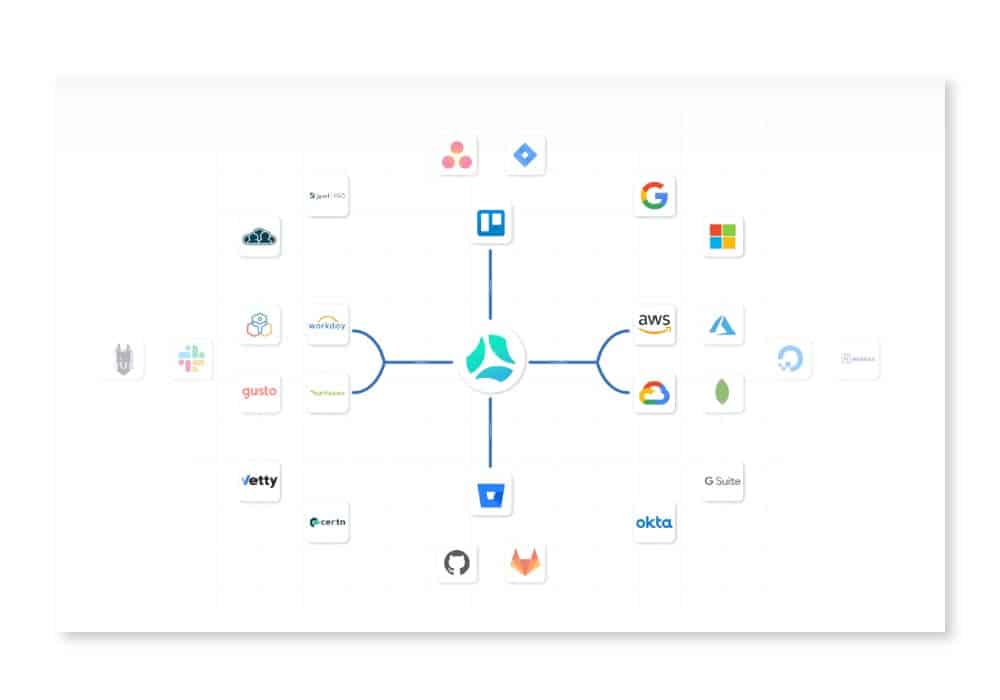
Scrut risk management provides automated evidence collection. The platform collects reports and evidence through pre-built cloud-based integrations across your cloud, HRMS, DevOps, and other systems, so you don’t have to spend time manually updating evidence against each risk. This helps you provide proof to your auditors while going for a compliance audit.
With Scrut, you can connect team members through notifications about changes in residual risk. You can also create Jira or Monday tickets for misconfigurations directly from the Scrut platform and add them to the assignees’ pipeline.
Vendor risk management
Vendor risk management is essential for protecting an organization’s customers and all proprietary information. To achieve compliance, auditors expect an organization to have information on how secure its vendors are.
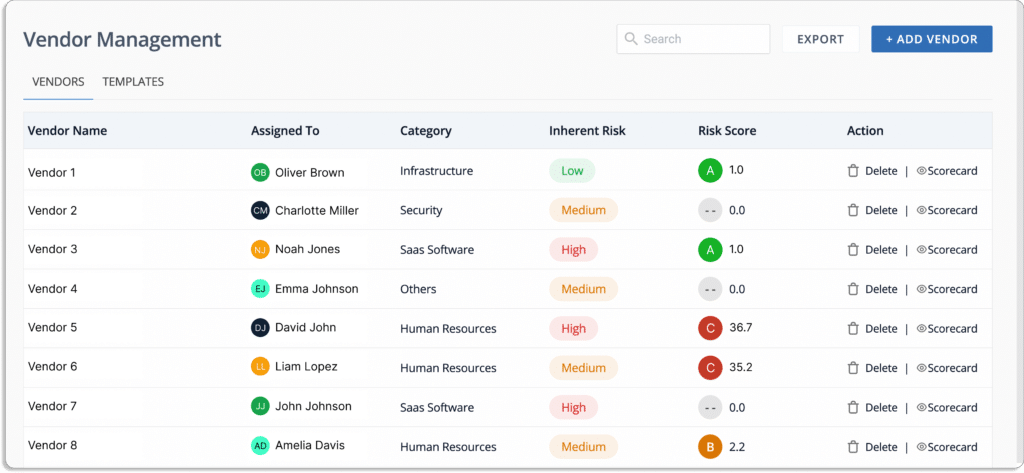
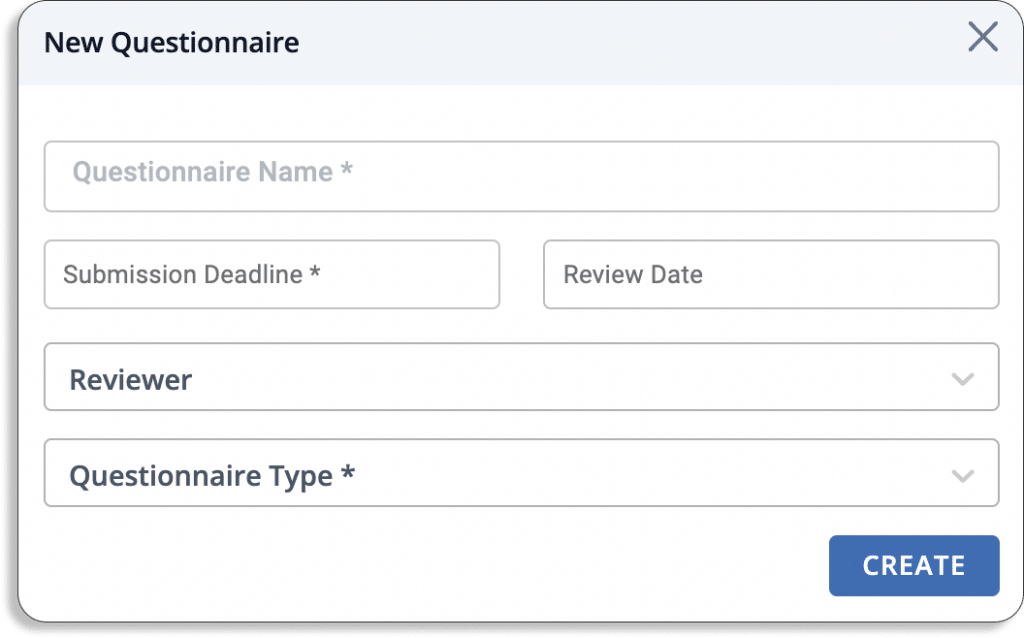
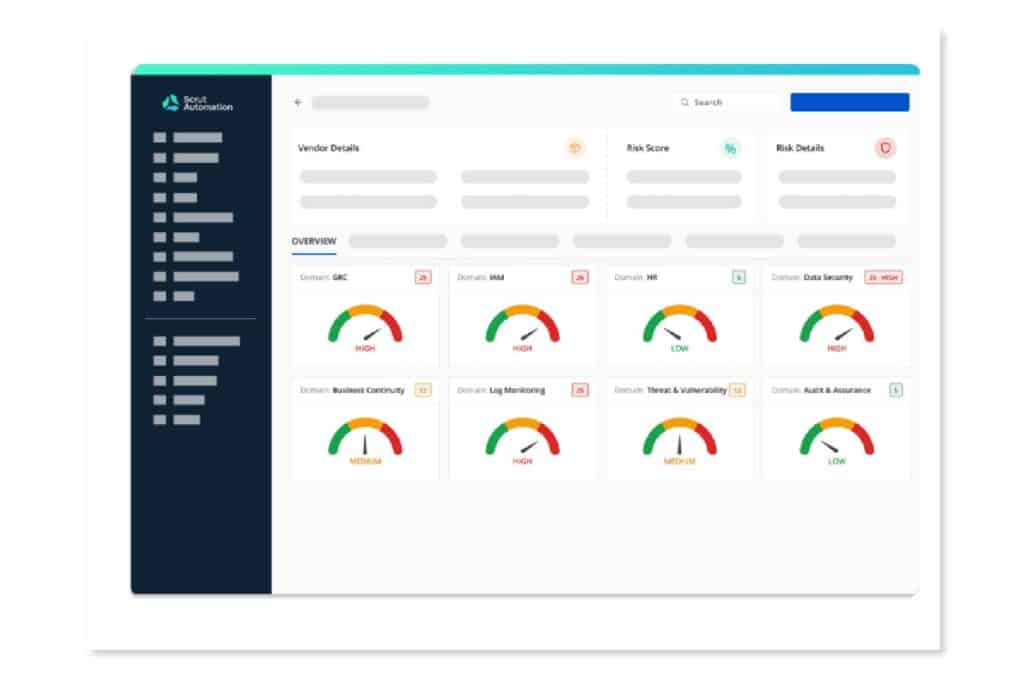
With Scrut vendor risk assessment, you can create a quick and effective method for assessing, monitoring, and managing vendor risk by understanding how your vendors perform and whether their security postures align with your compliance requirements.
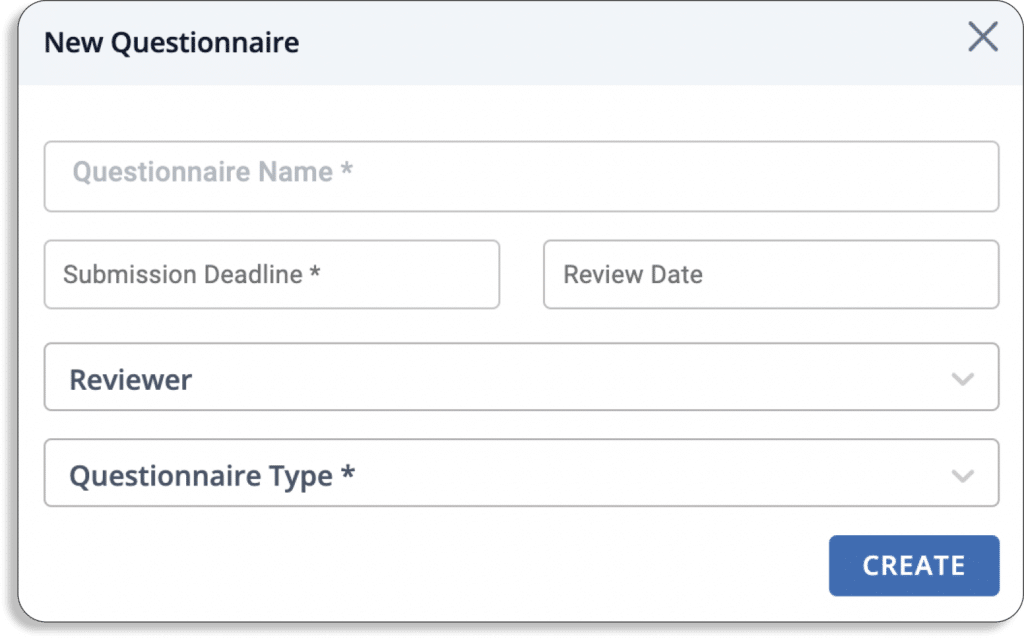
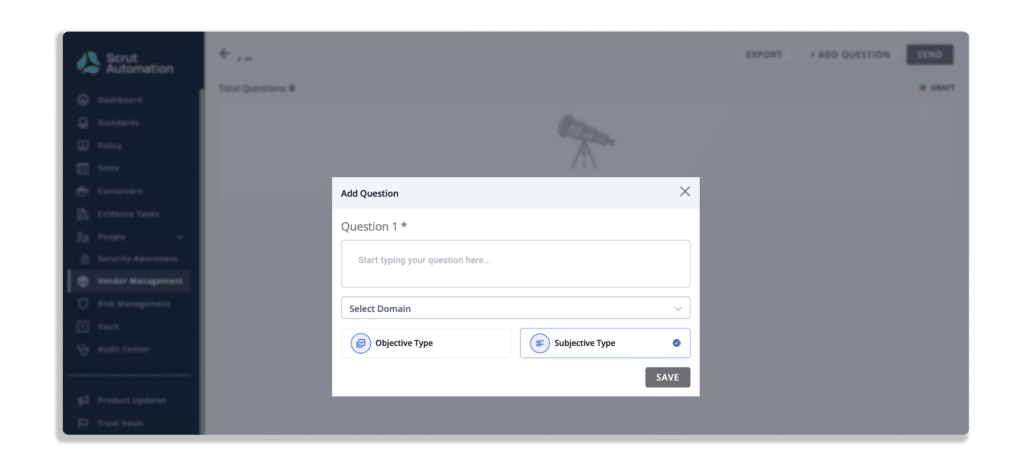
You can create your questionnaire or use one of our pre-made templates, as shown in the screenshot below.
The platform keeps all vendor security certifications, software vendor audits, and paperwork in one place.
31 Jul 2022
7minutes
Authored by
Aayush Ghosh Choudhary
Co-founder & CEO at Scrut
Pros and Cons of a Boutique Auditing Firm Versus Big 4
You might come across various auditors for your compliance audit form when exploring. But the question remains the same, which one should you opt for: One of the “big four” audit firms or a “boutique” firm? Well, both have their advantages and disadvantages, which you must get well-versed in before making a choice.
This article is all about it, listing the various factors you must consider before choosing an auditor.
Selecting an appropriate external auditor is crucial, as the auditor will work closely with your organization for multiple years, and their input is vital to your business’s success. An external audit should ensure compliance and provide valuable insights to improve your business. It is important to choose an auditor with the right qualifications, experience, technology, and approach to achieve this. This could be a large firm, a Big 4, or a smaller auditing company.
When an audit is performed for regulatory compliance, the lead auditor must meet the requirements set by the regulator. For instance, if the audit is to comply with ASIC regulations, only a Registered Company Auditor (RCA) can conduct the audit.
In addition, it is beneficial to choose an auditor with industry experience as this leads to a more efficient audit and minimizes generic questions. This also allows them to provide more relevant value-added services and translate their findings into concrete actions that benefit your business.
This article discusses the benefits and drawbacks of working with a “boutique” auditing firm versus a “Big 4” firm.
Who are the Big 4?
1. Deloitte
Deloitte is one of the world’s largest accounting and consulting firms, with a global presence in 150 countries and territories. The firm has been operating for over 175 years and serves many clients, including many Fortune 500 companies. They have a total of 126 offices, and their workforce is the largest among the Big 4 accounting firms.
The company’s services are divided into three main categories: 27% accounting and audit, 17% tax, and 52% management advisory services (MAS), with the remaining 4% being other services. Compared to other firms of the Big 4, Deloitte generates a smaller percentage of its revenue from audit services, and a more significant portion of revenue comes from its consulting services.
2. PwC
PwC is a global professional services firm that operates in 156 countries worldwide. It is headquartered in London, UK, and is the largest of the Big 4 accounting firms by revenue, at $35.4 billion. 36% of PwC’s revenue comes from accounting and audit, 27% from tax, and 37% from MAS. In 2016, the company initiated a digital transformation to improve its client service offerings. PwC is ranked as the #2 top firm by accounting today.
3. EY
EY, a top accounting firm ranking #3 on accounting today’s list, offers a diverse range of services, with 28% of their work focused on accounting and audit, 29% on tax, and 33% on management advisory services, with the remaining 10% dedicated to other services. Over a thousand public companies and six of the top ten Fortune 500 companies are audited by the company. Additionally, in response to the COVID-19 pandemic, EY has implemented a hybrid audit model that combines remote and in-person work, catering to the needs of their clients. With a large staff and strong overall revenue growth, EY is considered one of the larger companies among the Big 4.
4. KPMG
KPMG, a leading global professional services firm, has 99 offices worldwide. It is known for its expertise in accounting, audit, tax, and management advisory services, with a breakdown of 30%, 29%, and 41%, respectively. KPMG is ranked as the #4 firm by accounting today’s top 100 and is known for its international presence, strategic partnerships with technology providers, and strong consultancy and advisory practice.
What is a Boutique Auditing Firm?
Boutique accounting firms, known for their specialization in a specific area of accounting, provide exceptional customer service to middle-market clients. Their smaller size allows for personalized attention and a low turnover rate, leading to a deep understanding of client needs and efficient work. Clients also have the advantage of dealing directly with the firm’s owner, who is often an expert in the field. The expertise and specialization that boutique firms develop over time set them apart from larger firms, where clients may work with associates rather than experts.
Pros of working with a “Big 4” company
When considering partnering with a Big four firm, there are several advantages.
One of the main benefits is the power of the Big 4 brand. Organizations that share SOC 2 reports with a Big 4 logo are often viewed as trustworthy and credible.
Additionally, as large and established organizations, Big 4 firms have the resources and capabilities to take on projects promptly and offer a broad range of services, such as taxation, consultancy, and more.
They have also developed stringent quality assurance processes and have a wealth of experience dealing with clients, particularly those of considerable size.
The Big 4 firms have a reputation for excellent client relationship management and a large pool of talented individuals.
Cons of working with a “Big 4” company
There are a few disadvantages as well to get your audit done by a “big 4” accounting firm, which includes:
Big 4 accounting firms come with a high price tag due to their quality assurance, methodology, and large headcount. The brand name and reputation come with a higher cost, and the cost of audit services can vary depending on your unique needs.
When it comes to compliance and audits, the process is tailored to your company’s specific needs, so it can be difficult to estimate costs.
With multiple projects on the go and a high turnover rate, it can be challenging to build a long-term relationship with an auditor, which can limit the personal attention and guidance that you receive.
Additionally, big 4 firms offer a wide range of services, including tax advice and consulting, which may create potential conflicts of interest during the audit process.
With a big firm, it’s more likely that you’ll be working with a manager or senior rather than a partner, which can limit the amount of attention and guidance you receive during the audit process.
Pros of working with a Boutique Auditing Firm
Boutique audit firms offer a cost-effective alternative to the more expensive Big 4 audit firms. They may not have the same exhaustive methodology or assurance as the Big 4, but they can still meet most customers’ needs.
Compliance with frameworks such as SOC 2 and ISO 27001 requires regular audits, and having the same auditor conduct these audits can make the process more efficient and provide deeper insight into the business and its goals.
Additionally, working closely with senior staff members and having them easily accessible can provide valuable guidance and advice on enhancing security posture.
Cons of working with a Boutique Auditing Firm
Boutique firms may not have the same level of recognition or prestige as larger, star-studded companies. These smaller companies may also have more limited resources or specialized areas of expertise. Furthermore, it’s important to consider the quality of their audit reports and whether they possess the necessary understanding and experience with specific subjects like enterprise security for third-party vendors and relevant InfoSec credentials. Additionally, as your business grows, the services provided by a boutique firm may no longer be sufficient, and you may need to look for a new solution.
A Small Firm vs. a Large Firm
Cost acts as one of the major considerations when choosing an auditor. The prestigious Big 4 firms (PwC, Deloitte, Ernst & Young, and KPMG) may come at a higher cost, but in return, you get certified by a well-known and highly respected company. For some organizations, this extra cost is worth it, while others may prefer a reputable and accredited boutique auditor.
Make sure you get answers to the following questions when deciding which firm to choose:
Does the brand of the Big 4 carry any weight to your stakeholders? Will they be more likely to trust the choice if it comes from a top-tier company?
Are your customers more likely to trust the audit findings and your company’s commitment to information security if a Big 4 firm conducts the audit?
Can you use a compliance solution to streamline the audit process?
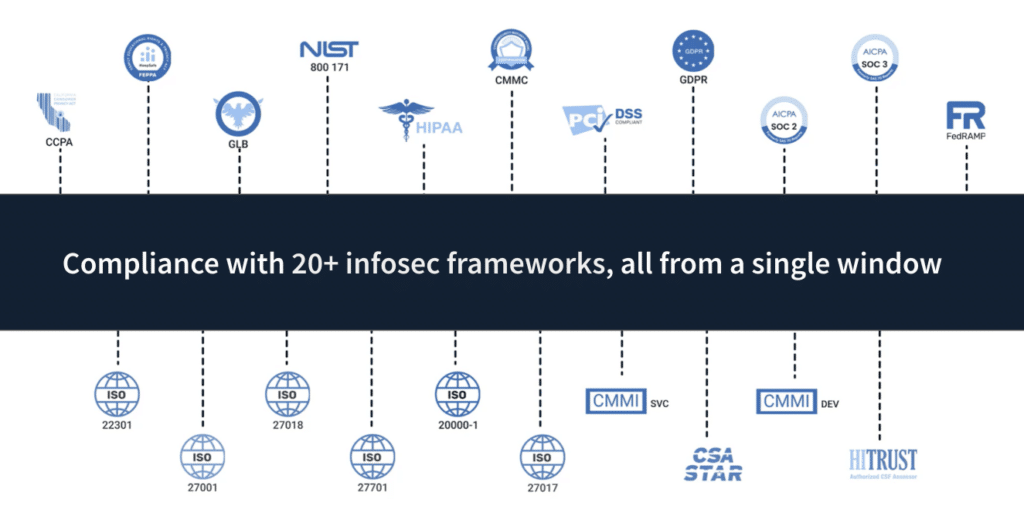
One option to consider is using an all-in-one GRC solution like Scrut to handle all the tedious tasks associated with HIPAA, ISO 27001, and 20+ compliance frameworks. Scrut can fully manage the auditor for you, resulting in a quick, stress-free process for earning your compliance certification.
Scrut smartGRC automates and streamlines time-consuming audit tasks, from preparation to analysis. Using Scrut, you can simplify the communication process with your auditor. Scrut offers a platform where you can connect with auditors from both the “Big 4” and boutique firms.
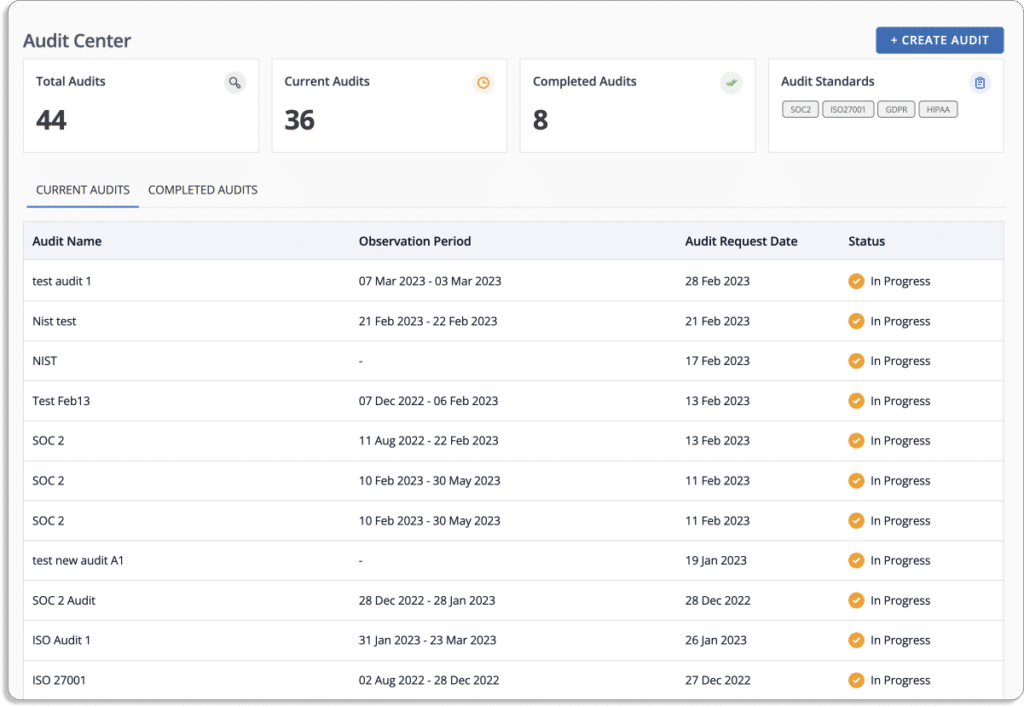
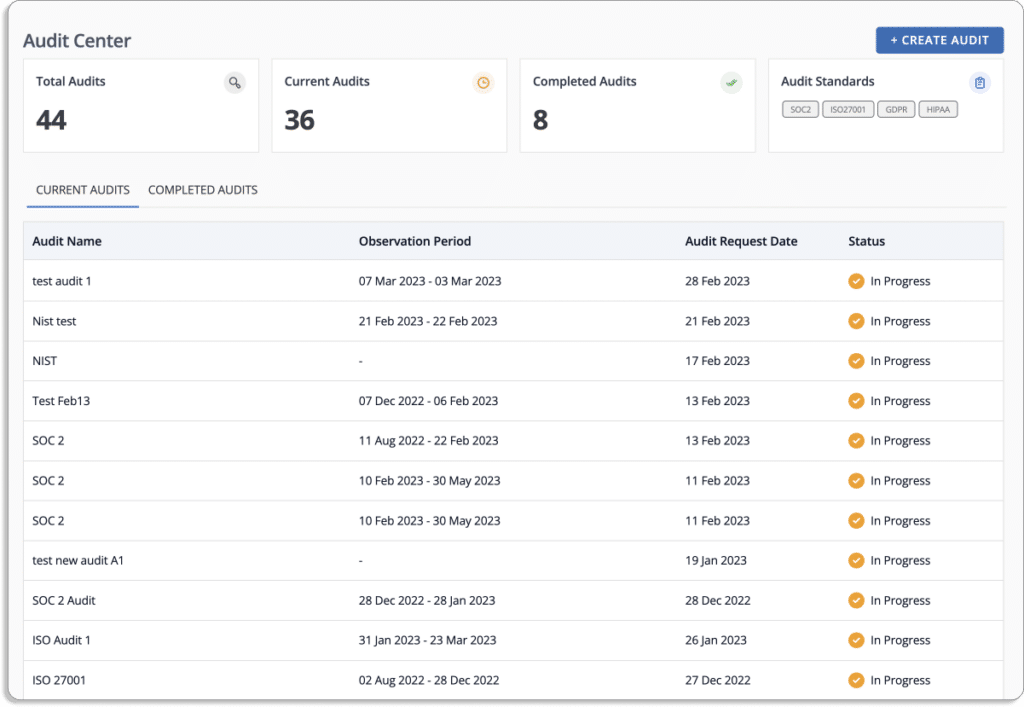
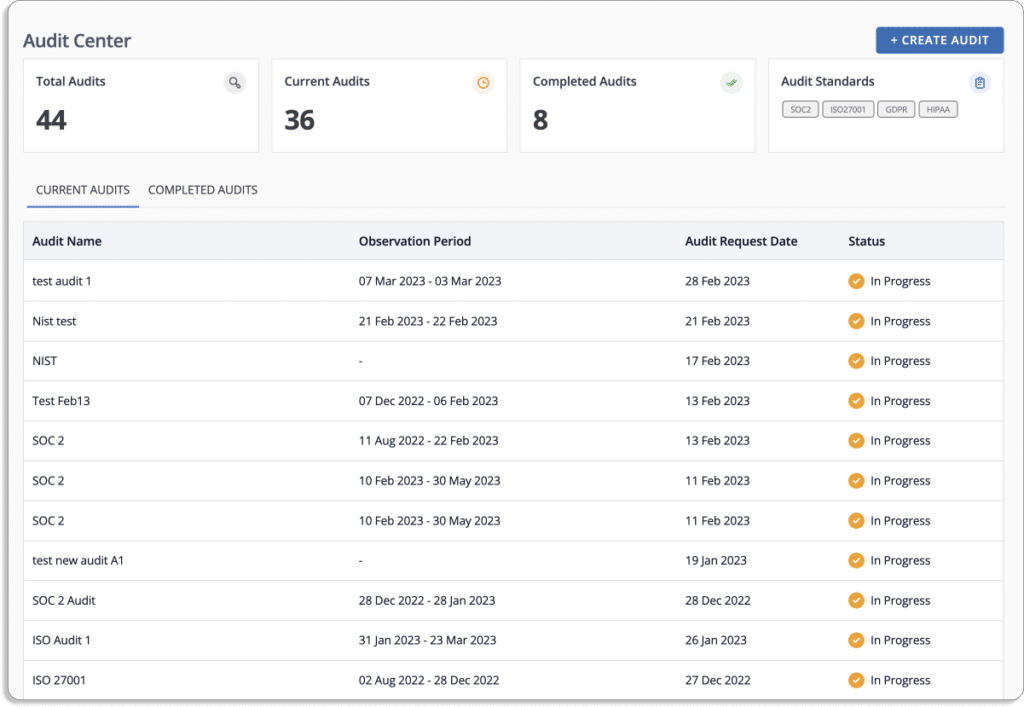
Scrut’s Audit Center dashboard is a tool that provides companies with a centralized location to manage their audit process. It gives users a complete overview of their audit by displaying the audits that are in progress and the ones that have been completed. This allows companies to have good visibility of the overall status of their audits and stay informed about the progress of each audit.
Some of the features of Scrut’s Audit Center dashboard may include:
A list view that shows the audits that are in progress and the ones that have been completed.
A detailed view of each audit includes information about the scope of the audit, the auditors assigned to it, and the status of each task.
Reports and metrics provide insights into the audit process, such as the number of audits completed, the number of findings identified, and the resolution rate for those findings.
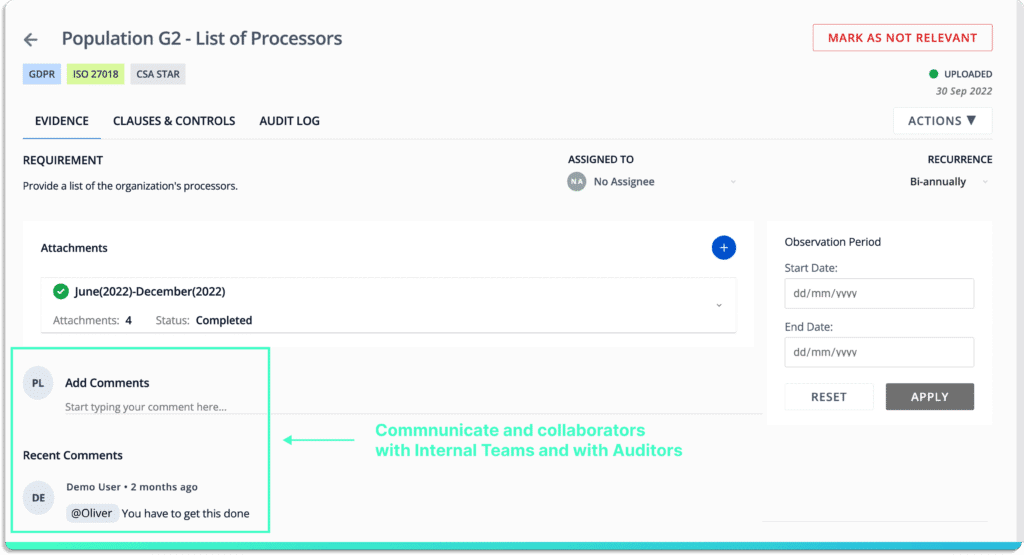
Collaboration feature that allows team members to share and discuss findings, assign tasks, and manage the audit process.
Overall, Scrut’s Audit Center dashboard can be useful to the companies as it provides an organized way to manage and monitor their audits and also allows to have better control over the process, thereby ensuring that the company is compliant with regulations and that the security and controls are up to date.
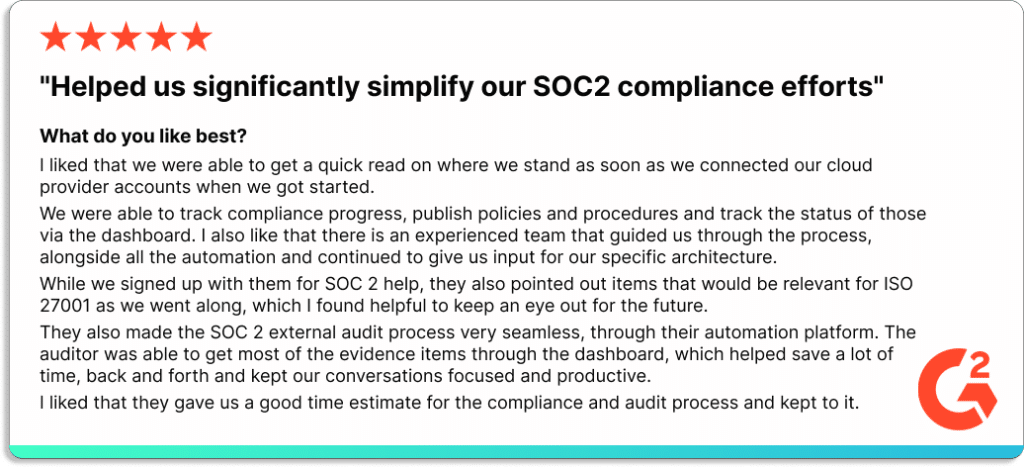
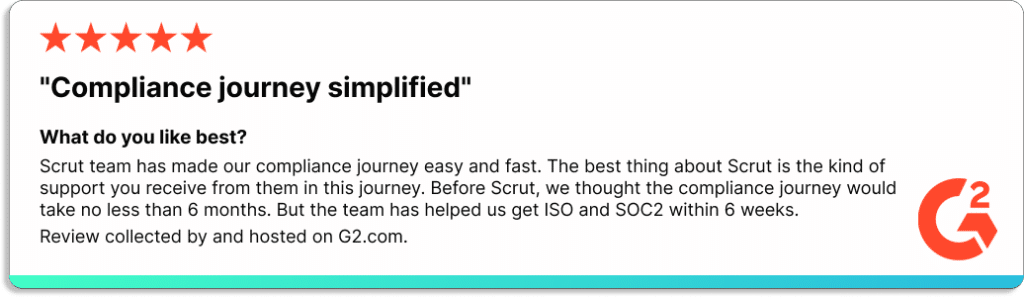
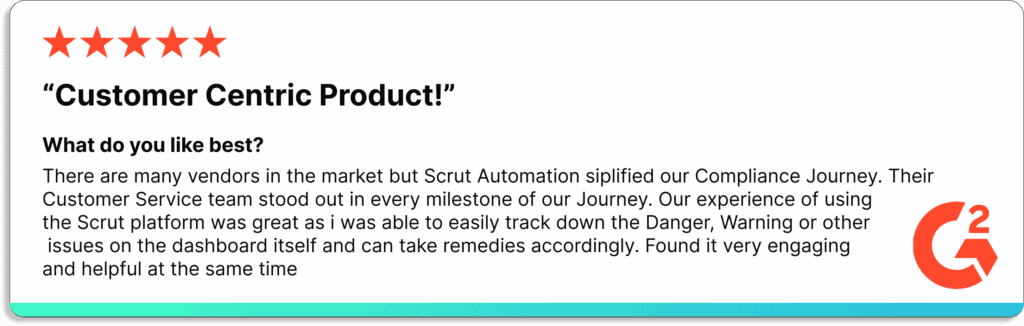
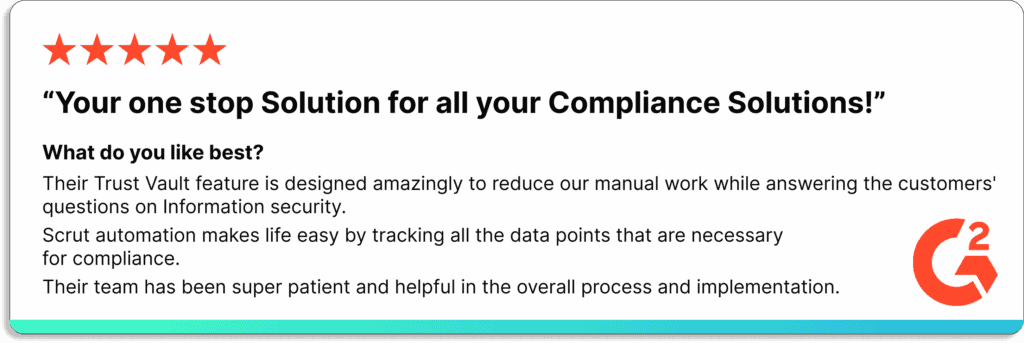
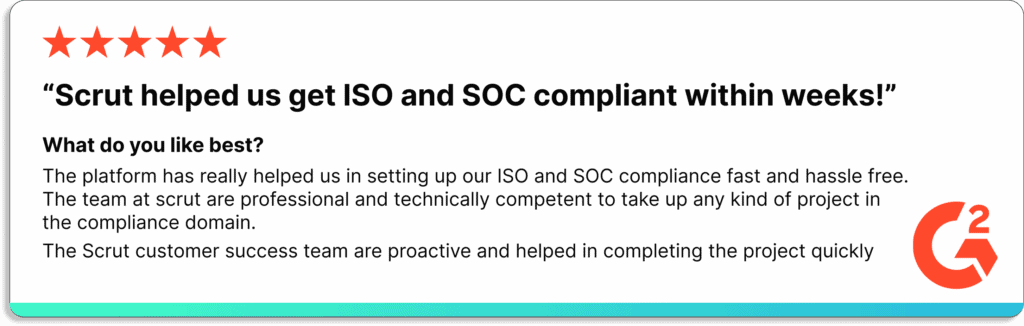
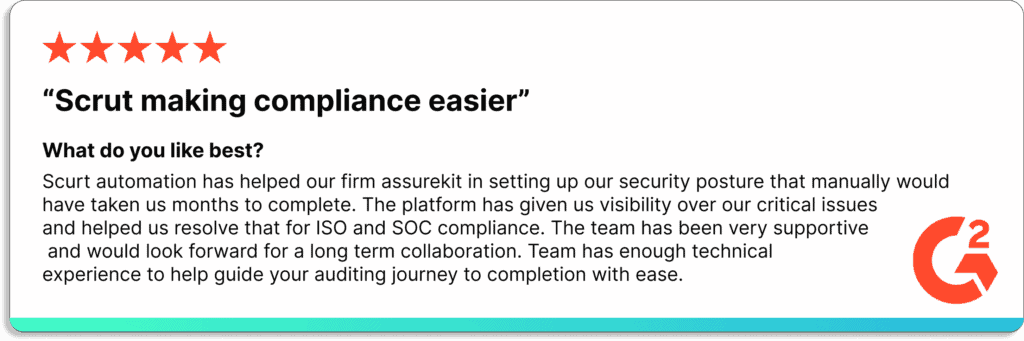
Here are some reviews from our customers:
Schedule a demo to see how Scrut can help you with your audit process.
31 Jul 2022
8minutes
Authored by
Aayush Ghosh Choudhary
Co-founder & CEO at Scrut
Pros and Cons of Preparing for a SOC 2 Audit in-House
If your company handles any type of customer data, obtaining a SOC 2 report will demonstrate that you value data security and protection. Companies with SOC 2 compliance are likely to close more deals.
But what is the best way to prepare for your SOC 2 audit? Is it a good idea to prepare internally for your SOC 2 audit? Or do you need an external consultant? This article will discuss the positives and negatives of SOC 2 audits in-house.
A SOC 2 audit evaluates the internal controls that govern an organization’s services and data. The American Institute of Certified Public Accountants (AICPA) defines these controls as the Trust Services Principles, which include security, availability, processing integrity, confidentiality, and privacy.
The five Trust Services Principles are explained below:
Security – Security refers to the safeguards to protect data throughout its lifecycle. The core principle of the SOC 2 is to ensure the security of a service provider’s data and assets.
Availability – During a SOC 2 compliance audit, auditors examine the availability of your systems to determine whether they are easily accessible.
Confidentiality – The confidentiality audit examines controls that affect data from its creation, processing, and storage to its final disposal and removal.
Processing integrity – This principle ensures that data is authorized and distributed to the appropriate parties on time.
Privacy – This SOC 2 principle addresses data release and destruction and the methods used to collect, use, and retain personal information.
The two types of SOC 2 compliance reports are as below:
SOC 2 Type 1 – Investigates security controls at a particular time. This audit is performed on security systems.
SOC 2 Type 2 – Examines the same controls over a longer time (6 to 12 months). It is concerned with the effectiveness of a company’s security operations in ensuring system reliability.
An in-house audit, also known as an internal audit, is an assessment of a company’s financial and operational processes and controls conducted by the company’s staff. The purpose of an in-house audit is to provide management with an independent and objective evaluation of the company’s internal control systems and identify areas where improvements can be made.
SOC 2 reports typically have a one-year shelf life, and are considered “stale” after one year and less valuable to potential customers. This is because SOC 2 reports assess the effectiveness of a company’s controls and processes at a specific time, and those controls and processes can change over time. Conducting an internal audit at planned intervals, such as every 6-12 months, can help a company stay updated with the latest SOC 2 requirements and ensure that its controls are effective and current. Additionally, conducting an internal audit on a regular basis allows a company to identify any areas of weakness or non-compliance and address them on time, which can ultimately improve the chances of passing a SOC 2 review.
Pros of doing SOC 2 Audit in-house
Let’s discuss the pros of SOC 2 audit in-house.
Flexibility to operate as per your requirement – When preparing for a SOC 2 audit internally, all of your security rules, tests, and evidence tasks are created, which gives you complete control over your SOC 2 in-house project from start to finish. The organization has complete control and does not need to rely on a third-party provider. Another benefit of an in-house audit is managing risks effectively and implementing internal controls. The strength of the internal audit function is critical for the successful implementation of internal controls and ultimately contributes to improved governance and achievement of organizational objectives.
Better collaboration and control– SOC 2 compliance can involve members from every department in an organization. Internal communication is always less difficult than external communication. You’ll be able to collaborate with everyone involved in your SOC 2 in-house project. With an in-house audit team, the organization should have access to the needed documents and information, which can help in quickly collecting evidence.
Cons of doing SOC 2 Audit in-house
Let’s discuss the cons of SOC 2 audit in-house.
Time-consuming and involves a lot of hassle – Preparing for your in-house SOC 2 audit involves a lot of manual work. You must create and manage the project’s roadmap, assign task owners, and ensure task completion. Not just that, manual evidence collection also involves a lot of hassle. Every change to a policy or control needs to be built from scratch, which is time-consuming. Finding and managing partners, such as VAPTs, CPAs, etc., takes a long time. Human error is greatly increased when preparing for your SOC 2 audit in-house. You must ensure that no errors are made in all manual tasks. Your auditor will bill you for more hours for each error.
Employee security training – When doing a SOC 2 project in-house, there will undoubtedly be bumps in the road; it will not be smooth. Your team must be trained on your SOC 2 goals and best practices for dealing with issues regularly. You should implement company-wide employee awareness training to reduce risk and strengthen internal security.
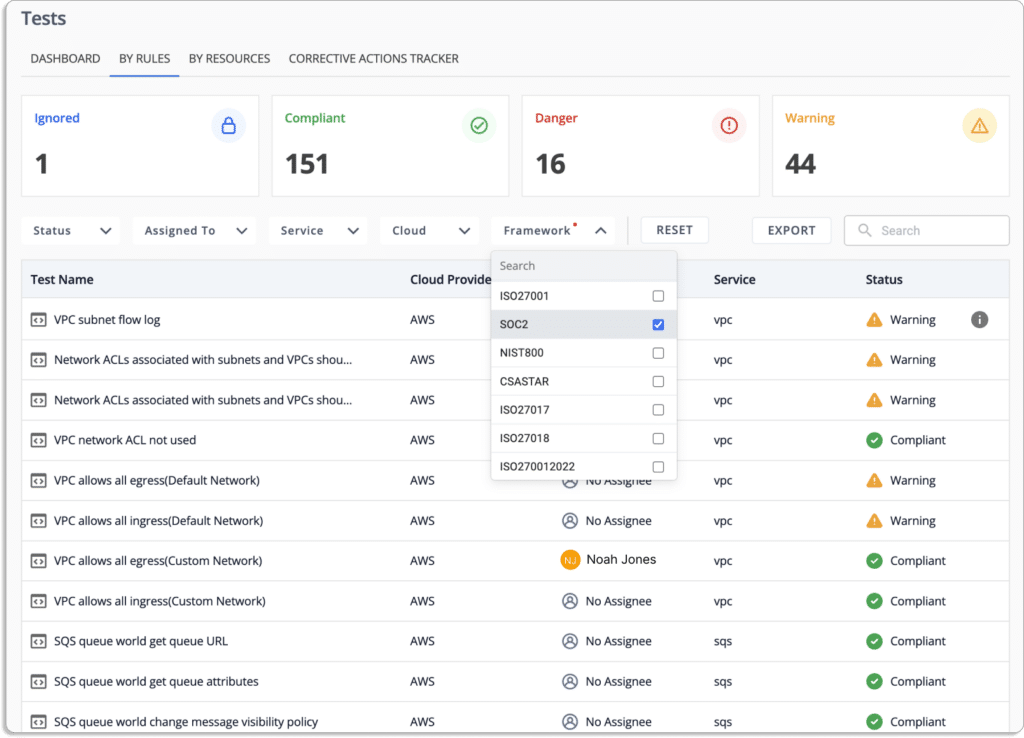
Requires separate tool for cloud security monitoring – Another disadvantage of doing SOC 2 audit in-house is that you need a separate cloud security monitoring software. With the automation tool, users can keep track of cloud misconfigurations with centralized dashboards, including an automated classification for danger, warning, and secure configurations.
Costly – SOC 2 isn’t a one-size-fits-all solution. You’ll need someone with a well-developed knowledge of SOC 2 to assist you with your audit journey. Hiring people with the necessary skills, training, and experience can be time-consuming and costly. A full-time hire costs more than $100k. As threats evolve and become more complex, the technology required to defend against them must also evolve, which can be costly.
Stakeholder management – Task management is another problem when preparing the SOC 2 audit in-house. There is no centralized visibility into what is happening. When working on SOC 2 in-house, you will not have access to any automation. As a result, you’ll have to manually create and maintain all documentation, such as controls, policies, and evidence tasks. Without automation, it is not possible to hold team members accountable.
Risk Management – When working towards SOC 2 in-house, you will not have access to any automation. You’ll have to manage the risks from scratch manually. You will have to manually create and complete a risk management plan that includes all potential risks associated with your business and its remedies.
Vendor risk management – There is no automated vendor risk management during the in-house SOC 2 audit. You have tomanually send a security questionnaire and analyze the answers. You may have to manually perform all vendor risk assessments if you do not have automation software.
Audit is very time-consuming – Collaboration with auditors over email is time-consuming. For your SOC 2, you must keep track of all policy and control changes. Sometimes people make changes and then forget to record them. It’s difficult to go back and say who made the change, when it happened, and why.
Scrut software automates everything listed above via in-platform features and integrations.
How Scrut can help in SOC 2 Audit
Going through a SOC 2 audit in-house can be frustrating, time-consuming, and expensive. Your internal auditor cannot be everywhere at all times. That’s where Scrut automation software comes into the picture.
Scrut is designed to make the entire audit process smooth, easy, and error-free. Scrut Automation reduces your SOC 2 compliance burden by combining the most comprehensive automated compliance platform with a seamless audit experience.
Scrut manages everything from cloud risk assessments to control reviews, risk management, employee policy attestations, and vendor risk. The tool also automates tasks such as evidence collection, gap analysis, identifying misconfigurations, and policy centralization, eliminating 70% of manual work.
You will have access to Scrut’s in-house compliance experts, who will guide you through the entire audit preparation process. In addition to our internal SOC 2 compliance experts, Scrut provides access to SOC 2 consultants, auditors, and other professionals. No extra effort is needed in looking for expert auditors for your compliance. Simply collaborate with our auditors from Scrut’s partner network at pre-negotiated rates.
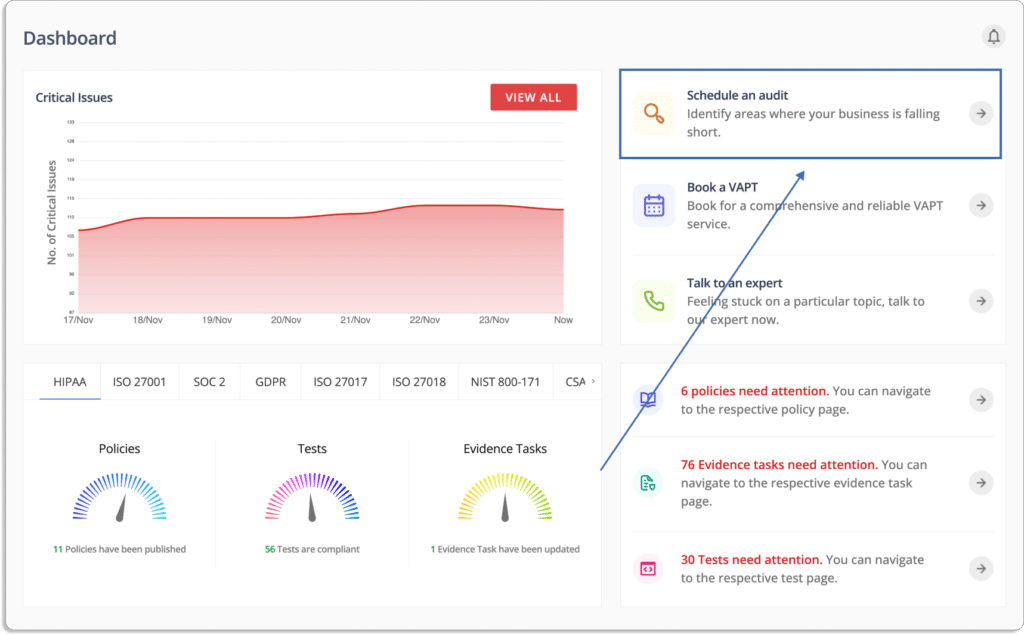
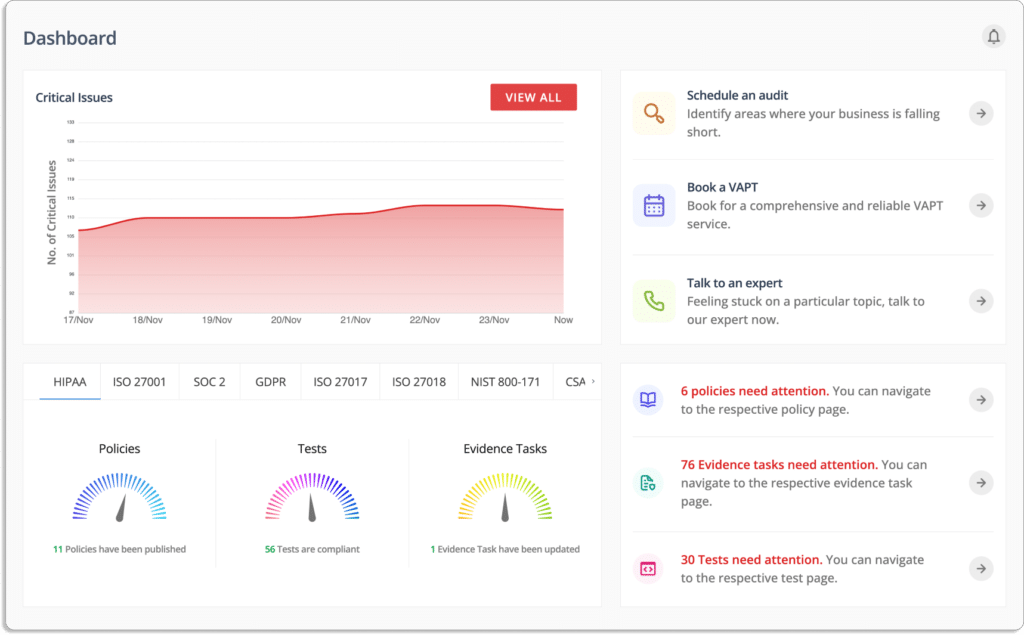
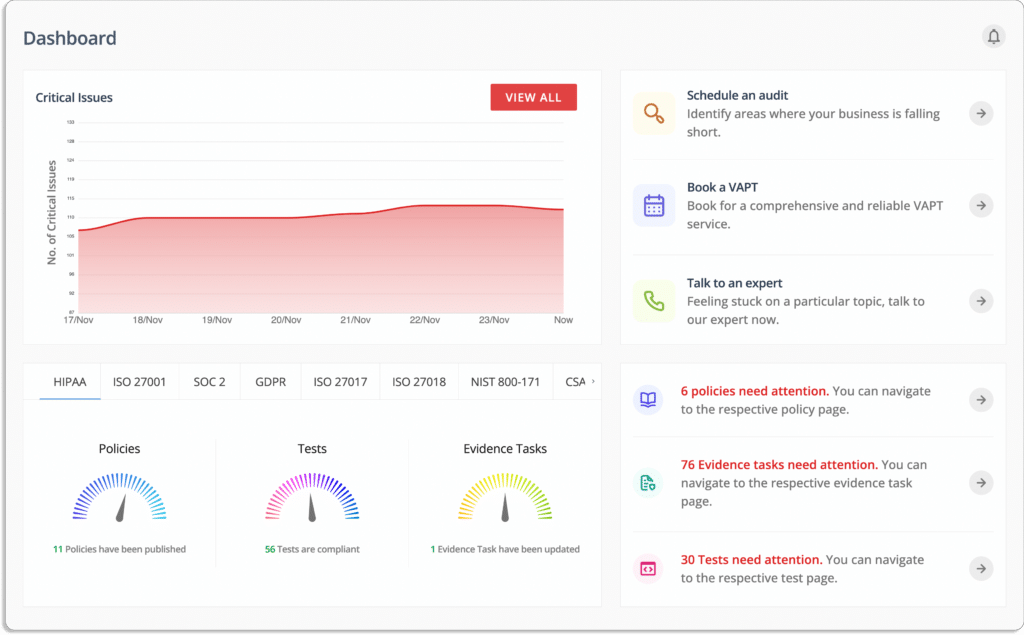
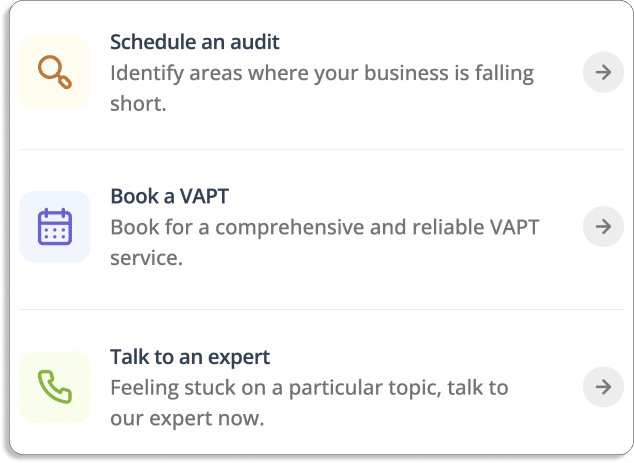
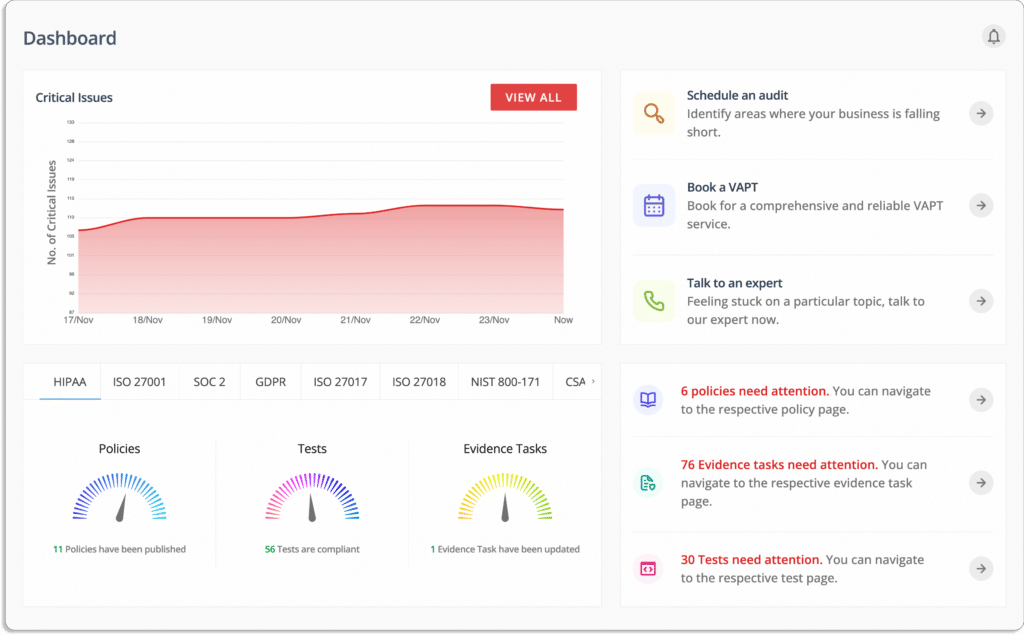
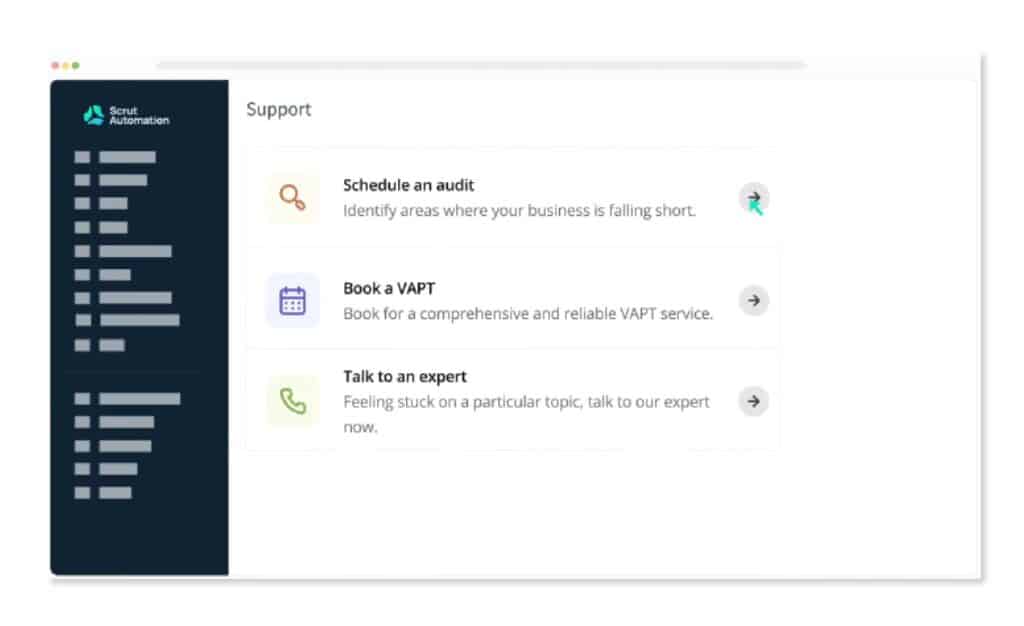
You can schedule an audit by clicking “schedule an audit.” This will help you identify areas where your organization is falling short.
Book a comprehensive VAPT by clicking “book a VAPT.”
You can click “talk to an expert” if you get stuck on a particular topic and want to talk to an expert regarding your issues.
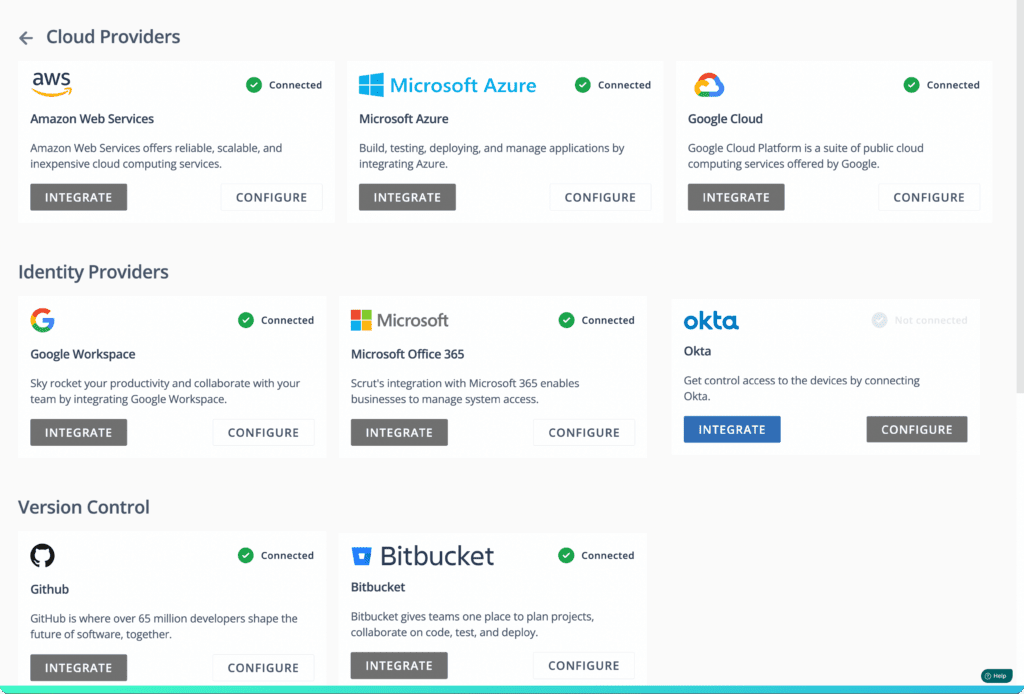
Scrut provides a unified, real-time view of risks and compliance. The tool identifies gaps and critical issues in real time with continuous automated control monitoring. With Scrut, you don’t require a separate tool for cloud security monitoring. Scrut’s Cloud Security gives you complete command of your cloud environment. In minutes, you can connect your entire cloud infrastructure, including AWS, Azure, GCP, and others, to the Scrut platform.
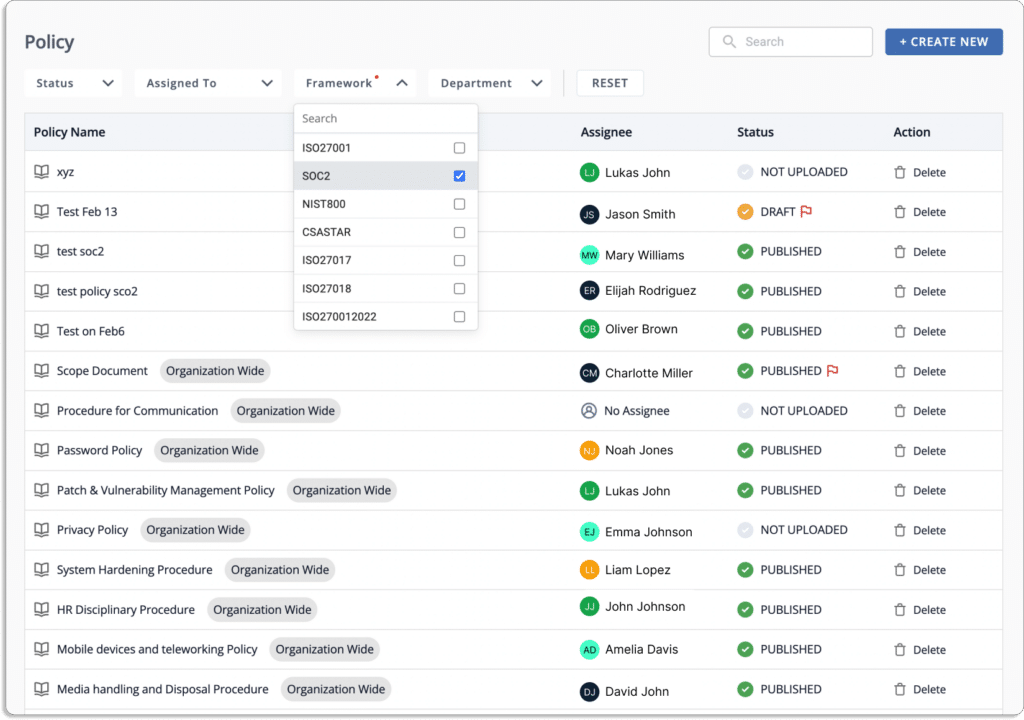
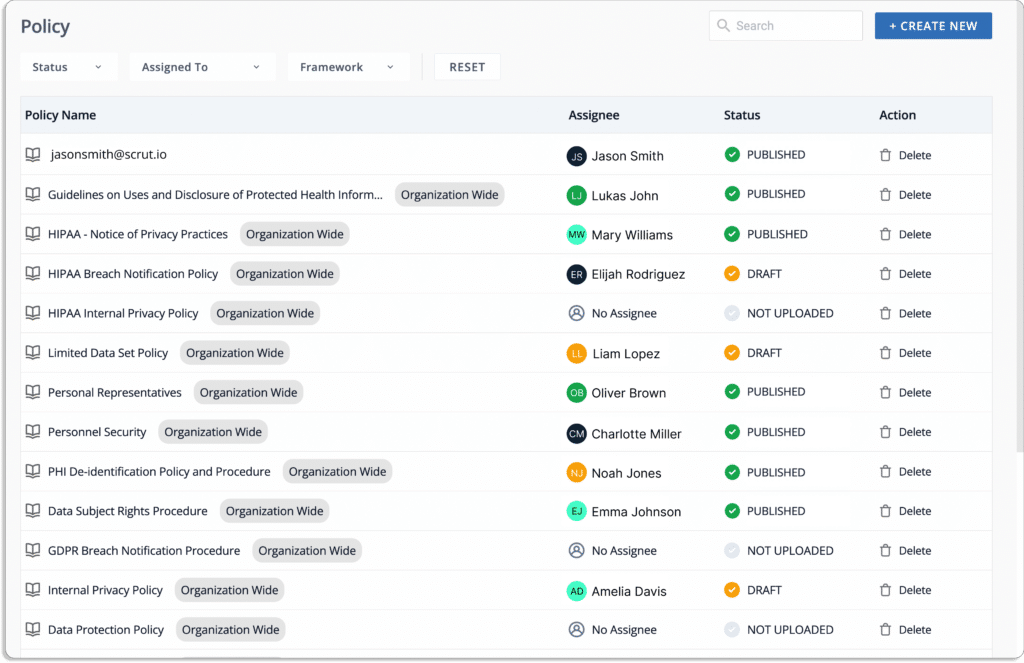
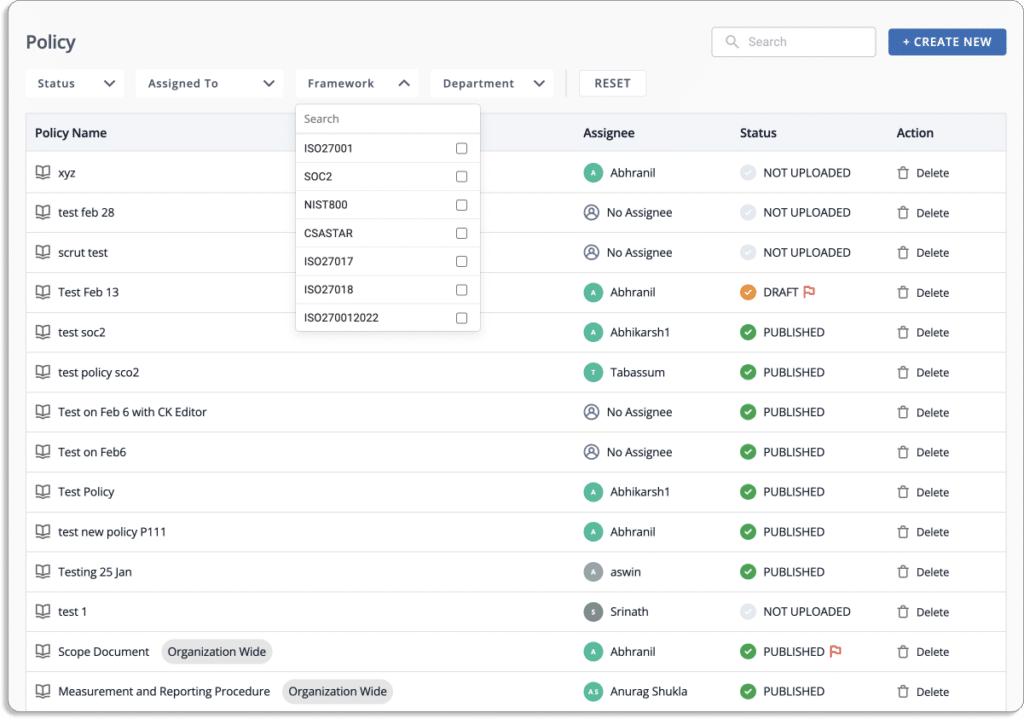
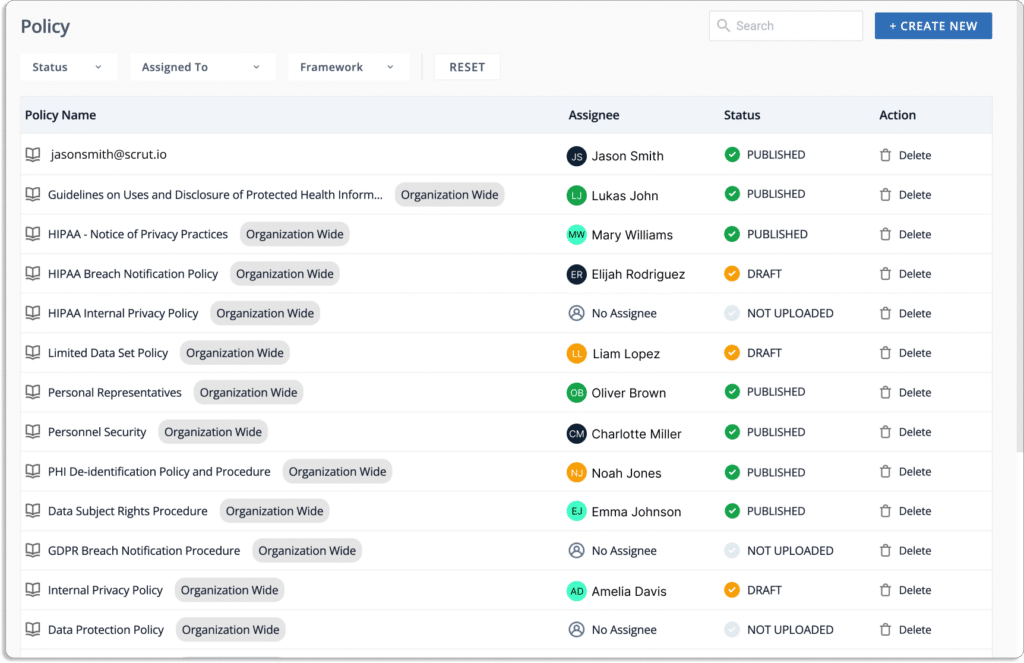
Creating policies from scratch is time-consuming when you first begin your compliance journey. Scrut’s library of 50+ pre-built policies allows users to create a SOC 2-compliant InfoSec program in minutes and guides them to collect what they need to pass the audit and get certified.
The platform allows users to automate all of their compliance activities. It allows seeing the progress and effectiveness of your compliance programs.
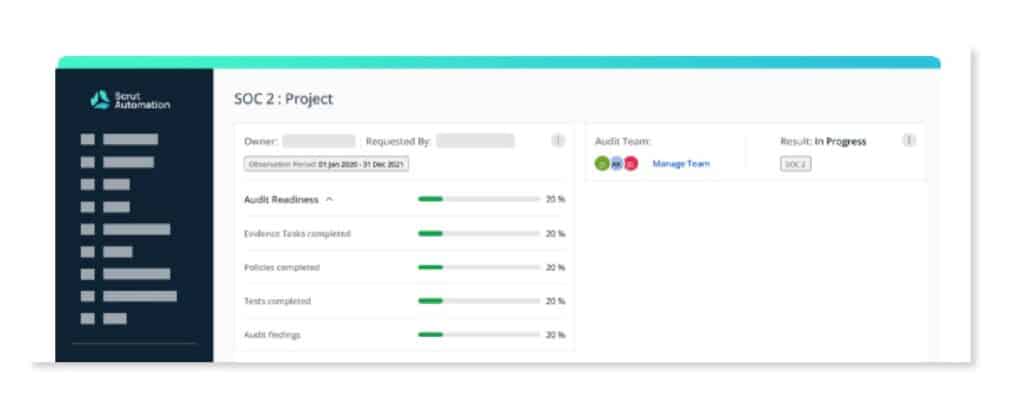
The Audit Center dashboard provides a complete overview of your audit, as shown in the screenshot below. SOC 2 compliance involves an annual audit. Our platform can quickly scale up to meet the needs of your company.
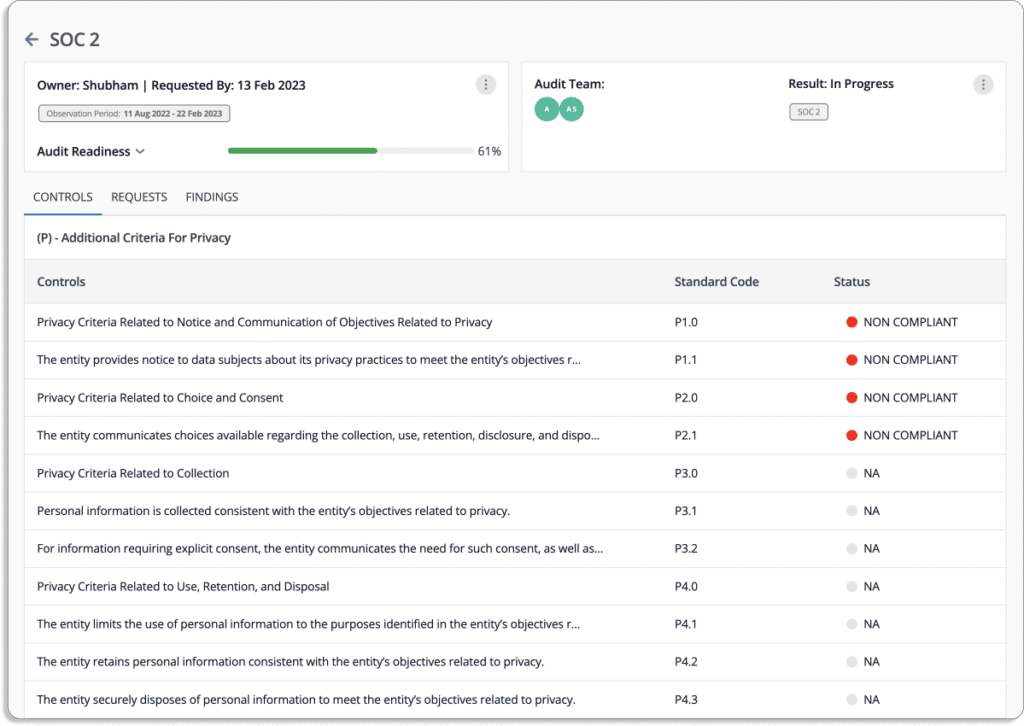
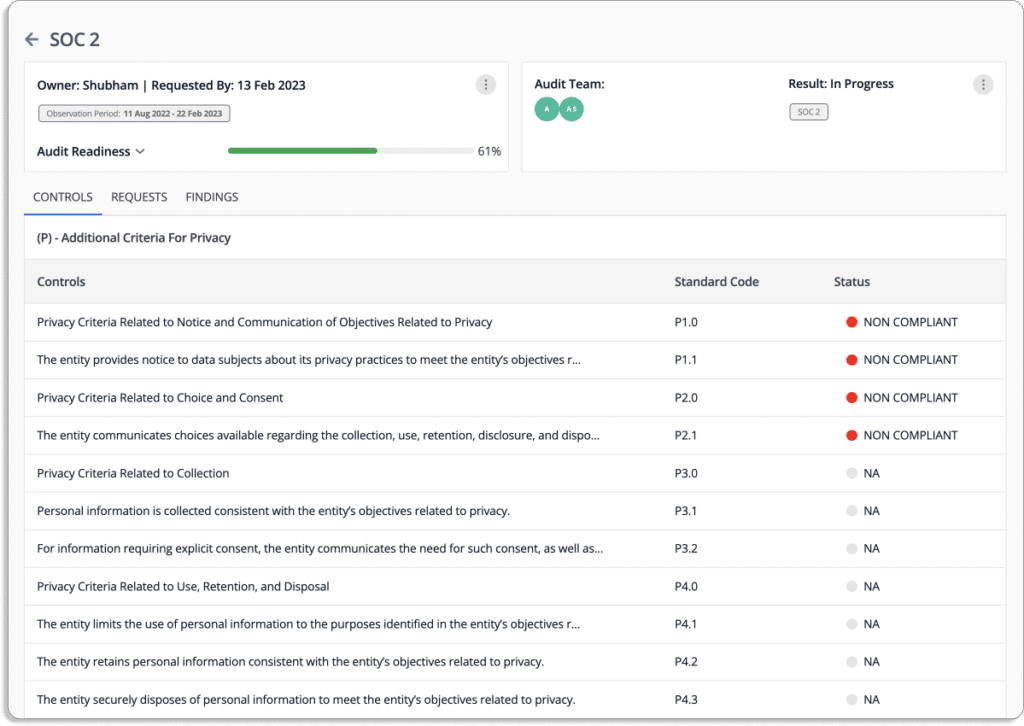
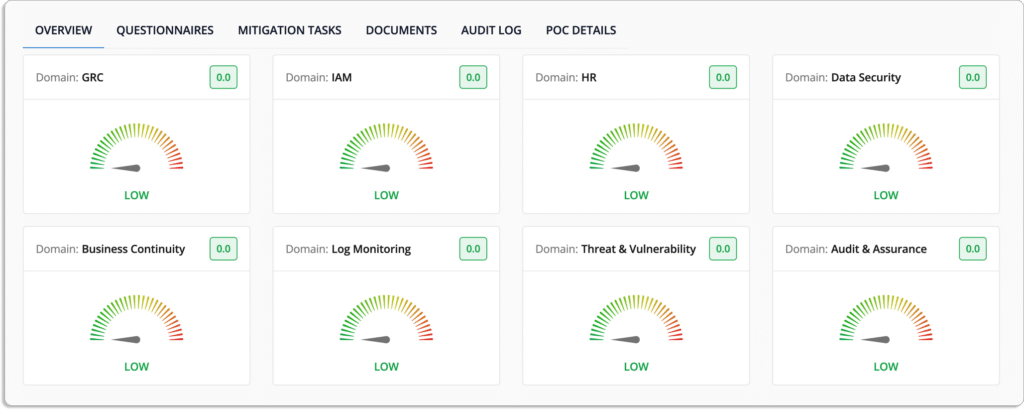
When users click on each audit entry in Scrut’s Audit Center dashboard, they can view detailed information about the audit. This information typically includes the audit owner, the person or team responsible for managing the audit, and the data requested, which is the specific information the auditors will need to perform the audit. Users can also view the progress of the audit, which includes the status of each task, such as whether it has been completed or is still in progress.
In addition, users can see information about the specific framework details of the audit, such as which regulatory or industry standards the audit is testing against (e.g., SOC2), which can help ensure that the company complies with those standards. Other details, such as the audit’s date and the auditor’s name, can also be visible in the dashboard.
This level of detail provided by Scrut can be useful for companies.It allows them to stay informed about the audit’s progress and specific requirements and ensure that they provide the auditors with the necessary information on time. It also allows them to quickly identify any issues or nonconformities that may have been identified during the audit process.
Without an automation tool, you’ll have to manage the risks from scratch manually. Scrut Risk Management provides a centralized interface for identifying, assessing, and mitigating IT and cyber risks. It gives organizations the awareness they need to avoid threats and communicates the risk implications on high-priority strategic priorities.
Scrut automates employee information security training by providing a pre-built 30-minute course created by industry experts. The tool equips your employees with everything they need to understand potential risks, avoid lapses, and develop a secure posture.
With Scrut, you can use pre-made templates or create your questionnaire. The tool compares vendors to find the least risky business partner.
Learn how Quickwork, an iPaaS enterprise, uses Scrut to simplify and accelerate its SOC 2 audit. Schedule a demo today to learn more about how Scrut can assist you with your SOC 2 journey.
31 Jul 2022
17minutes
Authored by
Aayush Ghosh Choudhary
Co-founder & CEO at Scrut
13 Best HIPAA Compliance Software
In an era where sensitive healthcare data is digitized and exchanged at an unprecedented rate, ensuring the security and privacy of patient information is paramount.
The Health Insurance Portability and Accountability Act (HIPAA) sets the standards for safeguarding this data. Maintaining compliance is a must for healthcare organizations. HIPAA compliance software emerges as an indispensable tool to navigate this complex landscape.
In this guide, we delve into the world of HIPAA compliance software, bringing the spotlight to the top 13 solutions that have proven their mettle in the rigorous task of protecting patient information. These software solutions offer comprehensive features that help healthcare providers and organizations manage, monitor, and fortify their data security efforts.
But first, let’s take a look at the role of HIPPA compliance software in healthcare.
The Role of HIPAA Compliance Software in Healthcare
HIPAA compliance software isn’t just a tool; it’s a strategic asset that amplifies the protection of patient data in an era of increasing digital vulnerability.
As healthcare embraces technological advancements, these software solutions stand as guardians of patient trust, enabling healthcare providers to navigate the intricate regulatory landscape with precision and confidence.
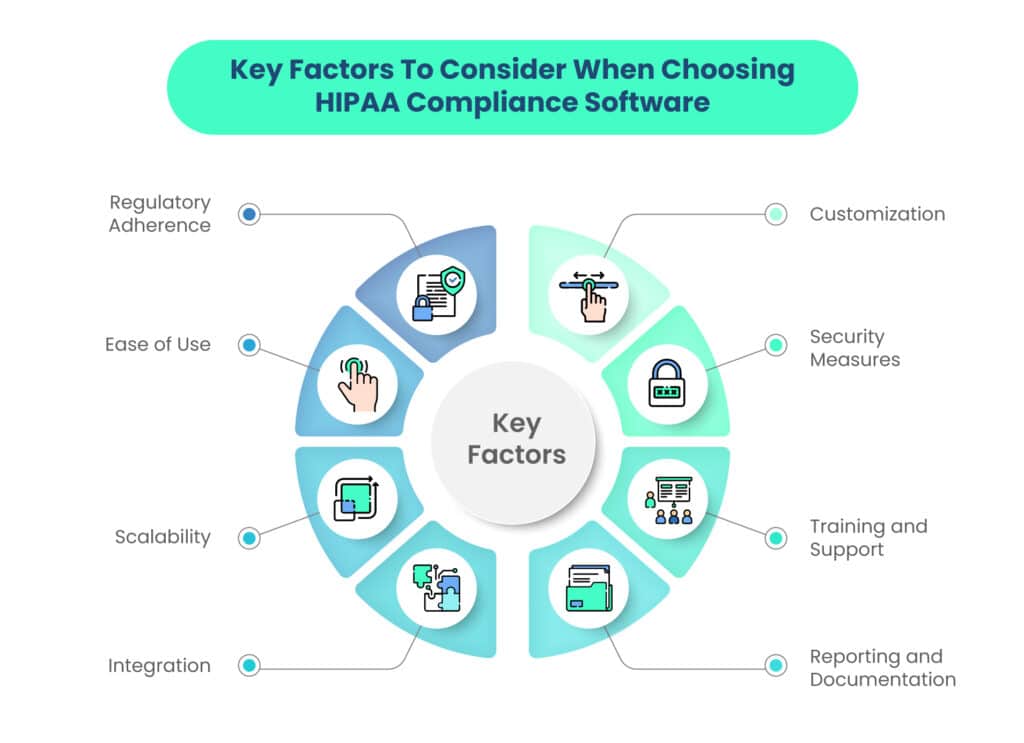
HIPAA Compliance Software: Key Considerations
Before diving into the specifics of the top HIPAA compliance software solutions, it’s essential to understand the key considerations that should influence your decisionmaking process.
Now, HIPAA compliance is not a onesizefitsall endeavor and the right software solution for your organization will depend on various factors, including:
1. Regulatory Adherence
The software should align seamlessly with HIPAA regulations and guidelines. This includes features such as risk assessment, policy management, breach response, and audit preparation.
2. Customization
Healthcare organizations vary widely in size, scope, and specialization. Look for software that allows customization to cater to your specific needs and workflows.
3. Ease of Use
Complex regulations don’t need to translate into complex software. Userfriendly interfaces and intuitive features can significantly ease the implementation and adoption of the software.
4. Security Measures
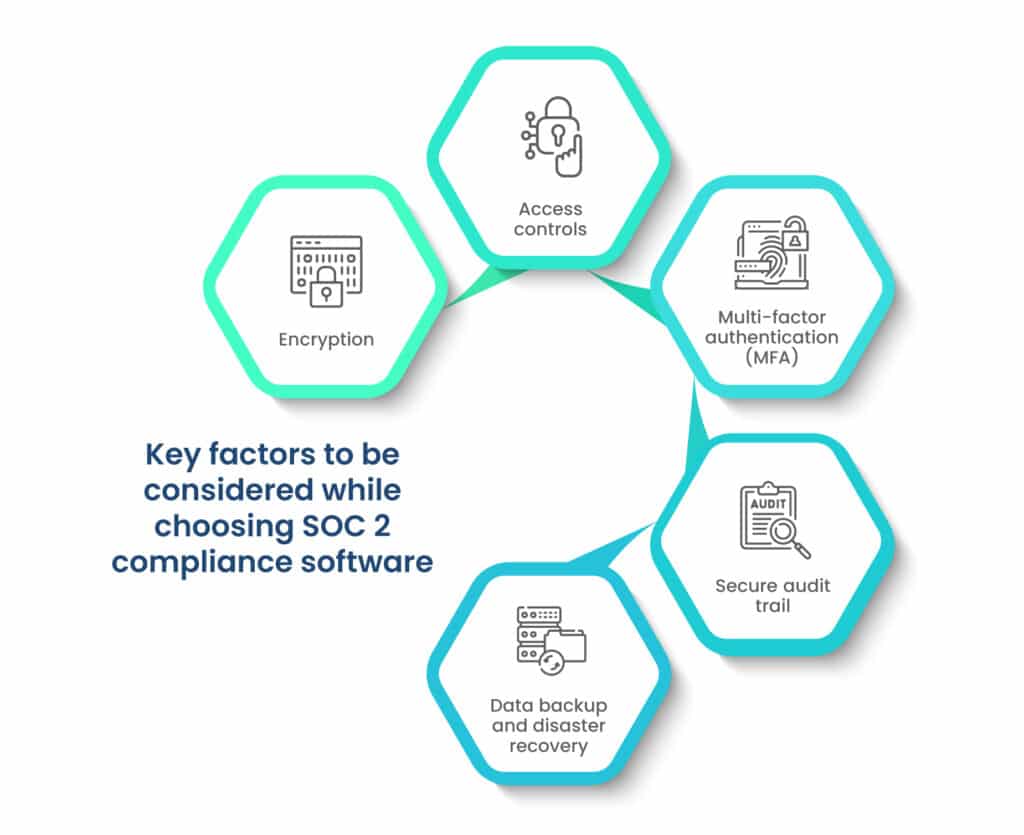
The software itself needs to be secure to ensure that the sensitive data it processes remains protected. Features like encryption, access controls, and audit trails are crucial.
5. Scalability
As your organization grows, so does your data volume and complexity. Opt for software that can scale with your needs without compromising efficiency or compliance.
6. Training and Support
A robust software solution should be accompanied by comprehensive training materials and reliable customer support to help your team utilize the software effectively.
7. Integration
Your existing technology stack should integrate smoothly with the chosen software to ensure a seamless workflow and minimize disruptions.
8. Reporting and Documentation
The software should offer clear reporting and documentation features to assist in demonstrating compliance during audits.
Understanding these HIPAA considerations will empower you to evaluate each software solution effectively and select the one that aligns best with your organization’s requirements.
In the following sections, we’ll explore the features, benefits, and use cases of the top 13 HIPAA compliance software solutions, helping you make an informed decision for your compliance journey.
Top 13 HIPAA Compliance Software Solutions
Let’s delve into the top 13 HIPAA compliance software solutions that have garnered acclaim for their comprehensive features and exceptional benefits:
1. Scrut
Scrut Automation is a cuttingedge Governance, Risk, and Compliance (GRC) platform designed with a riskfirst approach. It simplifies compliance tasks, such as cloud evidence collection, automated daily checks against over 200 cloud controls, risk management, and more.
With Scrut, you can effortlessly gather evidence through prebuilt integrations across MDM, DevOps, and identity management tools.
Scrut streamlines compliance efforts by handling majority of tasks such as cloud evidence collection, automatically checking against 200+ cloud controls daily, risk management, etc. You can collect evidence easily with pre-built integrations across MDM, DevOps, and identity management tools.
Some of the reasons why you should use Scrut to stay HIPAA compliant are as follows:
1. Single Dashboard For Compliance, Security, and Governance
Scrut has the shortest time to value and the lowest total cost of ownership (TCO). With our single-window GRC platform, we bring compliance to you. There is an overlap between many security and privacy frameworks. Therefore you can work on multiple security and compliance frameworks at once.
Along with the GRC tool, you also get access to penetration testers, auditors, and InfoSec experts. Scrut manages all the service level agreements (SLAs) with different partners and represents you in the audit. The entire process of getting compliant with any framework is low touch with the help of Scrut.
2. Pre-built policy templates
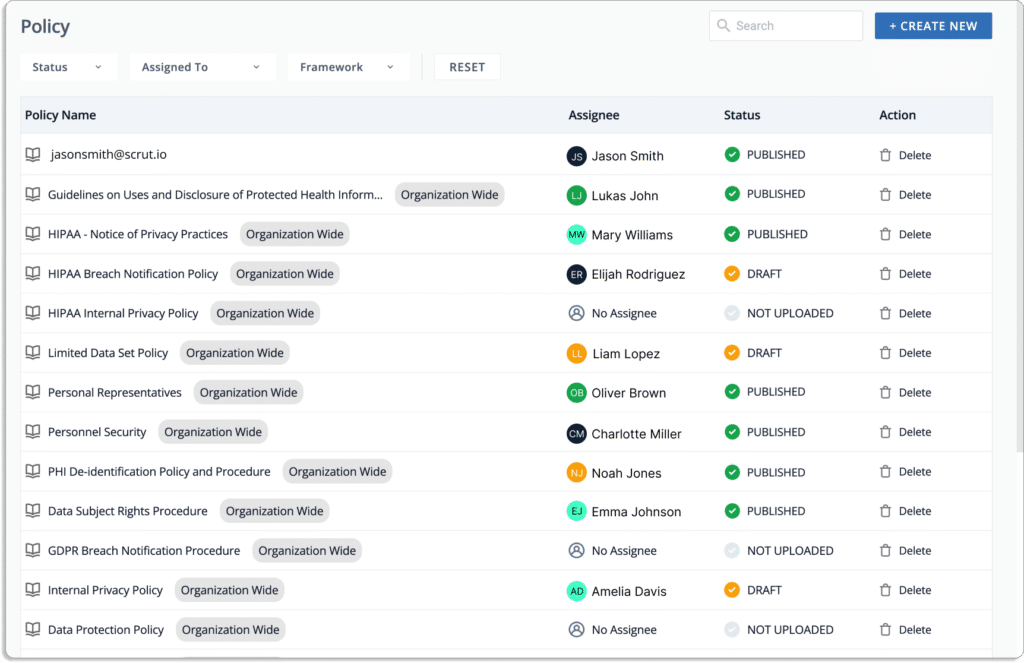
With 50+ prebuilt policy templates, define HIPAA-required administrative security controls easily. You can customize these policies with the built-in editor according to your requirements.
Further, our in-house InfoSec experts help you create custom policies as per your organization’s requirements.
3. Continuous Monitoring
Scrut integrates with your cloud service provider, identity providers, and task trackers to check for security measures to ensure that PHI is encrypted and protected across your system.
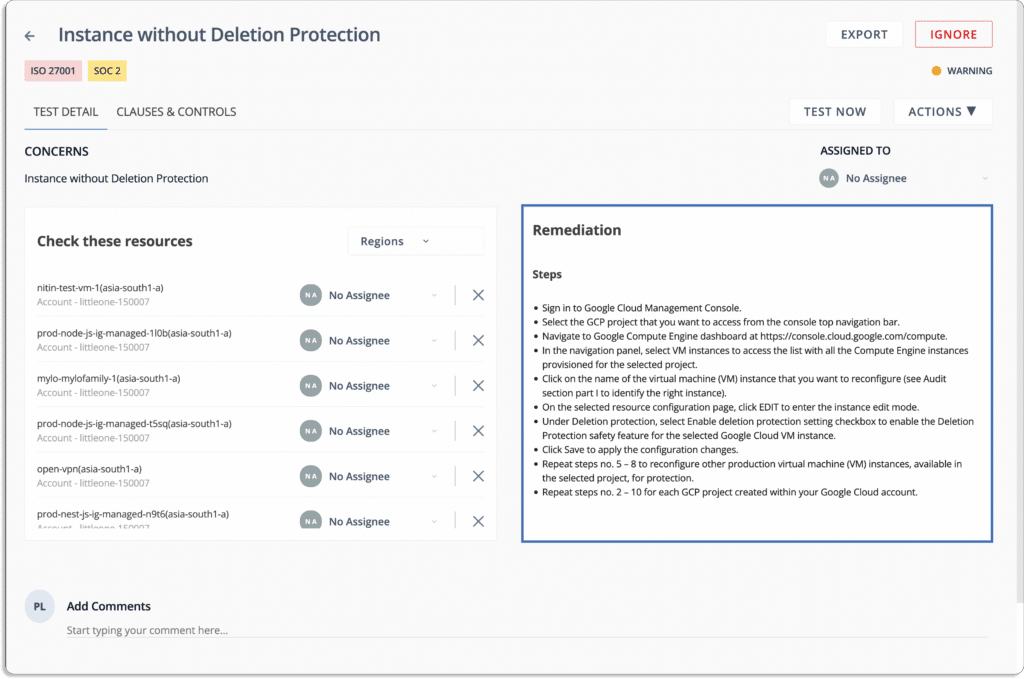
Scrut continuously monitors your cloud infrastructure against 200+ cloud controls across CIS Benchmarks for any misconfigurations. Whenever there are any issues in your cloud environment, you get real-time notifications (email, Slack, etc.).
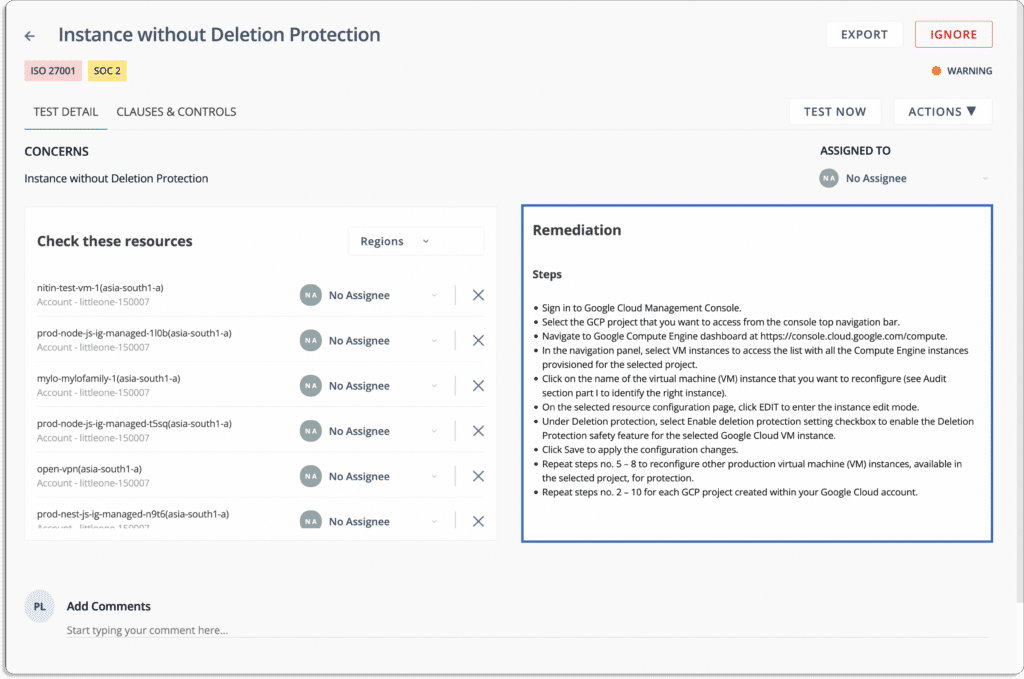
Further, the platform provides a step-by-step guide to help you quickly remediate the issues.
Moreover, you can ensure accountability for fixing these misconfigurations by assigning ownership to different individuals for every task.
4. Display trust from day one
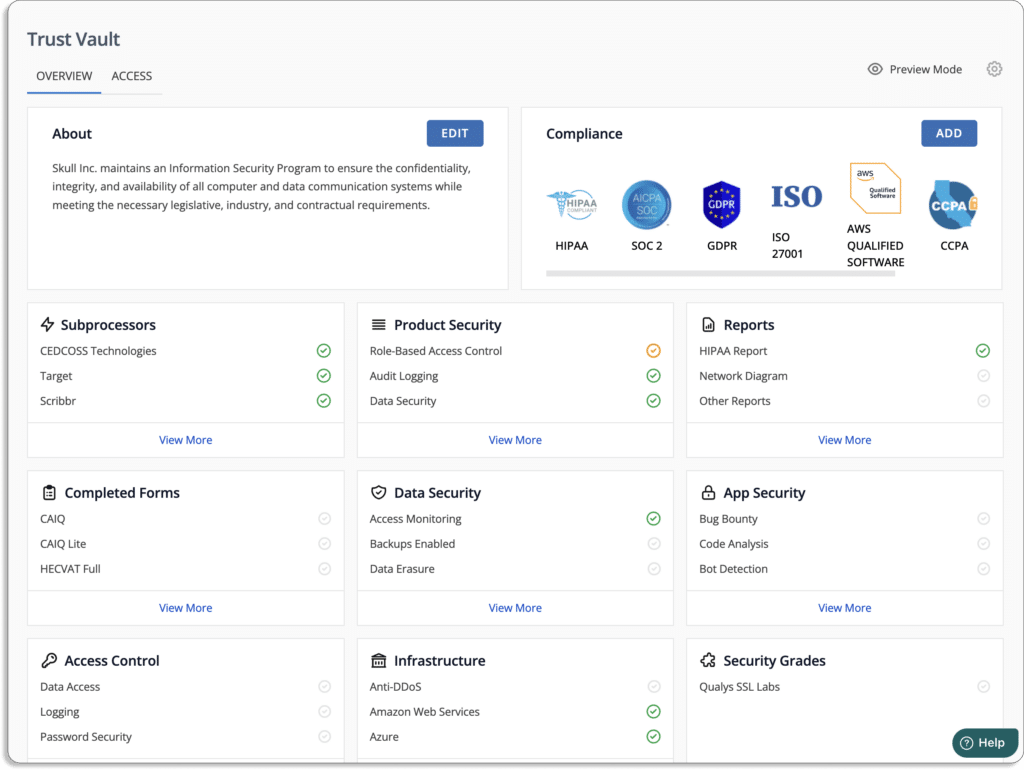
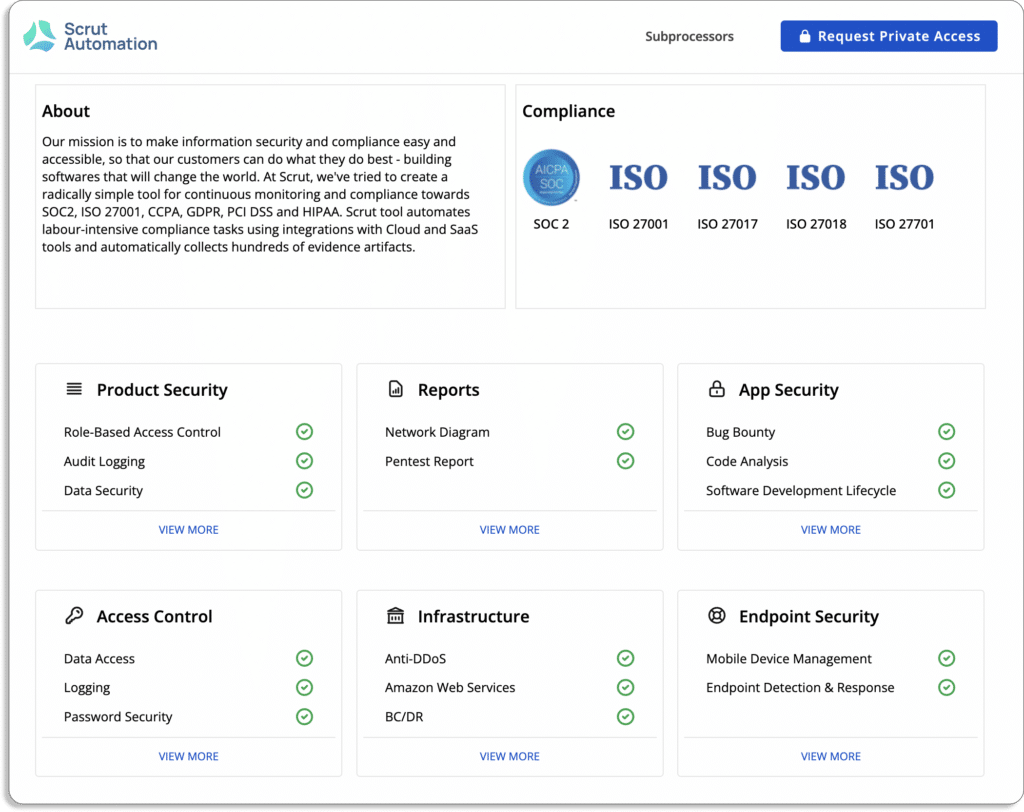
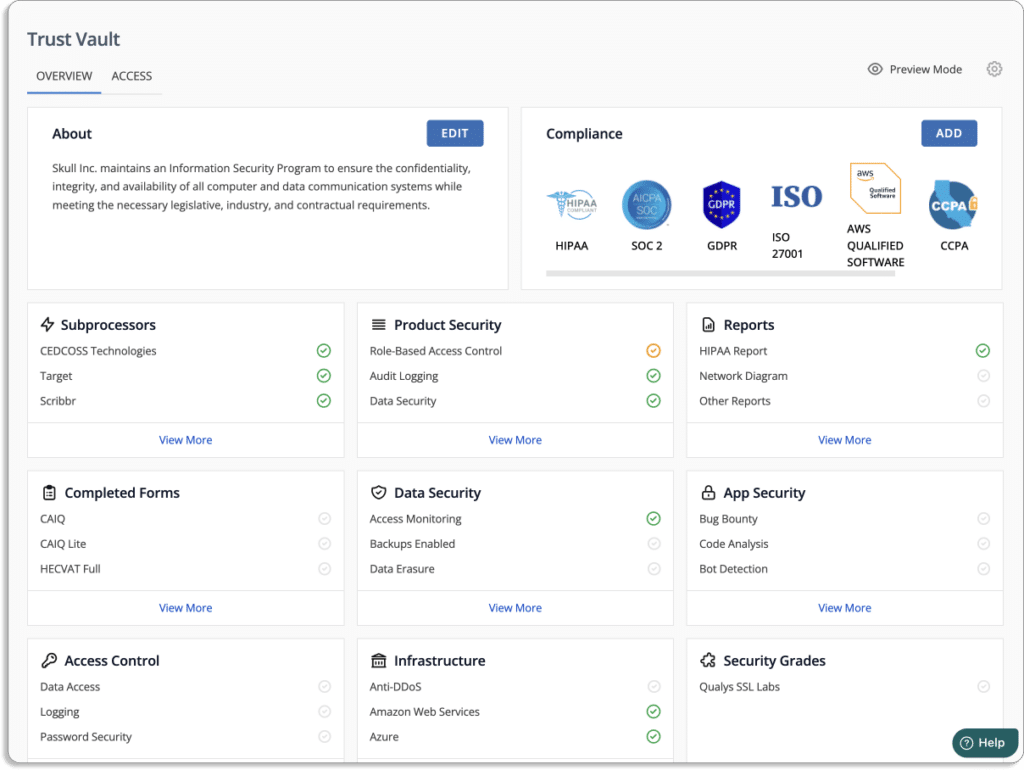
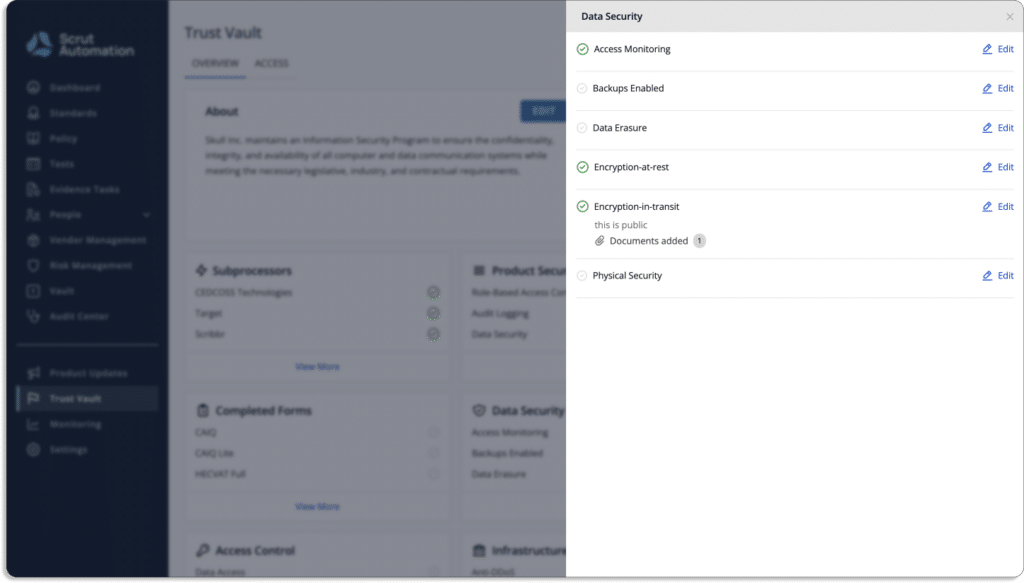
Scrut’s Trust Vault lets you easily show your customers that you will keep their data secure.
Customers can see your compliance posture in real-time without any manual effort from your end through a branded page that is public and shareable.
This can be done via Trust Vault.
Here is an example of our own public page.
5. Risk management
Scrut helps you build your risk register to show your auditors that you are aware of your business risks.
Scrut has a risk library, that contains a list of most of the risks that businesses face. Thus, all you need to do is choose the risks that apply to you.
You can also build custom risks.
Then comes the risk scoring. It helps you quantify your risks and prioritize those which are most critical.
Additionally, it helps you with risk treatment and mitigation tasks.
6. Vendor Risk Management
Scrut helps you with vendor risk management as well. It is a rapid tool for evaluating, monitoring, and managing vendor risks.
The tool lets you know whether the security posture of your vendors fits your organization’s compliance needs or not.
You can send a security questionnaire to the vendors. Scrut gives you ready-to-use questionnaire templates.
Once the vendors, fill out the questionnaire, you get a clear view of their security posture.
Scrut is used by many growing startups and mid-market enterprises to help them build their HIPAA security program, automate governance and monitor security controls. Schedule a demo to learn more about Scrut Automation.
Features
Feature
Description
Single Dashboard for Compliance, Security, and Governance
A unified platform for managing GRC tasks efficiently, reducing TCO, and handling multiple frameworks simultaneously.
Prebuilt Policy Templates
Over 50 customizable policy templates for simplified creation of administrative security controls.
Continuous Monitoring
Integration with cloud services, realtime checks, and guidance for maintaining security and compliance.
Trust Vault
Showcasing transparency and compliance posture in realtime, enhancing customer trust.
Risk Management
Comprehensive risk register, risk prioritization, and support for risk treatment and mitigation.
Vendor Risk Management
Efficient evaluation, monitoring, and management of vendor risks, ensuring alignment with compliance needs.
Benefits
1. Efficiency and Cost Reduction
Scrut Automation’s unified dashboard streamlines compliance and security efforts, reducing costs and allowing for concurrent management of multiple frameworks.
2. Customized Policy Management
Prebuilt policy templates simplify administrative security controls, offering customization options tailored to your organization’s needs.
3. Realtime Security and Compliance Assurance
Continuous monitoring ensures the encryption and protection of PHI while providing realtime alerts and guided issue resolution.
4. Enhanced Customer Trust
Trust Vault fosters customer trust by displaying compliance posture transparently and in realtime.
5. Comprehensive Risk Management
The risk management feature helps you showcase risk awareness and prioritize critical risks, with support for risk treatment and mitigation.
6. Efficient Vendor Risk Management
Vendor Risk Management efficiently evaluates, monitors, and manages vendor risks, ensuring they align with your organization’s compliance requirements.
Use Cases
Use Cases
Description
Growing startups and midmarket enterprises
Scrut Automation’s unified dashboard streamlines compliance and security efforts, reducing costs and enabling concurrent management of multiple frameworks. Prebuilt policy templates simplify administrative security controls and offer customization options tailored to organization’s specific needs.
2. HIPAA One
HIPAA One takes a comprehensive approach to HIPAA compliance by offering a suite of tools that cover risk assessment, policy management, incident tracking, and reporting. These HIPAA compliance software vendors aim to streamline compliance efforts and empower healthcare organizations to effectively manage their data security responsibilities.
Features
Feature
Description
Automated Risk Assessment
HIPAA One’s automated risk assessment identifies vulnerabilities and threats to patient data. It evaluates risks across various operations and offers insights for mitigation.
Policy Management
The software creates, manages, and enforces HIPAAaligned policies. This informs healthcare staff of data security practices and ensures compliance adherence.
Incident Tracking
HIPAA One facilitates incident tracking and management postsecurity breach. It enables swift response, impact mitigation, and documented incident records.
Reporting and Audit Readiness
HIPAA One generates comprehensive reports reflecting compliance status. Useful for audits, inspections, and showcasing adherence to HIPAA standards.
Benefits
1. Comprehensive compliance
HIPAA One’s multifaceted approach covers various aspects of HIPAA compliance, from risk assessment to policy management, simplifying the overall compliance journey.
2. Time and resource efficiency
Automation of risk assessments and policy management saves time and reduces administrative burden. This allows healthcare professionals to focus on patient care while maintaining compliance.
2. Proactive risk mitigation
By identifying vulnerabilities in advance, organizations can take proactive measures to mitigate risks, preventing potential data breaches and security incidents.
3. Transparent reporting
The software’s reporting capabilities provide a clear overview of compliance efforts, making it easier to communicate with stakeholders, demonstrate adherence during audits, and address any compliance gaps.
Use Cases
Stakeholder
Use Cases
Small Medical Practice
Conduct automated risk assessments, implement tailored policies, ensure staff members are well-trained in data security practices.
Hospital Network
Develop and ensure incident tracking features for security breaches affecting multiple locations, centralize incident management and documentation, enable swift and coordinated responses.
Healthcare IT Provider
Demonstrate commitment to data security, showcase clients’ compliance status, build trust and credibility, effectively address HIPAA requirements, reduce risks and ensure the security of patient information.
3. ComplyAssistant
ComplyAssistant offers a versatile suite of HIPAA compliance tools designed to streamline the complexities of HIPAA compliance management. From risk assessments to policy creation and incident tracking, the software provides a comprehensive approach to maintaining compliance while enhancing data security.
Features
Feature
Description
Customizable Risk Assessments
ComplyAssistant enables tailored risk assessments, considering an organization’s specific operations and vulnerabilities. It aids in identifying potential risks and prioritizing mitigation efforts.
Policy Management
The software provides a policy library and tools for creating, distributing, and managing policies and procedures. This ensures employee awareness and adherence to HIPAAmandated data security practices.
Incident Tracking and Reporting
ComplyAssistant supports incident tracking and reporting, facilitating effective documentation and response to security incidents. This feature ensures prompt addressing and mitigation of breaches.
Audit Preparation
The software assists in audit preparation by centralizing documentation, policies, and incident records. This simplifies demonstrating compliance during regulatory audits.
Benefits
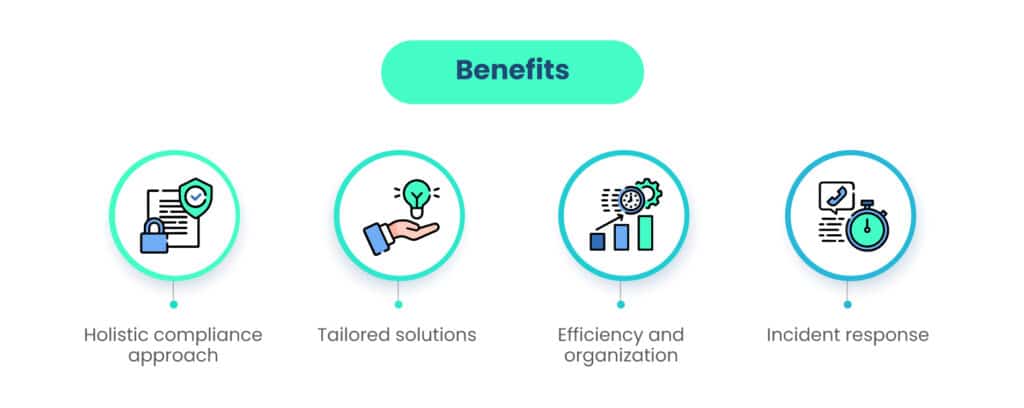
1. Holistic compliance approach
ComplyAssistant covers multiple aspects of compliance, making it a versatile solution for organizations seeking an allencompassing approach to maintaining HIPAA standards.
2. Tailored solutions
The customizable risk assessments and policy creation tools allow organizations to tailor their compliance efforts to their unique operational needs.
3. Efficiency and organization
The software’s centralized platform simplifies compliance management, reducing administrative burden and ensuring that critical compliance documentation is readily accessible.
4. Incident response
With incident tracking capabilities, ComplyAssistant aids organizations in promptly identifying, managing, and learning from security incidents, ultimately strengthening data protection measures.
Use Cases
Stakeholder
Use Cases
Healthcare Provider Network
Streamline compliance efforts across multiple facilities and maintain a consistent standard of data security.
Healthcare Business Associate
Software’s audit preparation capabilities ensure they are well-prepared to demonstrate compliance.
Medical Research Institution
Customizable risk assessments help identify data vulnerabilities and address potential data vulnerabilities associated with research data.
4. Abyde
Abyde caters specifically to healthcare providers, offering a simplified approach to HIPAA compliance management. With features like risk analysis, policy management, and automated documentation, Abyde streamlines compliance processes for medical professionals.
Features
Feature
Description
Automated Risk Analysis
Abyde’s automated risk analysis helps healthcare providers identify vulnerabilities and compliance gaps, enhancing patient data security.
Policy Management
The software streamlines policy management with templates and tools, ensuring adherence to HIPAA regulations and informed staff members.
Automated Documentation
Abyde automates documentation, reducing administrative work, and maintaining comprehensive compliance records with minimal manual effort.
Benefits
Tailored for healthcare providers
Abyde’s focus on healthcare providers ensures that the software addresses the unique compliance needs of medical practices, offering relevant features that align with industry standards.
Time efficiency
Automation of risk analysis and documentation saves time and resources, allowing medical professionals to dedicate more time to patient care.
Risk mitigation
By identifying risks and vulnerabilities in advance, Abyde empowers healthcare providers to take proactive measures to prevent data breaches and security incidents.
Use Cases
Stakeholder
Use Cases
Solo Medical Practice
Abyde simplifies compliance management for solo practitioners, minimizing administrative tasks, and allowing practitioners to focus on patient care while staying compliant.
Medical Group Practice
A group practice can benefit from Abyde’s risk analysis capabilities to assess compliance across multiple practitioners, ensure policy consistency, and align all staff members with data security practices.
Healthcare Clinic
Automated documentation in Abyde helps maintain a well-organized record of compliance efforts, simplifying the process of demonstrating adherence during audits.
5. SecurityMetrics
SecurityMetrics stands as a robust solution focused on proactive data security for healthcare organizations. With features encompassing risk assessments, vulnerability scanning, policy templates, and employee training, the software aids in bolstering data protection while adhering to HIPAA regulations.
Features
Risk Assessments
Description
Conducts Thorough Assessments
SecurityMetrics performs comprehensive risk assessments to detect vulnerabilities and potential threats to patient data. Organizations can then prioritize security measures.
Vulnerability Scanning
The software conducts scans across networks and systems, identifying vulnerabilities that could be exploited by attackers.
Policy Templates / Streamlined Policy Creation
SecurityMetrics provides a library of policy templates aligned with HIPAA requirements, simplifying the policy creation process and ensuring compliance.
Employee Training
Employee training modules offered by SecurityMetrics educate healthcare staff about data security best practices, cultivating a culture of data security awareness and adherence.
Benefits
Proactive vulnerability management
SecurityMetrics’ vulnerability scanning and risk assessments enable organizations to take preemptive measures to mitigate potential threats.
Comprehensive policies
The provided policy templates assist in creating a solid foundation for data security protocols, ensuring compliance with HIPAA standards.
Informed workforce
Employee training modules empower staff to recognize security risks and take proactive steps to maintain data confidentiality.
Stakeholder
Use Cases
Hospital System
Vulnerability scanning and risk assessment. Identifying potential weak points within the network infrastructure
Healthcare IT Provider
Enhancing their offerings.Fortifying the security of their solutions.
Medical Research Institutions
Ensuring the protection of research data.Maintaining compliance with data security regulations.
6. HIPAAtrek
HIPAAtrek provides healthcare organizations with an allinone platform that covers risk analysis, policy creation, employee training, and more. Tailored to the nuances of healthcare compliance, this software streamlines the management of HIPAA requirements.
Features
Features
Description
Customizable Risk Analysis
HIPAAtrek allows organizations to perform personalized risk assessments tailored to their operations for effective risk management.
Policy Management
The software offers tools for creating, managing, and sharing policies that adhere to HIPAA guidelines, promoting standardized data security practices.
Employee Training
HIPAAtrek provides comprehensive training modules that educate healthcare professionals on compliance regulations, enabling them to protect patient data effectively.
Benefits
Allinone solution
HIPAAtrek’s comprehensive toolkit simplifies compliance management, allowing healthcare organizations to address various compliance aspects from risk analysis to employee education.
Tailored compliance
The software’s customizable risk analysis and policy management cater to the unique needs of healthcare organizations, ensuring that compliance efforts align with their operational realities.
Use cases
Stakeholder
Use Cases
Medical Clinics Network
Ensuring consistent compliance across various locations.Maintaining a cohesive approach to data security.
Healthcare Training Centers
Providing educational modules to ensure professionals are compliancesavvy.
Healthcare Consultants
Offering comprehensive compliance solutions, including risk assessment, policy creation, and staff training.
7. Symantec Endpoint Protection
Symantec Endpoint Protection focuses on comprehensive data security, making it relevant for healthcare organizations seeking a reliable solution. With features such as data encryption, threat detection, and prevention, it contributes to safeguarding patient information.
Features
Feature
Description
Data Encryption
Symantec Endpoint Protection provides data encryption capabilities that safeguard sensitive information, maintaining confidentiality even in case of unauthorized access.
Threat Detection and Prevention
The software utilizes advanced threat detection methods to identify and prevent security breaches and cyber threats that pose risks to patient data.
Benefits
Advanced security measures
Symantec Endpoint Protection’s advanced features ensure that patient data remains secure, reducing the risk of data breaches and unauthorized access.
Comprehensive threat management
The software’s threat detection and prevention capabilities offer a proactive approach to data security, safeguarding against emerging threats.
Use Cases
Stakeholder
Use Cases
Large Hospital Network
Enhancing data security infrastructure.Fortifying the protection of patient data across multiple locations.
Healthtech Startups
Establishing a secure foundation for their platforms.
Health Insurance Companies
Ensuring that confidential patient information remains secure and protected.
8. Accountable
Accountable offers a comprehensive suite of tools that cover risk assessment, policy management, employee training, and breach notification services. It caters to small to midsized healthcare providers seeking an accessible solution for HIPAA compliance.
Features
Feature
Description
Risk Assessment
Accountable offers risk assessment tools to help healthcare organizations identify vulnerabilities and formulate strategies for risk management.
Policy Management
The software streamlines policy creation, distribution, and enforcement, ensuring that staff members comprehend and adhere to data security protocols.
Employee Training
Accountable provides training resources to educate personnel about HIPAA regulations and best practices in data security.
Breach Notification Services
In the event of a data breach, the software assists with timely and compliant breach notifications to affected parties.
Benefits
Tailored for smaller practices
Accountable’s focus on small to midsized providers ensures that even organizations with limited resources can effectively manage HIPAA compliance.
Comprehensive compliance
The software’s suite of tools covers multiple compliance aspects, offering a holistic approach to data security.
Use Cases
Stakeholder
Use Cases
Solo Practitioner
Using userfriendly tools to navigate compliance requirements without overwhelming administrative efforts.
Clinics and Practices
Streamlining risk assessment, policy management, and staff training.
9. Paubox
Paubox focuses on secure communication, offering HIPAAcompliant email encryption and messaging solutions. It ensures that sensitive patient information remains confidential during electronic communication.
Features
Features
Description
Email Encryption
Paubox offers email encryption services, ensuring that patient information shared via email remains protected and inaccessible to unauthorized users.
Secure Messaging
The solution includes secure messaging features, enabling healthcare professionals to securely communicate sensitive data while adhering to HIPAA compliance.
Benefits
Confidential Communication
Paubox’s encryption and secure messaging features allow healthcare organizations to communicate electronically while upholding patient data confidentiality.
Ease of Use
The software’s seamless integration with existing email platforms ensures that healthcare professionals can communicate securely without needing to adopt a new system.
Use Cases
Stakeholder
Use Cases
Healthcare Providers
Ensuring the confidentiality of patient data shared via email.
Healthcare Administrators
Securely communicating sensitive information, such as patient records or financial data.
10. HIPAA Secure Now!
HIPAA Secure Now! offers a comprehensive suite of tools designed to cater to the compliance needs of small to midsized healthcare providers. It covers risk assessment, policy management, employee training, and breach notification services.
Features
Feature
Description
Risk Assessment
HIPAA Secure Now! provides risk assessment tools to identify vulnerabilities and prioritize strategies for managing potential risks.
Policy Management
The software streamlines policy creation, ensuring policies align with HIPAA regulations and are effectively communicated to staff.
Employee Training
HIPAA Secure Now! offers training modules to educate healthcare professionals about compliance practices and data security protocols.
Breach Notification Services
In the event of a data breach, the software assists in prompt and compliant breach notification to the parties affected by the breach.
Benefits
Tailored for smaller providers
HIPAA Secure Now! is designed for smaller healthcare providers, offering accessible tools to manage compliance without overwhelming resources.
Comprehensive compliance
The software’s suite of features addresses multiple aspects of compliance, offering an allinone solution for data security.
Stakeholder
Use Cases
Small and MidSized Medical Practices
Streamlining risk assessment, policy management, and employee training.
Sprinto is a HIPAAcompliant communication platform tailored for healthcare organizations. It enables secure communication and collaboration between healthcare professionals, patients, and teams.
Features
Feature
Description
Secure Messaging
Sprinto ensures secure communication with encrypted messaging, protecting sensitive information during exchanges.
File Sharing
Easily share files while maintaining security, promoting efficient collaboration among healthcare professionals.
Appointment Scheduling
Streamline appointment management through Sprinto’s scheduling tool, enhancing patient engagement and practice efficiency.
Video Conferencing
Conduct HIPAAcompliant video conferences for remote consultations, improving patient care accessibility.
Customizable Forms
Create tailored forms for patient data collection, optimizing workflows, and ensuring accurate information capture.
EHR Integration
Seamlessly integrate with EHR systems, facilitating comprehensive patient data management and enhancing care coordination.
Benefits
Enhanced communication
Sprinto ensures secure and realtime communication among healthcare providers, improving collaboration and information sharing.
Streamlined workflow
The platform’s appointment scheduling and form customization features enhance efficiency, allowing seamless patient interaction and data collection.
HIPAA compliance
Sprinto’s robust security measures ensure adherence to HIPAA regulations, safeguarding patient data during communication and data exchange.
Use Cases
Stakeholder
Use Cases
Patient Consultations
Conducting telehealth appointments securely, adhering to HIPAA standards.
Internal Collaboration
Collaborating on patient cases securely, sharing medical records, and discussing treatment plans inhouse.
Appointment Management
Allowing patients to schedule appointments with providers using its secure scheduling feature, improving patient access to healthcare services.
12. Updox
Updox offers a comprehensive HIPAAcompliant communication platform designed to enhance patient engagement and practice efficiency for healthcare organizations.
Features
Feature
Description
Secure Messaging
Updox provides secure, encrypted messaging for confidential communication among healthcare professionals.
Patient Portal
Empower patients with easy access to records, appointments, and interactions with healthcare providers.
Online Scheduling
Simplify appointments, letting patients book online and reducing admin work, leading to higher satisfaction.
Appointment Reminders
Reduce noshows with automated reminders through email, SMS, and voice messages, enhancing preparedness.
EFaxing
Streamline document exchange through electronic faxes, boosting communication efficiency and accuracy.
Marketing Tools
Utilize marketing tools to engage patients, create campaigns, newsletters, and announcements for better outreach.
Benefits
Improved patient engagement
Updox enables healthcare providers to communicate securely with patients, fostering stronger patientprovider relationships and engagement.
Efficient practice management
The platform’s online scheduling and appointment reminders streamline practice operations, reducing noshows and administrative burdens.
Marketing and outreach
Updox’s marketing tools allow practices to effectively communicate with patients, promoting services and enhancing patient retention.
Use Cases
Use Case
Description
Patient Communication
Answer patient queries, share test results, offer medical advice.
Appointment Reminders
Send automated appointment reminders to patients, reducing missed appointments and optimizing scheduling.
Patient Portal Access
Allow patients to access their medical records and test results, and enable communication between patients and healthcare providers.
13. Weave
Weave simplifies the entire customer communication and engagement journey for small businesses. Through its comprehensive tool suite, businesses can automate tasks, manage schedules, expedite transactions, and gather patient reviews efficiently.
Features
Features
Description
Customer Engagement Tools
Utilize prewritten email templates for offers, newsletters, and updates. Offer contactless payment options for seamless transactions across various channels.
Personalized Customer Retention
Enhance experience with call pop, displaying details during calls. Efficiently manage and confirm schedules by type, dates, and customer names.
Growth Enhancement Tools
Collect and monitor reviews for new and existing customers, boosting brand reputation. Convert website visitors into appointments using the scheduling tool. Simplify previsit process by sharing appointment forms.
Benefits
Effective customer engagement
Engage customers with targeted email communications, promoting engagement and loyalty.
Facilitate convenient and secure transactions through versatile contactless payment methods.
Enhanced customer retention
Offer a personalized touch with call pop, leading to improved customer satisfaction and retention.
Efficient scheduling management ensures smooth interactions, building trust with customers.
Business growth and image
Reputation management through review collection and monitoring helps attract a wider audience.
Easy online appointment scheduling boosts customer conversion rates and business visibility.
Sharing appointment forms streamlines processes, reducing errors, and enhancing overall efficiency.
Use cases
Stakeholder
Use Cases
Healthcare Providers
Simplifying data security and communication.
Healthcare IT Companies
Creating HIPAAcompliant software solutions to ensure data security.
Health Insurance Companies
Protecting patient data and complying with HIPAA regulations.
Pharmaceutical Companies
Ensuring HIPAAcompliant data handling in research and clinical trials.
Telemedicine and Telehealth Providers
Providing secure virtual consultations.
Medical Device Manufacturers
Ensuring HIPAA compliance in handling patient data.
Healthcare Compliance Consultants
Assessing and guiding healthcare organizations’ compliance efforts.
Pharmacy Chains
Securing patient data and communication.
Healthcare Training Institutions
Teaching HIPAA compliance in healthcare courses.
Research Institutions and Universities
Securing medical data.
Choosing the right HIPAA compliance software
Picking the perfect HIPAA compliance software is a big deal and deserves some careful thinking. There are plenty of choices out there, so it’s crucial to match your organization’s unique needs with what each software brings to the table.
When you make a smart choice, you’re not just getting software; you’re paving the way for better data security, easier compliance, and a clear commitment to keeping patient information under lock and key.
Assess your organization’s needs
Before you dive into the world of HIPAA compliance software, take a moment to think about what your organization really needs.
Think about the scale of your operation, what your current IT setup looks like, the size of your staff, and just how sensitive the patient data you’re handling really is.
This bit of selfreflection sets the stage for figuring out which software features will fit right into your daily routines and give your compliance game a boost.
Make an informed decision for your organization’s compliance journey
Armed with knowledge of your organization’s needs and a comparative understanding of the leading HIPAA compliance software solutions, you’re primed to make an informed decision.
Your choice will shape the trajectory of your compliance journey, impacting data security, operational efficiency, and your ability to uphold the tenets of HIPAA regulations.
In the everchanging world of healthcare, picking the right HIPAA compliance software goes beyond just following the rules—it’s like building the very foundation of patient care and trust.
As you set out on this journey, keep in mind that the software you pick becomes a vital part of your promise to protect patient information, stay compliant, and reinforce the ethical essence of healthcare itself.
Wrapping up
Please note that this list is not exhaustive, and there might be other software products that are also well regarded for HIPAA compliance. Always do thorough research and consider your organization’s specific needs before choosing a software solution.
With Scrut, you strengthen your HIPAA compliance posture with prebuilt controls and continuous compliance monitoring. What’s more, it saves you a significant amount of the effort required to comply with HIPAA.
You can manage everything, including cloud risk assessments, control reviews, employee policy attestations, and vendor risk, through the platform. It also allows you to identify compliance gaps so you can focus on what to fix.
1. What is HIPAA compliance software, and why is it important for healthcare organizations?
HIPAA compliance software is designed to help healthcare organizations adhere to the regulations outlined in the Health Insurance Portability and Accountability Act (HIPAA). It ensures the secure handling of patient data, reduces the risk of data breaches, and maintains patient privacy. This software is crucial to avoiding legal and financial penalties while maintaining patient trust.
2. How were the “13 Best HIPAA Compliance Software Solutions in 2023” selected?
The selection process involved evaluating various factors, including features, security measures, ease of use, customer reviews, industry reputation, and the ability to address the latest HIPAA requirements. These software solutions were chosen based on their effectiveness in helping healthcare organizations meet HIPAA compliance standards.
3. What features should I look for in a HIPAA compliance software solution?
Look for features such as data encryption, access controls, auditing and logging, risk assessment tools, employee training modules, incident response mechanisms, and document management capabilities. These features collectively help ensure comprehensive compliance with HIPAA regulations.
4. Can these software solutions cater to different sizes of healthcare organizations?
Yes, many of the top HIPAA compliance software solutions are designed to cater to a range of healthcare organizations, from small clinics to large hospitals. They often offer scalable features to meet the needs of various healthcare settings.
5. How can I determine which HIPAA compliance software is the best fit for my organization’s needs?
To determine the best fit, consider factors such as your organization’s size, specific compliance requirements, budget, ease of integration with existing systems, and user friendliness. Additionally, reading reviews, seeking recommendations, and requesting demos or trials can provide valuable insights before making a decision.
31 Jul 2022
12minutes
Authored by
Aayush Ghosh Choudhary
Co-founder & CEO at Scrut
Buyer’s Guide: SOC 2 Compliance Software
As data breaches and security incidents continue to make headlines, businesses are under increasing pressure to safeguard their sensitive information and protect the privacy of their customers. SOC 2 compliance has emerged as a vital standard for service organizations, ensuring they meet stringent security, availability, processing integrity, confidentiality, and privacy requirements.
At its core, SOC 2 compliance is not just a checkbox exercise; it is a commitment to prioritizing the security and privacy of the data entrusted to your organization. Achieving SOC 2 compliance requires the implementation of robust controls and practices, and investing in the right SOC 2 compliance software can play a pivotal role in simplifying and enhancing the compliance journey.
The crux of this guide lies in helping you make an informed decision when choosing the ideal SOC 2 software for your organization. We will explore the key features and capabilities that top-notch compliance software solutions offer, enabling you to align them with your unique compliance requirements.
What is SOC 2 compliance software?
SOC 2 compliance software is a specialized technology solution designed to facilitate and streamline the process of achieving and maintaining SOC 2 compliance. It empowers organizations to effectively implement and manage the necessary security controls and practices required to meet the Trust Services Criteria (TSC) defined by the American Institute of CPAs (AICPA).
The TSC includes security, availability, processing integrity, confidentiality, and privacy, which are essential elements for ensuring the security and privacy of sensitive data.
SOC 2 compliance software serves as a central platform that enables organizations to assess, monitor, and demonstrate their adherence to SOC 2 requirements.
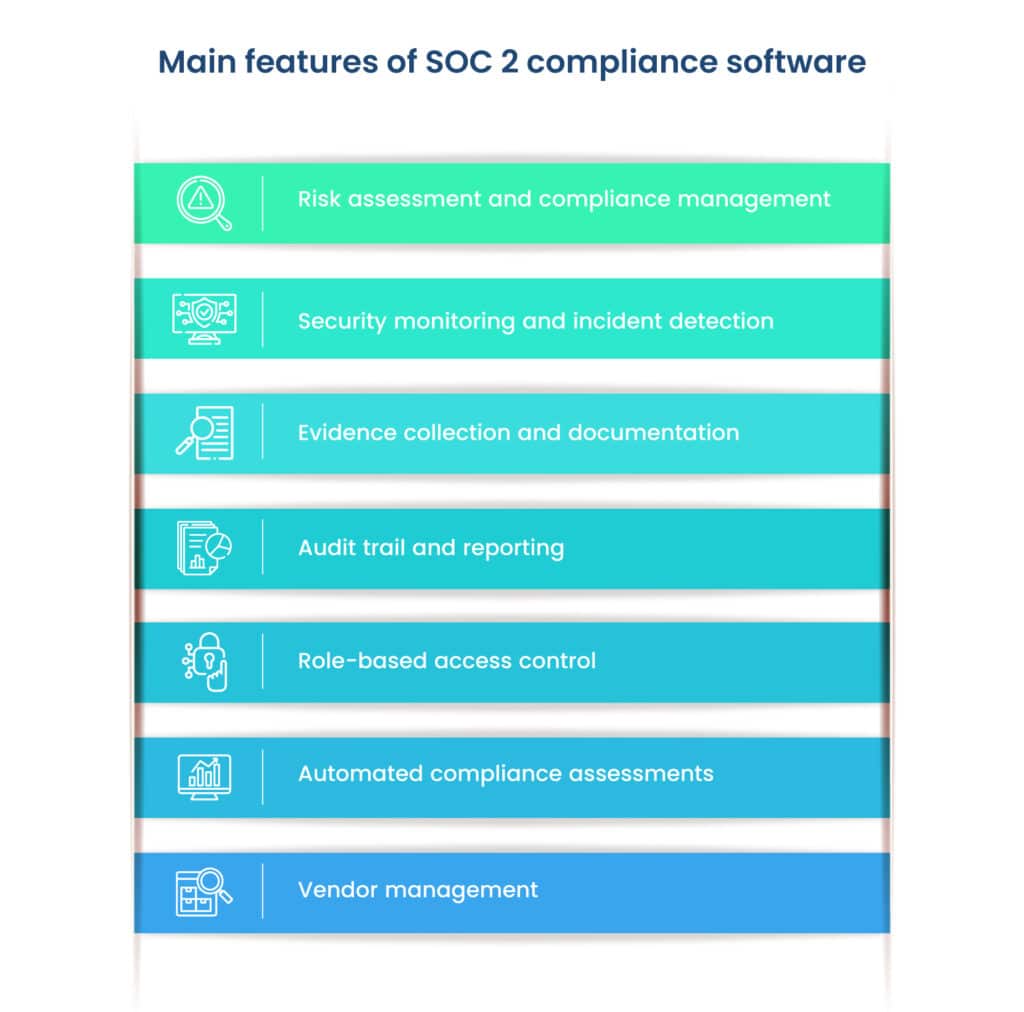
What are the key features of SOC 2 compliance software?
A SOC 2 compliance software typically offers the following features:
1. Risk assessment and compliance management
SOC 2 software allows organizations to conduct comprehensive risk assessments and identify potential security vulnerabilities and gaps in controls, streamlining the compliance management process, enabling efficient tracking and resolution of compliance-related issues.
2. Security monitoring and incident detection
The software provides real-time monitoring of security controls and helps detect and respond to potential security incidents promptly. It may include intrusion detection, log management, and event correlation capabilities.
3. Evidence collection and documentation
SOC 2 compliance requires organizations to provide evidence of their compliance efforts. Compliance software facilitates the collection and organization of evidence, such as audit logs, policies, and procedures, making it easier to generate necessary reports and documentation for audits.
4. Audit trail and reporting
SOC 2 compliance software offers audit trail functionality to track changes made to security settings and configurations. It also generates detailed compliance reports that can be shared with auditors, clients, or business partners.
5. Role-based access control
To maintain data security, SOC 2 software often incorporates role-based access control mechanisms, ensuring that only authorized personnel have access to sensitive information and compliance-related tasks.
6. Automated compliance assessments
The software automates the assessment of controls and practices against SOC 2 requirements. This automation reduces manual efforts and human errors, making the compliance process more efficient.
7. Vendor management
For organizations that rely on third-party service providers, SOC 2 compliance software may include features to manage and monitor vendor compliance to ensure that their vendors’ activities align with SOC 2 standards as well.
What are the different types of SOC 2 compliance software on the market?
There are various types of software solutions available to assist organizations with SOC 2 compliance. These solutions are aimed at streamlining the process of preparing for and undergoing SOC 2 audits.
Different types of SOC 2 compliance software in the market are:
1. All-in-one SOC 2 compliance platforms
These comprehensive solutions offer end-to-end support for SOC 2 compliance. They encompass a wide range of features, including risk assessment, audit management, incident response, evidence collection, and reporting.
2. Compliance automation tools
These tools focus on automating specific compliance-related tasks, such as evidence collection, audit trail management, or continuous monitoring. They are often used to complement existing compliance processes.
3. Security Information and Event Management (SIEM) solutions
SIEM platforms provide robust security monitoring capabilities, which can be valuable for organizations seeking real-time threat detection and incident response in line with SOC 2 requirements.
4. Governance, Risk, and Compliance (GRC) software
GRC solutions offer a broader scope, helping organizations manage various compliance initiatives, including SOC 2 compliance, alongside other regulatory requirements.
Choosing the right type of SOC 2 software depends on an organization’s specific needs, existing infrastructure, and budget. Evaluating the features and capabilities of each type will help organizations find the best fit for their compliance journey.
What are the factors to consider when choosing SOC 2 compliance software?
Every organization has different needs. As we saw earlier, there are different solutions available in the market for SOC 2 compliance. So, how can an organization choose the right solution? Well, an organization should consider the following factors while selecting SOC 2 compliance software:
A. Security and data protection features
Encryption: Ensure the software supports encryption of data at rest and in transit to protect sensitive information from unauthorized access.
Access controls: Look for role-based access controls to limit access to compliance-related tasks and data based on users’ roles and responsibilities.
Multi-factor authentication (MFA): MFA adds an extra layer of security by requiring users to provide multiple forms of authentication before accessing the software.
Secure audit trail: The software should maintain a tamper-proof audit trail to track changes made to security settings and configurations.
Data backup and disaster recovery: Verify that the software provides data backup and disaster recovery capabilities to protect against data loss.
B. Flexibility and customization options
Scalability: Choose a software solution that can scale with your organization’s needs as it grows, ensuring long-term usability.
Customizable controls: The ability to customize compliance controls to align with your organization’s unique requirements is essential for a tailored compliance approach.
Configurable reporting: Look for software that allows you to generate custom reports, giving you the flexibility to present compliance information in a way that suits your stakeholders.
C. Integration with existing systems
API and integration support: Ensure the SOC 2 software offers APIs and integration capabilities with your existing tools and systems, such as IT asset management, SIEM, or ticketing systems.
Seamless data flow: The software should enable smooth data flow between different systems to avoid data silos and enhance efficiency.
D. User-friendliness and ease of deployment
Intuitive interface: A user-friendly interface simplifies the adoption of the software and reduces the learning curve for your team.
Training and documentation: Look for available training resources and documentation to support your team in effectively using the compliance software.
Time to deployment: Evaluate the time required to deploy and configure the software to ensure it aligns with your implementation timeline.
E. Vendor reputation and support services
Vendor track record: Research the vendor’s reputation, customer reviews, and references to gauge their track record of providing reliable software and services.
Customer support: Ensure the vendor offers responsive customer support, as quick assistance can be crucial during critical compliance situations.
Regular updates and maintenance: Choose a vendor that consistently updates the software to address security vulnerabilities and provides regular maintenance and support.
Compliance assistance: Some vendors offer additional compliance support services, such as expert consultations, which can be valuable for organizations navigating complex compliance requirements.
Example of an effective SOC 2 compliance software
Scrut is a risk-first compliance automation platform that offers SOC 2 compliance services to organizations. It is a prime example of effective SOC 2 compliance software as it provides automated capabilities such as evidence collection, automatic reminders, misconfiguration detection, automated employee training, task management, and more, making the process more efficient and reducing the risk of human error.
Here are a few features that make Scrut stand out in the market today.
Integrations
Scrut integrations can automate more than 65% of the evidence-gathering process for SOC 2 controls across your application and infrastructure landscape. With integrations, Scrut smartGRC reduces the burden of evidence collection. The platform integrates across application landscapes, such as HRMS, endpoint management, and other tools, to automate the manual evidence collection process. It offers over 70+ integrations. For a complete list of integrations, click here.
Pre-build policy templates customized for your industry
One of the most valuable features of a SOC 2 platform is pre-built templates for policies and procedures. An effective SOC 2 compliance automation software should provide you with auditor-approved security policies that you can use to build your compliance program.
With Scrut, users can customize their policies using the built-in editor and review them with our in-house SOC 2 compliance experts.
Users can set up the SOC 2-compliant InfoSec program in minutes by leveraging 50+ pre-built policies.
You can also upload your policy by clicking the “create new” button on the top right corner.
Employee security training
Check whether the organization is providing employee security awareness training or if you need to partner with another vendor for training. The awareness training aims to educate users and employees about their role in preventing data breaches.
Users can automate employee information security training with Scrut. The tool provides a prebuilt 30-minute information security course created by industry experts. Your employees can review policies, notifications, and security procedures all in one place. Scrut’s dashboard allows users to track training completion status and employee acknowledgment.
Risk management capabilities
One of the significant use cases of the SOC 2 tool is risk management capability. A SOC 2 audit, as well as many other security frameworks, requires risk management.
Risk management is a system of people, processes, and technology that allows an organization to set goals aligned with its values and risks. Your SOC 2 software should assist in identifying and evaluating potential threats to your business.
Let’s understand this with the example of Scrut, our platform. Scrut Risk Management provides a smarter way to assist users in recognizing, evaluating, and mitigating IT and cyber risk.
With Scrut, you can gain complete visibility of your risk posture. When it comes to business priorities, you can visualize, quantify, and communicate your risk posture with intuitive and actionable dashboards so that you can understand the risk implications of strategic choices.
Risk identification
To assess risks, you first need to identify risks. Scrut will first identify risks throughout your landscape. To automate risk identification, the platform scans your ecosystem for risks across the code base, infrastructure, applications, access, vendors, and employees.
Scrut allows users to create a risk register in minutes. Below is the screenshot of Scrut’s risk register.
You can also create your custom risk with the Scrut, as shown in the screenshot below.
Risk assessment
Once your risk register is built, it’s time for risk assessment. Risk assessments are a type of security control that must be implemented as part of SOC 2.
Scrut eliminates the time spent creating and mapping risks and threats, allowing you to begin risk assessments in minutes. With Scrut’s continuous risk monitoring, you can stay on top of your risk posture.
Risk = Likelihood * Impact
Scrut risk scoring is based on the likelihood and impact of events, as shown in the screenshot below. The likelihood score ranges from 1-5, with one being very low and five being very high, and the impact score also ranges from 1-5, with one being very low and five being very high. The inherent risk score is then calculated by multiplying the likelihood and impact scores, resulting in a score between 0-25. A higher score indicates a higher level of inherent risk.
Calculating the inherent risk for the above example:
Users get a visual overview of their risk profile at this step, as shown in the risk heatmap screenshot below.
Risk Remediation
An effective SOC 2 software must include risk treatment actions that can be configured with a risk owner, start date, end date, and organizational links.
Scrut provides four ways of treating the risk. You can choose to ignore, accept, transfer, or mitigate each risk.
Risk remediation – eliminate the risk.
Risk mitigation – minimize the impact or likelihood of the risk.
Risk transfer – transfer the risk to another party.
Risk acceptance – accept the risk.
To continue with our example, you can select your risk treatment plan as accept, mitigate, transfer, or avoid, as shown in the screenshot below.
With Scrut, you can assign risks to team members.
Vendor risk management capabilities
Vendor risk management and evaluation functionality are critical with hundreds of vendors in the organization’s ecosystem. Inadequate visibility into all vendors and how they interact with your company can lead to SOC 2 noncompliance.
Scrut streamlines vendor compliance checks by developing quick, effective, and efficient methods for evaluating, monitoring, and managing vendor risk. With Scrut vendor risk management, you can upload your security questionnaire or use our pre-built templates. The platform centralizes all vendor security certifications, software vendor audits, and paperwork and seamlessly shares vendor responses with customers and auditors.
Duplication of effort
Scrut automatically maps artifacts to all the standards you wish to comply with, so there is no need for duplicate effort when going through multiple standards and regulations. This means you only have to do the work once and don’t worry about creating and mapping policies for each standard separately.
Collaboration with auditor
It is difficult to collaborate with auditors on hundreds of pieces of evidence. Scrut puts you in charge of creating audit projects and managing access with a few clicks. You can invite auditors to the platform and manage multiple complex audits simultaneously to make it more efficient and painless. Users can also assign tasks to team members.
A single-window solution
Scrut smartGRC provides a true single-window experience for ensuring compliance with multiple information security frameworks. You can map your custom controls to pre-built ones mapped to globally recognized frameworks. SOC 2, SOC 3, ISO 27001, ISO 27701, ISO 27017, ISO 27018, ISO 22301, ISO 20000-1, GDPR, HIPAA, FedRamp, CMMC, CCPA, and PCI DSS are among the frameworks supported by the platform.
We have also established a network of pre-screened auditors and VAPT consultants who will be available to you as needed to streamline the audit procedure and assist you at every stage of your compliance journey, as shown in the screenshot below.
Scrut’s partner network auditors are familiar with the platform. This simplifies the audit process and reduces the audit time from one week to a few hours.
Trust Vault to accelerate the sales process
An effective SOC 2 compliance software must include Trust Vault to accelerate the sales process. Scrut Trust Vault allows you to build trust with customers, partners, investors, and others.
The platform speeds up your sales by removing the manual effort and time required to share various InfoSec documents during the sales process. It eliminates the time-consuming process of handling manual requests for security questions, reports, and certificates. The tool gives users real-time and transparent visibility into their security and compliance posture.
Furthermore, it increases enterprise sales by displaying your compliance certifications, attestations, and reports in one location.
The screenshot below shows that the Scrut product security dashboard provides real-time security insights.
Sign up for a personal demo to see how Scrut can help you with your SOC 2 compliance.
Final thoughts
In conclusion, SOC 2 compliance is essential for safeguarding sensitive data and maintaining customer trust. Choosing the right SOC 2 compliance software, such as Scrut, streamlines the process, automates tasks, and enhances security measures. It enables collaboration with auditors, simplifies risk management, and accelerates the sales process with Trust Vault. Invest in SOC 2 software to prioritize data security and privacy, ensuring a secure and trustworthy business environment.
FAQs
What does SOC 2 compliance software do?
SOC 2 software is a specialized technology solution designed to help organizations achieve and maintain SOC 2 compliance efficiently. It streamlines the compliance process by providing features such as risk assessment, evidence collection, automated compliance assessments, security monitoring, and vendor management capabilities.
What are the benefits of investing in SOC 2 compliance software like Scrut?
Investing in SOC 2 compliance software like Scrut offers benefits such as streamlined compliance processes, enhanced security measures, automated risk management, improved collaboration with auditors, and accelerated sales through Trust Vault. It helps organizations prioritize data security, maintain customer trust, and ensure a secure business environment.
How does SOC 2 compliance software enhance the sales process?
SOC 2 compliance software with features like Trust Vault, as seen in Scrut, accelerates the sales process by providing a centralized location for compliance certifications, attestations, and reports. It eliminates the need for manual sharing of security documents during the sales process, increasing transparency and building trust with customers, partners, and investors.
31 Jul 2022
8minutes
Authored by
Aayush Ghosh Choudhary
Co-founder & CEO at Scrut
Risk Management in Cloud Computing
The organization is vulnerable to various threats that jeopardize operational efficiency and regulatory compliance. To stay ahead of these risks, simple awareness is insufficient. This is where enterprise risk management (ERM) comes into the picture. It assists you in managing, minimizing, and in some cases eliminating risks in order to keep your organization safe and operational.
A risk is the possibility of losing, damaging, or destroying your assets or data due to a threat. It refers to events or actions that jeopardize the organization’s goals.
Enterprise risk management (ERM) is a comprehensive and disciplined approach to identifying, addressing, and managing organizational risks. ERM is a top-down strategy aimed at identifying, assessing, and preparing for potential losses, dangers, and hazards that may disrupt an organization’s operations. It addresses an organization’s risks by breaking down silos within each business unit.
Cloud computing is a model that allows a company to access its resources and applications from any location with an internet connection. Technology has advanced rapidly in recent years, providing numerous benefits to businesses and individuals.
Organizations are increasingly investing in cloud deployment infrastructure rather than on-premise infrastructure. However, rapid cloud computing development has created numerous issues, such as compliance risks, cybersecurity risks, cloud vendor risks, malicious insiders, data security risks, etc. As technology is mobilized, new risks are introduced associated with cloud computing, which must be considered with foresight. Organizations are more vulnerable to security threats due to cloud computing. Because the cloud introduces more third-party risks, effective risk management becomes critical. Organizations must ensure that their cloud provider maintains the appropriate data security and regulatory compliance measures to meet their specific needs. The risk management plan in cloud computing assists in identifying appropriate cloud service providers and develops better budgeting plans.
Example of a data breach – Capital One, for example, experienced a data breach of 109 million financial records in 2019 due to an attacker exploiting the cloud-based storage provider Capital One used.
Example of data loss – In 2015, a severe lightning strike that hit a facility four consecutive times permanently damaged Google servers at a cloud storage system in Belgium.
Types of Risks in Cloud
Below are some of the types of enterprise risks in cloud computing.
Compliance risk – Compliance risks arise from failing to adhere to the standards of several industry rules, such as HIPAA, SOC 2, GLBA, GDPR, etc. The cloud service provider may not follow the external audit process, exposing the end user to compliance risks. While most leading cloud providers have progressed toward certification with widely used cybersecurity frameworks, organizations must still verify that their processes and systems are compliant.
Data breach – The risk of data leakage increases in the cloud due to shared infrastructure between service providers and their clients.A data breach occurs when a third party gains unauthorized access to an organization’s confidential data. In cloud computing, the organization’s data is stored outside the premise at the endpoint of the cloud service provider. As a result, any attack on data stored on CSP servers may affect all its users.
Cloud vendor security risk – An association with a vendor or leverage can lead to vendor risk. Every organization uses cloud services provided by different cloud vendors. The cloud vendors’ inability to provide data security and risk mitigation directly affects the organization’s growth. Defamation of third-party vendors, bankruptcy, regulatory investigations, and even lawsuits can significantly impact an organization’s reputation.
Misconfiguration – Incorrectly configured cloud security settings are a major cause of cloud data breaches. Misconfiguration of your cloud environment refers to any flaws, gaps, or errors that could expose your environment to risk.
Cloud Computing Risk Management Best Practices
An enterprise risk management tool assists organizations in developing procedures to prevent potential threats and reduce their impact if they occur. We have listed some of the important factors for implementing enterprise risk management.
Determine your business goals
Before deciding whether a risk should be accepted or rejected, you must consider your business objectives. Understanding organizational objectives before risk assessment increases the value of the risk mitigation process.
Some key questions you need to ask:
What kind of data do cloud users access, store, and transmit?
What is your risk appetite?
What is your organization’s primary need?
What new areas of risk could emerge?
Do you have authority over the security of access devices?
Risk identification
The identification of risks is the first step in risk management. Identifying the scope and nature of your organization’s risks is critical for risk management. Identifying risks involves reviewing IT assets such as systems, devices, data, software, networks, and vendors.
Now, let’s understand this with the example of our Scrut platform.
Scrut automatically identifies risks in your ecosystem by scanning the code base, infrastructure, applications, vendors, employees, access, and more. The platform allows you to create a risk register in minutes. You can use Scrut’s pre-mapped risk library.
It allows you to choose from seven risk categories. You can filter types based on your needs.
Scrut also lets you create custom risks, as shown in the screenshot below.
Risk assessment
Following risk identification, the risk must be assessed. In this step, the likelihood and consequences of the risks are determined. The risks are further classified (high, moderate, or low) based on the severity of the impact they have on information security and the likelihood of occurring.
Scrut allows you to evaluate your risk profile using automated risk scoring. The platform generates risk scores based on the likelihood and impact of events.
Likelihood – the probability of occurrence of the risk.
Impact – the potential impact of a risk event on the business.
Let’s take an example of change management risk, as shown in the screenshot below.
The likelihood of this event = 5 (very high)
The impact in case the event occurs = 4 (high)
Thus, the inherent risk associated with this event = 20 (high)
Risk = Likelihood * Impact
Risk = 5 * 4 = 20
The final score lies between 0 – 25.
0-5
Very Low
6-10
Low
11-15
Moderate
16-20
High
21-25
Very High
Risk Remediation
The next step after a risk assessment is to work on the risk. The highest-ranked risks are treated in this step to eliminate or modify them to an acceptable level. The security controls are implemented in the cloud system and evaluated using proper procedures to determine whether the controls are effective in producing the desired outcome.
Continuing with Scrut, as an example– you can select your risk treatment plan as accept, mitigate, transfer or avoid.
Scrut offers four options for dealing with the risk. Each risk can be ignored, accepted, transferred, or mitigated.
Risk Remediation – eliminate the risk.
Risk Mitigation – minimize the impact or likelihood of the risk.
Risk Transfer – transfer the risk to another party.
Risk Acceptance – accept the risk.
As shown in the screenshot below, you can also create mitigation tasks.
With Scrut, you can also assign risks to the team members for risk treatment.
Cloud monitoring capability
Risk management extends beyond the initial deployment of cloud services. During the operational phase of cloud services, you must ensure that tools for continuous monitoring are in place. An effective enterprise risk management tool should provide continuous CIS benchmarking. The Center for Internet Security Foundations Benchmarks covers access control, identity management, logging, monitoring, networking, and other topics. Scrut not only assists you in becoming compliant, but it also assists you in remaining compliant. Scrut automatically compares your cloud configurations to 200+ cloud control across CIS benchmarks to ensure a strong information security posture.
As shown in the screenshot below, our platform detects gaps and critical issues in real time.
Scrut cloud security regularly audits your cloud accounts for security risks, misconfigurations, and control threats across hundreds of configuration settings. It reduces your exposure to risk and compliance across all public cloud accounts. You can efficiently prioritize your work with Scrut’s automated status classification, as shown in the screenshot below.
Danger – The most urgent problems.
Warning – You can proceed to these after dealing with the problems labeled “danger.”
Low – These risks are of low importance and can be handled last.
Ignored – You can override an ignored status.
Compliant – No problems at all. Nothing needs to be done by you.
Whenever there are any issues in your cloud environment, Scrut provides real-time notifications (email, Slack, etc.). Further, you get tools and guidance within the platform that help you quickly remediate the issues.
Moreover, you can ensure accountability for fixing these by assigning ownership to different individuals for every task.
Policies and compliance requirements
All organizations should have policies to prevent and detect unauthorized procurement and use of cloud services. The compliance audit process is difficult due to the lack of visibility in ever-changing cloud environments. You must first determine which standards apply to your industry and which your organization must meet.
Scrut policy library contains 50+ prebuilt policies, as shown in the screenshot below. These policies were developed in collaboration with information security experts and lead auditors.
These policies are mapped to different compliance frameworks for your understanding.
The tool ensures that your compliance posture has no missed checks or misconfigurations. Scrut risk management maps all the risks to compliance frameworks automatically. With Scrut, risks are pre-mapped to controls across popular frameworks such as ISO 27001, HIPPA, SOC 2, and others. You can maintain compliance without having to go through thousands of risk sources.
Vendor management
The presence of third-party vendors in cloud business models has raised security concerns. Vendor risk management is essential for protecting an organization’s customers and all proprietary information. With Scrut, you can compare vendors to find the least risky business partner.
As shown in the screenshot below, you can use pre-made templates or create your questionnaire.
Scrut keeps all vendor security certifications, software vendor audits, and paperwork in one place, as shown in the screenshot below.
Employee training
Security awareness training for employees is one of the major use cases of enterprise risk management. Data breaches, cloud vendor security issues, and misconfiguration are some issues that organizations face. The best way to avoid this is to guide your employees’ standard security practices by following basic security guidelines.
Scrut automates employee information security training with a pre-built 30-minute course designed by industry experts. The tool provides everything your employees need to understand potential risks, avoid slippages, and develop a secure posture.
As shown in the screenshot below, you can always see the status of your security training.
The platform allows you to create alerts, set reminders, and send personalized notifications to employees for them to complete the training.
You can schedule a demo to learn more about Scrut Automation.
31 Jul 2022
8minutes
Authored by
Aayush Ghosh Choudhary
Co-founder & CEO at Scrut
Why Did We Start Scrut? (and Where We are Going Now)
As the number of data breaches is increasing, compliance is not something only large organizations require. Now every company is expected to be compliant with security and privacy frameworks. But managing information security via traditional solutions is time taking and resource-intensive.
Further, it distracts you from more important work, like product development, sales, etc.
Thus, we started Scrut last year to help companies manage their InfoSec programs.
Every organization stores sensitive information. It can be an organization’s financial, employees’, partners’, or vendors’ data—and it is crucial to secure this information.
Depending on the geography in which an entity operates, its industry, and the type of information it stores, organizations have to comply with different standards like SOC 2, GDPR, HIPAA, CCPA, and more.
Facing the Pain Ourselves (How Did We Get Started?)
Like many of you, we had a software business—a supplier collaboration platform for enterprises—before founding Scrut, and a lot of effort was going into managing compliance tasks.
Amongst converting customers, building the product, sharpening our customer success, etc., one of the biggest hurdles that we faced was compliance. We had to go through five information security standards (like SOC 2 and ISO 27001) to meet the requirements of the deals.
Getting compliant with these frameworks took several months and occupied a lot of our bandwidth. As an early-stage company, we were operating very lean.
We were constantly juggling between making sure the customers’ needs were fulfilled and performing compliance-related chores. Overall, we had to manage hundreds of documents, spreadsheets, and tasks—for evidence gathering, record keeping, and communicating.
In short, we found that the traditional solution of getting compliant had issues. The process was time-consuming, distracting, prone to errors, and most importantly, required to be done periodically.
We thought that this problem may be universal. That’s when we started digging deeper.
InfoSec is a Big Problem (Identifying the Market Opportunity)
We discussed with 100+ people, from different companies in startups and enterprises, about this problem, and everyone agreed on one thing: InfoSec compliance is complex.
This validated our hypothesis that this problem was not unique to us—all companies were facing this problem.
In simple terms, managing compliance manually is a very excruciating task. Even with sharp, trained, and more importantly, dedicated resources to manage information security, enterprises often find compliances painful to manage.
For startups operating on lean teams, this is a luxury they cannot afford. The whole process of getting compliant diverts your team’s attention from essential tasks like product development and sales.
Birth of Scrut (Our Initial Solution – A Compliance Automation Tool)
Our initial solution was focused on compliance automation since that is what we built for our internal requirements. It saved time and effort for whoever was accountable for getting compliant.
Here is how we did it.
Policy templates to get started quickly
The platform came with a library of more than 50 policy templates created and reviewed by InfoSec specialists. Users could edit these policies with an inline editor to make them specific according to their organizational requirements.
Automated key workflows, and made them collaborative
Moreover, it allowed users to collaborate with different stakeholders on the platform without switching between various tools. They could assign tasks like remediation, uploading policies, etc., to different team members directly on the Scrut platform.
Developed pre-built control mapping to avoid repetitive tasks for additional frameworks
Scrut reduced time and resources spent on manual compliance processes by enabling users to reuse controls across multiple frameworks and policies for future audits.
Furthermore, tasks related to policies, controls, etc., could be assigned to different stakeholders. And users could track these tasks within the platform.
Automated evidence collection
Scrut’s deep integrations with different cloud environments, identity providers, HRMS, and many other tools provided users with automated evidence collection for compliance audits.
It automated over 70% of the evidence collection tasks for our customers, thus saving a lot of time and manual effort.
Added top-notch free services on top of the tool
We made Scrut a single window to do everything required to get compliant with information security frameworks. We helped our customers find the best-fit pentesters, CPAs, and auditors at pre-negotiated rates through our vast network of InfoSec resources.
This eliminated the need for our customers to go out in the market to figure out vendors, negotiate and manage. What’s more, we managed the SLAs for each of these as well. We even represented our customers during audits.
Altogether, this approach gave us an advantage against other compliance automation tools because they were just selling the platform. The remaining things, like finding penetration testers or audit firms, were still customers’ jobs. This increased the cost for those companies and required them to put additional time and effort into finding the right partners to work with them.
Made the audit process smoother
Our GRC platform enabled effective collaboration with auditors. Our customers could communicate with their auditor directly within the Scrut platform, preventing needless delays and frustration. For this, the users were just required to give the auditor access to their Scrut account.
The auditor could come to the platform and go through all relevant controls at one place, supported by the necessary documentation. They could check the policies, tests, and evidence. With policies, procedures, controls, and evidence stored in one place, it was easier for the auditors to complete audits. If the auditors needed clarification, they could leave comments within the platform.
This eased the whole audit process and reduced the audit time to about a few hours (2-4 hours) from 1 week via the traditional way.
Where We Are Heading Now
Though the origin of Scrut was around a compliance automation solution to help companies get ready for different compliance frameworks, we have realized that compliance is a byproduct of good governance and proper risk management.
GRC Hierarchy
Being compliant with a standard shows that you are adhering to some of the best practices in terms of managing security. However, each company’s risk posture is unique, and a universal guideline is just the bare minimum bar that you can do from a security perspective.
Moreover, security is not a one-time house cleaning thing you can do only to show to an external guest when they come home. With such an approach, risks are always present.
Instead, you should focus on being secure. This gives you security assurance. We believe that if you have run your groundwork for security, you are better prepared to get compliant. Compliance is a byproduct of being secure.
This perspective towards security, risk, and compliance is also validated from our customers’ end, as there is a growing demand for solutions that can provide visibility on overall security and compliance posture.
Many traditional solutions solve this issue to some extent. But the problem with these point solutions (like CSPM, CIEM, CWPP, CNAPP, etc.) is that risk observability is distributed. Thus for CISOs, there’s no way to know which is a bigger risk area, where they need to focus on, and what they need to fix first.
Many risks do not lie directly in the individual cyber assets but in relationships among them. Hence, you don’t have complete visibility into your risks.
Ultimately, we scaled from a compliance automation platform to a ‘smart’ GRC platform built for cloud-native companies. It gives our customers a single-window solution for risk observability, information security, and compliance.
We did a rebranding announcement recently, which you can read here.
At Scrut, we help CISOs by giving them complete visibility into InfoSec risks in their organization. This is because risk observability is the foundation of InfoSec programs. Unless you discover all sources of InfoSec risks, you can neither establish good security governance in your organization nor be assured that you will stay compliant.
To uncover all the InfoSec risks in your organization, Scrut first discovers all your cyber assets and then establishes the relationships between them to give the contextual understanding required to act on those risks.
We also realized that the source of InfoSec risks is more than just cyber assets. Risks can come from employees or vendors as well.
According to Verizon’s 2022 report on Data Breaches Investigations, 82% of data breaches involve a human element, including social attacks, mistakes, and misuse.
Recently, vendors have been the cause of some major data breaches, including the attacks on Audi and Volkswagen.
Scrut offers you company-wide employee awareness training to reduce risk and strengthen internal security. It automates the employee training processes and ensures that all of your employees are up-to-date on the latest security policies.
Simply connect Scrut with your existing identity providers or HRMS and let the system handle the rest. It gives you visibility into the status of your security training, making it easy to send reminders to those who haven’t completed the training yet.
Scrut also offers a quiz feature to ensure that employees read through the policies and understand them. They can simply sign-up and start the training right away.
Scrut also gives you a clear view of the security posture and compliance status of all your vendors to avoid sifting through paperwork or scheduling time-consuming on-site audits. With Scrut, you can swiftly identify and evaluate potential risks and track progress as vendors work towards improving their security standards.
With Scrut, you can breathe a sigh of relief knowing that your vendor risk management process has been streamlined by 70%. And with the ability to access all of your vendor information in one central location, you can stay on top of potential threats and keep your company safe from the ever-evolving landscape of risks.
In short, Scrut brings all the risks under one umbrella—quantifying them objectively from a criticality and severity perspective—that helps our customers understand where they need to focus and develop a risk treatment plan as unique as their risk profile.
You just need to build controls, and we map them to relevant frameworks directly on the platform.
Furthermore, Scrut integrates with many incident management and vulnerability management tools:
integrates with SIEM tools, such as Datadog and Splunk
integrates with XDR tools, like Crowdstrike
integrates with vulnerability management tools, like Qualys, AWS Inspector, and Tenable
We also complement this with human offensive testers (pentesters) who are permanent members of our team.
Scrut shows you the readiness to all the compliance frameworks you are tracking at any point of time.
Additionally, Scrut has the most comprehensive audit management capability. You can keep track of every audit—internal or external—assign auditors, track comments and assign follow-up tasks.
Additionally, Scrut’s Trust Vault helps you build trust with your customers from day one of the sales processes. The Vault gives you real-time visibility of your security and compliance postures and eliminates the hassle of fielding manual requests for security questions, reports, and certificates.
Now, we offer information security and compliance visibility with our products.
Our risk-monitoring and compliance automation solutions equip CISOs to achieve a faster, hassle-free path to information security.
You can rest knowing Scrut can help you by:
Integrating with your cloud infrastructure and application landscape,
Performing gap assessment of compliance status and requirements,
Monitoring over 200 automated cloud-risk controls,
Tackling vendor and employee risk management,
Enforcing policies through custom controls,
Simplifying compliance
…all through a single window for a seamless experience.
Who We Are
Scrut’s Team
We are a cross-functional team of hustlers enthusiastic about SaaS and information security.
We believe that information security should serve as an accelerator, not an inhibitor. And our mission is to make information security accessible, easy, and hassle-free. Book a demo here if you’re looking for ways to up your InfoSec or GRC game and are interested in knowing how Scrut can help you.
30 Jul 2022
8minutes
Authored by
Aayush Ghosh Choudhary
Co-founder & CEO at Scrut
Why Scrut is the best GRC software?
What separates Scrut from the rest of the GRC platforms in the market is that it is a ‘risk-first’ GRC platform while others are ‘compliance-first.’
Scrut smartGRC platform gives you complete observability into your risks.
Unless you have visibility into all your risks, you can neither establish governance in your organization nor stay compliant. Hence, risk observability is the foundation of all GRC programs.
For operating in specific geographies or industries, organizations have to comply with many security and privacy frameworks, for example, GDPR, SOC 2, HIPAA, and ISO 27001.
However, managing these compliances and the associated audit processes is complicated and resource-consuming.
You can’t rely on spreadsheets or Google Drive/Sharepoint to create scalable governance, risk, and compliance (GRC) programs. They are neither efficient nor scalable systems. Thus, organizations use GRC tools, like Scrut smartGRC to manage their governance, compliance, and risk programs efficiently at scale.
If you are looking for a GRC platform, you will find hundreds of GRC tools in the market with similar offerings.It’s difficult to choose one because all of them make similar claims.
In this post, we will show you how Scrut excels other GRC tools.
How Scrut smartGRC excels other GRC platforms
As we said earlier, Scrut is a risk-first GRC platform. The risk-first approach focuses on risk observability to establish a robust information security program as opposed to policies and controls that are purely established to meet compliance requirements.
This means, you stay on top of risks, which would eventually lead to your company being compliant.
What this translates to for you is being secure and compliant all the time.
Let’s see some of the features that Scrut smartGRC offers:
Source of truth for different records
Policy management
People management and Security training
Vendor management
Risk management
Audit management
Assigning tasks to team members
Creation and editing of GRC components like controls, assets, risk, etc.
Scrut smartGRC helps you fast-track your compliance. smartGRC is a single window platform for all compliance-related tasks.
Some of the frameworks that Scrut supports include but are not limited to are SOC 2, SOC 3, ISO 27001, ISO 27701, ISO 27017, ISO 27018, ISO 22301, ISO 20000-1, GDPR, HIPAA, FERPA, HITRUST, FedRamp, CMMC, CCPA, PCI DSS, CSA Star, CMMI – DEV, CMMI – SVC, GLB, NIST 800 171.
With a library of 50+ policies built and vetted by our in-house InfoSec experts, you can start building your compliance program in minutes.
smartGRC offers various integrations to automate evidence collection and enables you to create, assign and monitor tasks for compliance requirements. The in-built mapping to popular InfoSec frameworks helps manage your compliance posture hassle-free.
Let’s see some of the core features of the Scrut GRC platform.
Single-window platform for compliance requirements
Scrut is a single-window GRC platform to manage everything related to your compliance requirements, from getting ready for audits to finding CPA and collaborating with them on the platform to complete the audit.
With seamless integrations with cloud service providers, HRMS, version control systems, etc., you get a real-time view of risk and compliance.
This gives you complete visibility into your risks necessary to make wise, strategic decisions that keep your organization secure and win the trust of your clients, partners, investors, and employees.
You can also assign tasks like remediation, uploading policies, etc., to different people on the Scrut platform.
Additionally, you can collaborate with different stakeholders on the platform itself without having to switch between different tools.
Faster and easier compliance
Scrut can help you get compliant in a much shorter time frame. For example, it can help you prepare for SOC 2 compliance audit in 2-3 weeks instead of 1-2 months when done traditionally.
Similarly, the manual effort required to get ready for SOC 2 audit from your end can be reduced to 10-12 hours (based on the gap assessment) compared to 150 hours via the traditional solution.
Identify, assess, and manage all your risks
Scrut scans your ecosystem to identify risks across the code base, infrastructure, applications, vendors, employees, and access.
You can choose from Scrut’s library of the most common risks across seven categories. The Scrut’s risk categories are Governance, People, Customer, Regulatory, Resilience, Technology, and Vendor Management.
This helps to build your risk register within minutes.
Likewise, you can begin your first risk assessment in only a few minutes by cutting out the numerous hours spent developing and mapping risks, threats, controls, and related tasks.
Scrut Risk Management provides a smarter way to help you recognize, evaluate, and reduce IT and cyber risks. You can free your teams from tiresome and time-consuming manual work by using automated workflows for vendor risk assessments.
Furthermore, Scrut guides you with action items for carrying out treatment plans for risk repair, acceptance, transference, or avoidance.
Some key benefits of Scrut Risk Management:
Quantifiable risk scores.Build a treatment plan for each risk. Quantify your risk profile, both inherent and residual.
Continuous risk monitoring.Monitor your risk posture, and compliance with pre-mapped controls to SOC 2, ISO 27001 etc. in real-time.
Easy risk distribution. Assign risks to team members to ensure smooth management and mitigation of risks.
Quickly start building policies with Policy Builder
Scrut smartGRC platform helps you compile the documentation required to pass audits and obtain certifications by providing you with prebuilt policies and controls aligned to different frameworks.
You can start working on your compliance requirements immediately with a library of more than 50 policy templates created and reviewed by our InfoSec specialists. You can edit these policies or create your own with an inline editor to make them specific to your organizational requirements.
Additionally, you can assign ownership for policies across your organization and keep track of policy status. With this record, you can always be sure that all security controls have been applied and are ready for your organization’s security audit.
Scrut reduces time and resources spent on manual compliance processes by enabling you to reuse controls across multiple frameworks and policies for future audits. Built-in security policies and procedure templates map your assets and environment, so you can easily retrieve or scan as and when required.
Continuous cloud monitoring
With Scrut, you get a comprehensive view of your risk and compliance posture across cloud accounts.
Scrut solves the following security problems in your cloud environment:
Keep track of changes in the sensitive information, such as customers’, employees’ and vendors’ detail across cloud to provide continuous visibility of data exposure risks
Help you to compare different application configurations
Find misconfigurations within network connectivity and alert security teams about the same
Detect accounts with over privileges
Helps you stay compliant with standards like SOC 2, ISO 27001, HIPAA, PCI DSS, GDPR, etc.
Thus, Scrut helps you establish a comprehensive security configuration baseline across your cloud environment.
Most of the other GRC tools monitor up to 50 controls from CIS benchmarks. This is because they are focussed on letting you stay compliant with required standards/regulations.
But at Scrut, we take a different approach to security and compliance. We believe that if you take proper measures for security, you automatically become compliant. Compliance is a byproduct of being secure.
Therefore, we go beyond the basic controls to keep you secure. Scrut monitors 200+ controls to ensure that you’re not just compliant but also always aware of your cloud risks.
Automated evidence collection up to 70%
When going for a compliance audit, you need to be ready with evidence to support your claims of having internal controls to implement your policies. The traditional ways to manage evidence is repetitive, tedious, and consume a lot of time.
Summoning engineers from different teams to provide information to show auditors feel like an uphill battle. Since there are a lot of dependencies on other teams with no accountability towards GRC, delays are common.
Scrut deeply integrates with your cloud environments, identity providers, HRMS, and other tools and automatically collects evidence from them. It automates up to 70% of your evidence collection and saves a lot of time and manual effort.
Your application landscape can be integrated with the Scrut smartGRC platform to automate evidence collection and to generate, allocate, and track tasks for compliance needs.
Earlier, one of our customers was keeping the evidence in Google Drive in various folders and was losing track when the versions were updated. With Scrut, that problem was immediately solved.
Smooth Audit Process
Our GRC platform enables effective collaboration with your auditors.
You and your auditor can communicate directly within our platform, preventing needless delays and frustration. You just need to give access to your account to the auditors.
Give access to auditors
When giving access to relevant stakeholders, you’re in control. You can grant audit project access only to those that need it.
The auditor can come to the platform and go through control by control. They can look at the policies, tests, and evidence. With policies, procedures, controls, and evidence stored in one place, it’s easier to collaborate with your auditors and complete audits.
If the auditors need any clarification, they can leave comments within the platform.
Comments – For communication and collaboration
This eases the whole audit process and reduces the audit time to about a few hours (2-4 hours) from 1 week via the traditional way.
Scrut is an all-in-one platform to manage GRC programs
Scrut Cloud Security regularly scans your cloud architecture across various clouds service providers, and root accounts against 200+ CIS (Center for Internet Security) benchmarks to identify misconfigurations. When misconfigurations are found, simple automated workflows are provided for their correction.
Scrut Cloud Security is instrumental in managing your organization’s security posture. Other tools cover only 40-50 cloud controls which are essential for ISO, SOC 2, etc. But we cover more than 2000 controls ensuring that you’re not just covering for getting certified but also entirely secured for all controls.
See one of our customer’s reviews on G2.
30 Jul 2022
9minutes
Authored by
Aayush Ghosh Choudhary
Co-founder & CEO at Scrut
Top 8 GRC platforms in 2024
Governance, Risk, and Compliance (GRC) is a comprehensive framework that helps you manage and align your operations with regulatory requirements, risk management protocols, and internal policies.
Today’s fast-paced business world calls for effective GRC strategies that ensure compliance with regulations, effectively mitigate risks, and consistently maintain effective governance structures. This is non-negotiable for sustaining business integrity and longevity.
We’ve curated a list of top GRC platforms in 2024 to help you pick the right one for your company. This compilation aims to empower you with the information necessary to make informed decisions and fortify your GRC framework for enduring success.
Key capabilities to look for in a GRC platform
When evaluating GRC platforms, it’s essential to consider the following key capabilities that can significantly enhance your compliance and risk management efforts:
1. Automation
Automation is a cornerstone feature of modern GRC platforms, offering several advantages:
a. Faster evidence collection
Automated processes streamline the collection of evidence required for compliance audits and assessments, reducing manual effort and accelerating the overall process.
b. Accurate cloud test remediations
With automated remediation workflows, organizations can swiftly address vulnerabilities and non-compliance issues in cloud environments, ensuring that remediation actions are carried out promptly and accurately.
c. Better collaboration workflows
Automation fosters collaboration among cross-functional teams by providing centralized workflows and real-time notifications, facilitating seamless communication and coordination in addressing compliance challenges.
2. Visibility
A GRC platform should provide comprehensive visibility into various aspects of compliance and risk management:
a. Compliance progress and dependencies
Real-time dashboards and reporting capabilities offer insights into the organization’s compliance status, dependencies between different compliance requirements, and progress toward meeting regulatory obligations.
b. Upcoming audits, ongoing audits, audit readiness
Visibility into audit schedules, ongoing audit activities, and preparedness levels enable organizations to proactively manage audit processes, identify potential gaps, and ensure readiness for regulatory inspections.
c. Effective communication with leadership
Transparent reporting and executive dashboards empower leadership teams to make informed decisions by providing clear visibility into compliance performance, risk exposure, and the effectiveness of mitigation efforts.
3. Integrations
Seamless integrations with other systems and tools are essential for maximizing the value of a GRC platform:
a. Better intelligence
Integration with threat intelligence feeds and security analytics tools enhances the platform’s capabilities to detect and respond to emerging threats and vulnerabilities proactively.
b. Task management
Integration with project management and task-tracking tools enables efficient assignment, tracking, and monitoring of compliance-related tasks and activities.
c. Device security
Integration with endpoint security solutions and device management platforms strengthens the organization’s overall security posture by ensuring that compliance requirements are enforced across all endpoints and devices.
4. Ease of use
The ease of use of a GRC platform is crucial for user adoption and efficiency. An intuitive interface and user-friendly design can minimize the learning curve, enabling users to quickly adapt to the platform and perform tasks efficiently.
5. Scalability
Scalability is vital to ensure the GRC platform can grow with the organization’s needs.
The platform should be flexible enough to adapt to changing regulatory landscapes and security standards, ensuring ongoing compliance.
Scalability extends beyond regulatory concerns to accommodate the growth of the organization, providing support for an expanding workforce.
As data volumes increase, the platform should scale seamlessly to handle the additional workload without sacrificing performance or security.
6. Employee training
Employee training is essential for building a culture of security awareness and compliance. Comprehensive training modules educate employees on security best practices, instilling a proactive approach to security throughout the organization.
7. Expertise
Access to expertise is critical for navigating complex compliance and security challenges. The platform should provide access to expert support and resources to assist with compliance interpretation, implementation, and decision-making.
8. Customization
Customization capabilities allow organizations to tailor the platform to their specific needs. Flexible customization options enable organizations to align the platform with their unique workflows, compliance requirements, and security policies, maximizing its effectiveness and relevance.
Top 8 GRC platforms in 2024
1. Scrut Automation
Scrut believes in prioritizing security over certification, offering a comprehensive platform that not only facilitates compliance but also strengthens your organization’s information security posture. With over 50 years of combined expertise and a global clientele of over 1000 customers, Scrut is your trusted partner in navigating the complex realm of compliance and security.
Pros
Real-time view
Scrut provides a centralized view of the progress status of policies, evidence, and tests, highlighting areas that require immediate action. This feature enables organizations to monitor compliance efforts effectively and ensure timely completion of tasks.
The platform facilitates the evaluation of the effectiveness of risk treatment strategies. By analyzing real-time data on risk mitigation measures, organizations can assess the impact of their actions and make informed decisions to optimize risk management processes.
Scrut alerts users to warning and danger items within their cloud environment, allowing organizations to proactively address potential security threats. This real-time monitoring capability helps mitigate risks associated with cloud infrastructure and enhances overall security posture.
It enables organizations to track corrective actions in a systematic manner. By providing visibility into the status of corrective measures, Scrut streamlines the process of addressing compliance issues and ensures accountability throughout the remediation process.
Faster and more accurate compliance
Scrut’s Unified Compliance Framework (UCF) enables users to seamlessly map existing controls with newer frameworks. This streamlines the compliance process by ensuring alignment between established controls and evolving regulatory requirements.
The platform facilitates quicker acceptance of policies by employees, leading to accelerated organizational compliance readiness. Through comprehensive security training modules, Scrut empowers organizations to educate and engage employees effectively, fostering a culture of compliance across the entire organization.
It empowers users to generate compliance and cloud summary reports on-the-go, providing real-time insights for auditors. This capability ensures that organizations can readily demonstrate their compliance posture, enabling smoother and more efficient audit processes.
Pre-built templates
Scrut provides a comprehensive library of pre-built templates, including policies, out-of-the-box frameworks, and vendor questionnaires. These templates offer organizations a head start in their compliance efforts by providing ready-to-use resources that align with industry standards and regulatory requirements. With Scrut’s pre-built templates, organizations can efficiently establish foundational compliance frameworks and streamline vendor assessment processes.
Smoother evidence collection
Scrut automates over 65% of evidence-collection tasks by seamlessly integrating with a variety of tools such as cloud service providers, identity providers, HRMS (Human Resource Management Systems), DevOps platforms, and more.
This integration streamlines the process of gathering evidence required for compliance audits, saving valuable time and resources for organizations. By leveraging Scrut’s automation capabilities, organizations can focus on strategic initiatives while ensuring comprehensive compliance coverage.
Streamlined audits
Unlike other platforms, Scrut goes the extra mile by offering support for Service Level Agreements (SLAs) with auditors. We understand the importance of maintaining a smooth and efficient auditing process, which is why we ensure that your auditors receive special access to the platform. This enables them to raise requests, report findings, and successfully complete audits within the agreed-upon SLA timelines. With Scrut’s dedicated support for SLAs, you can streamline collaboration with auditors and ensure timely completion of compliance assessments.
Cons
For smaller companies that do not utilize all modules, the current comprehensive version may not be the most suitable option.
Spoiler alert – we’re on it! Rest assured that we are actively working on developing a ‘light’ version tailored specifically to the needs of smaller companies.
This version will offer streamlined features and functionalities, ensuring a more suitable and cost-effective solution for businesses with limited requirements. With our commitment to continuous improvement, we aim to provide options that cater to the diverse needs of all organizations, regardless of size.
2. JupiterOne
JupiterOne empowers your cybersecurity and governance team by simplifying the process of achieving ongoing compliance. It gives complete visibility across cloud assets, code repo, networks, users, and more to prevent data breaches and maintain continuous compliance.
Pros
Quickly integrates with your environment and starts adding evidence for assessing PCI, HIPAA and SOC controls
It helps you to easily visualize relationships in your environment to understand what’s going on
Cons
Steep learning curve: can be overwhelming initially
Fails to pull many desirable data from some SaaS integrations
3. Drata
Drata is a security and compliance management software that monitors and collects proof of a company’s security measures while expediting compliance workflows end-to-end to ensure audit readiness.
Frameworks such as SOC 2, HIPAA, GDPR, PCI DSS, CCPA, ISO 27701, Microsoft SSPA, NIST CSF, and NIST 800-171 are supported by this GRC tool. With over 75 integrations, Drata brings the compliance status of all your people, devices, assets, and vendors into a single location.
Pros
Simple interface and good automation options
Quick access to compliance experts from the platform
Cons
Lacks integrations like sending Slack notifications when a test fails
Additional charges for a feature like Trust Center
There is a 25MB file size limit for all evidence uploaded to Drata. Whenever you need to upload something larger, you must contact Drata’s assistance
4. Hyperproof
Hyperproof offers a straightforward, adaptable, and accessible GRC solution tailored for modern businesses. The platform empowers security and compliance teams to effortlessly stay ahead of their tasks.
It aids enterprises in effectively showcasing compliance, ensuring ongoing assurance, and managing IT risks seamlessly. With Hyperproof, you gain the visibility, productivity, and reliability necessary to efficiently handle all aspects of security assurance and compliance efforts for you and your team.
Pros
Hyperproof makes program requirements, controls, mitigation planning, tasking, and validation easy to manage
The app reduces redundant work across programs, saving time and reducing errors.
Seamless workflow to link controls to numerous frameworks
Cons
Difficult to get a smoother continuous monitoring posture as Hypersync only has fewer proofs
Security controls are not inherited, resulting in deactivated user accounts remaining in the module
5. ZenGRC
To ensure that your company’s risk and compliance policy meets all applicable InfoSec requirements, ZenGRC provides a tried-and-true solution. It coordinates with your current GRC initiative and grows with you as you progress along your maturity roadmap.
Pros
Reduces manual effort by creating a simple process for users
Allows you to manage the end-to-end audit cycle completely
Cons
There is room for improvement in certain features. These include enhancing role-based access controls, enabling the capability to upload multiple files to a record simultaneously, and refining the setup of the Jira integration.
Additionally, there is an issue where users with read-only access can edit tasks.
6. Sprinto
Sprinto is a GRC software that accelerates cloud-hosted enterprises’ SOC 2, ISO 27001, GDPR, and HIPAA compliance and makes information security accessible to all.
It automates and manages the entire process from start to finish via continuous security control monitoring, removing all regulatory bottlenecks so organizations can focus on boosting revenue.
Pros
The platform works well in the modern IT environment
Sprinto handles most compliance-related tasks, including external audit firm interaction and protocols
Cons
It can be tough to navigate at times
Expensive even when you go for multiple compliance certifications
7. Secureframe
Secureframe is a comprehensive GRC solution designed to streamline information security compliance management for organizations. It simplifies the process of achieving and sustaining compliance with standards like SOC 2, ISO 27001, HIPAA, and PCI DSS.
With Secureframe, organizations benefit from automated audit evidence collection, security awareness training, infrastructure monitoring, and additional features. The platform offers seamless integration with over 100 leading services, including AWS, Google Cloud, Azure, Github, JAMF, and Okta.
Pros
It integrates with the majority of major cloud providers, identity providers, HR systems, code repositories, and so on
Cons
A lot of manual entries are required due to bugs in syncing information
There are no auto-reminders
8. AuditBoard
The modern, integrated risk platform from AuditBoard enables you to exploit risk as a strategic driver. The core is surrounded by a set of robust platform capabilities, including collaboration, automation, a powerful workflow engine, business information, and a layer of integration that is highly expandable.
Pros
Seamless and easy to adapt across the organization
Well-integrated workflow capabilities
Cons
Difficult to customize
Non-editable data in survey templates
30 Jul 2022
8minutes
Authored by
Aayush Ghosh Choudhary
Co-founder & CEO at Scrut
Why is Scrut the go-to-solution for CTOs for their compliance needs?
CTOs worldwide are turning to Scrut as their go-to solution for comprehensive compliance needs. Our customers revealed compelling reasons behind their selection of Scrut, emphasizing the platform’s unique capabilities and unmatched advantages. Here’s a quick look at why they like our platform:
1. Reduces tool fatigue
Scrut goes beyond the ordinary, offering a consolidated solution that reduces tool fatigue, promotes faster compliance, and elevates data security.
At its core, Scrut tackles risk management with finesse, empowering users to identify, assess, and mitigate potential threats efficiently.
This extends seamlessly to third-party risk management, ensuring a comprehensive security approach that covers both internal and external facets of your operations.
Navigating the complexities of cloud security is made effortless with Scrut’s Cloud Security Posture Management (CSPM). Scrut anticipates and addresses cloud security challenges proactively, providing a secure environment for your digital assets.
What sets Scrut apart is its integration of functional automation and advanced AI capabilities. By automating routine processes, Scrut optimizes operational efficiency, allowing your team to focus on strategic aspects of cybersecurity. The platform’s AI capabilities identify patterns and potential risks with precision, staying ahead of the evolving threat landscape.
2. All compliance resources in one platform
Scrut not only simplifies but also enhances your compliance journey with an array of features designed to streamline processes and elevate your security posture.
Scrut excels in conducting Gap Assessments, providing a meticulous examination of your current state against compliance requirements. This feature ensures a clear roadmap for improvements, allowing your organization to bridge gaps effectively and maintain a robust compliance framework.
For a proactive approach to security, Scrut offers Vulnerability Assessment and Penetration Testing (VAPT), providing a thorough examination of your systems to identify vulnerabilities and potential exploits. This proactive stance is crucial in fortifying your defenses against emerging threats.
Navigating audits becomes a seamless experience with Scrut’s user-friendly interface and intuitive tools. The platform simplifies the audit process, ensuring that your organization meets and exceeds compliance standards effortlessly.
Need expert guidance in policy creation? Scrut has you covered. Access Infosec experts who can assist you in crafting policies that align with the latest industry standards, tailoring them to your organization’s unique needs.
Scrut takes the complexity out of compliance workflows by offering automated processes with optional customization. This not only saves time but also ensures accuracy and consistency in your compliance endeavors.
Integration is key, and Scrut understands the importance of collaboration. The platform seamlessly integrates with project management tools and various other applications, facilitating a cohesive work environment where compliance is seamlessly woven into your existing workflows.
3. Eliminates duplication of efforts and precious resources
Scrut is designed to revolutionize your approach to compliance management by eliminating duplication of efforts and optimizing the utilization of precious resources. Here’s a closer look at some of the key features that make Scrut a game-changer in the realm of compliance automation:
UCF Integration for centralized control mapping
Scrut’s standout Unified Compliance Framework (UCF) offers a centralized repository of controls. This feature empowers you to map various compliance requirements across different standards effortlessly. By leveraging UCF, Scrut ensures a comprehensive understanding of controls, reducing the complexity associated with navigating diverse compliance landscapes.
Custom frameworks for tailored compliance
Tailoring compliance to your unique internal requirements is made simple with Scrut’s custom framework capabilities. You can create bespoke frameworks by drawing from existing policies and evidence, allowing you to align your compliance initiatives with the specific needs and nuances of your organization. This flexibility ensures that your compliance efforts are not only efficient but also aligned with your business objectives.
Metadata remediation for cloud test identification
Scrut employs AI-enabled metadata remediation to identify issues within your cloud tests. This advanced feature not only identifies issues but also provides clear steps to correct them. Additionally, relevant codes are generated to facilitate the swift implementation of necessary corrections. This proactive approach ensures that potential compliance issues are not only identified but also addressed promptly, minimizing the risk of non-compliance.
Kai: AI-Enabled Controls Co-Pilot
Kai is an AI-enabled controls co-pilot within the Scrut ecosystem. Kai takes compliance automation to the next level by scanning your documentation repository and generating custom responses to security questionnaires. This not only saves time and effort but also enhances the accuracy of your responses, ensuring that your organization consistently meets the highest security and compliance standards.
4. Accountable till the end
Embark on your security journey with confidence, backed by a steadfast commitment from our expert information security team. Explore the pillars of support that reinforce your security posture, making your experience with us unparalleled:
Expert infosec team
Entrust your security concerns to our seasoned information security professionals. Our expert team is dedicated to providing top-tier guidance and solutions, ensuring that your organization’s security measures are not only robust but also tailored to address your specific needs and challenges.
Robust partner network
Forge a powerful alliance with our extensive partner network, enhancing the strength of your security infrastructure. Collaborate with industry leaders and leverage a network of trusted partners to fortify your defenses, creating a unified front against evolving threats and challenges.
24×7 support
We understand that security is a round-the-clock endeavor. Our commitment to your security is unwavering with 24×7 support. Whenever you need assistance or encounter challenges, our support team is ready to provide prompt and effective solutions, ensuring that you are never alone in safeguarding your assets.
Compliance & audits handholding
Navigating the complex landscape of compliance and audits can be challenging. Rely on our expertise to guide you through the intricacies of compliance requirements. Our dedicated support includes hands-on assistance throughout the compliance and audit processes, ensuring that you remain in full compliance with industry standards and regulations.
5. Features intuitive dashboards
Unlock the full potential of your cybersecurity strategy with our intuitive dashboards, providing a centralized hub for essential insights and actions. Delve into the key features that make our dashboards indispensable for informed decision-making:
Insightful reporting
Our dashboards go beyond mere data presentation; they offer insightful reporting that translates complex information into actionable intelligence. Gain a comprehensive understanding of your cybersecurity landscape through visually engaging and informative reports, enabling strategic decision-making based on real-time and historical data.
Audit trails for traceability
Ensure transparency and traceability in your cybersecurity operations with robust audit trails. Our dashboards meticulously document every action and event, providing a detailed trail of activities. This not only facilitates compliance requirements but also empowers your team to investigate incidents, track changes, and maintain a complete record of your cybersecurity landscape.
Evidence task tracking
Stay organized and proactive in addressing cybersecurity tasks with our evidence task tracking feature. The dashboards provide a structured view of ongoing tasks, allowing you to monitor progress, allocate resources efficiently, and ensure that evidence collection aligns seamlessly with your cybersecurity objectives.
Mitigation & remediation status overview
Track the status of mitigations and remediations in real-time through our dashboards. Visualize the progress of your cybersecurity measures, identify areas that require attention, and make informed decisions to fortify your defenses. This feature provides a holistic view of your organization’s response to threats, ensuring that vulnerabilities are addressed promptly.
G2 awards and accolades
Come rain or shine, Scrut rakes in G2 awards every season! These awards laud our efforts in catering to various business segments around the globe. Here’s a look at notable badges we took home in 2023.
We were declared Momentum Leaders in Security Compliance and Cloud Compliance two seasons in a row.
We were recognized as Leaders in Security Compliance every season in 2023.
We bagged numerous High Performer badges across categories like Cloud Compliance, Cloud Security, Cloud Security Posture Management, Security Compliance, and Third Party and Supplier Risk Management.
Our glowing customer reviews
Don’t just take our word—take a look at what our customers have to say about us!
Don’t miss out!
Join the ranks of satisfied CTOs who have chosen Scrut for a transformative approach to compliance management. Elevate your cybersecurity strategy, streamline compliance processes, and stay ahead in an ever-evolving digital landscape by scheduling a demo with us today!
FAQs
1. How reliant are your policies?
All our policies are battle-tested. Our customers’ audit success rate is 100%. We could only have done that with our policies being extremely robust. Scrut policy templates are made by InfoSec experts who have worked in companies like BSI, Accorp Partners, and EY.
2. Are the policy documents editable, and do you provide version history?
Our inline policy editor not only makes every policy editable but also keeps a 100% audit log of every minute change made, by whom, and when, with version history.
3. How much manual effort is required to get compliant?
Scrut saves approximately 70% of the effort required to comply with over 20 frameworks, like SOC 2, HIPAA, PCI DSS, ISO 27001, GDPR, CCPA, HITRUST, ISO 27017, ISO 27018, ISO 27701, ISO 9001, PIPEDA, etc. With Scrut Automation, you can put your InfoSec compliance on auto-pilot. Scrut heavy lifts most of the compliance tasks, like cloud evidence collection, automatically checking against 200+ CIS benchmarks on a daily basis.
4. How do you help with the audit process?
Scrut smoothens the whole audit process for you. It keeps all the relevant policies, procedures, controls, and evidence in one place. Furthermore, the platform enables effective collaboration with your auditors. The auditor can come to the platform and go through control by control. They can look at the policies, tests, and evidence. If the auditors need clarification, they can leave comments within the platform. This eases the whole audit process and reduces the audit time to about a few hours (2-4 hours) from 1 week via the traditional way.
5. Tell us about your audit management capabilities.
Scrut has the most comprehensive audit management capability. With Scrut, you can keep track of every audit—internal or external—assign auditors, track comments and assign follow-up tasks.