Authored by

Aayush Ghosh Choudhary
Co-founder & CEO at Scrut

Top 15 GDPR Compliance Software

In this article, we will explore the most popular GDPR compliance tools available in the market and how to select the one that fits your need.

GDPR compliance software speeds up the compliance process by eliminating the efforts required to prepare for and complete an audit. 

Here are some key benefits of GDPR compliance software compared to doing it via consultants or in-house.

GDPR compliance automation tools:

  • Come with pre-built policy templates to quickly get started
  • Helps you collaborate with team members
  • Automate evidence collection to eliminate manual work
  • Helps you with vendor risk management
  • Gives you visibility into all your InfoSec risks
  • Monitor cloud environment for security and compliance misconfigurations
  • Some tools like Scrut can help you train your employees for security awareness
  • Allows you to collaborate with auditors on the platform

How to select a GDPR Automation Software?

There are many GDPR compliance software available in the market. Before you choose one, here are some important things you need to keep in mind to determine which tool is best for you:

  • It should be one stop solution for getting compliant

There are many jobs involved when preparing for GDPR audit, like doing gap assessment, vulnerability assessment and penetration testing (VAPT), finding CPAs, etc. 

Some providers, like Scrut, have a partnership with these vendors for a seamless experience. A single-window solution prevents the hassle of searching for multiple partners for various jobs. 

  • It should come with pre-built templates

A GDPR compliance software that has pre-built templates helps you to get started quickly, as creating policies from the ground up for GDPR requires a lot of effort and time. 

Some vendors, like Scrut, come with in-built policy editors to help you build custom policies per your organization’s requirements. 

  • It should support multiple compliance frameworks

Many times, GDPR is not the only compliance framework you would be required to be compliant with. In future, you may go for other security or privacy frameworks, such as ISO 27001, SOC 2, HIPPA, PCI DSS etc. based on your organizational requirements. 

Hence, the tool must not be just limited to GDPR solution, but should help you with all the frameworks that you will need in future. For example, Scrut comes with over 20+ privacy and security frameworks out-of-box.

  • All the changes on the platform must be traceable

The tool must keep track of all the changes taking place in the cloud environment that may affect your compliance posture. It must also log all actions taken by users, changes made to policy documents, and API calls made through any integration, and monitor it in the form of audit logs.

  • It should integrate with your existing tech stack

The GDPR compliance software should eliminate most of the manual tasks required to get compliant and reduce the time required in the same with its automation capabilities. 

The automation capability depends on the number of tools in your tech stack with which the software integrates. Therefore, you should look for the number of tools with which the software integrates.

  • It should have risk management capabilities

An efficient GDPR tool should have risk management capability. GDPR compliance software vendors can help with risk management by helping you with risk identification, performing risk assessments, risk remediation, and vendor risk management.

  • It should help you in privacy and security awareness training for employees

The platform should offer pre-built courses for employee information security training. It should keep track of the training completion status and employee acknowledgment through an easy-to-use dashboard. 

The tool should be able to quickly grade and monitor your employees’ awareness performance through quizzes and tests.

Top 15 GDPR Compliance Automation Tools

If you go to the market looking for GDPR automation tools, it is easy to become overwhelmed by the hundreds of GDPR compliance automation solutions. 

But, the question remains the same: Which GDPR compliance tool would fit your business needs? 

We made it easier for you to choose by compiling a list of GDPR compliance tools based on their features, benefits, and drawbacks.

1. Scrut Automation

Scrut Automation improves your GDPR compliance posture with pre-built controls and ongoing compliance monitoring. Let’s see how.

  • Simplifies end-to-end GDPR compliance

Scrut simplifies the GDPR compliance process by managing everything from cloud risk assessments to vendor risks, control reviews, and employee policy attestations. The platform identifies compliance gaps so you can concentrate on what needs to be fixed.
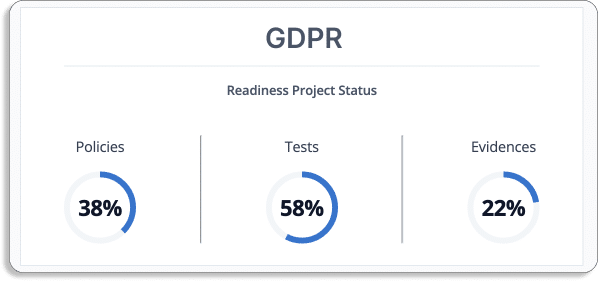
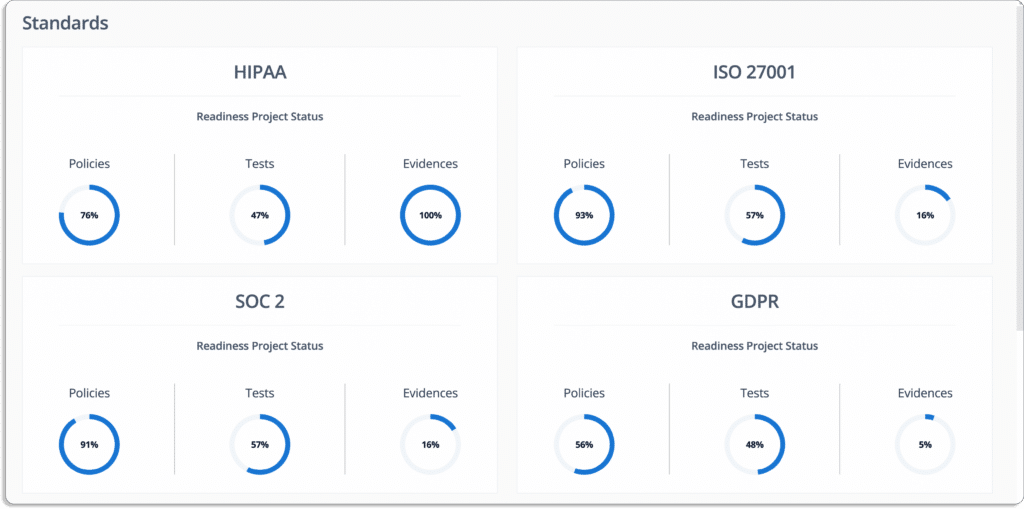
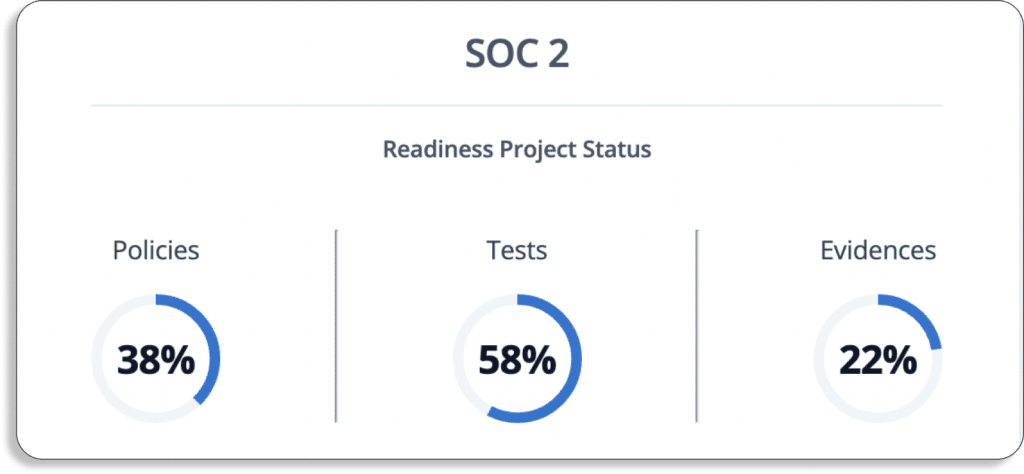
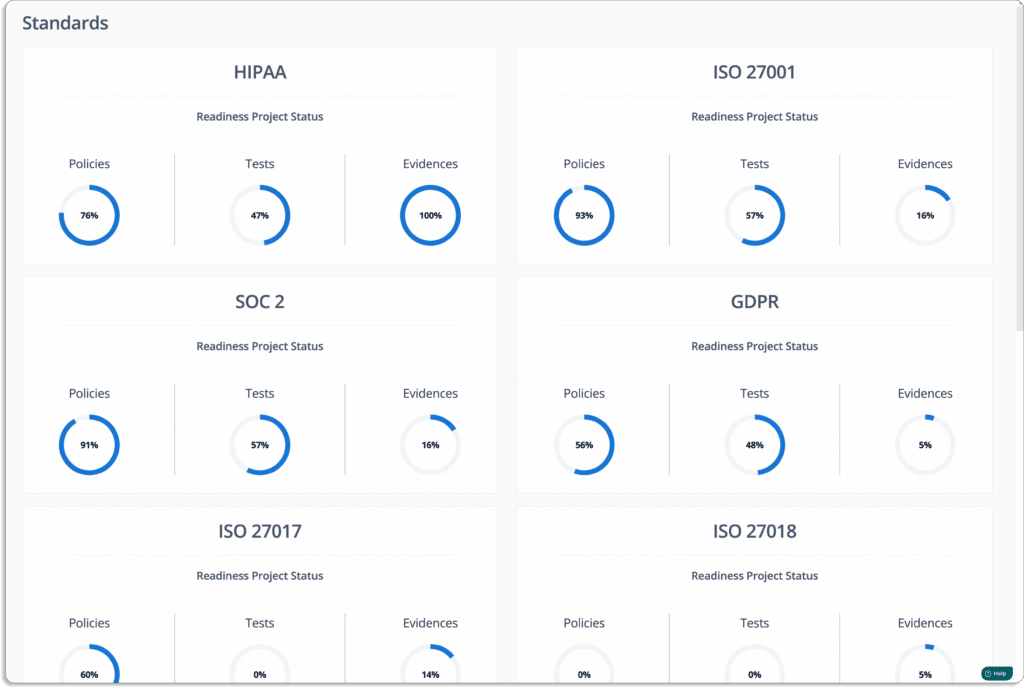
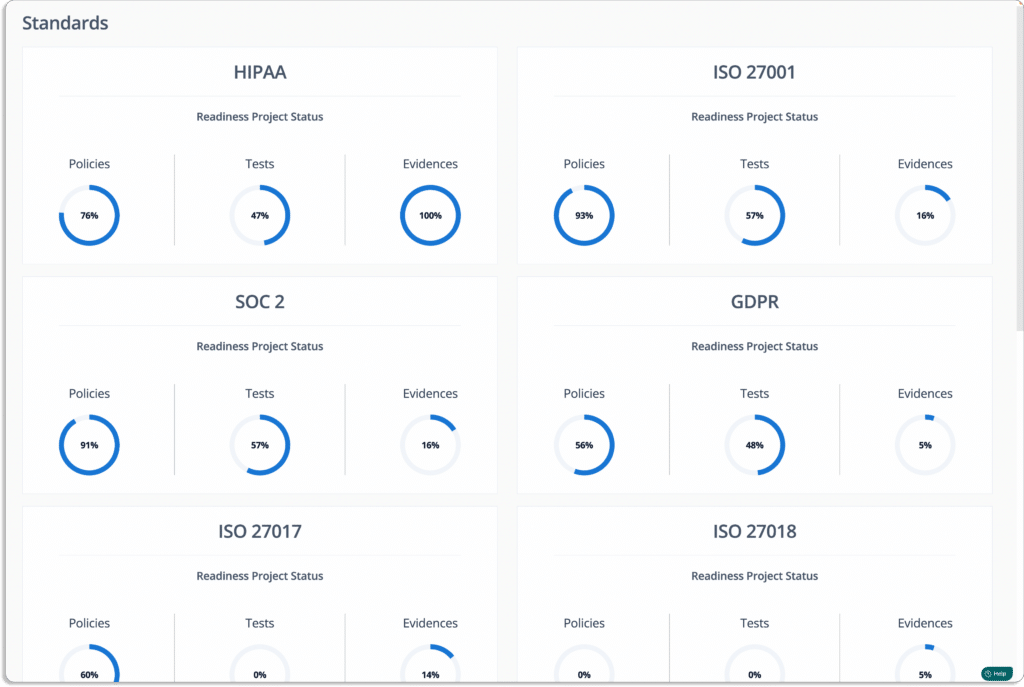
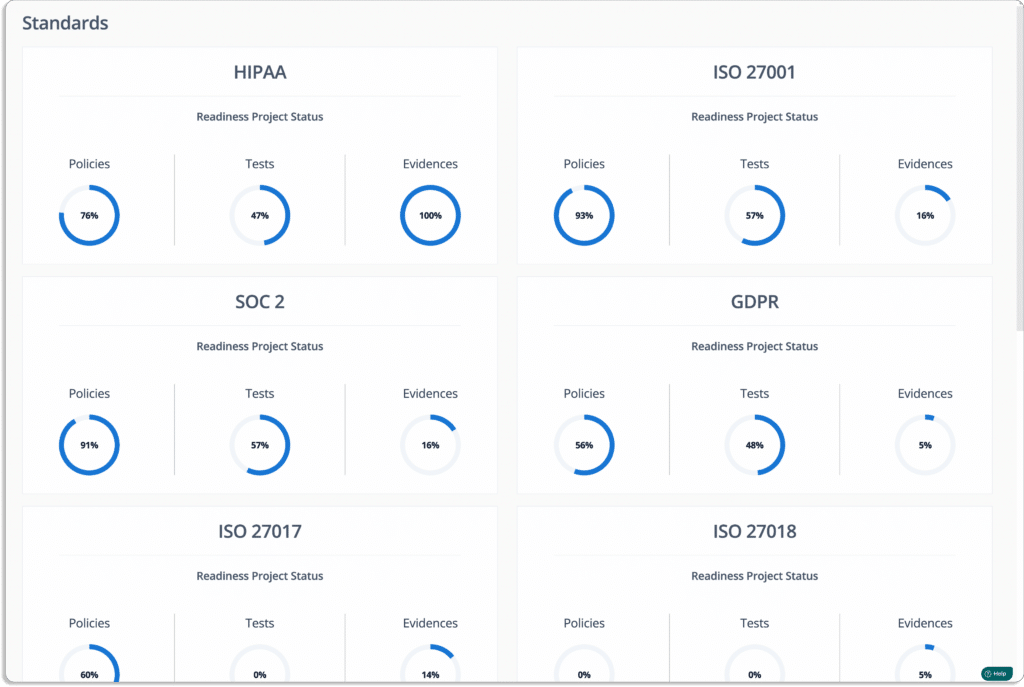
As shown in the screenshot above, this organization has:

  1. 58% of cloud security tests are compliant with GDPR requirements
  2. 38% of policies in place required for being GDPR compliant
  3. 22% of the required evidence has been uploaded
  • Implement GDPR policies with Scrut

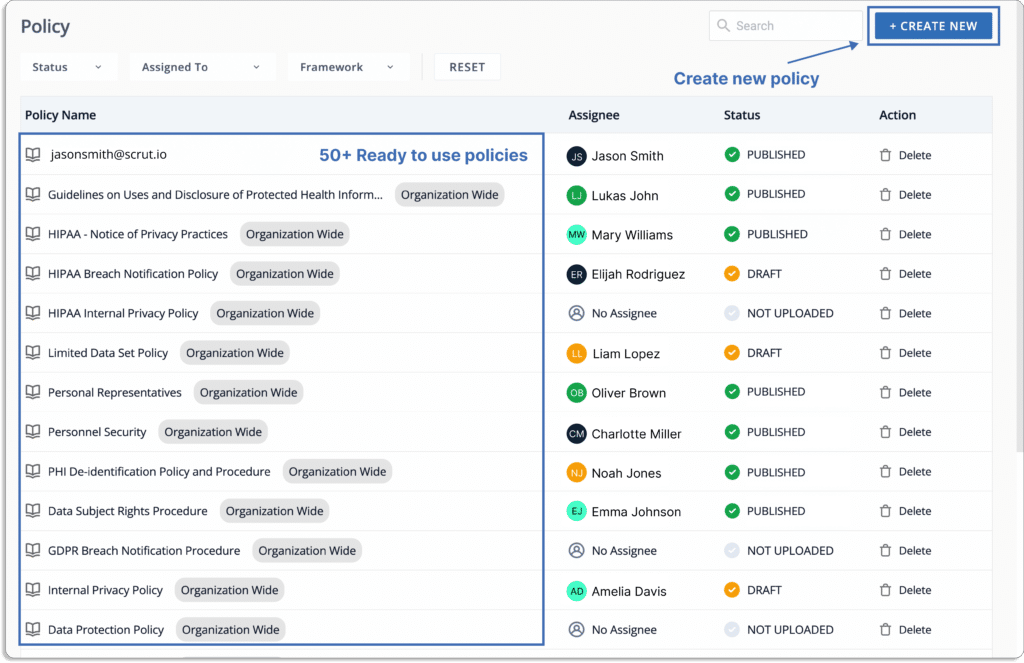
Scrut comes with ready to use policies for GDPR compliance to help you quickly get started. This saves a lot of your time. 

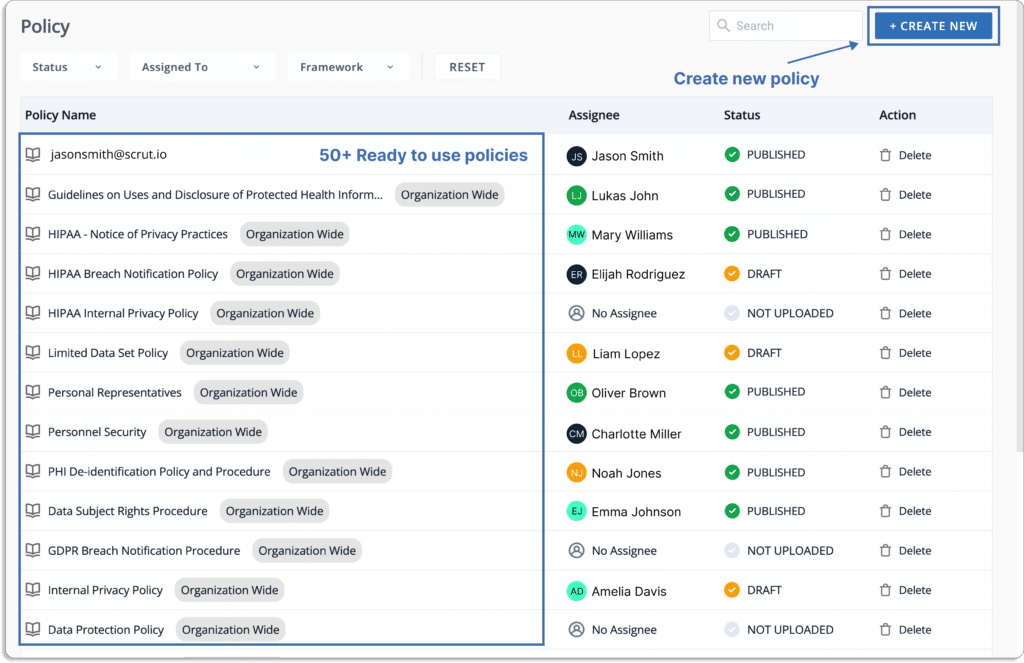
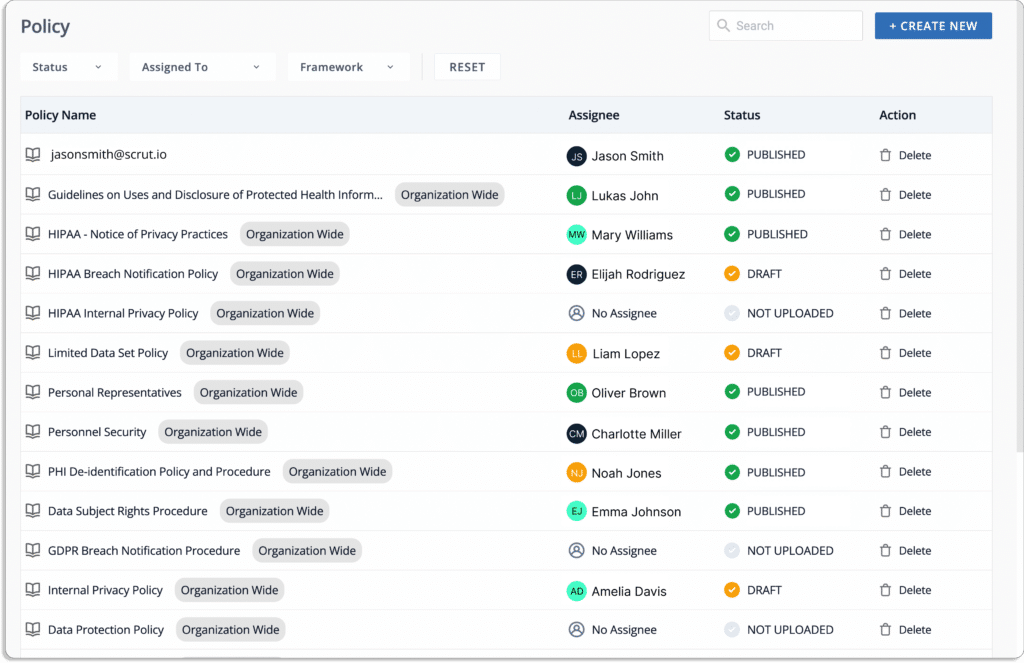
You can use our policy library with 50+ pre-built policies or upload your own to set up your InfoSec program.  
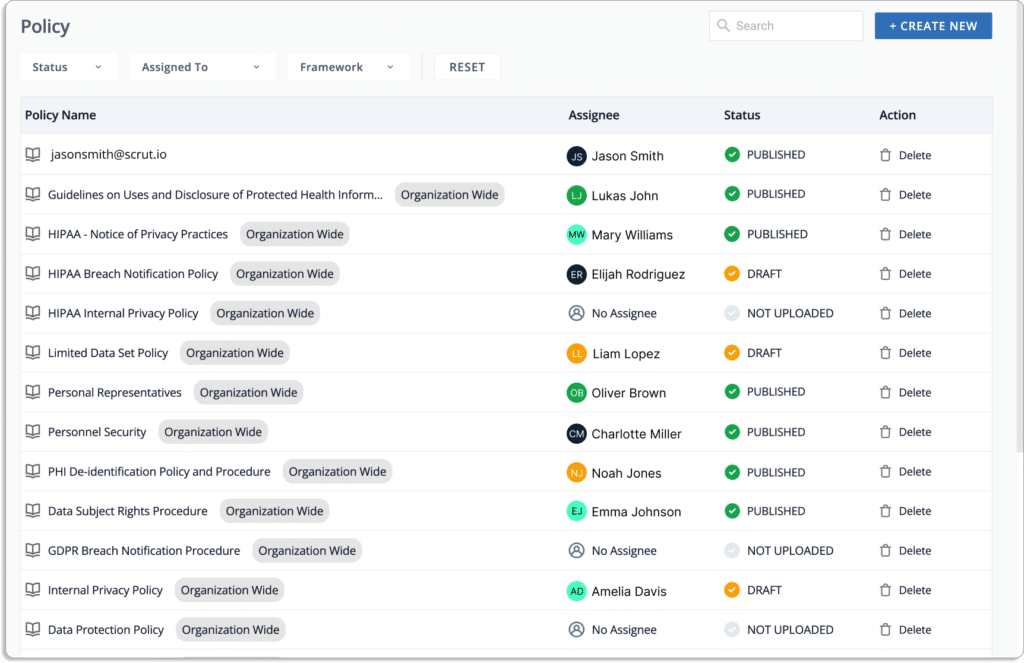
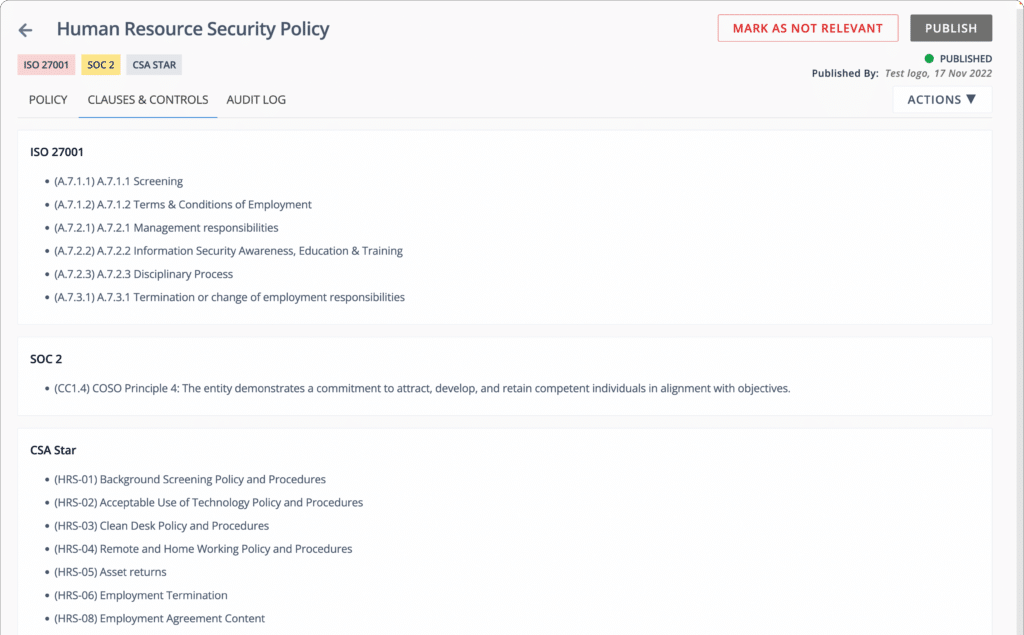
Click on each policy in the GDPR compliance requirements to see how it is mapped to specific controls, as shown in the screenshot below.
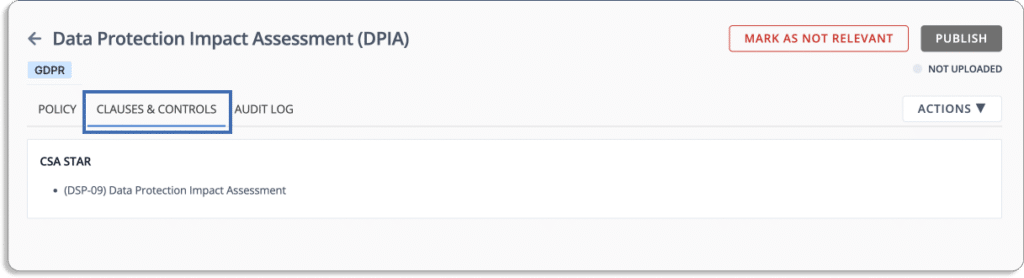
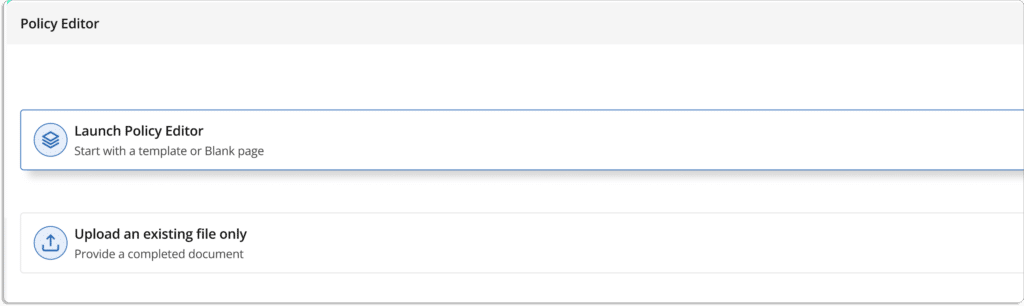
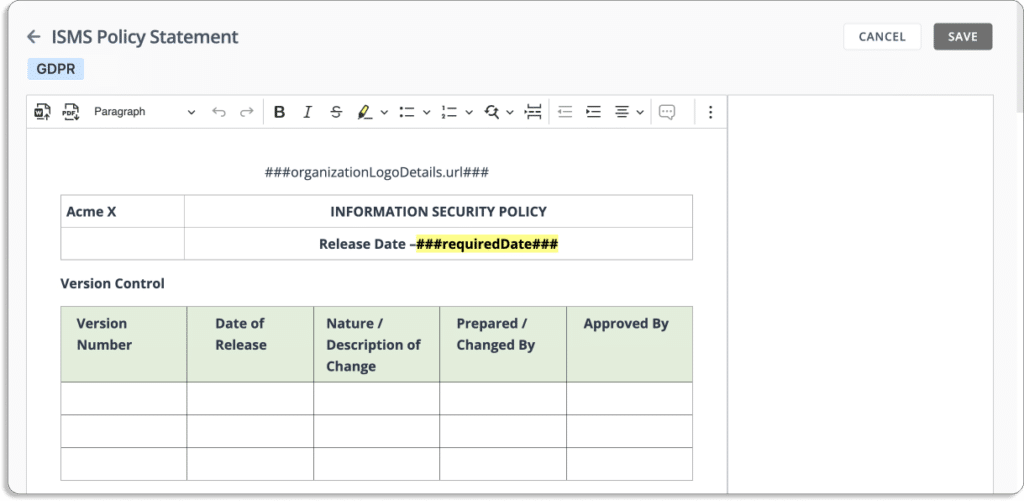
The in-built editor can also customize your policies, as per your requirements.
  • Continous cloud monitoring

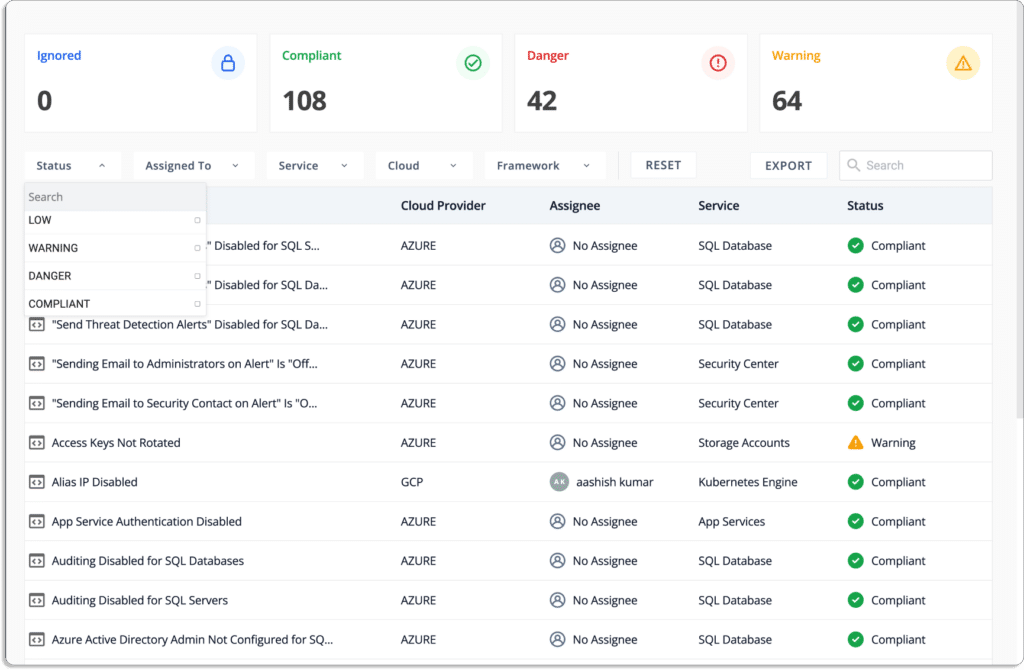
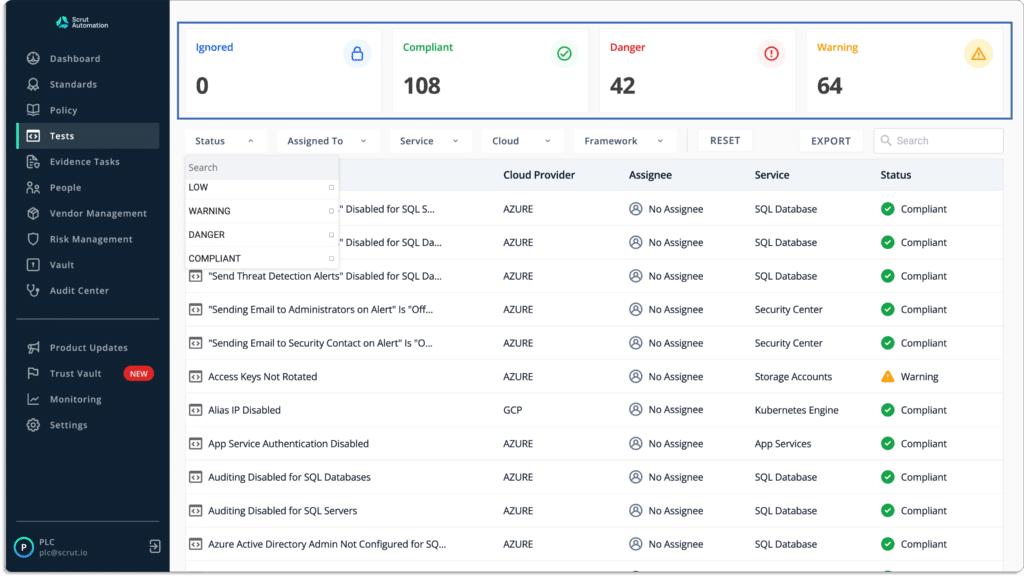
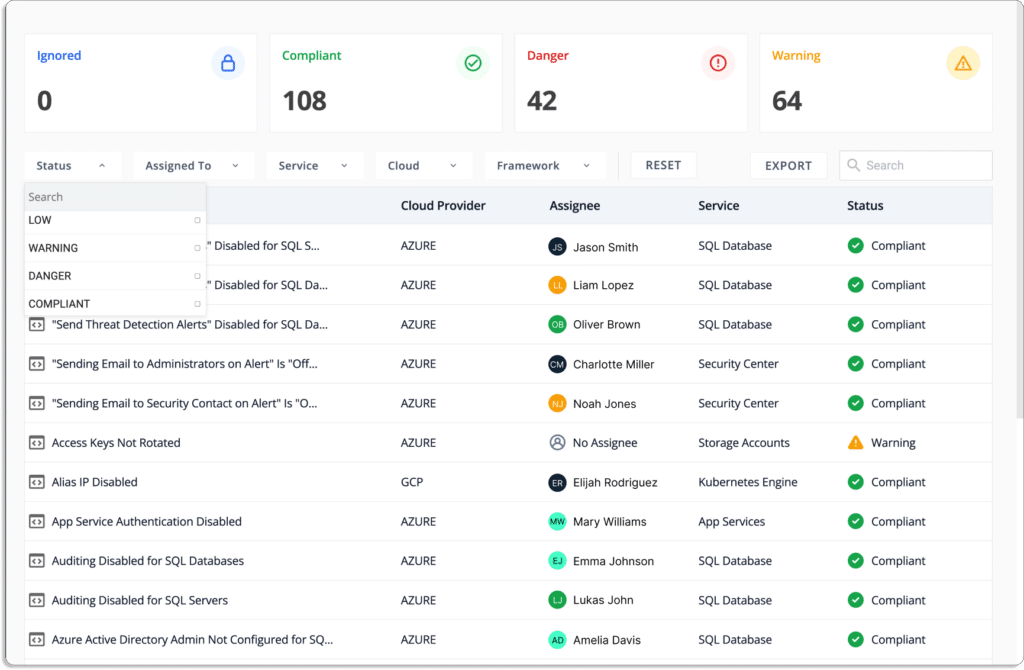
Scrut automatically tests your cloud configurations against 200+ cloud controls spanned across CIS benchmarks to ensure a strong InfoSec posture. It identifies gaps, misconfigurations, and categorizes the resources based on the criticality of the issues.
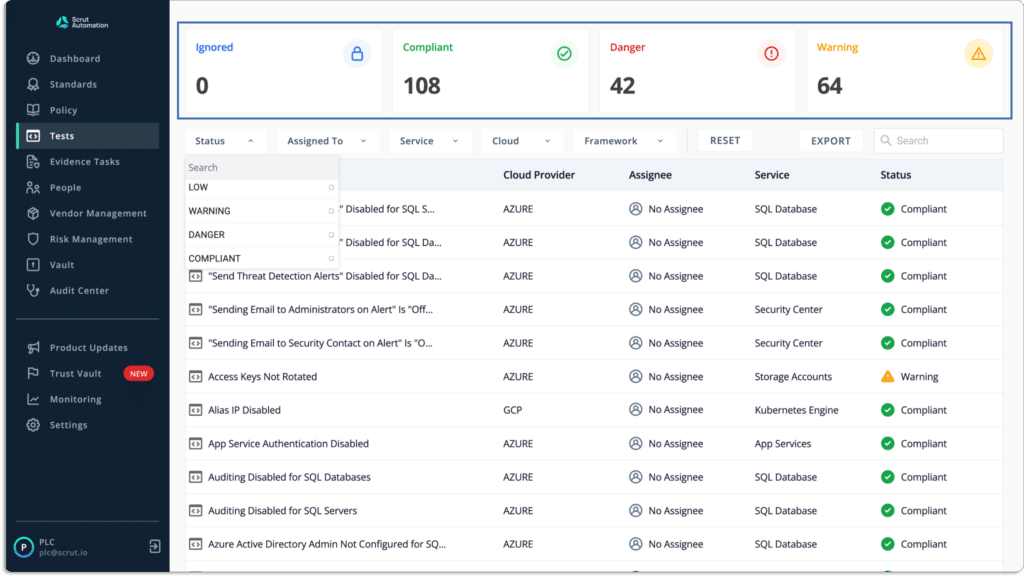
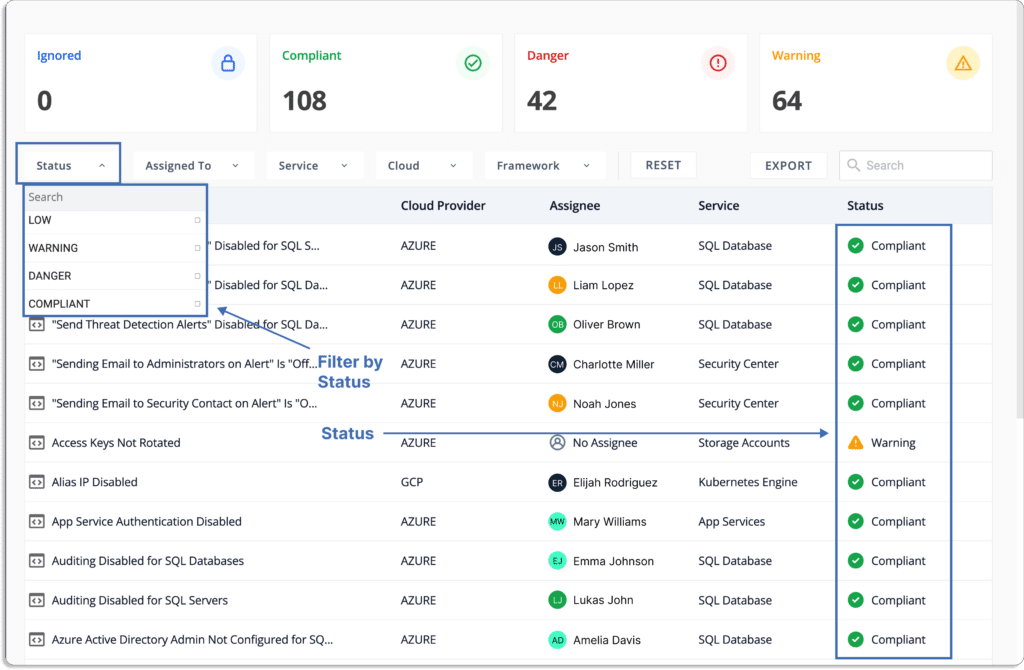
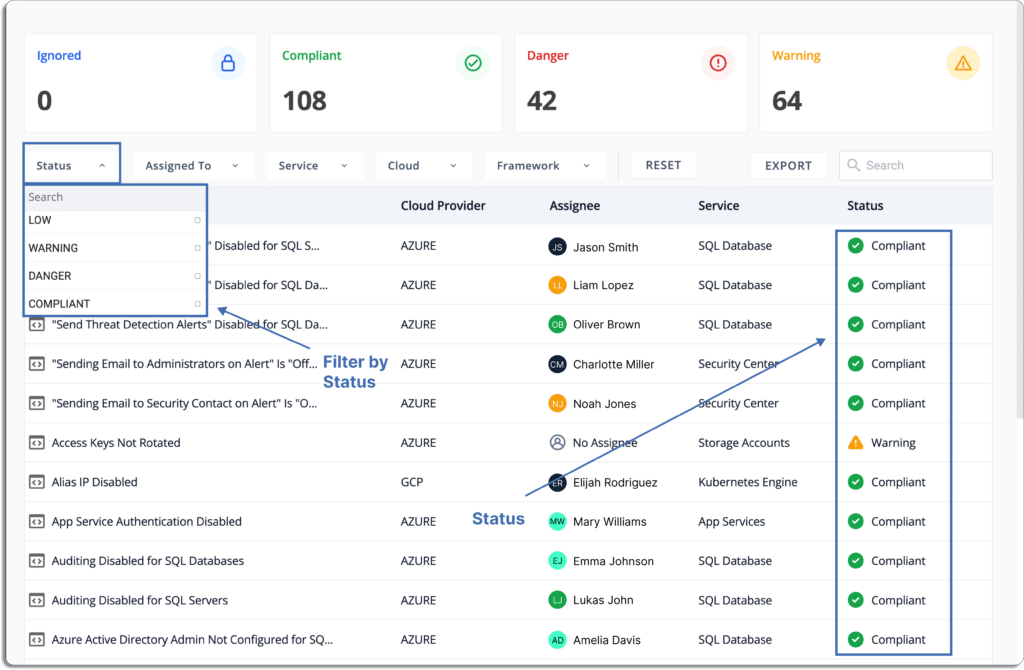
Further, the platform helps you prioritize the remediation tasks. The issues the categorized as

  • Danger – The most serious issue.
  • Warning – After you’ve addressed the “danger” issues, you can proceed to these.
  • Low – These are risks with a low priority that can be addressed last.
  • Ignored – You can override the ignore status.
  • Compliant – Everything is fine if you are compliant. You are not required to do anything.
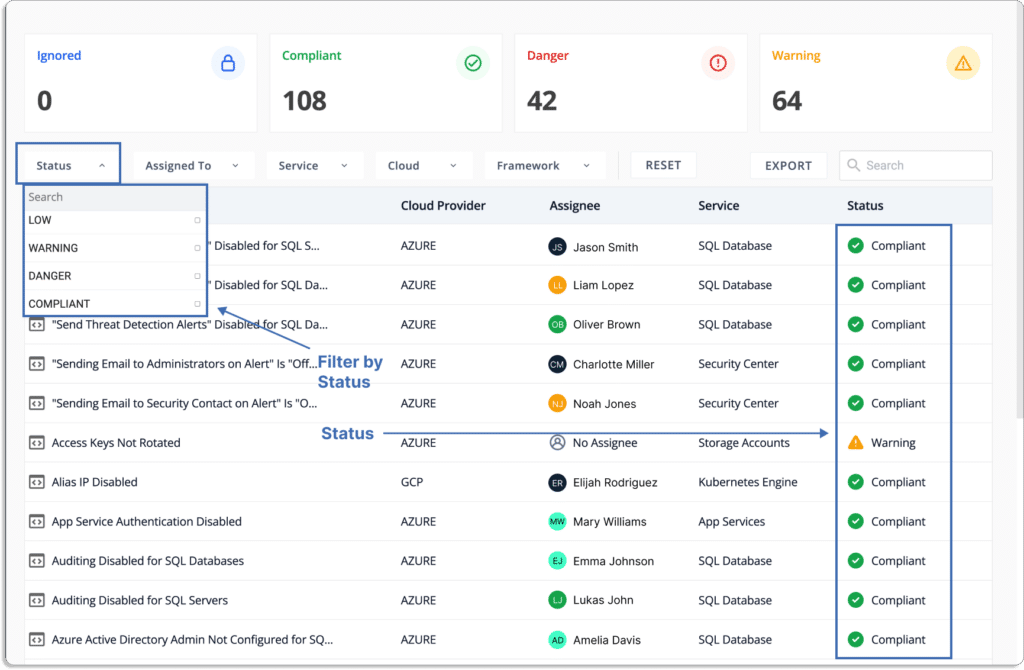
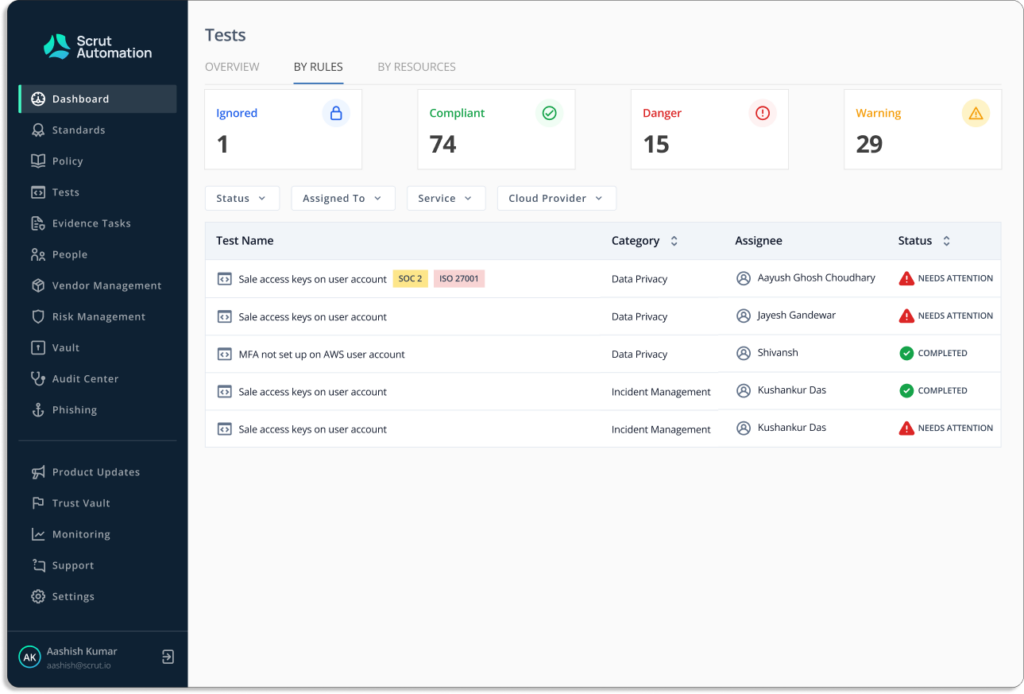
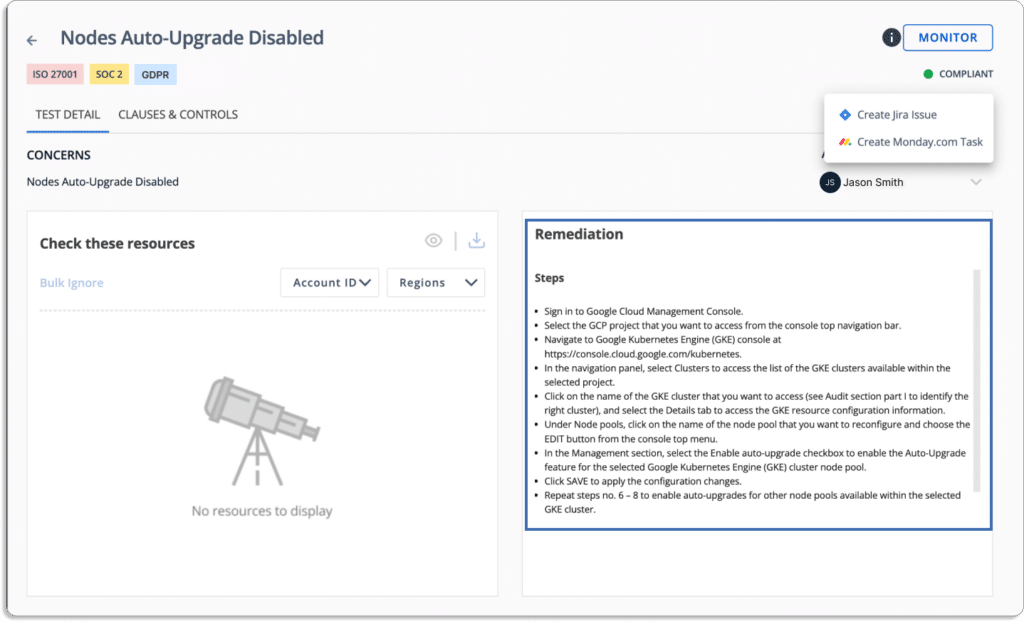
You can monitor your cloud security posture, misconfigurations, and the status of corrective actions, as shown below.
  • Automate evidence collection

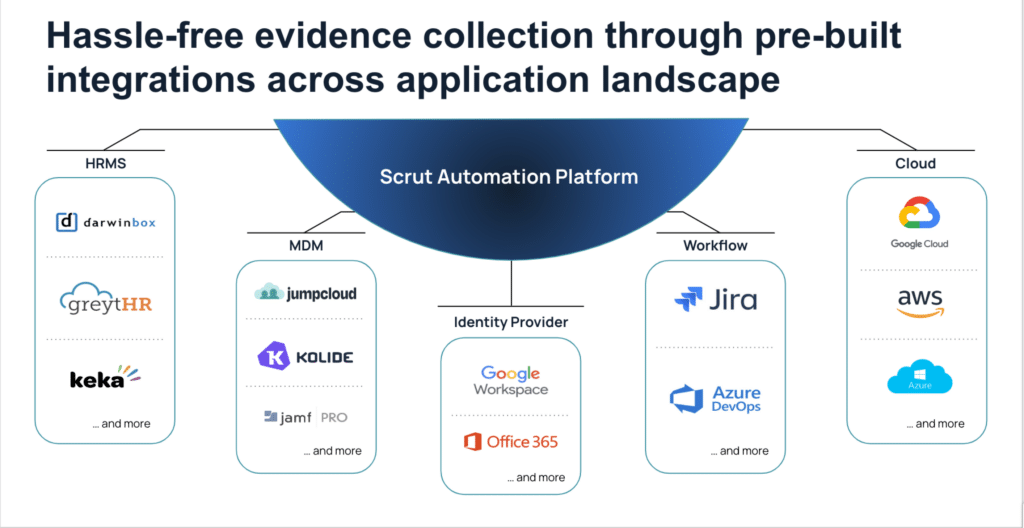
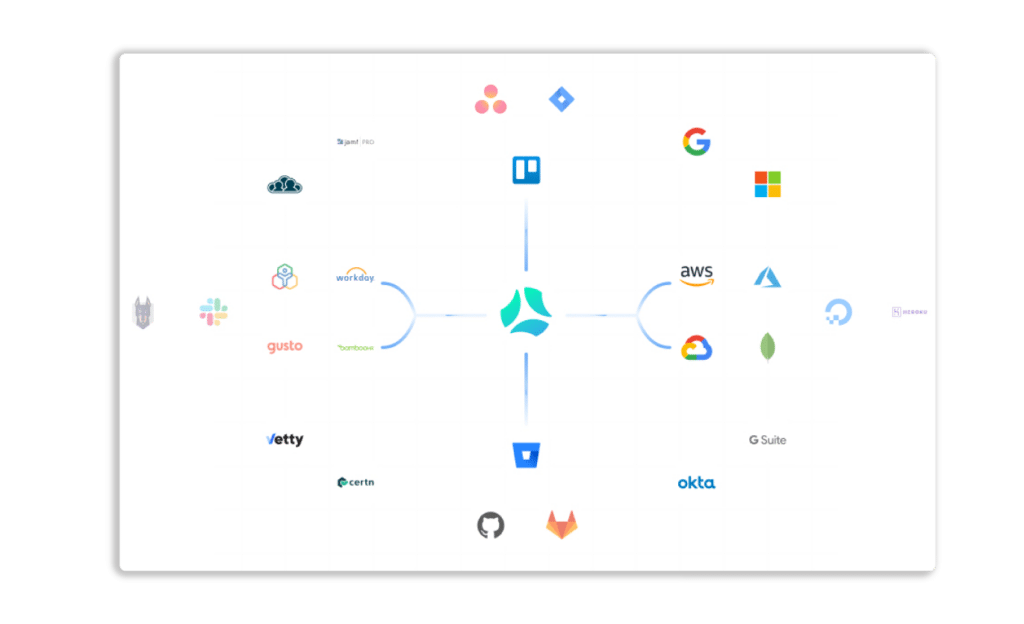
The tool has more than 70 integrations. Scrut reduces compliance overhead by automatically collecting the required evidence. 
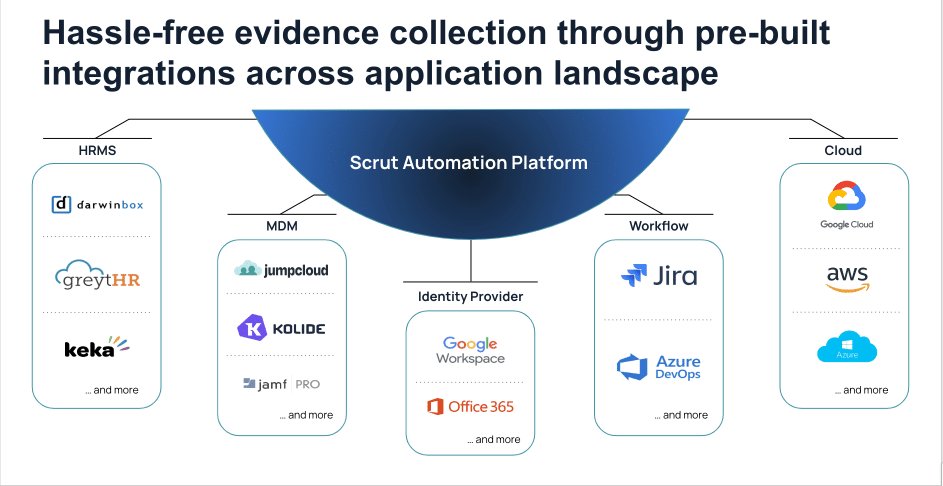
It automates over  65% of the evidence-collection tasks across your application and infrastructure landscapes against pre-mapped controls.

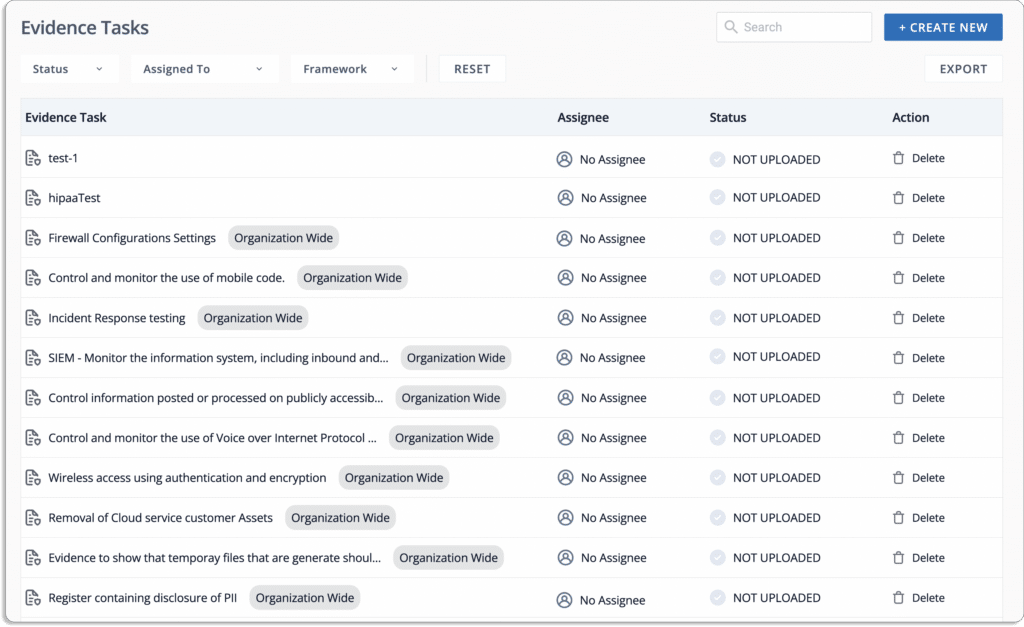
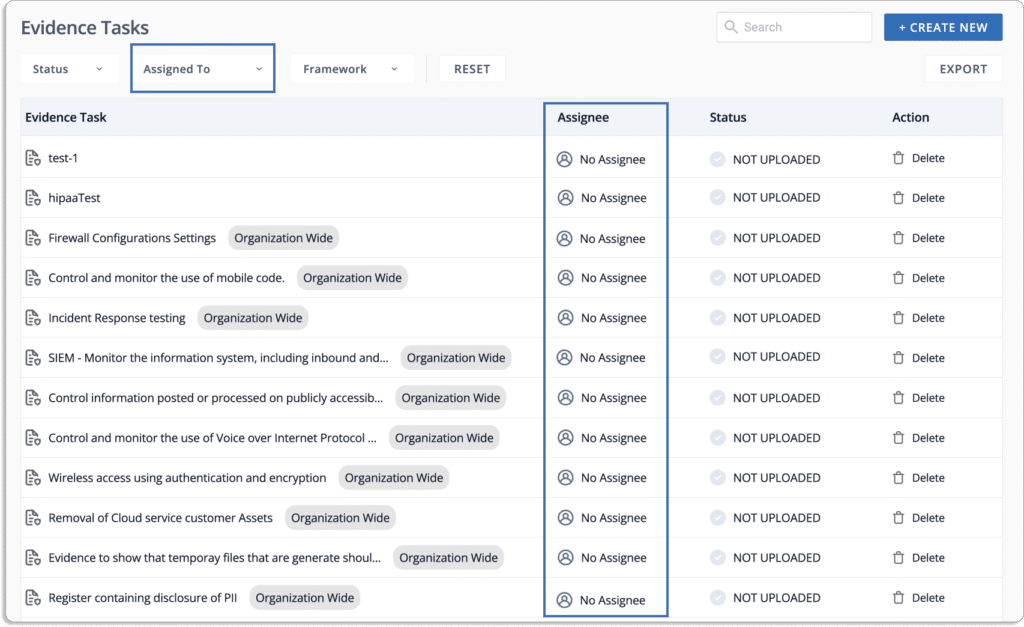
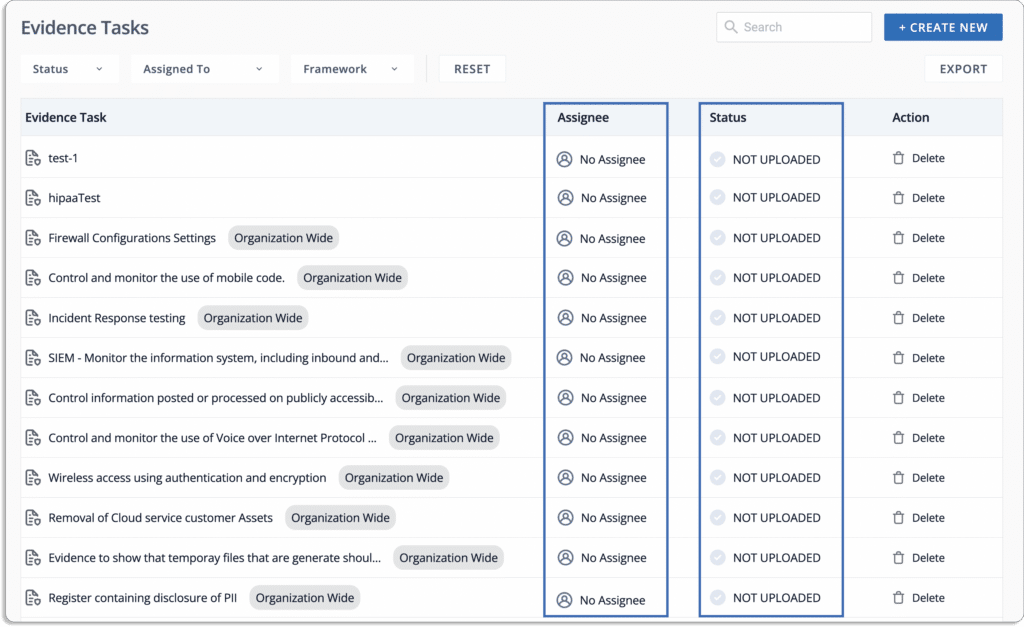
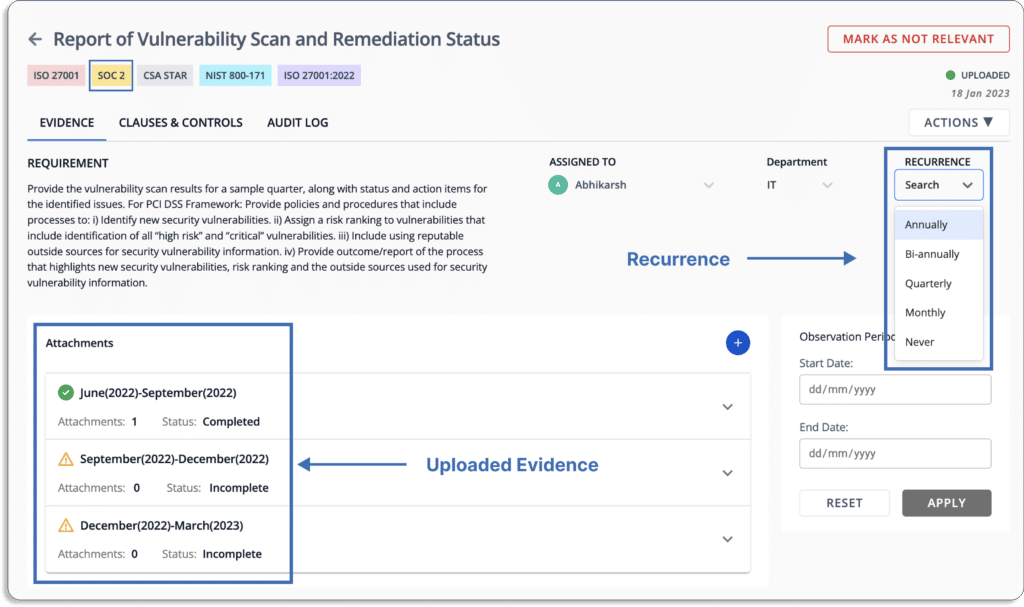
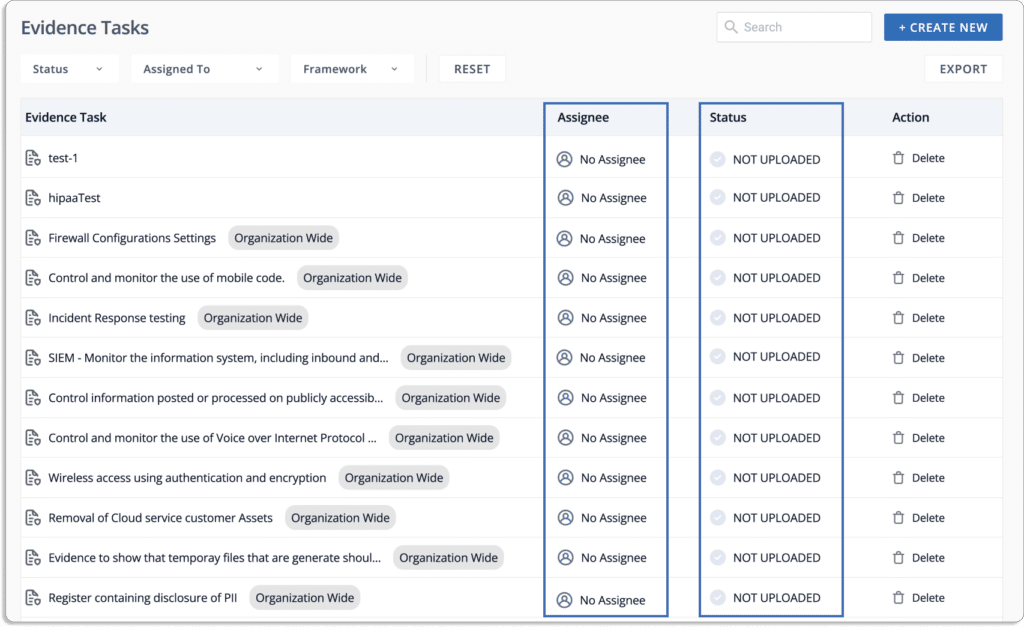
Furthermore, for the remaining evidence-collection tasks, you can assign ownership to different team members and check the status on a single screen.
You can also set up the frequency for recurring tasks via the recurrence option. 
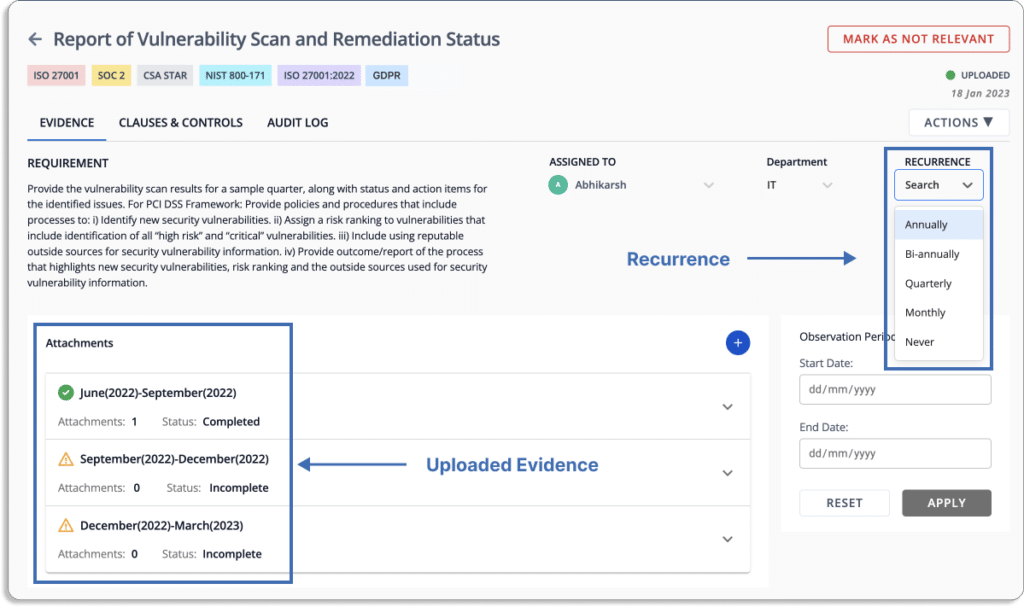
When the person responsible for uploading the evidence pieces fails to do so in time, they get reminders on their email and Slack (depending on the settings).

  • Streamline compliance workflows

Scrut streamlines all your compliance activities. You can create, assign, and monitor tasks with your team.
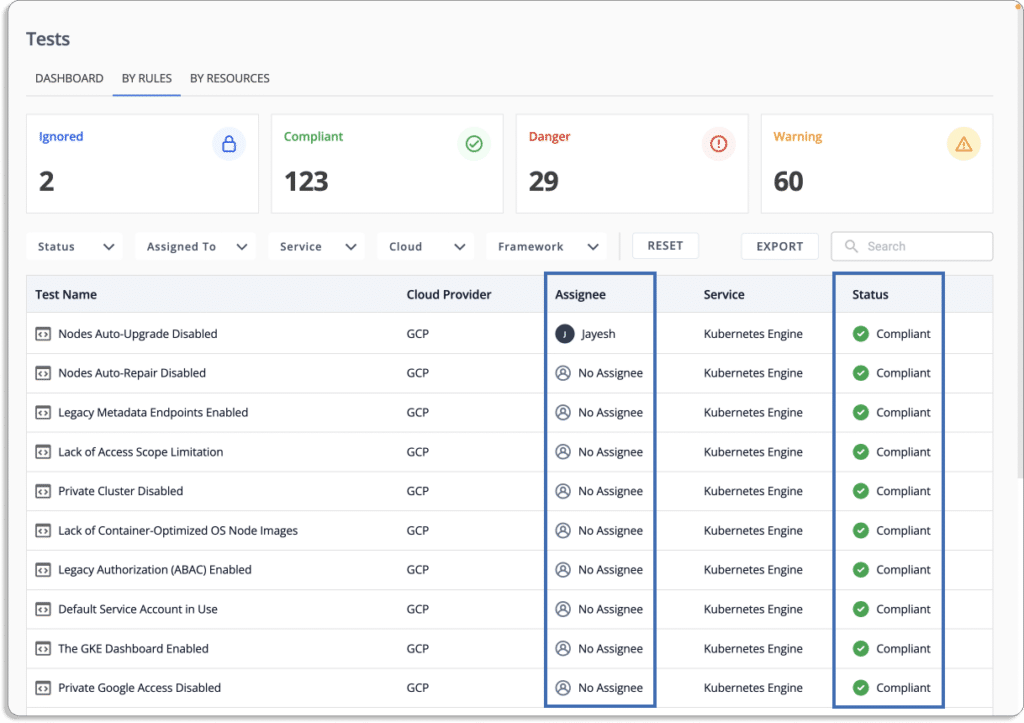
Furthermore, it will automatically send reminder for various tasks like policy updates and evidence collection.
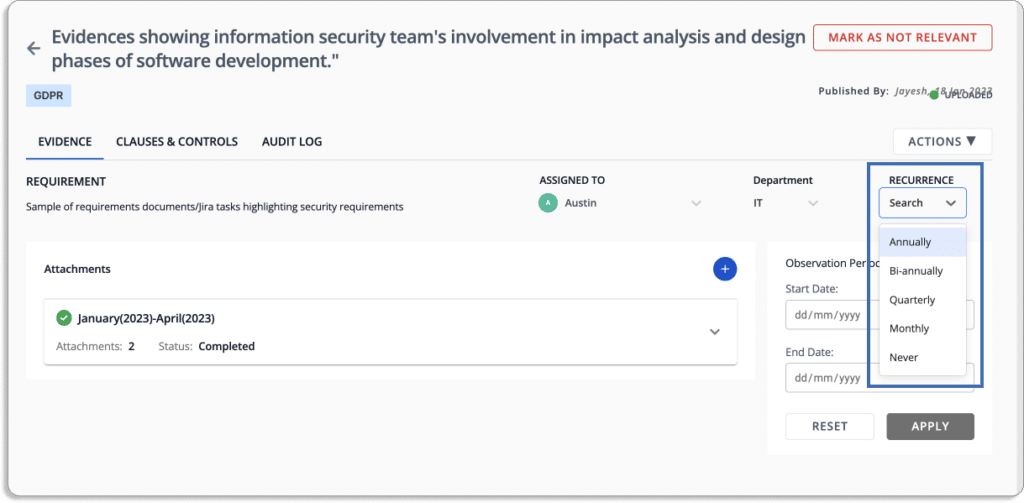
  • Collaborate with the auditor on the platform for faster and painless audits

You can manage all artifacts on the platform for a smooth audit process. Scrut allows you to invite your auditors on the platform for audits. 

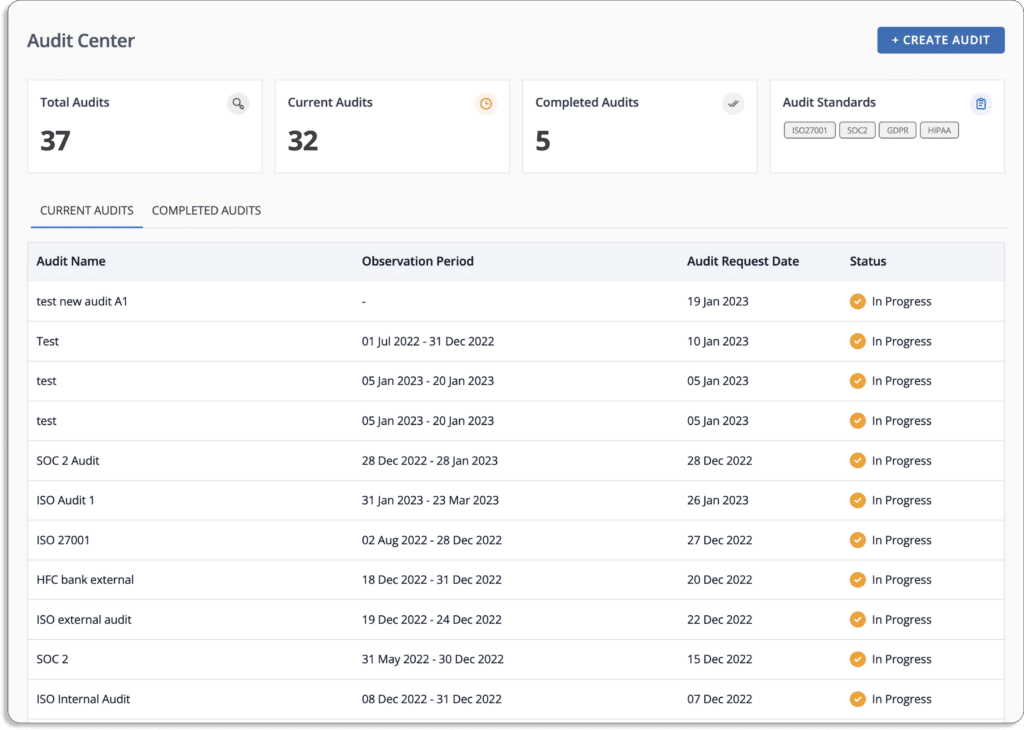
The Audit center allows the auditors to quickly go through policies, controls, evidence, and all required audit artifacts on the platform itself and leave their findings or ask if they need any clarifications.
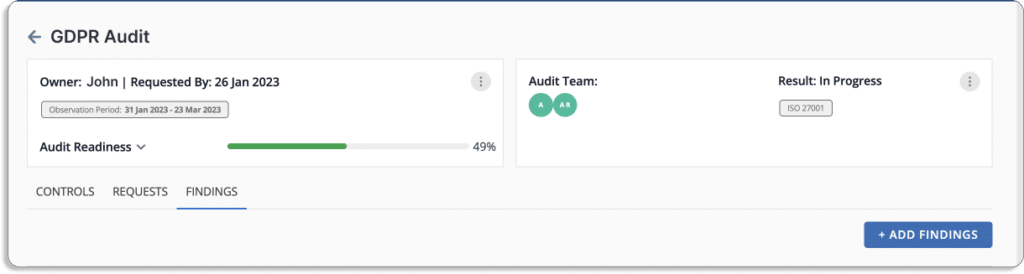
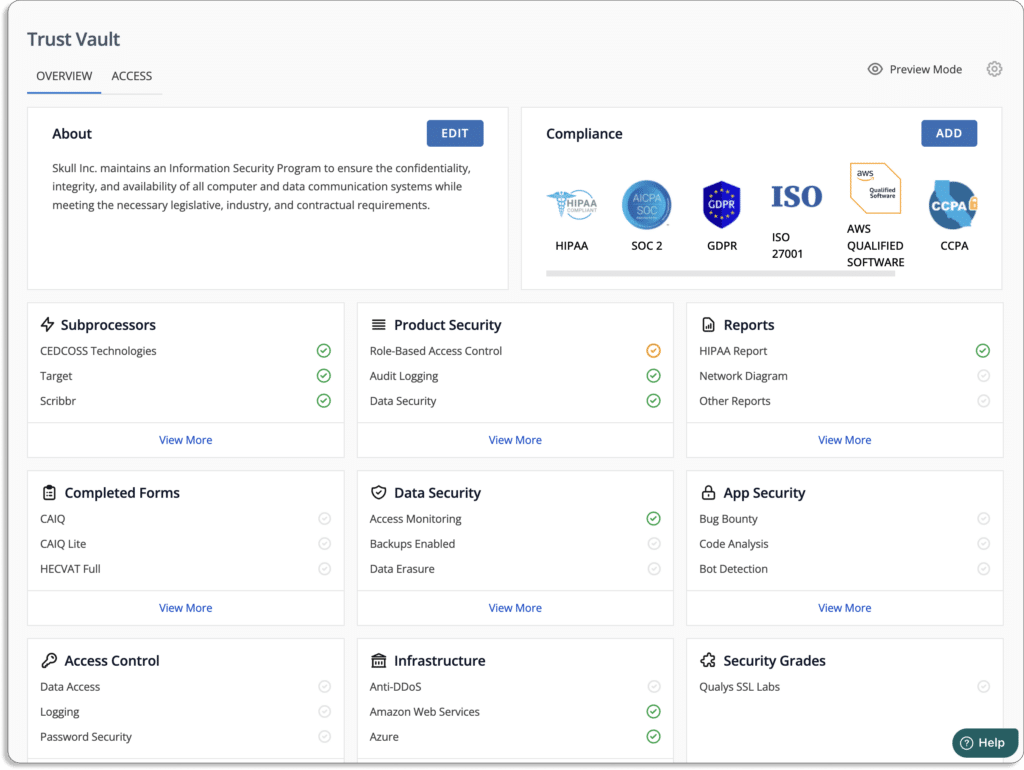
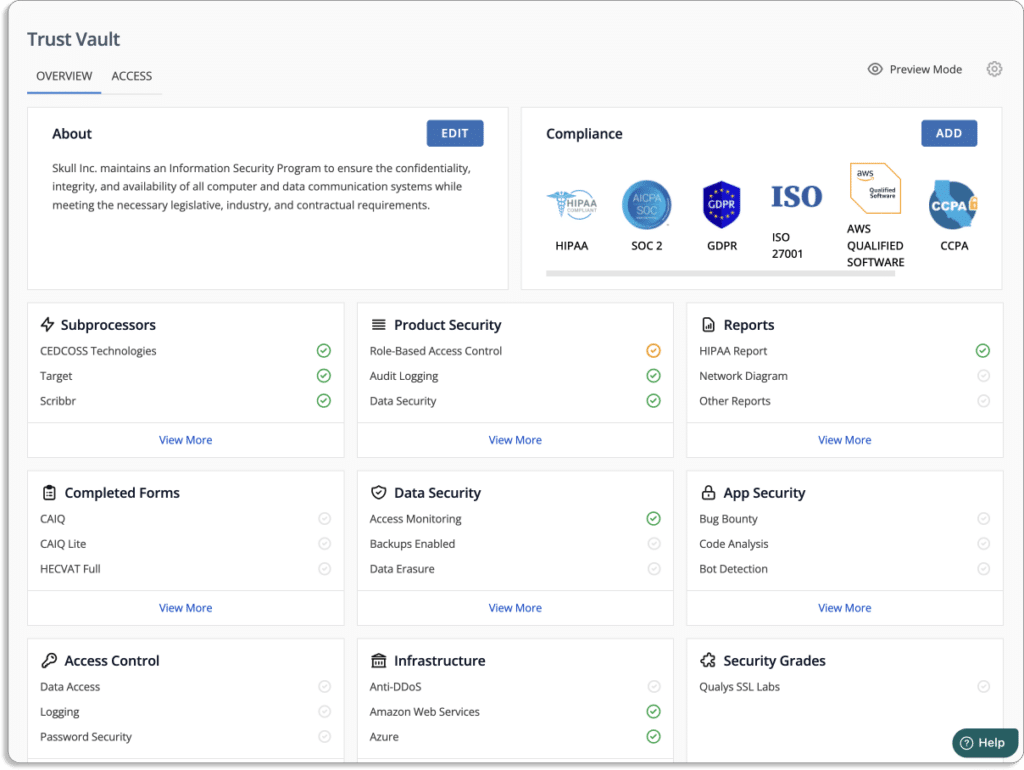
  • Build trust from day 1  

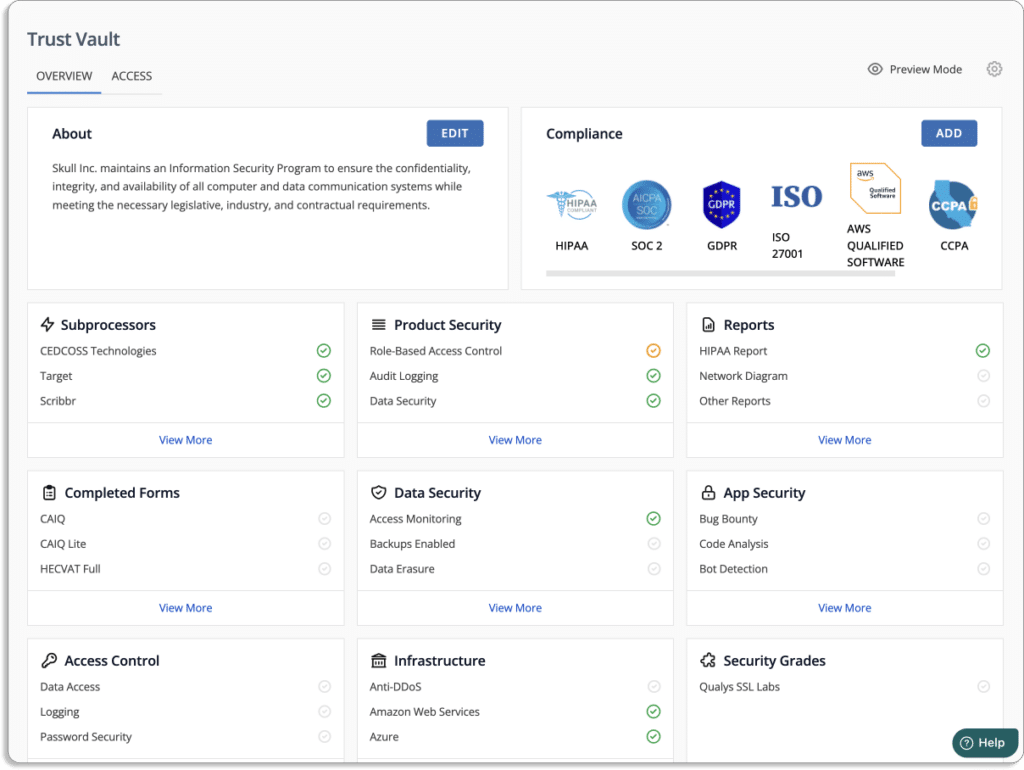
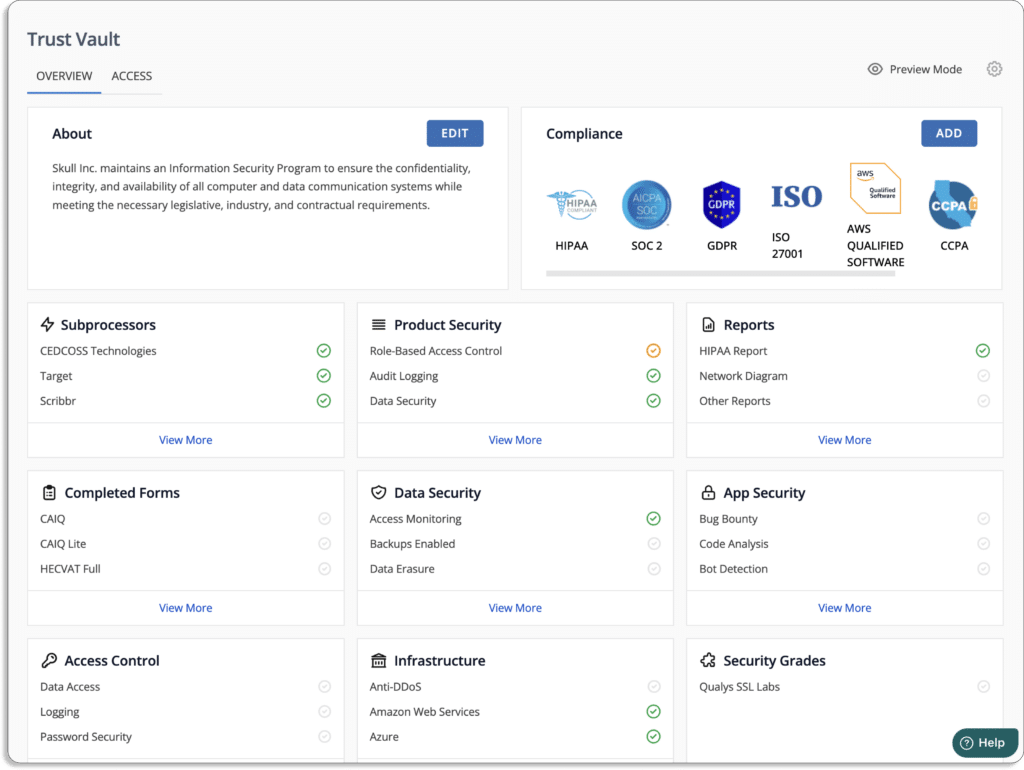
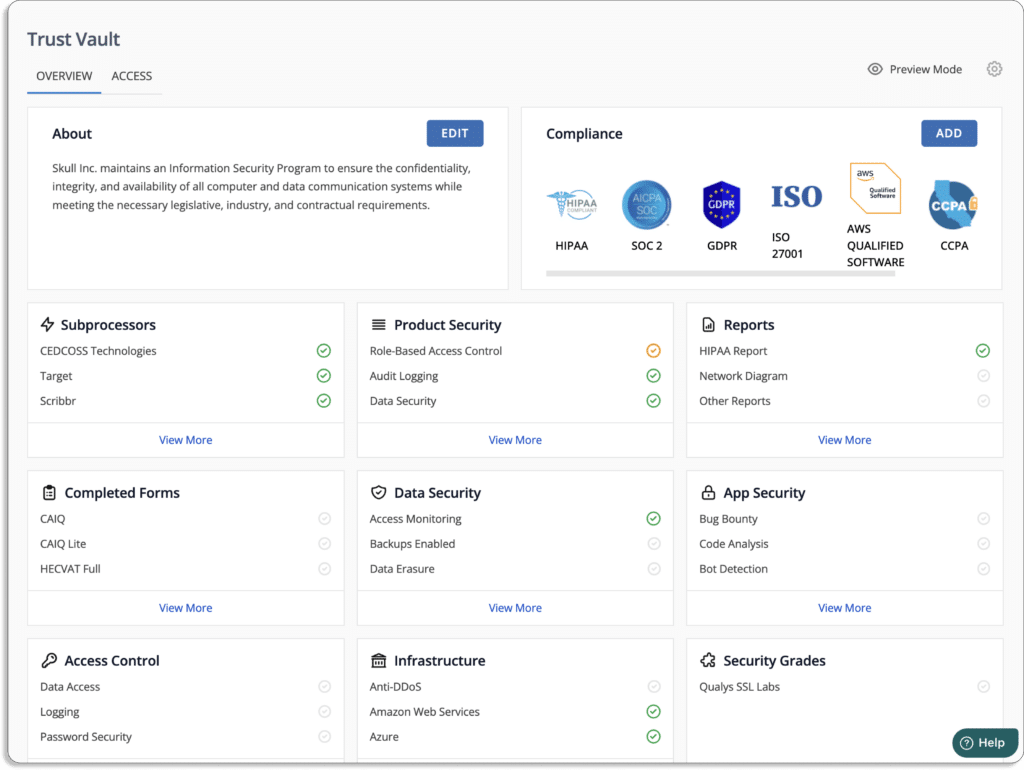
Scrut’s Trust Vault helps you build real-time security and compliance transparency by showcasing GDPR and other security certifications to key stakeholders.
  • Single window for all your GDPR requirements

Scrut also offers in-house GDPR compliance experts for a seamless experience. 
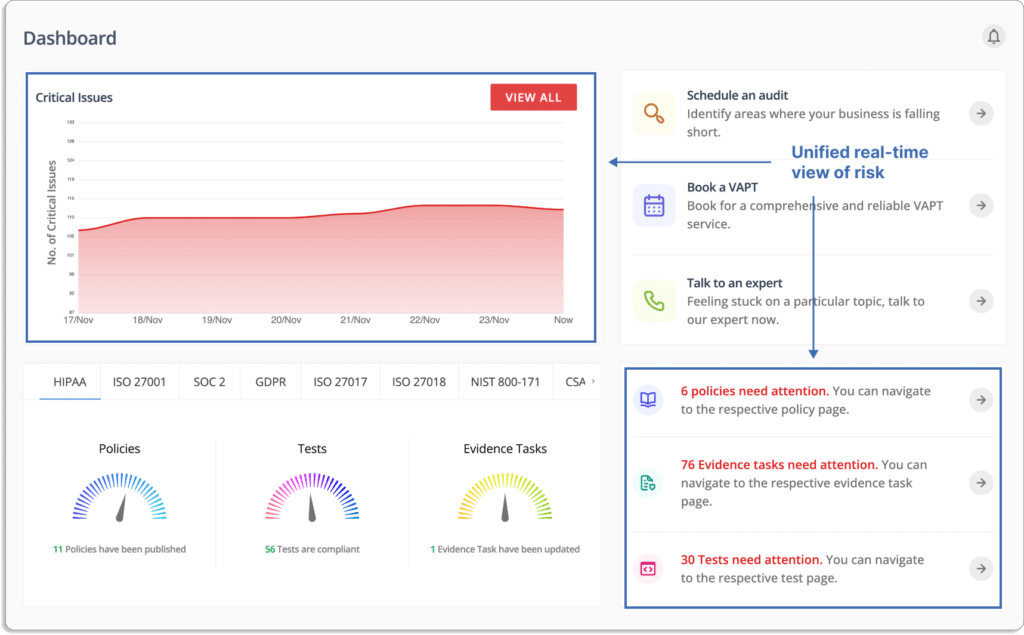
You can book the VAPT service from the platform itself. Further, you can talk to our in-house GDPR compliance experts for any queries or guidance on issues.

Besides this, Scrut manages your service level agreements (SLAs) with all the partners—and represents you during the audits. This means Scrut InfoSec experts will answer all the questions asked by the auditors during the audit.

  • Automated employee training

Scrut helps in automating employee information security training. It provides exhaustive security awareness training documents, recorded sessions, and automated policy assignments that help your employee learn about InfoSec’s best practices. 

The tool provides your employees with everything they need to understand potential risks, avoid slippages, and develop a secure posture. 

Further, you can always see the status of all employee’s training to know whether they have completed the training or not.
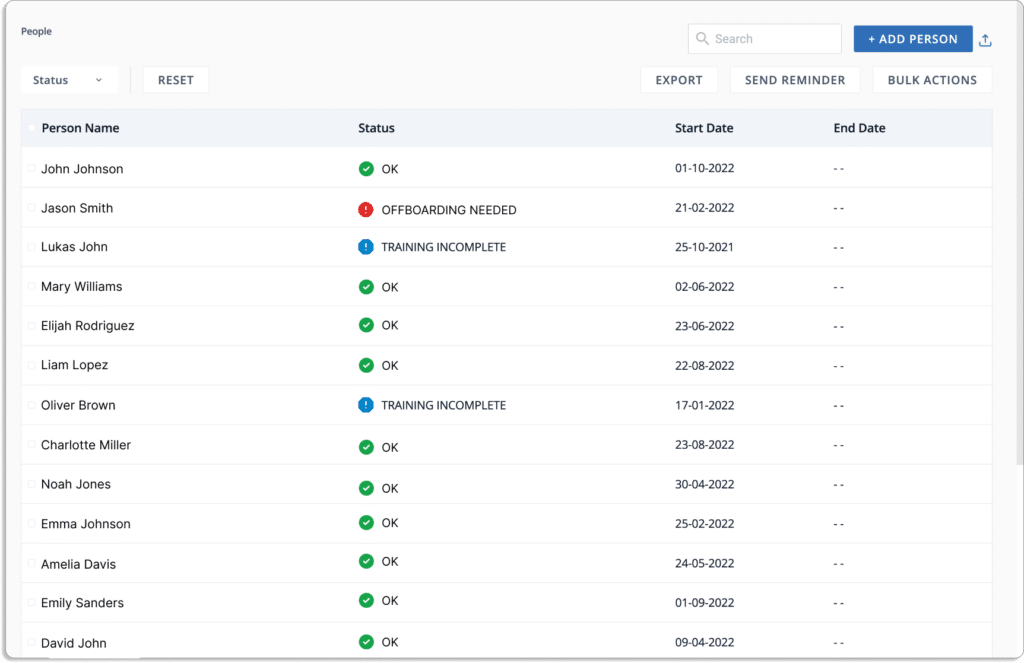
Once the employee completes training, they need to complete a quiz to evaluate their knowledge. You can setup passing score. 
Check our customer reviews below.
Customer Rating

  • G2: 5/5

2. Drata

Drata is a security and compliance automation platform that continuously monitors and collects evidence of a company’s security controls.

Drata’s security reports and trust center provide on-demand, sharable reports demonstrating your security posture. Furthermore, it provides a GDPR control library, custom control, and comes with policy templates to speed up the compliance process. 

Pros

  • Drata’s dashboard lets users easily see which GDPR controls map to the framework requirements and what criteria they need to meet.
  • The platform’s document upload feature enables users to communicate properly with auditors.

Cons

  • Integrations with Google Cloud Platform and Checkr don’t always work as expected.

Customer Rating

  • G2: 4.9/5

3. Vanta

Vanta assists businesses in scaling security procedures and automating compliance with the most demanding standards, including SOC 2, ISO 27001, PCI DSS, GDPR, HIPAA, and CCPA. You can connect your tools to Vanta and fill in the gaps on your dashboard.

Pros

  • Vanta collaborates  with audit firms and PenTest providers, which helps streamline the process.
  • The platform eliminates manual work by connecting directly with development systems, such as GitHub and GCP.
  • The tool offers automated task reminders.

Cons

  • Vanta misreports items and a few exceptions regarding evidence collection that needs to be worked around by the user.
  • Tracking requirements like encryption does not function on Linux machines.

Customer Rating

  • G2: 4.7/5

4. LogicGate

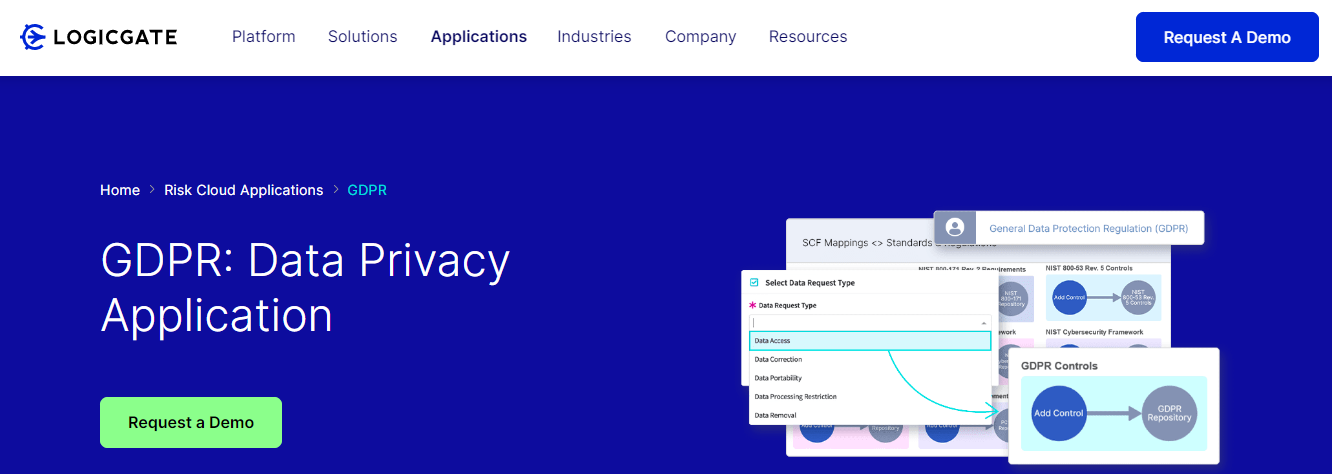
LogicGate Risk Cloud is a platform with a pre-built application suite that transforms how you manage GRC processes by combining expert-level content and service with no-code technology. The platform combines several GDPR readiness components to simplify key requirements for managing personal data. It maintains a centralized repository for tracking data breaches and remediation records.

Pros

  • Users can customize workflows as per their requirements.
  • Users can create forms to automate, collect, and store event details and responses.

Cons

  • Users have to enter some fields manually. For example, the test plan description field.

Customer Rating

  • G2: 4.6/5

5. ZenGRC

ZenGRC is a compliance management software that assists in examining your environment, data, and policies to ensure that the risk management controls are in place to protect your GDPR data. It helps to organize and manage GDPR requirements more efficiently by automating many time-consuming manual processes that would otherwise consume your time.

Pros

  • It replaces the Jira tickets process with evidence collection and workflow features.
  • Users can customize frameworks according to their requirements.

Cons

  • There is no in-line editor in ZenGRC for editing policies on the platform.
  • Users have to add custom fields to the model risks functionality.

Customer Rating

  • G2: 4.4/5

6. JupiterOne

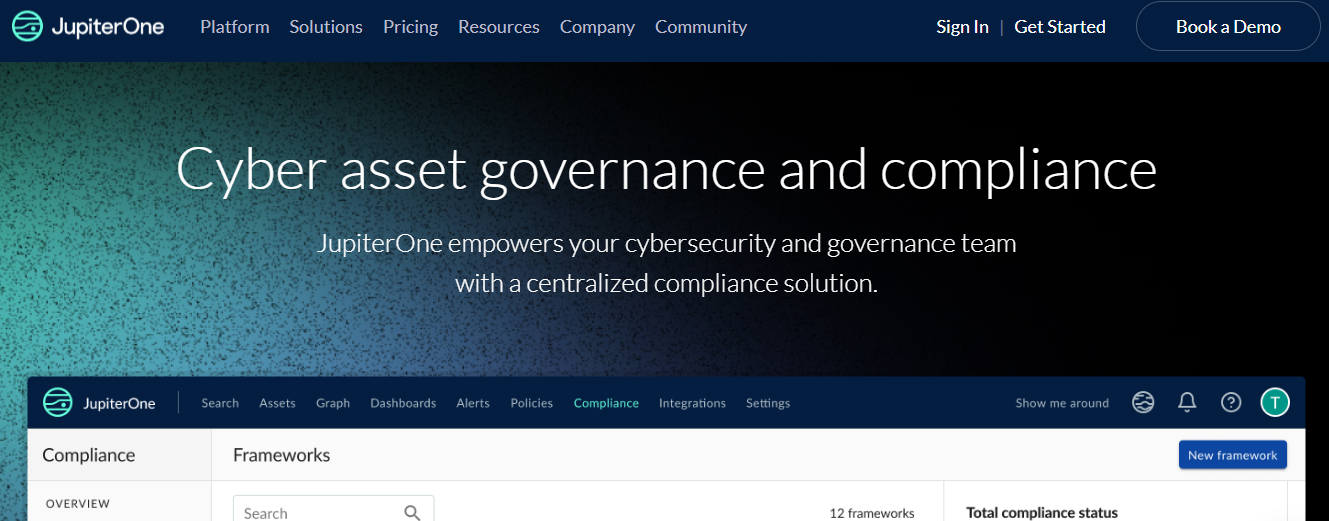
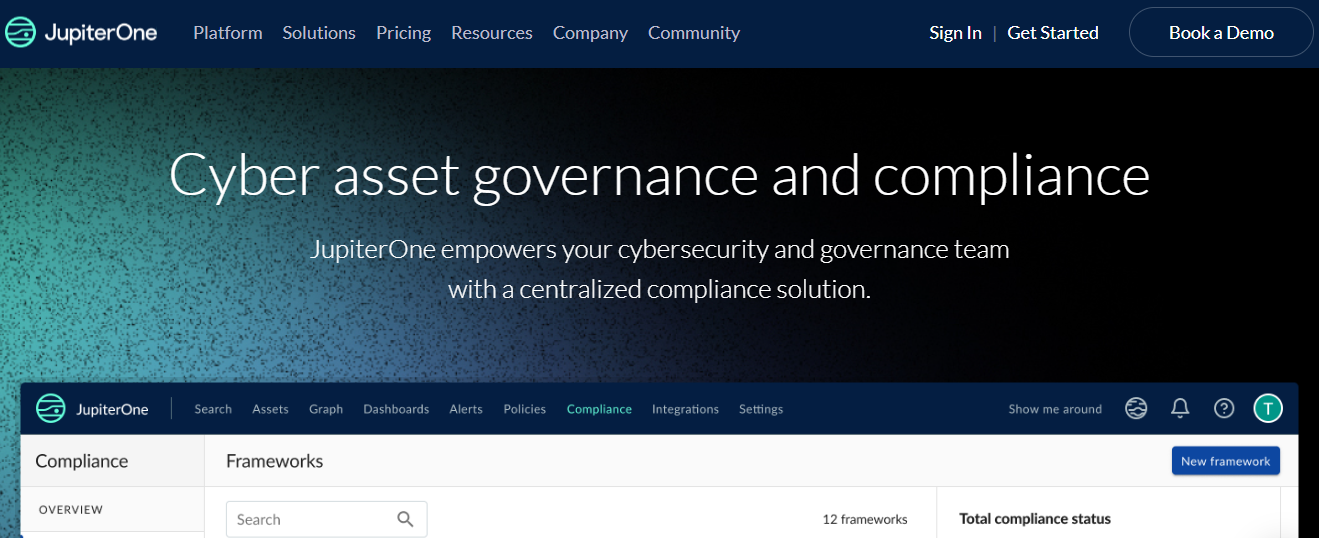
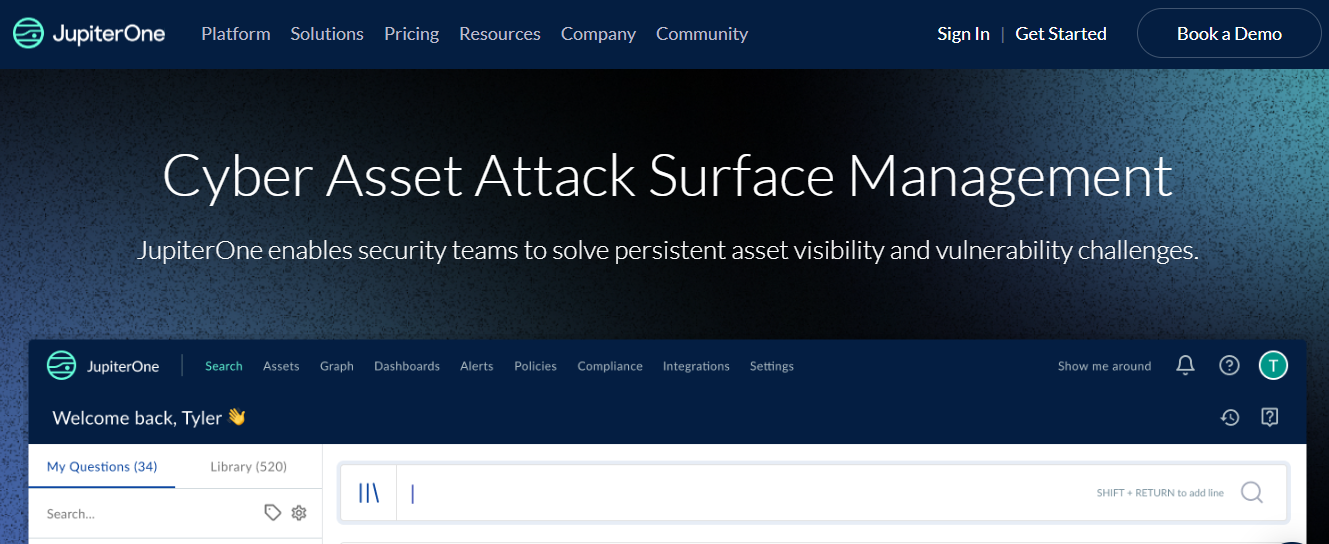
JupiterOne automates your compliance processes by building and automating policies, procedures, and controls that link security requirements to specific cyber assets in your digital environment. The platform assists organizations in streamlining their compliance requirements, regardless of security maturity level. Furthermore, it speeds up security audits and reviews by reusing controls from multiple frameworks. 

Pros

  • Easily integrates with your cloud service providers and other tools.

Cons

  • It doesn’t allow collaboration with auditors on the platform for a smooth audit process. There is a significant barrier to learning all the distinct features.

Customer Rating

  • G2: 5/5

7. Tugboat Logic (Now merged with OneTrust)

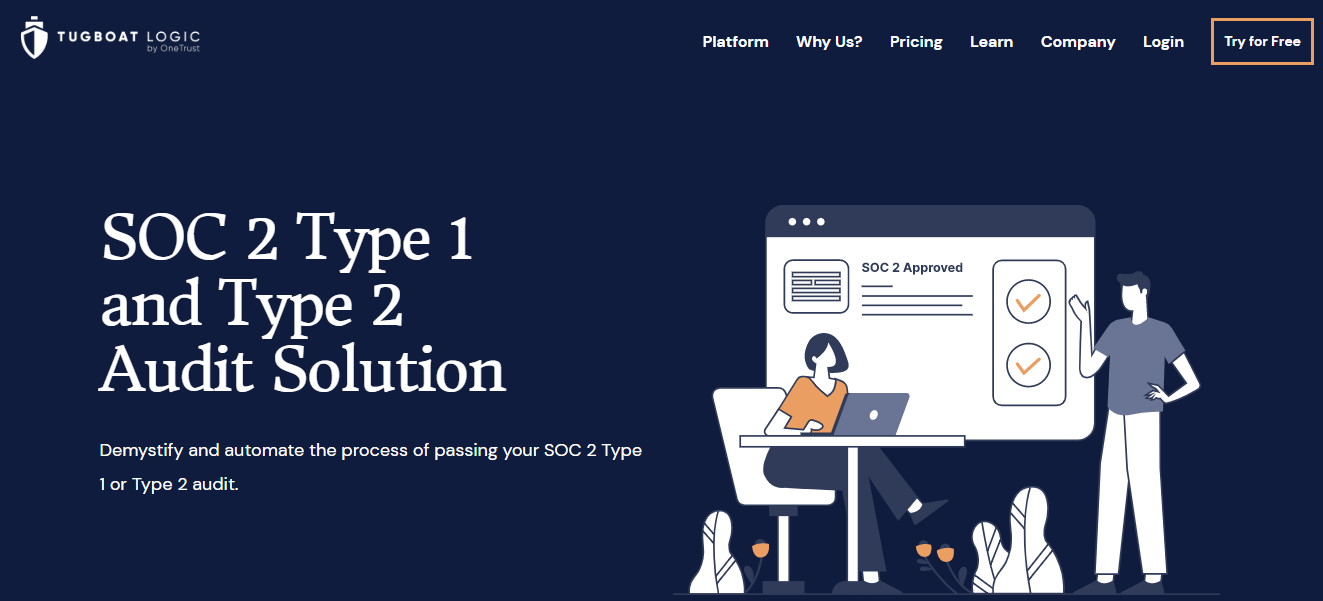
Tugboat Logic is a GDPR compliance software that continuously assists your business in getting ready for GDPR audits. The platform offers pre-built policies and controls mapped to the GDPR framework. It provides a centralized record system for assigning control to your organization’s owners. Using Tugboat Logic’s web-based console, you can assess which controls have been implemented and assign gaps to store evidence. 

Pros

  • Tugboat Logic’s machine learning suggested answers save a significant amount of time when answering information security questions.
  • Users can publish and track policies. For example, the acceptable use policy.

Cons

  • Users cannot see the questions in their question bank.
  • Users cannot integrate with a component content management system such as easyDITA.

Customer Rating

  • G2: 4.6/5

8. AuditBoard

AuditBoard creates an effective GDPR program by gaining a holistic view of your privacy program. The platform identifies and creates issues while testing, assigns owners to action plans, and automates follow-up. It simplifies policy management with real-time updates. Moreover, you can integrate with Microsoft Word and use standard templates to save time when creating documents.

Pros

  •  The platform enables users to plan tasks ahead of time.
  • Users can use filters and keyword search options to find the controls easily.

Cons

  • Users can view only one file at a time with AuditBoard sync.
  • There is no module for third-party risk management.
  • Data in survey templates is not editable.

Customer Rating

  • G2: 4.8 /5

9. VComply

VComply provides a unified framework for implementing and managing data privacy regulations such as GDPR. The platform simplifies asset and data management by coordinating workflows and delegating responsibilities. It uses risk assessment to assess data privacy risks and control data., It enables organizations to consolidate content from trusted sources and map policies and processes.

Pros

  • The tool provides built-in integrations with Excel to transfer existing files.
  • Provides an easy follow-up process with system alerts.
  • Easy to customize as per the requirements.

Cons

  • VComply dashboard does not provide search filters to view the overall status better.

Customer Rating

  • G2: 4.6/5

10. OneTrust

OneTrust is a compliance and governance platform that identifies GDPR-related gaps in your privacy program by assessing and developing a plan from the design stage through the data processing lifecycle. The platform creates a central inventory of data flows to keep track of your processing activities. It increases visibility into incidents, allowing you to determine what data is affected, how it is used, who has access to it, and where it flows.

Pros

  • Users can configure settings as per their requirements.
  • The tool automatically updates and keeps track of the compliance program.
  • Users can directly send vendor security assessment questionnaires to a third-party.

Cons

  • Lacks in SSO and delegated user administration.
  • Once the training is complete, the testing environment cannot be accessed.

Customer Rating

  • G2: 4.3/5

11. LogicManager

LogicManager is enterprise risk management software that helps businesses improve their performance through strong governance, risk management, and compliance. The platform identifies gaps in GDPR compliance by using a risk-based approach. It allows you to identify where you are currently non-compliant with GDPR and where you are most vulnerable to non-compliance.

Pros

  • The owner can create forms without the assistance of experts.
  • The tool streamlines programs by providing customized workflows.

Cons

  • There is no undo feature for new users.
  • Self-service import is not available in all areas.

Customer Rating

  • G2: 4.4/5

12. Secureframe 

Secureframe is the governance, risk, and compliance platform. It simplifies the GDPR compliance process by providing guidance at each step, ensuring that you remain compliant with European data privacy regulations. The platform monitors and configures  your cloud infrastructure to ensure GDPR compliance. It monitors 100+ cloud services, including Google Cloud, AWS, and Azure.

Pros

  • It provides a comprehensive overview of all processes, vendors, employees, to ensure that users are always updated on their compliance requirements.
  • It integrates with major cloud providers, HR systems, identity providers, code repositories, etc.

Cons

  • There are no automatic reminders for integrated services.

Customer Rating

  • G2: 4.6/5

13. Alert Logic

Fortra’s Alert Logic provides comprehensive managed detection and response (MDR) for public clouds, on-premises, SaaS, and hybrid environments. The platform’s integrated threat management solution easily addresses your GDPR security requirements. It also detects applications and services that have missing or incorrect encryption settings.

Pros

  • The tool offers comprehensive reporting, analytics, and visibility into the entire IT infrastructure.
  • The platform has robust log collection and correlation capabilities that enable users to identify, investigate, and resolve incidents.

Cons

  • Advanced search queries have a steep learning curve.
  • The detection system occasionally raises false positives.

Customer Rating

  • G2: 4.5/5

14. Wired Relations

Wired Relations is a GDPR privacy tool that enables you to automate and collaborate on your privacy workflow to gain customers’ trust. The platform has built-in tools that connect your work, prevent errors, and ensure consistency. It monitors the privacy operation with real-time insights. With Wired Relations, data can be linked across all aspects of your privacy workflow.

15. Vigilant Software

Vigilant Software GDPR Manager provides you with the visibility, automation, and record-keeping required to manage your core GDPR compliance activities. The platform includes 4 GDPR compliance modules – gap analysis, data breaches report, handling data subject access requests, and third-party management. The tool makes it simple to record and respond to DSARS by keeping track of how and when your organization responded. Furthermore, it makes breach reporting easier by allowing you to log incidents easily.
Authored by

Aayush Ghosh Choudhary
Co-founder & CEO at Scrut

How can SaaS Startups create an Enterprise-Friendly Security Posture?

How can SaaS Startups create an Enterprise-Friendly Security Posture?

Many SaaS platforms store massive amounts of sensitive data that can be accessed from any device, putting critical information at risk. 

As a result, SaaS providers face unique security challenges in meeting enterprise customers’ expectations in terms of delivering products and services.

Without implementing proper security controls, it is nearly impossible for startups to sell their products to enterprises.

This article will guide you through the best practices for creating an enterprise-friendly security posture to help you close large deals. 

Your security posture measures your organization’s vulnerability to cyber attacks or data breaches. 

To strengthen your security posture, you must maintain an up-to-date inventory of the information assets. Once inventory is taken, tracking who has access to this information is critical. Also, enabling multi-factor authentication, firewall, and other security tools can help enhance the security posture. Anti-phishing and email security tools can assist businesses in preventing spam from reaching users’ inboxes as part of a comprehensive security posture.

Now, let’s discuss about compliance certifications. 

Compliance is a Sign of Strong InfoSec Posture

Are promises and privacy policies enough to show that your startup has good security controls? Definitely NO! Does it mean there are better ways available to improve your security posture? Well, Yes. 

Businesses can do it via compliance certifications, reports and attestations. To comply with these security and privacy frameworks (such as GDPR, SOC 2, ISO 27001, etc.) companies setup controls that are reflected in their privacy policies and procedures. 

You might think, how can compliance help you earn and keep trust. To help you understand that, below we have listed some of the pointers for the same: 

  • It’s not easy for companies to get compliance certifications.
    • Since most of the compliance standard was made by highly trusted independent bodies (ISO, CIS, etc,), which are highly specialized in their domain, unlike normal customers, their standards are very high. Unlike normal customers, companies cannot trick/confuse them with complex jargon. 
    • Moreover, compliance certificates (or reports or attestations) are given by independent third-parties neutral bodies, called auditors, and they are deemed more trustable than assurance from your salespeople or CTO. They do not have any conflict of interest, unlike the salespeople or CTOs.
  • Compliance is not new; it’s been here for years. For example, ISO 27001 was released in 2005. But does that mean, there hasn’t been any change in its policy? No, that’s not the case. The body that maintains these frameworks keeps on improving them based on changing business needs. 
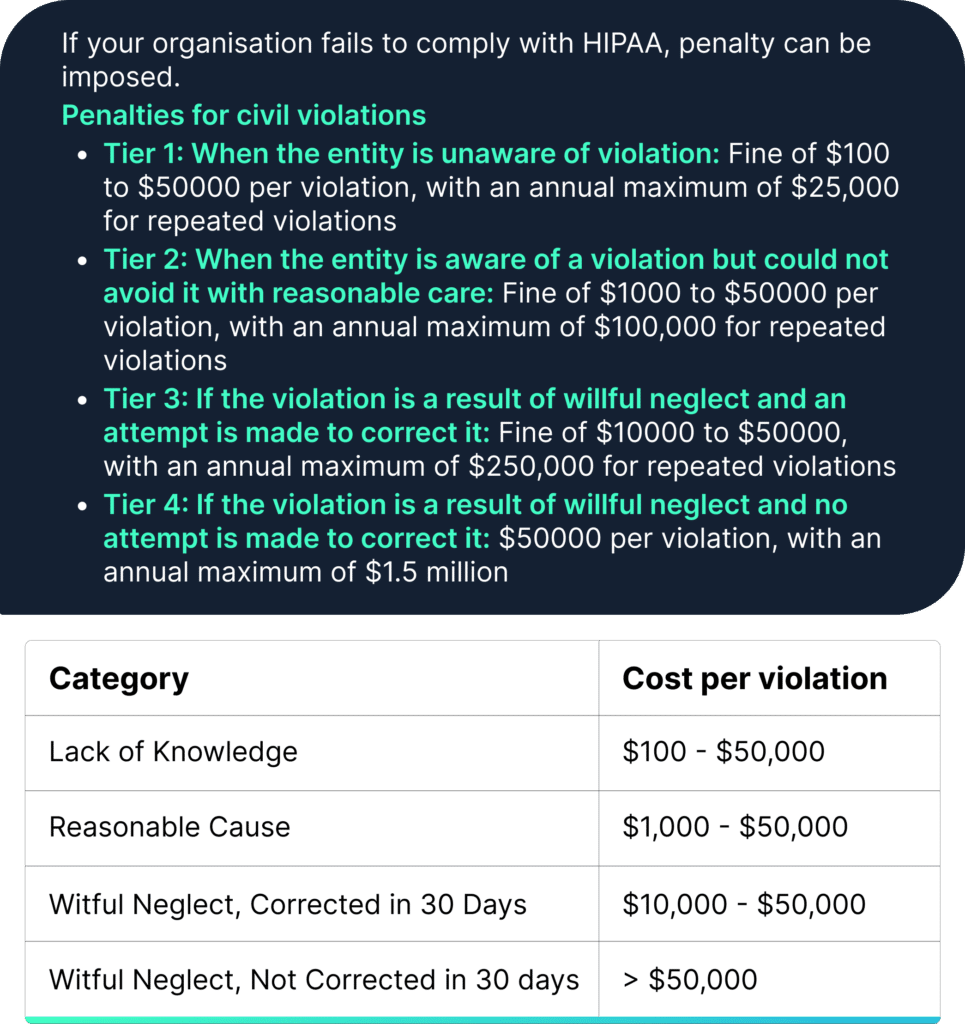
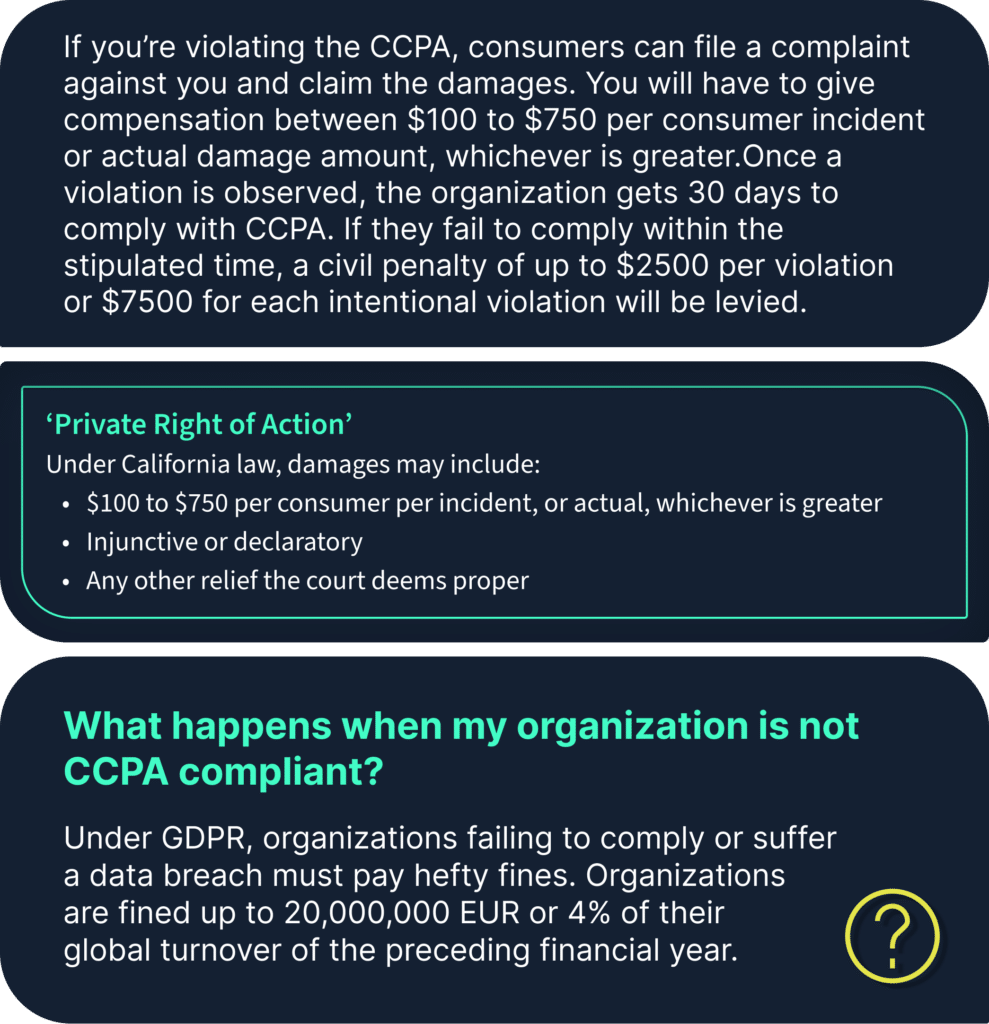
  • Furthermore, many of the frameworks are enforced by the law of the land, and there are heavy fines and penalties for violations.

For example, fine for GDPR violation

Fine for HIPAA violation

Fine for CCPA

https://www.scrut.io/post/different-privacy-frameworks

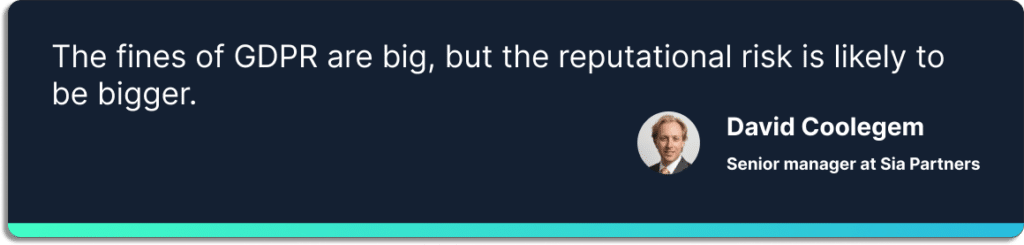
Moreover, there is a reputational risk associated with compliance violations.

When you respond to their RPF, you would find a security questionnaire section where you need to state if you are compliant with certain standards and regulations. Most enterprises won’t even consider your sales proposal unless you have certain security certifications. 

Risk, Governance, and Compliance: The Need for More Than Just Compliance 

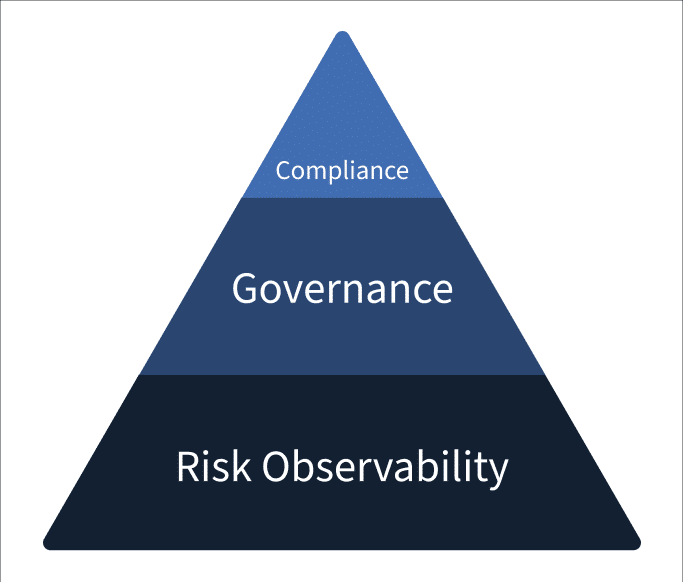
Governance, risk, and compliance have a lot in common. Each discipline generates valuable information for the other two, impacting the organization’s success. 

For example, a company may be subject to a new industry data security standard, which requires the implementation of internal data-protection controls (a governance activity), which help reduce cyber risk (a risk management activity).

With the compliance-first approach, organizations frequently experience a false sense of security after meeting the regulatory requirements of an industry standard. 

Scrut provides you with single-window observability into your InfoSec risks. What makes us stand apart from other GRC platforms is that we are a “risk-first” GRC platform rather than a “compliance-first” one. 

The concept of a risk-first approach is that each organization prioritizes its unique risks; addressing compliance requirements becomes just one component of a comprehensive risk management strategy.

Risk visibility is a vital element of all InfoSec programs. Without visibility into all your risks, you cannot work on them and stay secure and compliant. You must discover risks to establish governance in your organization and stay compliant.

Instead of being secure at a specific point in time, Scrut keeps you secure by continuously monitoring your multi-cloud environment and zeroes down all risks and misconfigurations in real-time.

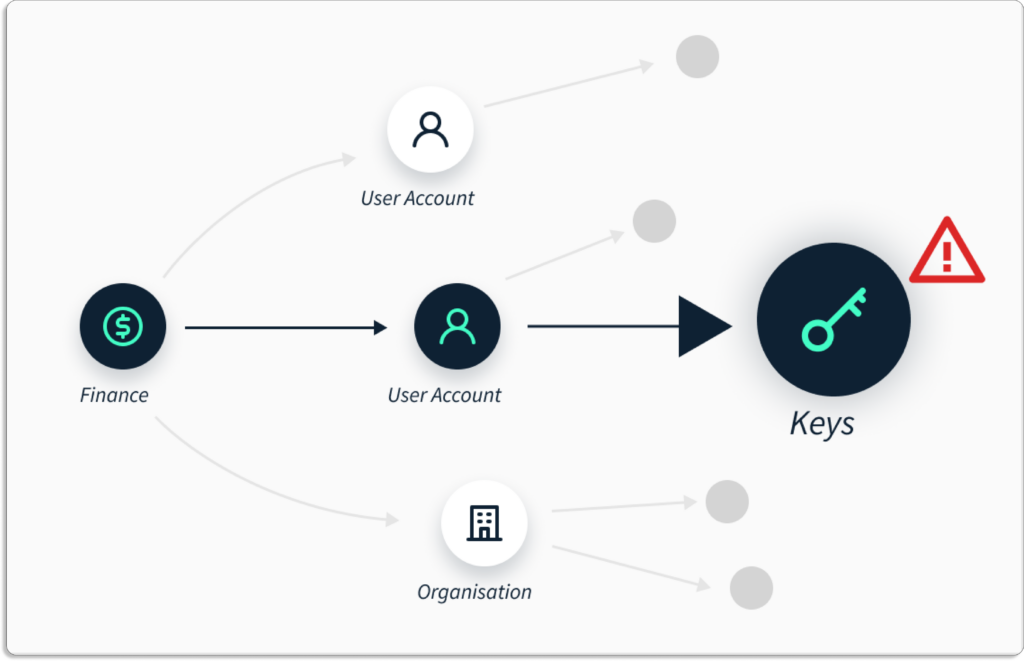
To uncover all the risks in your organization, 

  • Scrut first discovers all your assets
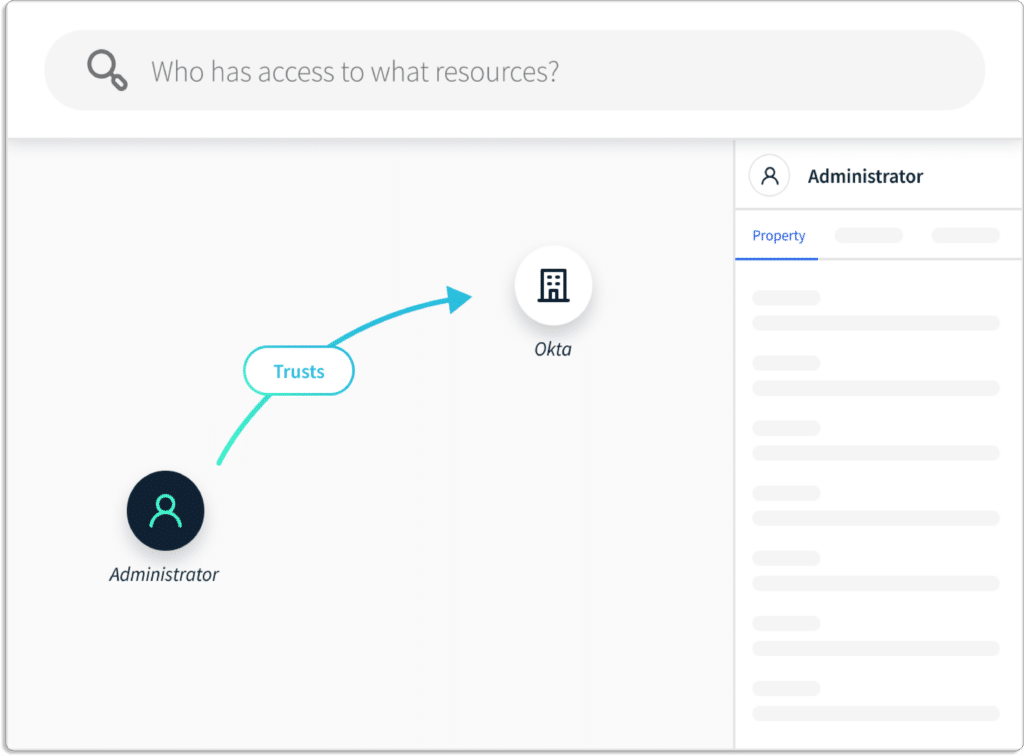
  • Then it maps the relationships between all the assets

Additionally, Scrut gives you the context into these risks. With this context, you can prioritize how to act on those risks. 

How Scrut Helps Startups Create an Enterprise Friendly Security posture

As we have seen above, risk observability is the foundation for creating a strong InfoSec posture. 

Now, let’s see how Scrut helps startups with risk management. You can establish governance in your organization and stay secure with proper risk management. Scrut provides a consolidated view of your risk and compliance posture.

Using Scrut, you can make your risk posture efficient and enterprise-friendly, which will help you close your deals with enterprises.

You can follow the below-mentioned risk management plan to strengthen your startup risk posture:

  1. Risk management with Scrut

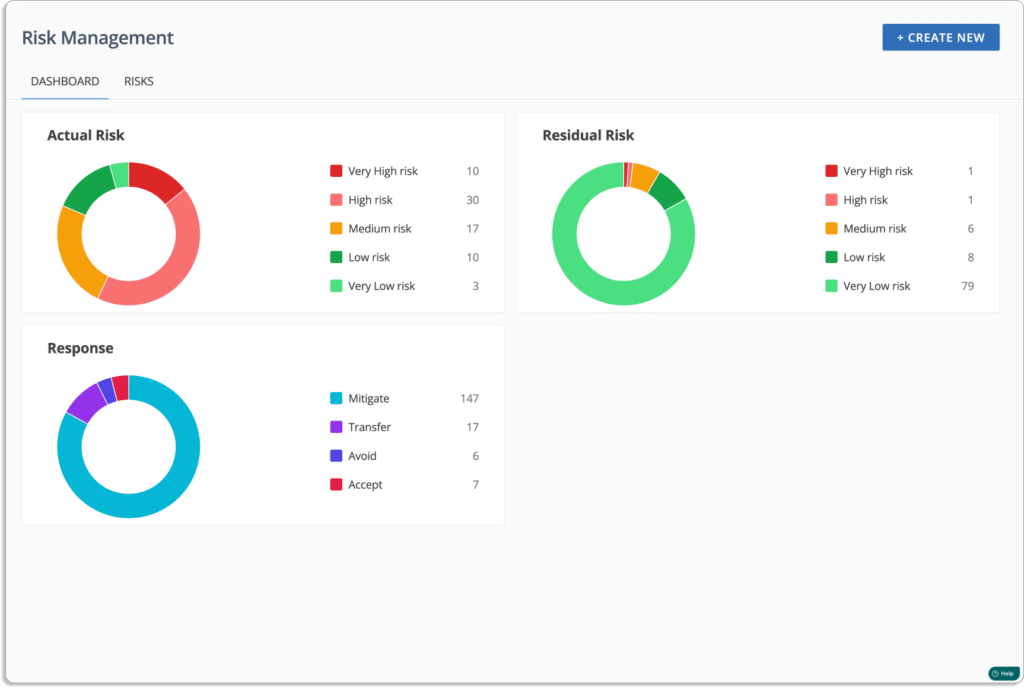
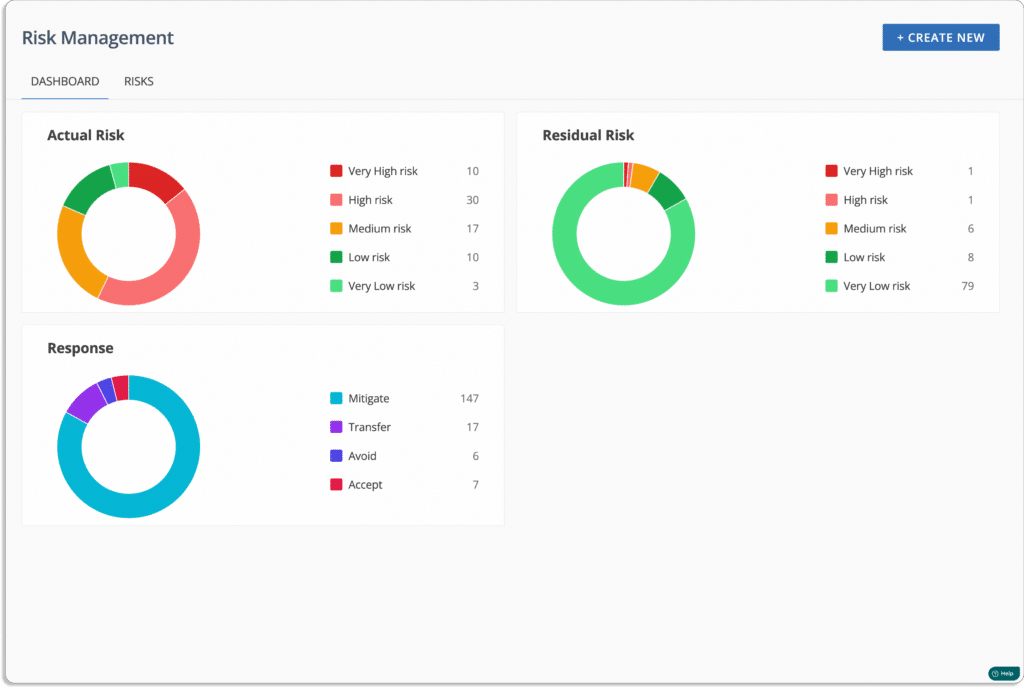
Scrut’s risk management module provides the visibility required to stay safe from threats and effectively communicate the impact of risk on critical business activities. Let’s see how the platform helps in different steps involve in risk management. 

  • Risk identification: It is the first step in a risk management plan that involves analyzing IT assets, such as systems, software, networks, devices, vendors, and data.

Scrut’s risk management module simplifies the identification, evaluation, and reduction of IT and cyber risk by providing complete visibility into your risk posture.

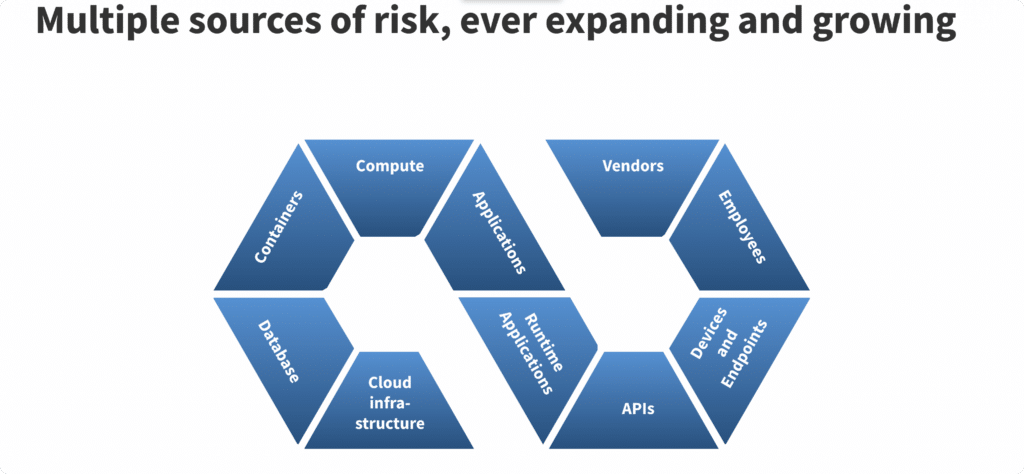
The platform automatically detects risks by scanning your ecosystem across infrastructure, applications, vendors, employees, etc.

Users can use Scrut’s pre-mapped risk library to create a risk register quickly.

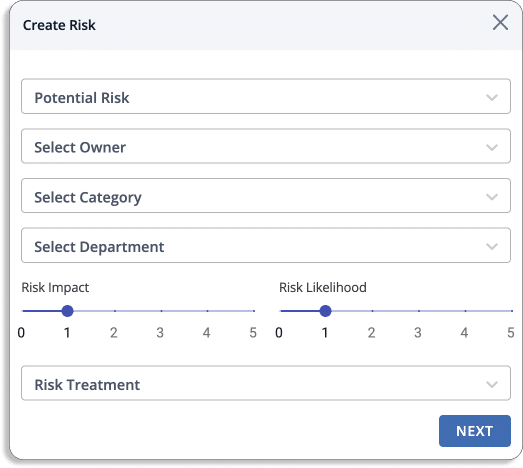
You can create your custom risk categories with the Scrut platform. While creating, you can also assign an owner. 

  • Risk assessment: It is crucial for a company’s risk management plan that helps startups identify and prioritize potential risks, allowing them to focus on the most important ones. 

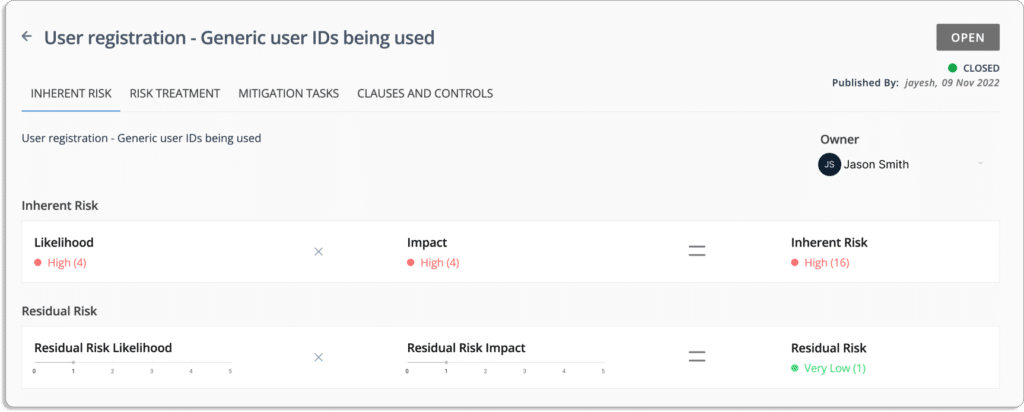
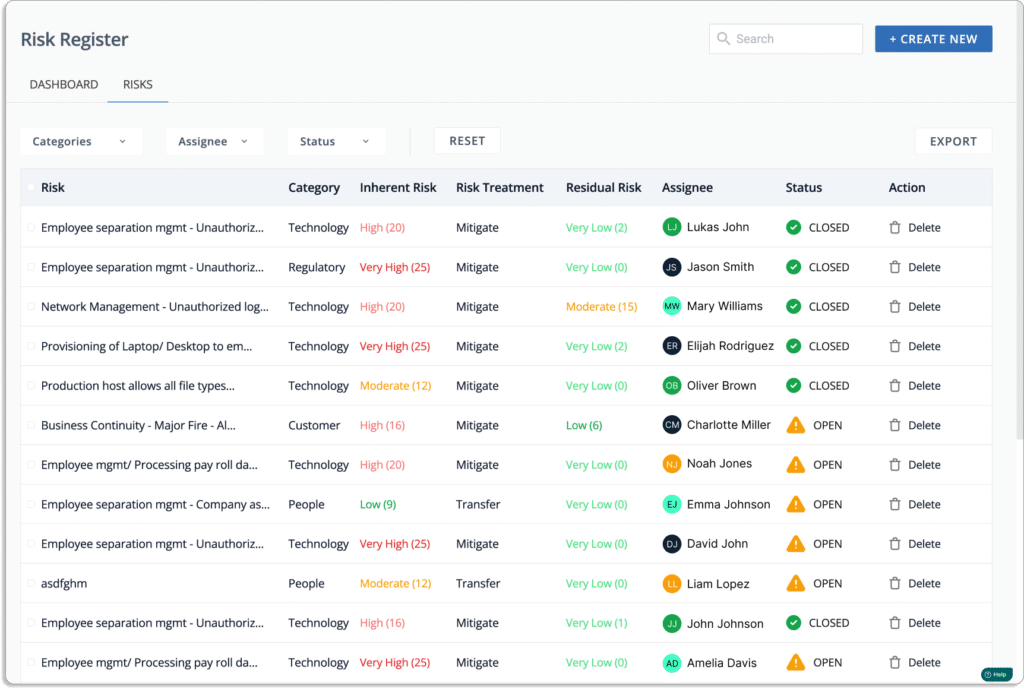
Scrut’s risk scoring system evaluates risks based on their likelihood and potential impact, as depicted in the provided screenshot.

  • Likelihood = 5, which is a very high
  • Impact = 4, which is high
  • Inherent Risk = 20, which is high (Risk = Likelihood * Impact)

The final score lies between 0 – 25. 

  • 0 – 5 – Very Low
  • 6 – 10 – Low
  • 11 – 15 – Moderate
  • 16 – 20 – High
  • 21 – 25 – Very High
  • Risk Treatment: The next step after a risk assessment is to work on the risk, known as risk treatment.

For each risk, the Scrut’s risk management module provides the following treatment options:

  • Accept: To acknowledge the risk while determining that any actions to avoid or mitigate the risk would be too costly or time-consuming.
  • Transfer: To take action by transferring the risk to another entity.
  • Mitigate: To take action to reduce the potential impact of risk by implementing mitigating controls.
  • Avoid: To take action that will completely eliminate the risk.

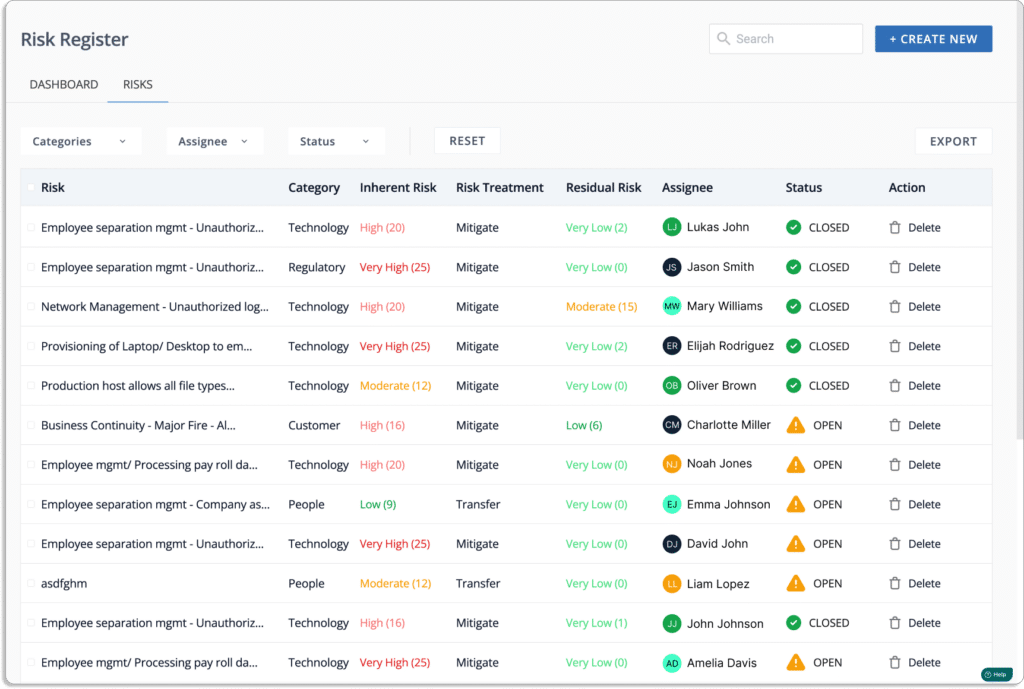
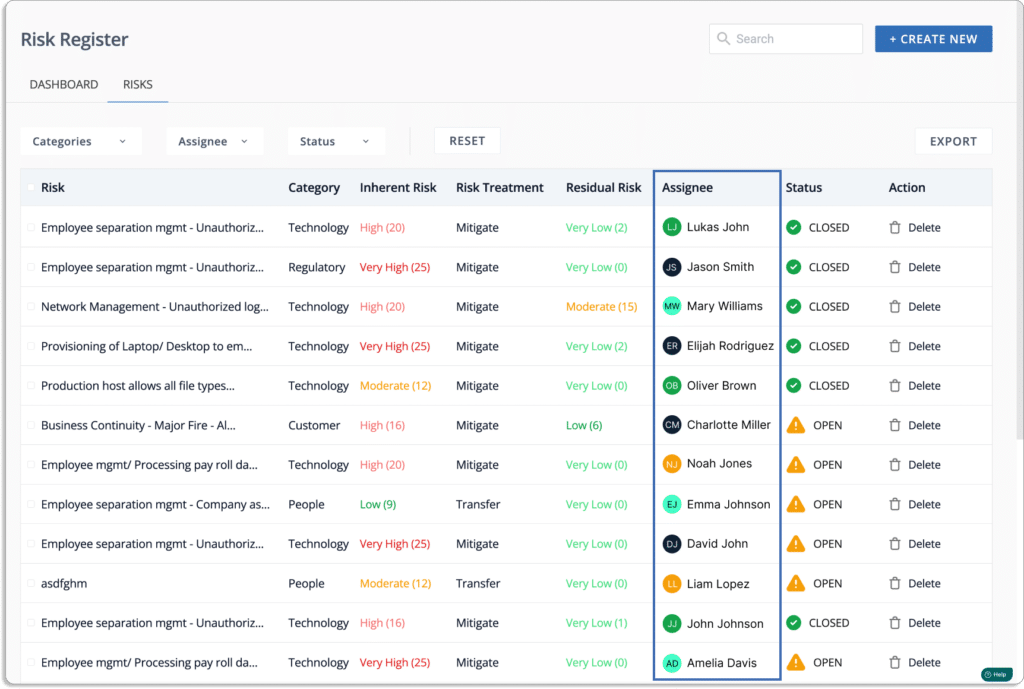
With Scrut, you can also assign risks to team members, as shown in the screenshot below. 

You can refer to this article for more details on how Scrut helps with risk management. 

  1. Employee risk management

Scrut streamlines employee information security by providing an automated solution. The platform includes a pre-built, expert-vetted 30-minute information security course that provides employees with a thorough understanding of potential risks.
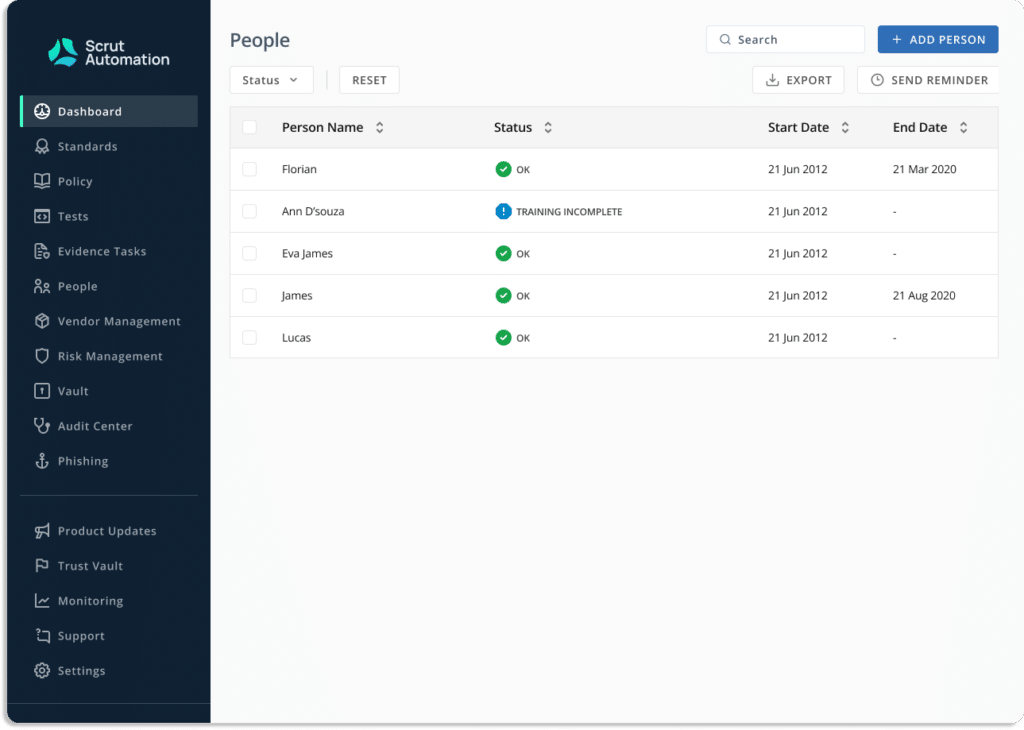
Scrut makes employee security training easier by centralizing policies and procedures in one place. The tool’s dashboard makes tracking  training completion and employee acknowledgment simple.

The awareness training aims to educate users and employees about their role in preventing data breaches. Scrut uses quizzes and tests to evaluavte employees’ awareness about different cybersecurity practices. It enables you to grade employee performance using configurable minimum score thresholds and ensures that your employees are prepared to deal with threats. 

  1. Vendor risk management

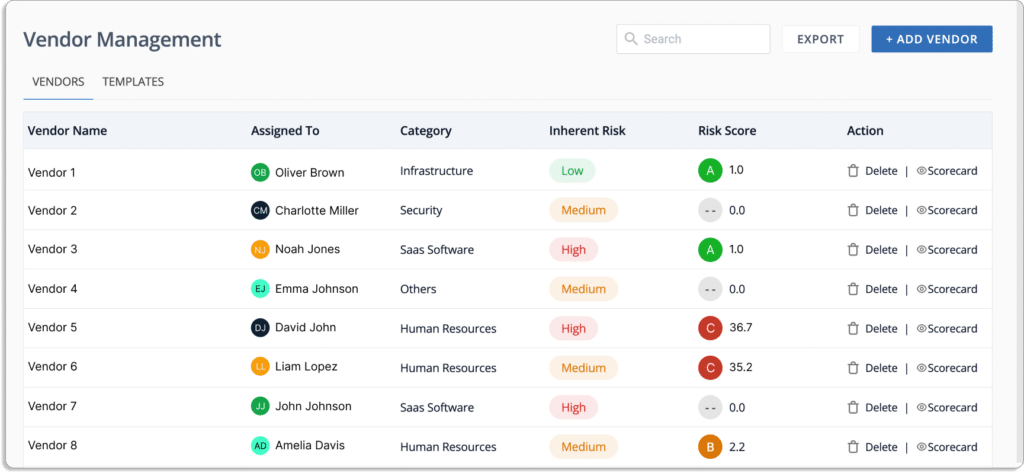
Scrut provides a streamlined and intelligent vendor risk assessment solution that provides a comprehensive way to evaluate, monitor, and manage vendor risks all in one place. The tool provides a clear picture of how vendors are performing and whether their security posture aligns with your organization’s needs.

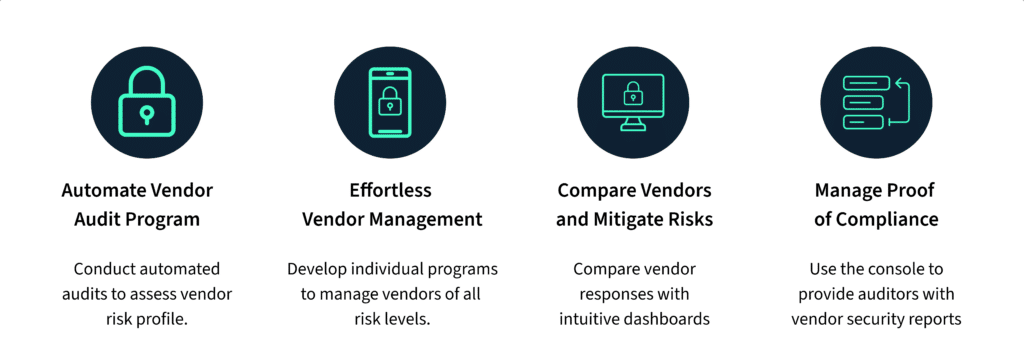
  • You can automate vendor audit programs and evaluate vendor risk profiles using Scrut’s vendor risk management module.
  • It makes vendor management simple by developing customized programs for vendors of all risk levels.
  • You can easily compare vendor responses and make informed decisions to reduce vendor risks with an intuitive dashboard.
  • You can use the platform to generate vendor security reports for auditors and demonstrate compliance.

Now, let’s take a closer look at how Scrut’s vendor risk management module works.

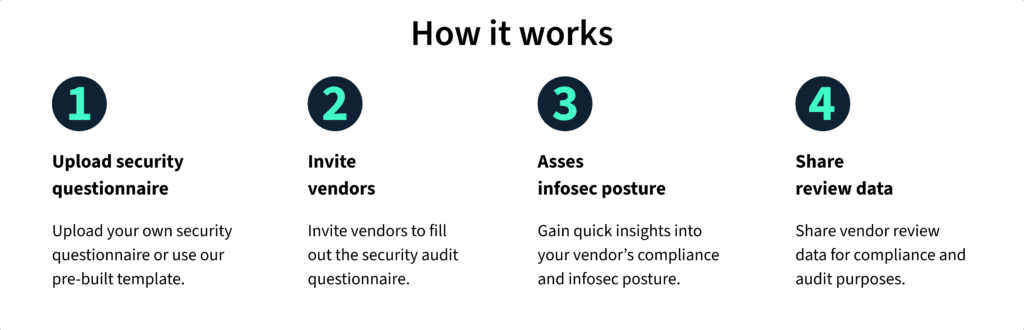
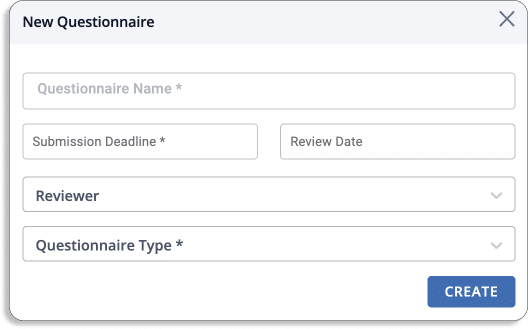
  • Upload a security questionnaire: Scrut’s vendor risk management module allows you to upload a security questionnaire or use pre-built templates, eliminating the need for traditional vendor security evaluation methods.
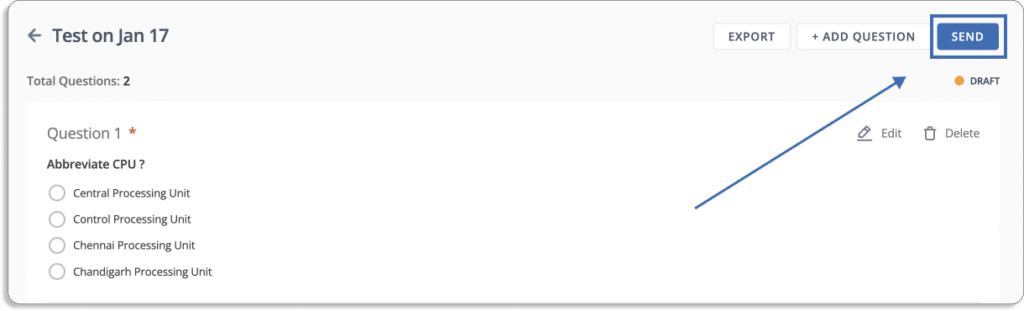
  • Invite vendors: Vendors can be invited to complete security audit questionnaires on the platform, allowing vendor comparison to select the one with the lowest risk or develop a risk management strategy based on vendor risk categories.
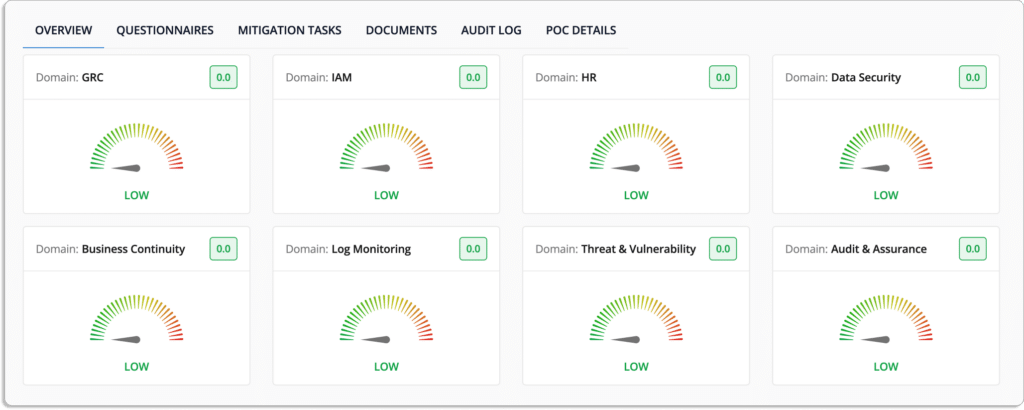
  • Examine your information security posture: Scrut’s vendor risk management module enables rapid assessment of vendor compliance by providing a centralized dashboard to send security surveys and identify deviations.
  1. Cloud risk management

Scrut’s cloud security module goes beyond traditional cloud security posture management tools by scanning and monitoring misconfigurations in your public cloud accounts, including AWS, Azure, and Google Cloud Platform. 

  • Continuously check for cloud controls: Scrut’s cloud security module maintains a strong information security posture by continuously monitoring your cloud configurations against over 200 cloud controls.
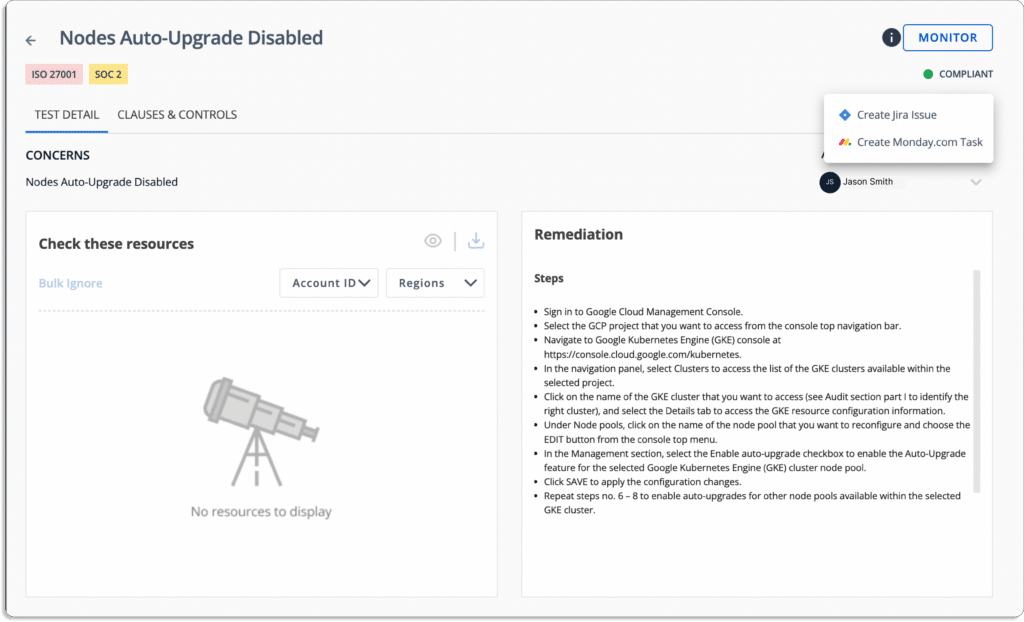
  • Fix cloud misconfigurations: Scrut’s cloud security module ensures that your cloud infrastructure is always compliant. The platform sends alerts with specific instructions for correcting any misconfigurations.

You can also assign tasks to team members to fix misconfigurations, as shown in the screenshot below.

Scrut’s cloud security module stands out among other CSPM platforms by providing contextual and accurate alerts. Through internal research, we discovered that this is a key factor that customers appreciate about our platform. We have specifically designed Scrut’s cloud security module to act easily on these alerts. Unlike other CSPM platforms, Scrut does not overwhelm security teams with irrelevant alerts.

  • Improve your cloud-native security: Scrut’s cloud security module protects all of your cloud-native deployments, including databases, containers, and serverless, by applying best-practice security policies consistently across your hybrid and multi-cloud infrastructure.

How Scrut Helps in Establishing Governance in Startups

With Scrut, you can increase customer trust by providing security evidence of compliance with multiple standards and win more business deals.

  • Policy templates

Scrut provides you with pre-built policies that are reviewed by industry experts.

You can use the built-in inline editor to customize these policies.

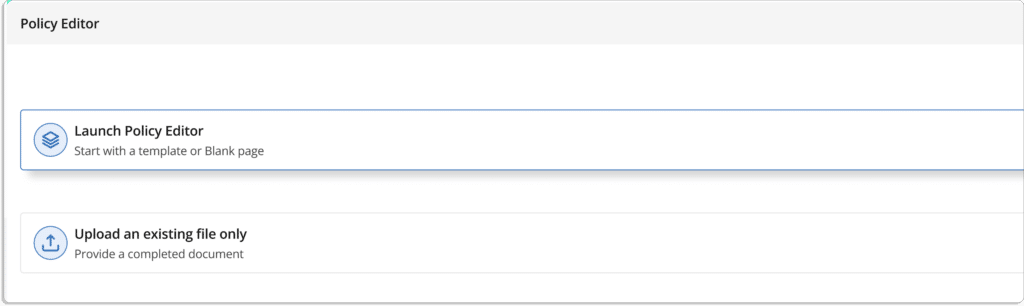
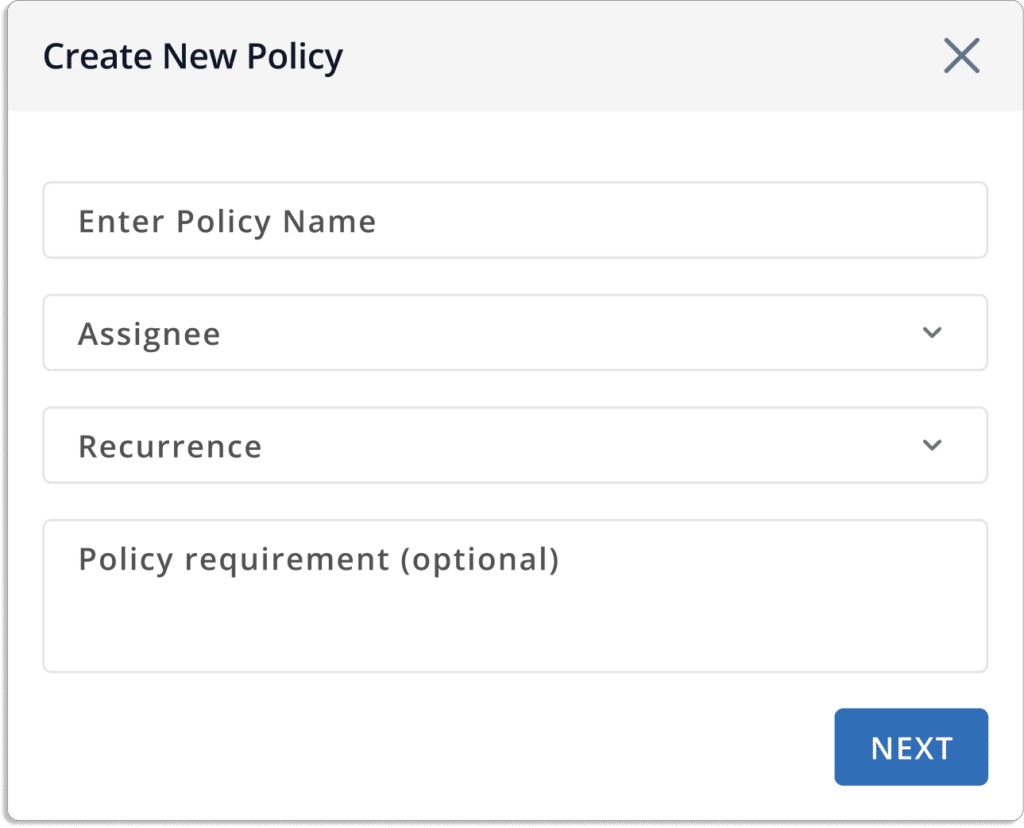
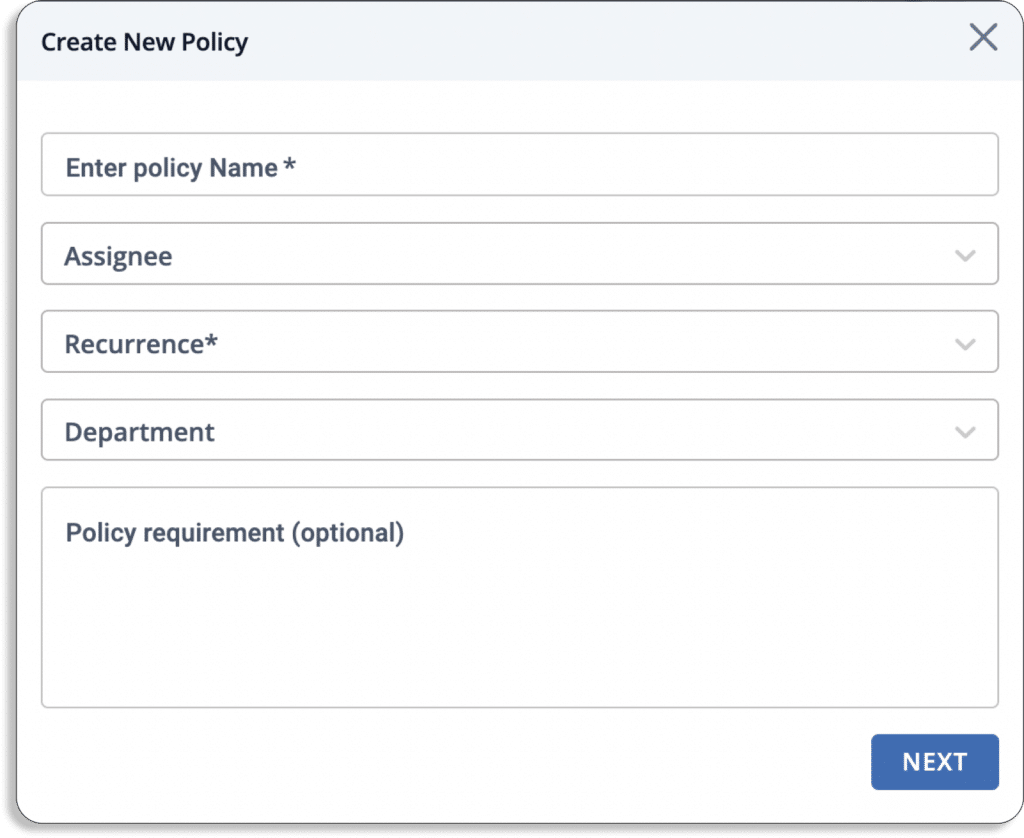
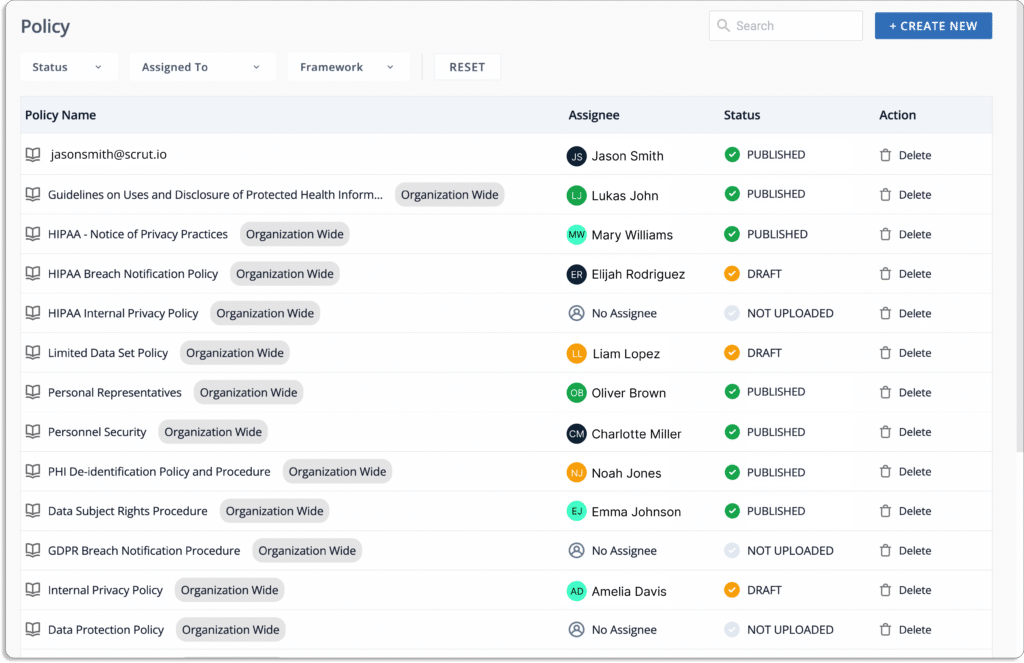
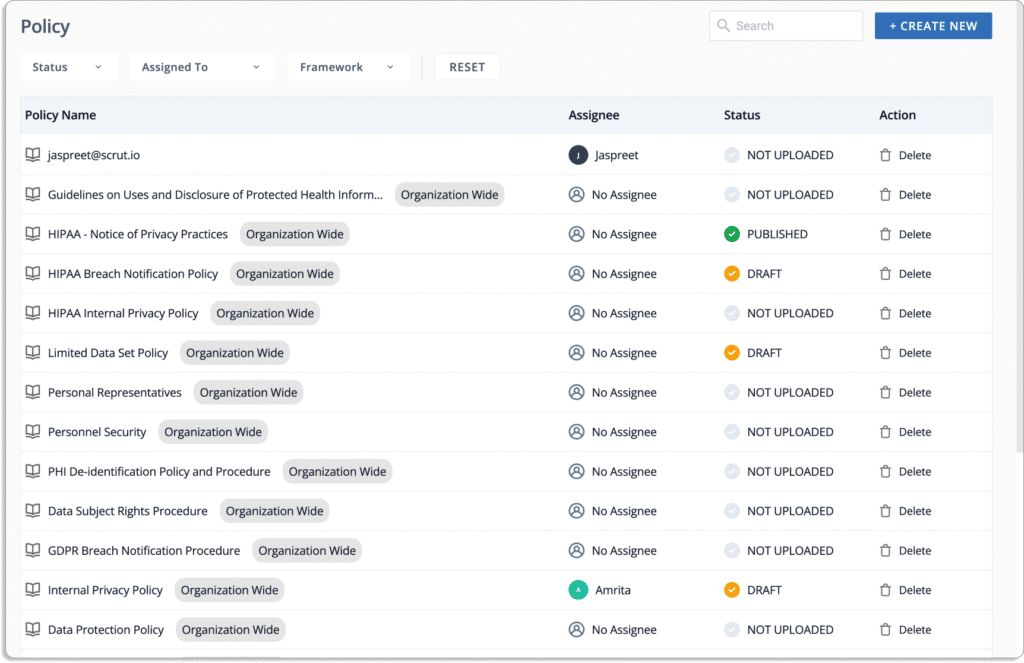
If needed, users can create a new policy by clicking on “Create New,”option as shown in the screenshot below.

After that, a pop-up box will appear, as shown in the screenshot below. Fill in the appropriate fields and submit. 

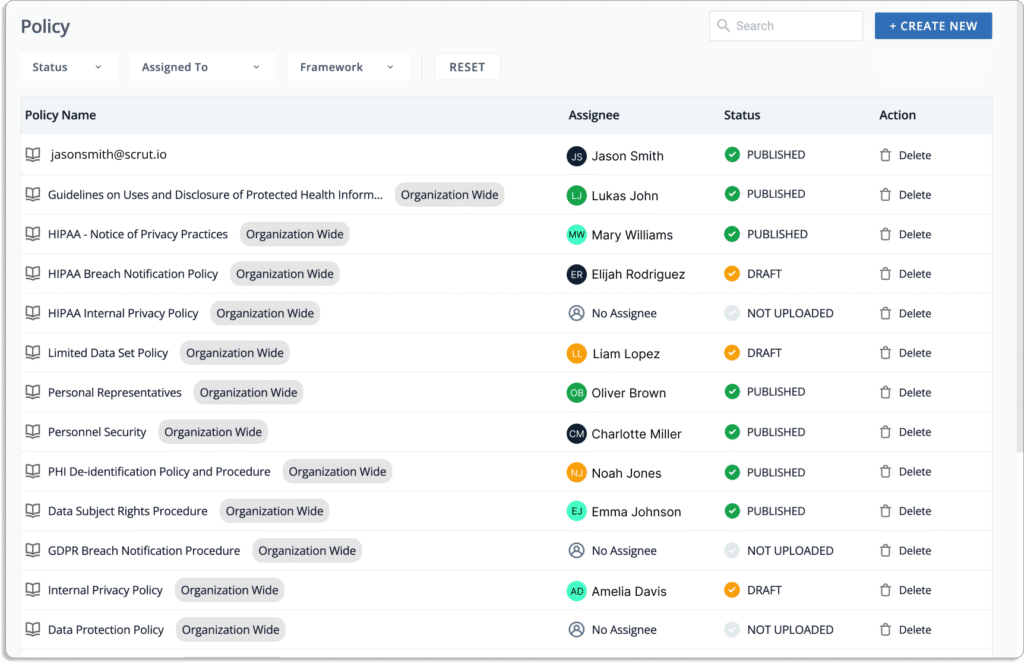
Lastly, a list of all the policies will be displayed on your screen.

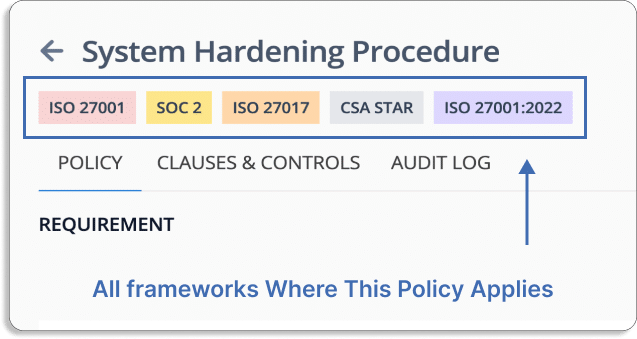
You can use the policy library, which is mapped to frameworks such as SOC 2, ISO 27001, and others, as shown in the screenshot below.

  • Controls

You can design controls based on your risks and use pre-built control mapping to map them against your required compliance frameworks.

The Best Way to Build Trust with Your Enterprise Buyers – Trust Vault

Scrut’s trust vault module allows you to stay one step ahead of the competition by building customer trust from day one. You can close enterprise deals faster by gaining potential customers’ trust and demonstrating a solid security posture with customized and easy-to-build auto-populated security pages. 

The platform lets you see your security and compliance posture in real-time. It eliminates the hassle of fielding manual requests for security questions, reports, and certificates.

The platform boosts your enterprise sales by displaying all of your compliance certifications, attestations, and reports in one place.

You can configure which controls to highlight and upload relevant documents, certificates, or other reports with Scrut’s trust vault module. It allows you to customize the trust vault with your logo, colors, favicon, and description to create and share a customizable branded security page to demonstrate your information security posture. You can publish it on your domain and include it on your website.

Scrut allows you to protect your documents with NDA-backed gated access. 

Any organization requires its sub-processors to satisfy equivalent obligations as them. Scrut automatically pulls your sub-processors from the underlying smartGRC tool by eliminating the need to update sub-processors to ensure privacy compliance manually.

You can demonstrate real-time compliance transparency to your clients by using the auto-populated Trust Vault page, which is updated to show the most recent updates across controls, compliances, and sub-processors.

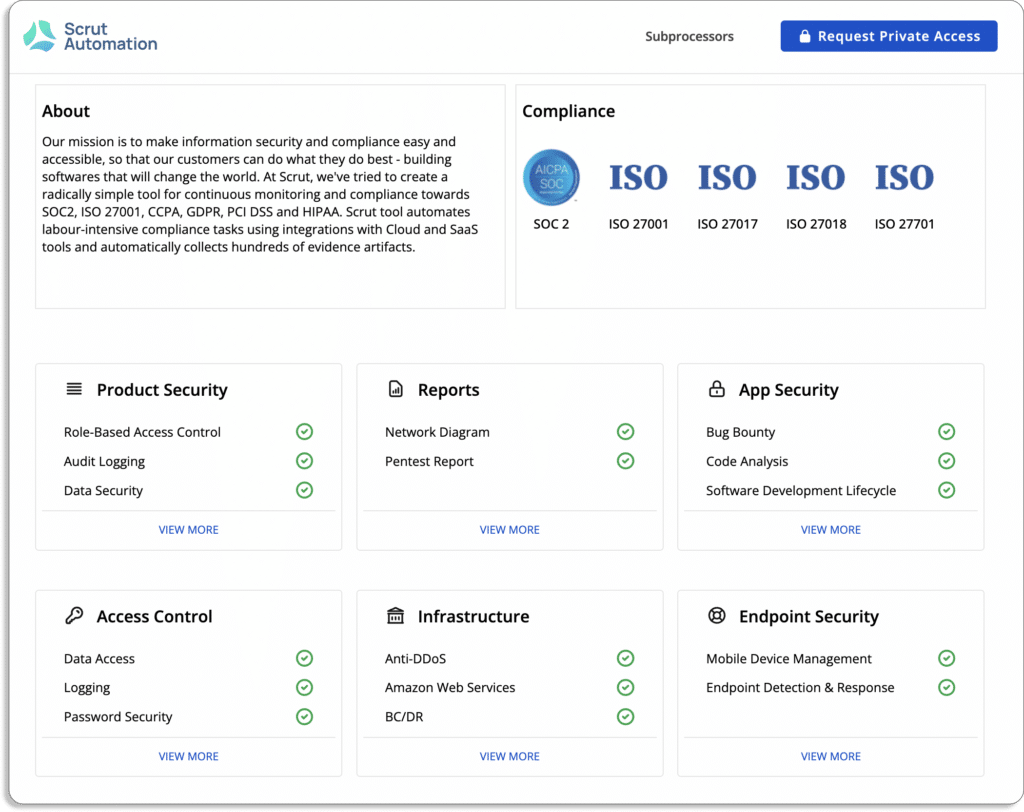
The Scrut product security page provides real-time security insights, as shown in the screenshot below.

To learn more about how to create an enterprise-friendly risk posture with Scrut, schedule a demo.

Authored by

Aayush Ghosh Choudhary
Co-founder & CEO at Scrut

Top 12 Hyperproof Alternatives

In this post, we’ll cover 12 Hyperproof alternatives —revealing their key features, pros and cons, and how they’ll help with your InfoSec programs.

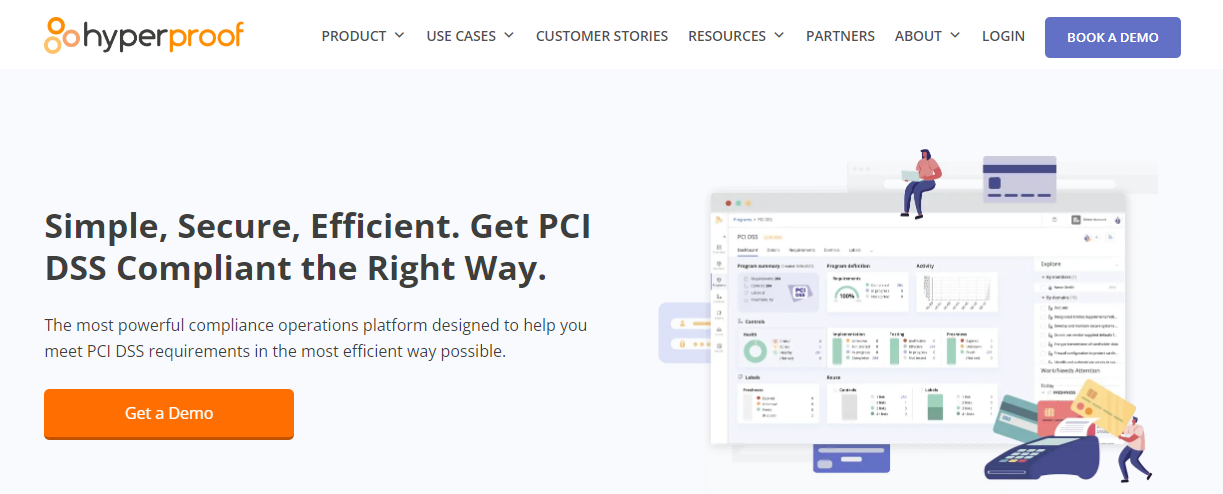
Despite being a top-notch GRC tool, Hyperproof has a few significant drawbacks, especially for teams with limited budgets:

  • No-inline policy editor: There is no in-line editor in Hyperproof for editing policies available on the platform. This means if you want to change or update any of your policies, you need to change it outside the platform and then upload it back on the platform.
  • No audit logs for policy updates: Since there are no audit logs, it is difficult to track what changes were made in different versions of the policies. 
  • Weak audit management capabilities: The audit process can be time-consuming as you cannot invite your auditor to the platform. You need to share all the artifacts (policies doc, evidence, controls, etc.) separately where the context is lost. 
  • Missing certain risk management features: For example, risk to standard mapping feature is not available.
  • No support for employee security training: Hyperproof doesn’t have in-built employee security training courses, unlike other GRC platforms like Scrut. Thus, you need buy it separately.
  • Lack of customization for notifications: The tool does not support the ability to configure and customize notifications, thus you would get alert for everything leading to alert fatigue. 

In this post, we’ll compare 12 of the best alternatives to Hyperproof, and explore how the alternatives address these disadvantages of Hyperproof.

12 Alternatives to Hyperproof 

Now, let’s discuss the 12 best Hyperproof alternatives in detail starting with Scrut, our own GRC platform.

1. Scrut smartGRC

Scrut smartGRC platform provides a single window for all compliance-related tasks. You can start developing your compliance program immediately with a library of 50+ policies created and vetted by our InfoSec experts.

Let’s see how Scrut helps you with implementing and monitoring an effective information security program.

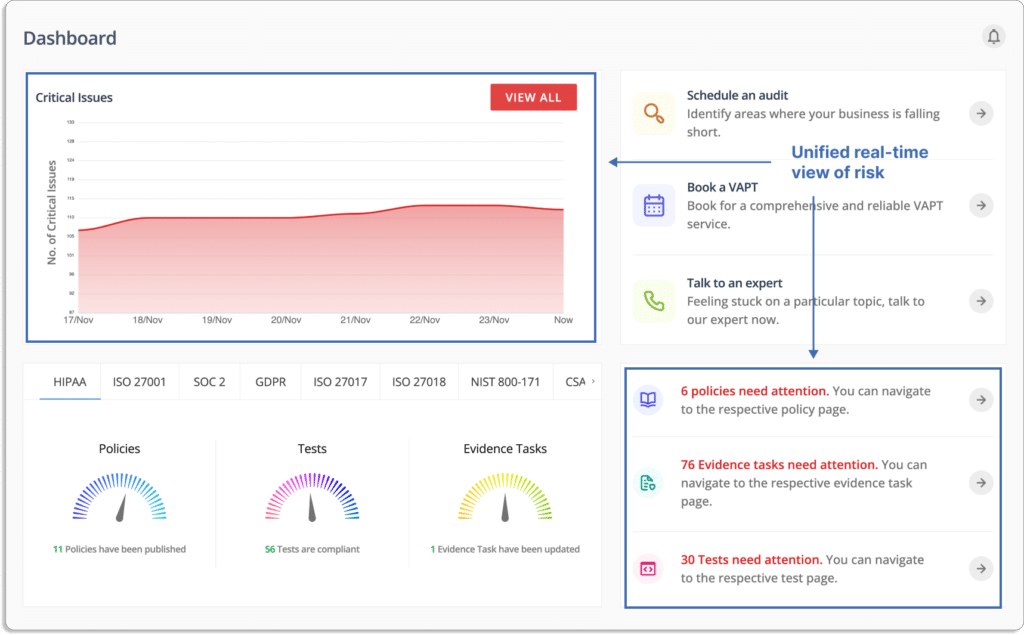
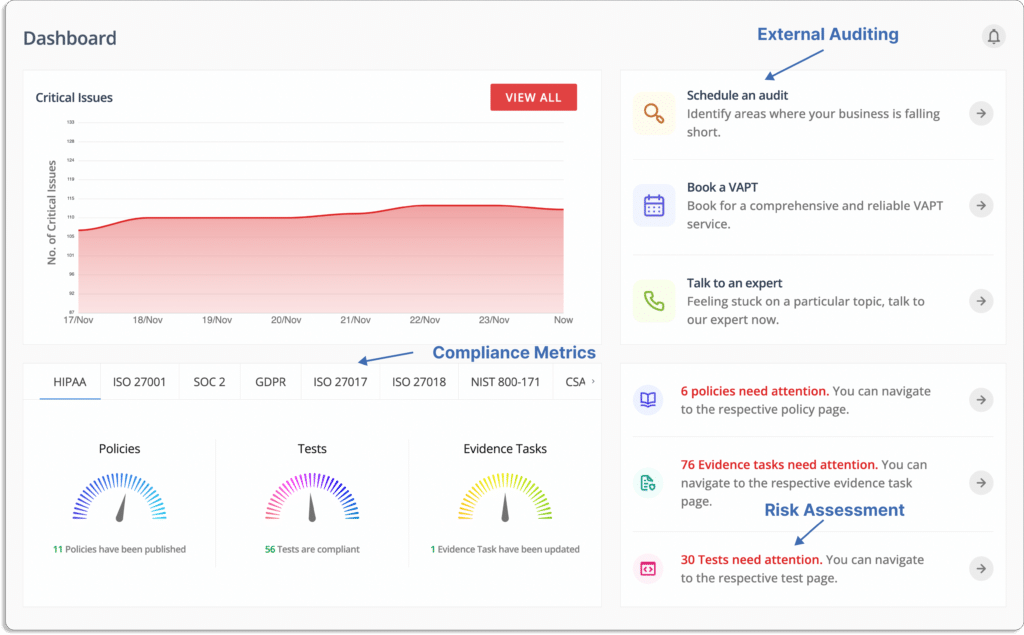
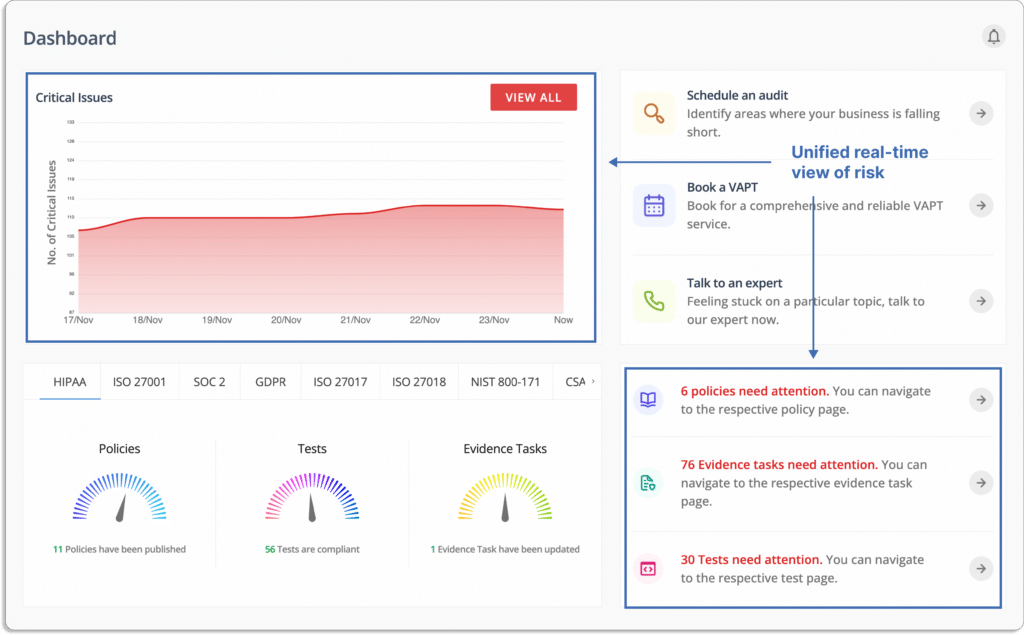
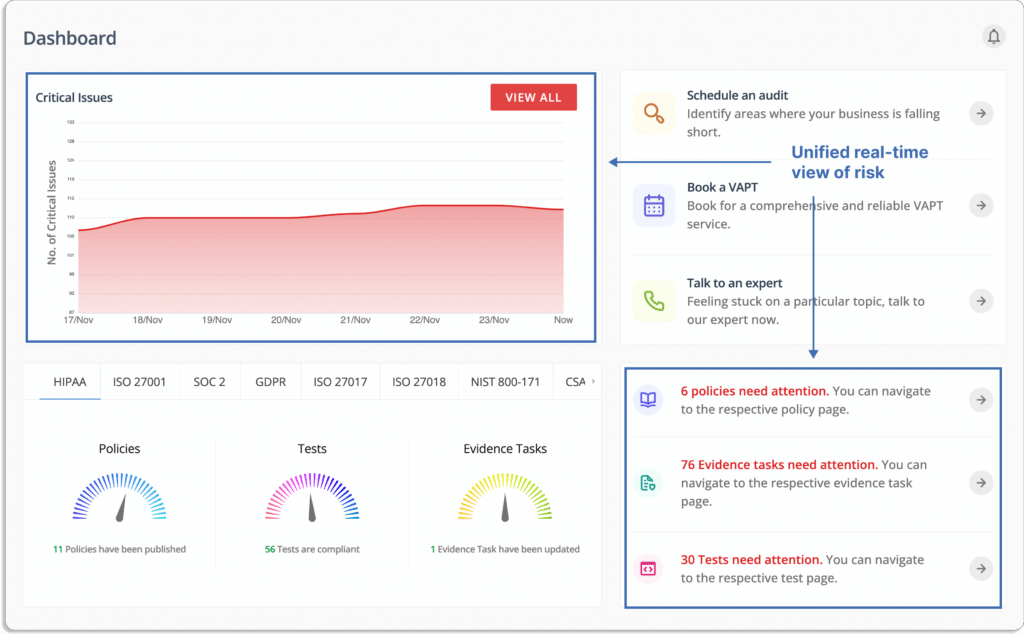
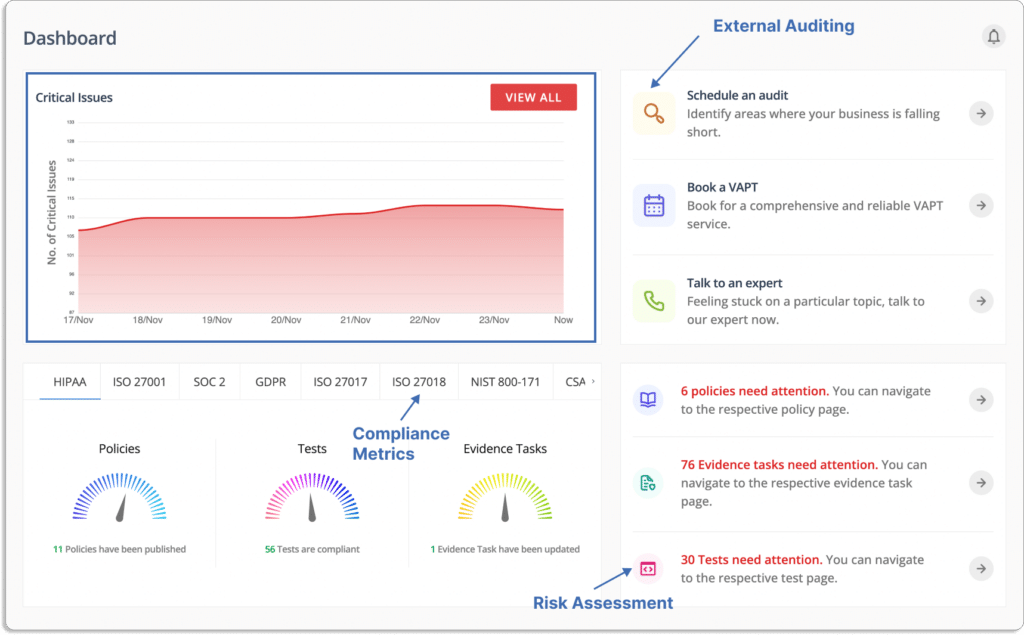
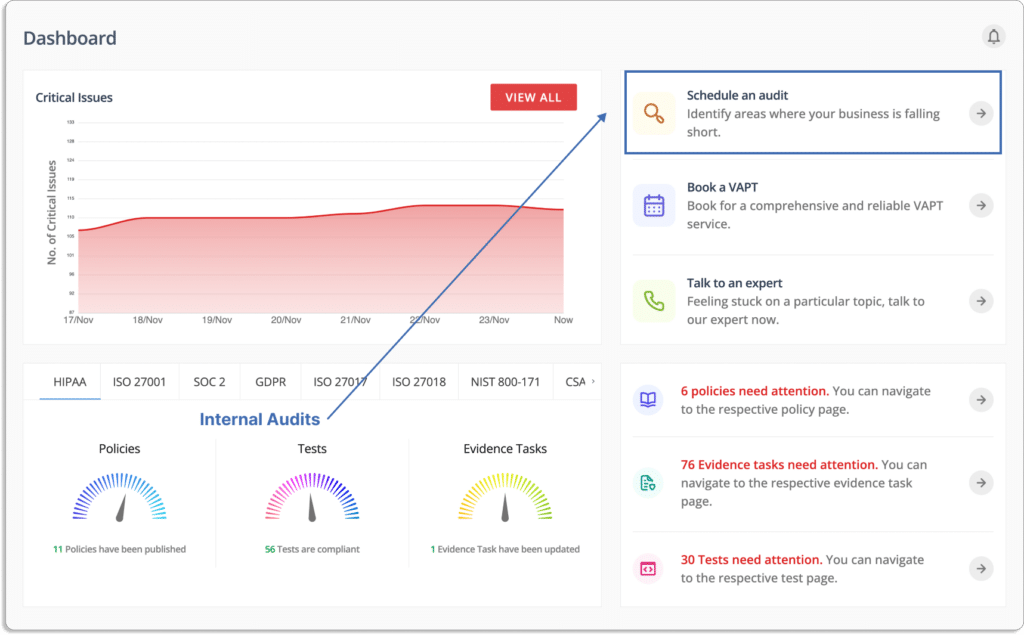
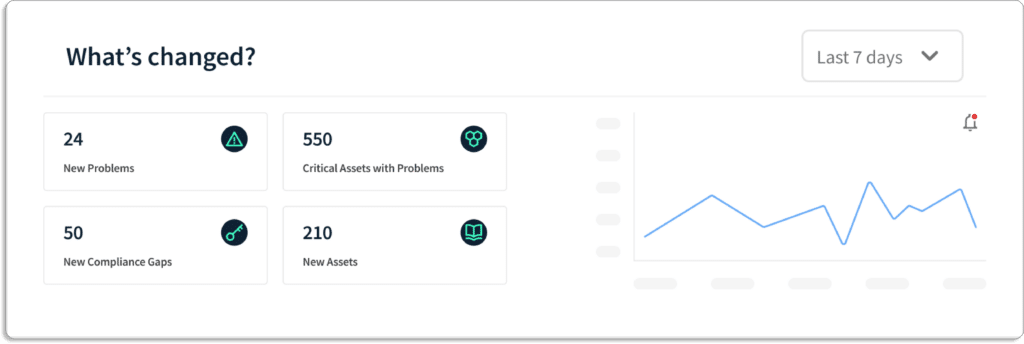
You can get a quick glance of over InfoSec program on the dashboard. You can see the critical issues, which requires your most attention. 

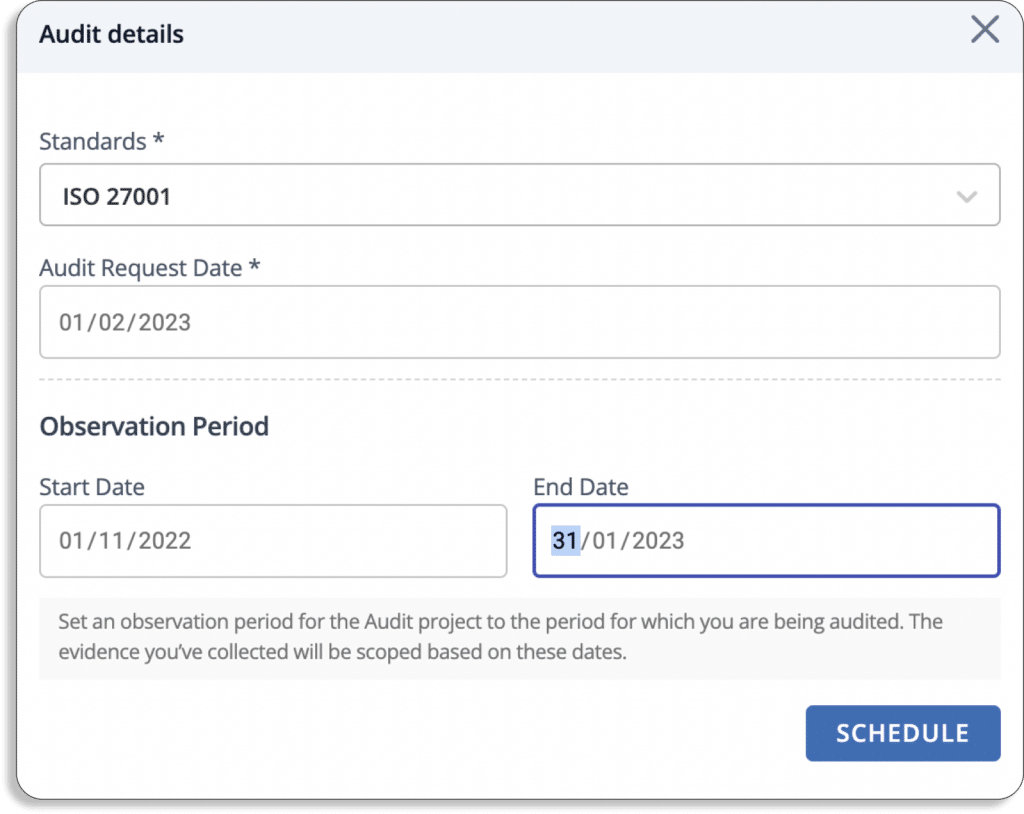
Furthermore, you can book a VAPT, and finally when ready, you can schedule an audit directly from the dashboard.

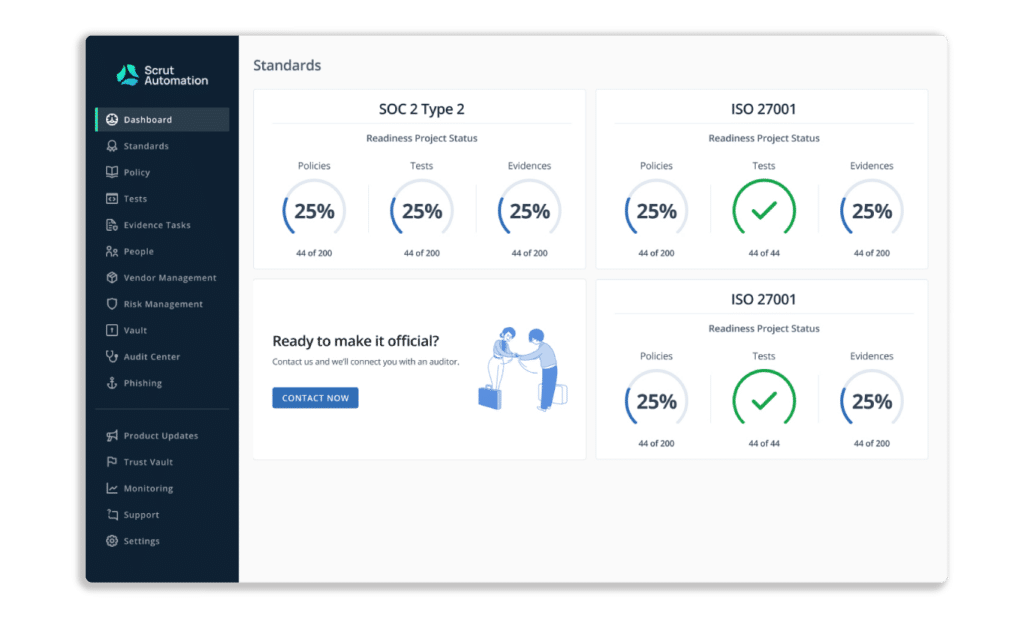
Scrut keeps you updated on the status of your overall governance, risk, and compliance setup. 

This is very useful when you have to be compliant with multiple frameworks.

How Scrut eases the implementation of InfoSec program

  1. Pre-built policy templates

The Scrut smartGRC platform gives you pre-built policies that have been examined by InfoSec experts and are in line with widely used industry frameworks. 

Note that you can create custom policies as well.

Additionally, you can use the built-in inline editor to customize these policies to suit your business requirements.

  1. Hassle-free controls setup

With Scrut smartGRC, you can create controls that align with your risks and define custom controls to reflect the particular requirements of your business. These controls help you reduce InfoSec incidents, such as data theft, systems breaches, and unauthorized changes to your systems. 

You can use pre-built control mapping to map those controls against the compliance frameworks you require. 

Furthermore, once you have selected the controls applicable to you, Scrut shows you the status of all the controls in a single place. 

Ultimately, these controls help you build a strong information security posture.

Additionally, these controls can be mapped with multiple frameworks. This prevents duplication of efforts when going for multiple frameworks.  

  1. Automated evidence collection

Using data from over  70 integrations, Scrut smartGRC automatically collects evidence eliminating manual effort and saving a lot of time. The platform maintains all evidence required for the audit in one place. 

On the other hand, if you use Google Drive, OneDrive, DropBox, etc for storing your documents, you would be required to spend countless hours taking screenshots and managing multiple folders.

Earlier, one of our customers was keeping the evidence in Google Drive in various folders and was losing track of the versions. With Scrut, that problem was immediately solved.

Scrut eases the audit process for your auditor as well, as they don’t have to look at multiple places for evidence.

You can check the updated list of all the integrations here

  1. Task management and workflows 

The platform allows you to assign tasks to team members and monitor their status. You can stay informed about the most recent progress on each task by getting updates via email and Slack. 

Further, you can send reminders to different task owners for any pending tasks. These people would be responsible for renewing the policy at regular intervals set by you.

Note that task owners (Assignee) can only make changes to the policy, but cannot publish them. Only the admin can appove and publish the policies.

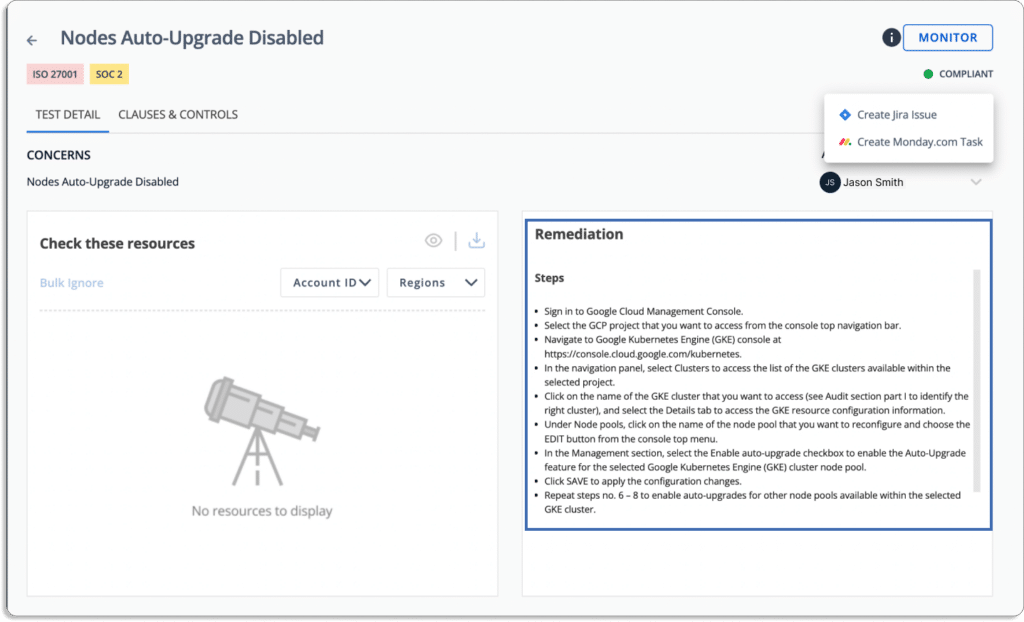
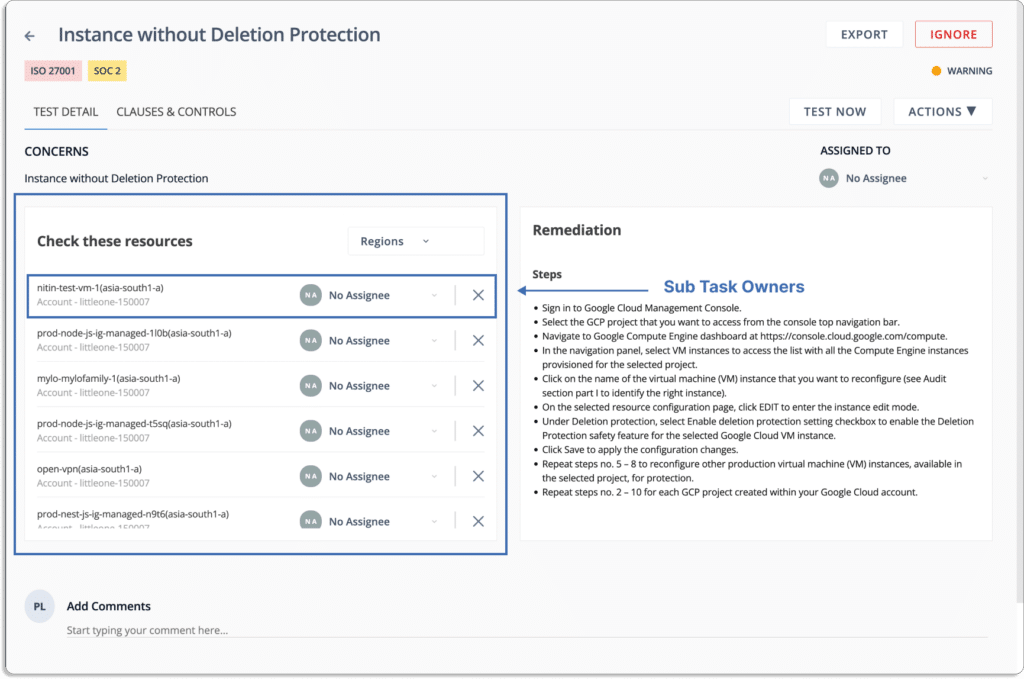
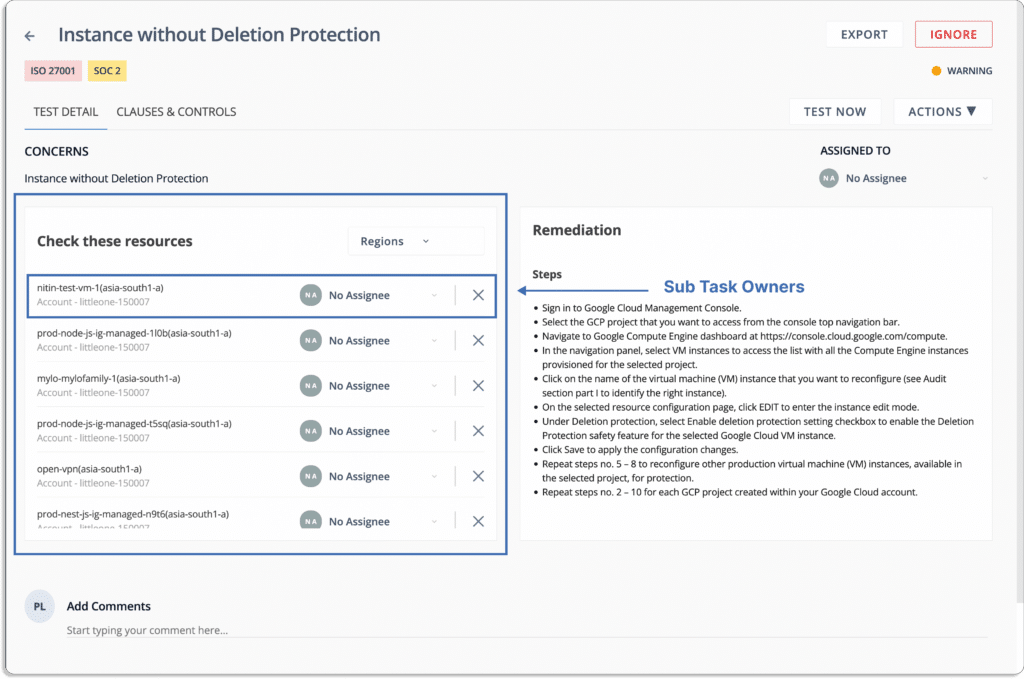
Similarly, you can assign ownership for any issues in your cloud in the test tab.

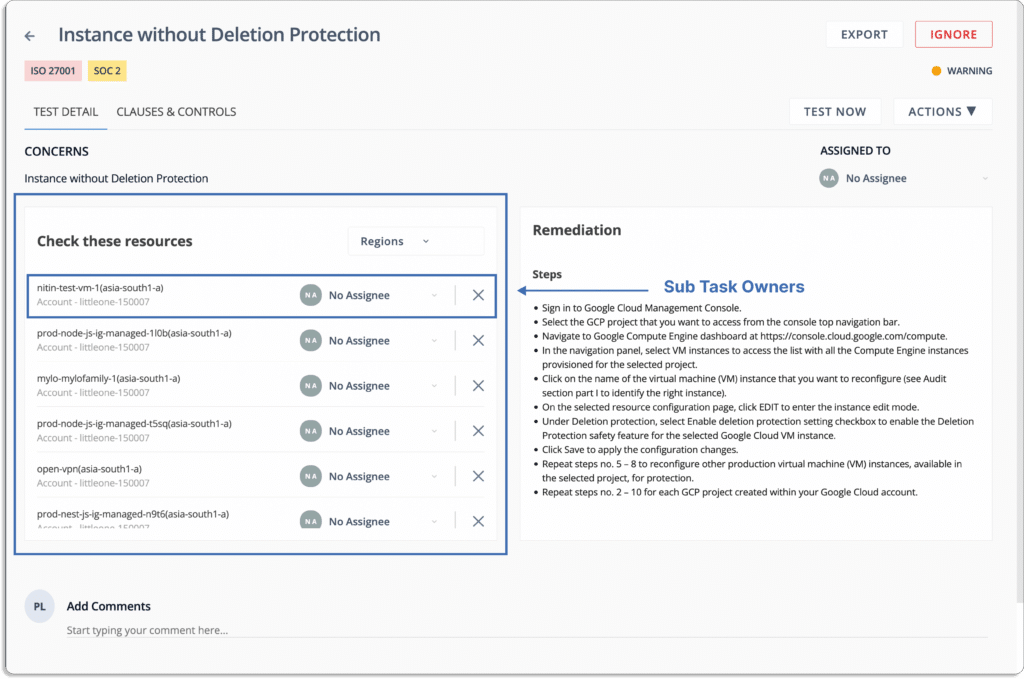
Further, you can assign sub-task owners.

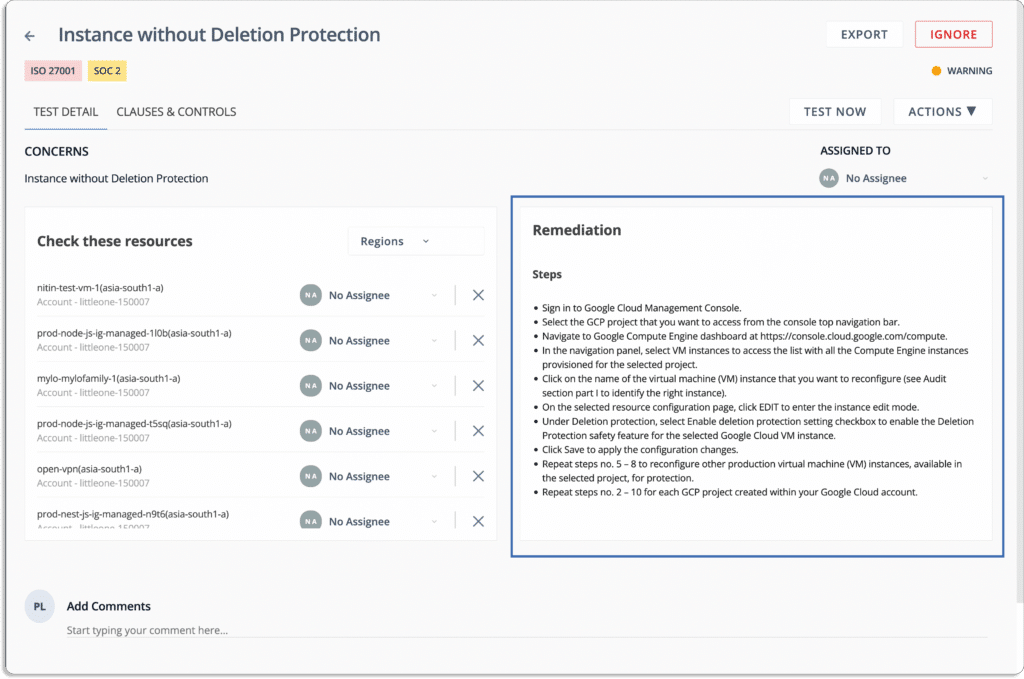
Scrut smartGRC also gives the assignees a step-by-step guide to resolve all the misconfigurations.

  1. Manage multiple audits easily

Scrut enables you to invite auditors directly to the platform to manage numerous complex audits without hassle.

It’s also easy for auditors to conduct the audit as they get access to all the artefacts related to the framework in one place. 

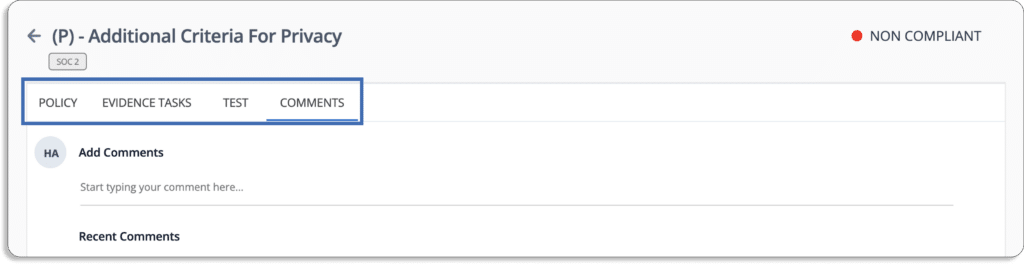
They can check any control for the associated policy, evidence task, tests,  and leave comments if they need clarification about anything. 

This ensures the audit process goes smoothly.

  1. Establish trust early-on with Trust Vault

When discussing with our initial customers, we found that one of the major frustration was around the huge amount of time they had to invest in answering the same questions repeatedly as  security questionnaires, security certifications, and report requests. 

This increased the timeline for deal closures with customers and partners alike. Moreover, this requires their development and engineering teams to get involved in the sales process to answer these questions, as salespeople were not aware of these deeply technical security questions. 

Trust Vault freed up their time, and now they can happily do their core job—building products.

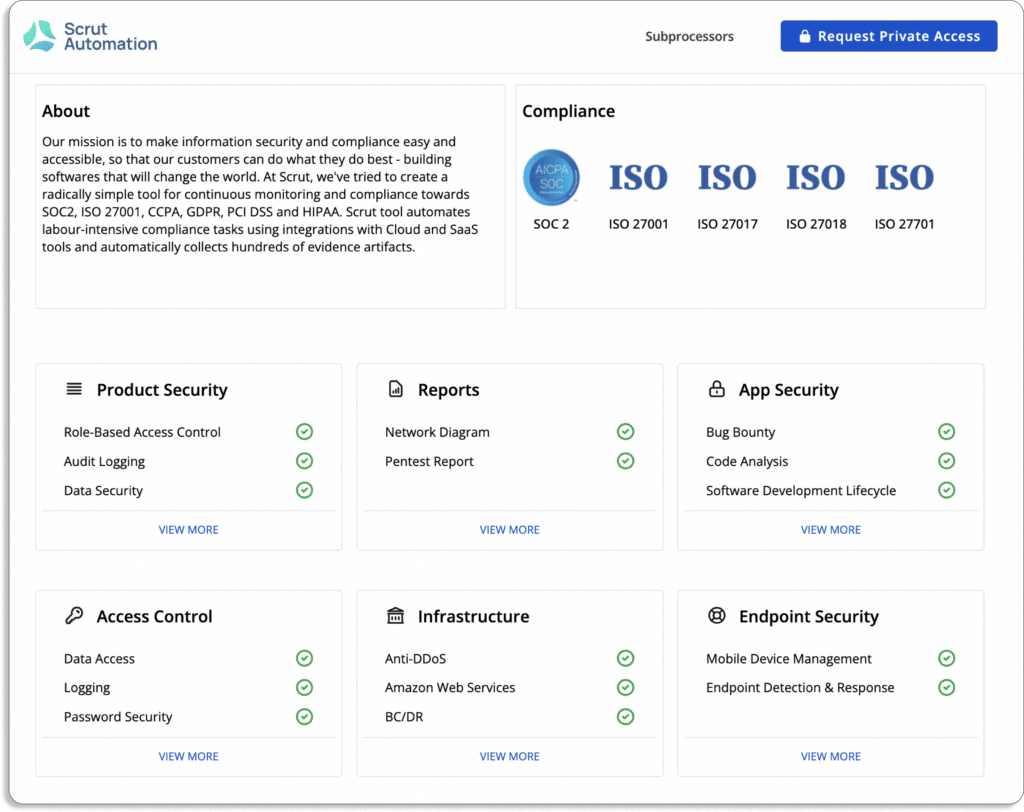
Scrut’s Trust Vault lets you  showcase your real-time security and compliance posture to customers. 

It helps you display your certifications and attestations, such as ISO 27001, SOC 2, GDPR, and HIPAA, which are frequently requested by customers and partners.

You get a host this report on your website (trust.yourdomain.com) where your customers can request access to it. 

To your customers, it would look like this. 

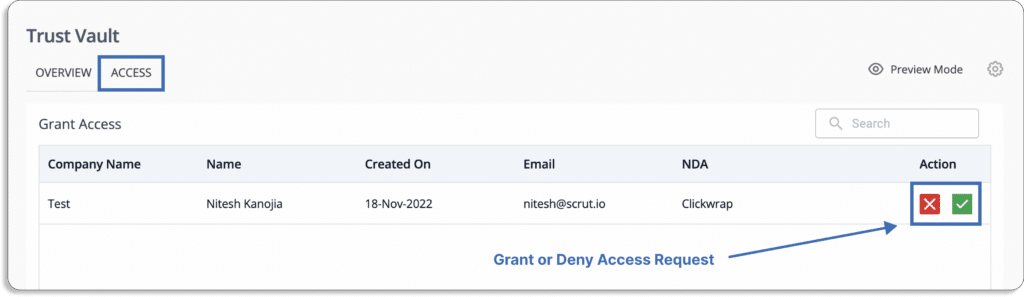
Once you approve the request, they can view it after signing an NDA.

Check out our own Trust Vault here. 

Customer Rating

  • G2- 5/5

2. ZenGRC

Reciprocity’s ZenGRC platform provides a unified, integrated experience that identifies information security risks throughout your organization. The tool streamlines audit and compliance management by providing a complete view of control environment, access to program evaluation information, and continuous compliance monitoring to address critical tasks.

ZenGRC’s customized workflows support cross-team collaboration, thus, you can automate critical tasks like evidence collection, data sharing, and notifications.

Furthermore, it identifies gaps in your program, regulations, and frameworks to compare your security posture to that of your peers and the industry.

Pros

  • It provides an intuitive dashboard, heatmaps and consolidates all risks and regulations in one place.
  • The tool can cross-link objects to each other, such as linking to several frameworks, like HiTrust, SOC2, etc.
  • With ZenGRC, you can change ownership of several tasks. 

Cons

  • Users cannot customize some settings, such as request screen and notifications settings.
  • You cannot assign more than one auditor to review the audit process. 

Customer Rating

  • G2- 4.4/5

3. Drata

Drata is a real time security and compliance management software that helps you achieve SOC 2, ISO 27001, PCI DSS, HIPAA, GDPR, and CCPA compliance. 

Drata’s autopilot system bridges the gap between siloed tech stacks and compliance controls. It eliminates the need to check dozens of systems to provide evidence to auditors manually.

It gives visibility into your security posture and control over your compliance by providing actionable insights, reports, and alerts.

Pros

  • The platform provides all the required information related to issues in one place and helps to take action to remediate issues.
  • With the platform’s upload document feature, users can properly communicate with the auditor. 
  • It provides centralized visibility of all personnel and assets, allowing the user to get a detailed overview of which compliance requires attention.

Cons

  • With this tool, some integrations don’t work correctly such as GCP and Checkr.
  • It doesn’t support the duplicative evidence upload feature.
  • It is not easy to customize existing security programs with Drata.

Customer Rating

  • G2- 4.9/5

4. Vanta

Vanta assists businesses in scaling security practices and automating compliance with the industry’s standards, such as SOC 2, ISO 27001, HIPAA, GDPR, and other popular security and privacy frameworks.

Vanta provides a centralized location for tracking progress and monitoring top security and privacy frameworks. The tool provides the guided scoping, policies, controls, automated evidence collection, and continuous monitoring required to prepare for an audit or prove attestation in the shortest time for each framework.

Pros

  • The ownership of alerts enables the distribution of the monitoring of various areas among various individuals. For example – policies can be monitored by a different person.
  • It connects to all development systems, such as GCP and GitHub, which significantly reduces the amount of manual testing and logging required.
  • The platform provides a policy template feature to create policies from scratch.
  • The platform automates up to 90% of the work required to prepare for an audit. It saves time and avoids the headache that comes with manual security audits.

Cons

  • The risk management feature only provides valid output against technical controls or a few policy controls, not accounting for all BAU risks of an organization.
  • The platform provides no information about the expectations of the auditor.

Customer Rating

  • G2- 4.7/5

5. ServiceNow

ServiceNow is a GRC platform that breaks down silos to manage risk and improve organizational compliance.

With ServiceNow GRC, you can use dynamic dashboard and continuous monitoring to get a real-time compliance overview across your entire extended enterprise.

Pros

  • It provides an efficient audit facility with a complete history of events.
  • It provides an efficient GRC program with customized workflows and can be integrated with the SOC tool for automating service request generations.
  • It provides a centralized location where users can track all the tickets and provide support accordingly.

Cons

  • The tool is inefficient in handling complicated logic.
  • It has limited reporting capabilities.
  • It has complex functionalities that are difficult for users to understand to use the tool properly.

Customer Rating

  • G2- 4.3/5

6. JupiterOne

JupiterOne allows you to automate your compliance processes quickly. It assists you in the development and automation of robust policies, procedures, and controls that link security requirements to specific cyber assets in your digital environment.

JupiterOne supports all major compliance frameworks, such as SOC 2, NIST, CIS, PCI, ISO, and HIPAA. Furthermore, it provides custom frameworks and policies to meet your specific governance and compliance requirements.

Pros

  • It provides efficient integration and allows users to add evidence for assessing SOC, HIPAA, GDPR, and other compliance requirements. 
  • It provides continuous instrumentation and monitoring of cloud environments and controls.
  • It provides automated reporting and evidence collection for compliance.

Cons

  • There is a steep learning curve to understand the tools’ overall potential as it provides many features.

Customer Rating

  • G2- 5/5

7. AuditBoard

With AuditBoard, you can effectively adhere to compliance activities while reducing expensive violations.

The platform provides a centralized view of all of your auditable entities with crucial metrics and risks linked. It performs risk assessments flexibly and identifies coverage gaps across these entities to develop a more impactful audit plan.  

You can use AuditBoard templates to ensure consistency and save time on recurring compliance audits.

Pros

  • This GRC tool helps organizations in building different frameworks and streamlines control management, testing, and external auditing.
  • It efficiently prepares documentation and reviews paperwork for operational audits and SOX testing.
  • It integrates with different modules and enhances your data-driven decision-making capabilities.

Cons

  • It provides many features that create confusion for users as it increases the complexity of the learning curve.
  • The tool doesn’t have all the auditing capabilities and needs to add data analytics and automate the process for a better user experience.
  • Doesn’t have intuitive task management for managing compliance tasks.

Customer Rating

G2- 4.7/5

8. Tugboat Logic

With Tugboat, you can effectively manage your compliance frameworks and achieve compliance quickly with evidence cross-mapped for maximum effectiveness.

There are a variety of integrations and a library of ready-to-use content for each framework in Tugboat Logic. Additionally, everything is interconnected, allowing you to keep tabs on your progress and compliance status at all times.

The platform assists you in conducting a risk assessment by comprehending your strategic goals and advising you on the IT and security risks to consider. Furthermore, it demonstrates how to reduce these risks and automatically monitors the efficacy of risk-reduction measures.

Pros

  • It provides easy-to-read and updated policies that help you to manage controls. 
  • With this tool, you can collaborate with auditors, manage security questionnaires and automate evidence collection using integrations.
  • It provides SOC 2 readiness modules, templates, and built-in policies and procedures for complying with standards such as ISO 27001, GDPR, etc.

Cons

  • The tool doesn’t have a standardized risk format and needs improvement in reporting and requires efficient security, and compliance dashboards for better understanding.
  • The tool doesn’t have SOC 1 component for compliance.

Customer Rating

  • G2- 4.6/5

9. Onspring

Onspring is a GRC management platform that unifies the entire business ecosystem with coordinated strategies and effective procedures.

Onspring offers real-time reporting right out of the box. You can connect your data and see immediate results. Then, to curate specific insights, you can filter and slice your data.

The platform creates multi-path or single-path workflows and provides real-time data reporting. 

Pros

  • The tools allow you to customize your requirements efficiently.
  • It provides efficient reporting and admin features, and you can automate tasks and use APIs and security controls around your organization.

Cons

  • It is challenging for users to send issues to auditors to have their input during compliance auditing.

Customer Rating

  • G2- 4.8/5

10. LogicGate

LogicGate platform provides pre-built applications that transform GRC management. It combines content and service with easy, no-code technology. The tools help you stay compliant with relevant policies, laws, or regulations to protect your assets and avoid violations, legal penalties, and fines.

Pros

  • It provides a centralized location to keep critical risk information across different functions and business units.
  • LogicGate’s robust and flexible GRC tool allows you to create customized workflows and processes for maintaining your required regulatory compliances.
  • You can accurately identify and access third-party related risk using its reporting capabilities and continuous monitoring.

Cons

  • It has a steep learning curve as it provides many features that can confuse the users to understand their full utilization efficiently.
  • It lacks data-based calculation capabilities as users find it difficult for themselves to calculate based on the existing data field.

Customer Rating

  • G2- 4.6/5

11. LogicManager

LogicManager provides GRC solutions to improve performance & drive efficiency in your organization. It provides an intuitive and flexible GRC program to manage your business’s compliance and risks. It includes a comprehensive matrix of solutions that accelerates your risk management efforts.

It offers built-in controls and control suggestions with intelligent insights to reduce your compliance burden.

You can use the custom profile and visibility rules to configure the GRC program.

Pros

  •  You can easily create libraries, workflows, surveys, and questionnaires using this tool.
  • It provides a centralized location for risk, compliance, and auditing programs.

Cons

  • It requires additional cost to implement new data protection tools if you’re EU based.
  • It doesn’t handle risk assessments and due diligence requirements efficiently.

Customer Rating

  • G2- 4.4/5

12. VComply

Vcomply allows you to centralize your compliance process and automate compliance programs across multiple functions.

You can launch your compliance program in 30 mins and automate alerts, follow-ups, and reporting to analyze gaps to take corrective actions for mitigating compliance-related issues.

You can effectively track and manage compliance-related obligations concerning GDPR, ISO 27001, vendor compliance, policy and risk, and more.

Pros

  • It sends automated email and non-compliance notifications and provides monthly non-compliance reports that help users to take action against any 0ccured compliance risks.
  • The tool is very effective in compliance automation and can assign tasks to individuals with reminders and provides a supporting document updating facility.
  • GRC management is efficient because of its interconnected modules.

Cons

  • Vcomply, due to its wide range of functionalities, creates a steep learning curve for its users and takes time for them to utilize the software fully.
  • Created issues while transferring files, and you can’t assign ownership of files to multiple people.

Customer Rating

  • G2- 4.6/5

Authored by

Aayush Ghosh Choudhary
Co-founder & CEO at Scrut

AuditBoard Alternatives

AuditBoard is a cloud-based platform that transforms audit, risk, environmental, social, and compliance management. The platform assists organizations in managing compliance processes. It is not the only GRC tool available; other GRC platforms will better meet your needs. Based on our detailed review of the platforms in this article, you can select from various GRC platforms available in the market.

The AuditBoard platform assists in increasing risk visibility in your organization and driving risk-aware decisions to mitigate all risks. It automatically maps new framework requirements to your controls, allowing you to scale your compliance program quickly and keep up with changing regulations.

Let’s discuss the key features of AuditBoard.

Key features

Users can gain real-time visibility into open issues and track progress with AuditBoard. The platform automates findings management by identifying and creating issues during testing. It quickly assigns action plan owners and automates follow-up.

  • Users can view all auditable entities in one centralized universe, with key metrics and risks linked.
  • AuditBoard automates testing, issue remediation, and reporting with automatic workflow notifications and report generation capabilities, allowing your team to conduct more relevant and timely compliance audits.
  • The platform streamlines communication with stakeholders by automating the distribution of audit surveys, evidence requests, and reminders. It maintains an easily accessible audit trail and keeps all communication in one location.
  • The tool uses standardized risk templates to streamline the IT risk assessment process. It dynamically scores and ranks risks to determine their severity.
  • The tool integrates seamlessly into your cloud ecosystem to automate and scale your audit, risk, ESG, and compliance programs.
  • The platform saves time by automating vendor onboarding and combining third-party data into a single editable profile.

Drawbacks

The drawbacks of the tool are listed below:

  • Access to archived data is restricted. For example, there is a barrier to accessing the previous year’s data.
  • AuditBoard sync only allows users to view one file at a time and frequently times out.
  • Users cannot see which tasks the team is working on each week.
  • The platform does not offer a chat and screen share feature for clients.
  • Within OpsAudit, the platform doesn’t provide any option to create an interactive RCM.

10 Best AuditBoard Alternatives

Below are some of the AuditBoard alternatives available: 

1. Scrut

Scrut is an all-in-one platform for all compliance-related policies, tasks, and evidence. The platform guides you through gathering the information you need to pass the audit and become certified. It gives you pre-built policies and controls mapped to these frameworks and guides you through gathering what you need to pass the audit and become certified.

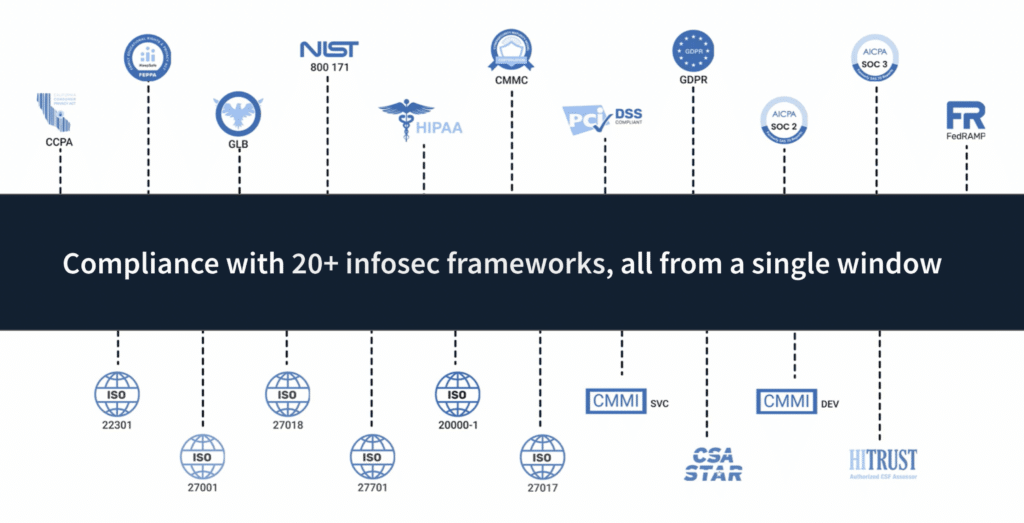
Scrut supports the following frameworks: SOC 2, SOC 3, ISO 27001, ISO 27701, ISO 27017, ISO 27018, ISO 22301, ISO 20000-1, FERPA, HITRUST, FedRamp, GDPR, CMMC, CCPA, PCI DSS, CSA Star, CMMI – DEV, CMMI – SVC, HIPAA, GLB, NIST 800 171, and others.

You gain a unified, real-time view of risk and compliance with seamless integrations across your application landscape, providing the contextual insight needed to make strategic decisions that keep your organization secure and earn the trust of your customers, partners, and employees.

Pros

  • Track multiple compliances simultaneously: The Scrut platform includes over 20 security and compliance frameworks. Due to overlap between frameworks, these controls are mapped with multiple frameworks. As a result, one control may satisfy the requirements of multiple frameworks. This eliminates the need for duplication of effort when using multiple frameworks simultaneously or in the future.
  • Centralized record for all evidence: It includes a centralized record-keeping system for assigning ownership and storing relevant evidence across an organization.
  • Smooth audit process: You can invite your auditor for various audit tasks on the platform. Auditors can easily find all audit-related artifacts on the platform, allowing them to complete audits more quickly.
  • Automate cloud security monitoring: Scrut Automation helps you become compliant and keeps you compliant. The platform automatically tests your cloud configurations against 200+ cloud controls across CIS benchmarks to ensure a strong InfoSec posture.

Customer Rating

  • G2- 5/5

2. Drata

Drata is a security and compliance automation platform that monitors and collects evidence of a company’s security controls in real time while streamlining workflows to ensure audit readiness. It streamlines the audit process with pre-vetted auditors and provides compliance support. Drata’s automated evidence collection engine allows you to achieve and maintain compliance with your frameworks without the hassle of developing overlapping controls.

Pros

  • Drata provides helpful advice at every stage to help users resolve issues so they can resume their compliance processes.
  • Users can see a detailed overview of which compliance requires attention through Drata’s centralized visibility of personnel and assets.

Cons

  • In the platform, placeholders for policy templates are not provided.
  • Additional charges for a feature like Trust Center.

Customer Rating

  • G2- 4.9/5

3. Vanta

Vanta assists businesses in automating compliance with the industry’s most sought-after standards, including SOC 2, ISO 27001, HIPAA, GDPR, and other critical security and privacy frameworks. It reduces risk to your business by continuously monitoring critical tools and services to ensure that once compliant, you remain compliant. The platform provides real-time alerts, allowing users to address problems as they arise. Vanta’s custom controls will enable you to reduce risk as your company grows.

Pros

  • The tool provides automated test features for detecting vulnerabilities in cloud infrastructure.
  • Vanta’s task-based methodology allows customers to locate right-away work on the platform.
  • It provides complete visibility into third-party policy sharing.

Cons

  • There were some items that Vanta misreported. Evidence collection, for instance, has a few exceptions that the user must work around.
  • There are no clear scopes and feedback loops between SOC 2 controls, available policy choices, and auditors’ opinions.

Customer Rating

  • G2- 4.7/5

4. ZenGRC

The Reciprocity ZenGRC platform provides your security and compliance teams with a unified, integrated experience that identifies information security risks throughout your organization. The platform simplifies audit and compliance management by providing complete views of control environments and continuous compliance monitoring to address critical tasks at any time. ZenGRC dashboards increase visibility into critical security program metrics and demonstrate progress to key stakeholders.

Pros

  • With ZenGRC, users can quickly create a Sarbanes-Oxley program using template import and the GUI features.
  • It facilitates the mapping of an organization’s frameworks, programs, risks, and vendors.

Cons

  • Evidence storage solutions are not fully integrated.
  • Users have to add custom fields in the model risks functionality.

Customer Rating

  • G2- 4.4/5

5. Secureframe

Secureframe is a GRC platform that automates and streamlines the end-to-end compliance process, allowing you to become compliant as soon as possible. The tool centralizes information for easy assessment, allowing you to manage and mitigate regulatory, legal, and financial risks.  The platform’s automated alerts and reports notify users of a critical vulnerability, allowing users to fix it quickly and remain compliant. 

Pros

  • Integrations with the platform allow data to be pulled automatically.
  • This tool simplifies the compliance process by dividing complicated requirements into manageable tasks.
  • It provides an easy-to-use reports tab to make your organization compliant with privacy frameworks.

Cons

  • The tool provides no instructions for resolving errors. For example, it reports a problem with the X Amazon tool in a region but fails to specify which regions are affected.
  • It does not provide high-level priority order of events.

Customer Rating

  • G2- 4.6/5

6. Logic Manager

LogicManager is a SaaS-based Enterprise Risk Management software enabling businesses to improve their performance through strong governance, risk management, and compliance. The platform’s built-in controls and control suggestions provide insights into existing controls, allowing users to reduce the number of controls that must be tested. It offers customizable workflows enabling users to send automated tasks to decision-makers, eliminating the need for constant email chains.

Pros

  • The owner can create forms without the assistance of an expert.
  • With Logic Manager’s monthly updates and webinars, users can improve vendor, compliance and audit programs.

Cons

  • Some of the locked fields do not meet the needs of users in terms of reporting.
  • The reporting module does not reflect recent real-time changes.

Customer Rating

  • G2- 4.4/5

7. Hyperproof

Using Hyperproof, you can automate workflows and unify your compliance and risk management processes, so you can focus on the things that matter most to you.

It is an all-in-one platform for understanding compliance requirements, implementing and managing internal controls, defining your ideal compliance processes, and monitoring and reporting your compliance posture. With Hyperproof, you can define the controls your organization requires and how they should be managed, as well as automate evidence collection and control testing from a single platform.

Pros

  • Hyperproof frameworks allow users to create the right control set.
  • This tool allows users to integrate controls into multiple frameworks and link them seamlessly.

Cons

  • Deactivated uses accounts appear in the module because platform security controls are not being inherited.
  • Some features of the platform are not compatible with all browsers. For instance, downloading already uploaded artifacts through Firefox does not work properly.

Customer Rating

  • G2 – 4.5/5

8. Sprinto

Sprinto is a simple software that automates any security compliance program. It integrates seamlessly with your cloud environment to consolidate risk, map entity-level controls, and fully automated checks. It goes to great lengths to ensure compliance and prompt remediation – all in real-time. The platform complies with the most security standards of any software. It is designed to easily layer and monitor multiple compliance programs on top of one another.

Pros

  • The tool integrates with major services such as Amazon Web Services, Google Cloud Platform, and other HR management software.
  • It provides all the next steps and monitoring processes in one location.  

Cons

  • This software requires desktop installation, a difficult and time-consuming task for users.
  • The platform doesn’t include login with the SSO provider such as Okta.

Customer Rating

  • G2- 4.9/5 

9. JupiterOne

JupiterOne provides a consolidated compliance solution to your cybersecurity and governance team. It supports all major compliance frameworks, including ISO, SOC 2, NIST, CIS, HIPPA and PCI, and HIPAA. The tool provides custom frameworks and policies to meet your governance and compliance requirements. It enables you to collect data automatically to meet compliance requirements and prepare for your next audit.

Pros

  • Users can visualize the relationships to understand what is happening in their digital environment.
  • The tool provides a query syntax feature for locating assets using filters.

Cons

  • Some desirable data elements are missed in JupiterOne.
  • There is a significant barrier to learning all the different features.

Customer Rating

  • G2- 5/5 

10. ServiceNow GRC

ServiceNow GRC is a platform designed for a rapidly changing world, aiming to optimize processes, make work more intuitive, and create new value. The platform reduces risks by resolving issues before they become audit findings using real-time insights into compliance. It increases productivity through automated, cross-functional workflows, artificial intelligence, and user experiences similar to those of consumers.

Pros

  • The tool generates real-time reports in a single dashboard, covering everything from end-user inquiries to control procedures.
  • The platform’s configuration Item setup provides detailed information about an application/server/database.

Cons

  • When updates are not saved, and notifications are not sent, there is a risk of missing the ticket.
  • The available modules do not adhere to NIST standards.

Customer Rating

  • G2- 4.3/5

Authored by

Aayush Ghosh Choudhary
Co-founder & CEO at Scrut

Top 15 SOC 2 Compliance Software

Getting compliant with SOC 2 is time-consuming and requires extensive planning and resources. Compliance automation tools help CISOs prepare for audits faster to meet the demands of different security and privacy frameworks.

The traditional method (via spreadsheets and consultants) of SOC 2 audit preparation and completion is resource intensive and time-consuming. This is where the SOC 2 compliance tools come into the picture. 

SOC 2 compliance software speeds up the compliance process by reducing the hours of manual work required to prepare for and complete an audit.

Here are some key benefits of SOC 2 compliance software compared to doing it via consultants or in-house.

  • Most SOC 2 compliance automation software comes with policy templates to quickly get started
  • Seamlessly collaborate with team members for different tasks
  • Gives you visibility into all your InfoSec risks
  • Automate evidence collection
  • Helps you with vendor risk management
  • Monitor cloud for security and compliance misconfigurations
  • Some tools can help you train your employees for security awareness
  • Allows you to collaborate with auditors on the platform that, helps them to go through all artifacts quickly

How to select a SOC 2 Compliance Software?

There are many SOC 2 compliance software available in the market. But before you pick one, here are some key questions you need to ask to determine which tool is best for you:

  • Is it a single-window solution? Many jobs are involved when preparing SOC 2 audit, like doing gap assessment, vulnerability assessment, penetration testing, finding CPAs, etc. Though no software provider will do the task themselves, some providers have partnerships with these vendors for a seamless solution. A single-window solution prevents the hassle of searching for multiple partners for various jobs. 
  • Does it come with pre-built templates? Creating and enforcing proper policies from scratch for SOC 2 requires a lot of effort and time. A SOC 2 compliance software with pre-built templates helps you get started quickly. Some vendors, like Scrut, even help you build custom policies per your organization’s requirements. 
  • What frameworks does it cover out-of-box? Many times, SOC 2 is not the only compliance framework you would be required to comply with. Later, you may be required to go for other compliance frameworks like ISO 27001, GDPR, HIPAA, etc., based on your organizational requirements. Thus, the tool must not be just limited to SOC 2 solution, but should also help you with other frameworks that you may need in the future. 
  • Does it prevent duplication of efforts? When you go for other compliance frameworks, you should not be required to build from scratch. Ultimately, the foundation of all these frameworks is privacy and security. Hence, the tool must help you leverage all the work you have done previously. This eliminates duplication of efforts and saves you time as well.
  • What are the integrations available? Since the biggest reason companies use SOC 2 automation software is to save time, the tool should be able to automate as many tasks as possible. However, this depends on the tool’s number of integrations with your existing tech stack. Hence, look for the integration capabilities of the tool.

Top 15 SOC 2 Compliance Automation Software

There are hundreds of SOC 2 compliance software available in the market. Here are the 15 best SOC 2 compliance software we have shortlisted to cut down your research.

1. Scrut

Scrut helps you prepare for SOC 2 audit in weeks rather than months. The platform allows you to manage everything from cloud risk assessments to control reviews, vendor risk management, and employee policy attestations.

Along with the compliance automation platform, Scrut gives you access to the following:

  • Help with gaps assessment
  • Pre-built policy templates tailored to your requirements
  • Best-in-class auditors, like EY, BSI, and RiskPro
  • Penetration testers, including red-team testers

Besides this, Scrut manages your service level agreements (SLAs) with the above partners—and represents you during the audits. This means you pass on the headache of answering the auditor’s questions to Scrut InfoSec experts.

In short, Scrut takes care of everything you need to get SOC 2 compliant, a rare offering in the market.

Now, let’s dive into how Scrut helps you with various SOC 2 compliance preparation tasks.

  • Strengthens your InfoSec program

Scrut strengthens your InfoSec program by identifying compliance gaps so you can concentrate on what needs to be fixed.

As shown in the screenshot above, this organization has:

  • 38% of policies in place are required for being SOC 2 compliant
  • 58% of cloud security tests comply with SOC 2 requirements 
  • 22% of the required evidence has been uploaded
  • Task and workflow management

By allocating tasks to team members and monitoring them on Scrut, you can stay informed about the progress of each task. 

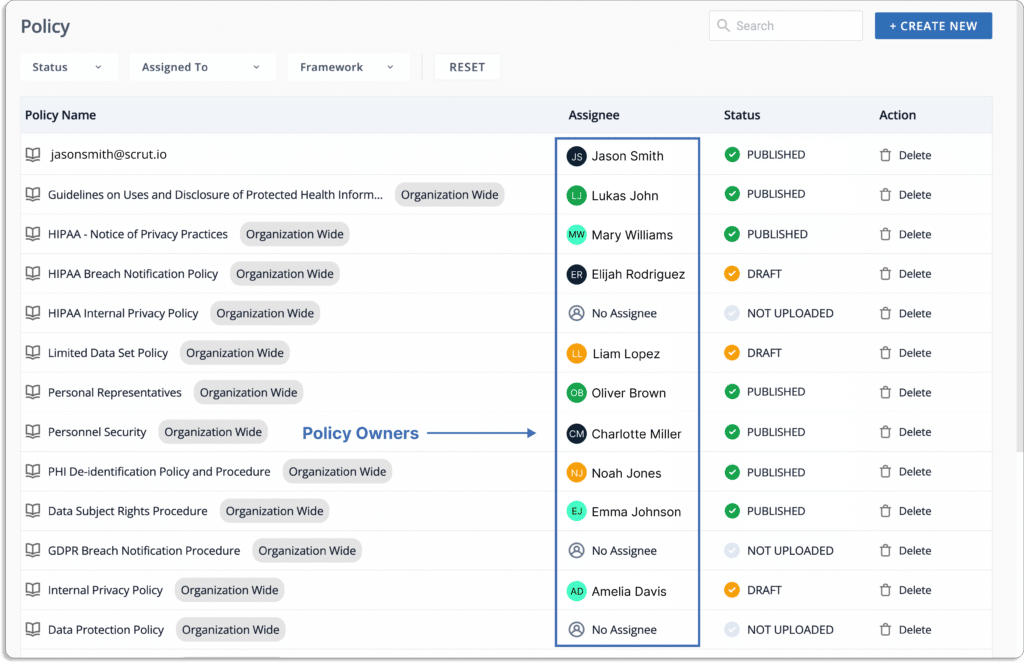
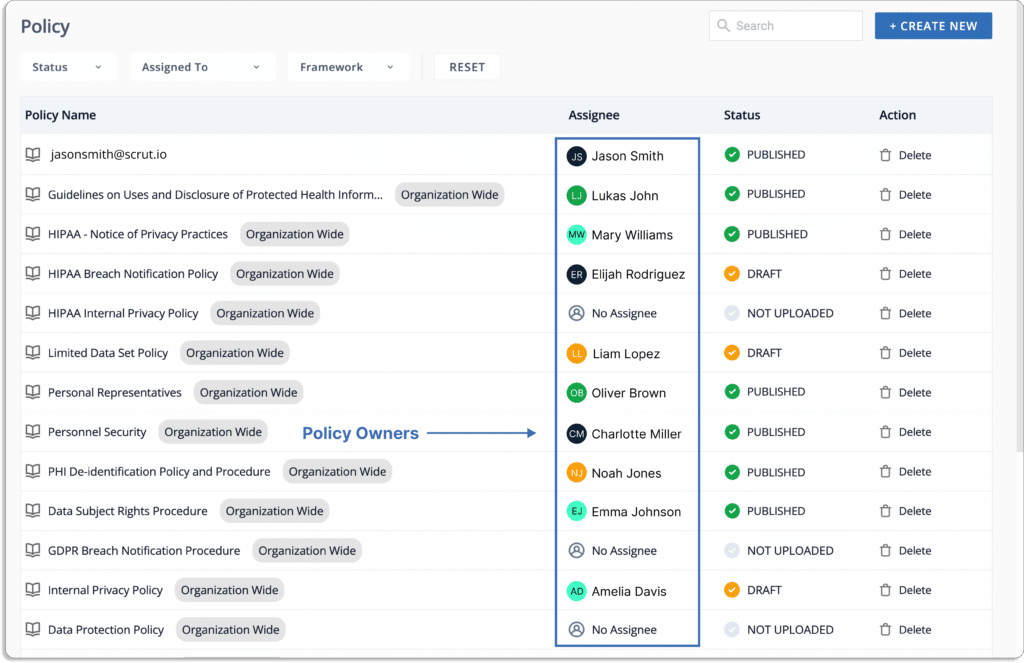
Policy owners and status
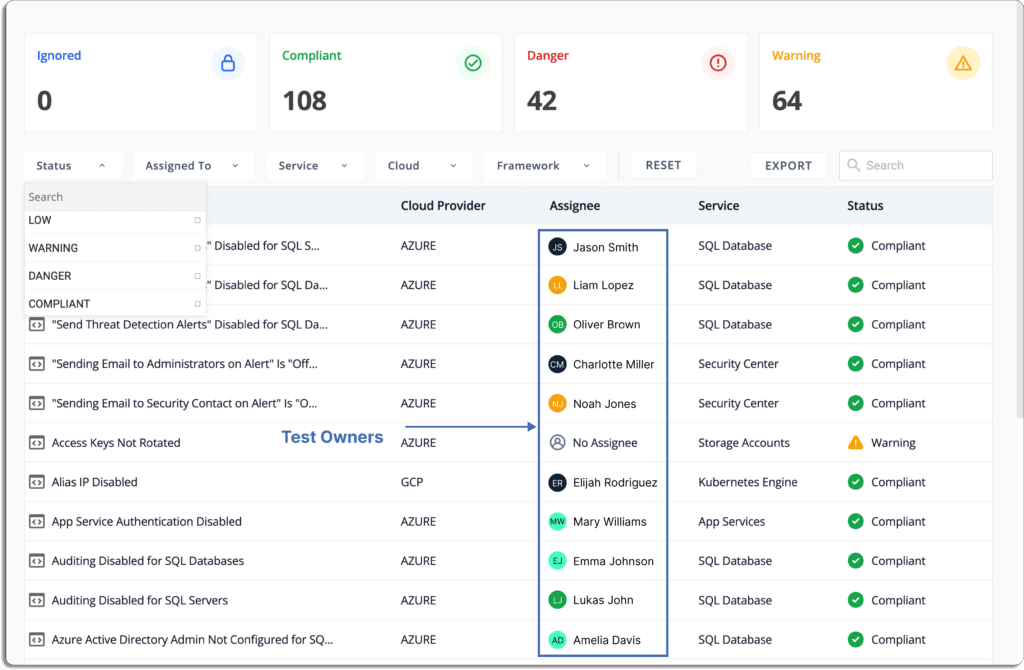
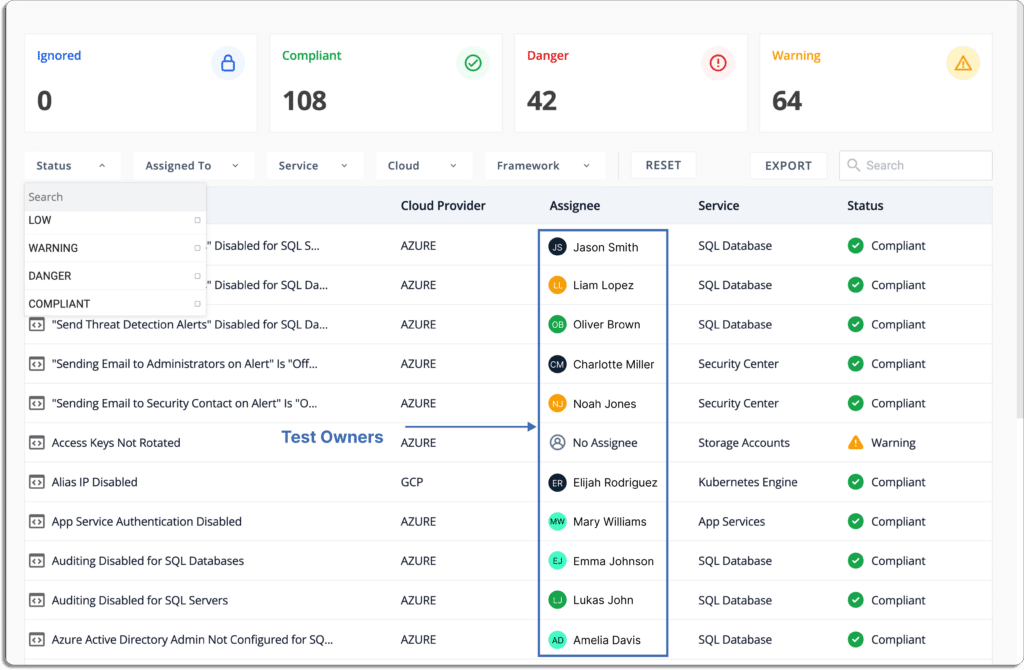
Test owners and status

You can collaborate with the internal team using workflows to assign tasks, track them, and automatically send reminders for due tasks. 

Scrut integrates with tools like Jira, and Monday to automatically create tickets in them for different compliance tasks. Furthermore, the assignees get notifications on Slack for any pending tasks.

  • Pre-built policies

You can build your SOC 2 compliant InfoSec program in minutes with Scrut’s library of 50+ pre-built policies, as shown in the screenshot below.

Further, with the help of an in-built editor, you can customize your policies as well. You can also upload your policy docs on the platform if you are migrating from another platform.

  • Collaborate with auditors

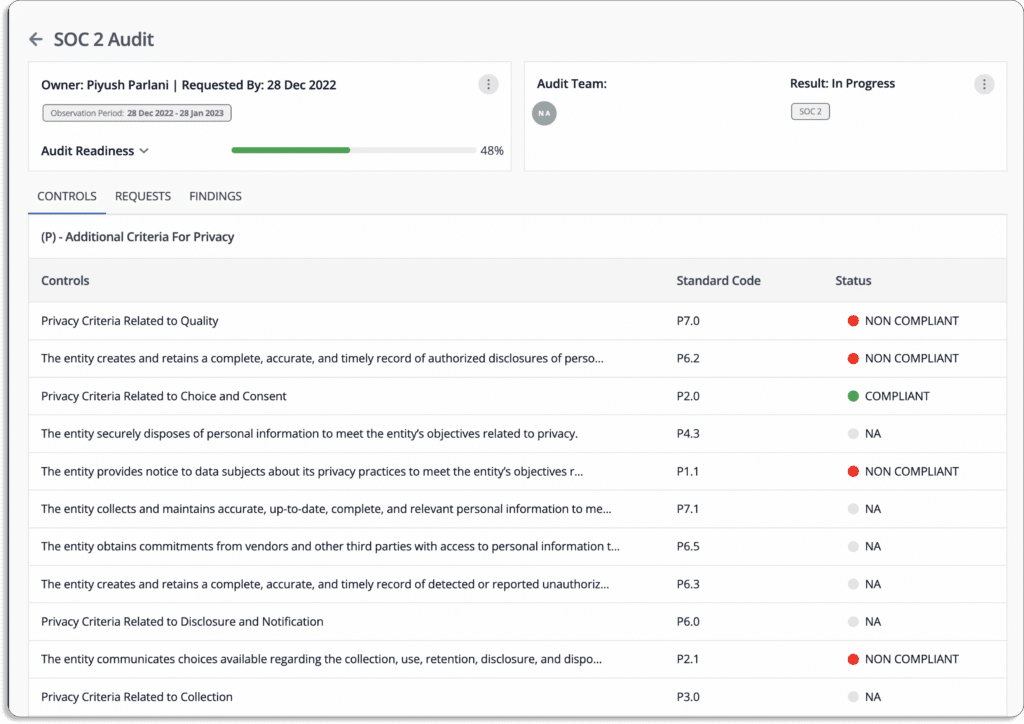
Scrut allows you to create audit projects and control access. You can invite auditors to the platform to manage numerous complex audits at once without hassle.

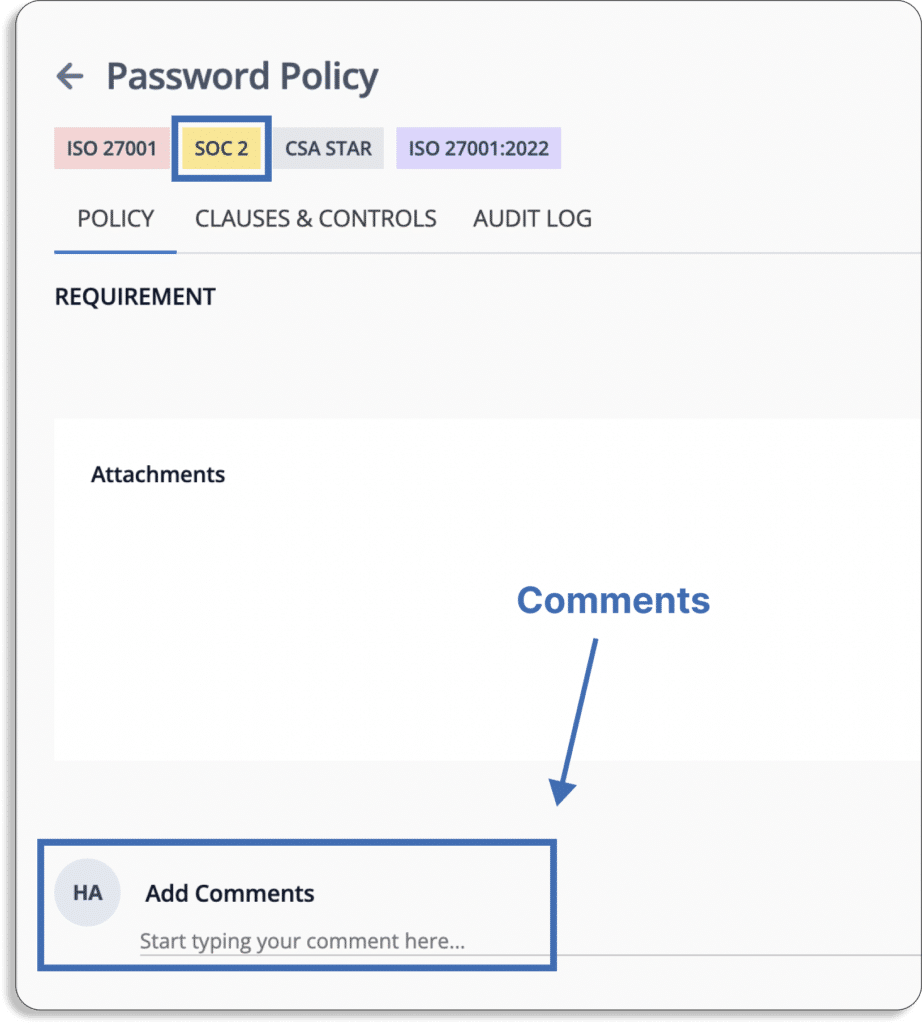
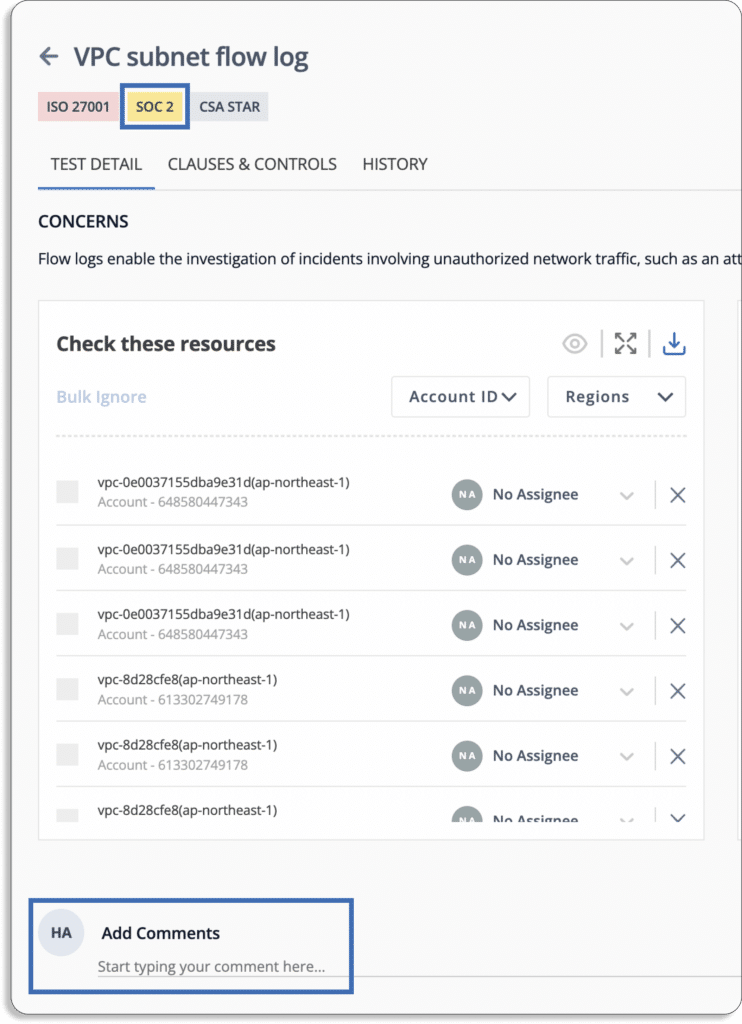
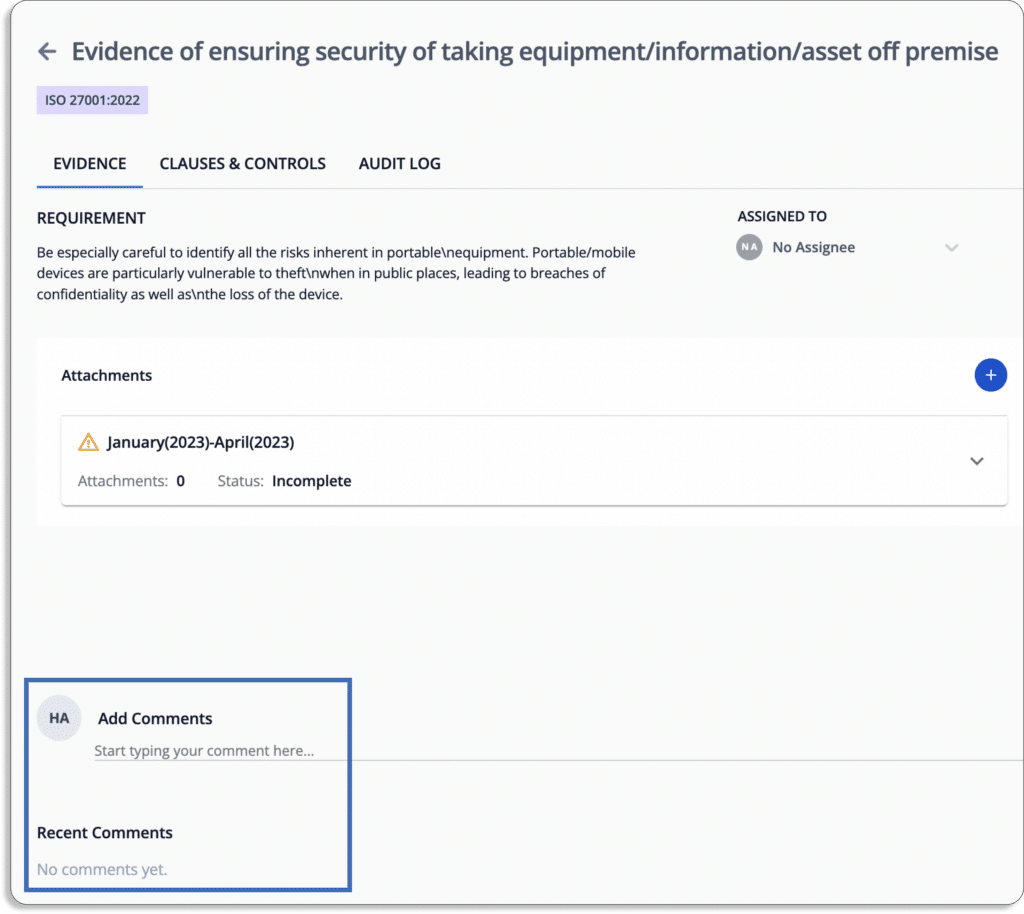
As shown in the screenshot below, you can collaborate with the auditor, who can comment on artifacts on the platform for any clarifications.

Comments on policy
Comments on tests
Comments on evidence
  • Cloud controls test

Scrut identifies gaps and critical issues in real time by automatically monitoring controls. It continuously scans your cloud environments against over 200+ cloud controls across CIS Benchmarks. 

Not just this, Scrut helps you prioritize remediation of these issues by categorizing issues into danger, warning, low, and compliant based on the criticality of the issues.

  • Automates evidence collection

Scrut automates over 65% of the evidence-collection process across your application and infrastructure landscapes against pre-mapped SOC 2 controls. This frees your time from repetitive and mundane tasks.

Furthermore, for the rest of the evidence-collection tasks, you can assign ownership to different team members and check the status on a single screen.

You can set up the frequency for recurring tasks via the recurrence option. 

When the person responsible for uploading the evidence pieces fails to do so in time, they get reminders on their email and Slack (depending on the settings).

  • Over 70 Integrations

With Scrut, you can speed up your SOC 2 audit by sharing evidence artifacts, responding to requests, and monitoring audit status directly on the platform. In short, Scrut simplifies your SOC 2 compliance journey. 

  • 20+ frameworks out-of-box

Apart from SOC 2, Scrut also helps you comply with 20+ frameworks out-of-box. 

This means if you already comply with another framework, you don’t need to start from scratch when going for SOC 2 compliance. 

Or, if SOC 2 is your first compliance framework, you don’t need to start from scratch when going for other frameworks. Ultimately, there is no duplication of efforts on your end.

Additionally, Scrut gives you a unified, real-time view of your entire compliance posture when you have multiple frameworks to manage.

How iMocha, a skill assessment platform, used Scrut to simplify and accelerate its SOC 2 Type 2 audit?

iMocha used Scrut to scan and monitor their multi-region Azure environment to run tests across 200+ controls continuously, identified misconfigurations, and resolved them preemptively. This helped them establish and maintain a strong cloud security posture and enabled them to comply continuously with SOC 2 controls.

On the Scrut platform, they managed their entire security posture, from policies and controls to evidence artifacts. 

Having a single window for their security operations enabled them to simplify and accelerate their audit for SOC 2 Type II significantly. 

Check our customer reviews of G2 below.

Scrut provides the simplest way to automate your compliance journey. 

Customer Rating

  • G2: 5/5

You can schedule a demo to learn more about Scrut Automation.

2. Sprinto

Sprinto eliminates the practice of using  spreadsheets and speed up your SOC 2 audit by automating numerous evidence-collection tasks, providing pre-built policies and controls, and more. It helps you map risks to SOC 2 controls and run fully automated checks to ensure continuous compliance and a smooth SOC 2 audit. Sprinto also allows you to start an async audit with an auditor from Sprinto’s network and finish audits quickly.

Pros

  • In-line policy editor enables you to edit policies on the platform.
  • Supports 150+ integrations that help to collect evidence automatically.

Cons

  • The platform doesn’t include login with the SSO provider such as Okta.
  •  Some manual work is still required to be done.

Customer Rating

  • G2: 4.9/5

3. Drata

Through continuous monitoring and assurance, Drata automates the SOC 2 process, allowing you to build trust and focus on your product. The platform provides pre-mapped controls, endpoint monitoring, pre-built risk assessments, etc.  The quick-start features of Drata allow you to get up and running with automated evidence collection through 75+ integrations.

Pros

  • The platform provides recommendations by identifying gaps in the test module.
  • Drata’s interface consolidates all of your information and provides actionable items to help you resolve problems.
  • You can easily identify issues in cloud infrastructure and improve security posture with the help of Drata.

Cons

  • The platform lacks some integrations, such as Slack notifications, which are needed for timely updates on testing status.
  • There is a 25 MB file size restriction for any evidence you upload to Drata. Thus, you have to  contact the Drata support staff whenever you need to upload a larger file.
  • Audit logs are not available.

Customer Rating

  • G2: 4.9/5

4. Tugboat Logic

Tugboat Logic assists you in passing the audit by providing pre-built policies and controls aligned with the SOC 2 framework. The tool provides a centralized system of record for assigning controls to owners across your organization and storing all evidence to demonstrate that all SOC 2 controls have been implemented. The audit readiness module can automate compliance with industry frameworks, such as SOC 2. Pros

  • Tugboat Logic provides a clear roadmap from company policy to internal controls.
  • Security training is provided through the platform with a complete overview of who has completed and who has not.
  • It allows for regulatory compliance at all levels.

Cons

  • There are no integrations for ticket creation in JIRA directly from the tool.
  • The platform’s main dashboard is not intuitive, and there is a brief reference to understand the same.
  • There is no in-line policy editor, so you have to upload policies manually every time you make any changes.
  • Not suitable for mid-size and large enterprises.

Customer Rating

  • G2: 4.6/5

5. Secureframe

Secureframe assists you in creating SOC 2 security policies that are appropriate for your company. You can choose from their policy library, customize them for your organization, and distribute them to your employees throughout the Secureframe platform. It assists you in maintaining SOC 2 compliance by monitoring your compliance environment and notifying users when tasks are due. Moreover, it streamlines and automates every step of the SOC 2 process so that you can easily prepare for an audit.

Pros

  • Secureframe monitors your compliance status by keeping track of all processes, partners, employees, and other information.

Cons

  • The platform doesn’t provide any information on how to resolve errors. For example, the platform notifies that there is a problem with X Amazon tool in a region but fails to specify which regions are affected.
  • There is no auto reminder feature for integrated services.

Customer Rating

  • G2: 4.6/5

6. Vanta

Vanta reduces your workload throughout the SOC 2 journey by combining the automated compliance platform with an effortless audit experience. The platform quickly integrates with the most commonly used identity providers, cloud services, and other applications to automate the time-consuming task of gathering evidence for security audits.

Pros

  • Vanta assists users in producing detailed security reports.
  • Vanta provides complete visibility for policy sharing with third parties.

Cons

  • On Linux machines, tracking requirements such as encryption may not always work, necessitating manual verification and storing that information in Google Drive for the auditors.
  • Vanta’s risk management feature provides valid output only against technical controls or a few policy controls, not accounting for all Business-As-Usual (BAU) risks.
  • There are no approval workflows for audit management, unlike other tools like Scrut.

Customer Rating

  • G2: 4.7/5

7. LogicGate

As the name suggests, LogicGate Risk Cloud primarily focuses on risk management. It is a cloud-based platform with a suite of pre-built applications that transforms how GRC processes are managed by combining expert-level content and service with no-code technology. The platform allows organizations to assess their internal controls, policies, and procedures against the AICPA’s five trust services criteria, assisting them in preparing for and achieving a SOC 2 attestation report. 

Pros

  • With LogicGate, users have the option to receive notifications when a task is due or has an upcoming deadline.
  • The tool simplifies reporting by providing different export formats.
  • It provides metrics for performance throughout the workflow’s lifecycle.

Cons

  • Users have to enter many fields manually. For instance, the test plan description field.

Customer Rating

  • G2: 4.6/5

8. ZenGRC

The Reciprocity ZenGRC platform provides your security and compliance teams with a unified and integrated experience that identifies information security risks throughout your organization. It provides a faster path to compliance by eliminating time-consuming manual processes, accelerating onboarding, and keeping you informed about the status and effectiveness of your programs. 

You gain a unified and real-time view of risk and compliance with seamless integrations with Reciprocity ZenRisk and the Reciprocity ROAR platform. The platform’s prescriptive workflow walks you through selecting frameworks step by step. It includes a comprehensive library of over 20 regulatory and statutory frameworks. 

Pros

  • ZenGRC provides the user with a centralized platform for managing multiple and complex audits.
  • ZenGRC makes the entire audit process seamless by providing direct access to audit controls and evidence. 

Cons

  • The platform does not display due dates on individual tasks.
  • When a user changes the owner for the parent task, it does not reflect the same for sub-tasks. Users have to update manually every time.
  • There is no custom survey feature.
  • There is no in-line editor in ZenGRC for editing policies.

Customer Rating

  • G2: 4.4/5

9. JupiterOne

JupiterOne is a cyber asset management and governance software. It does play a role in the SOC 2 space, even though it is not positioned as such. It provides custom frameworks and policies to meet your specific governance and compliance requirements. Furthermore, it provides built-in security policies and procedure templates corresponding to your assets and environment. 

Pros

  • Within minutes, almost anyone can integrate their environment and add evidence to assess SOC 2 controls.

Cons

  • Some much-needed data elements are not pulled into JupiterOne.
  • Doesn’t allow to collaborate with auditors on the platform.
  • JupiterOne doesn’t have in-built employee security training module, unlike other GRC platforms like Scrut.

Customer Rating

  • G2: 5/5

10. AuditBoard

AuditBoard simplifies SOC 2 compliance by clubbing the  risks, controls, policies, frameworks, issues, and more to equip your organization to meet today’s growing compliance requirements. The platform provides automated issue management by easily identifying and creating issues while testing, assigning owners to action plans, and automating follow-up. It tracks progress and gains visibility into open issues.

Pros

  • The platform provides additional modules, such as audit management, compliance provider partnerships, and workstream.
  • The platform provides real-time review and approval process features.

Cons

  • There is no option to create an interactive risk control matrix.
  • While the platform has limitless customization capabilities, finding and customizing what users want can be difficult. 

Customer Rating

  • G2: 4.8 /5

11. Hyperproof

Hyperproof is a compliance automation tool that increases the efficiency of your InfoSec team by organizing, automating workflows, and unifying your risk management and compliance activities. Furthermore, all control content is fully editable, and you can easily add your existing controls.

Pros

  • The platform is simple to use and collaborate with multiple teams.
  • The platform saves users time with integration capabilities and seamless workflow for linking controls to multiple frameworks.

Cons

  • There is no template for export and import functionality.
  • Very limited options for configuring notification frequency.
  • The audit process can be time-consuming as you collaborate with your auditor on the platform. You need to share all the artifacts (policies doc, evidence, controls, etc.) separately where the context is lost.

Customer Rating

  • G2: 4.5/5

12. LogicManager

LogicManager is a risk management platform that simplifies the SOC 2 compliance journey. The tool helps your organization achieve critical security benchmarks by taking a risk-based approach. The platform’s automated testing enables you to track the effectiveness of your SOC 2 compliance over time and reduces external audit costs. You can use the LogicManager Readiness Assessment feature to divide SOC 2 compliance requirements into individual responsibilities. 

Pros

  • The platform keeps track of completed attestations.
  • LogicManager provides a complete overview of all the risks in one location.

Cons

  • There is no undo feature for new users.
  • LogicManager does not capture key contract details.

Customer Rating

  • G2: 4.4/5

13. Anecdotes

Anecdotes is a compliance automation platform that connects you with relevant plugins to meet your SOC 2 requirements. Once connected, the platform collects and maps relevant evidence in the background. With anecdotes, you can connect plugins to gather and keep track of policies and documents automatically.

Pros

  • Each domain’s progress can be tracked  in real-time through the platform.
  • Users can identify gaps ahead of time with Anecdotes’ centralized view.
  • The platform provides automated workflows, and there is no need to collect files and screenshots from different systems.

Cons

  • Communication within the team cannot be hidden from the auditor. 

Customer Rating

  • G2: 4.7/5

14. Strike Graph

The Strike Graph allows you to designate accountability to the appropriate team members and automate SOC 2 evidence collection and maintenance reminders. The tool makes it simple to maintain compliance and cross-reference the controls and evidence you produce as part of the SOC 2 process.

Pros

  • The platform provides flexible audit completion by managing risks, controls, evidence, and their interactions.

Cons

  • Doesn’t allow you to select multiple files for evidence retrieval automation.

Customer Rating

  • G2: 4.8/5

15. Apptega

Apptega is a cybersecurity management platform that can help create  a SOC 2 program based on industry best practices and the SOC 2 framework. It also allows you to map multiple frameworks together. The platform assists you with your SOC 2 requirements, including assessments based on questionnaires, customizable reports, automated notifications, specific permission settings, automated reports, etc. 

Pros

  • The platform offers pre-built framework content on topics such as NIST CSF, CIS, and GDPR.
  • The Harmony feature allows users to run multiple frameworks as a single program, eliminating  the need to duplicate efforts.

Cons

  • Companies in the finance sector may not find the tool suitable as it cannot reduce current workflow demands.
  • It currently lacks APIs and integrations to pull reports from other monitoring tools, such as firewall logs.

Customer Rating

  • G2: 4.7/5

Get a demo

Now, once you have shortlisted the software, the next step is to take a demo to see the tool in action. Book a Scrut demo here.

Authored by

Aayush Ghosh Choudhary
Co-founder & CEO at Scrut

Cloud Security Platforms/Tools

Security in a multi-cloud world entails continuously managing cloud threats and ensuring cloud resiliency. Cyber incidents, like data loss, unauthorized access across various cloud environments, and non-compliance, are more likely in unprotected cloud environments. 

Cloud security tools solve these issues by providing visibility into your cloud infrastructure, controlling your cloud assets, and helping you protect your critical business assets.

Most cloud providers follow higher-than-industry-standard security practices by default and actively protect the integrity of their servers and infrastructure. However, it’s the responsibility of organizations to protect their data, applications, and workload in the cloud.

According to Verizon’s Annual Data Breach Investigation Report, 82% of breaches occur due to human errors or social attacks on the client’s end, with almost no mention of cloud service providers causing the breach.

Cloud security in a hybrid and multi-cloud environment requires tools that work in sync across public and private cloud providers and on-premises deployments. 

There are different types of challenges in securing the cloud, and each challenge requires a different type of solution. 

For example,

  • You need cloud security posture management (CSPM) for misconfigurations in the cloud.
  • You need a cloud access security broker (CASB) to provide visibility and enforce security policies.
  • For protecting workloads deployed in public, private, and hybrid clouds, you need a cloud workload protection platform (CWPP). 
  • You need cloud infrastructure entitlement management (CIEM) to control identities and privileges.
  • For managing customer identities, preferences, and profile data at scale, you will require a customer identity and access management (CIAM) tool. 

In the following section, let’s concentrate on each category of cloud security tool and how it helps safeguard cloud environments.

Tools for Cloud Security

Hundreds of tools deal with various aspects of cloud security and have different security and compliance capabilities. 

Let’s examine the most popular categories with the top tools for each of the categories.

Cloud Security Posture Management (CSPM) Tools

CSPM tools give organizations visibility across their cloud infrastructure, allowing them to automate the detection and remediation of security risks through security assessments and automated compliance monitoring. CSPM can also detect misconfigurations that can lead to data breaches.

1. Scrut Cloud Security

Scrut Cloud Security is more than a traditional cloud security posture management tool. It scans and monitors misconfigurations in your public cloud accounts—AWS, Azure, Google Cloud Platform, and more. The platform can integrate with your cloud infrastructure and application landscape within minutes. 

From security to compliance and governance, Scrut got you covered! 

Here are some features to consider:

  • Continuous cloud monitoring: Scrut Cloud Security automatically tests your cloud configurations against 200+ cloud controls across CIS Benchmarks to maintain a strong InfoSec posture. 

Scrut automatically maps controls against different standards and shows their latest status to understand whether they are compliant or not. You won’t need to do anything in order to check your compliance.

  • Fix cloud misconfigurations preemptively: Scrut Cloud Security ensures that your public cloud accounts are always compliant and secure.

The platform provides alerts and a step-by-step guide for remediation to fix misconfigurations, as shown in the screenshot below.

Further, the platform allows you to assign different remediation tasks to team members to fix misconfigurations.

  • Prioritize cloud risks based on the criticality

Through a unified dashboard for all the risks and classification of status, you know what to work on first.

Status

  • Danger – Most critical issues. Work on these first. 
  • Warning – After working on the issues marked as danger, next, you can work on these. 
  • Low – These risks are informational in nature and should be worked on last.
  • Compliant – Everything is fine. You don’t need to do anything.
  • Full-stack security: Scrut Cloud Security enables you to establish complete security for all your cloud-native deployments, across compute instances, databases, containers, and serverless, by helping you implement the best security practice policies consistently in your hybrid and multi-cloud infrastructure.
  • Manage evidence of compliance and demonstrate trust: With Scrut’s Trust Vault, you can easily manage evidence of compliance. Customers can see your security and compliance posture in real-time hassle-free. All evidence documentation required to demonstrate compliance can be stored and managed in Trust Vault.

You can see Scrut’s Trust Vault page below.

  • Perform risk management with ease: To automate risk identification, it scans your ecosystem for risks across the code base, infrastructure, applications, vendors, containers, databases, and more.

Scrut automates risk assessment by risk scoring. Afterward, you can see risks heatmaps to visualize the results.

Learn how Prozo, an end-to-end supply chain company, uses Scrut Automation to detect potential misconfigurations in its cloud infrastructure early and continuously.

Customer Rating
  • G2: 5/5

2. JupiterOne

JupiterOne is a cloud compliance platform enabling InfoSec teams to understand their cloud ecosystem and vulnerability footprint better. The platform shows asset relationships in a way that allows for information on the potential impact of vulnerabilities. It automatically gathers and stores asset and relationship data, giving you deeper security insights and immediate search results.

Pros
  • Performs cloud network mapping and vulnerability tracking.
  • Easy to build a query and get it running quickly.
Cons
  • Integrations with SaaS are underdeveloped, and some important data points may not be pulled.
  • Steep learning curve.
Customer Rating
  • G2: 5/5

3. Wiz 

Wiz is a cloud security platform that reduces risks in popular cloud provider instances (AWS, GCP, Azure, etc.), containers, serverless operations, data stores, and Kubernetes environments. It was specifically developed for complex multi-environment, multi-workload, and multi-project cloud estates. It connects in minutes using a completely API-based method that scans all workloads and platform configurations.

Pros
  •  It provides a single pane of glass for your operations teams to monitor all environments.
  •  It takes a snapshot of your compute instance and then applies all scans and processes to it to reduce the impact on your production compute instances.
Cons
  • Reports are only available as PDF or CSV files rather than dashboard-style views.
  • There is a steep learning curve for the syntax for gathering metrics that are not available by default and for using the graph feature.
Customer Rating
  • G2: 4.8/5

Cloud Security Access Broker (CASB) Tools

A cloud access security broker (CASB) is a point where security policies are enforced between cloud service consumers and cloud service providers so that security gaps can be addressed as cloud-based resources are accessed. A CASB, besides providing visibility, enables organizations to extend the reach of their security policies from on-premises infrastructure to the cloud and create new policies for cloud-specific context.

1. ZScaler

The multitenant Zscaler cloud security platform was created specifically to provide security as a service. It uses Zscaler secure access service edge (SASE) on top of its flagship products to give visibility and control over Zscaler private access and Zscaler internet access through a single interface. Using zero-trust network access, ZScaler eliminates the danger of adding remote users to the network.

Pros
  • It uses a Zero Trust exchange and can be deployed and managed without any physical or virtual hardware.
  • Internet security is enabled, protecting your computer from viruses and alerting you if you enter a potentially dangerous website.
Cons
  • The documentation is complex to read, even for simple tasks.
  • Does not provide DLP (data loss prevention).
Customer Rating
  • G2: 4.3/5

2. Netskope

Netskope Cloud Security is a platform that gives visibility, real-time data and threat protection when accessing cloud services, websites, and private apps from any location and using any device. It blocks malware and ransomware from the cloud and the web in real-time and identifies and quarantine threats like malicious payloads kept in cloud services.

Pros
  • The tool has built-in DLP, Web protection, API protection, and Threat Intelligence to monitor the traffic from a single console.
  • Performs SSL inspection and deep inspection on all data.
Cons
  • Does not provide a complete raw log of endpoint navigation.
  • There is limited ability to restrict access to a specific user group.
Customer Rating
  • G2: 4.4/5

3. Forcepoint

Forcepoint CASB secures access to cloud applications and their data through a reverse proxy service that offers high-performance cloud security. Forcepoint CASB integrates with identity providers (IdPs) like Ping Identity and Okta. Within Forcepoint ONE, you can use previously established groups and organizational units. It also has an integrated identity service to support identity-based access controls and Zero Trust.

Pros
  • It offers detailed user risk scoring and automated policy enforcement using behavior-based analytics in real-time.
  • The extensive cybersecurity database covers a variety of threats.
Cons
  • It does not provide API integration with traditional SIEM solutions.
  • Does not provide granularity in user entity behavior analytics.
Customer Rating
  • G2: 4.1/5 

Cloud Workload Protection Platform (CWPP) 

Cloud workload protection platform protects workloads deployed in public, private, and hybrid clouds. Enterprises can integrate security solutions early in the application development lifecycle and continuously throughout. The workloads within an organization’s on-premises infrastructure and cloud-based deployments are initially discovered by solutions in this category. When these workloads are identified, the solution will perform a vulnerability scan to identify any potentially dangerous security flaws. 

1. Trend Micro Hybrid Cloud Security

Trend Micro Cloud is a security services platform for cloud builders to gain complete visibility and control via integrated CNAPP capabilities. All major cloud platforms are supported, as well as solutions that integrate directly into your DevOps processes and toolchain. Trend Micro provides automated scanning and response to provide direct feedback to your developers about container security threats and vulnerabilities.

Pros
  • The virtual patch feature protects your legacy server from vulnerabilities.
  • Whether you are working with workloads, network security, or applications security, it has unified services all under one hood.
Cons
  • At times, the user interface between various modules, such as between Workload Security and Snyk, looks incoherent.
  • False positive alerts make it difficult to decide which vulnerabilities to fix first.
Customer Rating
  • G2: 4.6/5

2. Orca Security

Orca is a cloud security platform that analyzes your cloud configuration for vulnerabilities, malware, misconfigurations, lateral movement risk, weak and leaked passwords, and unencrypted PII. The tool combines core cloud security capabilities, such as multi-cloud compliance and posture management, container security, and others in a single, purpose-built solution.

Pros
  • Orca helps create asset inventory, which is important for constantly creating and destroying ephemeral assets.
Cons
  • False positives frequently show security vulnerabilities in outdated kernel versions or in things that were already been patched.
Customer Rating
  • G2: 4.6/5

3. Lacework

The Lacework Polygraph Data platform protects your multi-cloud environment and prioritizes risks using your data and automation. Machine learning is used in polygraph technology to baseline normal behavior and flag unusual activity automatically. With very few false positives, you can spend less time remediating and more time focusing on what matters most. Moreover, because of the streamlined deployment process, you can have Lacework up and running in under an hour.

Pros
  • Lacework provides native container security solutions that reduce the attack surface and detect threats in your container environment.
Cons
  • It won’t provide remediation steps in the reports for misconfigurations.
  • The setup and integration processes are challenging.
Customer Rating
  • G2: 4.5/5

4. SentinelOne Singularity

SentinelOne is an endpoint protection tool that employs artificial intelligence to defend faster, at a larger scale, and with greater accuracy across their entire attack surface. With extensive AI models, every endpoint and cloud workload can autonomously stop, identify, and recover from threats. It detects threats and automatically maps them to the MITRE ATT&CK® Framework.

Pros
  • The ability to centrally control windows firewall increases the security.
Cons
  • Traditional features such as USB blocking and HDD encryption are missing.
  • As with all EDRs, users experience false positives.
Customer Rating
  • G2: 4.7/5

Cloud Infrastructure Entitlement Management (CIEM) Tools 

Cloud infrastructure entitlement management is the process of controlling identities and privileges in cloud environments (CIEM). In order to identify and reduce risks connected to access entitlements that grant more access than is necessary, it is important to understand which access entitlements are present across cloud and multi-cloud environments. This is done by automatically scanning access control policies, rules, and configurations using CIEM tools.

Security teams can control cloud identities, entitlements, and the application of the least-privileged access principle to cloud infrastructure and resources with CIEM solutions. With the help of CIEM solutions, businesses can lessen the risk of access breaches brought on by overly permissive users in the cloud.

1. Authomize

Authomize enables organizations to minimize IAM risk with extensive visibility across their IaaS environments, real-time monitoring, and automated remediation. It provides centralized authorization controls for all IaaS environments. Authomize offers trigger-based workflows for continuous security implementation to help you automate your remediation efforts.

Pros
  • The ability to conduct zero trust user access reviews with custom apps to map them to security incidents.
  • Access control maps are available for every user.
Cons
  • There is no native Jira/Atlassian connector for incident alerts and task creation,
  • Does not offer much flexibility in customizing email templates.
Customer Rating
  • G2: 4.5/5

2. Ermetic

With Ermetic, your AWS, Azure, and GCP environments can be understood and secured. Ermetic is an identity-first cloud infrastructure security solution. It applies full-stack analytics to continuously discover your entire inventory of multi-cloud assets and contextually identify risk. Organizations use Ermetic to proficiently manage access permissions, guarantee cloud compliance, and shift left on least privilege, limiting their cloud attack surface.

Pros
  • Show you what vulnerabilities exist in your cloud accounts, which entities have excessive privileges, and where they come from.
  • It allows you to get a complete picture of everything related to AWS.
Cons
  • There is little room for customization when it comes to reporting capabilities.
  • There is no way to assign metadata to resources in the form of tags.
Customer Rating
  • G2: 4.8/5

3. SailPoint Cloud Governance

SailPoint is a predictive identity tool that automates access management and control, providing access to the appropriate identities and technological resources at the proper time by utilizing the capabilities of artificial intelligence and machine learning. The platform can automatically provision and deprovision worker access for remote work, and  manage passwords and self-service access.

Pros
  • All use cases and scenarios of identity management, access governance, and system integration can be handled very effectively by out-of-the-box connectors.
  • By utilizing a variety of connectors available in the New Developer portal, SailPoint can communicate with on-premises systems, including legacy components.
Cons
  • The IdentityNow platform allows for minimal customization, which can sometimes be a bottleneck.
  • The task-based nature of IdentityIQ’s operations causes delays in processing updates from credible sources.
Customer Rating 
  • G2: 4.4/5

Cloud-Native Application Protection Platform (CNAPP)

By integrating the functions of tools like Cloud Security Posture Management (CSPM), Cloud Workload Protection Platforms (CWPP), and Cloud Infrastructure Entitlement Management (CIEM) into a single platform, CNAPP streamlines cloud security. It emphasizes the necessity for businesses to concentrate on cloud-native security solutions that offer a complete lifecycle approach to cloud application security compared to a patchwork of tools, according to how Gartner originally defined it.

1. Prisma Cloud

Prisma Cloud secures applications from the code to the cloud, enabling security and DevOps teams to collaborate successfully to speed up the development and deployment of secured cloud-native applications. It lets you monitor and defend cloud workloads against malicious activity in real-time. Your current SecOps and workflow platforms can be integrated with Prisma Cloud to provide configurable logging and alert streaming.

Pros
  • The zero-day threat prevention feature can defend against recently created malware and threats and provide complete visibility.
  • Integration with CI/CD, IaC, container-based environments, and serverless functions is simple.
Cons
  • Very few reporting and compliance templates.
  • It is difficult for a beginner to manage because it requires someone with a solid foundation to configure it.
Customer Rating
  • G2: 4.4/5

2. Aqua

Aqua Security provides scalable security for cloud-native applications throughout the containerized application development-to-deployment lifecycle. The tool checks your cloud services, Infrastructure-as-Code templates, and Kubernetes setup against best practices and standards to ensure that the infrastructure on which applications are running is securely configured and in compliance.

Pros
  • Users can generate security alerts based on Severity/Domain/Category/Plugin via various notification channels.
  • Customizable dashboards for cloud security and image scanning help visualize the overall security posture.
Cons
  • False positives frequently occur when performing host vulnerability assessments.
  • Role-based access control is not granular enough.
Customer Rating
  • G2: 4.5/5

3. Checkpoint CloudGuard

CloudGuard is an agentless cloud security platform that combines threat prevention with policy orchestration in the cloud. Organizations can use CloudGuard to visualize and assess their cloud security posture, detect misconfigurations, model and actively enforce security best practices, and protect against identity theft and data loss.

Pros

  • It uses machine learning techniques to identify which areas are most critical in securing cloud workloads, allowing it to scale across multi-cloud, hybrid-cloud, and private cloud infrastructures.
  • Can detect anomalies and protect the environment’s perimeter.

Cons

  • No access to the dashboard’s remediation logs to identify failed remediation measures.
  • For example, Lambda functions, require the installation of additional “agents” on your cloud IaaS to perform serverless scanning.
Customer Rating
  • G2: 4.5/5

Customer Identity and Access Management (CIAM) Tools

Organizations can manage customer identities, preferences, and profile data at scale using CIAM software. Customers can self-register for services, login and authenticate, and manage their user profiles, including consent and other preferences, using these solutions as well.

Businesses use CIAM software to provide seamless, user-friendly online experiences for their customers while observing data privacy laws like the CCPA and GDPR.

1. Okta

Okta integrates applications into its identity management service for you; you deploy these pre-integrated applications to your users as needed while maintaining strict security policies. It works with an organization’s existing directories, identity systems, and over 4,000 applications.

Because Okta is built on an integrated platform, businesses can implement the service quickly and at a low total cost.

Pros
  • Signing in with a single log-in for all of your apps saves you time and effort from having to open them all in separate windows. This keeps your tabs organized and your virtual workspace tidy.
  • Once a user enters the password, it gives instant and real-time notification for approval or denial of login access.
Cons
  • The mobile app is not user-friendly. 
Customer Rating
  • G2: 4.4/5

2. Azure Active Directory

Azure Active Directory is an identity and access management solution with integrated security. All internal and external users are connected to all apps and devices through Azure Active Directory (Azure AD), which also helps prevent identity compromise. With single sign-on, passwordless access, and a user portal, it offers a seamless and secure user experience.

Pros
  • It’s one of the most popular programs for MDM and account management because it integrates with almost every website you use.
  • It supports conditional access, which allows users to define different access policies depending on where they connect.
Cons
  • The process of configuring Active Directory SSO with any software is time-consuming and has very little documentation.
  • It can be quite confusing to set up for newcomers, especially if you don’t have much experience with the ins and outs of an active directory.
Customer Rating
  • G2: 4.5/5

3. OneLogin

OneLogin makes identity management easier by providing secure one-click access to all applications (cloud or on-premise) for employees, clients, and partners across all device types. 

Identity infrastructure is a set of technologies and processes that allows you to manage all of your users digital identities at any given time. With OneLogin, you can quickly extend your on-premises security framework to the cloud.

By deleting worker information from Active Directory, OneLogin facilitates IT identity policy enforcement and quickly disables app access for workers who leave or change roles.

 Pros
  • The ability to control access  your apps’ access  from a single location.
  • Since the one-time password is used for authentication each time you log in, the data is kept secure.
Cons
  • There are no integrations with Git and Jira.
  • Users are not notified when their password is about to expire or has expired.
Customer Rating
  • G2: 4.3/5

4. Auth0

The Identity Platform Auth0 adopts a modern approach to identity and is customizable, simple, and flexible as needed by development teams. Auth0 offers enterprise customers convenience, privacy, and security while protecting billions of login transactions monthly so they can concentrate on innovation.

Pros
  • One of the most useful features Auth0 has to offer is hooks, which allow for custom behavior using code similar to custom code.
  • Provides connectors with almost all data sources, including any IAM cloud provider or on-premises source.
Cons
  • The learning curve is steep, and it is difficult to train staff members who are not particularly tech-savvy.
Customer Rating
  • G2: 4.3/5

5. Frontegg

Frontegg is a tool to handle your user journey, from signup to subscription, with a scalable user and access management infrastructure. The platform offers a self-registration and self-service portal, which gives you visibility and control over personal and organizational settings for a comprehensive user experience. It also helps in monitoring your information security management system.

Pros
  • It is a swift solution to add advanced login features to your product, such as social login, Single Sign-On, MFA, and others.
  • The setup of multiple environments (dev, stage, and production) is simple, and changes can be transferred between these environments with the click of a button.
Cons
  • The user interface is cluttered.
Customer Rating
  • G2: 4.8/5

Authored by

Aayush Ghosh Choudhary
Co-founder & CEO at Scrut

How to automate Vendor Risk Management?

In the rapidly evolving landscape of business, where digital connections and partnerships are the bedrock of growth, the concept of vendor risk management has taken on unprecedented importance. 

As organizations increasingly rely on third-party vendors to achieve their goals, they also expose themselves to potential risks that could jeopardize their security, reputation, and compliance standing. In this intricate dance between innovation and vulnerability, the need for a robust and efficient vendor risk management strategy has never been more critical.

Vendor risk management goes beyond mere due diligence; it involves a comprehensive assessment of the potential risks associated with your vendor relationships. From cybersecurity breaches to regulatory non-compliance, the spectrum of risks is vast and intricate. 

However, manual processes for managing these risks are no longer sufficient to address the complexities and pace of modern business operations. This is where the power of automation steps in to revolutionize the way we safeguard our enterprises.

In this blog, we will learn all about the automation of vendor risk management, the challenges faced, the benefits of automation, and the steps to be taken for the automation of vendor risk management.

What is vendor risk management?

Vendor risk management (VRM) is a structured approach that organizations employ to assess, manage, and mitigate the risks that emerge from their interactions with vendors and other third-party entities. These risks encompass a wide spectrum, ranging from data breaches and cybersecurity vulnerabilities to regulatory non-compliance and financial instability. The primary goal of VRM is to identify potential risks, implement strategies to minimize their impact and maintain a robust line of defense against any adverse consequences that might arise from these risks.

What is the need for automation in vendor risk management?

As organizations continue to forge partnerships with an increasing number of vendors and regulatory landscapes evolve, the necessity for automation in VRM has become undeniable. Let’s delve into the challenges that manual VRM encounters and explore how automation can revolutionize this critical domain.

A. Challenges and complexities of manual vendor risk management

Following are the challenges faced by organizations when they manually manage vendor risk.

1. Resource-intensive processes

Manual VRM often involves copious amounts of paperwork, manual data entry, and repetitive tasks. This not only consumes valuable human resources but also increases the likelihood of errors due to fatigue and oversight.

2. Inconsistent assessment criteria

Manual processes can result in inconsistencies in how vendor risks are assessed and categorized. Without standardized assessment criteria, decision-making becomes arbitrary and lacks reliability.

3. Limited scalability

As organizations expand and onboard more vendors, the manual approach struggles to scale efficiently. Managing an ever-growing vendor portfolio with manual methods becomes increasingly time-consuming and prone to errors.

4. Delayed risk identification

Manually monitoring vendors for risks on an ongoing basis is challenging. Risks may go unnoticed until they escalate, leading to reactionary measures rather than proactive risk management.

B. Growing number of vendors and third-party relationships

The modern business landscape is characterized by extensive networks of vendors, suppliers, contractors, and partners. As organizations seek to innovate and specialize, their reliance on external entities grows. This proliferation of third-party relationships exponentially increases the complexity of managing associated risks. Manual VRM struggles to keep up with the sheer volume of vendors, often resulting in gaps, oversights, and a lack of holistic risk visibility.

C. Increasing regulatory requirements and compliance standards

Regulatory bodies worldwide are continuously updating and strengthening their requirements for data privacy, cybersecurity, financial transparency, and more. Organizations are expected to ensure not only their own compliance but also the compliance of their vendors. Manual processes can lead to missed deadlines, incomplete documentation, and misinterpretations of regulatory changes. The result? An elevated risk of non-compliance, which could lead to severe penalties and reputational damage.

D. Lack of scalability and efficiency in manual processes

Manual VRM processes might work adequately for a limited number of vendors, but as the vendor ecosystem expands, inefficiencies become evident. Tracking vendor profiles, conducting third party risk assessments, updating documentation, and coordinating communications with vendors can become overwhelming. This lack of scalability often results in delayed assessments, increased vulnerability to risks, and a compromised ability to react promptly to emerging threats.

E. Embracing automation: a game-changer for VRM

Automation in VRM offers a dynamic solution to these challenges. By leveraging technology to streamline processes, automate data collection and analysis, and provide real-time monitoring, organizations can mitigate risks more effectively, ensure compliance, and enhance operational efficiency. The subsequent segments of this blog series will delve into the various components of an automated VRM system, the benefits it offers, and the practical steps to successfully implement automation. Stay tuned as we explore how automation can transform vendor risk management into a strategic advantage in the quest for security, compliance, and organizational resilience.

What are the benefits of automating vendor risk management?

 As organizations grapple with an expanding vendor network, evolving regulatory demands, and the need for real-time risk monitoring, automation offers a suite of benefits that can reshape the way we manage vendor risks. Let’s delve into the advantages of automating VRM and understand how it revolutionizes the landscape.

1. Improved efficiency and time savings

Automation transforms the labor-intensive, manual processes of VRM into swift, streamlined workflows. Tasks that once consumed significant time, such as data collection, verification, and third party risk assessments, can now be executed in a fraction of the time. The result? Faster response times, accelerated decision-making, and a liberated workforce that can focus on strategic activities rather than administrative tasks.

2. Enhanced accuracy and reduced human errors

Manual processes are susceptible to human errors, which can have far-reaching consequences in VRM. From misinterpreting data to overlooking critical risk indicators, these errors compromise the integrity of risk assessments. Automating vendor risk assessment eliminates these risks by executing tasks consistently and following predefined algorithms, ensuring accurate risk evaluations and more informed decisions.

3. Real-time monitoring and alerts

In a dynamic business environment, risks can emerge or escalate rapidly. Automation empowers VRM to be vigilant at all times, providing real-time monitoring of vendor activities and flagging any deviations from expected behaviors. This proactive approach enables organizations to address emerging risks promptly, preventing potential threats from materializing into larger issues.

4. Consistent application of risk assessment criteria

Standardization is the cornerstone of effective VRM. Automation ensures that predefined risk assessment criteria are consistently applied to all vendors, eliminating bias and subjective judgments. This results in uniformity in risk categorization and decision-making across the vendor landscape.

5. Centralized repository for vendor-related data and documentation

Vendor relationships involve a plethora of documents, contracts, assessments, and communication records. Automation centralizes these records into a digital repository, facilitating easy access, storage, and retrieval. This centralized hub not only enhances collaboration among teams but also simplifies compliance reporting and audits.

6. Agile response to changing vendor landscape

As the vendor ecosystem evolves, organizations need agility to adapt their risk management strategies. Automation allows for swift adjustments to risk assessment criteria, thresholds, and monitoring parameters. This flexibility ensures that VRM remains aligned with the changing risk landscape and evolving business priorities.

What are the key components of an automated vendor risk management system?

An automated vendor risk management system is a multidimensional solution that integrates technology, processes, and data to enhance the efficiency, accuracy, and efficacy of managing vendor-related risks. To create a holistic approach to VRM, several key components come into play. Let’s explore these components in detail:

1. Vendor onboarding and due diligence automation

This component involves automating the process of onboarding new vendors. It includes the collection, verification, and assessment of vendor information, which can range from financial statements to security practices. Integration with external data sources can expedite due diligence, ensuring that only reputable and compliant vendors are brought into the fold.

2. Risk assessment and scoring frameworks

Automated vendor risk management systems incorporate predefined risk assessment criteria and scoring methodologies. These criteria can encompass factors such as financial stability, data security practices, regulatory compliance, and business continuity planning. The system calculates risk scores based on these factors, allowing organizations to categorize vendors by risk level and prioritize mitigation efforts. This, in turn, is one of the major benefits of automating vendor risk assessment.

3. Continuous monitoring and alerts

An integral feature of automation is the ability to monitor vendors in real time. Automated systems can track vendor activities, detect changes, and promptly send alerts for any anomalies or potential risks. This real-time monitoring ensures that organizations stay informed about developments that might impact the risk profile of their vendors.

4. Compliance management and documentation

Automated VRM systems maintain a centralized repository for all vendor-related documentation, including contracts, agreements, audit reports, and compliance assessments. This feature streamlines the documentation process, making it easier to access information for internal use, audits, and regulatory reporting.

5. Workflow automation and collaboration

Efficient VRM relies on seamless collaboration among different teams, including procurement, legal, IT, and compliance. Automation facilitates this collaboration by routing tasks, notifications, and approvals through predefined workflows. This ensures that the right stakeholders are involved in assessing and mitigating risks at various stages of the vendor relationship lifecycle.

6. Risk mitigation strategies and remediation plans

Automated VRM systems can suggest risk mitigation strategies based on the identified risks and the organization’s risk tolerance. This might involve recommending additional security assessments, updating contractual terms, or establishing contingency plans. The system can also track the progress of mitigation efforts and ensure that remediation plans are executed effectively.

7. Reporting and analytics

Automation enhances reporting capabilities by generating standardized third party risk assessment reports, compliance status summaries, and dashboards. These reports offer insights into the overall vendor risk landscape, enabling data-driven decisions and providing a comprehensive view for senior management and regulatory authorities.

8. Integration with third-party data sources

To enhance due diligence and automate vendor risk assessment accuracy, automated VRM systems can integrate with external data sources. These sources might include regulatory databases, financial services providers, and threat intelligence feeds. Such integrations enrich the system’s ability to assess risks from multiple angles.

What are the steps to implement automated vendor risk management system?

The transition to an automated vendor risk management system holds the promise of heightened efficiency, accuracy, and agility in managing vendor-related risks. As you embark on this transformative journey, a structured approach to implementation ensures a seamless transition. Let’s explore the steps involved in bringing an automated VRM system to life:

A. Define requirements and objectives

  • Identify specific needs and goals for the system: Start by understanding your organization’s unique requirements. Identify pain points in your current VRM process, and envision how automation can address these challenges.
  • Determine the risk assessment criteria and scoring methodology: Define the parameters that will be used to assess vendor risks. Specify the risk scoring methodology that aligns with your organization’s risk appetite.
  • Clarify integration requirements with existing systems (if any): Consider the systems already in place, such as procurement software or compliance databases. Determine how the automated VRM system will integrate with these existing tools.

B. Select the right vendor risk management software

  • Research and compare automation tools available in the market: Explore different vendor risk management software solutions. Consider factors like features, reputation, customer reviews, and vendor track record. Software like Scrut comes with loads of different features and integration benefits. 
  • Consider factors like scalability, customization options, and user-friendliness: Ensure that the chosen vendor risk managment software can accommodate your organization’s growth and is customizable to match your specific needs. A user-friendly interface will facilitate adoption.
  • Check for integration capabilities with other relevant systems: Verify that the chosen software can seamlessly integrate with other systems you currently use or plan to implement in the future.

C. Data migration and integration

  • Plan for data migration from existing systems to the new platform: Develop a migration strategy that ensures a smooth transfer of existing vendor data and risk assessment records to the new automated system.
  • Ensure seamless integration with internal databases and external data sources: Integrate the automated VRM system with internal databases for consistent data flow. Consider external data sources like regulatory databases for enriched third party risk assessment.
  • Test data accuracy and integrity after migration: Thoroughly test the migrated data to ensure that it retains its accuracy and integrity throughout the transition.

D. Configure risk assessment workflows

  • Set up automated workflows for vendor onboarding, risk assessment, and monitoring: Define the sequence of automated tasks and approvals involved in vendor onboarding, risk assessment, and ongoing monitoring.

The following image shows the vendor onboarding process on the Scrut platform.

  • Define roles and permissions for different users involved in the process: Specify user roles and access levels to ensure that the right individuals have the appropriate permissions within the system.
  • Customize risk assessment templates according to your organization’s needs: Tailor risk assessment templates to align with your organization’s specific risk factors, industry requirements, and risk appetite.

E. Employee training and change management

  • Provide training to employees on using the new automated system: Equip your staff with the skills and knowledge needed to effectively navigate and utilize the automating vendor risk management system.
  • Emphasize the benefits of automation for their daily tasks: Highlight how the automated system simplifies their tasks, enhances accuracy, and contributes to better risk management outcomes.
  • Address any concerns or resistance to change: Anticipate and address employee concerns about the transition. Communicate the advantages and provide support to ease the transition process.

How can an organization overcome the challenges of automated vendor risk management system?

As organizations transition to an automated vendor risk management system, they step into a realm of enhanced efficiency and accuracy. However, the journey is not without its challenges. To ensure the sustained success of your automated VRM system, it’s crucial to address potential hurdles and adopt strategies that fortify your risk management efforts. Here’s how you can overcome challenges and set the stage for a prosperous automated VRM implementation:

1. Addressing data privacy and security concerns

Automated VRM involves the collection and storage of sensitive vendor information. To maintain trust and compliance, prioritize data privacy and security. Implement robust encryption protocols, access controls, and secure authentication mechanisms. Regularly audit your system’s security measures and ensure that they align with industry best practices and relevant regulations, such as GDPR or HIPAA.

2. Regular system updates and maintenance

The dynamic landscape of technology demands constant vigilance. Regularly update your automated VRM system to incorporate security patches, feature enhancements, and performance optimizations. Develop a comprehensive maintenance schedule and ensure that your system remains up-to-date to counter emerging vulnerabilities and to ensure the system’s long-term effectiveness.

3. Continuous monitoring of system performance

While automation enhances efficiency, it doesn’t eliminate the need for ongoing oversight. Implement mechanisms for continuous monitoring of your automated VRM system’s performance. Set up alerts to notify you of any anomalies, downtime, or unusual activities. Regularly review system logs to identify any potential issues that might impact its functionality.

4. Adapting to evolving regulatory requirements

Regulations governing data privacy, cybersecurity, and vendor relationships are in a constant state of flux. Stay informed about industry-specific regulations and international standards. Your automated VRM system should be flexible enough to adapt to these changes. Regularly review and update your risk assessment criteria to reflect the evolving regulatory landscape.

Final words

In today’s dynamic business landscape, where digital connections drive growth and partnerships, vendor risk management has become pivotal. As organizations rely more on vendors, they also expose themselves to potential risks. This necessitates a robust vendor risk management strategy that goes beyond due diligence.

Automation is the answer to the challenges faced by manual processes. It offers efficiency, accuracy, and real-time monitoring, revolutionizing risk management. From onboarding to continuous monitoring, automation streamlines workflows, reduces errors, and enhances collaboration.

As we wrap up this exploration, we’re on the cusp of a new era in vendor risk management. Automation holds the promise of not only mitigating risks but also responding proactively to emerging threats, ensuring compliance, and fostering comprehensive risk assessment.

The journey doesn’t stop here—it’s a shift towards implementation, adaptation, and evolution. By embracing automated vendor risk management, organizations embrace transformative change that can redefine their path and drive sustained growth in an ever-evolving business world.

FAQs

1. What challenges does manual vendor risk management face?

Manual vendor risk management involves resource-intensive processes, inconsistent risk assessment criteria, limited scalability, delayed risk identification, and struggles to keep up with the growing number of vendors and complex regulatory requirements.

2. How does automation revolutionize vendor risk management?

Automation streamlines workflows, reduces errors, and provides real-time monitoring. It ensures efficient vendor onboarding, consistent risk assessment, prompt alerts for anomalies, and centralized documentation. Automation enhances accuracy, agility, and compliance efforts.

3. What challenges might organizations face when transitioning to automated VRM?

Common challenges include addressing data privacy and security concerns, ensuring regular system updates and maintenance, continuous monitoring of system performance, and adapting to evolving regulatory requirements.

Authored by

Aayush Ghosh Choudhary
Co-founder & CEO at Scrut

How to establish a security framework for B2B sales?

Security and B2B sales are intertwined by many underlying principles, one of which is the organization’s growth. When the question of sales arises, it is important to remember that clients have demands, a primary one being security.

It is not unusual for prospective clients or companies to ask for a security questionnaire or your organization’s SOC report. If your company anticipates and prepares for the requirement for a security proof or questionnaire, your B2B sales will most likely proceed effortlessly.

In some cases, however, the deal may not go through successfully because of the lack of proper security frameworks – thereby, hindering your growth and profitability. 

In this article, we will discuss how your organization can establish a robust security framework with the intention of boosting sales and increasing productivity. 

Why is a security framework important for B2B organizations?

You don’t have to be the CEO of an organization like Microsoft or Google to grasp the value of data security. Even small B2B companies or startups can face security issues in their everyday operations.

Data security is essential to running a successful business, primarily because it gives customers confidence that their data is being collected, processed, and transferred safely. Most B2B organizations participate in ensuring data security to guarantee the partnering firms that they are capable of protecting the client’s data.

Building a good security program for your organization will benefit you in the long run. If you haven’t addressed security as a major business problem from the start, it can be difficult to do so later. 

An important advantage of leading your organization with data security is that you will be able to explain your company’s security procedures as part of your B2B sales strategy. It will give your organization the ability to garner more prospective clients. 

But how can you do that? Read the next section to know more. 

How to establish your organization as trustworthy using the security process? 

Security audits are becoming more prevalent in the sales cycle, and rightfully so. If your organization handles and stores customer data, you can anticipate that your clients will be concerned about the security controls in your ecosystem. 

This is primarily because of the potential of a data breach which may result in a financial and reputational loss for the organization. It has led prospective clients to look for methods that determine whether your firm can be trusted with critical data or not. 

In order to gain the trust of potential customers and increase sales, your organization needs to prove that it is trustworthy enough to store and handle critical data by facilitating a security assessment. This security assessment can take various forms. 

For instance, you might spend time describing your company’s security measures to potential prospects, share documentation of the security policies you created and followed, or respond to a vendor questionnaire designed by your prospect. 

Alternatively, you may conduct a SOC 2 audit, which is the most proactive and likely the best approach to showing your company’s security.

Below we have discussed the pros and cons of vendor questionnaires and how organizations use them as a critical tool to conduct a security assessment. 

Using vendor questionnaires as a tool for security assessment

A vendor security questionnaire is a tool that enterprises use to evaluate the security procedures of an organization before signing on to utilize their services. It is a lengthy document that can range from 30 to 300 objective questions delving into the intricacies of your organization’s security program. 

Most organizations use a uniform questionnaire format to determine the security level but doing so is not mandatory since the range of questions can vary depending on the nature, size, and specifications of the organization. 

One of the pros of using a vendor questionnaire as a tool for security assessment is that a company will be better served if it asks more questions about potential vendors upfront rather than discovering afterward that it did not adequately investigate its vendors’ policies. 

Questions like ‘how will your organization help us comply with applicable laws?’ or ‘Is your organization using encryption technologies for data in transit and data at rest where it is technically feasible and legally permissible?’ can be included in the questionnaire to determine the organization’s capability beforehand.

How to use a security framework for increasing B2B sales?

Many organizations believe that simply having a security standard in place will provide them with the incentive to boost sales. 

But in the present age when security is no longer a privilege, and with every organization adopting certain security practices to boost their sales, one question you need to ask is how does your organization stand apart from the competition? What are the ways in which your organization is using security to boost sales?

Here are a few ways you can use security frameworks to increase your organization’s B2B sales and strengthen your foundation simultaneously. 

  • Becoming proactive

It is no unknown fact that your sales cycle will slow down if you rely on a reactive, test-as-needed strategy that requires waiting for outcomes before proceeding with a transaction. Becoming proactive in your security standard will also provide you with a better reputation across the industry. 

  • Respond to vendor questionnaires effectively

Adopting a reactive security strategy can also result in some ambiguity while responding to vendor security questionnaires, making potential customers think that they might not obtain the correct results from you in a timely manner. Eventually, they may opt to move on to another SaaS provider due to this incompetence. 

  • Prove your security in B2B sales with proven methods 

You can prove your commitment to security to organizations by implementing a proven secure application that demonstrates your willingness to engage in B2B negotiations. Year-round audits, compliance checks, and penetration testing are some other ways you can guarantee your prospects that your organization’s application security is up to pace.

What are some of the best security practices for B2B organizations? 

Apart from pursuing compliance with leading industry standards like SOC 2, ISO 27001, GDPR, and so on to protect your organization against cyber threats, you can also incorporate security best practices in everyday operations to create a culture that prioritizes security over everything else. 

Here are a few security best practices that we recommend every B2B organization must follow in order to combat random cybersecurity threats. 

a) Be consistent in updating your software

A very important yet overlooked measure of security is software updates. These updates are not simply newer versions of software but also include better security details. If you fail to update your operating system or some tools on time, hackers will be able to access your device via infected software or compromised websites.

b) Make AI your friend 

Instead of being apprehensive about artificial intelligence, use modern AI tools to advance your organization’s security. When you operate with an AI-powered security system, you have the option to report potential threats in advance. 

c) Mask your digital presence with a VPN 

One of the best ways to ensure hackers cannot target you is via VPN. A competent VPN service can hide your IP address, keeping you hidden from any intruder. It even offers immediate protection for your device and connections when working online via untrustworthy public WiFi.

d) Be mindful of your partners 

As a B2B organization, it is expected that you will partner with other organizations, such as cloud storage providers, but that doesn’t mean security will take a back seat. Ensuring that the firms you partner with follow the same security practices as you are critical in maintaining the overall data security. 

e) Conduct regular employee training 

Employees must be aware of the position security holds in the overall performance of the organization. How can your staff be expected to prevent, report, or eradicate a security problem if they don’t know how to spot it? Conducting regular employee training is, therefore, a must in the long run for maintaining B2B security. 

These security measures combined with security reviews make up the B2B security framework. It is the duty of the organization to overlook the implementation and execution of these best practices.  

Conclusion

Boosting B2B sales through security reviews is not a far-fetched plan. Instead, it is s a growth strategy that most organizations often overlook. It can create trust among your vendors and clients while simultaneously generating more transactions, boosting the reputation of your organization significantly. 

As major developments challenge the current security architecture, many of the traditional controls used for security will no longer be adequate. Implementing smart controls will be the only way to ensure cyber security in the long run. This is where Scrut comes in! 

Scrut is a smart and radically simple Governance, Risk, and Compliance automation platform for growing startups and mid-market enterprises. With Scrut, Compliance teams can reduce ~70% of their manual effort in continuously maintaining compliance towards SOC 2, ISO 27001, GDPR, PCI DSS, and privacy laws like HIPAA, GDPR, and CCPA. Schedule your demo today to see how it works.

Frequently asked questions (FAQs)

1. What are B2B sales? 

Instead of being between a business and a customer for the consumer’s own use, business-to-business (B2B) sales are transactions that occur between two businesses. Larger transaction amounts, a multi-stakeholder approval process, and a consequently lengthier sales cycle are some characteristics of B2B sales.

2. What do you mean by B2B sales funnel?

A B2B sales funnel or pipeline is a series of phases that B2B users go through in order to complete a sales cycle. With the onset of digitalization, cyber security plays a key role in maintaining a secure experience for users while they undergo the sales process. 

3. How can an organization combine B2B sales training with a security framework for growth? 

Any B2B organization wishing to expand its operations must provide proper training for its employees. This should include both B2B sales training and security training to create a holistic strategy that ensures the customers have a fruitful experience, consequently increasing the organization’s reputation.

Authored by

Aayush Ghosh Choudhary
Co-founder & CEO at Scrut

NIST 800 Automation Tools

NIST 800 represents the desired state for cyber resilience. Businesses can benefit from NIST by implementing a subset of its controls. NIST 800-53 and NIST 800-171 are the most crucial NIST 800 requirements.

Here, we will cover the top 11 NIST 800 automation tools. 

Intro

NIST’s 800 series publications, first published in 1990, present information that includes NIST’s cybersecurity guidelines, recommendations, technical specifications, and annual reports. NIST 800-53 and NIST 800-171 are the two specifications in focus of NIST 800. NIST 800-53 establishes security controls and privacy controls for businesses and organizations, except those involved in national security. The purpose of NIST SP 800-171 is to protect sensitive information residing with third parties, government contractors, or service providers.

Who must comply with NIST 800 series requirements?

Unless contractually obligated, entities outside the United States Federal Government may voluntarily adopt NIST’s SP 800-series publications. Compared to other standards, such as CIS and general security controls, NIST 800-53 and NIST 800-171  have many guidelines and cover many information security systems.

Senior management with prior experience with NIST may be more inclined to implement it in their organization. However, while NIST represents the desired state for cyber resilience, achieving it may not always be feasible. Instead, businesses can benefit from NIST by implementing a subset of its controls while avoiding those that aren’t as applicable or practical to implement.

Challenges in NIST 800 Compliance

Every NIST standard comes with its own set of challenges. With a focus on information security safeguards, NIST 800-171 primarily used to protects controlled unclassified information of non-federal systems and organizations. On the other hand, NIST SP 800-53 approaches cybersecurity from a low level; it uses precise instructions on applying particular controls.

  • Integrating NIST 800 into Your IT Security Program:

NIST 800 is an evolving document, with each revision introducing updated requirements. NIST SP 800-53 focuses on the control aspect of risk management programs, with each control classified as low, moderate, or high impact. They are also divided into 18 distinct categories. The idea is that by categorizing controls, organizations can streamline control selection and specification.

Some examples of categories mentioned in NIST 800-53 include accountability and audit of access control, management of awareness and training configuration, identification and authentication in contingency planning, program administration, risk evaluation, etc.

  • Ambiguity in the compliance requirements:

NIST 800-171 contains many ambiguous security controls. As a result of this ambiguity, there is a risk of breach of contract, and potentially false claims act liability for failing to implement these controls when required. Although there is no foolproof solution, NIST 800-171 is mapped to NIST 800-53, which provides more detailed information. Furthermore, most of the controls in NIST 800-171 map to only a few of the “control enhancements” categories in each control in NIST 800-53. Contractors may reasonably conclude that any control enhancements that are not expressly mapped are not required, thereby reducing the burden and ambiguity associated with implementing NIST 800-171.

How can automation help with these challenges?

Automation tools assist you in gaining the visibility you need to stay safe from threats and effectively communicate the impact of risk on critical business activities, all while documenting everything you need to pass the audit.

Automation tools for NIST 800 Compliance

There are many NIST 800 automation tools available in the market. Let’s discuss top 11 automation tools.

1. Scrut

Scrut is a risk-first GRC software solution that assists you with NIST SP 800-171 and NIST 800-53 framework controls. The tool allows you to continuously monitor your controls for 24X7 compliance and simultaneously manage multiple compliance audits and risks, all from a single window.

Scrut automatically compares your cloud configurations to 200+ cloud control across CIS benchmarks to ensure a strong information security posture.

You can use Scrut’s policy library, which includes more than 50 pre-built policies. Furthermore, you can customize these policies using the built-in editor and have them reviewed by our in-house compliance experts.

The platform displays the status of each cloud resource. And if any cloud resource does not meet your security requirements, you will see one of the following statuses:

  • Danger – Issues that require immediate attention.
  • Warning – Proceed to these after addressing the “danger” issues.
  • Low – These are low-priority risks that can be dealt with later.

Scrut Risk Management module will identify risks throughout your environment. The tool analyzes your ecosystem for risks across the code base, infrastructure, applications, vendors, and employee access to automate risk identification.

Scrut prepares your risk register in minutes suitable for NIST 800. You can use the risk library that has already been pre-mapped. You can begin your risk assessments in minutes by eliminating the time spent creating and mapping risks and threats.

Scrut automates risk assessment by constantly monitoring your risk posture via continuous risk monitoring.

Features

  • Easily manage evidence of compliance: The platform includes a module called Trust Vault, where customers can see your compliance posture in real-time without manual effort. Create and share an auto-populated company-branded security page with Scrut’s Trust Vault to highlight your information security posture. All evidence documentation required to demonstrate compliance can be stored and managed.
  • Allows you to keep track of all compliance activities in one location: Scrut provides the visibility required to comprehend the status, efficacy, and impact of your information security activities on your compliance posture.
  • A smooth auditing procedure: Scrut streamlines and automates time-consuming audit tasks, from planning to analysis. The platform streamlines collaboration with your auditors, increasing accountability and accelerating the completion of information security tasks while reducing manual work by up to 75%. It streamlines every audit-related task from audit readiness to examination. Furthermore, the customer success team will work directly with you to identify and resolve any open issues. Your journey will be nearly “zero-touch,” with the Scrut team accompanying you all the way to the finish line.

When you are ready for audit, you can schedule an audit directly from the platform, as shown in the screenshot below:

  • Automated evidence gathering: Scrut eliminates the need to manually collect thousands of evidence artifacts by automating evidence collection across 70+ integrations across mapped controls.

Check out our customer reviews below:

To learn more about how to automate your NIST compliance with Scrut, schedule a demo.

Customer Rating

  • G2 – 5/5

2. Hyperproof

Hyperproof is a GRC software solution that assists businesses in accelerating the installation and implementation of NIST 800 controls. Using Hyperproof, you can monitor the results of organization-wide risk assessments and show how risks are continuously managed.

Pros

  • Role-based security helps keep individual users focused on their assigned tasks, and tasks can be viewed as either a Kanban board or a grid.
  • The Jumpstart feature allows you to track the progress of current programs against other programs.

Cons

  • The inability to right-click on particular controls, groups of controls, document upload information, or other interface elements causes users to become distracted from their current tasks.
  • Lack of control over configuring and customizing the notification system results in noise.

Customer Rating

  • G2 – 4.6/5

3. AuditBoard

Auditboard is a connected risk platform that integrates NIST 800, SOC 2, ISO 2700x, CMMC, PCI DSS, and other risk management standards across your organization. You can automate manual tasks, avoid duplicate assessments, and streamline reporting with automation and a single source of truth.

Automated notifications and reminders to stakeholders will eliminate the need for manual follow-ups, allowing users to evaluate a control only once and use the results to satisfy numerous requirements.

Pros

  • The ability to create custom reports in Excel to observe data assists in analyzing data trends without having to make custom requests with the IT team.
  • The platform eliminate the manual follow-ups with automated notifications and reminders.

Cons

  • Because it was designed as a SOX tool, the compliance and risk modules are not well developed.
  • Users cannot access prior-year details due to a lack of access options to archived data.

Customer Rating

  • G2 – 4.7/5

4. ISMS.online

ISMS.online allows you to manage your NIST requirements, policies, and controls all in one place. ISMS.online has everything you need, including a Virtual Coach, the Assured Results Method, live customer support, and an in-built knowledge base.

Pros

  • The system’s checklists and progress bar are useful and keep users motivated to continue making progress.
  • The Corrective Action Requests (CARs) can be linked to the report to see everything at a glance.

Cons

  • When it comes to the tool’s ability to modify policy packs, it is not very flexible.
  • Users may find it challenging to use if they are not trained on how to use it.

Customer Rating

  • G2 – 4.6/5

5. Apptega

Apptega can assist you with your ongoing cybersecurity needs, including NIST, with its audit manager, which streamlines your cybersecurity and compliance audits, saving your organization valuable time and money and simplifying cybersecurity compliance.

Harmony, Apptega’s intelligent framework cross-walking capability, combines thousands of sub-controls from Apptega’s entire framework library into a unified set of common controls and sub-controls, resulting in time, effort, and resource efficiencies.

Pros

  • You can connect with consultants through the tool who can help you manage the costs associated with Cybersecurity program compliance.
  • The UI and templates on Apptega are easy to use.

Cons

  • To generate your plan of action and milestones, you must either have Apptega upload a task pack, which is an additional purchase, or manually create tasks for each unfinished item.
  • Users cannot edit documents in the platform live, which eliminates the possibility of maintaining version control, review, and approval cycles.

Customer Rating

  • G2 – 4.7/5

6. ZenGRC

ZenGRC is GRC software that aids in every aspect of NIST compliance management, including risk assessment, identifying NIST compliance gaps, advising you of the controls you need to put in place, and guiding you through the process step-by-step. With just a few clicks, it can perform unlimited self-audits and keeps all your audit records in one location. 

Pros

  • Offers features for bulk editing tasks, such as bulk uploading audits and changing task ownership in bulk.
  • Apart from existing vendor security questionnaires, risk assessment questionnaires, data audits, and so on, it allows you to create your questionnaires with branching logic.

Cons

  • It is impossible to duplicate a request automatically without recurrence, and the parent request gets updated, but it does not affect the recurring requests that spin off from it.
  • Vendor review requests submitted via Jira must be re-entered into the tool; they cannot be automatically copied.

Customer Rating

  • G2 – 4.4/5

7. LogicGate Risk Cloud

LogicGate is a risk management solution that includes the most recent NIST Cybersecurity Framework version. A record for each subcategory includes the overall category and function to which it belongs, as well as informative references. Through LogicGate’s graph database technology, each NIST CSF subcategory can be linked to other common frameworks and regulations.

Pros

  • The workflows are adaptable so that the privacy team can change them without technical knowledge.
  • There is extensive content available as training for the average user.

Cons

  • Currently, there is no global search function in the tool, so you must create custom reports and search that specific table for your information.
  • In the testing and validation module, there is currently no way to evaluate the effectiveness of the controls.

Customer Rating

  • G2 – 4.6/5

8. SureCloud

SureCloud is a cloud-based compliance platform that secures and centralizes all compliance management data, removing silos and providing your teams with unified, consistent workflows and tools to manage all activities baselined against 150+ global regulations, frameworks, and standards. The Cloud Security Alliance Cloud Controls Matrix (CCM) module is specifically designed to assist cloud vendors and potential cloud customers in determining the overall security risk of a cloud provider.

Pros

  • Includes the ability to create custom scoring for each assessment question, custom tiers for third parties, and shelf assessments without additional integration support.
  • The platform’s Data Privacy compliance module is simple, logical, and easy to scale.

Cons

  • The steep learning curve for users transitioning from Excel to GRC or TPRM
  • When creating new forms, loading larger forms, or dashboards, responsiveness may be slow due to the complexity of the form/dashboard being loaded or the dataset(s) underlying it.

Customer Rating

  • G2 – 4.3/5

9. Ostendio

Ostendio is a platform for integrated security and risk management that enables you to assess risk, develop and manage crucial policies and procedures, deliver training on security awareness, and track ongoing compliance with more than 150 security frameworks. Organizations can build and manage activities simultaneously against more than 100 industry standards and regulations by utilizing the Ostendio MyVCM platform. Customers can choose NIST-800-53 in Ostendio MyVCM, and the software will automatically map each control to all other chosen frameworks.

Pros

  • The ability to receive notifications about your current compliance status that reminds you to complete a pending module.
  • MyVCM platform gives us the ability to build a Quality Management System.

Cons

  • We must use the “quiz” feature in KnowBe4 to allow users to upload evidence of training completion, frequently resulting in the wrong piece of evidence being uploaded.
  • Due to insufficient integration between MyVCM and KnowBe4, user training information is not automatically transferred to MyVCM.

Customer Rating

  • G2 – 4.7/5

10. SecureFrame

Secureframe compliance monitoring software assists organizations that work with the federal government or handle federal data in becoming compliant quickly and easily. It includes dozens of policies developed and vetted by in-house compliance experts and auditors, including System Security Plan (SSP) and Plan of Action and Milestones (POAM) templates.
Pros

  • You will have access to their customer support team through Slack and scheduled meetings as you get ready for your audit.
  • Evidence that needs to be collected is broken down into clear deliverables.

Cons

  • There is no real-time update; it takes 1-2 days to refresh the test results after the AWS resource is fixed. If an immediate update is required, only the SecureFrame can perform it.
  • Because some of the jargon was difficult to understand, there is no clear appendix to provide a framework and context for tests.

Customer Rating

  • G2 – 4.6/5

11. Tugboat Logic

Tugboat Logic is a compliance and security assurance platform with policies that meet the requirements of NIST 800-171 and include an entire library of editable controls for your framework. Those controls correspond to your evidence tasks, and any relevant evidence already part of your InfoSec program will automatically apply to your NIST 800-171. There is no need to repeat any work.

Pros

  • The Tugboat “readiness check” feature is a good starting point for determining which controls are required for compliance.
  • The tool includes evidence-collection reminders and filters for various periods such as annual, biannual, weekly, etc. 

Cons

  • There are too many options available when creating an audit report or questionnaire, which can be difficult when it is enough to focus on particular questions.
  • There is no bulk update feature for the onboarding and off-boarding review and approval processes.

Customer Rating

  • G2 – 4.6/5

Authored by

Aayush Ghosh Choudhary
Co-founder & CEO at Scrut

Top 7 CAASM vendors in 2023

Today’s complex IT environment demands a security solution that gives complete visibility into all the cyber assets in your organization. 

This can be done by a system that continuously locates cyber assets in your environment. That’s where CAASM tools come into the picture. 

The main areas of attention for CAASM tools are asset discovery and visibility, vulnerability management, and cloud misconfigurations.

Cyber asset attack surface management (CAASM) platforms can benefit an organization in multiple ways. 

They help security teams with:

  • Building a complete inventory of all internal and external assets via API integrations with other tools already existing in the organization.
  • They can query against the data from this asset inventory data.
  • Furthermore, a CAASM solution helps security teams find out vulnerabilities and gaps in security controls.
  • With a CAASM solution, security teams can prioritize what issues to resolve first based on the potential damage they can cause.

A CAASM tool like Scrut helps to protect internal assets (like code repositories and users) and external assets (like websites and mobile devices). 

It helps security teams answer security questions like:

  • Which cyber assets are most critical?
  • What would be the severity of impact in case a critical asset is compromised?
  • How to respond to a security breach incident?

We have prepared a list of the top CAASM tools. If you are researching CAASM vendors available in the market, you will find this list helpful.

7 Cyber Asset Attack Surface Management Tools

Asset discovery is the foundation of all CAASM solutions. They work on the security principle that you cannot protect something that you cannot identify. 

To begin with, a CAASM tool aggregates asset data from many sources and creates a single unified view. It then maps relationship between these assets to gives you the insights into your cybersecurity risks

Now let’s discuss the best 7 CAASM vendors starting with Scrut.

1. Scrut Automation

Scrut’s CAASM gives visibility of all your cyber assets, empowering IT and security teams to overcome cyber asset vulnerability challenges. The platform aggregates cyber assets data using third-party APIs, agents and integrations and provides insights into a single unified dashboard.

Key Features of Scrut CAASM

Scrut Acts as a Single Source for All your Cyber Assets Visibility

By discovering and consolidating all of your cyber assets continuously regardless of where they are located, Scrut automatically creates a complete and up-to-date asset inventory. 

As you scale and deploy new resources such as getting more applications, and correspondingly your attack surface is constantly evolving. And if you don’t have real-time visibility into your attack surface at any point in time, there will be resources that will left vulnerable, which you wouldn’t be able to manage or exercise the right kind of control, if you don’t have clear visibility of your attack surface.

Scrut consolidates and normalizes asset data across distributed, multi-cloud environments.

Having complete visility of your assets is important because each of these assets can give  attackers an entry point into your organization. You cannot just create the inventory once and update it monthly with the data getting outdated very quickly; you need to update in real time.

In short, Scrut gives you a centralized view of all cloud entities, endpoints, code repositories, users, etc., to identify critical business assets, and prioritize risks across your hybrid and multi-cloud environments.

Scrut Helps you Monitor your Attack Surface

With Scrut, you can keep a check on your cyber attack surface with an interactive visual asset map.

As your cloud grows, so will your threat landscape. Scrut continuously identifies, maps, and analyzes ever-spreading attack surfaces to prevent attackers from accessing sensitive information.

Scrut Helps you Eliminate Tool Fatigue

Scrut gives you deep insights into risks organization-wide. This is unlike other point solutions like CSPM, CIEM, CWPP, and CNAPP, which give you insights into risks only within their individual scope.

Hence, Scrut eliminates screen fatigue, as you are not required to check multiple tools. 

The data is presented in a graphical manner for quick visualization. So, it’s easy to find exact security issues in your environment and answer security and compliance questions. Further, you can also build complex queries on relationships between assets to find gaps in your ecosystem.

Scrut Enables you to Identify and Prioritize Critical Risks 

You can continuously monitor your cyber asset landscape for issues affecting critical business assets and infrastructure.

Scrut provides you with a single pane of glass for all the risks. These risks come with a status that helps you prioritize what to work on first.

Status
  • Danger – Most critical issues. Work on these first. 
  • Warning – After working on the issues marked as danger, next, you can work on these. 
  • Low – These risks should be worked on last.
  • Ignored – You can override any status to ignore.
  • Compliant – Everything is fine. Don’t need to do anything.

Customer Rating

  • G2 – 5/5

Book a Demo

2. JupiterOne

JupiterOne is a cyber asset attack surface management (CAASM) platform that enables businesses to compile cyber asset data from all of their tools into a single, unified view, which serves as the basis for all security operations.

JupiterOne integrates with your cloud infrastructure, DevOps pipeline, and security tooling to gather reliable asset data in one place. This comprehensive, unified view enables you to manage cyber assets across hybrid and multi-cloud environments effectively.
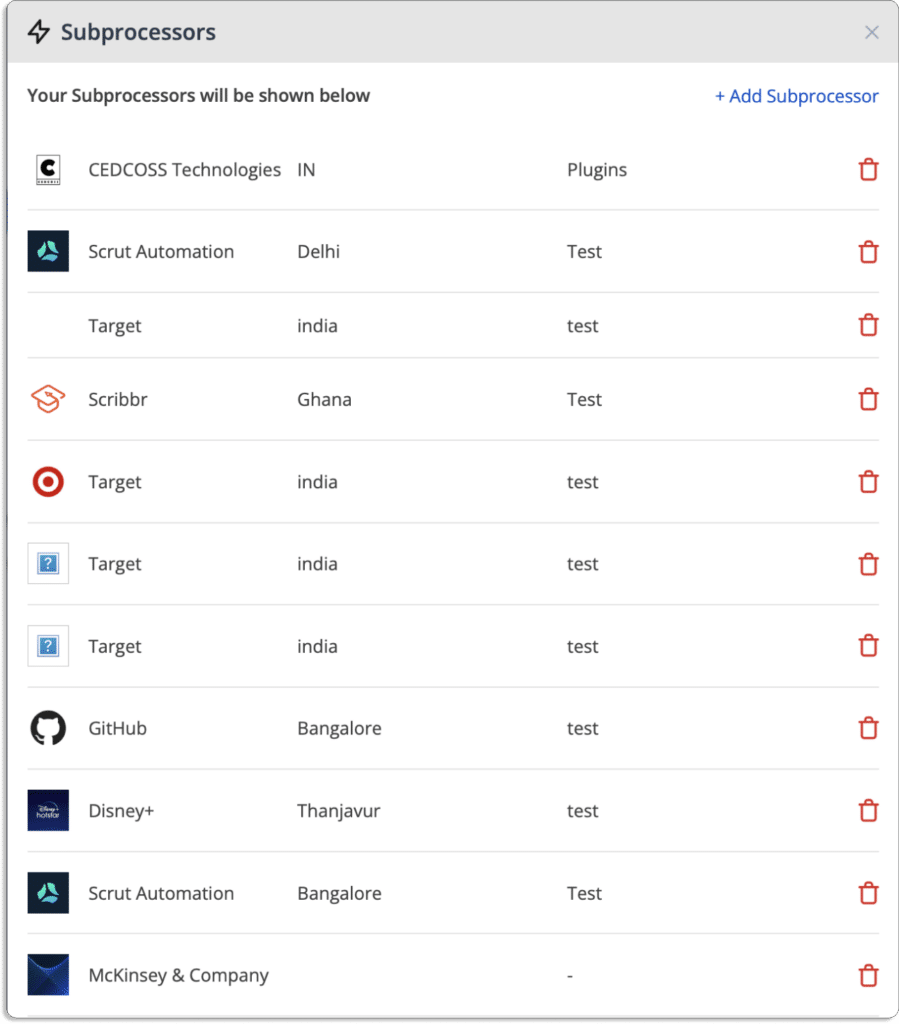
Key Features

Gain complete visibility across all cyber assets:  JupiterOne is a proficient CAASM tool that provides full visibility of your asset inventory. It uncovers all the hidden risks and assesses all the risks to monitor any risk. It discovers structural elements of your environments, such as unknown intensity, user accounts, workloads, and security awareness gaps, to mitigate security risks associated with the organizations.
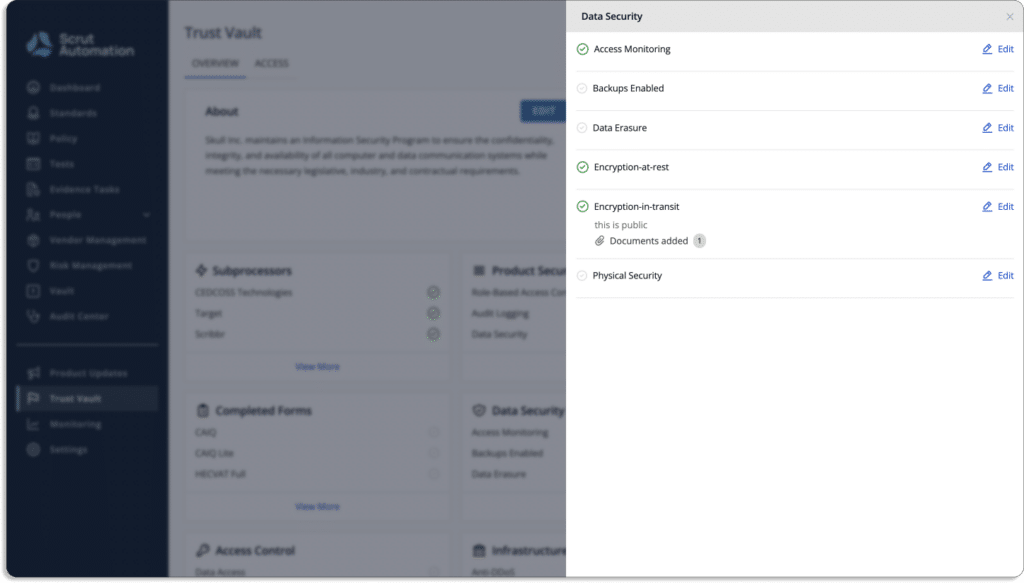
Query consolidated data: With JupiterOne, your team members can query consolidated data to answer complex questions.

Accelerate incident response and remediation: JupiterOne helps you proactively find the risks before it happens. It has a strong automated incident response system and accelerates the mitigation strategies, and helps you stay safe from any risks.

Pros

  • The platform can quickly visualize relationships in the digital environment by providing automated reports and evidence collection feature. 
  • It offers security categories to maintain a secure environment and provides efficient observability of IT assets in your organization to control the attack surface.
  • It offers JSON language support, which makes it quite simple to build a query and run it quickly.
  • The platform’s compliance solution provides cloud network mapping and vulnerability tracking.
  • Query AWS resources help you understand the environment, configuration, and overall compliance accurately.

Cons

  • There are performance issues in the platform due to rate limiting. 
  • The SaaS integrations need improvement as some desirable data elements are often not pulled into JupiterOne.

Customer Rating

  • G2 – 5/5

3. Noetic

Noetic is a continuous cyber asset management and control platform with full-stack visibility to your organization’s assets. The tool empowers you to identify all the hidden and exposed assets and signify their relationship. It helps you identify gaps and improve efficacy.

Real-time insights: Noetic provides unified visibility across cloud and on-premise systems and covers all assets and entities in the organization. It provides real-time insights into security posture.

Cyber relationship: The tool maps the cyber relationship between the organizations’ assets to identify the security coverage gaps. Also, it discovers misconfigurations and policy violations and prioritizes business risks based on resolution.

Integrations: The software can integrate with any third-party integrations to fully discover the organization’s risk. It provides automated workflows, resolves the risk, and continuously monitors all improvements.

Key Features

  • Asset discovery – Noetic accelerates asset discovery and makes it simple to view and understand the relationships between all of your entities and assets. The platform builds an updated single point of truth through a graph database. This connected graph can help security teams quickly detect coverage gaps, address data quality concerns, and prioritize business operations. 
  • Vulnerability management – The platform enhances vulnerability management capabilities by delivering a consistent perspective of your ever-changing security environment to make decisions based on comprehensive and real-time data.
  • Endpoint security – Noetic platform seamlessly integrates with and extends existing endpoint security products by giving organizations complete visibility into their security posture. The tool integrates with endpoint security tools like SentinelOne, CrowdStrike, and Windows Defender ATP to determine and evaluate protection coverage across several tools.
  • Identity and access management –  Noetic integrates with identity and access management systems to create a unified graph that describes roles, individuals, accounts, accesses, and user activity to the assets and resources you are safeguarding.

4. Axonius

Axonius platform enhances security coverage by providing complete insights into the attack surface, including internal and external. The tool offers automated response actions by normalizing, aggregating and deduplicating data from security and IT solutions. 

Key Features

  • Complete inventory of your environment – It provides a full, always up-to-date inventory of all assets based on data from hundreds of deployed sources. With Axonius, there is no need to install agents, traffic sniffing and network scanning. 
  • Query to identify vulnerabilities and gaps – With Axonius query wizard, you can easily detect surface coverage gaps, policies and controls validation, and perform quick investigations. 
  • Remediate risks and vulnerabilities – It provides automated trigger whenever an asset deviates from policies. 

Pros

  • The tool provides complete visibility by connecting and gathering information from the majority of the products.
  • With Axonius, users can aggregate CSV reports and make API calls to many data sources. For example – users can get records from antivirus, Active Directory, etc. all in one report.
  • The platform aggregates data from several sources and provides useful APIs to other systems with a collaborative support team.
  • The tool provides dashboards with all required metrics of data and alerts about all the security issues and identifies security controls on endpoints efficiently.

Cons

  • The query capabilities is not up to the mark and lack few queries such as if-else queries and provides no way to organize the metric cards stored accordingly.
  • The platform doesn’t provide efficient graphs or visibility features that help users to understand the data reporters more efficiently.
  • Sometimes the connectors don’t sync up properly.

Customer Rating

  • Capterra- 5/5

5. Brinqa

Brinqa is a CAASM tool that seamlessly integrates all security and business data sources into a unified knowledge graph. It provides automated data transformations, normalization, and correlation with the Brinqa connector framework.

Brinqa’s cyber risk service provides cyber asset attack surface management through knowledge-driven insights. It transforms security, contextual and threat data into insights. These insights empower organizations to identify their risk and provide risk assessments for mitigating security issues.

Key Features

  • Risk assessment: It provides an efficient risk awareness program and process to apply consistent strategies across your security solutions, asset repositories, and attack surfaces. It turns the insights into targeted, automated, and tracked actions to improve cyber risk management.
  • Risk management: An organization can have multiple risks at once present within the systems. It is important to analyze and prioritize all the risks to manage those properly. A managed environment provides better risk mitigation strategies. The tool provides enterprise-grade risk management solutions that provide risk-aware prioritization and remediation of threats.
  • Risk remediation: The identified risks need to be handled in the organizations. The tool provides future-proof solutions that develop and apply necessary knowledge to make informed decisions for risk remediations. It improves the system’s security posture using its most effective and efficient security actions.

Pros

  • The platform analyzes security data by automating routine security processes and providing useful insights.
  • The platform provides security with a trust plugin feature.

Cons

  • The features are costly compared to other software.

Customer Rating

  • G2- 4.6/5

6. Sevco

Sevco security uses a modern approach to asset intelligence to strengthen the security posture. The tool manages the asset inventory for giving a complete real-time asset ecosystem view. Its CAASM platform aggregates inventory information from multiple sources for comprehensive report generation.

Sevco is a cloud-native CAASM platform that provides multiple benefits to your organization.

  • Sevco identifies gaps and vulnerabilities in security tools deployment and coverage, and provides proper risk mitigation strategies to safeguard your system from hackers.
  • It improves incident response capabilities and provides real-time asset inventory details for your understanding of the states and making informed decisions.
  • The tool ensures continuous adherence to endpoint compliance build standards to be safe from legal issues and maintains customers’ trust in the organization.

Key Features

Data collection and processing pipeline: Sevco enables your organization to collect data and create an automated processing pipeline using native API integrations. A single data source does not provide all the necessary details. Thus, Sevco’s multi-sourced approach provides comprehensive and accurate visibility to your organization’s asset inventory by leveraging several existing tools.

Aggregation and correlation: Organization’s asset inventory is dynamic and is always changing. It provides continuous real-time asset inventory details to better understand security measures. The tool does exactly that by providing a detailed overview of your daily operations related to asset inventory and ensuring all the data streams are analyzed for to make comprehensive reports.

Asset Telemetry: Sevco generates asset telemetry for every change detected by any of your tools with the continuous data flow. The platform records every event. It generates asset telemetry for continuous data processing pipeline changes. For example – when a device’s IP address changes or when it appears in a different physical location. Furthermore, its asset telemetry can be easily searched to help in your investigations.

API integration configurations: Sevco highlights risks and gaps by providing real-time asset inventory with Venn diagrams.

Data publication: The tool feeds data into existing procedures and processes in systems like SOAR (security orchestration automation and response) and SIEM (security information and event management) platforms. 

Pros

  • The platform provides easy integration with different technologies that enhance your cyber attack surface management and offers feedback on ways to improve your organization’s overall security.
  • It provides data insights in a single dashboard and you can use the reports to close the vulnerabilities.

Cons

  • In terms of data sources and reporting features, the product still has some catching up to do. For example – roadmap items need to be fixed.
  • Queries occasionally need to be adjusted because of complex reporting.

Customer Rating

  • Gartner- 4.9/5

7. Cyberpion

Cyberpion’s security platform identifies and neutralizes threats by protecting the external attack surface. Organizations can gain visibility and control of risks streaming from websites, clouds, PKI, and DNS misconfigurations.

The Cybepion tool has automated protection capabilities and blocks attackers with an immediate active protection system. It prioritizes your risks and provides relevant solutions for mitigating the threats. It detects and fixes vulnerabilities before they become potential threats and lead to data breaches.

Key Features

External attack surface discovery: Cyberpion discovers all the external assets of your organization that are exposed to the internet and can lead to cyber-attacks if any vulnerability is available. It provides a strong asset discovery engine that examines third-party connections of your system and maps the online attack surface to find all the hidden assets.

External attack surface evaluation: After discovering all the assets and third-party connections Cyberpion enables evaluation strategies to decide what to do with the risk issues. It helps you to make informed decisions on what elements to keep, initiate, or remove from your organization. The tool provides complete visibility of  your external asset surface and helps security teams to analyze and eliminate assets and connections that are vulnerable to external  threats.External attack surface management: After assessing strategies, it is important to resolve the issues by eliminating unnecessary assets or third-party connections. Cyberpion helps you to manage your relevant assets by focusing on only the assets essential to business and the security team eliminates the other irrelevant assets. This results in protection against the exploitation of data breaches of your organization by hackers.