Authored by

Aayush Ghosh Choudhary
Co-founder & CEO at Scrut

Navigating Privacy: Exploring Different Privacy Frameworks

In the modern digital world, where personal data is increasingly the currency of the online world, ensuring privacy has become a paramount concern. 

Privacy frameworks serve as navigational tools, helping individuals and organizations traverse the complex terrain of data protection. 

In this blog, we will embark on a journey to understand and compare various privacy frameworks, deciphering their roles in safeguarding personal information.

Understanding privacy frameworks

Privacy frameworks are comprehensive systems of guidelines, regulations, and practices designed to safeguard personal data and uphold individuals’ rights. They provide structure to data handling, storage, and processing, ensuring transparency and accountability. By adhering to a privacy framework, organizations establish a consistent approach to protecting sensitive information and building trust among stakeholders and consumers.

Data privacy vs. data security: clarifying the difference

Data privacy and data security are two closely related yet distinct concepts. 

Data privacy involves controlling access to personal information and determining how it’s collected, used, and shared. 

On the other hand, data security focuses on protecting data from unauthorized access, breaches, and cyber threats. Privacy frameworks not only address the lawful use of data but also the technical measures required to keep that data secure.

Data security aims to protect organizational data from unauthorized access, use, disclosure, modification, disruption, or destruction. It can be achieved by implementing technical and non-technical measures such as encryption and access control.

On the other hand, data privacy underlies the philosophy that consumers are the owners of the information about them. Privacy addresses an individual’s concerns about misuse of data against their consent. 
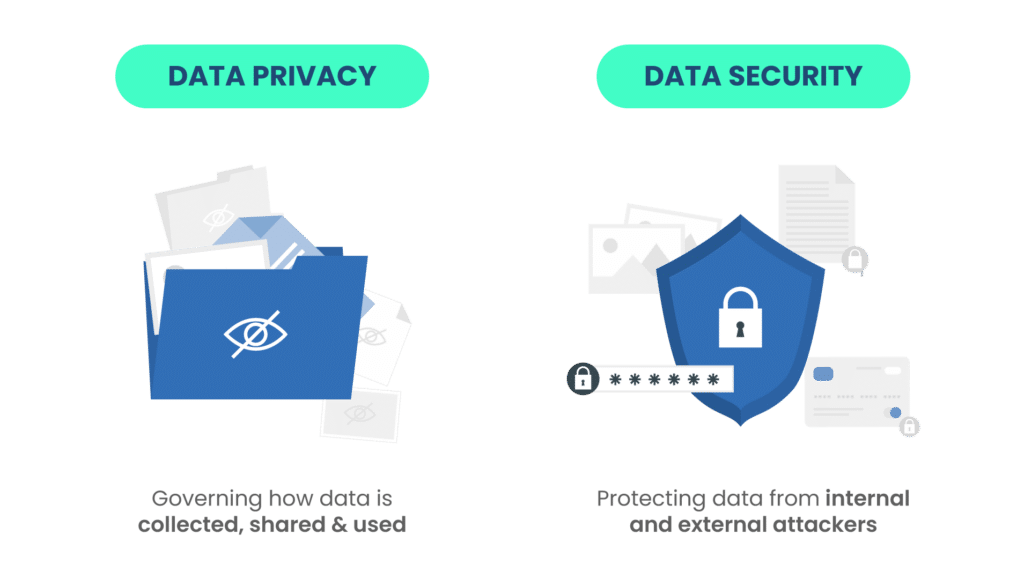
How an organization is supposed to collect, use, and disclose an individual’s personal information is guided by the particular data privacy framework. 

Consumers are concerned about safeguarding their details and have the right to know how companies share their data with third-party companies. However, consumers are not equipped with the proper knowledge and resources to enforce the correct use of their data by organizations. Hence, legal standards like GDPR, CCPA, and HIPAA exist. 
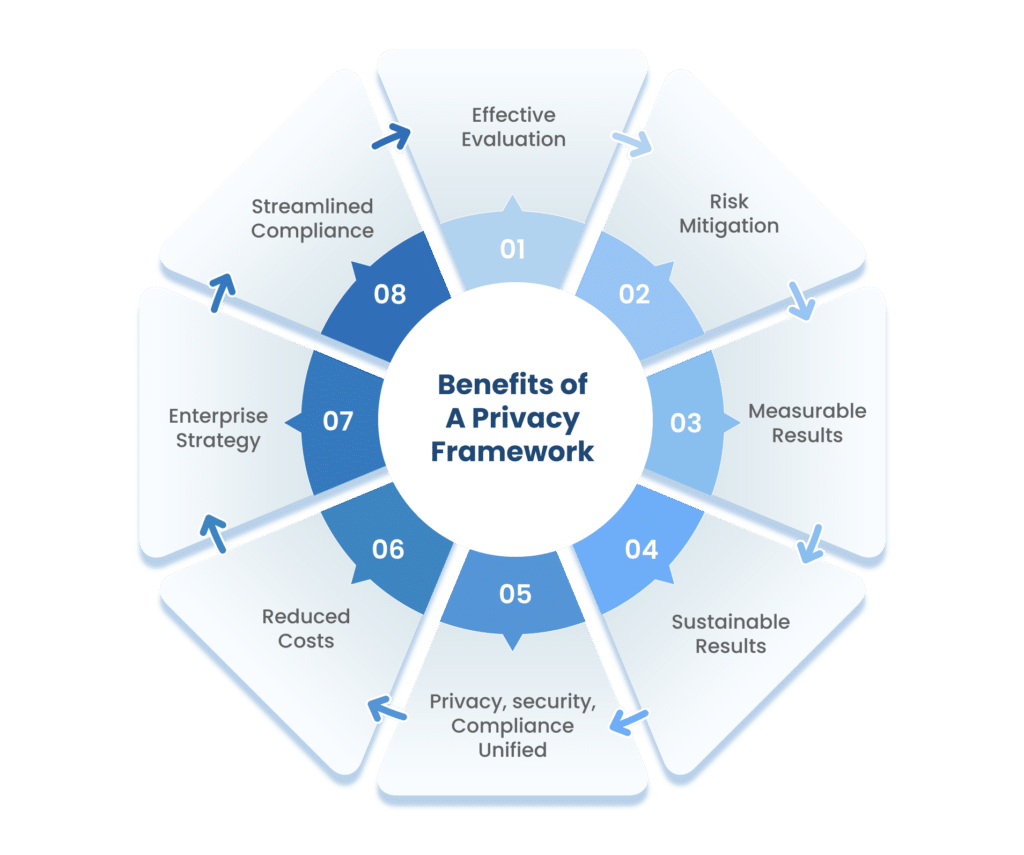
How to choose the right privacy framework?

Choosing the appropriate privacy framework requires careful consideration of various factors. Start by assessing your industry and geographic scope, as different regions may have unique regulations. Evaluate the specific needs of your organization, such as the type of data you handle and the rights of individuals involved. Review the requirements of available frameworks and select the one that aligns best with your operations and compliance obligations.

Before choosing the proper privacy framework, you should have a team of cybersecurity experts, information technology experts, information security experts, legal experts, compliance experts, and business owners discuss the scope of the frameworks.

Before choosing a framework, the team should be aware of all the frameworks already being used within organizations. One of the available frameworks can be worked as a foundation for the new frameworks. The team should pay special attention to cybersecurity frameworks such as the National Institute of Standards and Technology Cybersecurity Framework (NIST CSF), International Organization for Standardization 27001 (ISO 27001), International Organization for Standardization 29100 (ISO 29100), etc.

Selecting privacy frameworks for your company depends on various factors such as your industry, operational location, customer geography, and the nature of the information you store. These elements collectively determine the specific privacy frameworks that are pertinent to your requirements.

For example,

  • If you store patient information, you have to be HIPAA compliant
  • If you collect data of California citizens, you have to be CCPA compliant
  • If you collect data of EU, European Economic Area or UK residents, you have to be GDPR compliant
  • If you work with the Federal government, you have to be FedRamp compliant

This article will help you understand how all the essential privacy frameworks secure your organization’s brand identity.

Exploring key privacy frameworks:

1. GDPR (General Data Protection Regulation)

The GDPR (General Data Protection Regulation), is a comprehensive data protection and privacy regulation introduced in 2018. It applies to organizations processing personal data, offering goods/services to EU, UK, or EEA residents, or monitoring their behavior. 

It affects both data controllers and processors, aiming to protect individuals (data subjects) and their rights. GDPR covers sensitive data and has global reach due to its extraterritorial scope. It’s relevant to the public/private sectors and requires compliance to avoid penalties. It grants individuals rights such as data access, rectification, and erasure. 

Organizations must ensure lawful processing, obtain explicit consent, and report data breaches promptly or face substantial penalties.

The purpose of the GDPR is to safeguard consumers’ personal information and prevent its misuse in any manner. 

It is not only applicable to European companies; any organization that stores EU,UK, and EEA residents’ personal data must maintain this standard. 

Maintaining the proper controls to safeguard consumers’ data is entirely the responsibility of organizations.

GDPR defines reasons for collecting personal data, and under that:

  • Data collected must be for a specific and legitimate purpose and should not be used for any other purpose
  • Organizations should collect data that must be limited to what is necessary for the purpose

In instances where an organization lapses in upholding GDPR compliance, substantial fines are levied against them. These penalties can be applied in situations where a data breach occurs due to deliberate actions or oversight. 

Factors taken into account for penalty determination include the gravity of the infringement, the length of the breach, the quantity of individuals whose data is compromised, and the extent of harm inflicted upon the affected users.

The penalties are categorized into two levels.

  • Lower level: The fine is up to €10 million or 2% of global revenue from the previous year, whichever is higher.
  • Upper-level: €20 million or 4% of global revenue from the previous year, whichever is higher.

Some hefty fines levied on well-known companies are:

  • Amazon: A €793 million fine was levied on Amazon.com Inc. when an infringement concerning Amazon’s advertising targeting system was identified, in which customer data was processed without proper consent.
  • Instagram: €405 million was levied for GDPR violations by Ireland’s Data Protection Commission for how it handles children’s data.

 2. HIPAA (Health Insurance Portability and Accountability Act)

The Health Insurance Portability and Accountability Act (HIPAA) is a legal standard or law that secures protected patient health information (PHI). It provides consumers with trust about the safeguarding of their medical data with the respective authorities without any disclosure to third parties.

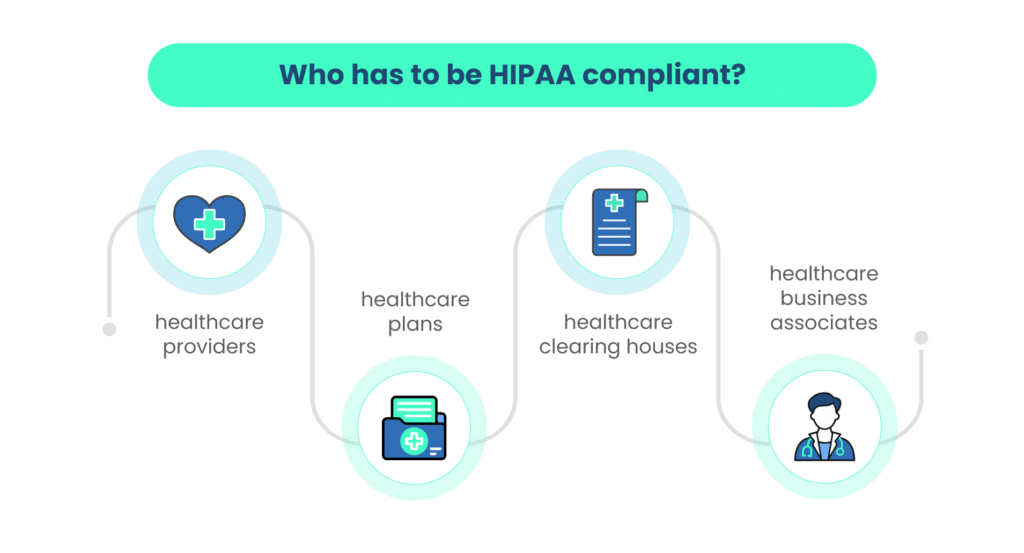
HIPAA addresses the use and disclosure of an individual’s health information by entities subject to the privacy rule. These individuals and organizations are termed covered entities. 

Covered entities include: 

  • health care insurers (health insurance companies, company health plans, and government plans)
  • health care providers (doctors, clinics, psychologists, dentists, chiropractors, nursing homes, and pharmacies)
  • health care clearinghouses (middlemen between healthcare providers and insurers)
  • business associates (people or organizations that work on behalf of one of the entities above)
To comply with HIPAA, all covered entities must ensure the confidentiality, integrity, and availability of all e-PHI, detect and safeguard against anticipated threats, and protect against disclosures that are not allowed.
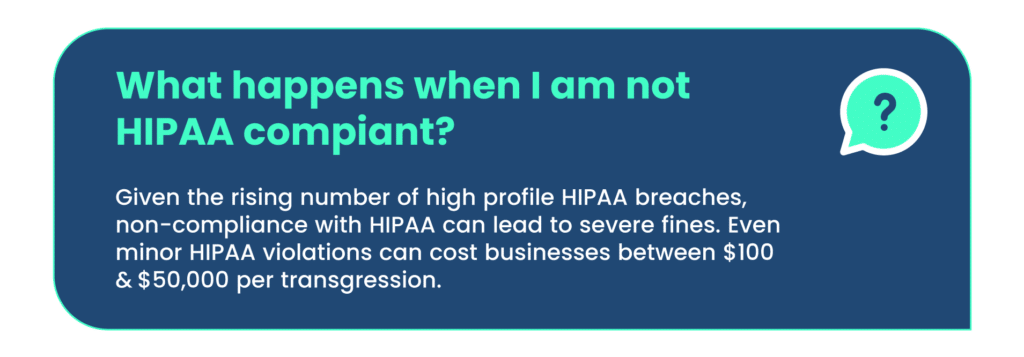
If your organization fails to comply with HIPAA, a penalty can be imposed.

Penalties for civil violations

  • Tier 1: When the entity is unaware of violation: a fine of $100 to $5000 per violation, with an annual maximum of $25,000 for repeated violations.
  • Tier 2: When the entity is aware of a violation but could not avoid it with reasonable care: a fine of $1000 to $50000 per violation, with an annual maximum of $100,000 for repeated violations.
  • Tier 3: If the violation is a result of willful neglect and an attempt is made to correct it: a fine of $10000 to $50000, with an annual maximum of $250,000 for repeated violations.
  • Tier 4: If the violation is a result of willful neglect and no attempt is made to correct it: $50000 per violation, with a maximum of $1.5 million annually 
Lack of knowledge $100 to $50000
Reasonable cause$1000 to $50000
Wilful neglect, corrected in 30 days$10000 to $50000
Wilful neglect, not corrected in 30 days>$50000

3. CCPA (California Consumer Privacy Act)

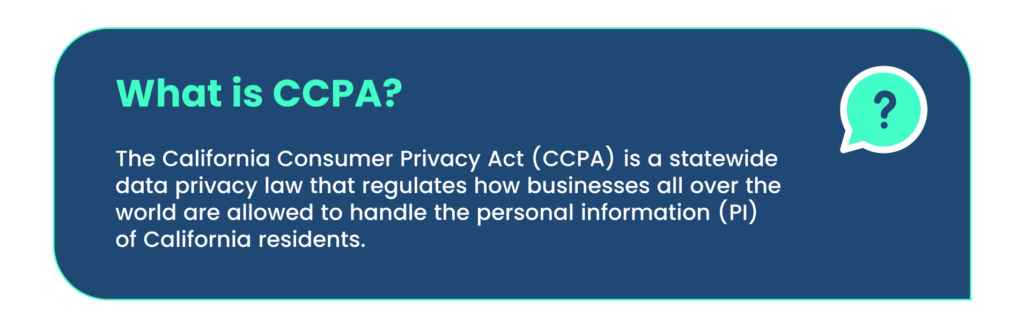
The CCPA is a state-wide data privacy law that regulates how businesses worldwide are allowed to handle the personal information (PI) of California residents. The CCPA gives consumers more control over the data that companies collect.
Under this law, sensitive data includes people’s browsing history, geolocation data, and a visitor’s interactions with a website or application. It covers employees’ as well as consumers’ data. 

According to this compliance standard, companies should give consumers the option to choose not to have their data shared with third parties. It allows California customers to demand to see the information a company has saved and the list of third-party companies with which the data is shared. It also allows consumers to sue other companies if the privacy guidelines are violated. 

Organizations need to be CCPA compliant to do business in this region. It promotes, protects, and enforces the rights of consumers. Suppose you are CCPA compliant; you gain the consumers’ trust that their personal data is safe with the company.
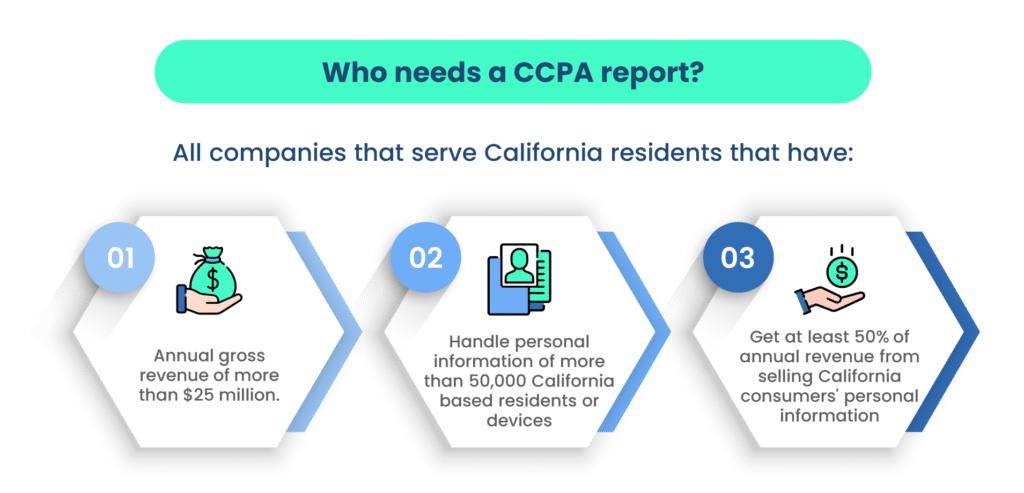
The CCPA allows consumers to know and apply the following rights to maintain their data security.

Right to know

Consumers have the right to access the data companies have stored and used for their needs, such as data sharing. For this, they need to formally ask for access to what data is stored in the companies and how they use it. They can ask about data stored, shared, disseminated, and sold to third parties.

Right to delete

Consumers have the right to have their personal data stored by companies deleted if it can become a security issue for them. They can ask the companies about the procedures and follow them. Consumers have to do this through a formal application.

It gives the users the authority to erase their data from companies, which means withdrawing consent; thus, companies won’t be able to use, manipulate, or sell this data to third-party companies.

Right to opt-out

Companies collect personal data and sell it to third parties. So, users can withdraw their consent from the user agreement and opt out of the company-stored data not being used for selling and other issues as it can hamper their security. You have the right to opt out of such a situation without much struggle.

Non-Discrimination Entitlement

The CCPA ensures that consumers are protected against any form of retaliation by companies when they exercise their rights to access information, request deletion of data, or opt-out of data usage. This empowers consumers to confidently inquire about their rights and utilize them without encountering any obstacles.

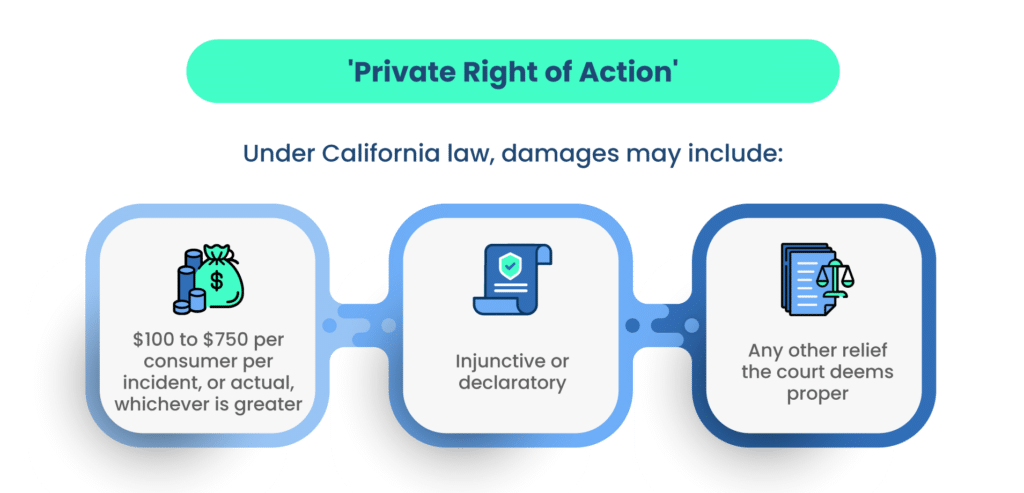
In cases of CCPA violations, consumers retain the right to file complaints and seek reparations for the harm caused. The compensation mandated ranges from $100 to $750 for each consumer incident, or the actual amount of damages suffered—whichever is of greater value.
Once a violation is observed, the organization has 30 days to comply with CCPA. If they fail to comply within the stipulated time, a civil penalty of up to $2500 per violation or $7500 for each intentional violation will be levied.

4. Singapore PDPA (The Personal Data Protection Act) 

The Personal Data Protection Act (PDPA) sets standards for the protection of personal data in Singapore. It comprises many requirements governing the collection, use, disclosure, and care of personal data in Singapore.

The Singapore Personal Data Protection Act (PDPA) governs the collection, use, disclosure, and care of personal data

The purpose of this act is to govern the collection, use, and disclosure of personal data by organizations in such a way that both the right of individuals to protect their data and the need of the organizations to collect, use, and disclose personal data is maintained.

PDPA ensures that any organization that regularly collects data keeps track of the following things:

  • What personal data is being collected, and what is the purpose of collecting it
  • Who is collecting the personal data, and where it is being stored
  • To whom the information about personal data is disclosed

Under PDPA, the following obligations occur: accountability, notification, consent, purpose limitation, accuracy, protection, retention limitation, transfer limitation, access and correction, data breach notification, and data portability.

It provides a regime to safeguard personal data from misuse and to maintain individuals’ trust in organizations to manage data. It strengthens the organization by regulating the flow of personal data among businesses.

If your organization is found to be non-PDPA compliant, then authorities can impose a financial penalty of up to $1 million. Also, you have to stop collecting or disclosing personal data and destroy previous data collected without consent.

5. HITRUST (Health Information Trust Alliance) CSF

HITRUST CSF offers a versatile and streamlined approach to achieving regulatory compliance and managing risks effectively. The acronym HITRUST stands for Health Information Trust Alliance, an organization that introduced a cybersecurity standard aimed at aiding entities in handling data, compliance, and information-related risks.

This comprehensive framework integrates requirements from a multitude of other established standards and regulations, such as GDPR, PCI DSS, HIPAA, and more. A significant advantage of adhering to the HITRUST framework is its readiness to encompass a wide array of privacy frameworks.

For entities involved in the creation, access, storage, or exchange of personal health information, HITRUST CSF certification becomes mandatory. This certification serves as a crucial marker of compliance.

HITRUST CSF certification aids organizations in mitigating risks through enhanced information security measures, enabling the establishment of robust frameworks for safeguarding information.

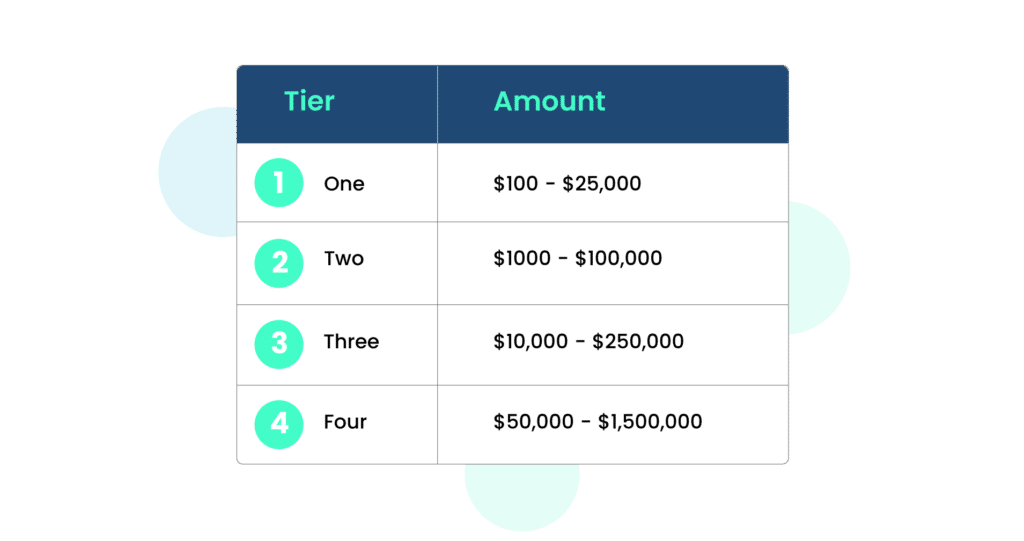
Failure to achieve HITRUST compliance may lead to the imposition of one of four potential penalties:

  • Tier One: Fines ranging from $100 to $25,000 per infraction. This amount can be revised within a 30-day window if the organization was unaware of the breach and responded promptly once it was identified.
  • Tier Two: Fines varying from $1,000 to $100,000. When the organization was oblivious to the breach and failed to rectify it promptly, fines can be levied for each violation.
  • Tier Three: Penalties spanning from $10,000 to $250,000 for each transgression. In cases where an organization deliberately disregards proper security implementation and due diligence, a 30-day grace period is provided for protocol enhancement.
  • Tier Four: Fines ranging between $50,000 and $1.5 million per violation. This applies when the organization possesses knowledge of the breach and deliberately neglects to address identified vulnerabilities within a 30-day interval.
Often misunderstood to be similar, HIPAA and HITRUST are quite different. HIPAA is legislation, and HITRUST is an organization. HITRUST Alliance is an independent organization that offers an organization flexible and comprehensive approach to HIPAA compliance and risk management.

6. IRAP

The Australian Signals Directorate (ASD) spearheads the Information Security Registered Assessors Program (IRAP), a pioneering effort designed to guarantee the provision of top-tier information and communication technology (ICT) security assessment services by various organizations to the government.

The IRAP certification extends the means for Australian government clients to affirm the adequacy of controls addressing the mandates outlined in the Australian Government Information Security Manual (ISM), a creation of the Australian Cyber Security Centre (ACSC).

With a core focus on the information and communication technology (ICT) infrastructure responsible for the storage, processing, and transmission of data, the IRAP endeavors to fortify the security of data held by Australian federal, state, and local government entities.

IRAP Assessors play a pivotal role in ensuring your organization attains the requisite physical certification. They meticulously evaluate security controls, enhancing your comprehension of your system’s architecture. Furthermore, they proffer recommendations for mitigation strategies, facilitating well-informed, risk-based decisions concerning the system’s suitability for its security imperatives.

7. FedRamp

The Federal Risk and Authorization Management Program (FedRamp) is a US federal security risk management program for the procurement of cloud products and services used by government agencies. It provides a standardized approach to security assessment, authorization, and continuous monitoring for cloud services and products.

FedRAMP ensures that cloud apps and services used by government agencies are safe. It enables efficient and cost-effective procurement of information systems and eliminates duplication of effort and risk management costs. 

If your organization provides cloud computing services (including SaaS, PaaS, and IaaS) and wants to do business with US government agencies, you need to be FedRAMP certified. 

If you are a software as a service (SaaS) provider, you need to keep your data on a FedRAMP-compliant cloud service provider, and your software must also comply with the framework.

To be FedRamp compliant, you need access control, awareness and training, audit and accountability, security assessment and authorization, configuration management, contingency planning, identification and authentication, and incident response. 

US federal agencies require FedRAMP because it increases consistency with similar standards like the National Institute of Standards and Technology (NIST) and the Federal Information Security Management Act (FISMA). Together, these frameworks collectively contribute to maintaining transparency in the relationships between cloud providers and the US government.

8. ISO 27701 

ISO/IEC 27701 stands for International Organization for Standardization/International Electrotechnical Commission 27701.

It is a privacy extension to the ISO/IEC 27001 and 27002 standards, providing guidelines and requirements for establishing, implementing, maintaining, and continually improving a Privacy Information Management System (PIMS). 

This standard focuses on helping organizations manage personal data privacy and meet the requirements of various privacy regulations.

Furthermore, it outlines requirements for establishing, implementing, maintaining, and continually improving a privacy-specific information security management system.

According to Dr. Andreas Wolf, Chair of the ISO/IEC technical committee that developed the standard, ISO 27701 is designed to help businesses not only meet the legal requirements they are subject to, but also demonstrate their commitment to the social responsibilities that come with collecting and processing user data.

Please be aware that ISO 27701 does not have an independent certification process. To attain 27701 certification, organizations must first hold an existing ISO 27001 certification. Alternatively, there is an option to implement ISO 27001 and ISO 27701 concurrently, streamlining the auditing process.

The presence of ISO 27701 signifies an advanced level of data protection for consumers. The combined effect of both certifications instills assurance among stakeholders within your organization, as it showcases the establishment of a comprehensive data privacy management system.
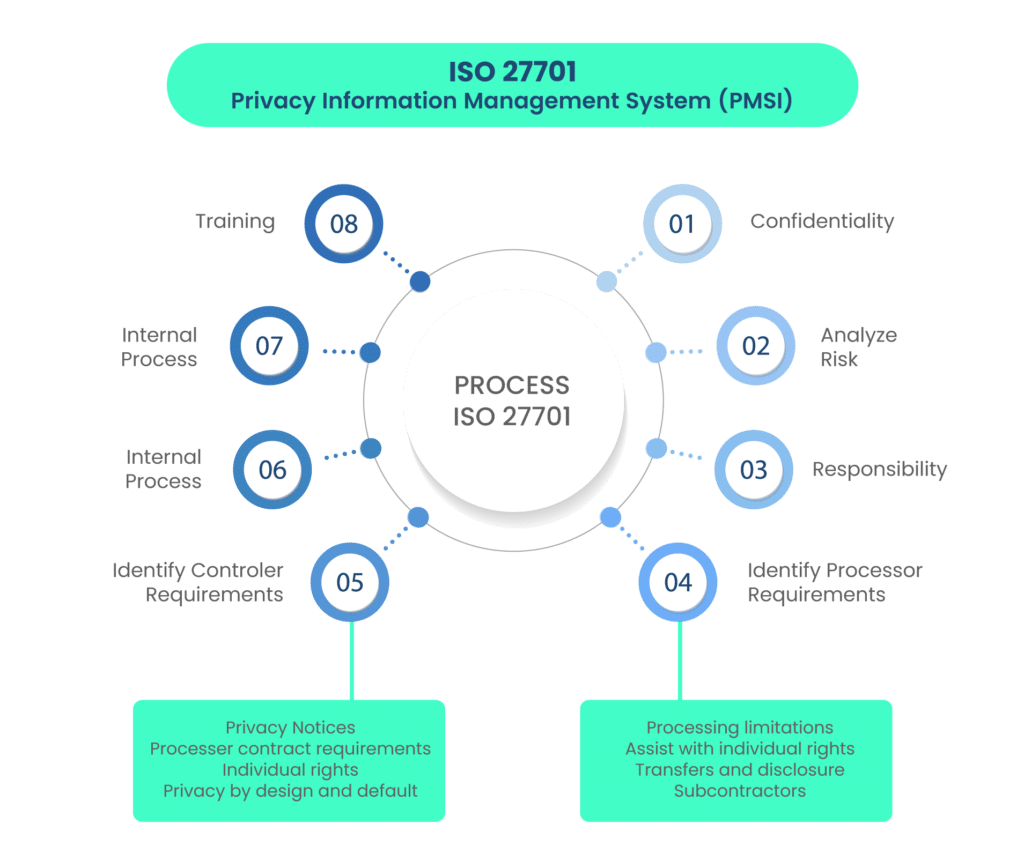
ISO 27701 requires that companies regularly produce documentation about personal data handling against breaches. Transparency about a company’s data governance assures consumers, employees, investors, clients, and the government that you are serious about protecting the privacy of your associates.

9. ISO 27018 

ISO 27018 focuses on the protection of personal data on the public cloud. It is based on ISO/IEC security standard 27002 and guides the implementation of public cloud personally identifiable information (PII). It also sets additional controls to address public cloud PII protection requirements not managed by the existing ISO/IEC 27002 control set.

Note that, according to the latest changes, ISO 27018 is a document, not a standard. 

Benefits

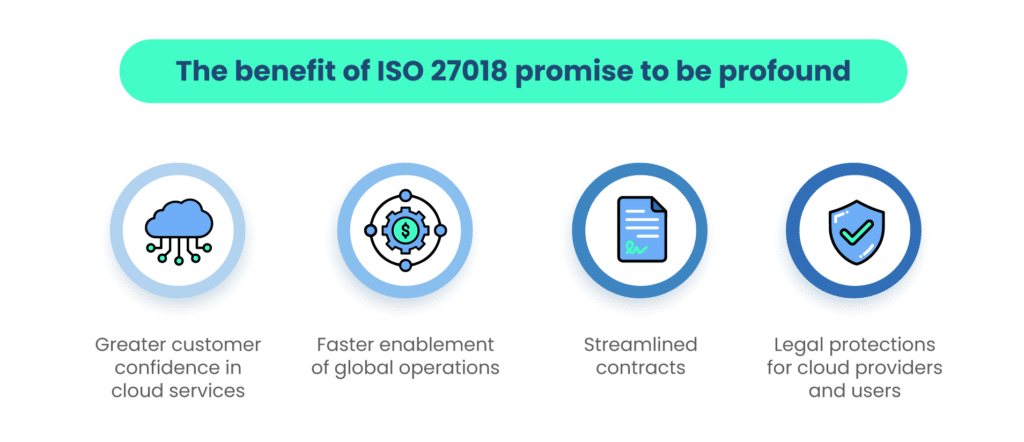
ISO 27018 compliance is a competitive advantage for both cloud service providers and their customers. 

  • ISO 27018 ensures confidence to customers of cloud service providers that their data is safe and won’t be used for any purposes for which they haven’t provided consent. 
  • It ensures organizations’ local and international privacy and data security regulations and mitigates risks associated with PII through the cloud. 
  • It helps public cloud service providers comply with applicable obligations when acting as a PII processor. 
  • It assists the cloud service customer and the public cloud PII processor in entering a contractual agreement. 
  • It provides a cloud service mechanism for exercising audit and compliance rights and responsibilities.
How Scrut helps you get compliant faster with privacy frameworks? 

Scrut smartGRC delivers a faster, easier, and smarter path to security and privacy compliance frameworks, eliminating tedious manual processes and keeping you up-to-date on the progress and effectiveness of your GRC programs. 
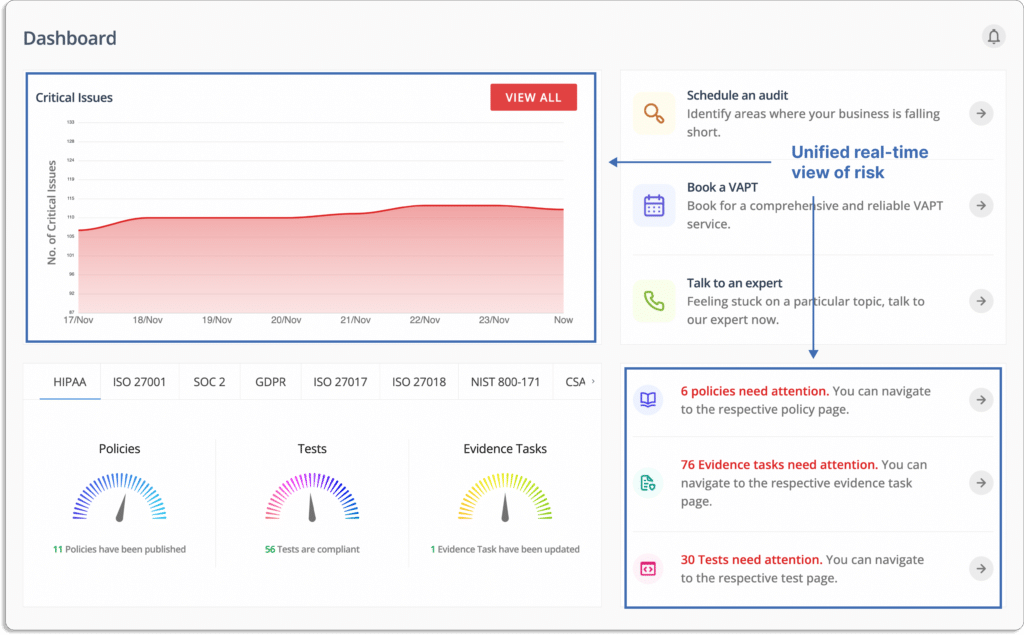
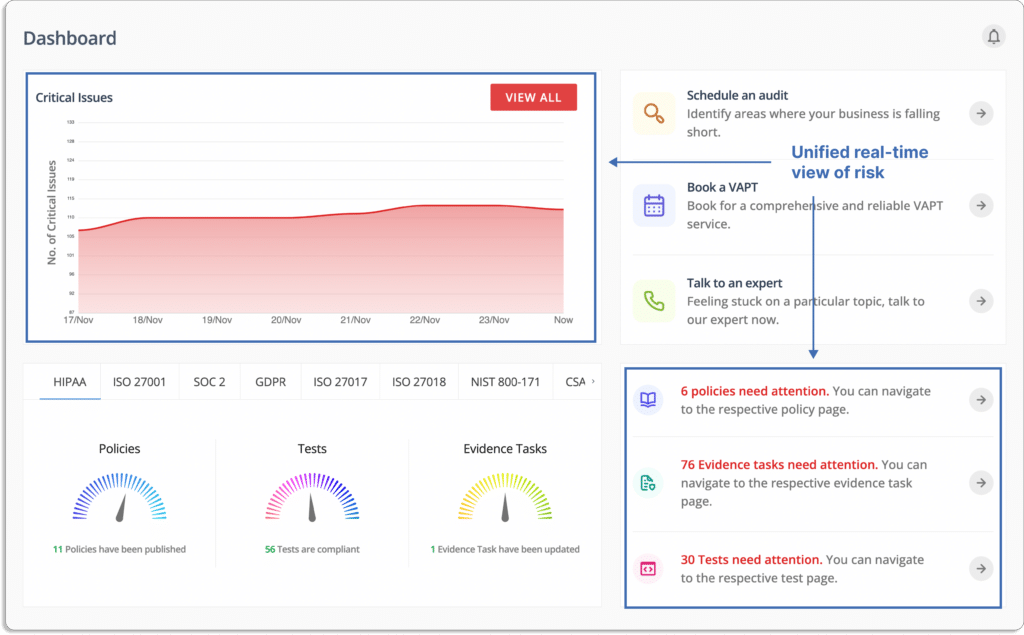
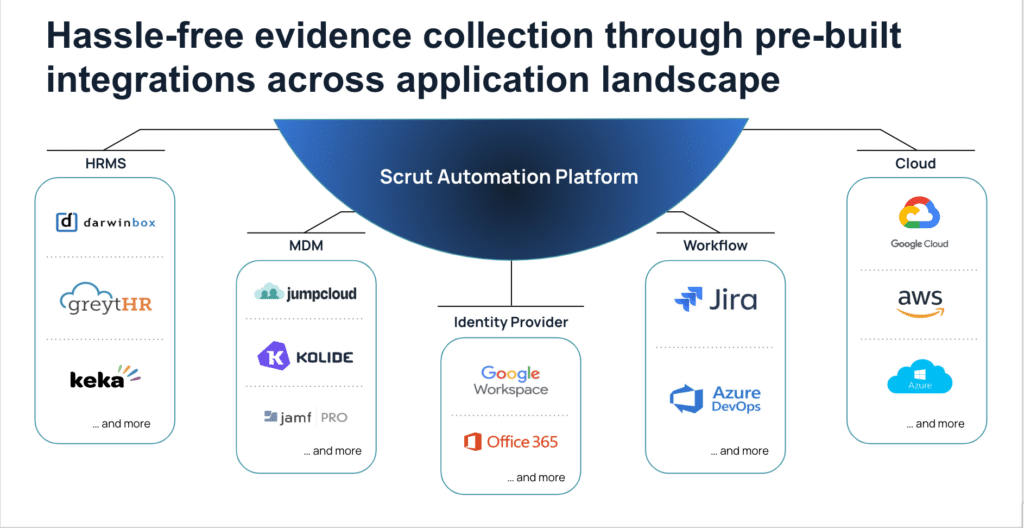
With seamless integrations across your application landscape, you gain a unified, real-time view of risk and compliance, providing the contextual insight needed to make smart, strategic decisions that keep your organization secure and earn the trust of your customers, partners, and employees.
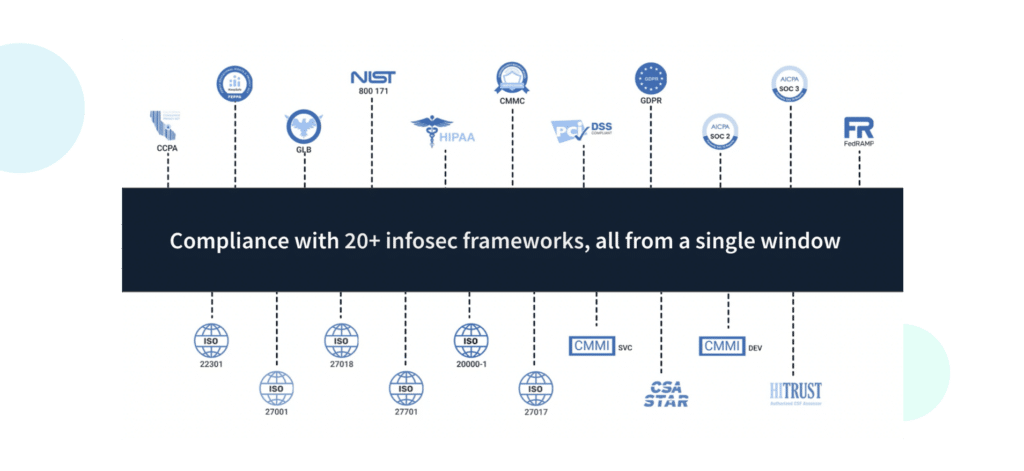
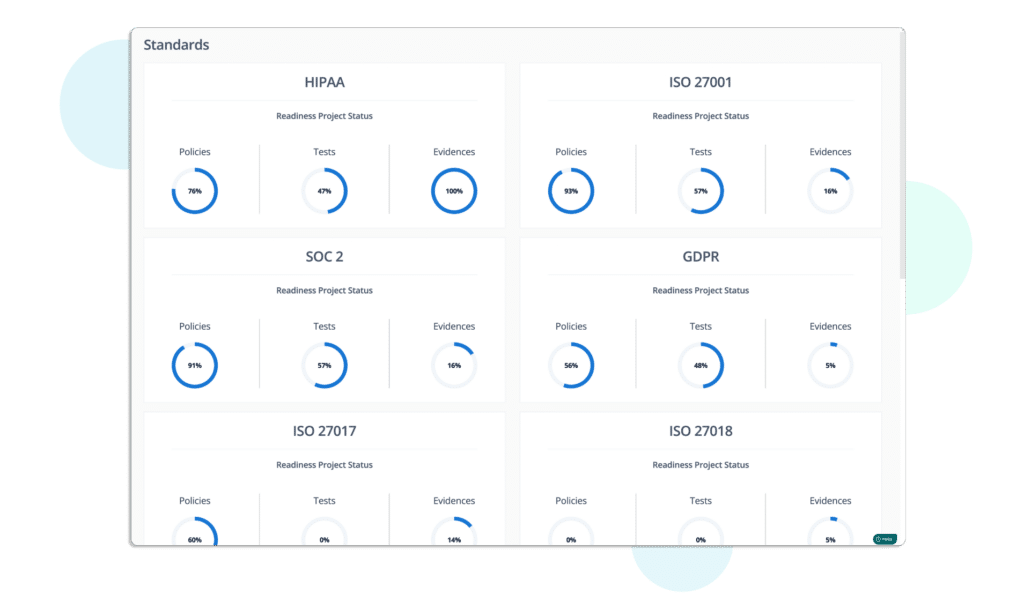
Scrut allows you to track all compliance activities in one place. Since there is a good overlap between many frameworks, you can work on multiple security and compliance frameworks simultaneously. 
Book a Demo

Frequently Asked Questions

1. What exactly are privacy frameworks, and why are they important?

Privacy frameworks are structured sets of guidelines, regulations, and practices designed to ensure the protection of personal data and uphold individuals’ rights. They play a crucial role in guiding organizations on how to handle, store, and process sensitive information while maintaining transparency and accountability. Privacy frameworks help address the growing concerns surrounding data privacy and security.

2. How do data privacy and data security differ within the context of privacy frameworks?

Data privacy involves controlling the collection, use, and sharing of personal information, ensuring individuals’ rights are respected. Data security, on the other hand, pertains to safeguarding data from unauthorized access, breaches, and cyber threats. While data privacy focuses on the lawful handling of data, data security addresses the technical measures required to keep that data safe.

3. How do I choose the right privacy framework for my organization?

Choosing the appropriate privacy framework requires a thoughtful evaluation of various factors. Consider the industry you operate in, as different frameworks cater to specific sectors. Assess the geographic scope of your operations, as privacy regulations can vary by region. Evaluate the type of data you handle and the rights of individuals involved. Align these factors with the requirements of available frameworks to make an informed decision.

4. What are some prominent privacy frameworks and their key features?

Various significant privacy frameworks cater to specific needs:The General Data Protection Regulation is a European Union regulation on Information privacy in the European Union and the European Economic Area; HIPAA sets health data protection standards; CCPA empowers Californian residents with data control; Singapore’s PDPA oversees data use and consent; ISO 27701 integrates privacy into ISO 27001, fostering a holistic approach.

5. What challenges do organizations commonly face when implementing privacy frameworks, and how can they overcome them?

Implementing privacy frameworks can present challenges such as complex compliance requirements, potential data breaches, and the need for transparent communication with individuals. Organizations can mitigate these challenges by investing in robust cybersecurity measures, conducting regular privacy audits, providing comprehensive employee training, and maintaining open lines of communication with stakeholders. 
Authored by

Aayush Ghosh Choudhary
Co-founder & CEO at Scrut

Top JupiterOne alternatives to consider in 2023

JupiterOne is a cyber asset attack surface management (CAASM) platform. It enables security teams to solve persistent asset visibility and vulnerability challenges.

With JupiterOne, security teams can make a full inventory of all their assets, get a centralized view of all their cloud entities, find their most important business assets, and rank their risks across hybrid and multi-cloud environments.

It gives you a complete, graphical view of your threat landscape. This lets you find security loopholes quickly, fix them in order of importance, and reduce your cyber asset attack surface.

Since CAASM is an emerging technology, there is not much information available on CAASM tools. Thus, it’s challenging to select one. 

So, we have listed the best 8 JupiterOne alternatives to make it easy for you to make an informed decision.  

Before we discuss the alternatives, let’s first see JupiterOne key features and drawbacks.

Key features of JupiterOne

JupiterOne integrates with cloud infrastructure, DevOps pipeline, and security solutions to collect and present reliable asset data in one place. This comprehensive, unified view enables security teams to effectively manage cyber assets across hybrid and multi-cloud environments.

Now, let’s see the key features of JupiterOne.

  • JupiterOne assists security teams in addressing persistent asset visibility and vulnerability issues.
  • With JupiterOne, users can gain complete visibility across all the cyber assets.
  • Users can get an understanding of the relationships between cyber assets and quickly identify security and compliance issues. 
  • The platform identifies the scope of vulnerabilities, threats, and gaps.
  • The team members can query consolidated data to answer complex questions about their IT environment.
  • JupiterOne continuously monitors changes in your IT environment and helps you stay compliant.

Although JupiterOne is one of the major players in the CAASM space, it is not the best option for every case. 

Now let’s see some of the drawbacks of JupiterOne. 

Drawbacks of JupiterOne

  • Can be overwhelming due to a lot of features; to be able to get the most benefit out of it, you need to spend a considerable amount of time learning about its features.
  • There may be instances of missing data from SaaS tools integrations.
  • Inaccurate mapping of relationships between assets is a frequent problem. Asset relationship mapping is the foundation of how a CAASM platform works. Unless the mapping is correct, other features like search would not give accurate results.
  • Since the pricing is based on number of assets, it is expensive as most organizations have cyber assets in tens of thousands.
  • You may face performance issues due to rate limiting. Rate limiting is used by software vendors to prevent users from sending more than a particular number of requests in a period of time.
  • No module on vendor risk management. 

Now, let’s discuss the best 8 JupiterOne alternatives.

Scrut – The Best Alternative to JupiterOne

Scrut’s CAASM enables you to gain visibility of all your cyber assets, empowering IT and security teams to overcome cyber asset visibility and vulnerability challenges. 

The platform 

  • aggregates all your cyber assets and 
  • provides insights into a single unified dashboard, 

… which acts as a strong foundation for all security activities.

Key Features of Scrut

  • Centralized Visibility of All Cyber Assets – Scrut assists you in discovering and consolidating all of your cyber assets, regardless of where they are located.

The platform automatically creates a complete and updated asset inventory. It provides a centralized view of all cloud entities to identify critical business assets, and prioritize risks across your hybrid and multi-cloud environments.

The platform offers complete visibility into your external and internal attack surfaces to improve security control coverage and trigger custom, automated response actions.

  • Minimize Your Attack Surface From a Single Platform – As your cloud grows, so will your threat landscape. You can drill into asset details, identify the areas for threats, and drastically reduce your cyber attack surface with Scrut’s interactive visual asset map. 
  • Derive Meaningful Contextual Insights – Scrut stores your organization’s cyber asset data—and the relationship data between those assets. This data helps you to gain deeper security insights based on contextual knowledge.

The data is presented in a graphical manner for quick visualization. So, it’s easy to find exact security issues in your environment, and answer security and compliance questions.

  • Streamline Complex Asset Landscapes – Scrut consolidates and normalizes asset data across distributed, multi-cloud environments. Users can search for information from various cloud providers, applications, and services.
  • Identify and Prioritize Critical Risks – You can continuously monitor your cyber asset landscape for issues affecting business-critical assets. The platform provides alerts based on data-driven rules to help you identify problems and monitor drift in your environment. Scrut allows you to concentrate on the issues that are important to you.

Customer Rating

  • G2 – 5/5

Rest 7 JupiterOne Alternatives 

1. Axonius

Axonius provides complete visibility into the external and internal attack surface by aggregating, normalizing, and deduplicating data from security solutions to improve security control coverage and trigger custom, automated response actions. The platform constantly updates assets inventory based on information from hundreds of already deployed sources.

Key Features

  • Simple to identify coverage gaps, verify controls and rules, and accelerate investigations with the help of the Axonius Query Wizard.
  • Axonius gives you a comprehensive and up-to-date list of all your assets.
  • The platform automatically applies security policies to protect assets against attack.
  • With Axonius Security Policy Enforcement Center, users can decide the custom actions they want to trigger automatically whenever an asset deviates from policies.

Pros

  • It is easy to create and save queries to reconcile assets.
  • This software solution aggregates CSV reports and API calls to various data sources.

Cons

  • Occasionally connectors don’t sync up properly and show more than one cyber asset overlaid in an entry.

Customer Rating

  • Capterra- 5/5

2. Noetic

Noetic takes a proactive approach to manage cyber assets and controls, allowing security teams to see, understand, and optimize their cybersecurity posture. The platform assists security teams in better understanding cyber risks in their environment by creating a map of the relationship between all of their assets and entities.

Key Features

  • With Noetic, all assets and entities within the enterprise are covered by unified visibility across cloud and on-premises by giving real-time insights on security posture and cyber risk.
  • Noetic platform provides security coverage gaps by mapping the relationships between assets in the landscape.
  • It offers fully integrated orchestration and automation workflows to identify issues once and address them continuously.
  • It provides real-time analytics to prioritize security updates for critical assets and applications.
  • Through standardized, extendable APIs, Noetic integrates with third-party products to provide a complete extensible schema for new use cases.

3. Panaseer

Panaseer CAASM is a single centralized intelligence platform that combines data from your vulnerabilities, endpoints, and other security sources to provide complete visibility of your asset inventory and identify vulnerability control gaps. 

Key Features

  • Custom and automated data queries allow you to identify security control gaps and prioritize remediation campaigns.
  • Panaseer CAASM platform lets you focus on fixing the vulnerabilities that pose the most business risk by enriching your data with business context, asset ownership, and relationships.
  • Provides continuous up-to-date security inventory by integrating with existing asset management (such as CMDBs) and endpoint management tools (such as SCCM).

Pros

  • Panaseer provides auto-generated reports in real time. The auto-generated report includes detailed insights about security metrics, investments, risk, and areas for improvement.
  • The platform allows for the creation of analytical reporting dashboards with insights into cyber risk areas and a single snapshot view for quick decision-making and is simple to set up.

Cons

  • Limited integration capability with alerting and incident monitoring tools.

Customer Rating

  • Gartner- 4.2/5

4. Brinqa

Brinqa is a cyber risk management platform that presents a complete and accurate picture of your IT and security ecosystem with the Brinqa Cyber Risk Graph. The platform integrates all relevant cybersecurity information into a standardized, searchable risk model. 

Key Features

  • Brinqa Cyber Risk Graph provides a real-time representation of an organization’s infrastructure and apps and precisely describes interconnections between assets and business services.
  • The platform serves as a knowledge source for organizational cyber risk.
  • The platform provides a common framework and language for all cybersecurity data.
  • It creates a medium through which any system or process can be integrated and enable risk analysis and management.

Pros

  • It is a powerful tool for collecting, correlating, and analyzing security data to deliver actionable insights and streamline standard security processes.
  • Simple to use.

Customer Rating

  • G2- 4.6/5

5. Wiz

Wiz’s agentless scanning technology provides complete vulnerability visibility through a single cloud-native API connector, allowing workloads to be continuously assessed without needing ongoing maintenance.

The platform detects hidden nested Log4j dependencies and CISA KEV exploitable vulnerabilities in virtual machines, containers, container registries, serverless functions (Lambda), and virtual appliances. 

Furthermore, it prioritizes remediation by concentrating on the resources that have been effectively exposed or have a large blast radius.

Key Features

  • It provides context for the risks identified by the Wiz Security Graph and detects suspicious events and threats using Wiz Research’s constantly updated rules.
  • Custom feeds can be used to extend agentless malware scanning and collect samples, workload logs, and other forensics from cloud workloads.
  • It provides built-in dynamic scanning that validates external exposures by simulating what a potential attacker sees outside your environment.

Pros

  • Wiz’s simple integration allows the team to implement the technology quickly and better understand the cloud footprint. This enables users to prioritize efforts in hardening and securing cloud assets in a timely and decisive manner.
  • The platform provides complete visibility in cloud attack surfaces. When presenting threat landscapes to executives and newcomers alike, prioritizing issues that provide context rather than raw CVSS scores is extremely valuable.

Cons

  • Wiz does not yet support API discovery and inventory.

Customer Rating

  • G2- 4.9/5

6. Aquasec

Aqua secures development and production applications across VMs, containers, and serverless workloads. Aqua DTA categorizes detected behaviors into MITRE ATT@CK framework categories, allowing SecOps and forensics teams to see the entire kill chain. With this understanding, the security teams can strengthen weaknesses in their security infrastructure.

Key Features

  • The platform detects and remediates vulnerabilities and malware as soon as possible, allowing only safe artifacts to pass through your CI/CD pipeline.
  • Aquasec uses a secure container sandbox to detect and mitigate advanced threats and unknown malware in container images.
  • Identify hidden risks in your container CI pipeline.
  • Safely detect sophisticated malware before deployment.
  • The platform protects your containerized applications from malicious attacks.

Pros

  • Aquasec allows users to see detailed results and filter them based on specific properties.
  • The platform’s threat analysis and mitigation reports include automatic scan visualizations that ensure the information needed to prevent malicious activity.

Cons

  • The Aqua platform’s UI/UX has several issues, particularly with the sign-up/sign-in flow, authentication, alerts, and results display.

Customer Rating

  • G2- 4.5/5

7. Sevco

Sevco is a real time cyber asset management platform that offers a cutting-edge solution to asset intelligence that improves your security posture and IT procedures. It automatically combines your inventory sources and gives you a holistic, accurate, and up-to-date picture of your asset ecosystem. 

The platform automatically combines data about your inventory from several sources to give you a continuous and unified view of it.

Furthermore, its rigorous methodology produces an accurate source of truth to publish to your current IT and security systems by giving quality enhancements for tools in your environment.

Key Features

  • Identifies security tool deployment and coverage gaps and improves incident response by providing unparalleled, detailed asset state information at any time.
  • The platform generates asset telemetry for changes detected by a constant data pipeline and deploys in minutes using native API integrations with your existing tools.
  • Sevco’s cloud-native platform automatically scales into meet your needs and provides a data collection and processing pipeline by integrating to existing sources via native APIs.
  • Dashboard displays live asset inventory via interactive Venn diagrams to quickly highlight gaps and risks.
  • Data publication feeds into existing processes and procedures in systems such as CMDB and SIEM/SOAR platforms.

Pros

  • Sevco provides so much insight for product licensing, such as log-in and log-out information, which can be used to detect anomalies and reclaim product licenses.

Cons

  • Sometimes, queries need adjustments.

Customer Rating

  • Gartner- 4.9/5

Book a Demo

Authored by

Aayush Ghosh Choudhary
Co-founder & CEO at Scrut

How to Automate Your InfoSec Program with Scrut?

GRC software helps you manage your organization’s InfoSec program efficiently. It reduces the effort and time required to manage your governance, risk, and compliance-related tasks. That ultimately helps in building a strong InfoSec posture.

Scrut smartGRC eliminates over 70% of your time required in evidence collection, automatically detects cloud misconfigurations, and enables you to collaborate seamlessly with your internal teams.

InfoSec becomes more and more crucial as your organization grows and becomes more complex. 

Scrut offers tools to manage all InfoSec tasks and workflows. Scrut InfoSec platform software provides many benefits to your organization. The tool delivers a robust approach to monitor your organization’s risk and compliance continuously. 

This article discusses how the Scrut platform helps you automate your InfoSec program. 

smartGRC

Scrut began as a compliance automation platform and has expanded to a ‘smart’ GRC platform built for cloud-native companies. Thus, we created the smartGRC platform, a single-window solution for risk visibility, information security, and compliance.

Scrut smartGRC integrates with your cloud service providers within minutes. It performs a gap analysis of compliance status and requirements, monitors over 200 cloud controls across CIS benchmarks, and helps you manage vendor risk, streamline workflows, and build policies—all from a single window for a seamless experience.

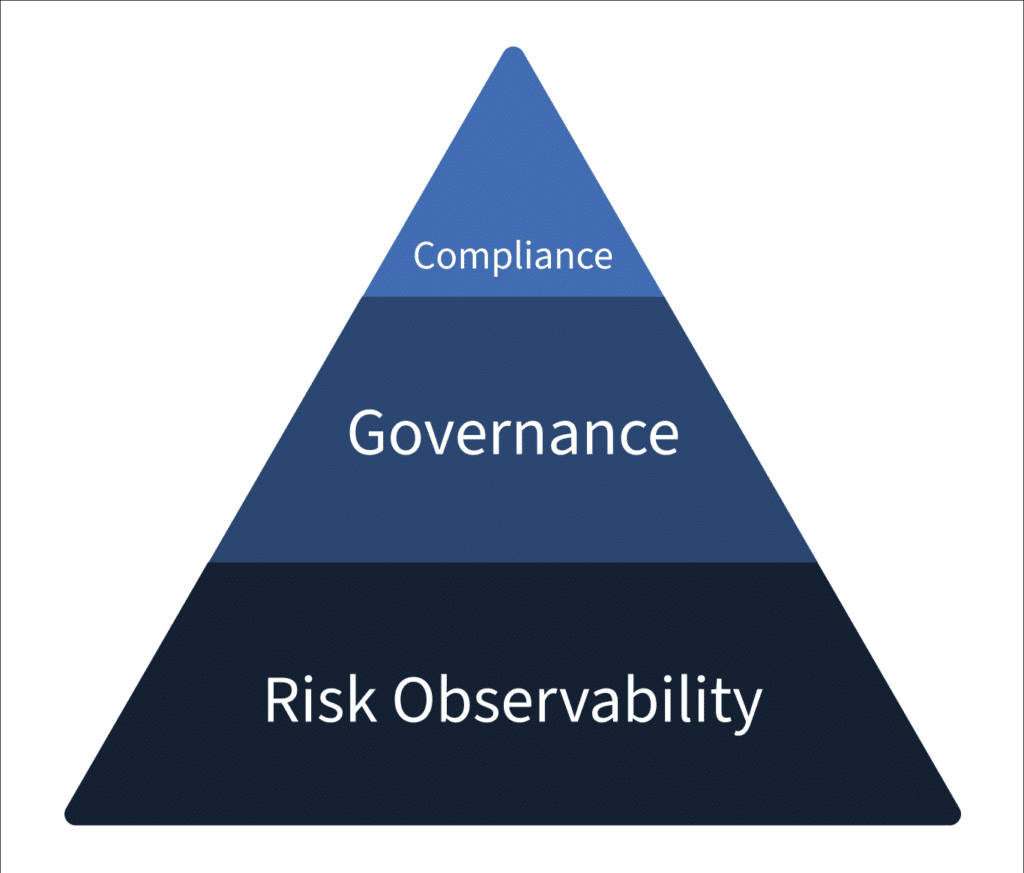
Why Scrut takes on a risk-first approach

Given the risk of an actual breach and being fined for violating regulations, many organizations are now prioritizing risks in their information security programs.

Organizations that focus solely on compliance overlook risk factors. Compliance with a standard shows that you are adhering to some of the security best practices applicable universally. However, every company’s risk posture is unique, and a universal guideline is just the bare minimum you can do from a security perspective.

Organizations assume you can automatically combat potential risks if you are compliant. This is not the case. 

Let’s see one example of this.

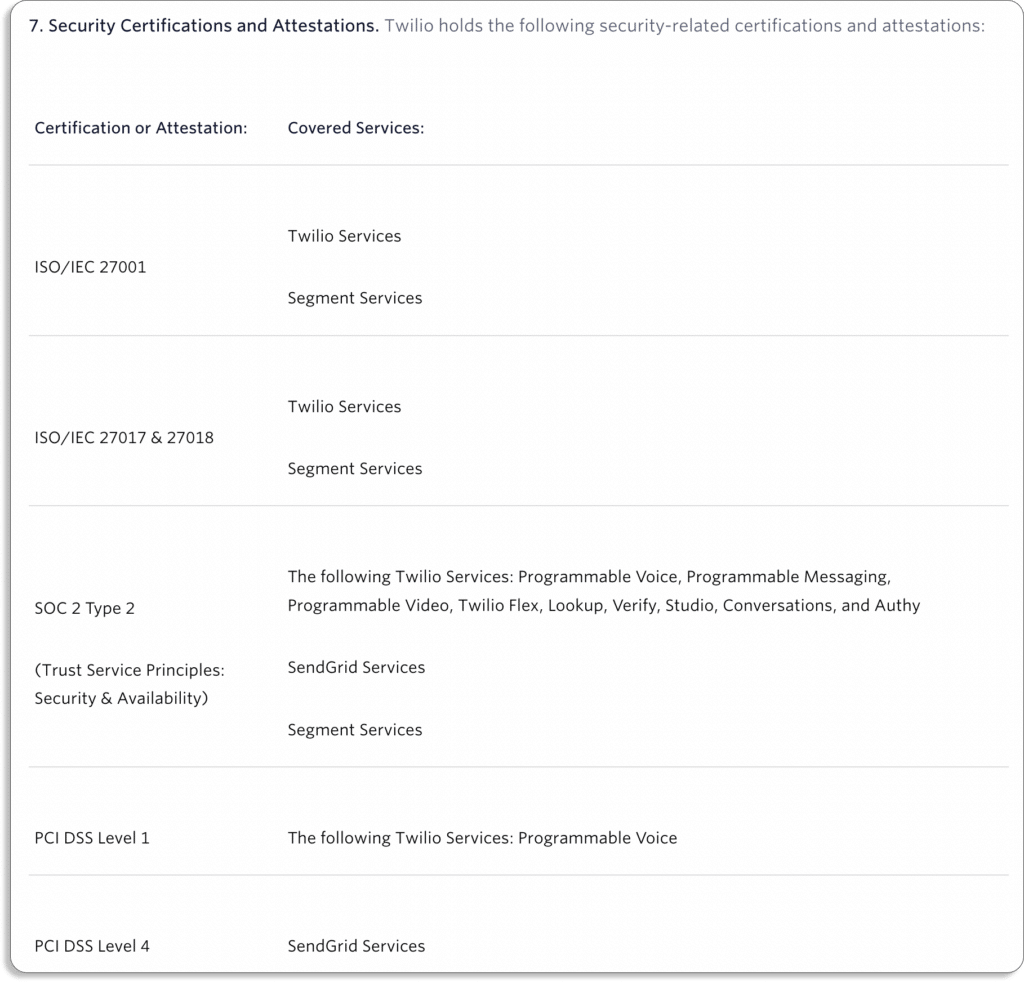
Twilio, which provides programmable communication tools for making and receiving calls and performing different communication functions, complies with all the major security frameworks. 

When we checked their website, we found the following certifications and attestations.

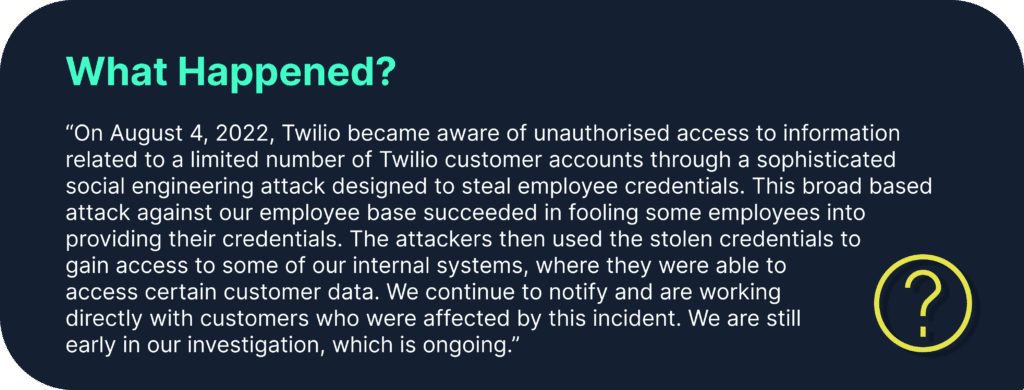
Yet, they suffered a data breach recently. Twilio said this was a “brief security incident” that happened on June 29, 2022. The attackers used social engineering to trick an employee into handing over their credentials in a voice phishing attack.

They further added that the stolen credentials were used “to access customer contact information for a few  customers.”

What does this show? 

That at the time of the attack, they were compliant but not completely secure. Therefore, we say adapting to risks is a continuous journey, while compliance is just a starting point for security.

Scrut focuses on risk management as it is internal to the organization, whereas compliance is an external requirement and depends on regulatory or other third-party bodies.

The idea behind a risk-first approach is that an organization that prioritizes its risks; finds it easier to meet the compliance requirements, as it is just one part of a larger risk management strategy.

At Scrut, we believe compliance is a byproduct of being secure. Scrut’s SmartGRC is a risk-first GRC platform. This means that instead of a specific point in time, Scrut continuously monitors your organizational risks in real-time.

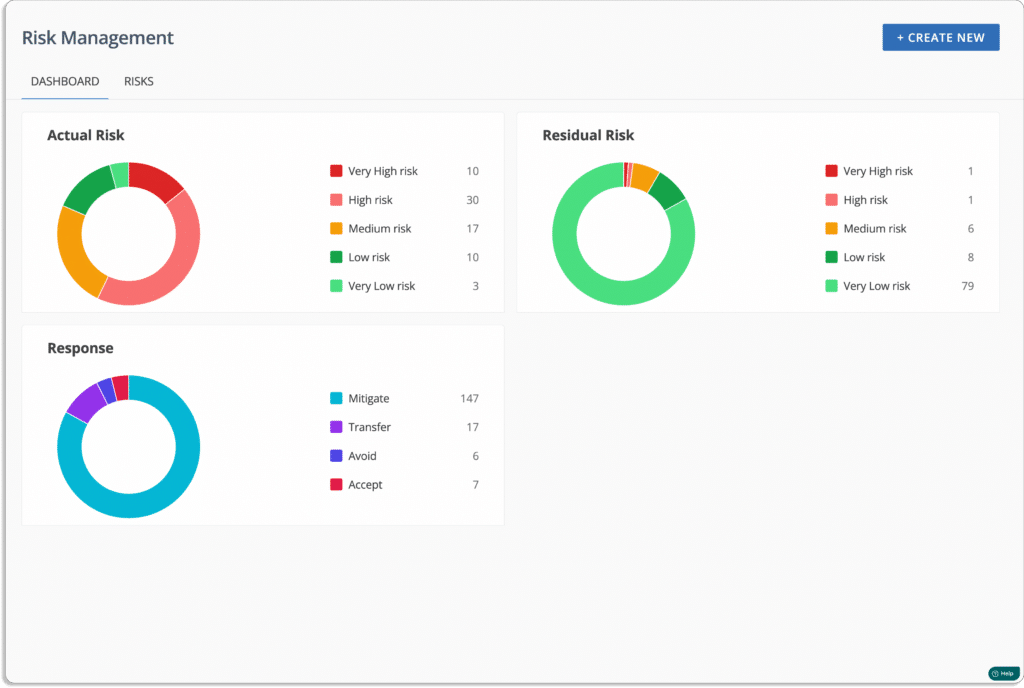
Risk management

Risk management is the process used by an organization to identify, classify, assess, and reduce risks and enhance business operations.

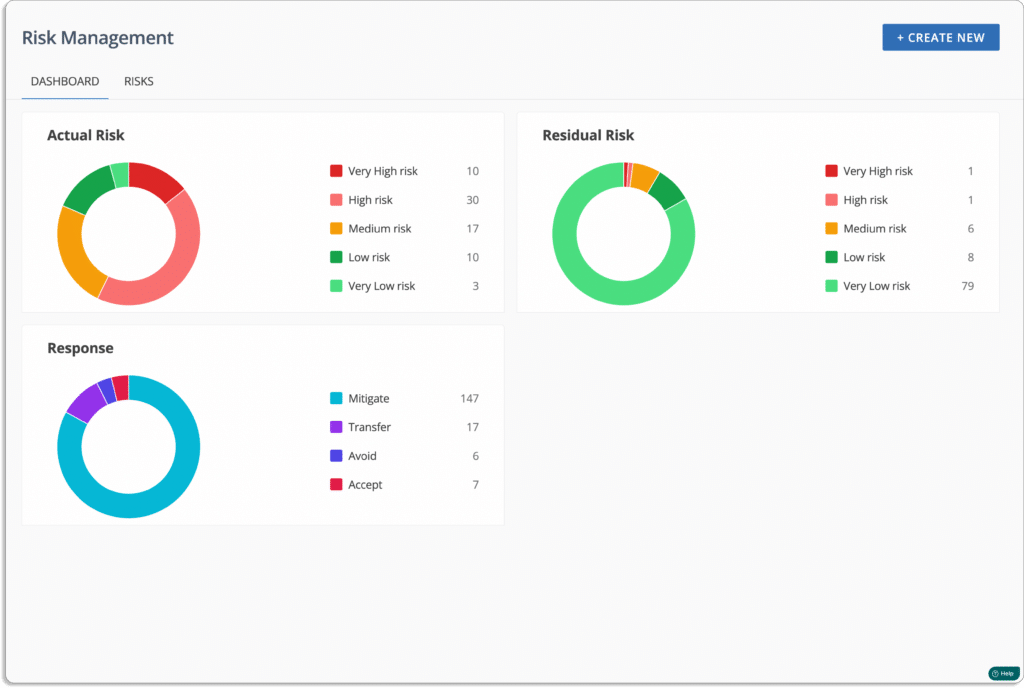
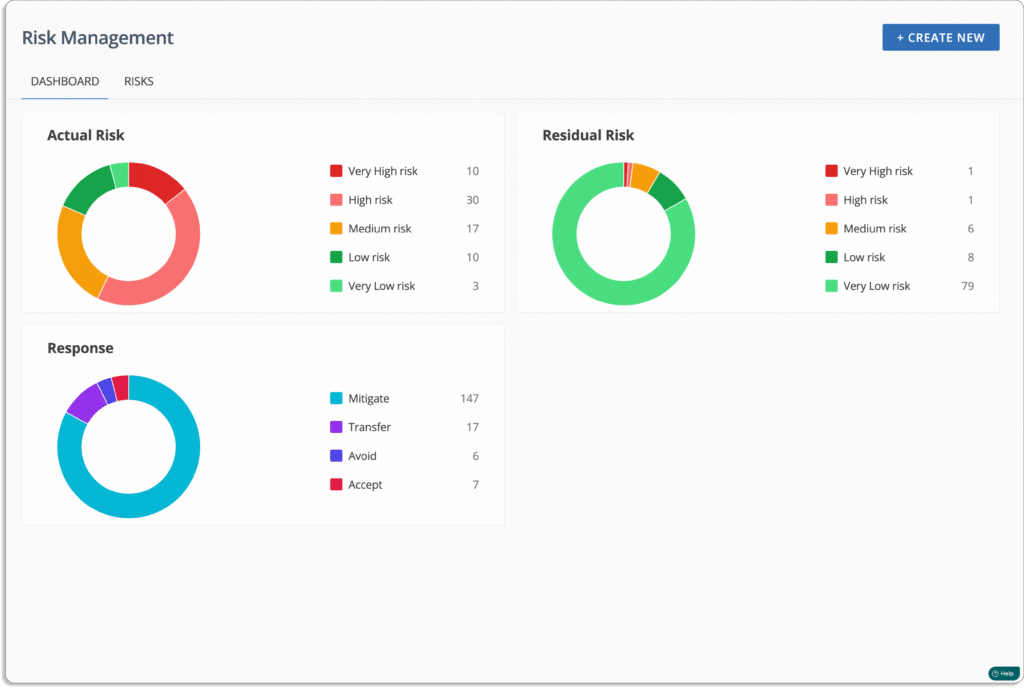
Scrut Risk Management dashboard gives you an overview of your overall risk posture. 

Now let’s see how Scrut helps you with risk management.

  • Risk identification: The risk identification process documents all the risks that can disturb the operations or reputation of an organization. 

The platform provides a pre-built library of risks to help you identify all risks associated with your business.

Scrut automatically identifies risks in your ecosystem, including code base, infrastructure, applications, vendors, employees, access, and more.

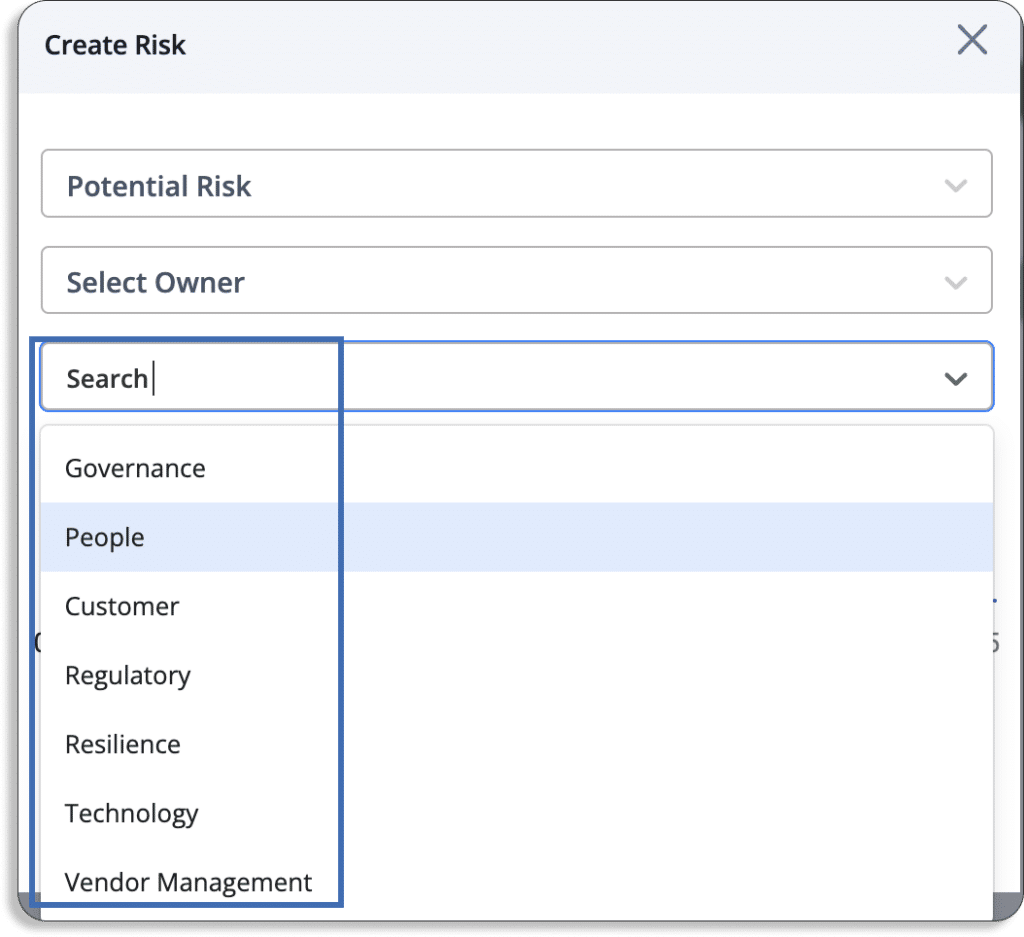
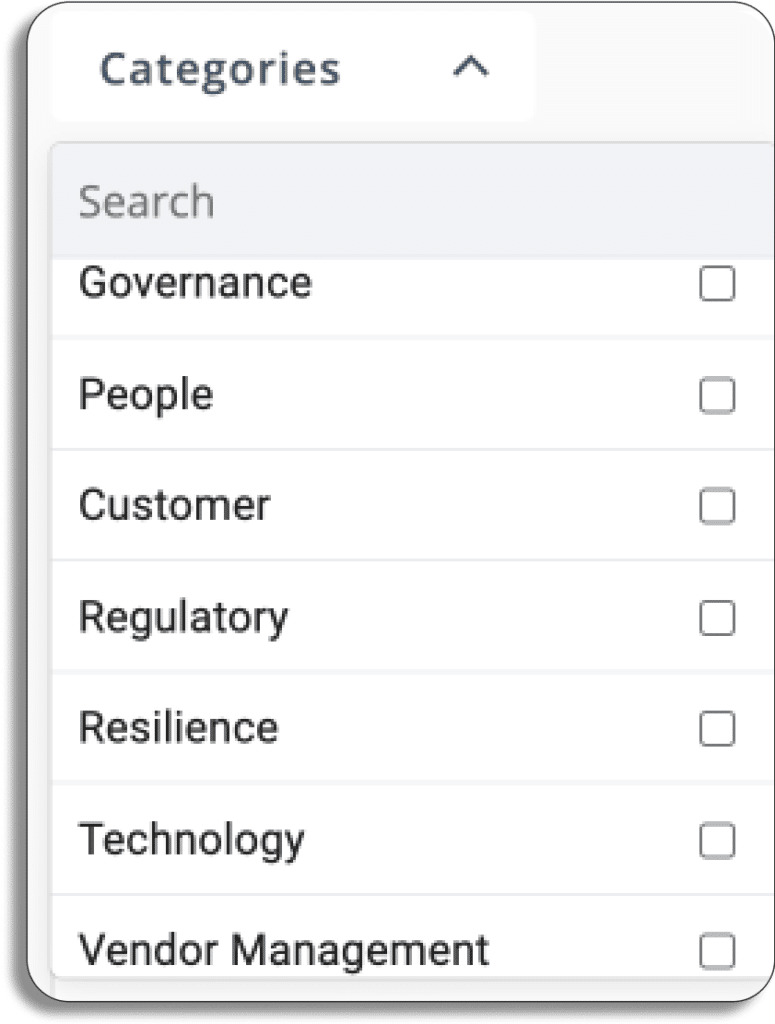
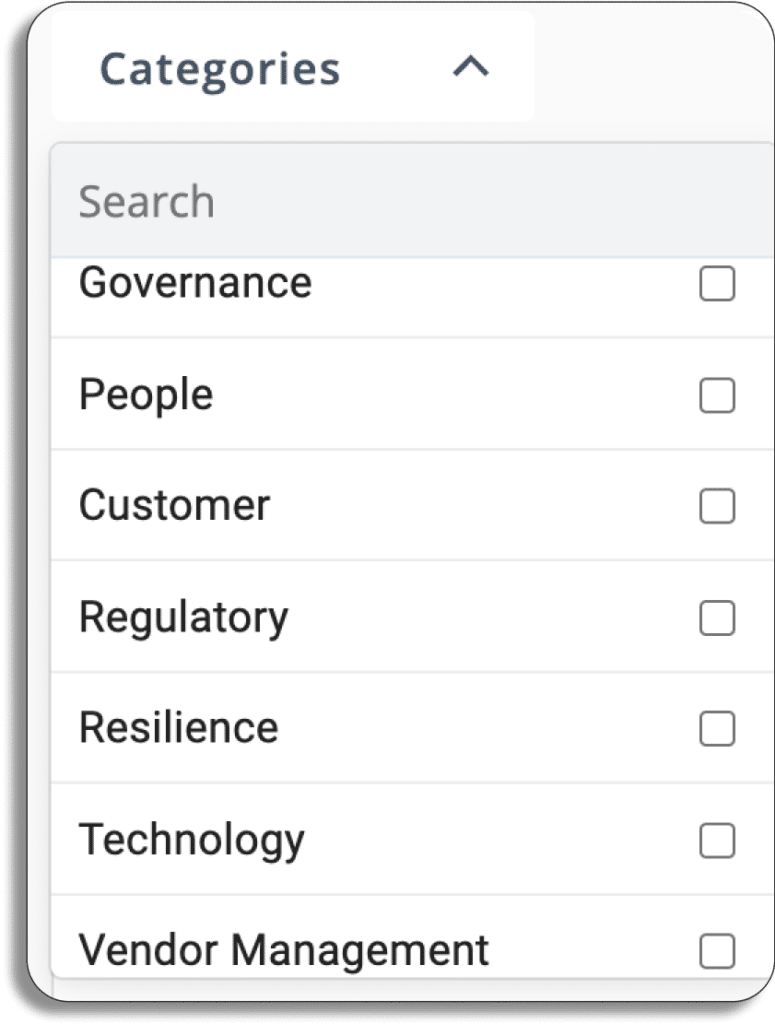
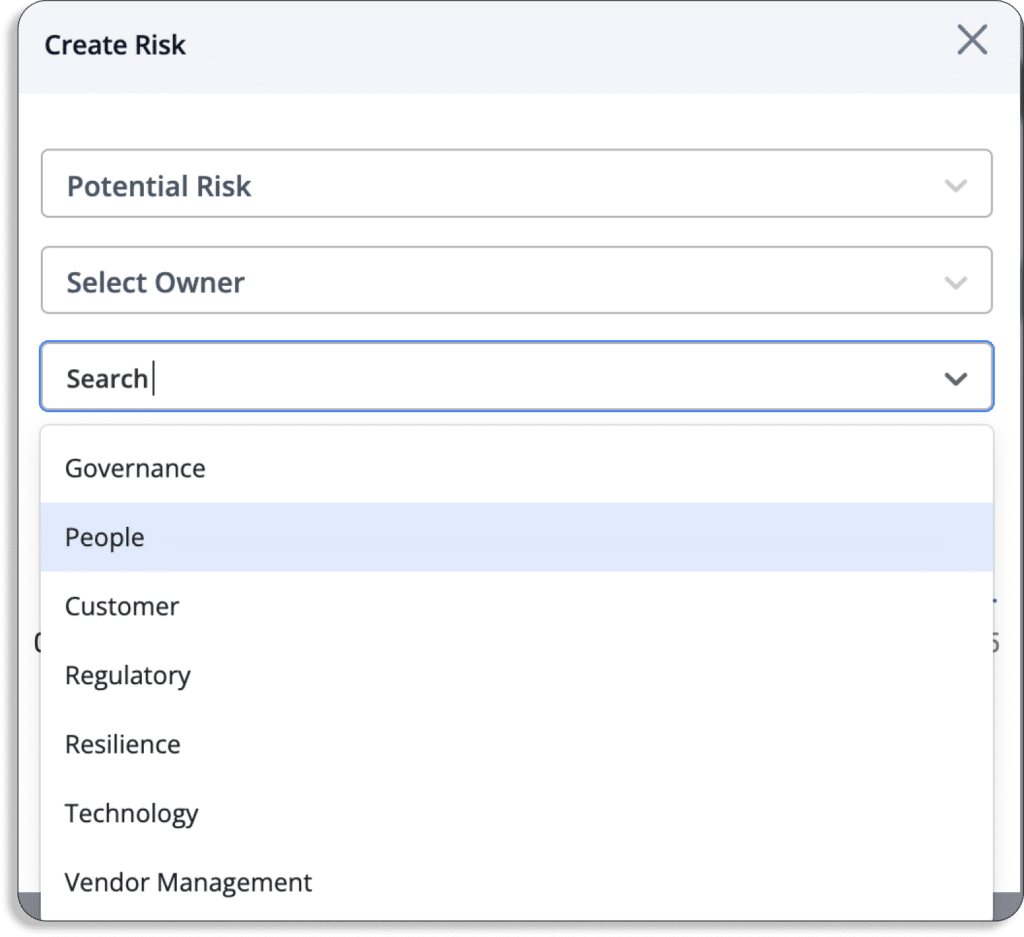
Scrut classifies risks into 7 categories: Governance, People, Customer, Regulatory, Resilience, Technology, and Vendor Management.

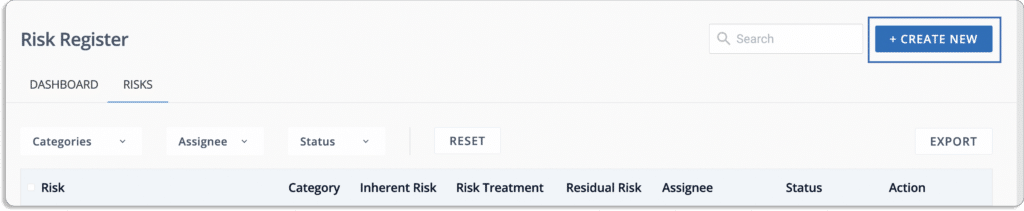
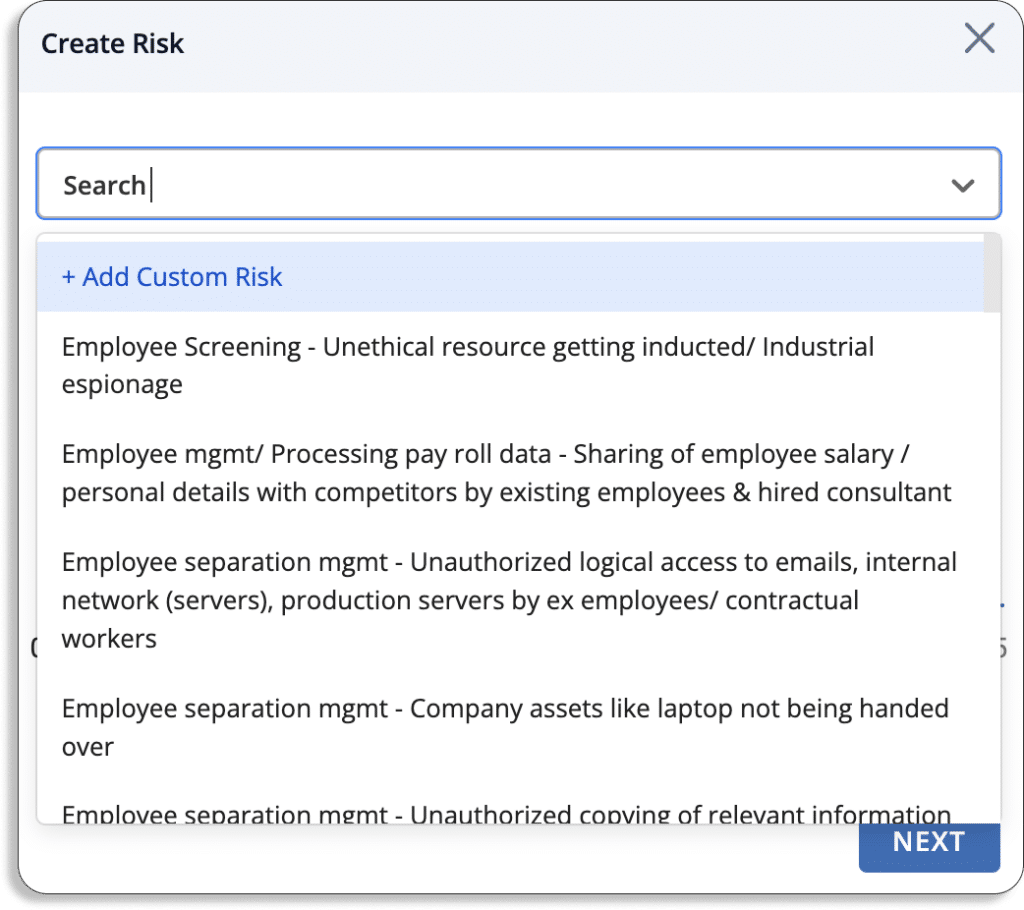
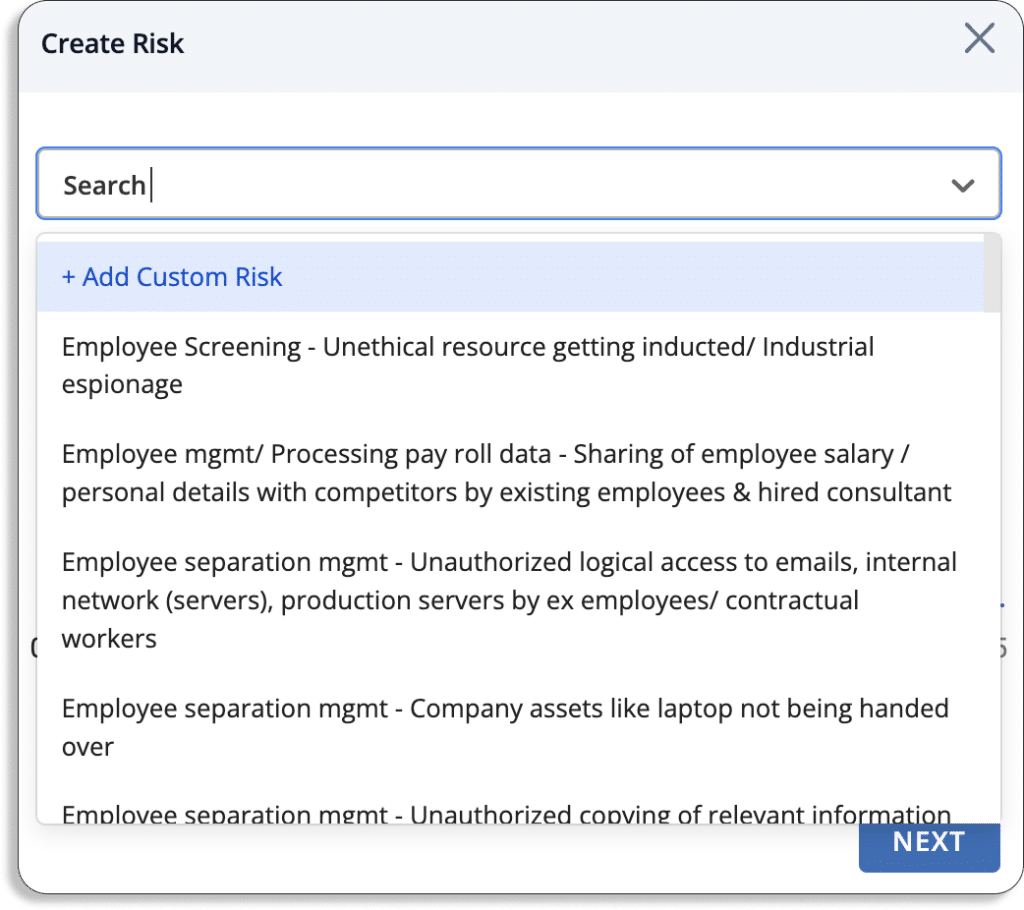
To build your risk register, you must first list all the risks. You can do it by following the below steps in Scrut:

To start with, 

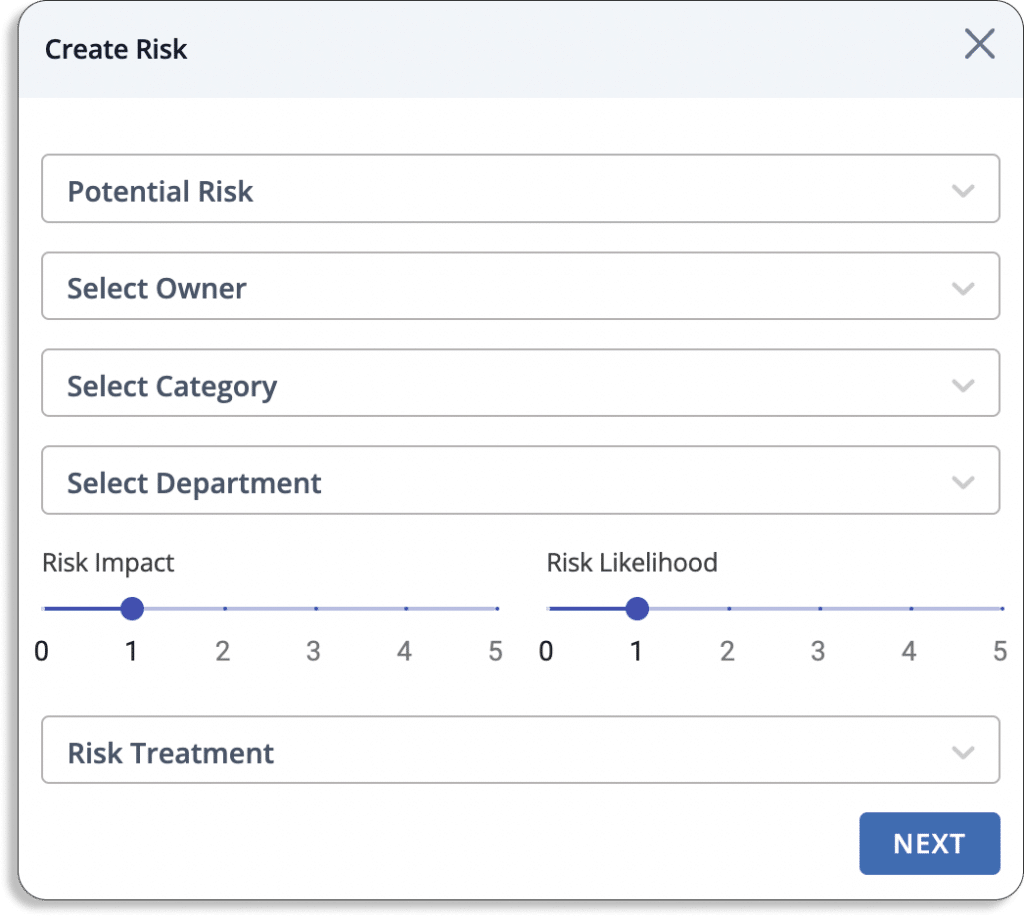
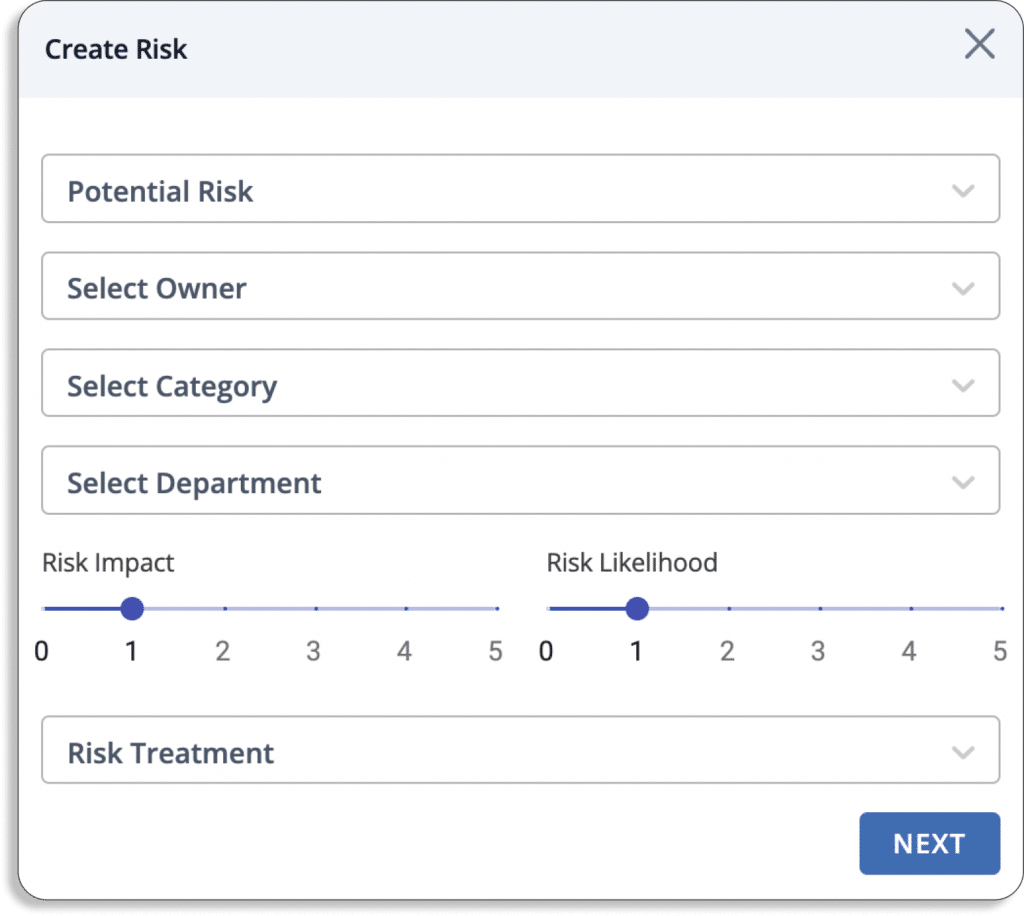
  • First, click on create new
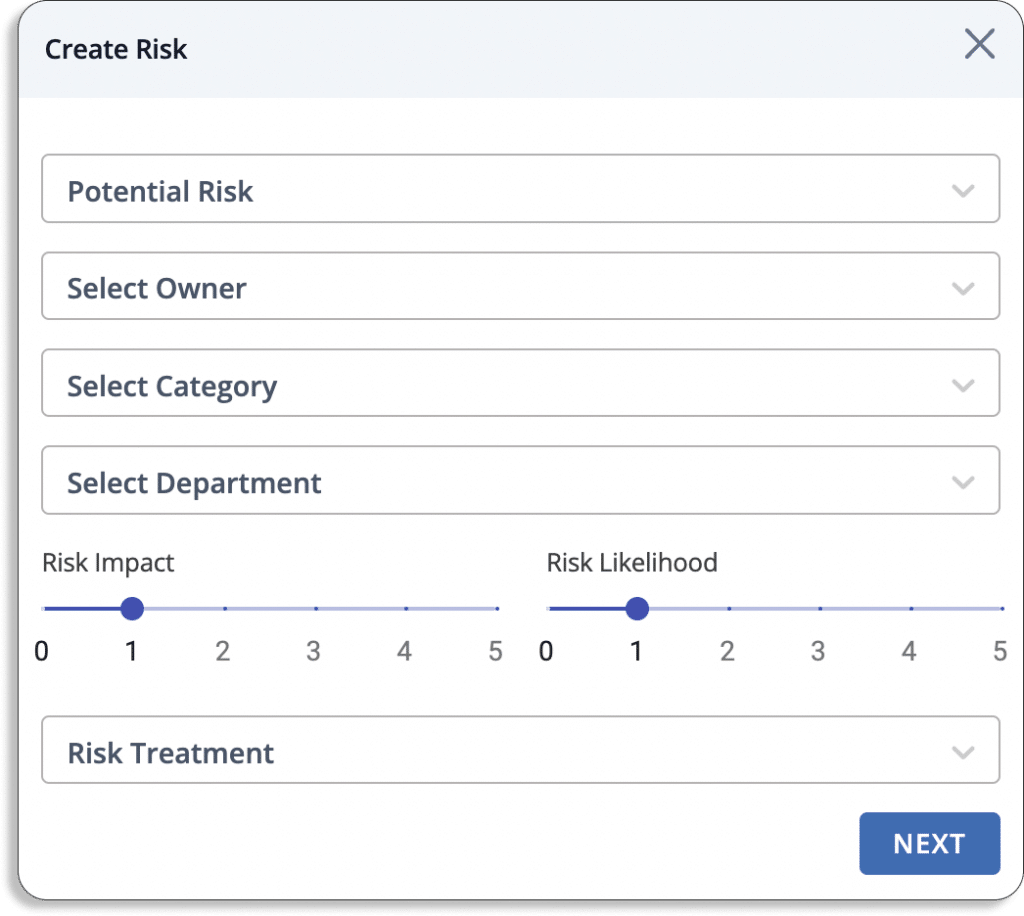
  • Once you create, a pop-up like the one shown will appear on your screen:
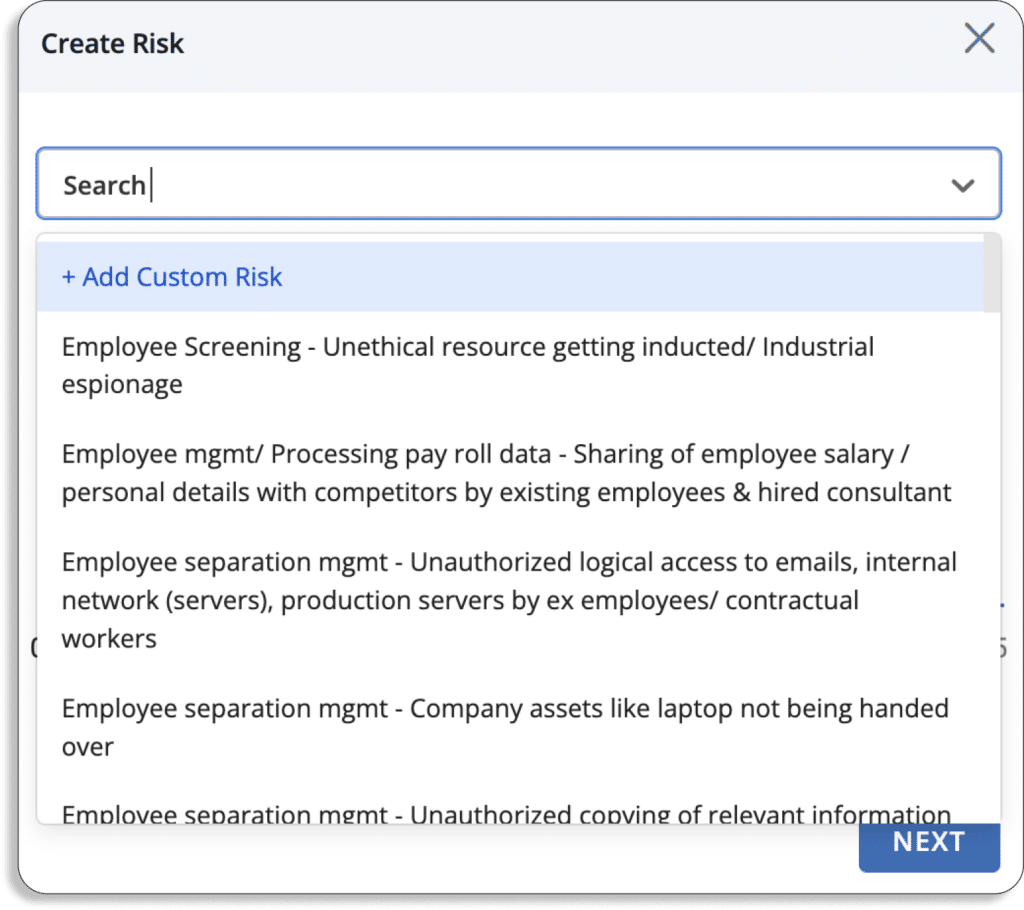
  • After that, you can choose any risks from Scrut’s risk library. In case, if it’s not available then you can create your own custom risks. 
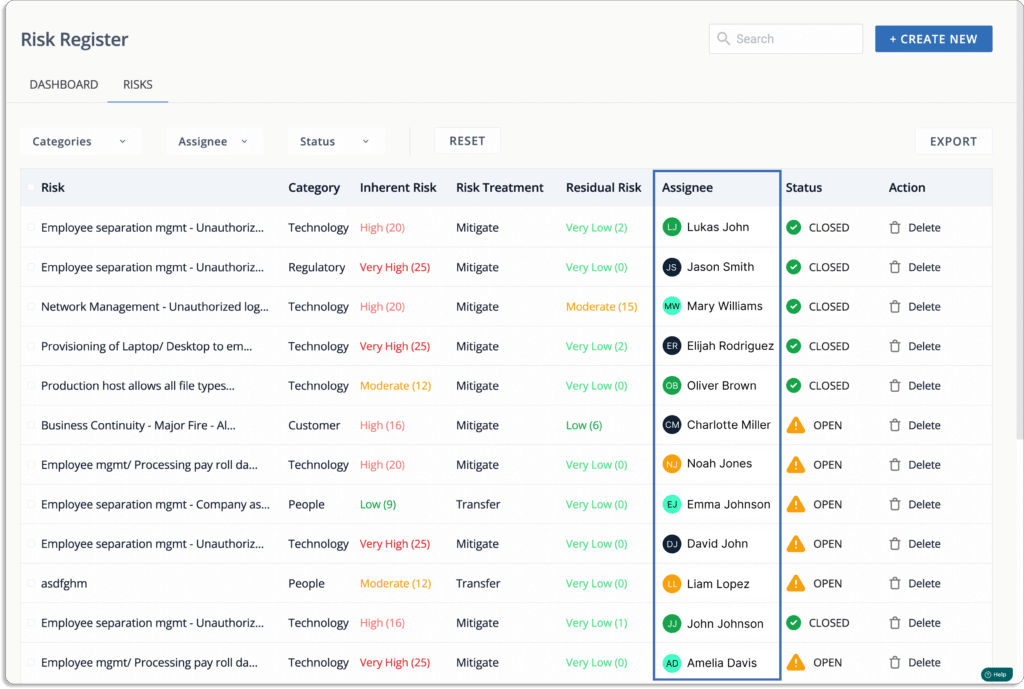
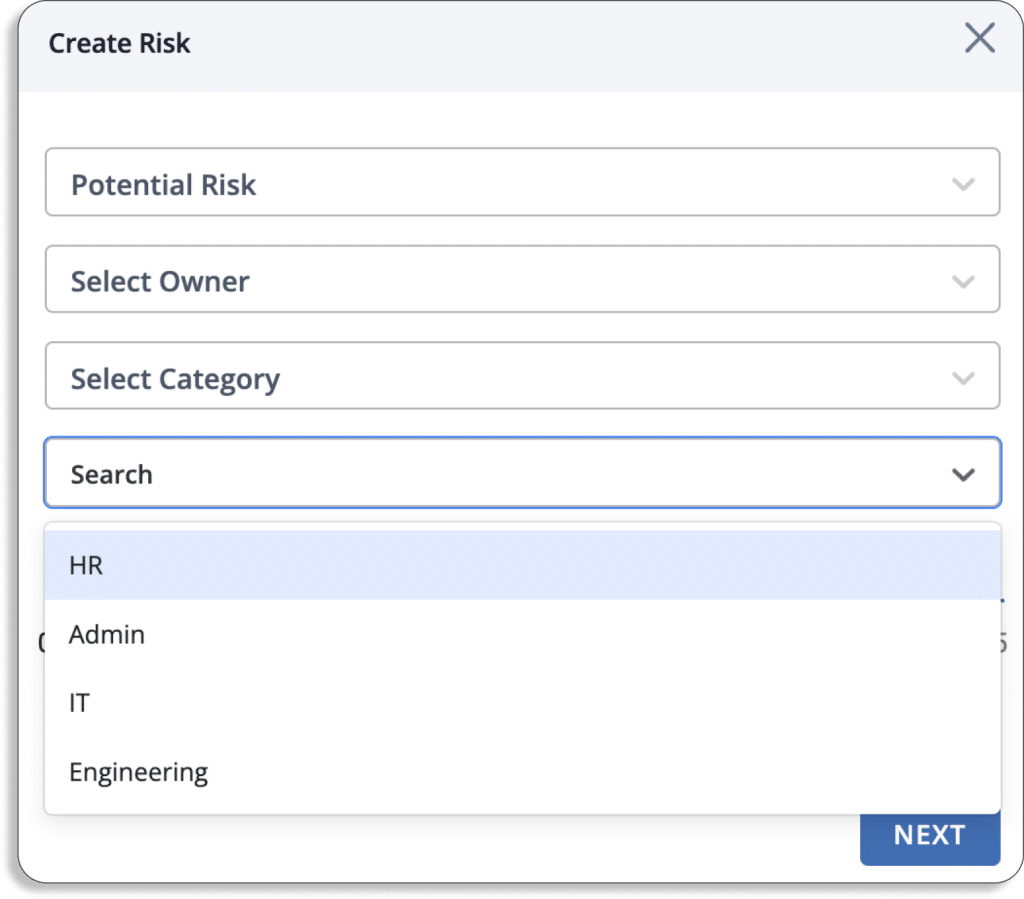
  • You can select any person responsible for keeping track of and managing the risk. Further, you can select the category of risk from the list we discussed above.
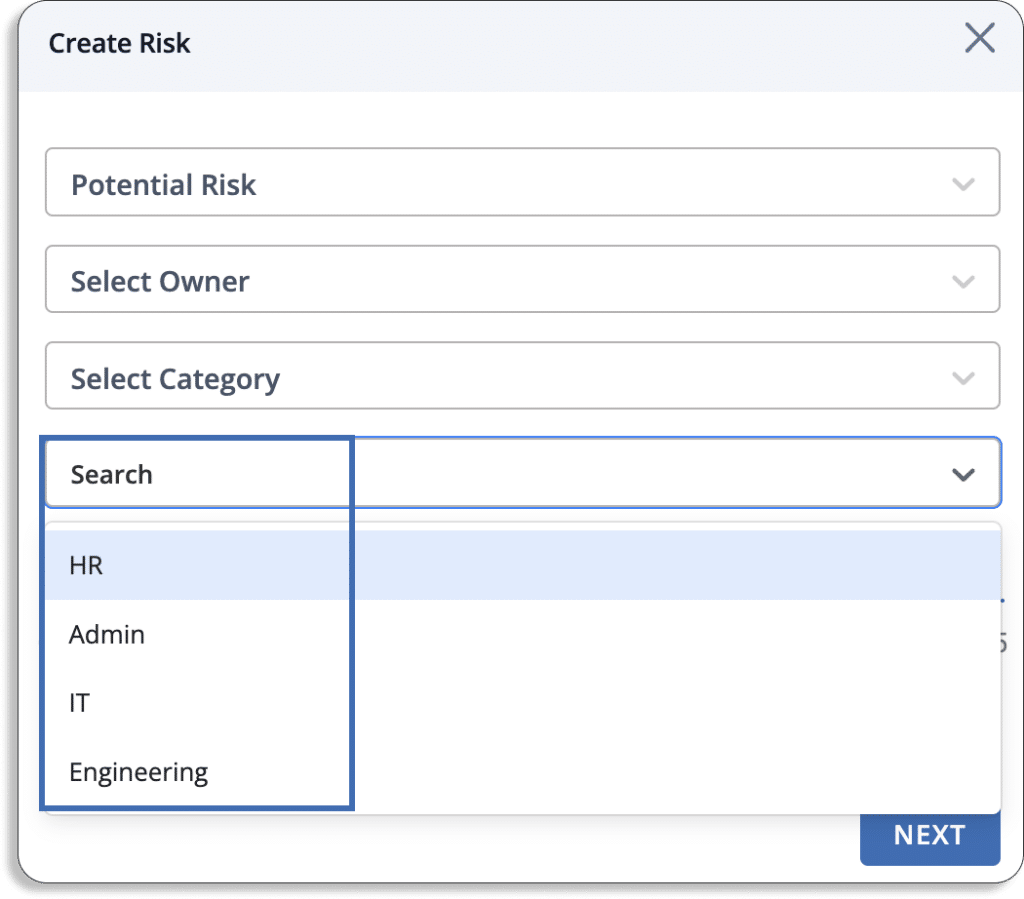
  • You can select any department from HR, Admin, IT, and Engineering for the risk.
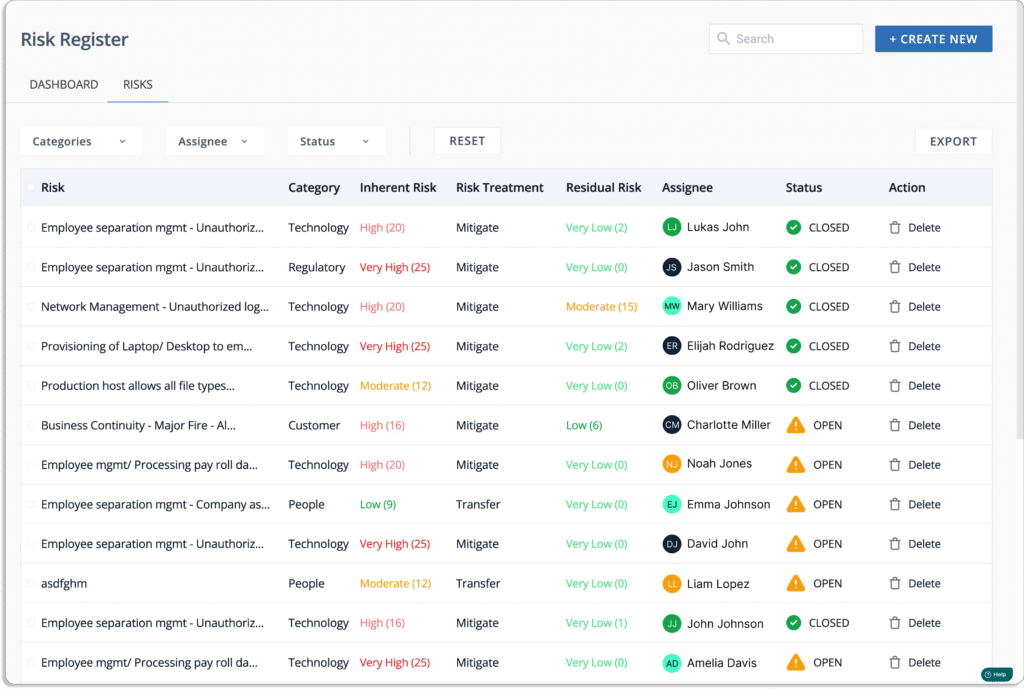
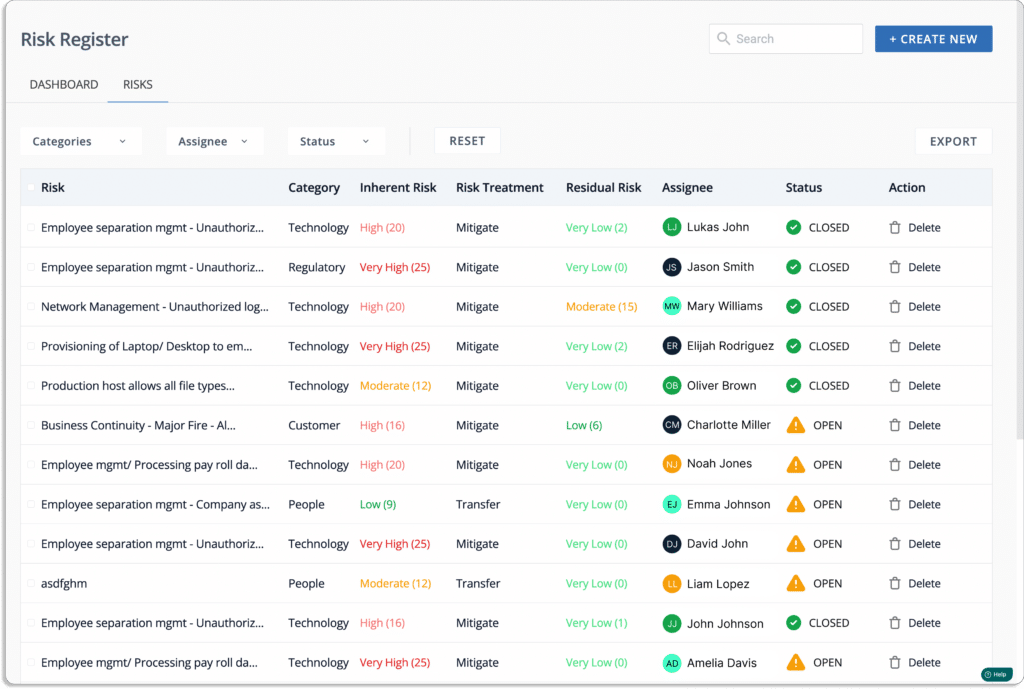
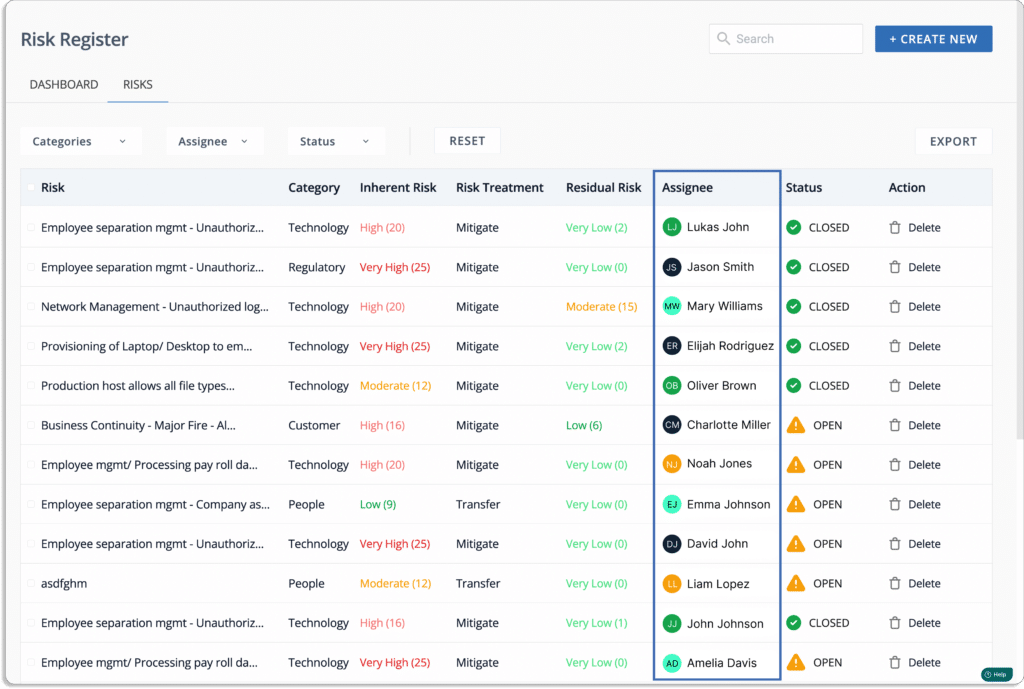
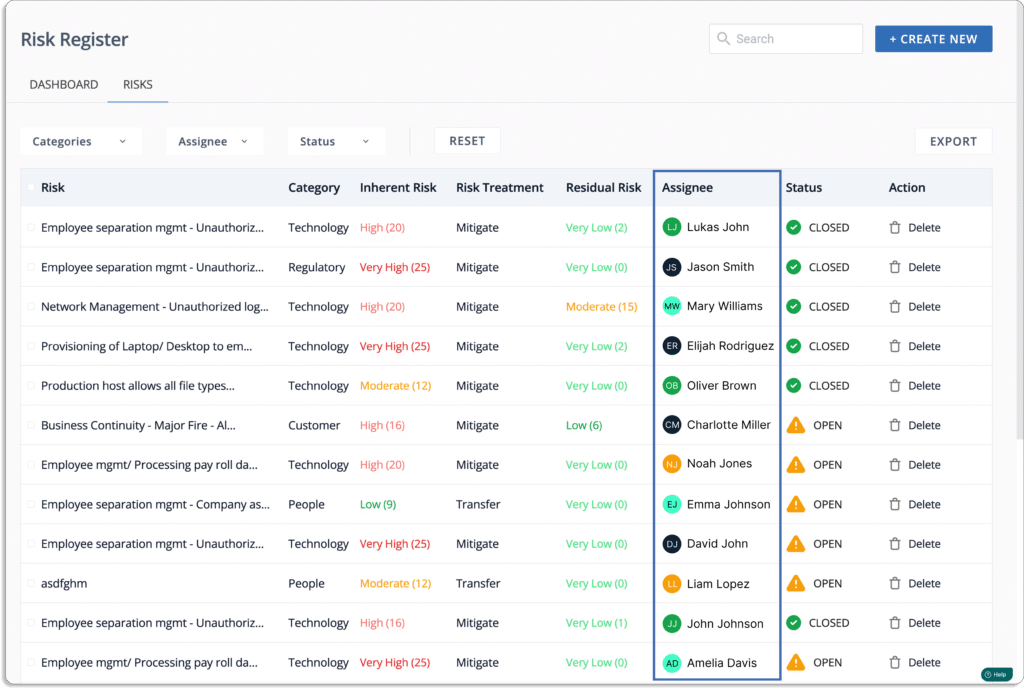
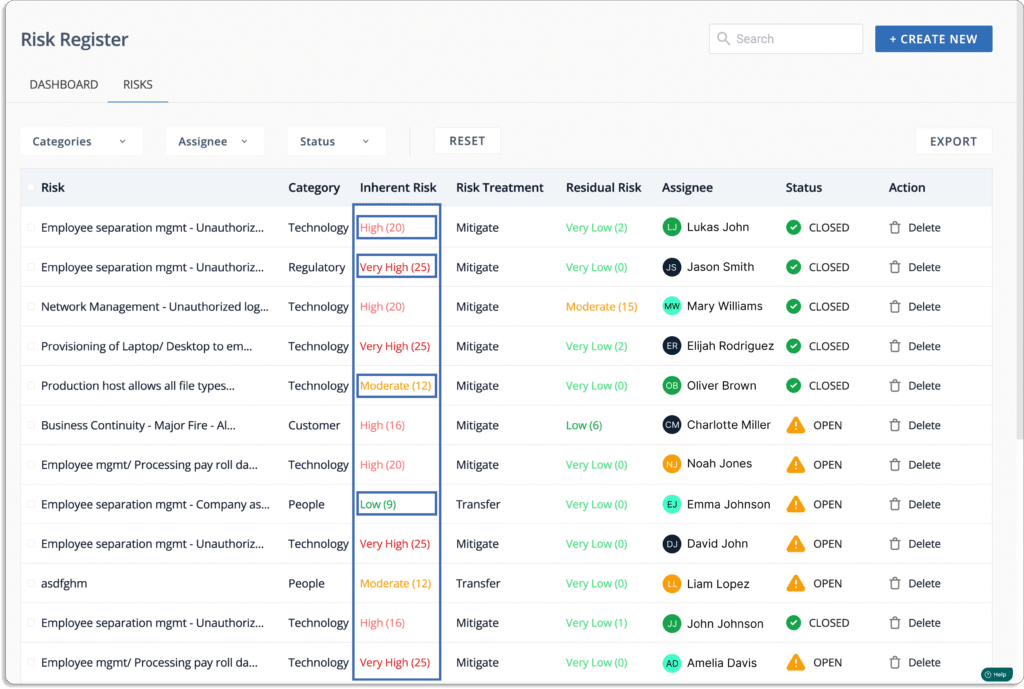
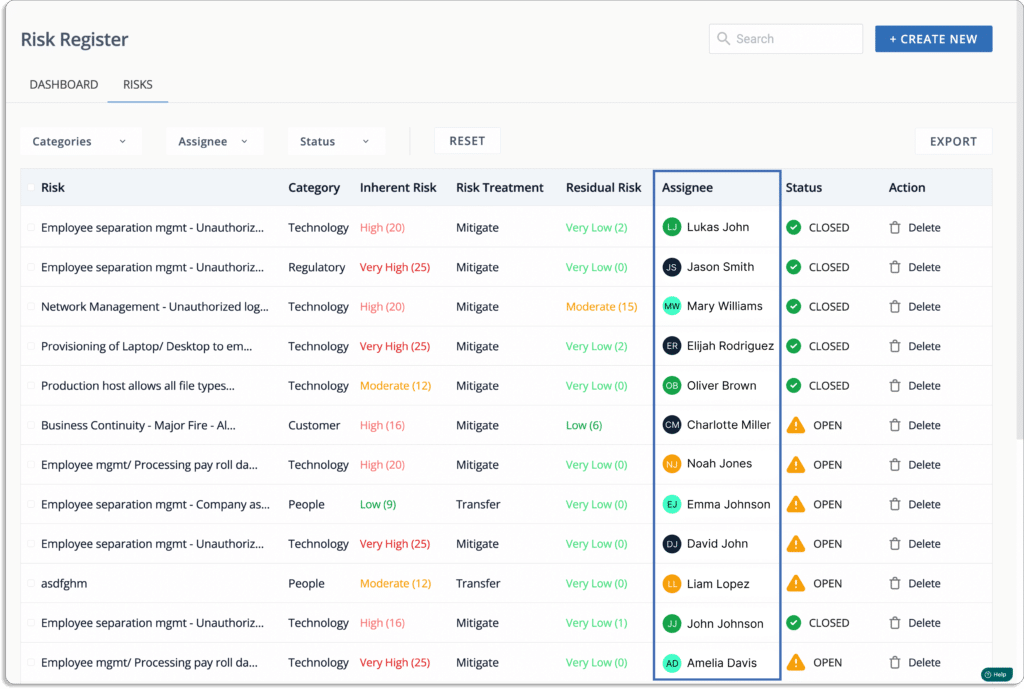
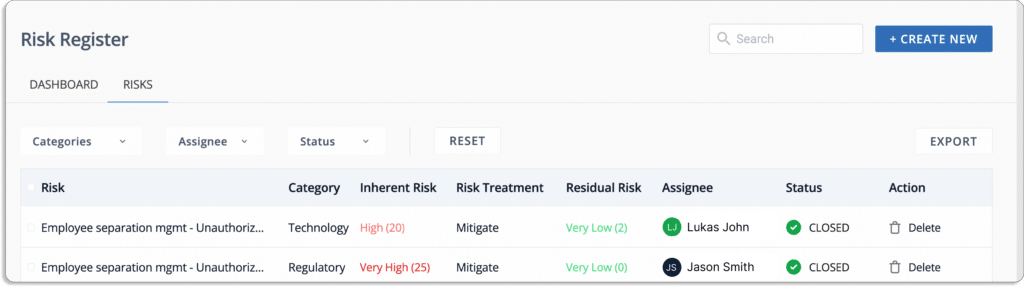
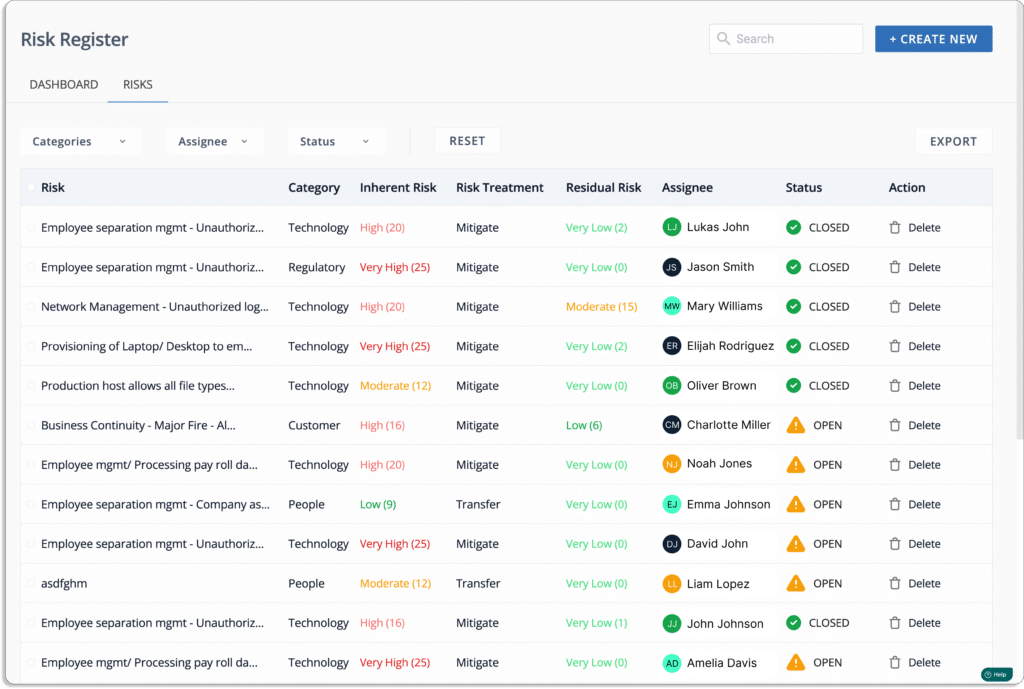
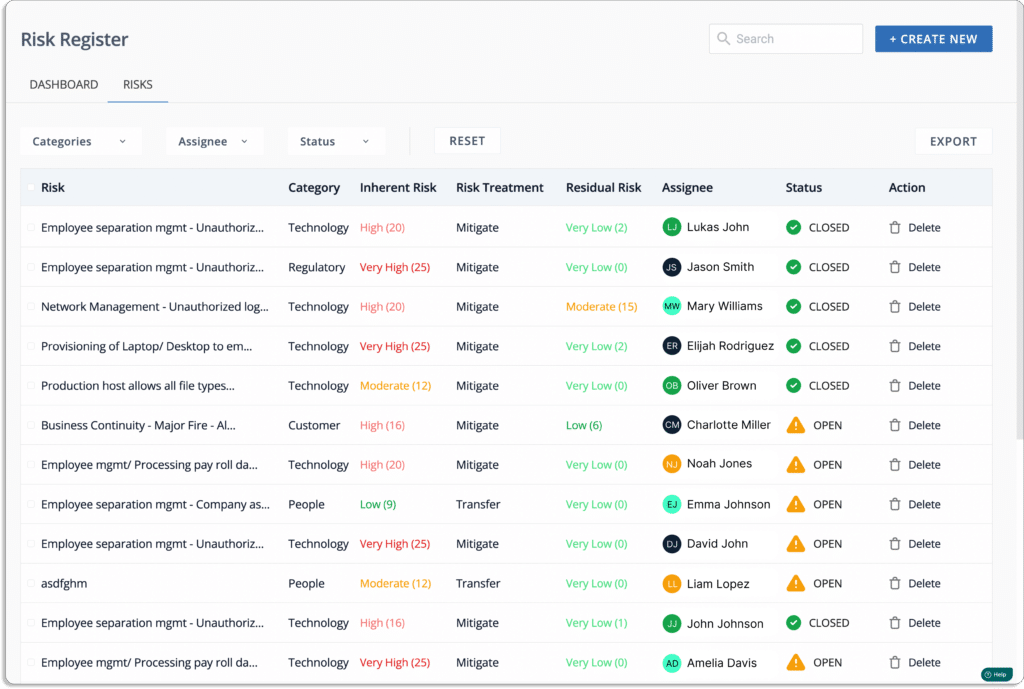
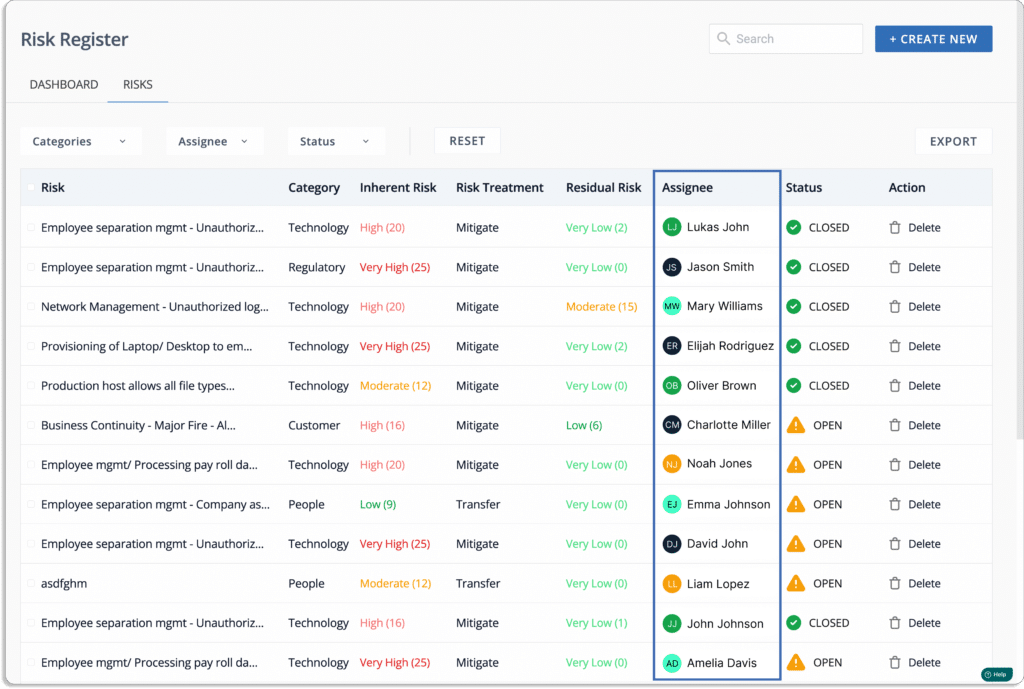
  • Finally, you can see a list of all the associated risks known as a Risk register.
  • Risk assessment: Once you identify all the risks, you must evaluate them. Risk assessment provides you with insights into how risk can affect your organization.

Scrut platform starts your first risk assessment in minutes by eliminating the time spent creating and mapping risks, threats, and controls and establishing related tasks.

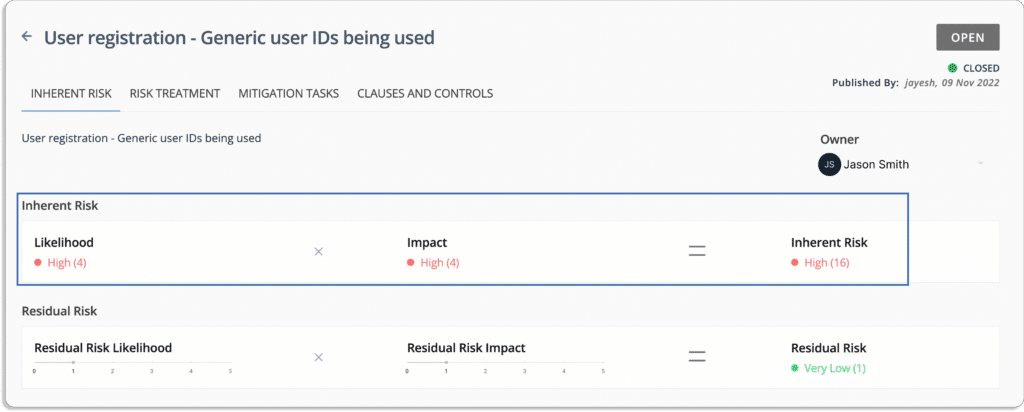
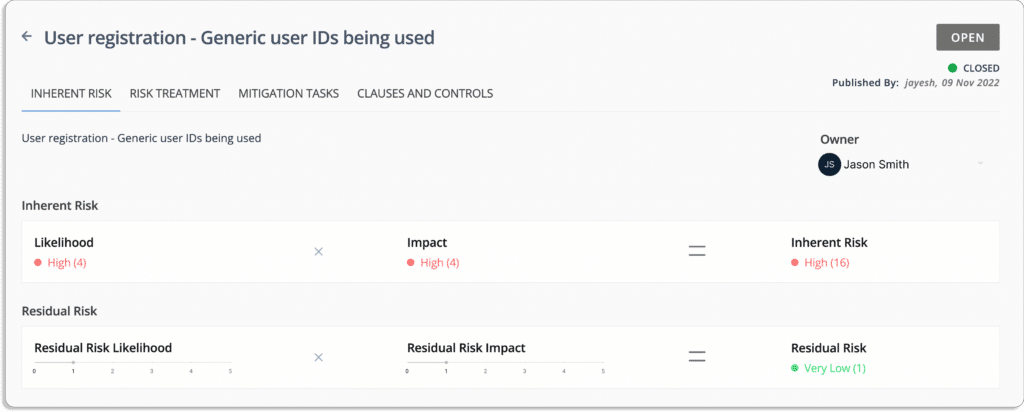
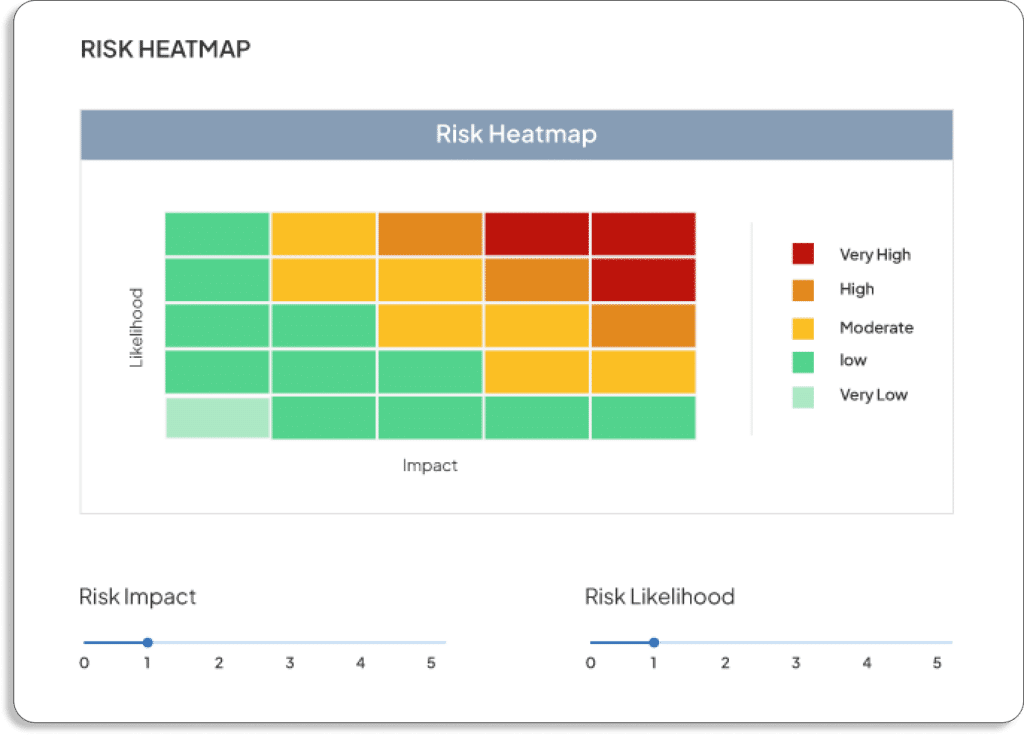
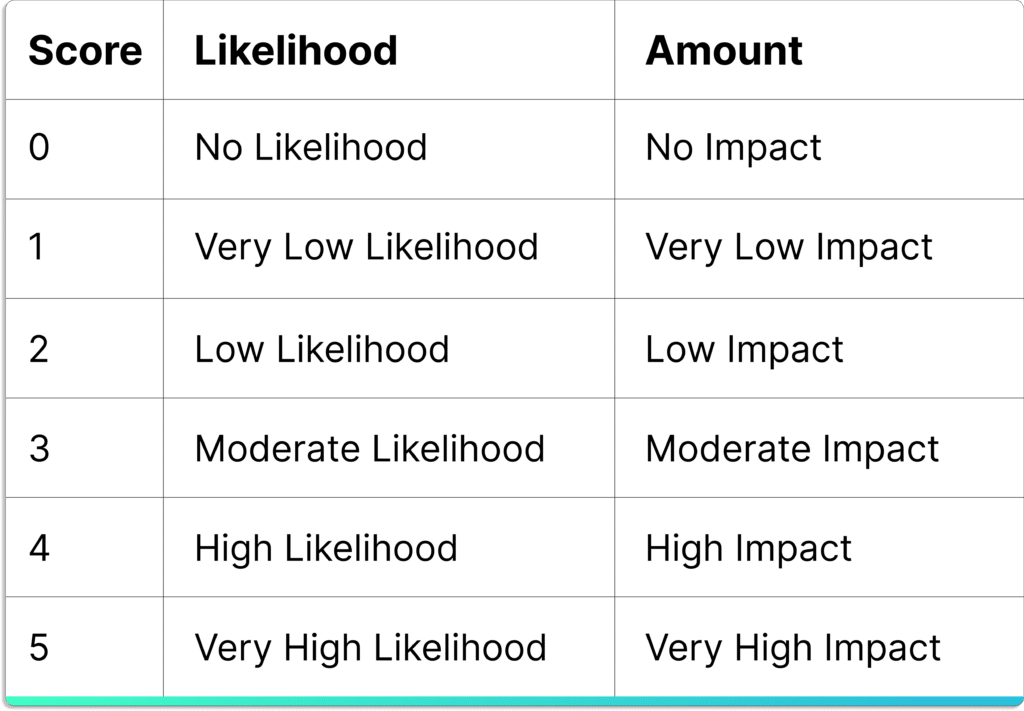
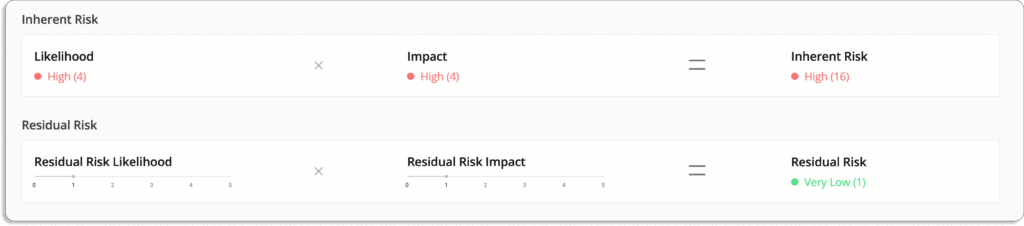
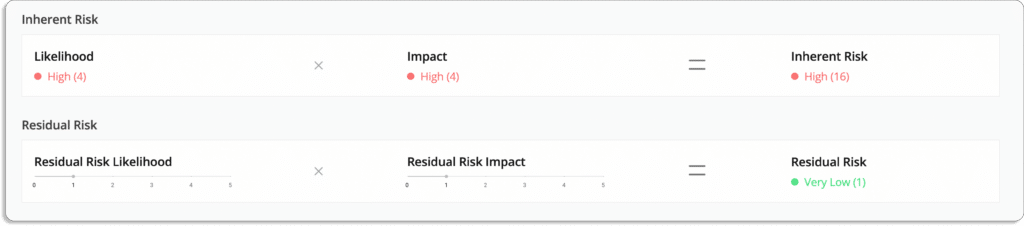
Scrut’s built-in expert-vetted scoring methodologies help you quantify your risk profile. The platform creates your risk scoring based on the likelihood and impact of events.

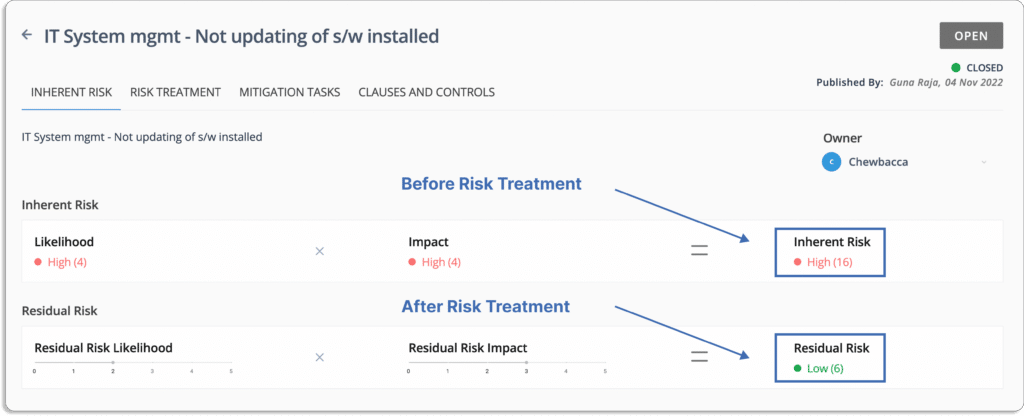
Risk = Likelihood * Impact

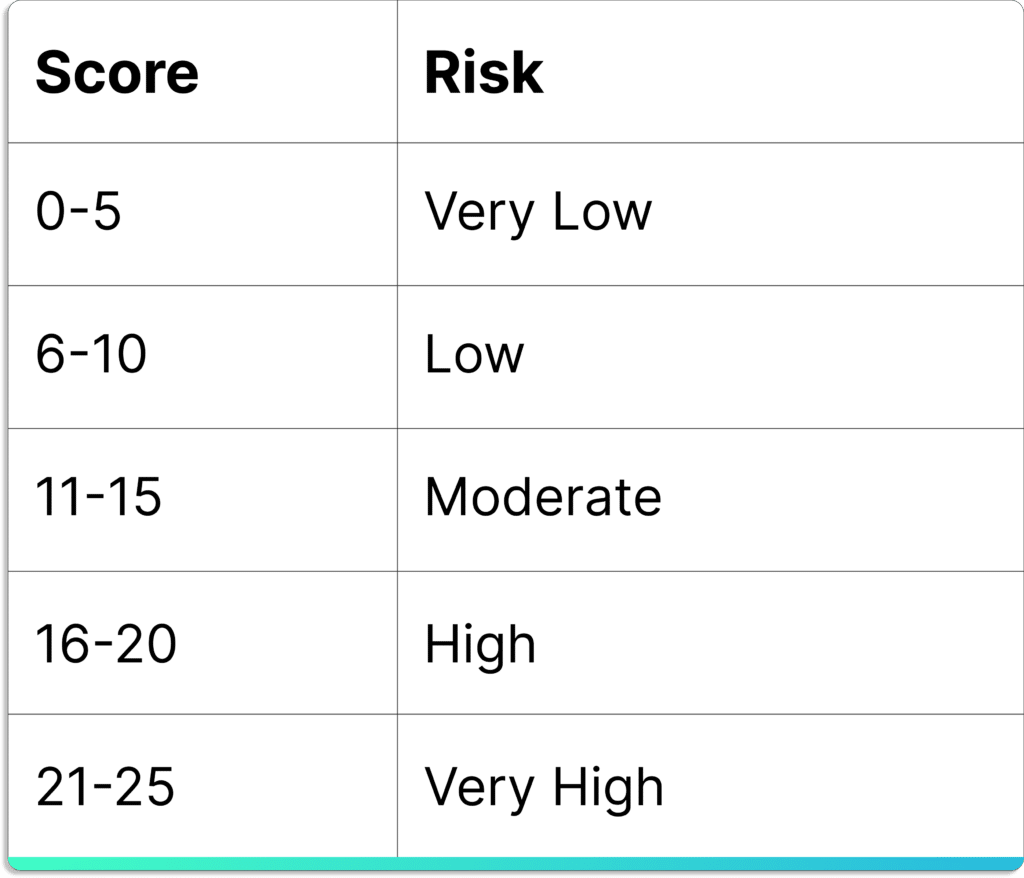
The final score lies between 0 – 25. 

As shown in the screenshot below, you will get a visual overview of your risk profile at this step.

  • Risk mitigation: After assessing the risk, organizations should ensure that risk is properly eliminated.

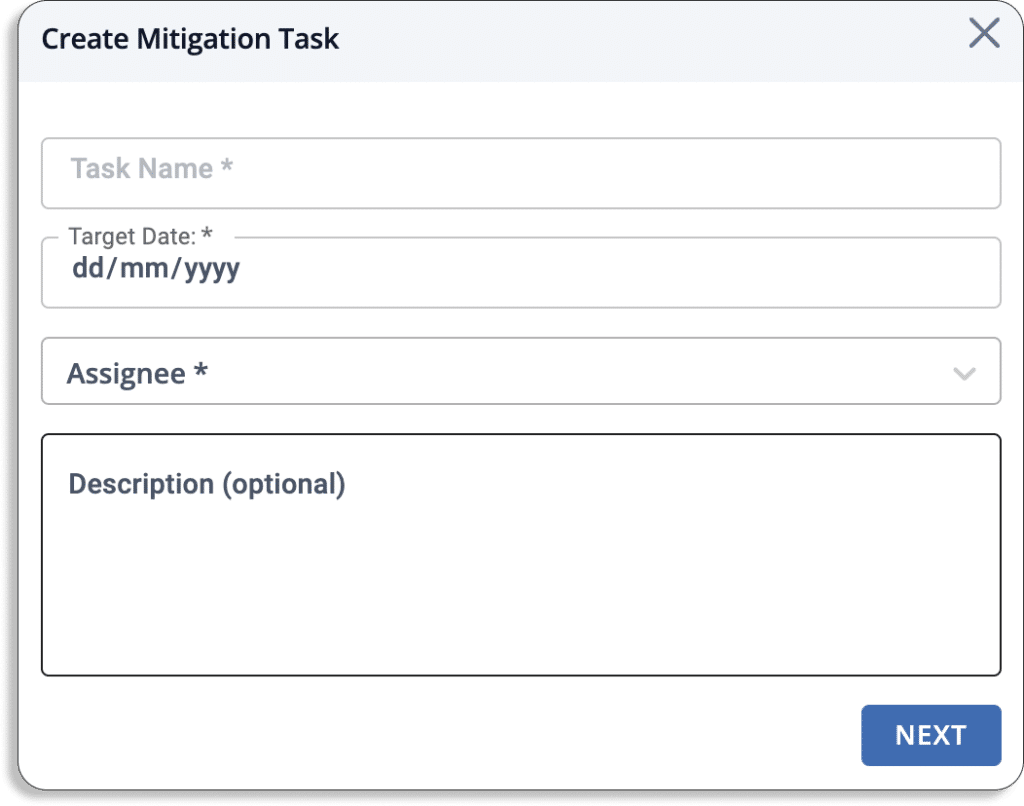
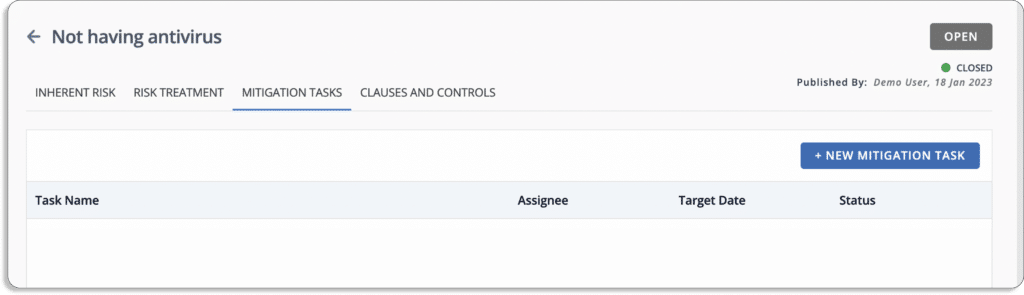
Scrut risk management includes automated procedures for documenting mitigation control use. The platform allows you to create mitigation tasks, define a completion timeline, assign individual owners, and track completion.

Scrut provides four ways of treating the risk.

  • Remediation – eliminate the risk
  • Mitigation – minimize the impact or likelihood of the risk
  • Transference – transfer the risk to another party, e.g. an insurance company
  • Acceptance – accept the risk

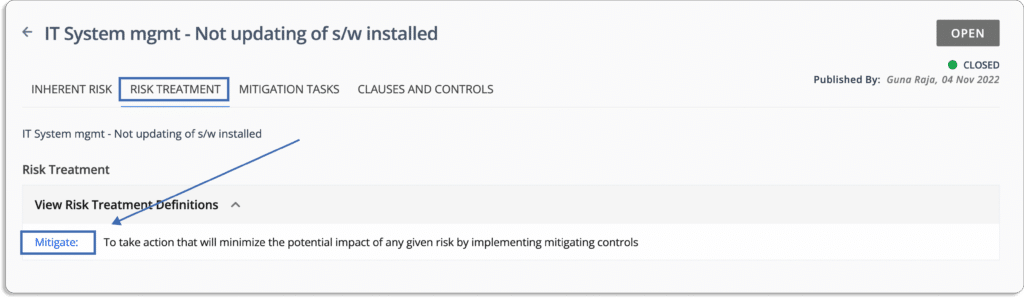
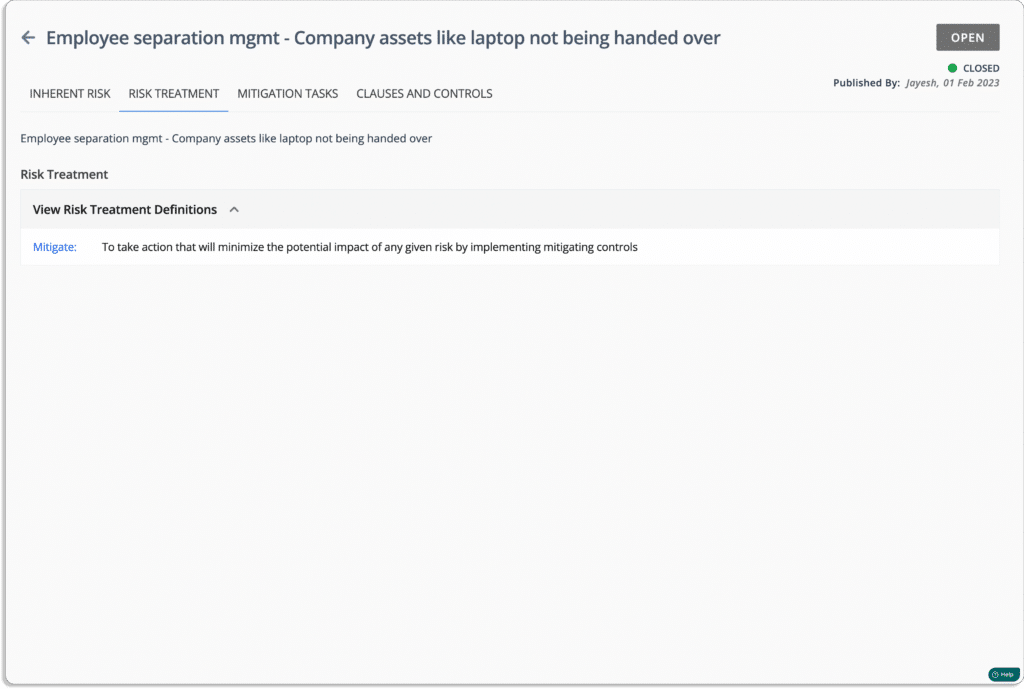
For risk treatment, you can assign risks to team members, as shown in the screenshot below.

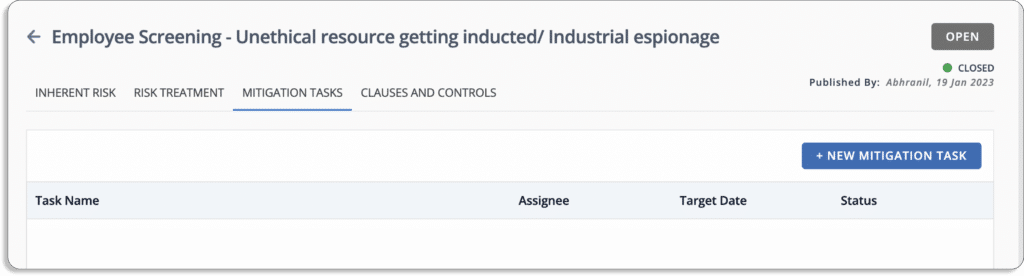
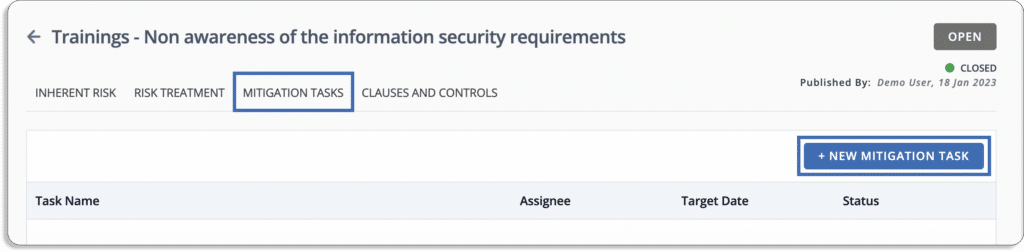
Additionally, add mitigation tasks so that the responsible person can easily do it without any issues.

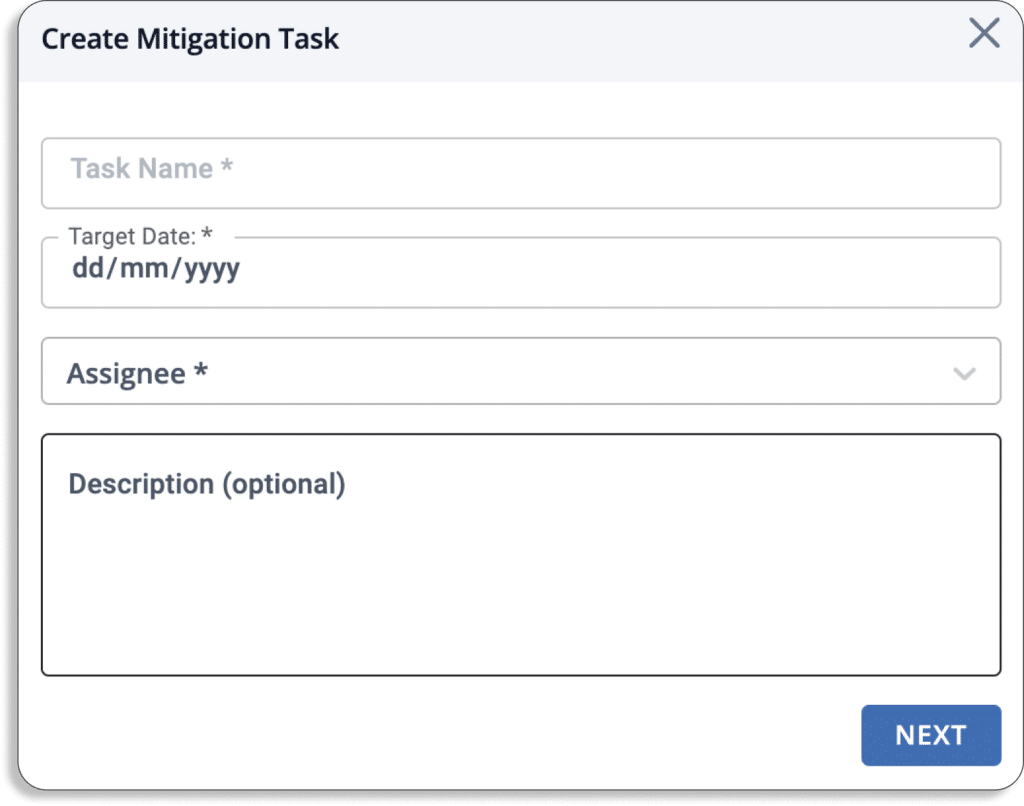
To do this, just go to the mitigation tasks tab and click the new mitigation task button.

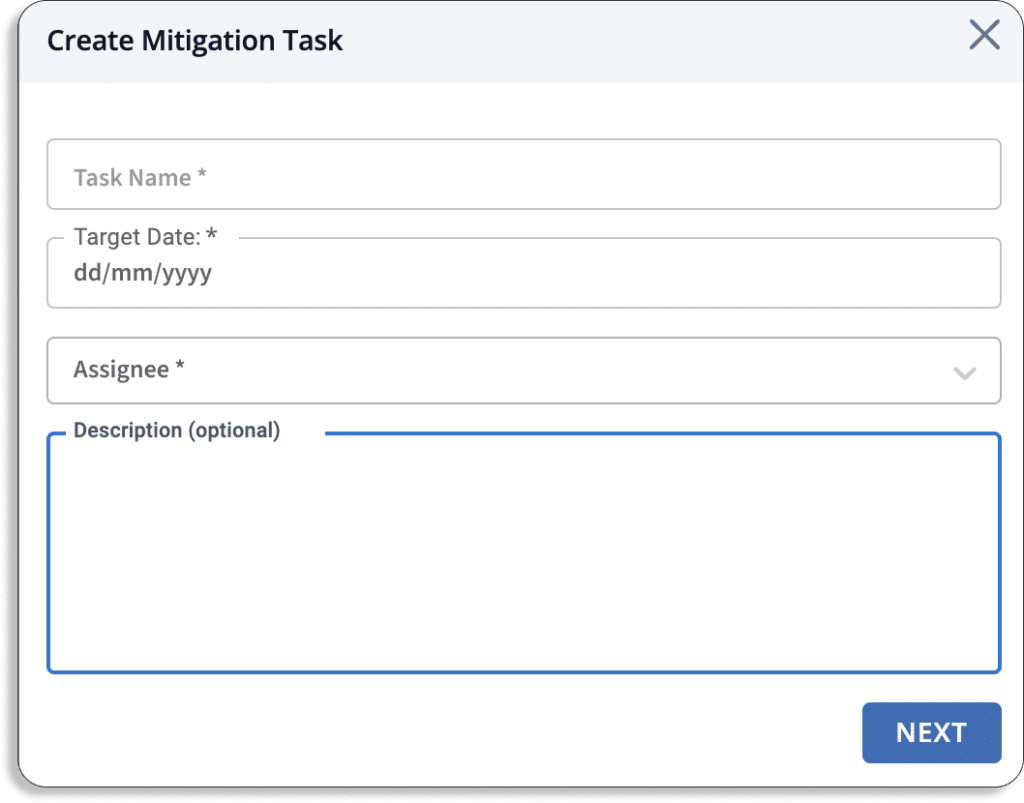
A pop-up like this will appear on your screen. Fill in the details.

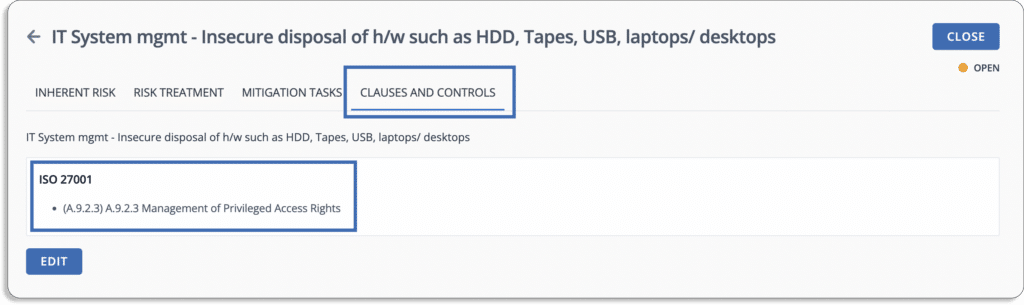
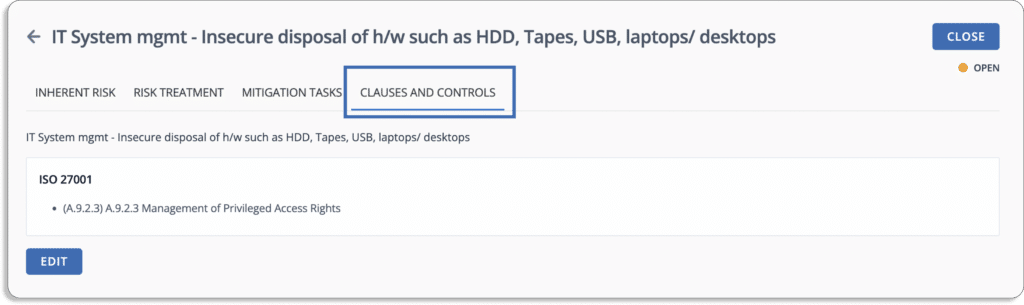
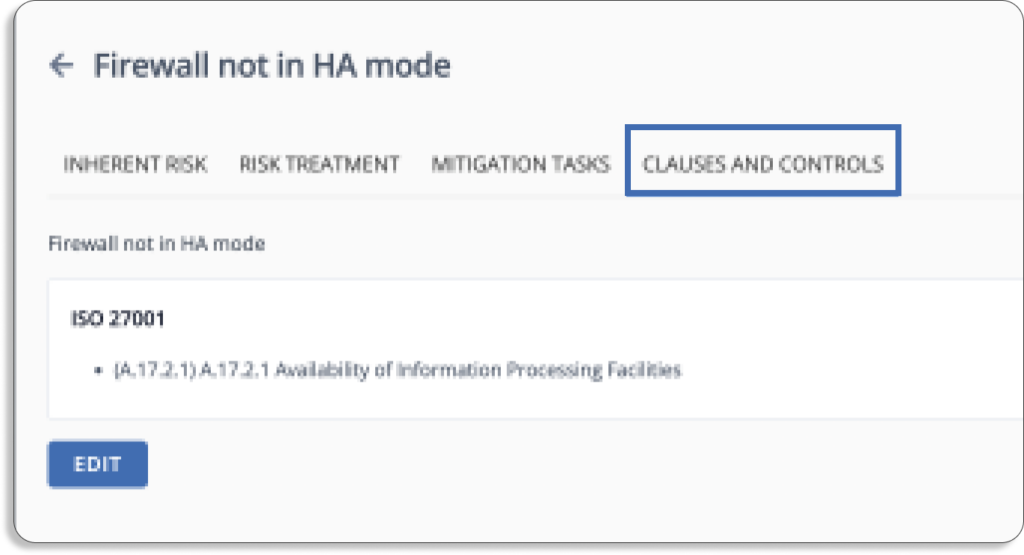
Moreover, Scrut Risk Management has pre-mapped risks to control across different security and privacy frameworks like SOC 2, ISO 27001, GDPR, HIPAA, PCI DSS, and more.

The platform eliminates the need to manage and constantly update a risk register on multiple spreadsheets. It collects all risks, their inherent and residual risk scores, mapped controls, and mitigating tasks in one place, which can then be easily shared with auditors for faster compliance audits.

Governance

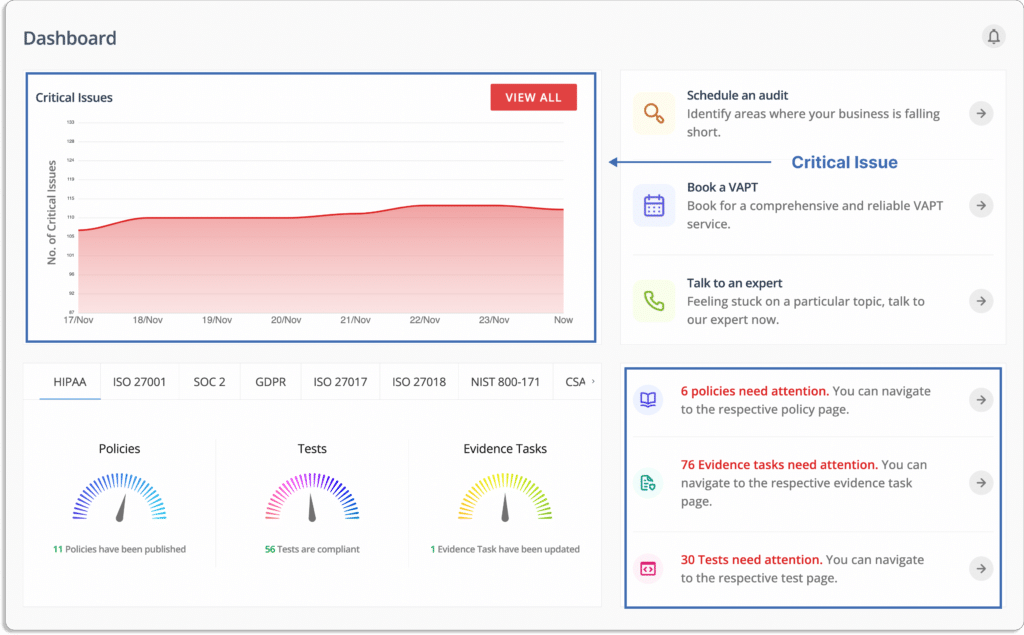
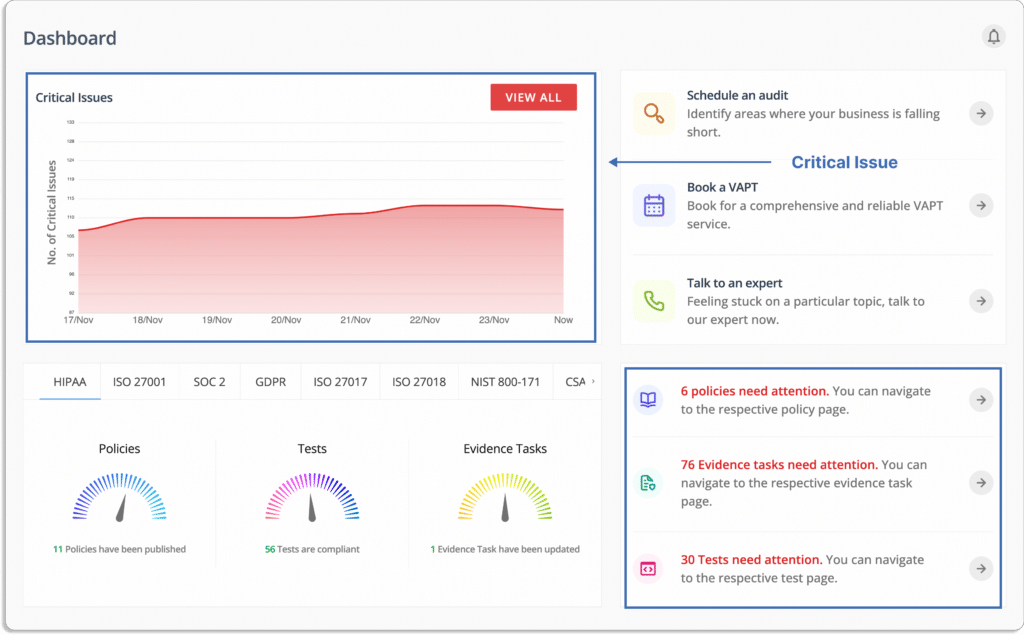
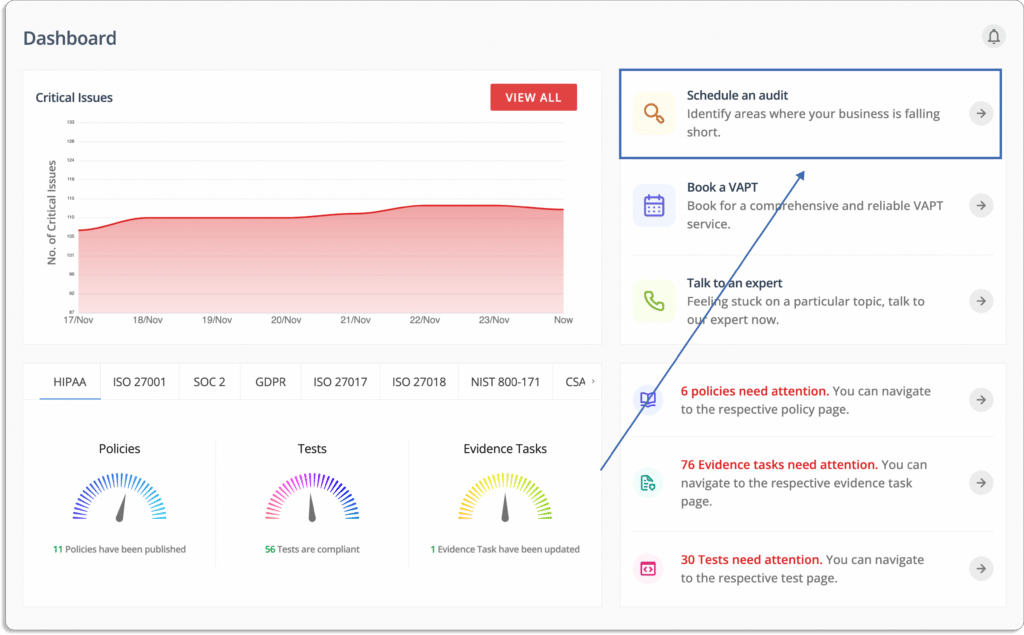
smartGRC platform identifies critical issues and provides a single tracker to monitor what needs your attention.

Let’s now see how Scrut helps you set up security governance in your organization.

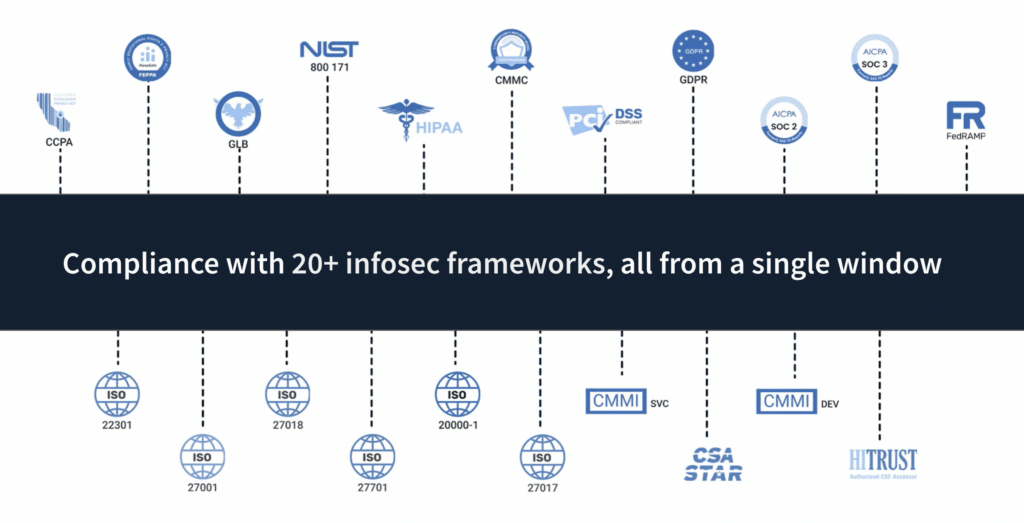
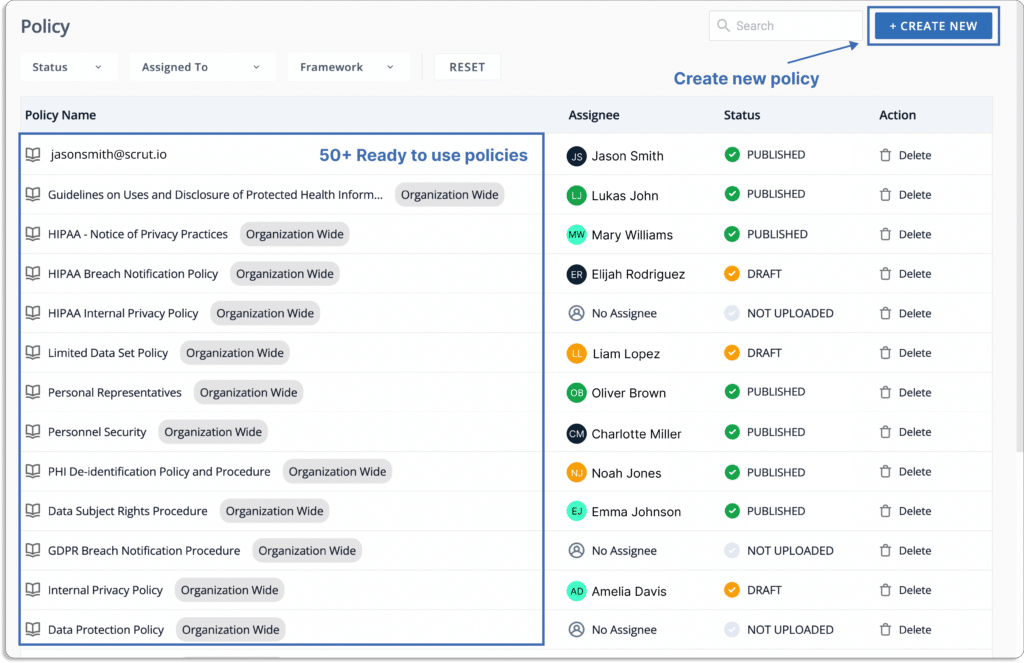
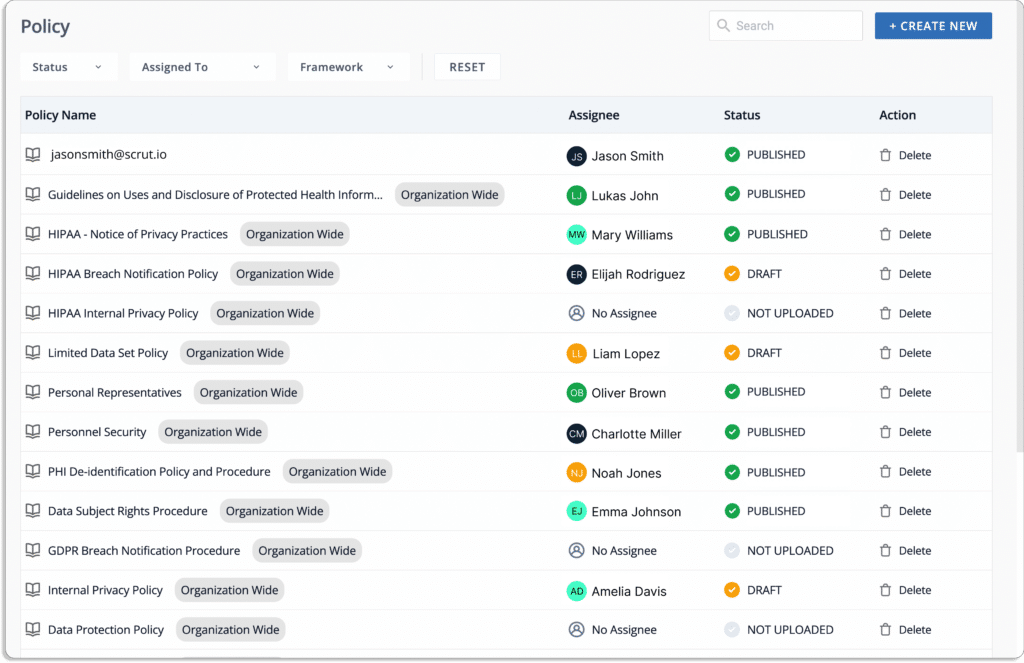
  • 50+ pre-built policy templates for 20+ compliance frameworks: With a library of 50+ pre-built policy templates vetted by our in-house InfoSec experts, you can start your compliance program in minutes. 

This eliminates duplication of efforts when going for multiple frameworks, as you can use the same policies for new frameworks.

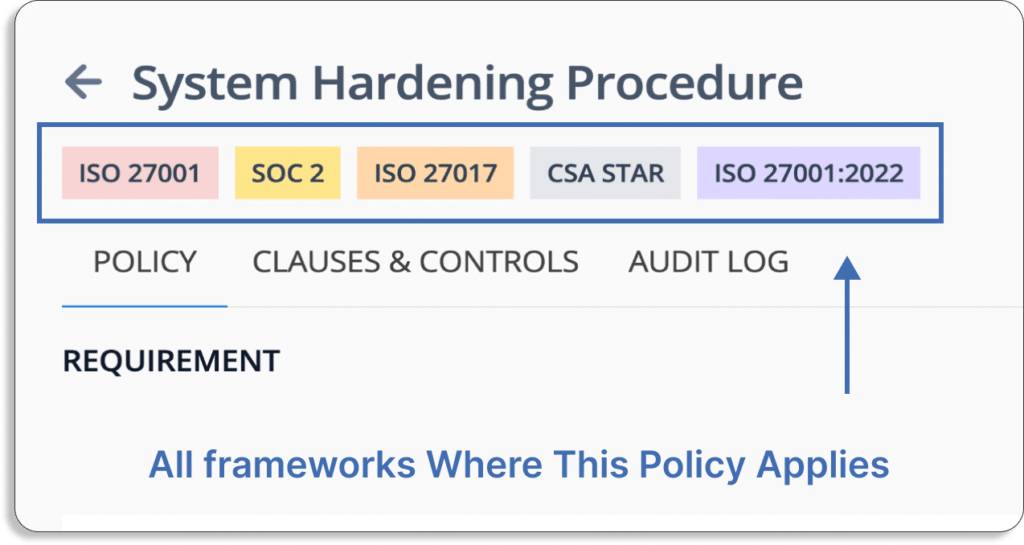
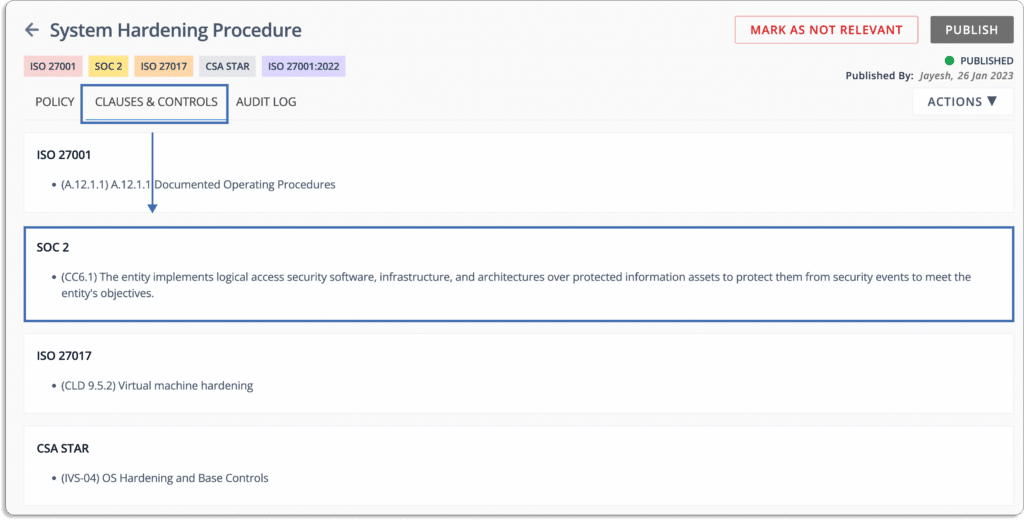
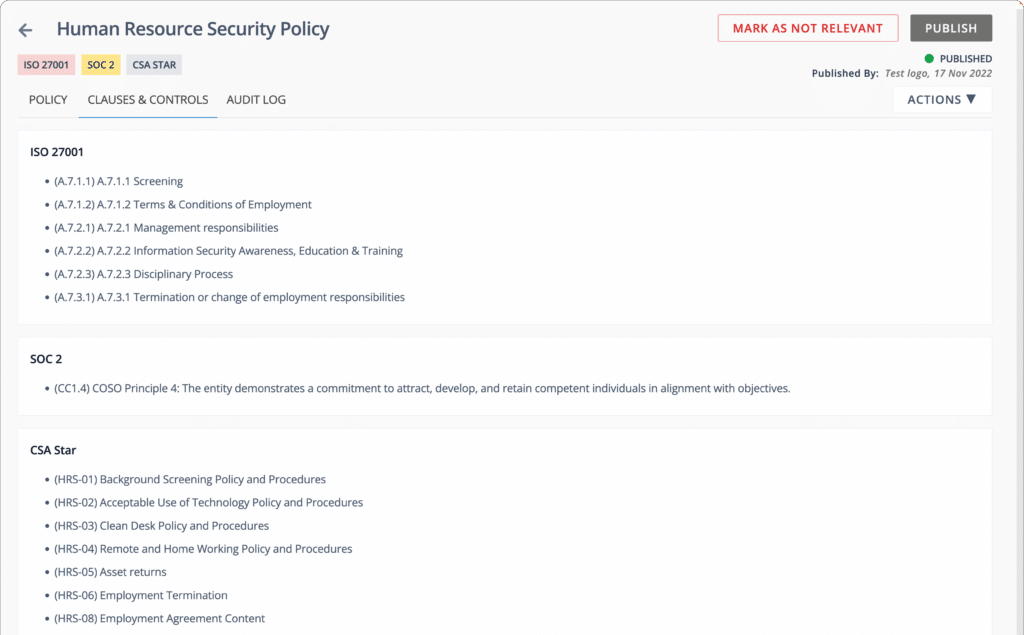
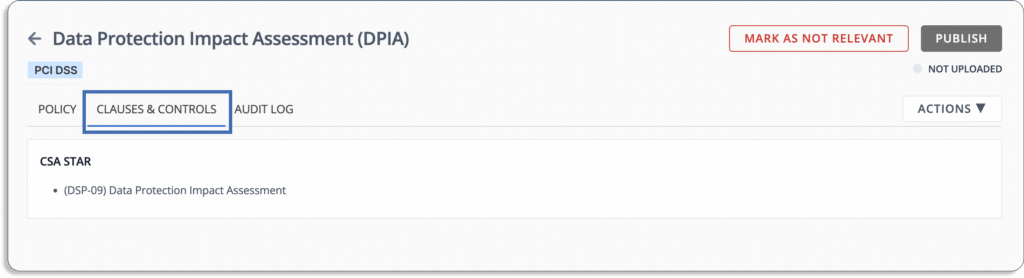
Furthermore, this policy is mapped with all the controls you need for different frameworks. For instance, the control CC6.1 is mapped to SOC 2.

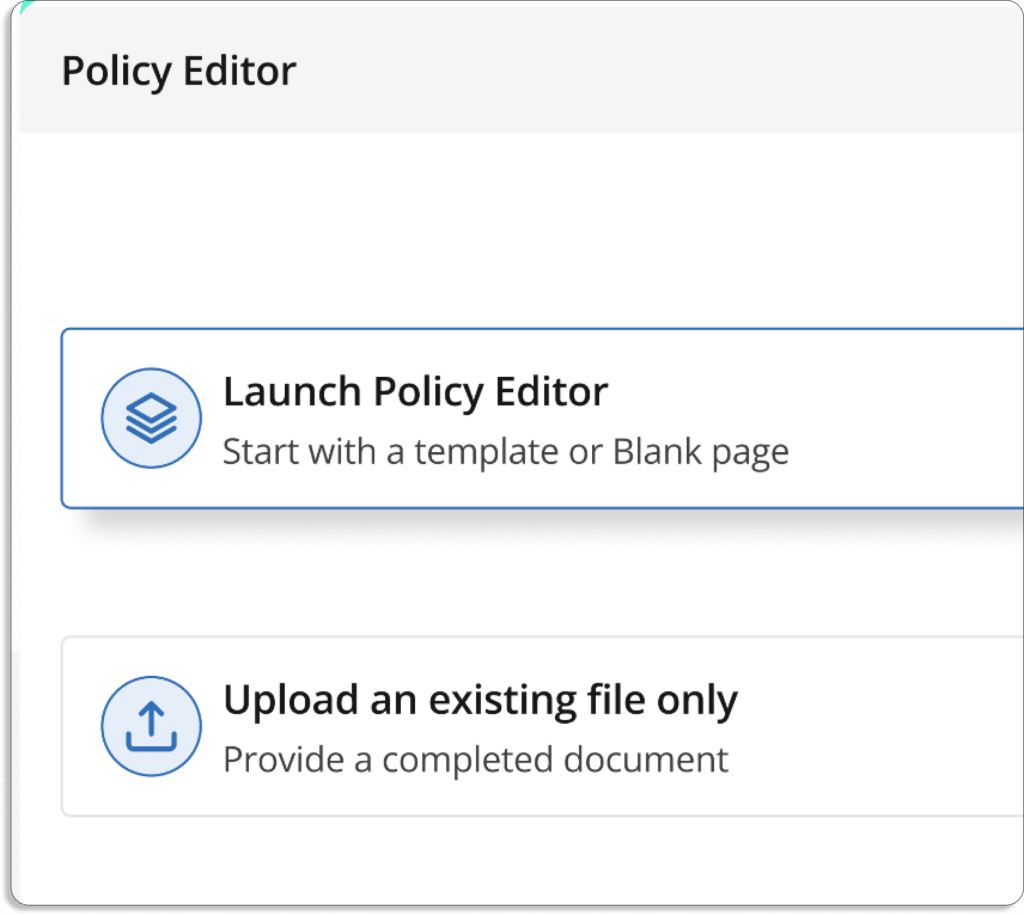
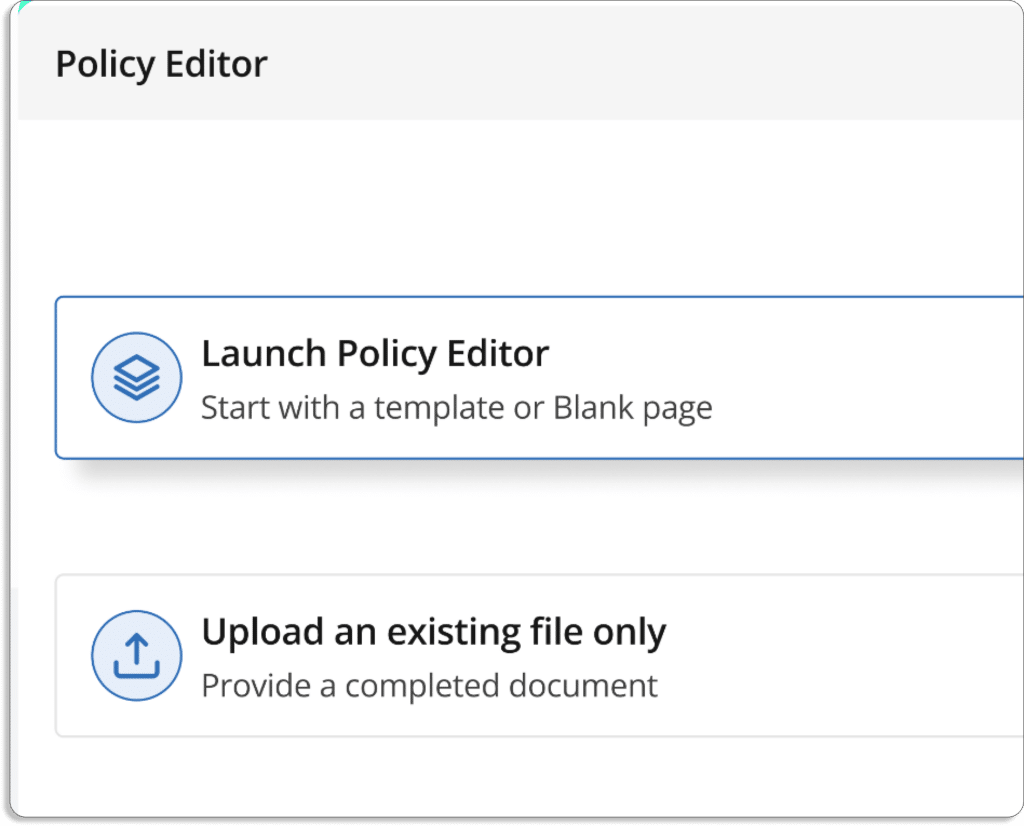
Further, you can edit the policies using the platform’s in-line editor.

Apart from this, you can also upload your existing policies on the platform.

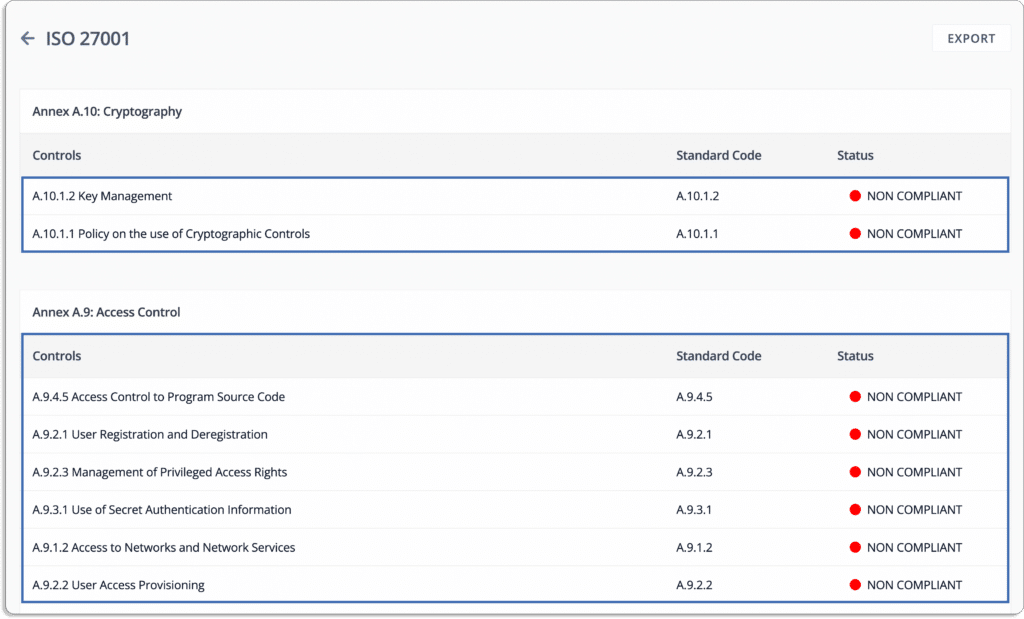
All the controls required for a framework are pre-populated on the platform, which helps you quickly choose and customize them as per your requirements.

Custom controls can be defined to reflect your company’s specific needs, and pre-built control mapping can be used to map them against your required compliance frameworks.

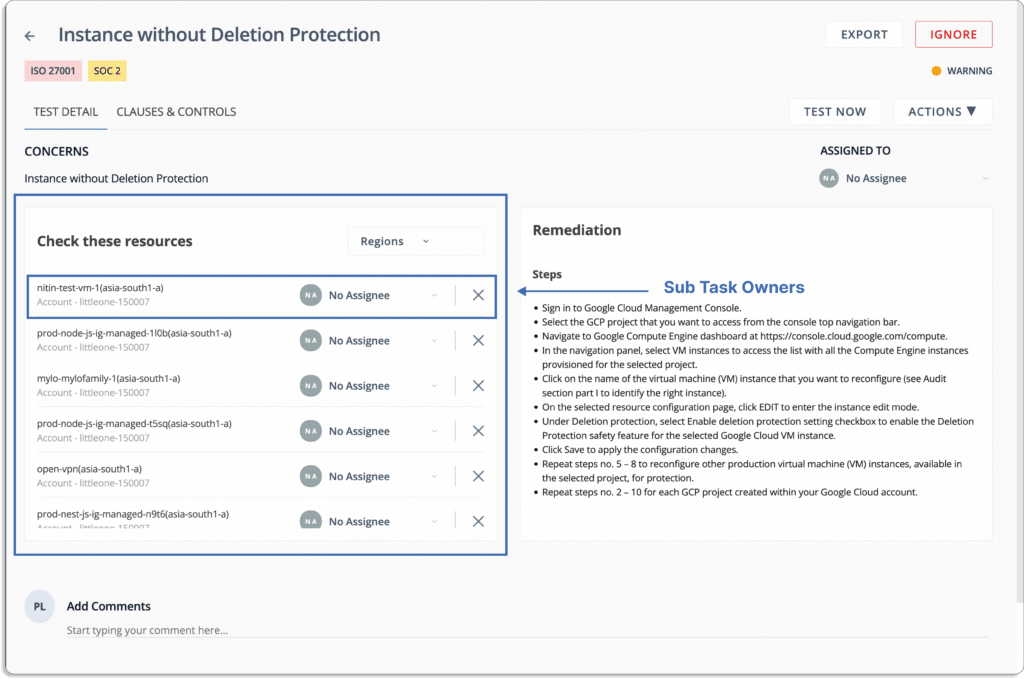
  • Task and workflow management: Scrut helps you easily collaborate with your internal team and assign tasks automatically using workflows. It monitors them and sends reminders for pending tasks to you. It also keeps you on top of risks, and the team feels accountable and in control of their tasks.

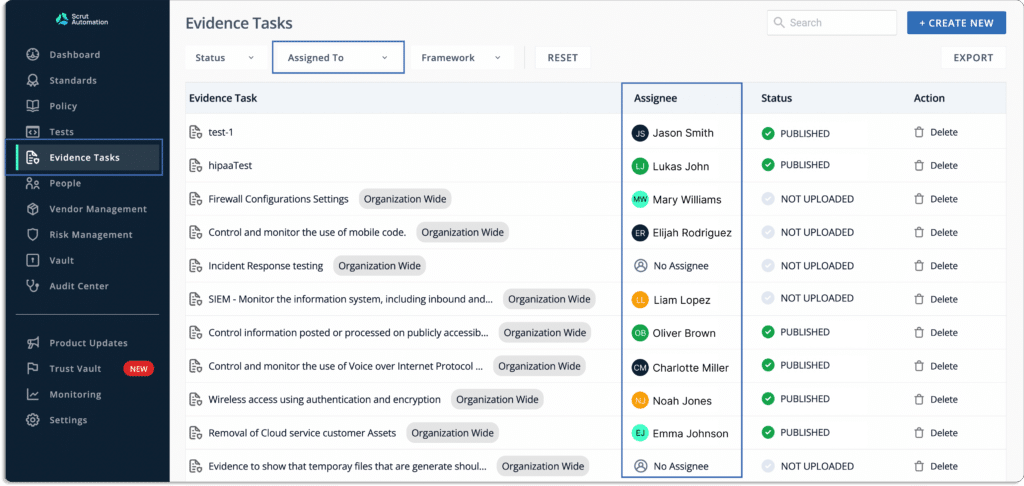
You can assign ownership of tasks to members. The tool updates you on the latest status of each task by tracking them on the Scrut platform. 

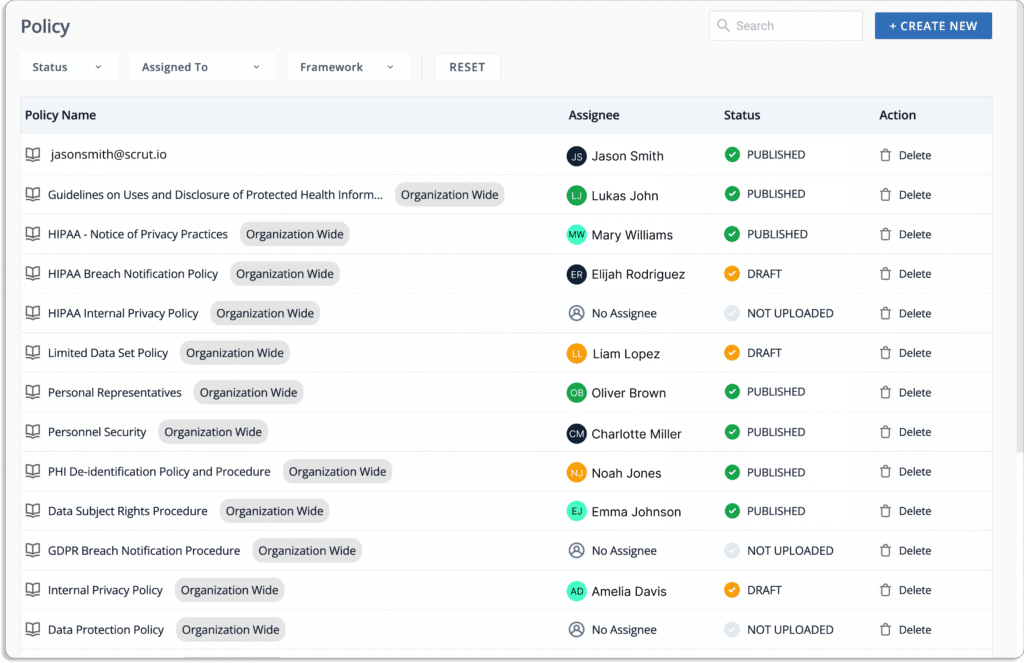
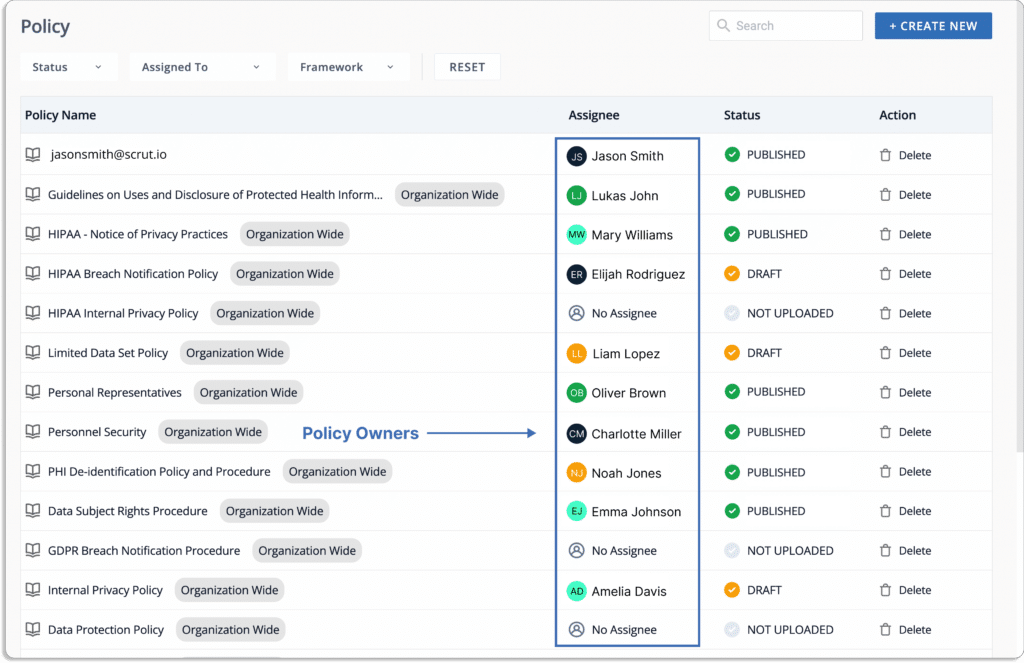
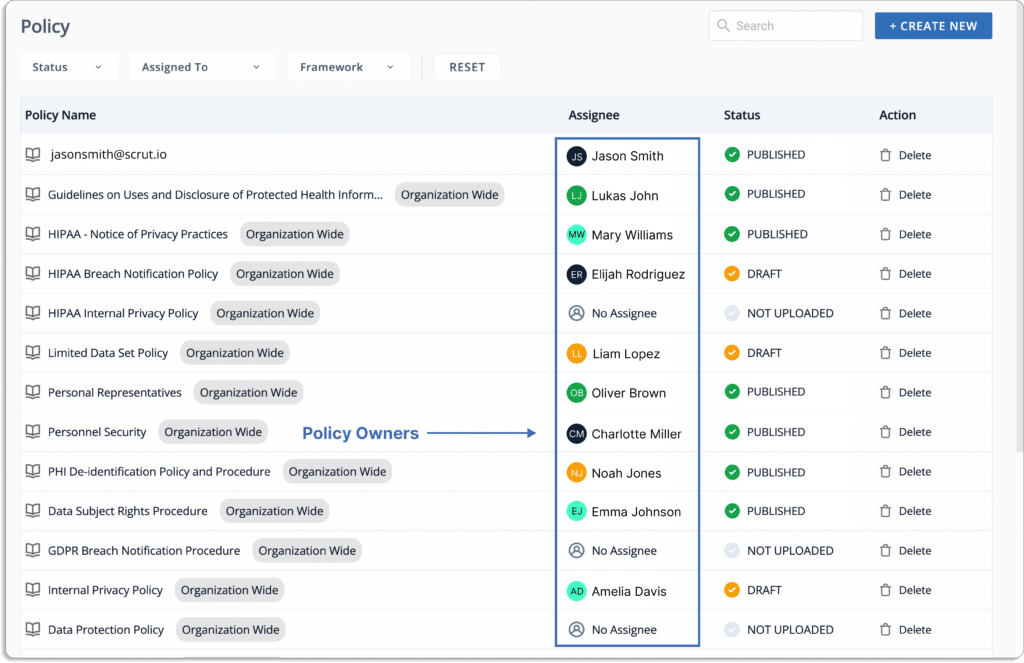
You can assign owners to policies for creating or making any changes to them. This ensures that policies are managed properly, and the policy owner is accountable for all tasks related to the policy. Further, the platform sends reminders to the policy owners (Slack, email) for any pending policy-related tasks.

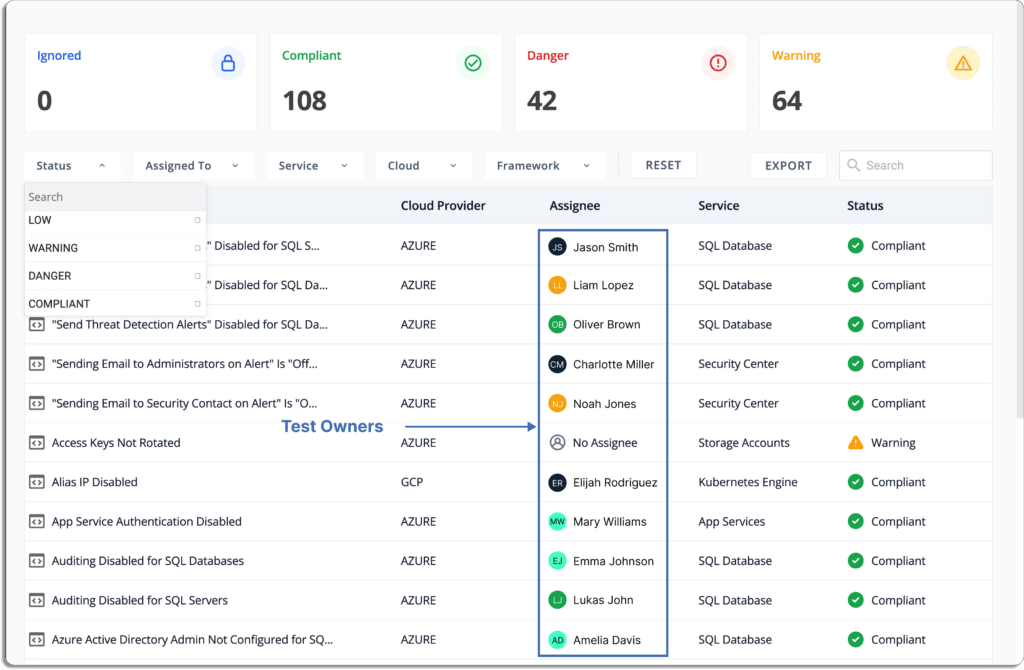
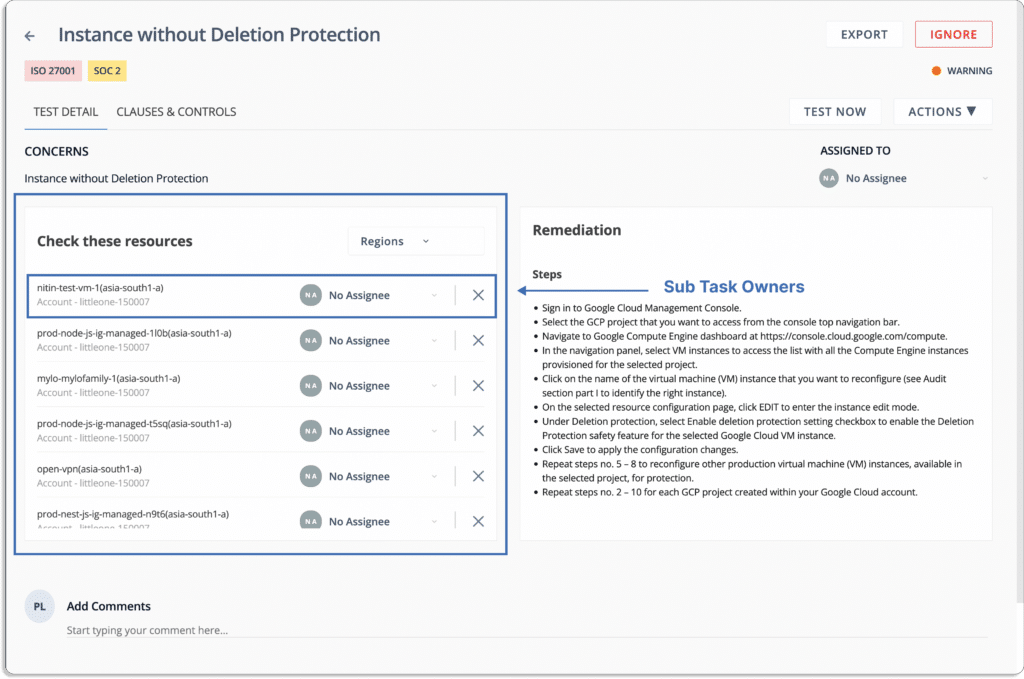
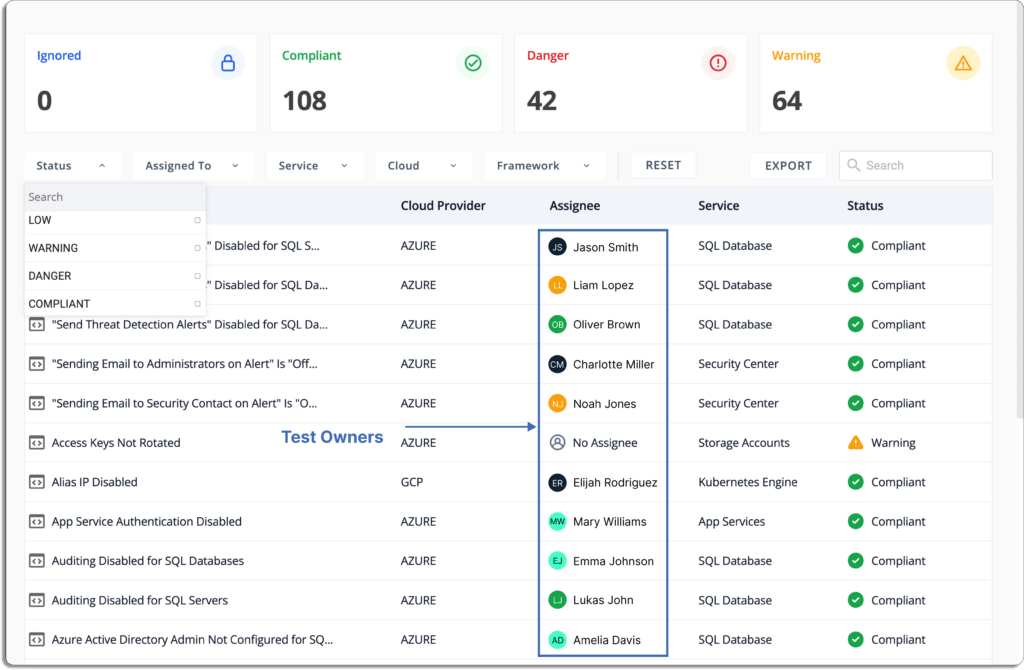
Similarly, you can assign ownership to fix any misconfigurations in your cloud accounts.

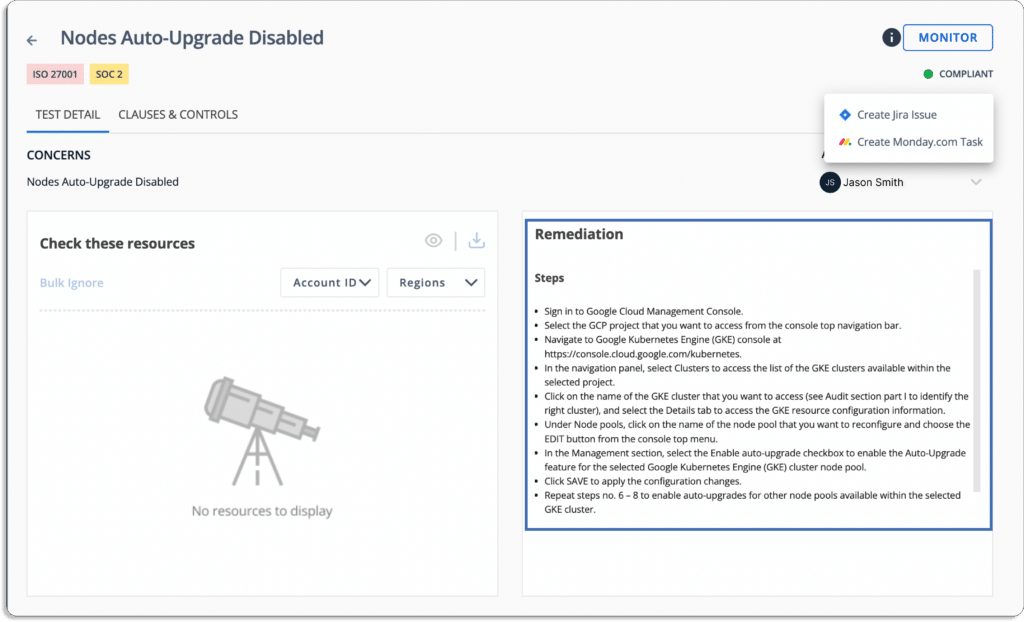
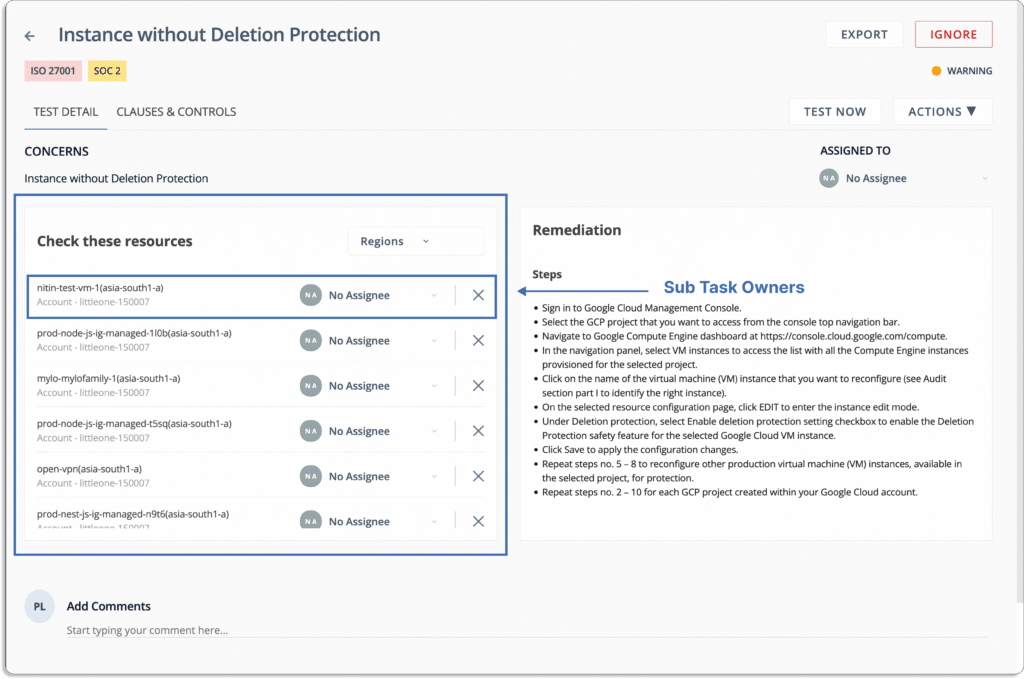
Scrut also gives step-by-step-remediation tasks so that the person responsible can easily resolve the issues.

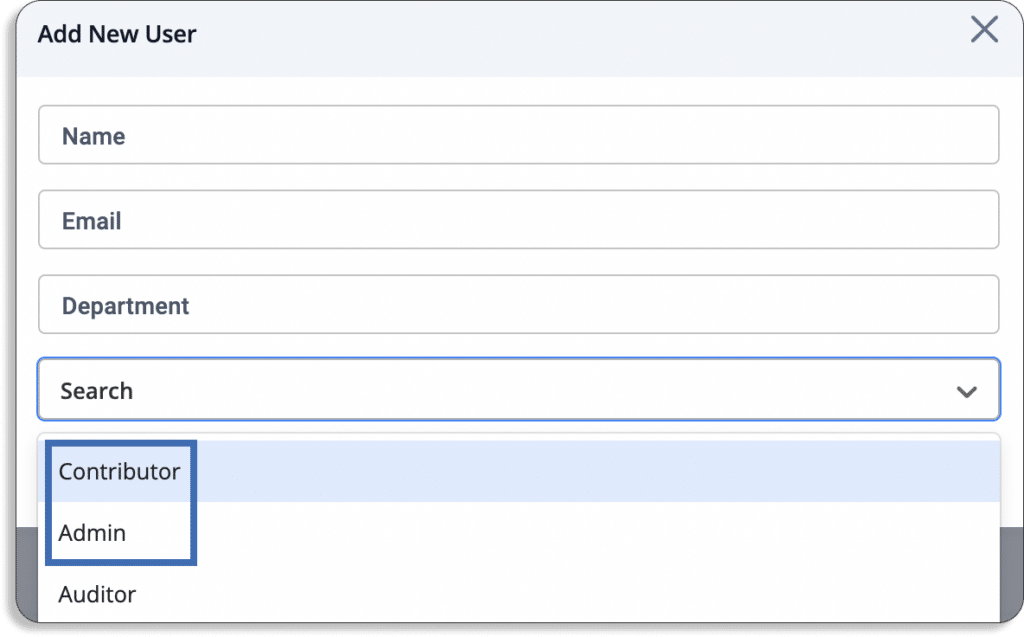
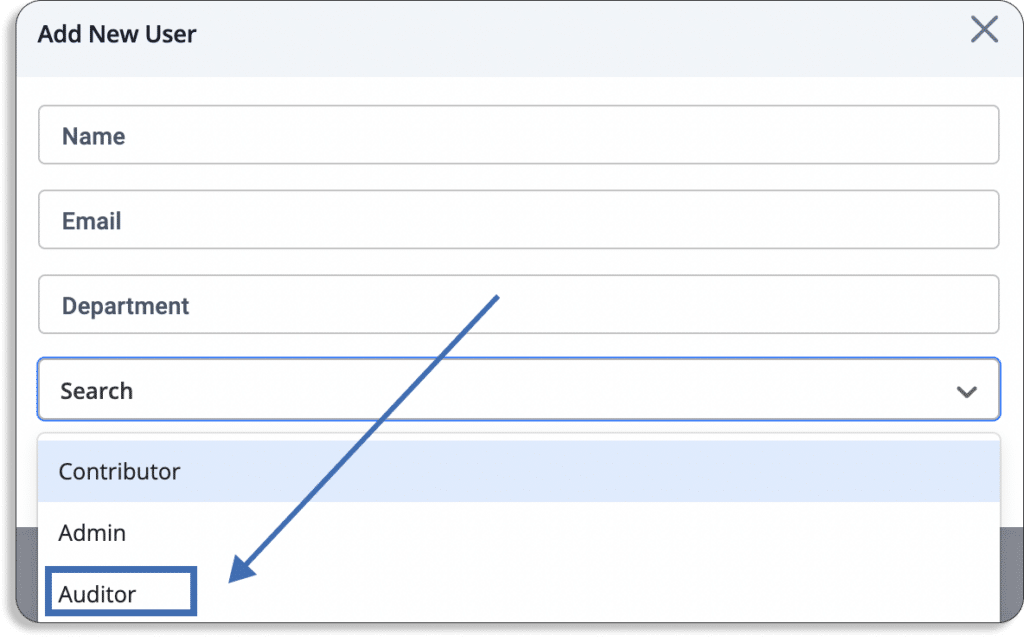
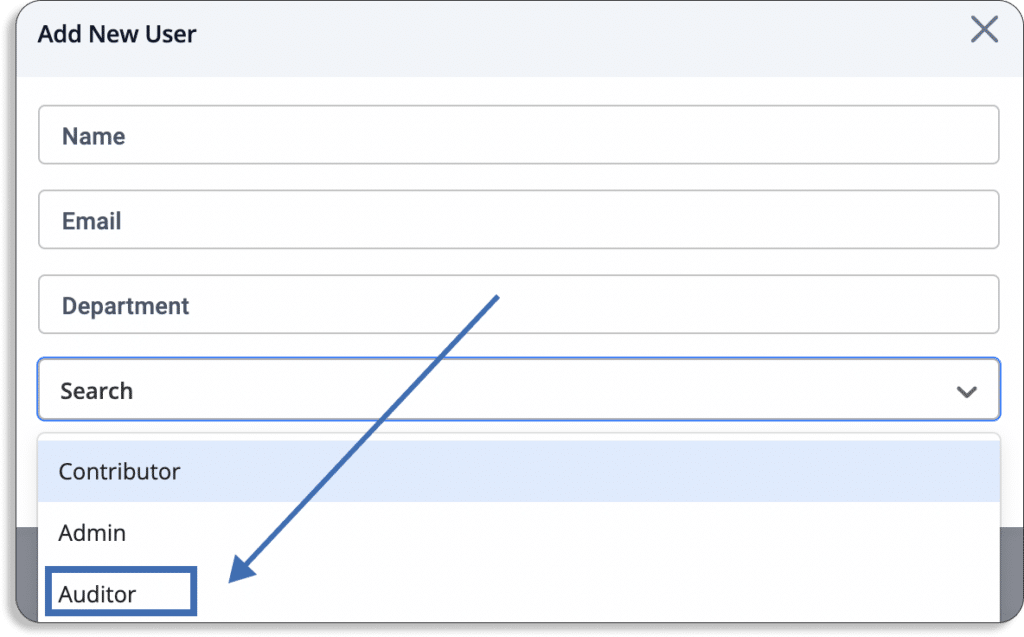
  • User role: An important part of good security governance is the separation of roles. Scrut provides 2 types of roles for internal team members: contributor and administrator.

Contributors can be assigned any task, from policy updates, test ownership, risk ownership, etc. But they cannot approve and publish major organization-wide changes. That authority is only with users with admin access.

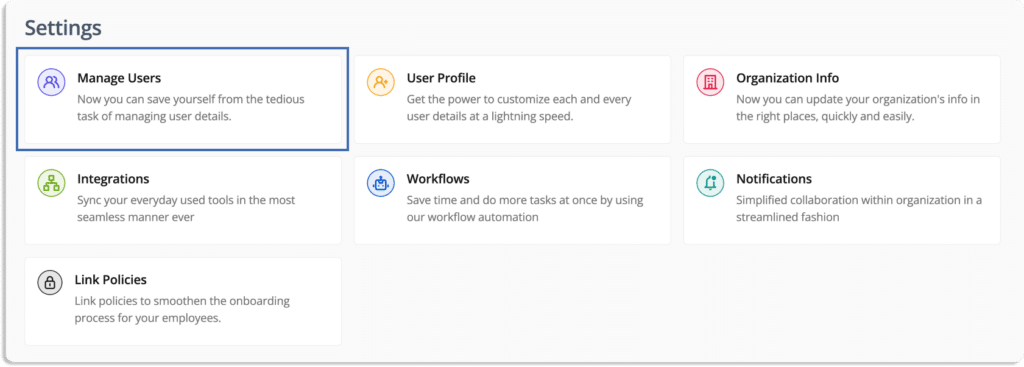
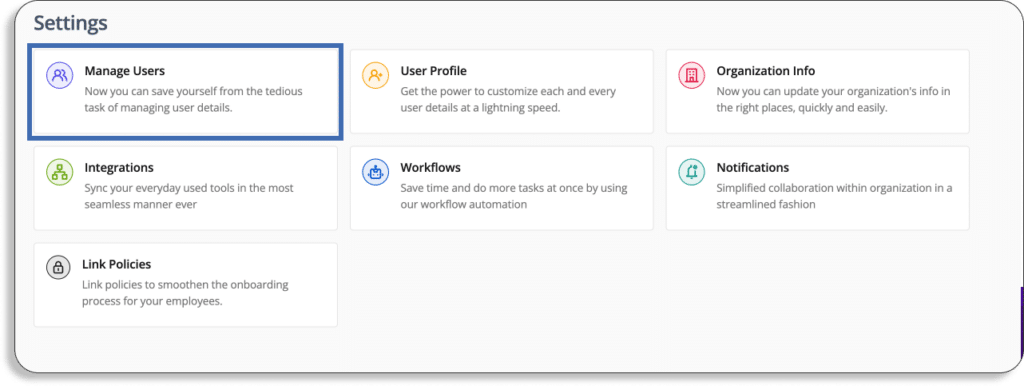
To add users with different privileges, go to settings and then manage users.

After clicking on add new user, you will get a pop-up like this.

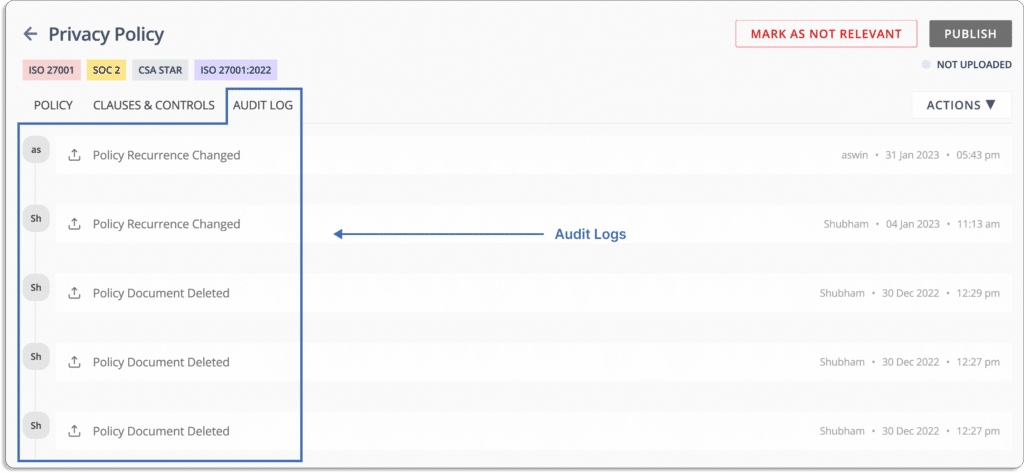
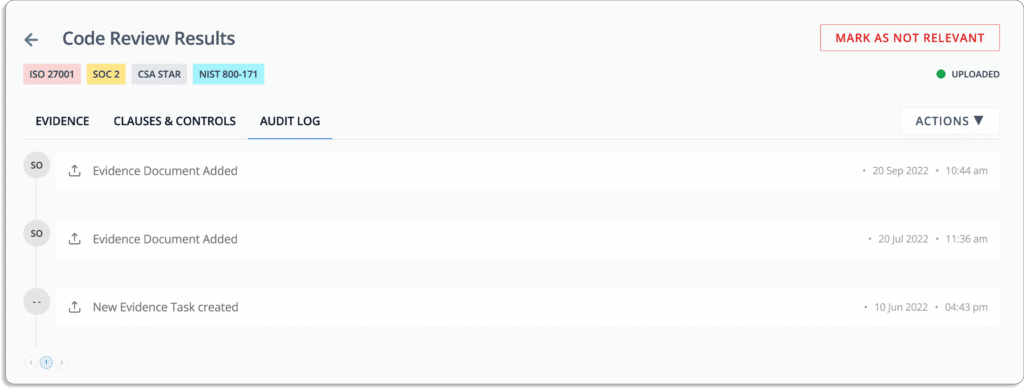
  • Audit logs: Scrut logs all actions taken by users, changes made to policy documents, and API calls made through our integration, and monitored as  of audit logs.

For example, see this audit log in the privacy policy document.

Audit log for evidence

Compliance

Scrut smartGRC provides a faster, simpler, and smarter path to compliance by eliminating time-consuming manual procedures and keeping you updated on the progress and effectiveness of your programs.

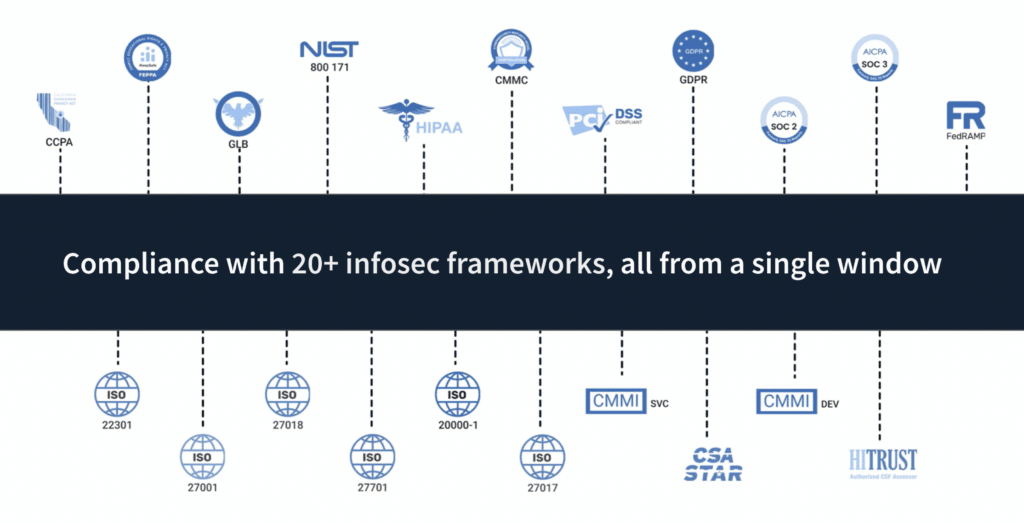
  • 20+ compliance frameworks out-of-box: As discussed in the previous section, Scrut comes with a library of over 50 pre-built policy templates that are vetted by our in-house InfoSec experts.

These policies cover 20+ security and privacy frameworks like SOC 2, HIPAA, GDPR, PCI DSS, and ISO 27001.

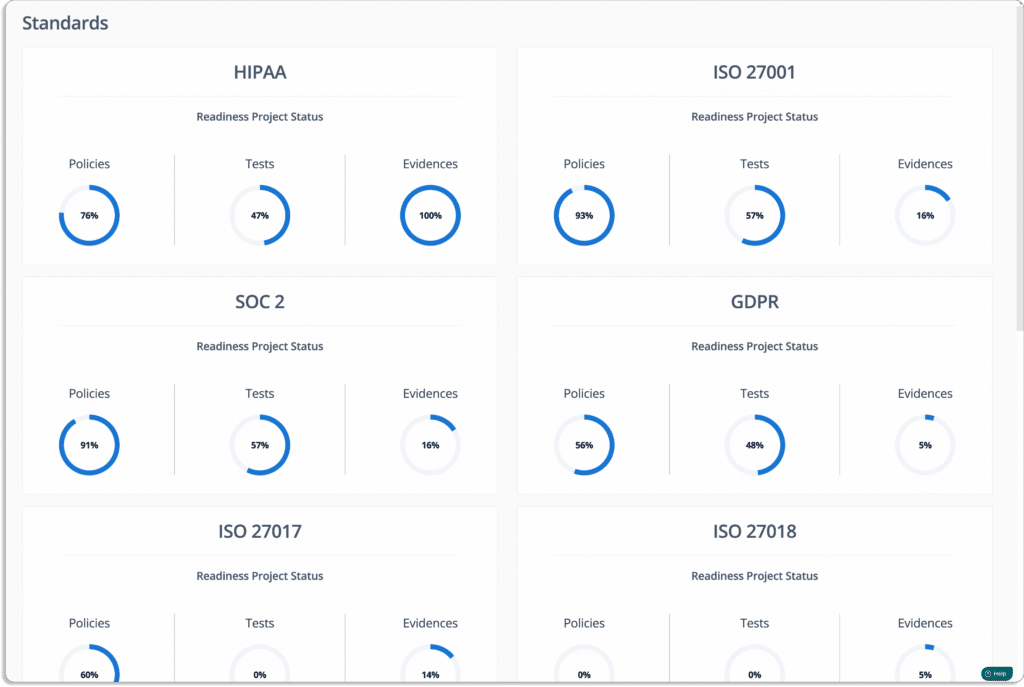
  • Visibility into all your InfoSec programs: With Scrut smartGRC platform, you get complete visibility into the status, effectiveness, and impact of your activities on your compliance posture.  

The tools bring all your InfoSec tasks and artifacts into a single place. It enables you to fill compliance gaps in real-time. 

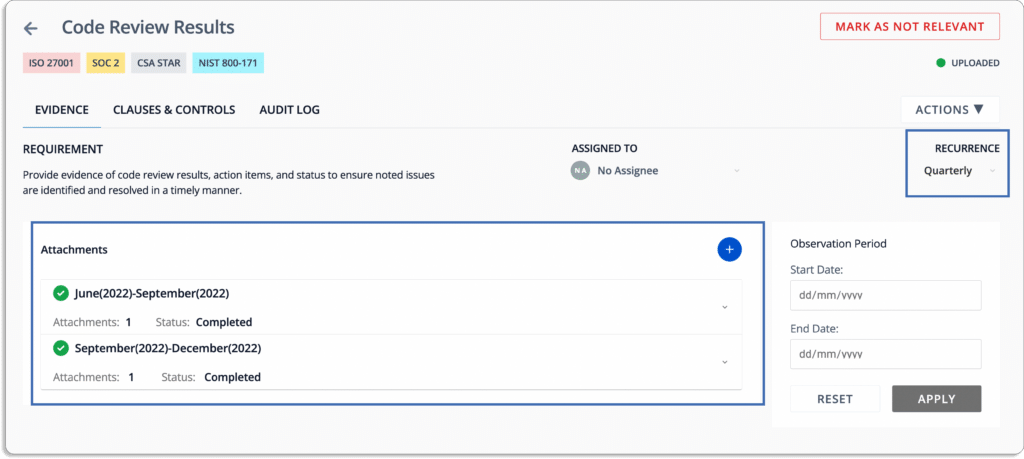
  • Automated evidence collection: Evidence collection is one of the important aspects of any compliance program. Without a GRC platform, gathering evidence and maintaining compliance becomes time-consuming and challenging. 

With Scrut, you can reduce the effort required for evidence gathering with the help of over 70 integrations. 

  • Scrut cloud security

Scrut Cloud Security scans and monitors misconfiguration in public cloud accounts, such as AWS, Azure, and Google Cloud Platform, among others. The tool helps you to maintain a strong InfoSec posture by automatically comparing your cloud configurations against 200+ cloud controls across CIS benchmarks.

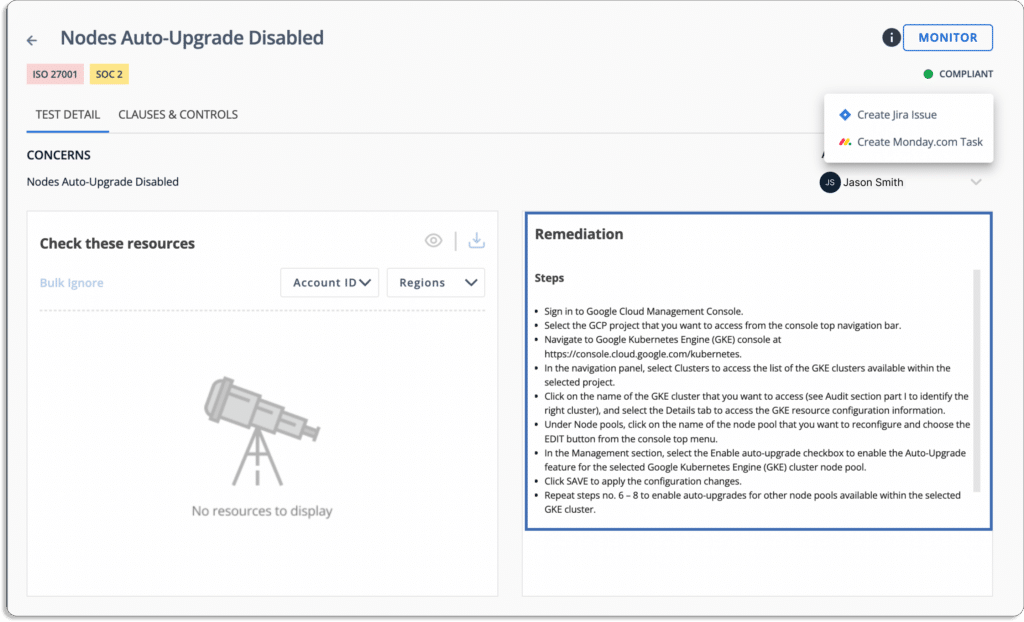
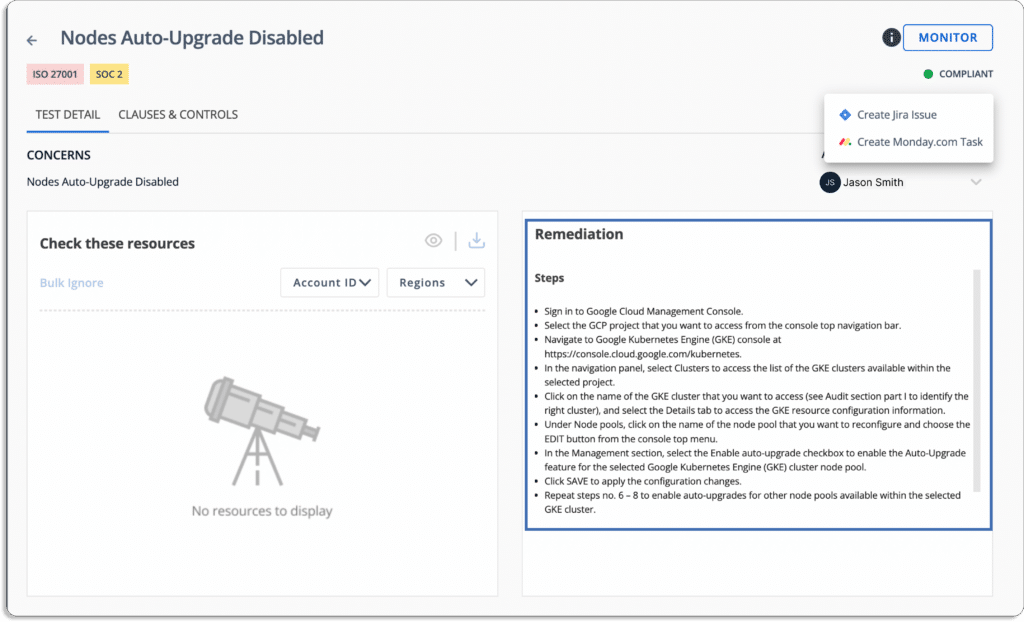
When misconfigurations occur, Scrut alerts you with actionable remediation recommendations, as shown in the screenshot below.

  • Seamless collaboration with auditors: Auditing is an essential part of any compliance program. You always want a seamless collaboration with the auditors to ensure a smooth and faster audit.

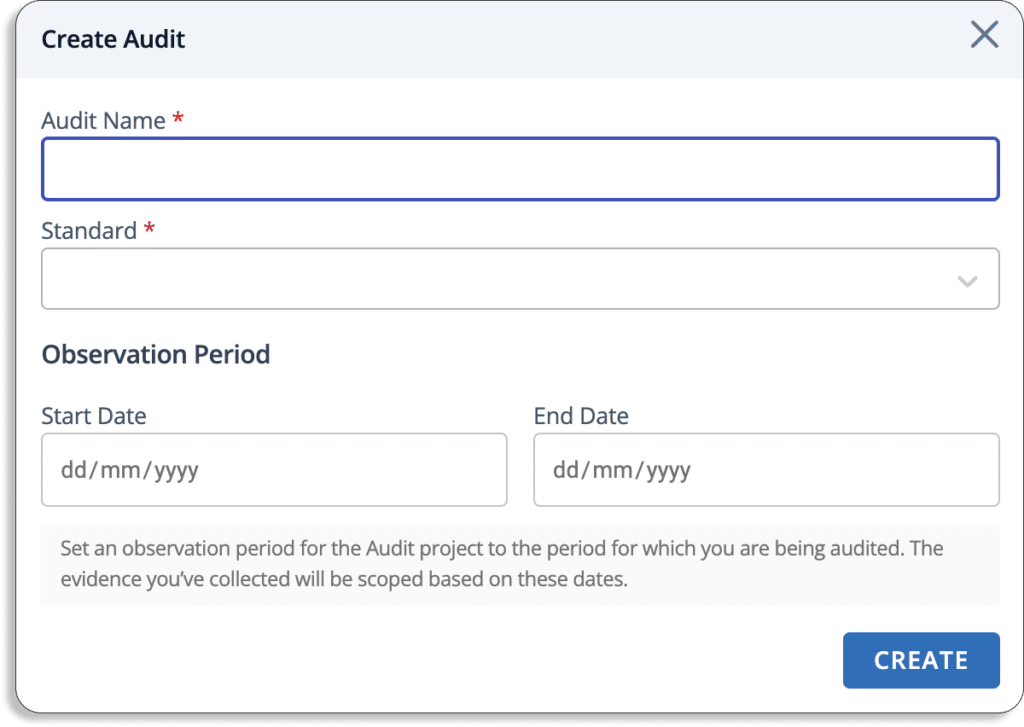
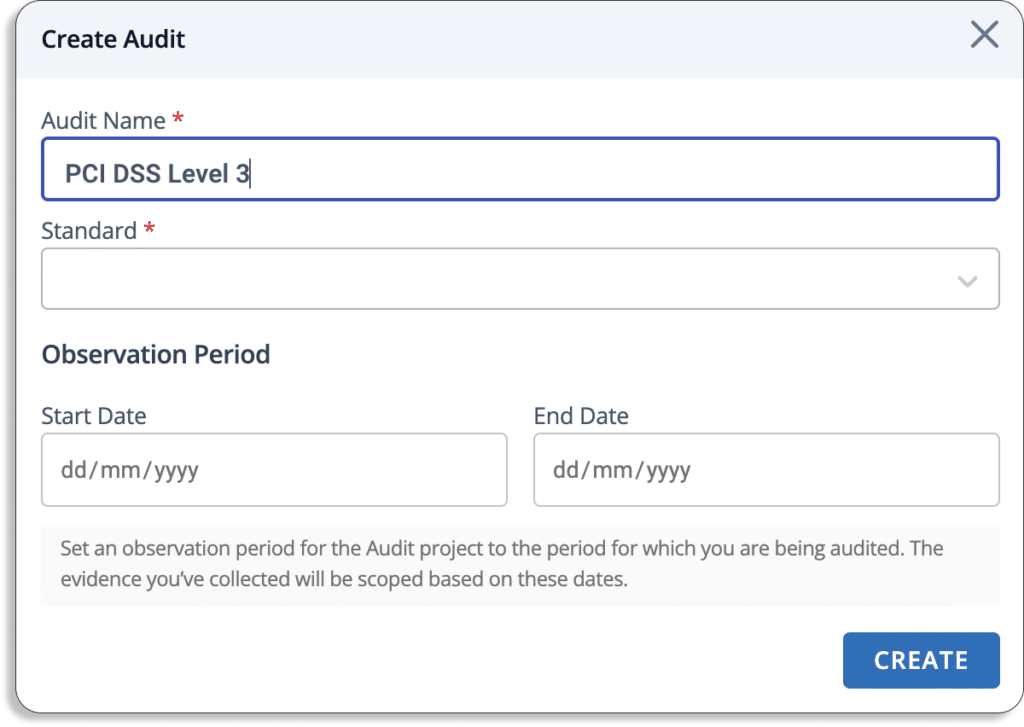
Just create a new audit from the audit center.

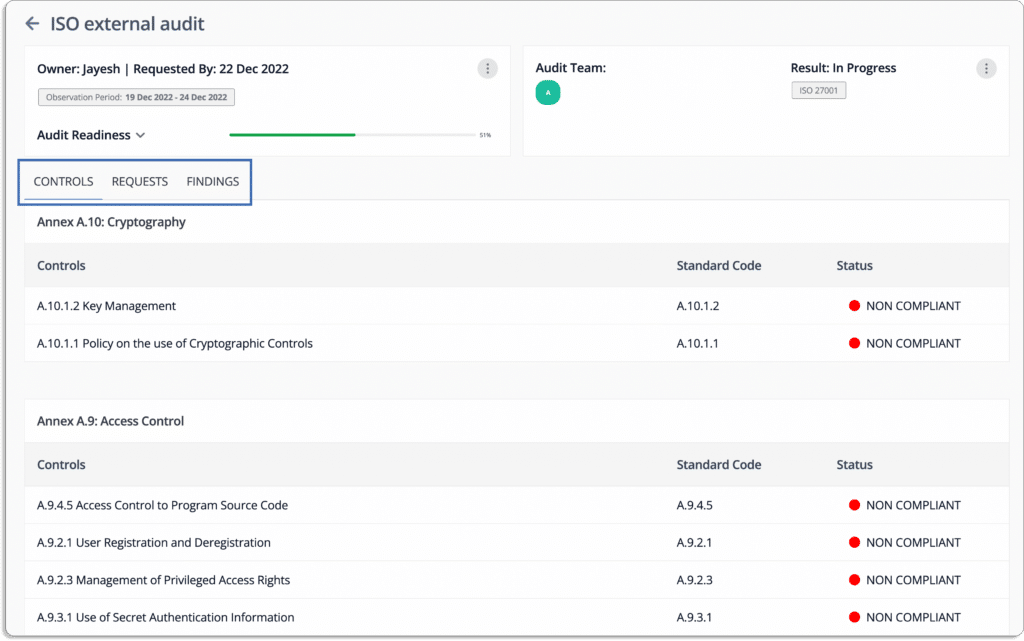
The Scrut smartGRC allows you to invite auditors to the platform.

The auditors can go through all policies, controls, evidence, and other artifacts required for the audit on the platform and leave their findings on the platform. 

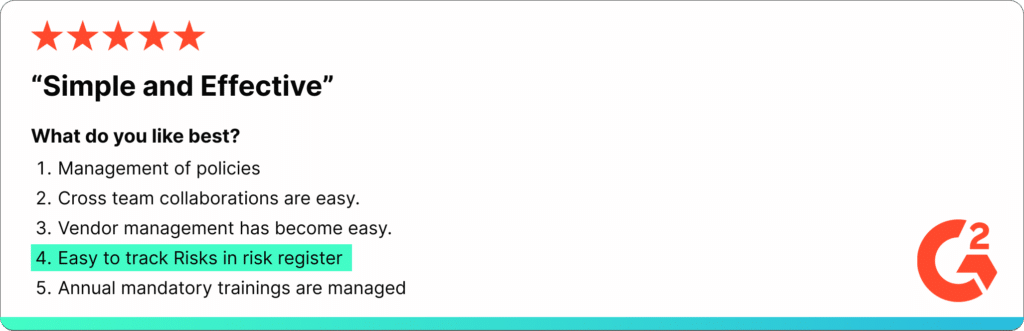
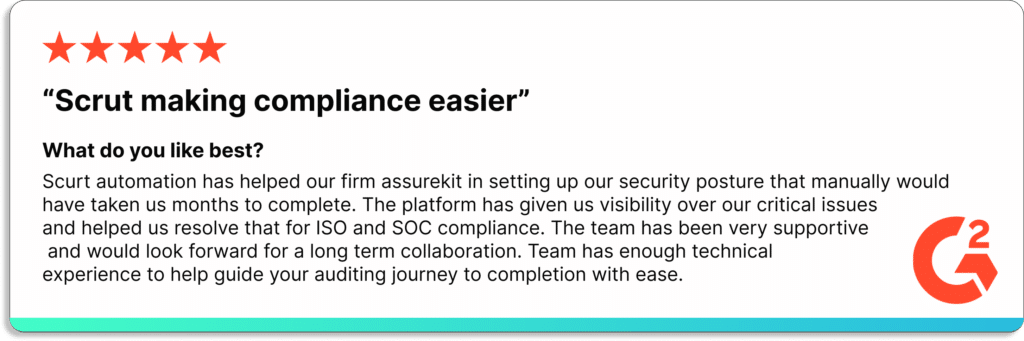
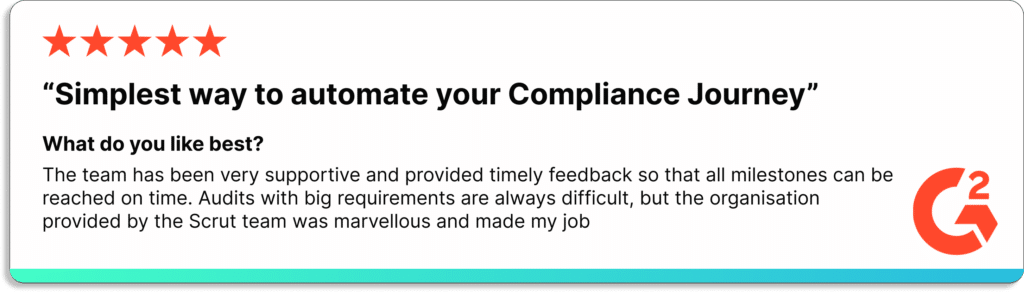
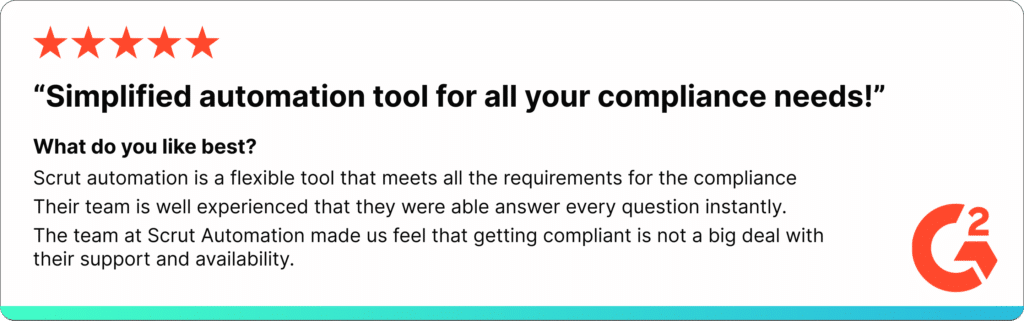
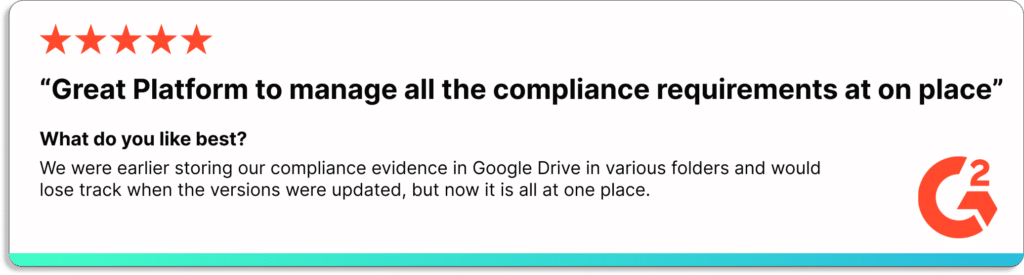
Check one of the user reviews from our customers.

Trust Vault: Establish Trust from Day 1 

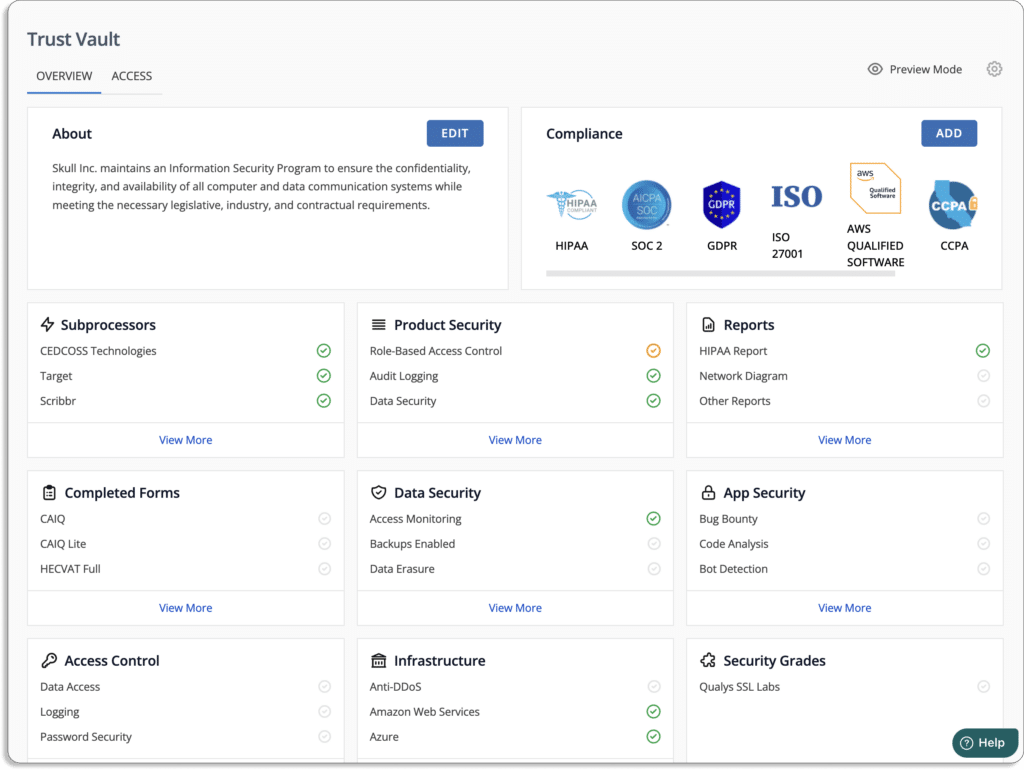
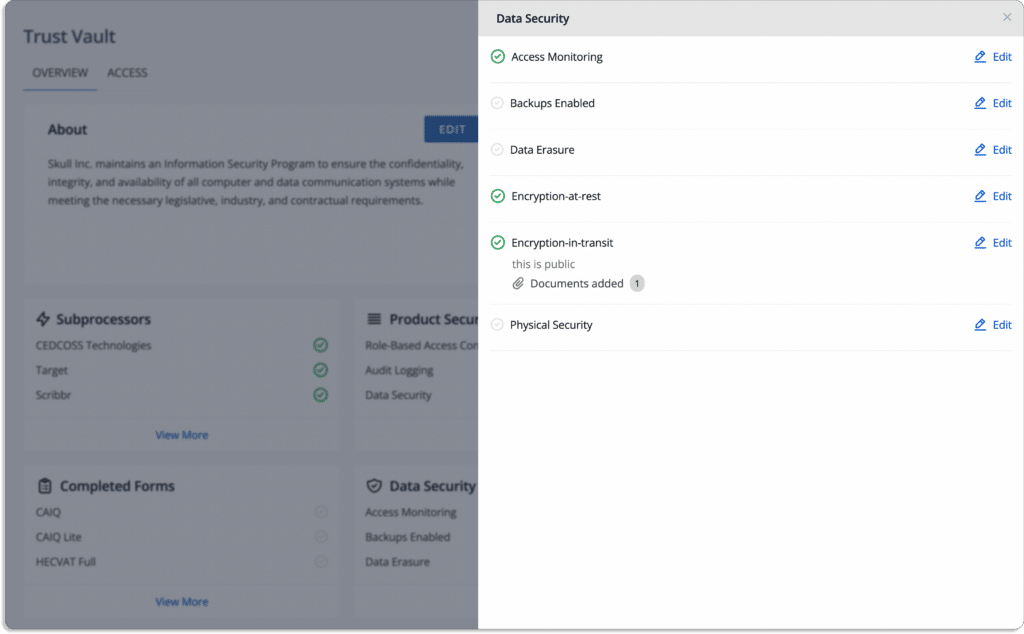
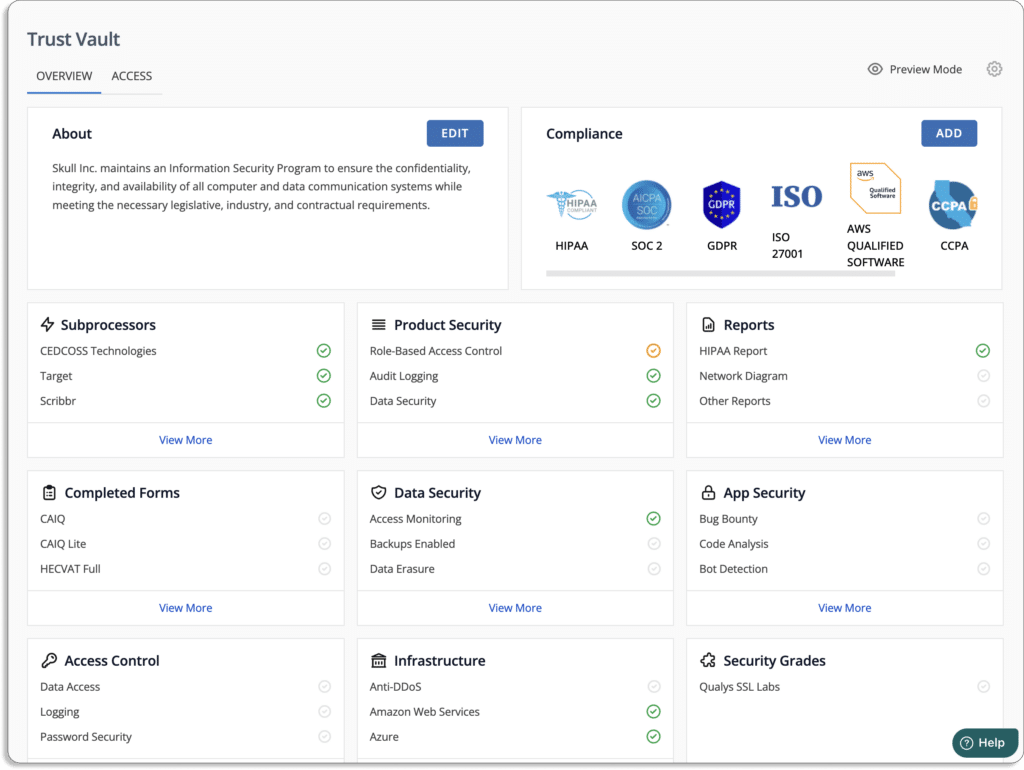
Scrut Trust Vault empowers you to build trust with customers, partners, investors, and more. It helps in accelerating your sales by eliminating the manual effort and time required to share different InfoSec documents (compliance certifications, attestations, and reports) in the sales process. 

Authored by

Aayush Ghosh Choudhary
Co-founder & CEO at Scrut

IT Risk Management Software/Tools

Every risk has a business impact. Therefore, CISOs must invest in a risk management tool to manage risks efficiently. 

This article will help you find the right IT risk management solution considering your budget, compliance, and security needs.  

In IBM’s 2022 Cost of a Data Breach Report, the average cost of a data breach has reached an all-time high of $4.35 million. 83% of businesses that participated  in the survey said that more than one data breach had occurred. And finding and stopping a breach took an average of 277 days.

Gaining visibility into an organization’s IT infrastructure and systems is essential for identifying and managing potential security risks. An organization may be unaware of critical vulnerabilities and potential threats without a proper method for monitoring and analyzing the IT landscape. Implementing a comprehensive risk management strategy can help to detect and respond to data breaches more quickly, reducing the potential impact and repercussions of a successful attack.

This is where risk management software comes into the picture.

Key Features of IT Risk Management Tools

Most IT risk management tools have the following features:

  • Real-time risk posture monitoring: It helps monitor the organization’s risk posture and compliance with pre-mapped controls to HIPPA, SOC 2, ISO 27001, and other standards while eliminating time-consuming manual processes.
  • Pre-loaded risk library: It has a comprehensive risk library that allows you to create your risk register in minutes. With a pre-populated list of risks, you can choose from a library of pre-loaded risks applicable to your organization.
  • Robust risk analysis: The tool helps transform your IT asset data into easily digestible reports that provide actionable insights within the context of your business processes.
  • Automatic risk scoring: It helps you stay ahead of threats by using continuous, real-time risk scores. Some tools also help you to create a treatment plan for each risk.

Top 13 IT Risk Management Software

In the section that follows, we have picked 13 IT risk management tools to reduce your research time. 

1. Scrut Automation

Scrut is a risk-focused GRC platform that assists cloud-native businesses in simplifying and streamlining information security while recognizing, evaluating, and reducing InfoSec risks.

Scrut identifies risks across the code base, infrastructure as code, applications, vendors, containers, and databases by scanning your cloud infrastructure. 

You can stay on top of your risk posture with simple-to-configure alerts and notifications on Slack and email. 

The dashboard gives an overview on your overall risk posture. 

Now, let’s see how Scrut helps you with all the 3 phases of risk management i.e., risk identification, risk assessment, and risk treatment.

  • Risk Identification

With Scrut, you can create a risk register in just a few minutes. 

Scrut comes with pre-populated risks that most organizations face. You can find them in the risk library.

All you have to do is choose the risks applicable to your organization, assign the person responsible for it, select the type of risk and select the department it belongs to.

Scrut classifies risks into 7 categories: governance, people, customer, regulatory, resilience, technology, and vendors. 

Scrut automatically maps the controls against different compliance frameworks as well.

Once you’ve identified all the risks you are exposed to, next comes risk assessment.

  • Risk Assessment

Assessing risk gives you insight into how it affects your organization. With risk scoring, Scrut automates the risk assessment tasks.

Scrut creates your risk scoring based on the likelihood and impact of events.

Risk = Likelihood * Impact

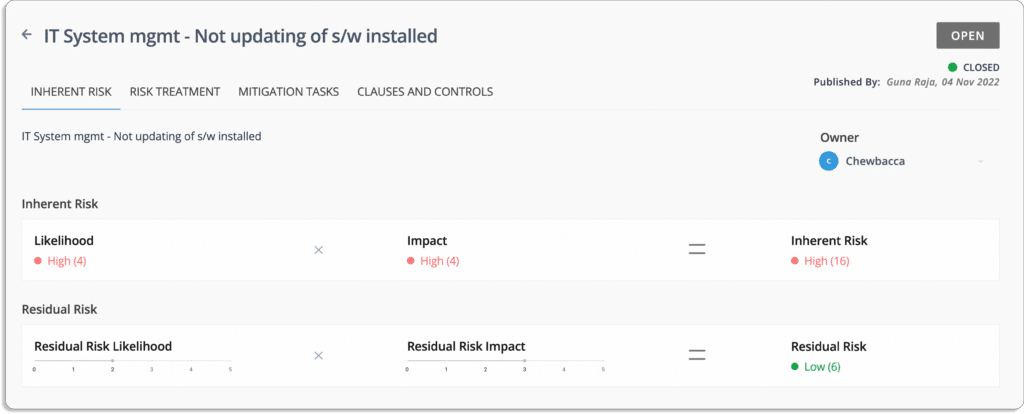
Let’s take an example of remotely accessing related risk, as shown in the screenshot below.

The likelihood of this event = 5 (Very High)

The impact in case the event occurs = 3 (Moderate)

Likelihood (5) * Impact (3) = 15

Thus, the inherent risk associated with this event is also moderate = 15 (Moderate)

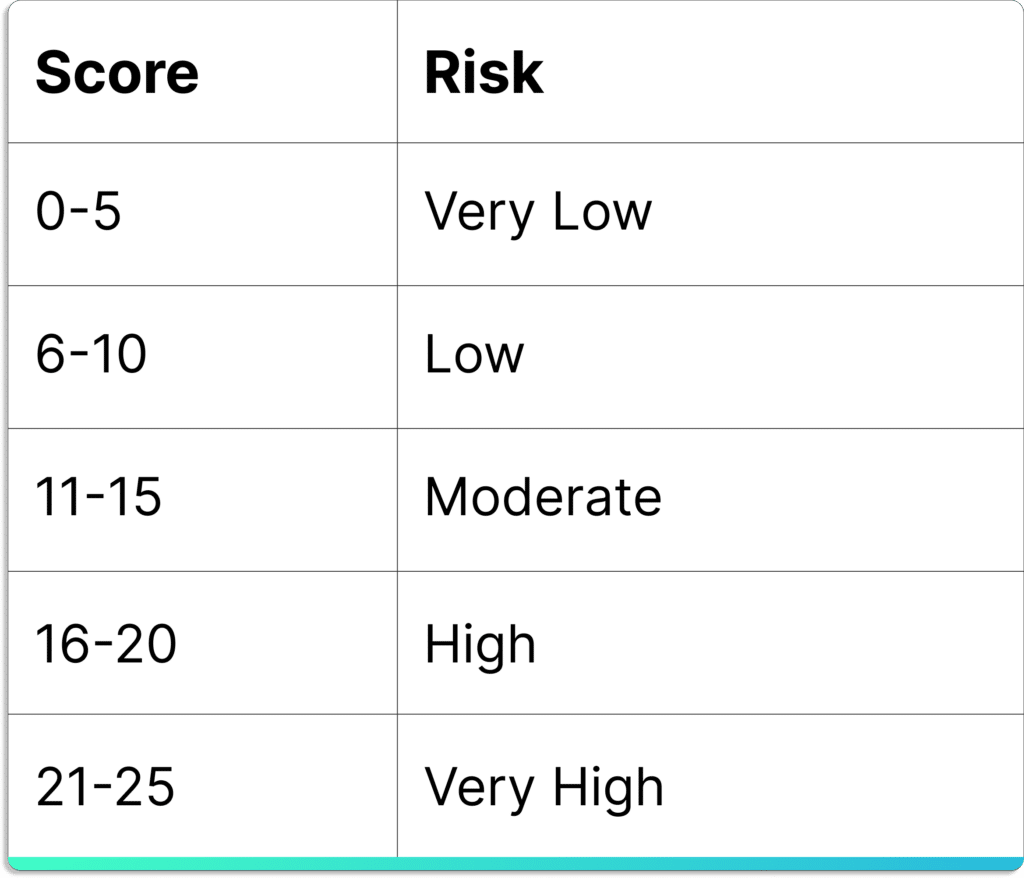
The final score always lies between 0 – 25. 

  • 0 – 5 – Very Low
  • 6 – 10 – Low
  • 11 – 15 – Moderate
  • 16 – 20 – High
  • 21 – 25 – Very High

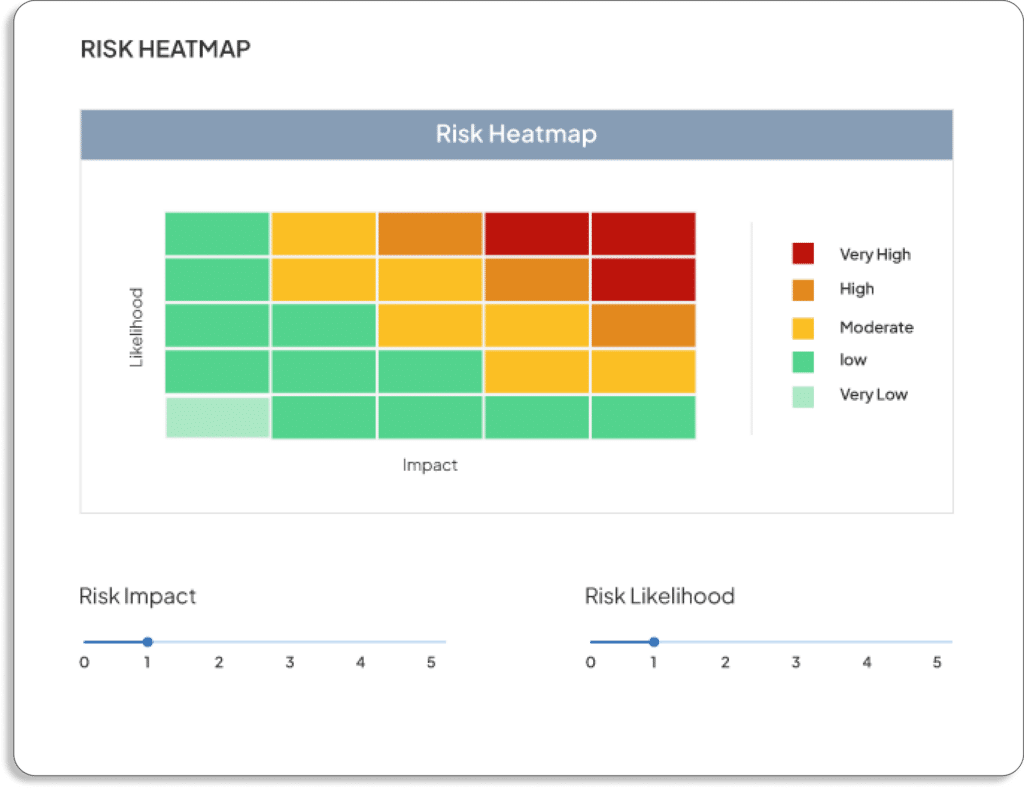
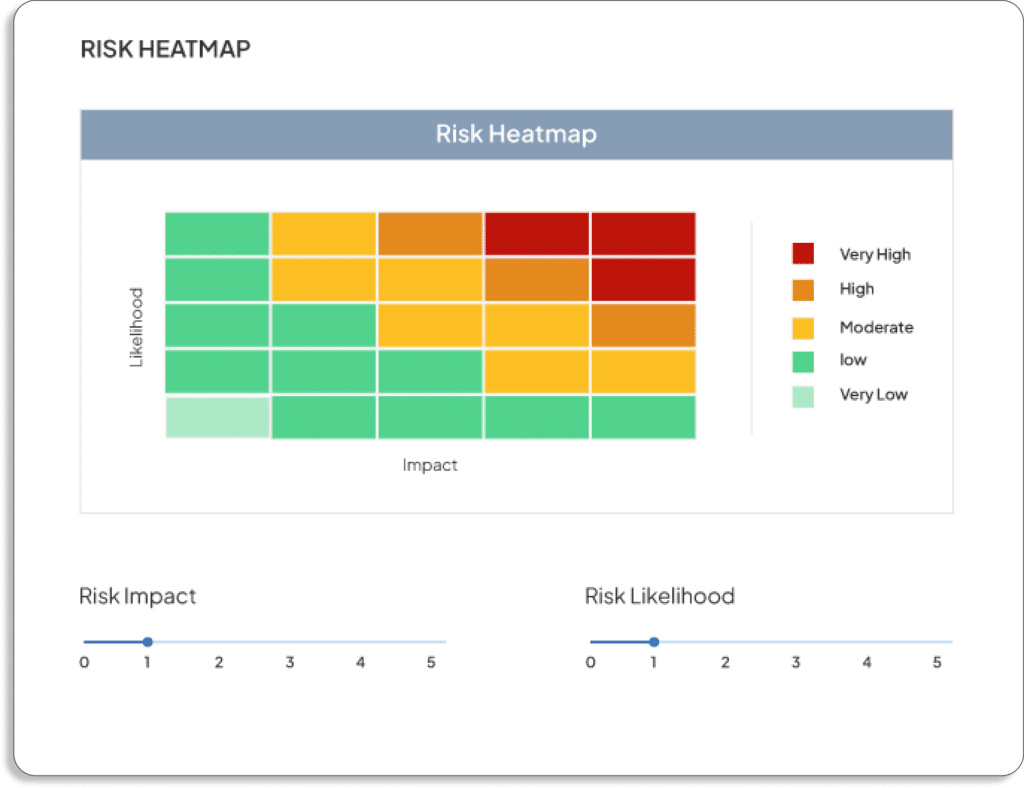
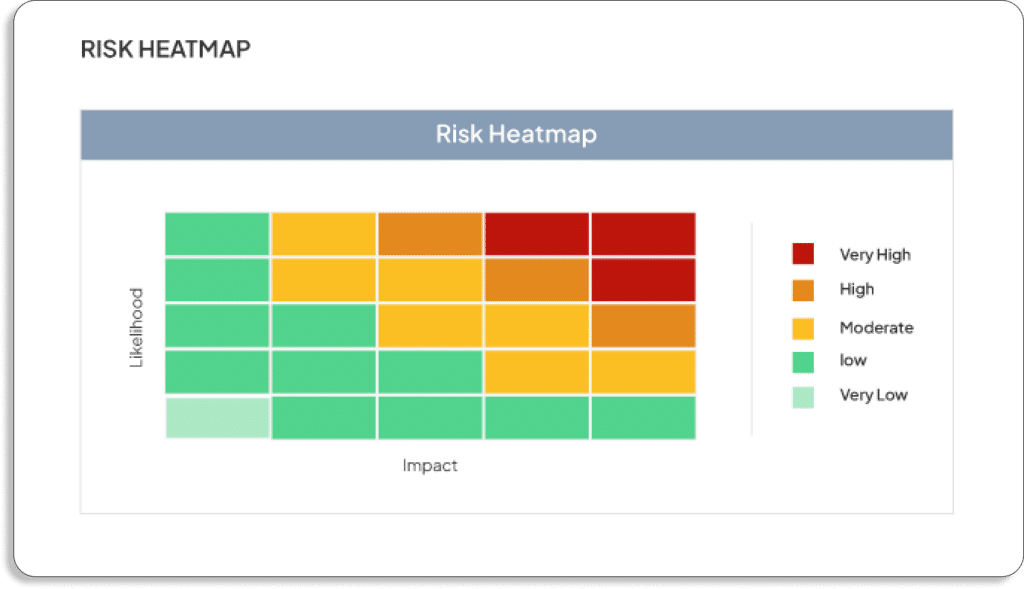
Scrut also shows a heatmap for visualizing the results of risk assessment.

  • Risk Remediation

The next step after risk assessment is to work on the risk. Risks can be mitigated through compensating controls implemented in the customer’s organization, such as integrating SaaS platforms into the organization’s SSO solution, employee security training regularly, and requiring multi-factor authentication (MFA) for all logins, etc. 

Scrut offers four methods for dealing with risks. You can choose to ignore, accept, transfer or mitigate each risk. 

  • Risk Remediation – taking steps to eliminate risks.
  • Risk Mitigation – taking action to reduce the likelihood or impact of a risk.
  • Risk Transfer – transferring risk to another party.
  • Risk Acceptance – acknowledging the risk. 

Scrut’s risk management module allows you to assign each risk to an owner in your team to handle the risk, be it accepting, mitigating or remediating.

You can also create mitigation tasks, as shown in the screenshot below.

Learn how Gameskraft uses Scrut to monitor its cloud assets and comply  with ISMS policies and controls.

Trust Vault – Build trust with your customers from day 1

One major reason organizations choose IT risk management software is because it directly impacts sales. With a strong risk posture, your sales team can be confident during sales and close more deals.

Scrut’s Trust Vault helps demonstrate your security and compliance posture by displaying public information security-related certifications, reports, and attestations alongside gated NDA-backed access to detailed reports. 

The Trust Vault page will be updated with your most recent proofs. It enables you to demonstrate your daily compliance and security measures to external and internal stakeholders.
See this customer review from g2.com below. 

Customer Rating

  • G2: 5/5

2. Hyperproof

Hyperproof is a simple and user-friendly platform that helps to launch your compliance program, pass the audit, and maintain continuous compliance. The platform maintains a central registry to track risks, document risk mitigation plans, and map controls to risks and compliance requirements. Hyperproof’s dashboard lets you monitor your risk, security, and compliance posture in realtime.

Pros

  • The capability to manage control at the team/product/owner level has significantly reduced the number of controls that must be managed across multiple compliance programs.
  • The functionality to automate evidence collection for documented controls reduces the manual workload.

Cons

  • There is currently no control remediation tracking to monitor the progress of individual entities’ remediation.
  • UI does not respond to display scaling or window resizing.

Customer Rating

  • G2: 4.6/5

3. ZenGRC

ZenGRC is a GRC management solution that helps businesses of all sizes and industries manage the entire audit cycle, from automating a request to collecting evidence regularly. ZenGRC implements the SCF (Secure Controls Framework), which supports 32 domains and over 750 controls, making control mapping across multiple frameworks easier for your security team. It also includes compliance and risk dashboards, which aid in gap analysis and highlight progress.

Pros

  • Bulk ownership change feature for tasks and bulk audit upload.
  • The training and educational content in the knowledge base make it simple to set up the platform on your own with minimal assistance.

Cons

  • Subtasks do not automatically reflect changes to the parent task’s owner or assignee, so users have to update it manually every time.
  • The relationship between different areas like requests, assessments, and issues confuses internal administrators and auditors.

Customer Rating

  • G2: 4.4/5

4. Drata

Drata is a platform that automates your compliance journey from audit-ready to beyond, whether you want to scale your GRC program or improve your security. It allows teams to manage end-to-end risk assessments and treatment workflows and automate testing from a single platform. It also allows you to create treatment plans, align assessment scores, and even create risk-related tasks directly from the risk drawer using Drata’s Jira integration.

Pros

  • The policy center is well-designed, with expert-level policies prewritten and only needs some general context replacement, saving countless hours of policy writing time.
  • The dashboard that displays your controls mapped to the frameworks provides a clear picture of where you meet the benchmark for each framework.

Cons

  • The number of controls included as a part of the framework is overwhelming.
  • The policy template provides little detail.

Customer Rating

  • G2: 4.9/5

5. Vanta

Vanta is an automated security and compliance platform that assists businesses in scaling security practices and automating compliance for the industry’s most desired standards. The Vanta Risk Management solution streamlines and automates the risk assessment process. It includes a risk library, suggested mitigating controls, risk prioritization, risk reporting, treatment tracker, and ownership assignment.

Pros

  • Real-time monitoring, vulnerability scans, and integrations with cloud systems are all well-designed.
  • Supporting resources, such as templates, samples, and external references, are available directly with each requirement.

Cons

  • The vendor management capabalities are less sophisticated and not an all-in-one solution because it lacks specific attributes like contract expiry, SOW, MSA, etc.

Customer Rating

  • G2: 4.7/5

6. Tugboat Logic

Tugboat Logic is a security assurance platform that simplifies and automates information security management to assist businesses in navigating security and compliance complexities. The IT and Security Risk Management module connects your data across the enterprise to flag risk in context, optimize controls for risk mitigation, and gain real-time visibility into your risk posture.

Pros

  • It provides a central location from where you can quicklyrespond to client questionnaires.
  • The readiness project feature offers a compartmentalized assessment for SOC, ISO, GDPR, and other compliance requirements specific to your product or company.

Cons

  • It doesn’t have the ability to notify the InfoSec team of their tasks and send individual reminders of what remains to be completed.
  • The frequent improvements to policies and controls overwrite any custom edits made to them. Therefore, adopting the platform improvements is difficult because you risk losing your custom edits.

Customer Rating

  • G2: 4.6/5

7. ServiceNow GRC

Making enterprise-wide risk-informed decisions is easier with the help of Servicenow GRC, which helps you manage your governance framework, including policies, laws and regulations, and best practices, in one system. Servicenow GRC allows you to design and schedule self-assessments based on maturity level to monitor risks and control accuracy.

Pros

  • Simple tracking and workflow management, global implementation, and simple navigation between different modules.
  • The software suite includes service management, change management, project management, and configuration management.

Cons

  • It only provides version upgrades twice a year rather than patching for minor fixes and enhancements that could reach customers sooner.
  • The reporting tool lacks advanced filters such as group conditional formatting and data visualization schemes.

Customer Rating

  • G2: 4.3/5

8. AuditBoard

AuditBoard is an easy-to-use cloud-based platform for SOX, internal controls, audit management, compliance, and risk management. AuditBoard’s risk management tool includes automated risk surveys and in-person interviews that dynamically score risk by collecting ratings for impact, likelihood, and other risk criteria.

Pros

  • Comprehensive reporting that includes reports on the number of controls tested, the status of policy approval, the effectiveness of compliance, and issue management.

Cons

  • This is a SOX-centric tool, with functionalities designed with SOX in mind but not with compliance/risk in mind.

Customer Rating

  • G2: 4.7/5

9. LogicManager

LogicManager is a SaaS-based enterprise risk management (ERM) platform. It is a hub for all risk, compliance, and auditing programs. LogicManager’s ERM solution includes centralized libraries of industry-specific potential risks for better risk assessments.

Pros

  • It provides full functionality on day one without purchasing multiple add-ons or modules due to its robust reporting capabilities to design reports suitable for management reports.

Cons

  • The risk-scoring methodologies in ERM are not very adaptable.

Customer Rating

  • G2: 4.4/5 

10. JupiterOne

JupiterOne is a cybersecurity asset management tool that makes your journey to continuous compliance easier. The platform generates a comprehensive cyber asset inventory from all cloud accounts, identity and access management (IAM) systems, Git repositories, and other sources. Its dashboard allows you to track compliance status, create rules for gaps in security frameworks, and download evidence in minutes rather than days or weeks.

Pros

  • It is simple to implement and use.
  • The application is API-based. With JSON’s simple structure, you can build a query and run it within minutes.

Cons

  • Learning all the different features presents a significant learning curve, and because of how comprehensive and adaptable the tool is, at first it may seem confusing.
  • Doesn’t allow to add custom risks as per your organization.

Customer Rating

  • G2: 5/5

11. LogicGate Risk Cloud

With LogicGate Risk Cloud, you can scale and evolve to changing business needs and regulatory requirements through a suite of purpose-built applications. Risk Cloud’s enterprise risk management makes creating a comprehensive risk management process simple by capturing everything from vendor interactions and finance to sales and marketing activities.

Pros

  • The software is extremely flexible for creating workflows tailored to specific requirements.
  • In addition to providing GRC functionality, it also provides excellent workflow orchestration functionality.

Cons

  • Steep learning curve.

Customer Rating

  • G2: 4.6/5

12. Soterion

Soterion is a GRC software suite that focuses on translating complexity into a language that business users can understand. It offers SAP customers comprehensive access risk reporting, allowing organizations to manage their access risk exposure effectively. 

Soterion’s Access Risk Manager enables customers to identify their SAP access risk exposure through a user-friendly web application. It also aids in proactive prevention during the SAP change request implementation process.

Pros

  • It is a simple system with built-in risk rule sets, clean-up opportunity wizards, and graphical representations of business flow – all accessible via a user-friendly web application.

Cons

  •  It works with SuccessFactors but not with other non-SAP solutions.

Customer Rating

  • G2: 5/5

13. SureCloud IT Risk Management

SureCloud IT Risk Management is a governance, risk management, and cyber security management software. It streamlines your IT risk management processes and allows for the synchronization and orchestration of all risk management activities, including the identification of control weaknesses and the implementation of remediation steps. You can use the tool to document steps and exceptions to remediate findings from risk management activities.

Pros

  • It enables users to customize and personalize their assessment configuration based on user’s preferences users’
  • Robust built-in risk and third-party management modules.

Cons

  • There is no feature to see how risk owners can review and update risks. 
  • There are no reporting capabilities for board-level reports.

Customer Rating

  • G2: 4.3/5

Authored by

Aayush Ghosh Choudhary
Co-founder & CEO at Scrut

Top 12 Cloud Security Monitoring Tools

As businesses grow and scale, cloud data management, and storage solutions become more appealing. The challenge, of course, is ensuring the safety and security of your data, and that’s where cloud security monitoring comes in. 

Cloud security monitoring tools continuously assess and analyze data and infrastructures for threats and vulnerabilities on both virtual and physical servers.

The overall goal of cloud security monitoring solutions is to ensure that organizations store and retrieve data securely when using cloud services. 

To do this, they scan your cloud infrastructure and identify misconfigurations in your public cloud environment. 

Next, these cloud security tools help you act on security issues in your cloud before they are exploited by hackers. 

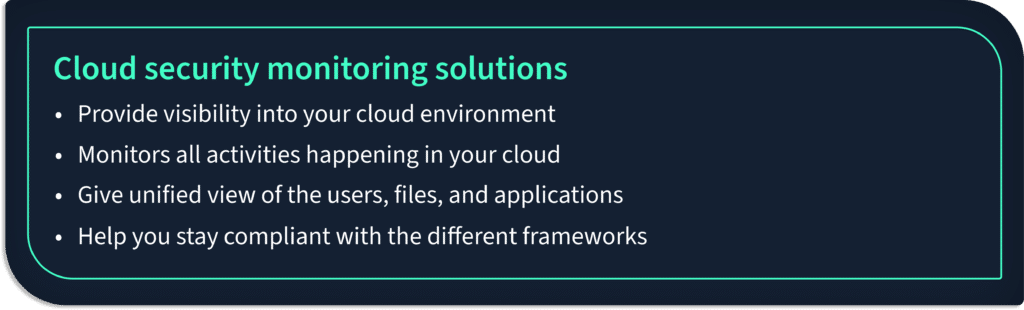
Cloud security monitoring solutions include the following capabilities:

  • Most cloud security software apps integrate with popular cloud service providers such as AWS, GCP, and Azure to provide visibility into your cloud environment.
  • A cloud monitoring solution monitors all activities happening in your cloud infrastructure. It continuously looks for risky activities and helps mitigate the threat in real time. 
  • A cloud monitoring platform provides a unified view of your organization’s users, files, and applications.

A cloud monitoring tool helps you stay compliant with the different privacy and security frameworks.

This article will present some of the top 12 cloud security monitoring tools available in the market.

List of 12 Cloud Security Monitoring Tools

1. Scrut Automation

Scrut Cloud Security continuously scans and monitors misconfigurations in your public cloud accounts against Center for Internet Security (CIS) benchmarks.
Scrut tests your cloud configurations against 200+ cloud controls across CIS benchmarks to maintain a strong InfoSec posture.

Furthermore, Scrut Cloud Security enables you to fix cloud misconfigurations preemptively. The platform ensures that your public cloud accounts are always compliant and secure.
Scrut gives you alerts with actionable recommendations for remediation as misconfigurations occur.

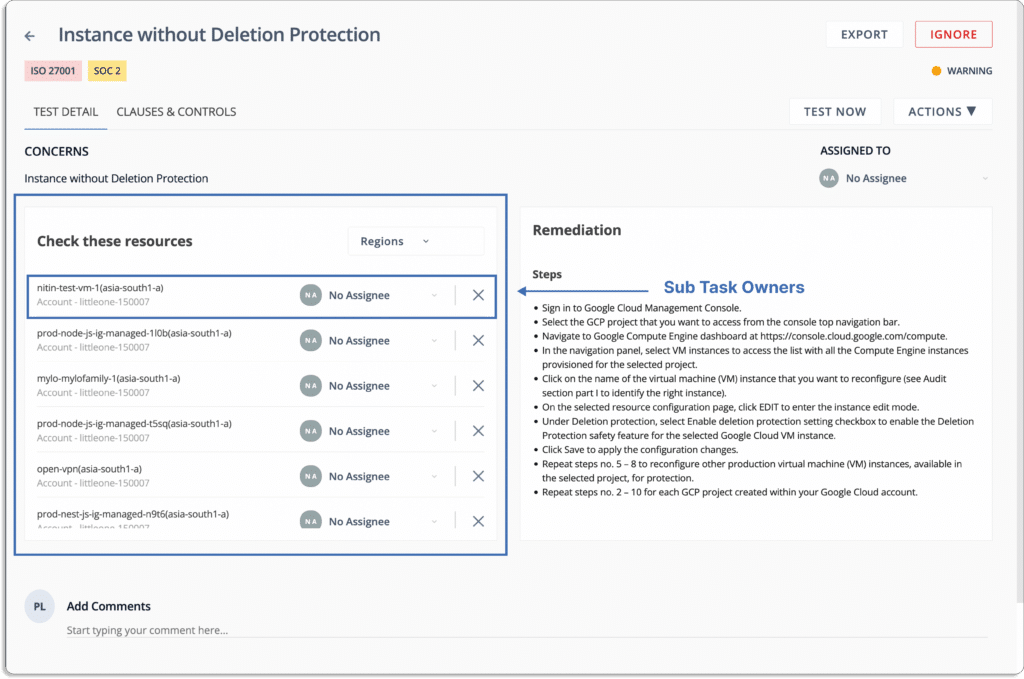
You can assign tasks to team members for misconfiguration fixes.

You don’t need to check the platform periodically for new alerts; you get the notifications directly on your existing tools, like Slack.

When issues are diagnosed you can create Jira tickets directly from the platform.

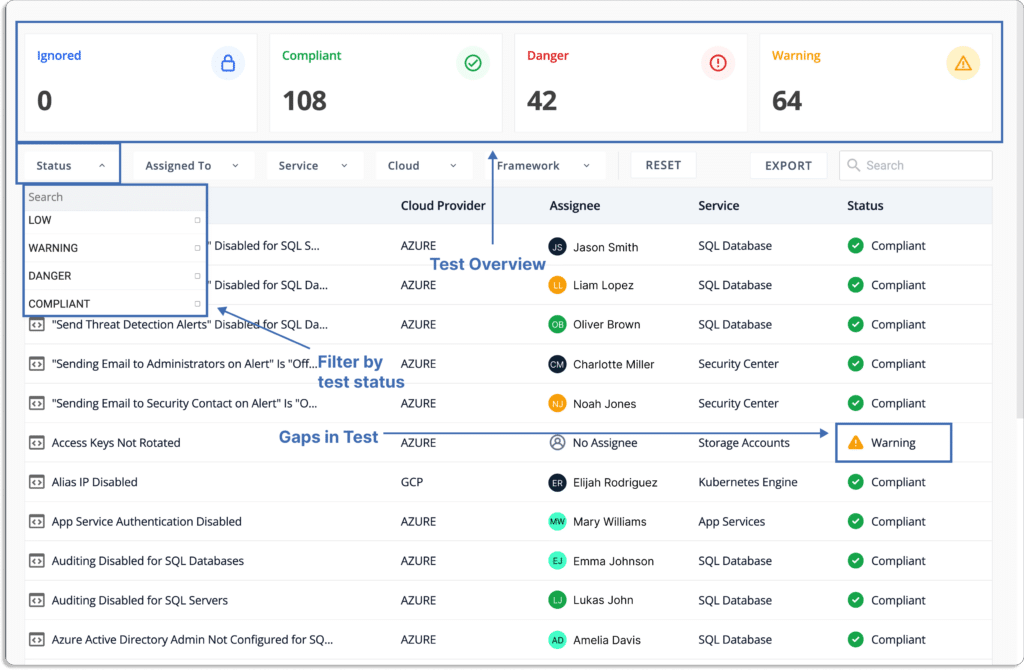
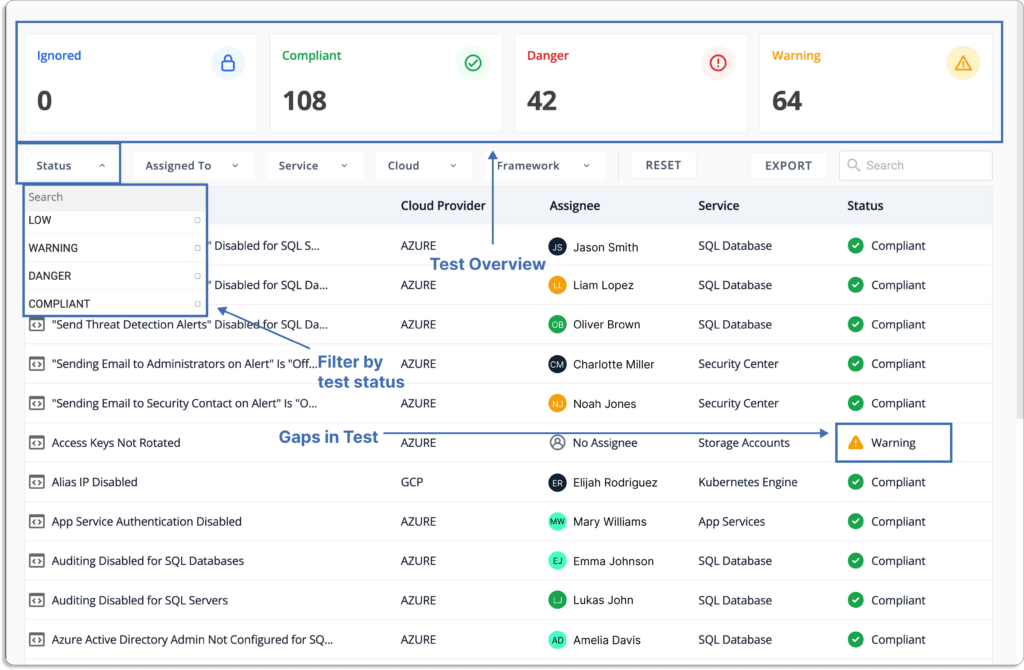
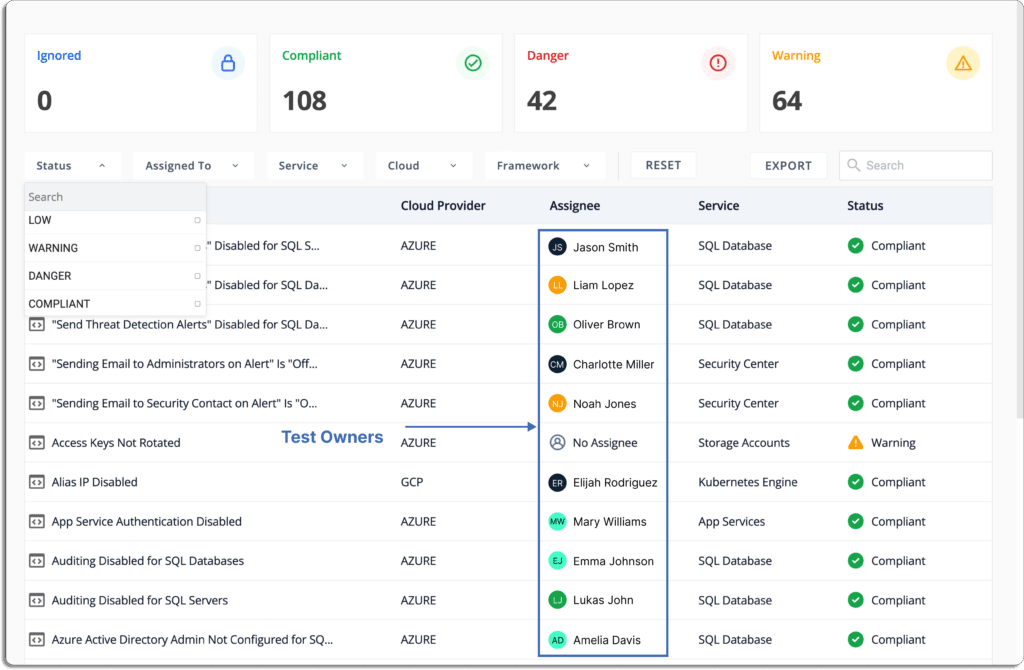
Scrut provides you with a single pane of glass for all the risks. These risks come with a status that helps you prioritize what to work on first.

Status

  • Danger – Most critical issues. Work on these first. 
  • Warning – After working on the issues marked as danger, next, you can work on these. 
  • Low – These risks should be worked on last.
  • Compliant – Everything is fine. Don’t need to do anything.

In short, Scrut Cloud Security strengthens your cloud-native security. It establishes complete security for all your cloud-native deployments across containers, serverless, and virtual machines (VMs).

Scrut enables you to implement security best practices consistently across your hybrid and multi-cloud infrastructure.

Now, let’s see how Typesense improved their cloud security posture with Scrut Cloud Security. 

Typesense (now our customer) reached out to us with the goal of getting SOC 2 Type 2 compliant. Before going for the audit, they required a secure cloud posture but needed more visibility into their cloud risks.

Due to thousands of EC2 instances, they found it difficult to monitor their AWS infrastructure. With an agentless deployment, Scrut Cloud Security relieved them of the headache of monitoring their cloud environment. 

As a result, they successfully completed their SOC 2 audit at 5x speed.

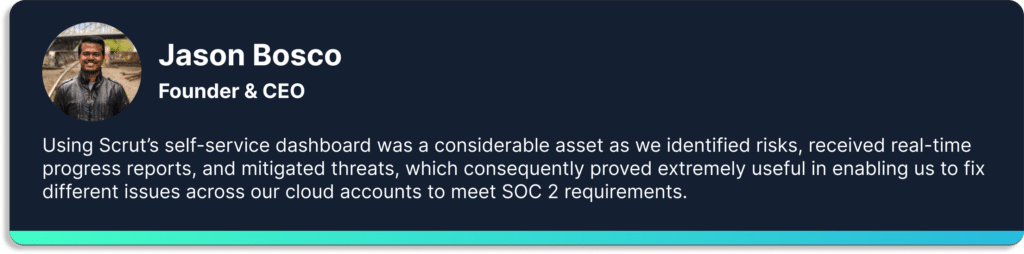
Here is what Jason Bosco, founder, and CEO of Typesense, has to say about Scrut. 

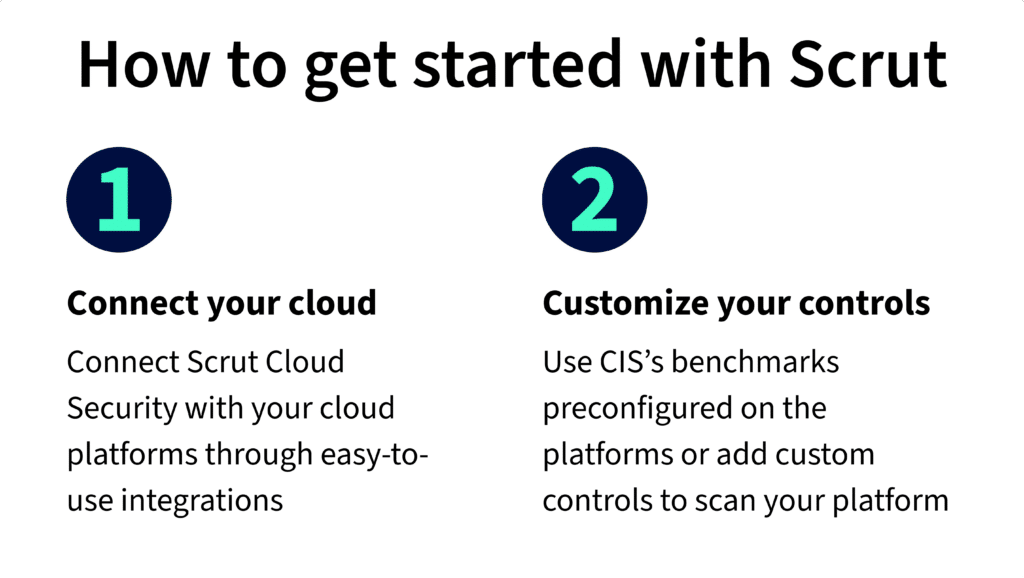
Getting started with Scrut is easy and quick.

It is a 2 step process.

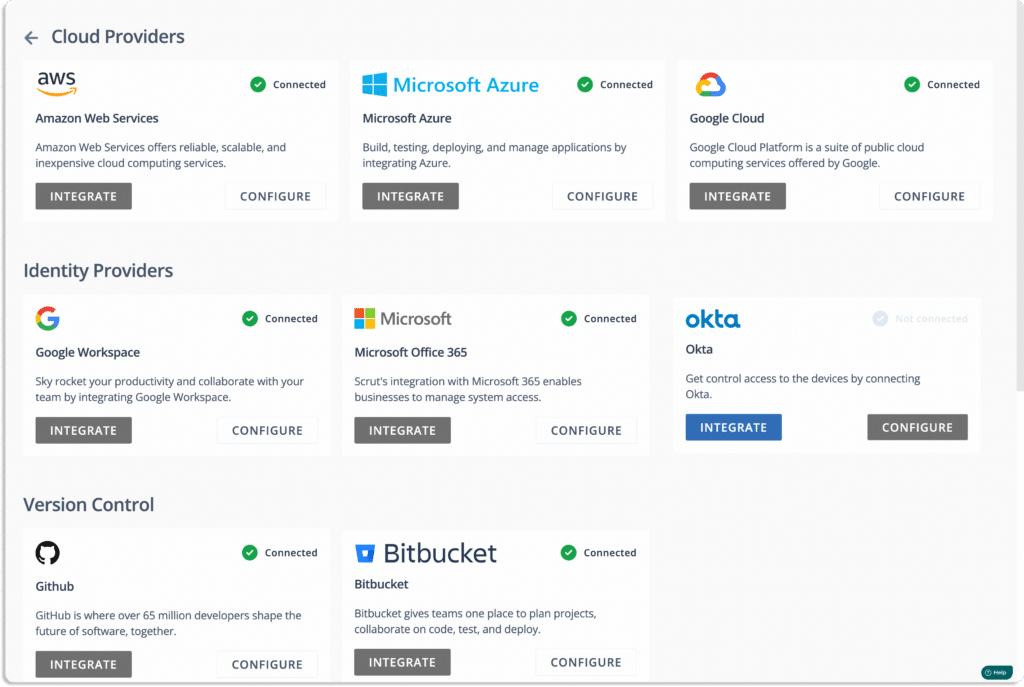
First, you need to connect your cloud infrastructure with the Scrut platform. This takes a few minutes only.

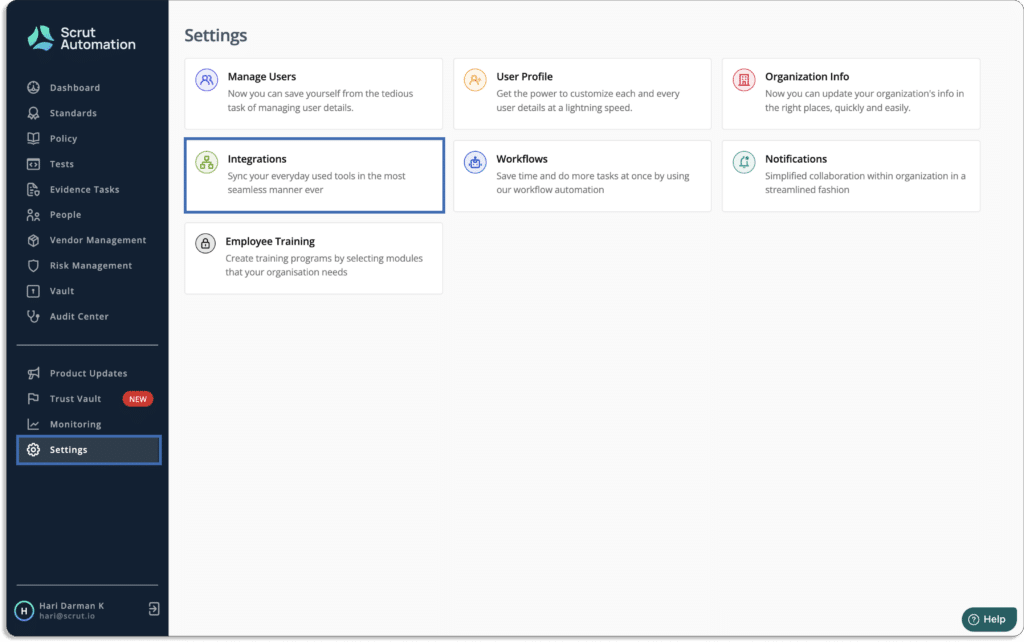
Just go to Integrations under the Settings tab.

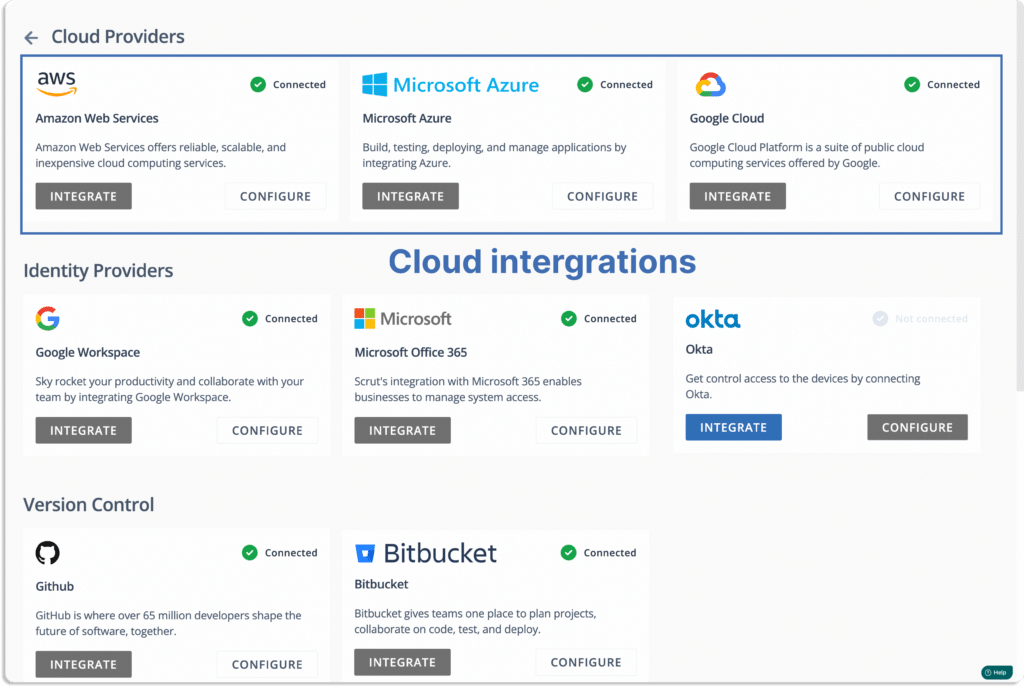
You will land on this page. Choose your cloud service providers. 
Note that Scrut supports multi-cloud service providers.
Next, click on configure for all your cloud service providers.
For AWS, you integrate either via role-based login or via access key. Scrut allows you to connect multiple AWS accounts, unlike some other CSPM tools.
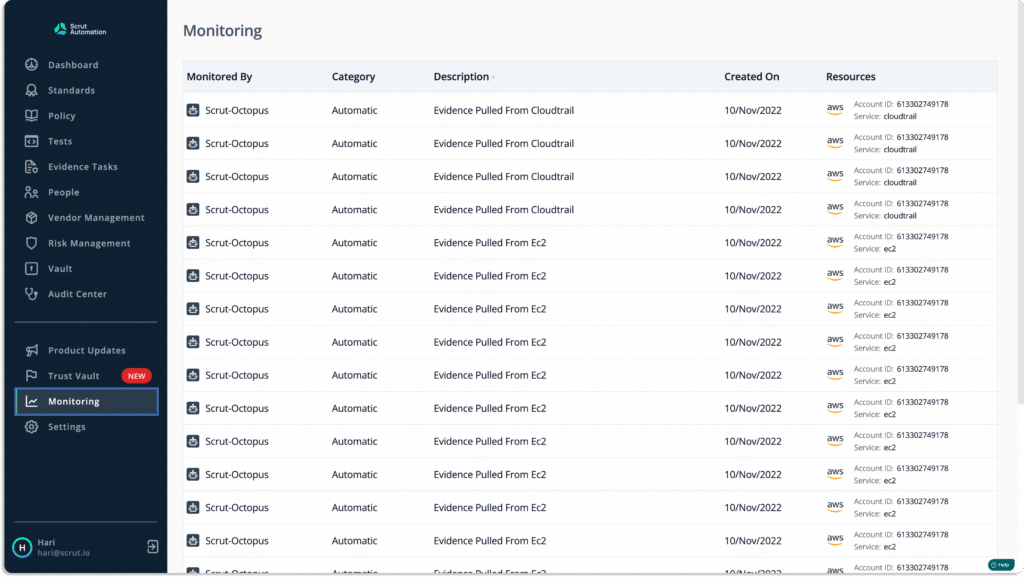
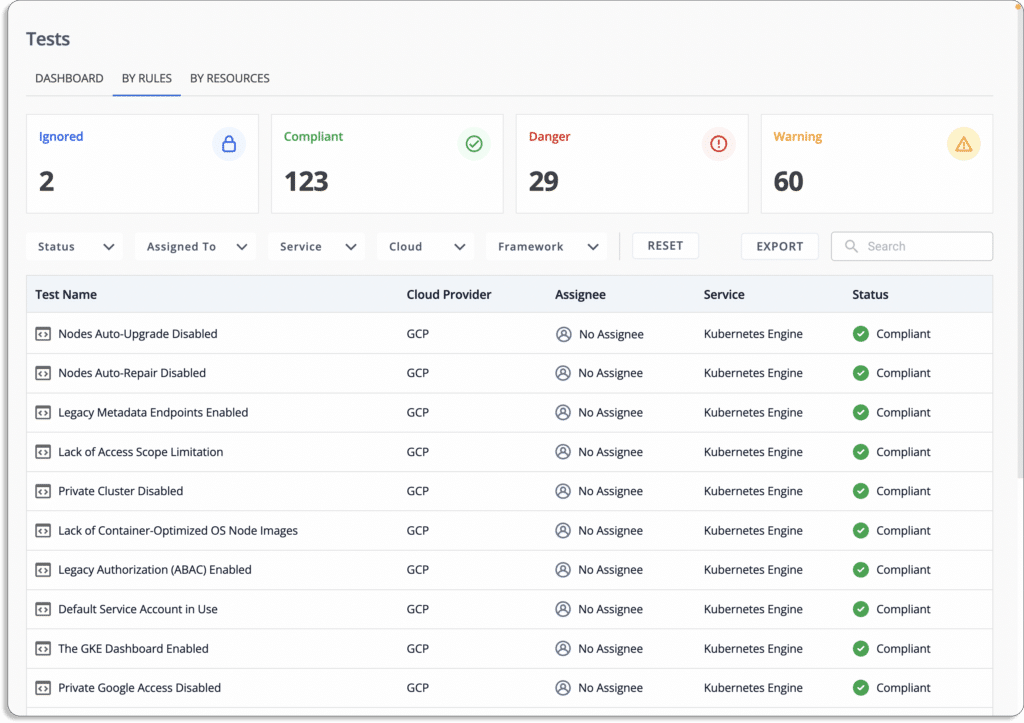
Once connected, you can see the data appearing in the tests tab.
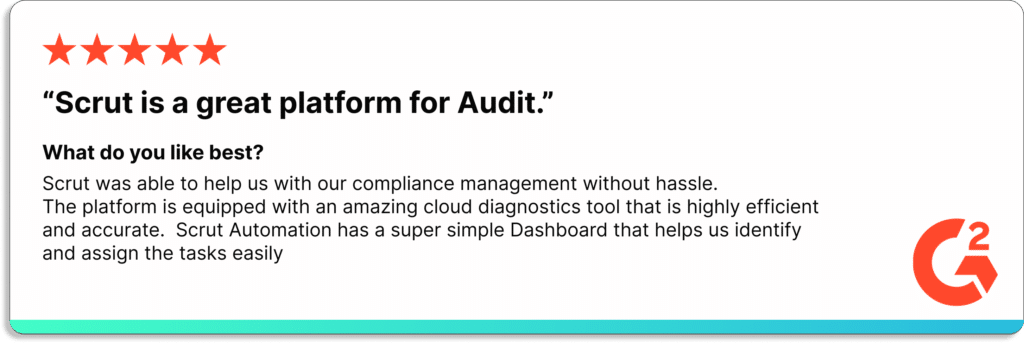
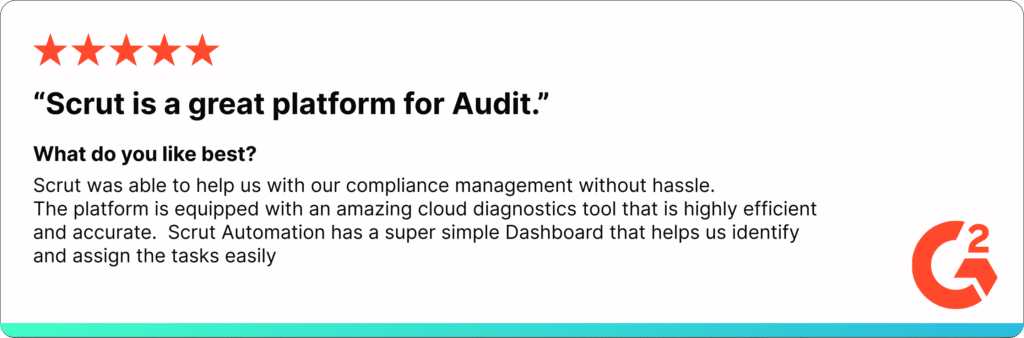
Check our customer’s reviews of G2 below:

Scrut G2 review

Customer Rating

  • G2- 5/5

2. DisruptOps

DisruptOps is a cloud security operations platform that monitors, alerts, and responds to security risks in your public cloud infrastructure in real-time. It delivers critical issues directly to the right responders within the tools you already use, such as Slack, Teams, and Jira. The platform claims to bring down barriers between development, security, and operations teams, allowing anyone to be an active defender.

Pros

  • Quick to set up and simple to use.
  • Enables security and development teams to fix cloud security issues faster by directly taking actions on the Slack, Jira, and Teams platforms.

Cons

  • Primarily built for AWS cloud; if you are using Azure, GCP, or any other cloud service providers, many cloud monitoring features are missing.

Customer Rating

  • Capterra- 5/5

3. JupiterOne

JupiterOne makes identifying, mapping, analyzing, and securing your cyber assets and attack surface simple. Users can gain complete visibility into complex cloud environments to detect threats, close compliance gaps, and prioritize risk. 

The platform unifies and standardizes asset data across complex multi-cloud environments. Users can use a single query to search for information from multiple cloud providers, applications, and services.

Pros

  • Fully automated infrastructure auditing.
  • Provides continuous instrumentation and monitoring of cloud environments and controls.

Cons

  • Due to the steep learning curve, some may find it a little confusing at first.
  • Relationship mapping between different assets can give inaccurate results.

Customer Rating

  • G2- 5/5

4. Wiz

Wiz platform provides complete visibility and context for your cloud in minutes, allowing your teams to proactively identify, prioritize, remediate, and prevent risks to your business. Wiz scans every layer of your cloud environment without agents to provide complete visibility into every technology running in your cloud with no blind spots.

Pros

  • Setup takes just a few minutes since it works on 100% API-based integrations. 
  • The platform gives the security team the context to prioritize suitable risks and reduce false positives.

Cons

  • Reports are not customizable; thus, you cannot exclude any particular data from the default report. This can be a problem when you want the top executives to focus on serious issues.
  • License calculation is complex. It covers various clouds and object types. 

Customer Rating

  • G2- 4.9/5

5. Threat Stack

Threat Stack security platform protects your application infrastructure across all layers of the infrastructure stack and provides the observability required for proactive and targeted remediation action. The platform offers built-in configurable security, compliance risk detection, and alerting rules.

Pros

  • Best fit for small-size companies who are serious about cloud security.
  • Collects all events and color codes them according to the severity level. This makes it easy to understand for most teams.

Cons

  • The tool doesn’t allow you to trigger a scan on demand. Thus, you must wait for the next day to check the status for confirmation after fixing any vulnerability.
  • There is no option in the tool to store all events for one year for compliance purposes.

Customer Rating

  • G2- 4.4/5

6. Lacework

Lacework reduces the complexity of cloud security posture and compliance. It continuously tracks your cloud environment and provides comprehensive visibility to reduce risks and compliance requirements in your organization.

It is a unified platform that provides comprehensive visibility and control over your multi-cloud environment, removing silos and blind spots.

Pros

  • Delivers alerts directly to Slack or PagerDuty, so you don’t need to check periodically on the platform. 
  • One-stop for many security needs, such as container image scanning, cloud trail, compliance reports, etc.

Cons

  • Creating custom alerts can be tricky as it is not a graphical user interface based.
  • Setting up branch protection rules for a GitHub repository may be challenging. 

Customer Rating

  • G2- 4.5/5

7. Fugue

The Fugue platform provides security teams with the tools to build, deploy, and maintain cloud security throughout the development lifecycle. It is one platform to meet all of your cloud infrastructure security requirements.

Fugue gives cloud engineering and security teams the ability to demonstrate continuous compliance, incorporate security into cloud development, and eliminate cloud misconfiguration.

Pros

  • Provides regulatory health checks in the AWS platform, assessing cloud compliance and matching it to customer standards and organizational policies.
  • Fugue allows users to see all their cloud resources and compliance issues.

Cons

  • It may be a little confusing at first.
  • When using Fugue CLI, it is not possible to use SAML-based authentication.

Customer Rating

  • G2- 4.8/5

8. Aquasec

The Aqua Platform is a cloud-native application protection platform (CNAPP). It provides prevention, detection, and response automation across the entire application lifecycle to secure the supply chain, cloud infrastructure, and running workloads wherever deployed.

The platform safeguards applications from development to production on VMs, containers, and serverless workloads up and down the stack. 

Pros

  • Monitors and remediates vulnerabilities in docker images.
  • The Aqua platform provides real-time visibility and event trail audit logs, which protect data in a containerized environment.

Cons

  • The platform lacks a few prominent alert notification channels, such as Datadog and Webhooks.

Customer Rating

  • G2- 4.5/5

9. Axonius

Axonius cloud asset compliance connects to your cloud platforms to map the state of your cloud instances against industry standards and benchmarks. 

Users can strengthen their cloud security posture with Axonius. It leverages data from connected cloud IaaS provider accounts. The tool automatically identifies misconfigurations and policy lapses that pose a risk.

Pros

  • The software allows users to aggregate CSV reports and make API calls to various data sources. 
  • Data can be aggregated for endpoints, servers, and people. You could combine data from Active Directory, Vulnerability Scanner, and Antivirus into a single report.

Cons

  • Lack of if – else – then query capabilities.
  • There is currently no way to organize the metric cards by another sorting option (the default sorting is based on the creation date.)

Customer Rating

  • Capterra – 5/5

10. CloudGuard

Check Point CloudGuard provides unified cloud-native security across your applications, workloads, and network, allowing you to automate security, prevent threats, and manage posture at cloud scale and speed.

The platform provides advanced security intelligence, which includes cloud intrusion detection, network traffic visualization, and cloud security monitoring and analytics.

Pros

  • Easy to deploy and scale as per requirements to secure your cloud environments.
  • The platform works well in local branches and integrates well with the cloud. It is adaptable enough to deploy everything from large centralized data centers to IoT/OT devices to local branches.

Cons

  • It is one of the most expensive solutions available in the market.
  • CloudGuard console is hard to monitor traffic and threats.

Customer Rating

  • G2 – 4.4/5

11. Blumira

Blumira Cloud Security protects your cloud environments, including AWS and Azure, by quickly detecting and responding to cloud security threats. 

The platform uses threat intelligence and behavioral analytics to detect attacker attempts to log in to your systems, such as geo-impossible logins and fraudulent login attempts that may indicate username and password theft. 

Pros

  • Easy setup with super simple administer.
  • Simple to deploy with a high detection rate and easy to integrate with various platforms.
  • The platform can be configured to send alerts to phones directly when abnormal activities are detected.

Cons

  • It can give the same false-positive alert multiple times.
  • As an MSP, users cannot add new clients through the portal; instead, they must fill out a form.

Customer Rating

  • G2- 4.8/5

12. Sumo Logic

Sumo Logic Cloud Security Platform offers cloud-native data monitoring and analysis, resulting in actionable security awareness for your cloud and on-premise environments. The platform simplifies prioritizing and investigating security insights within your infrastructure. 

With the Sumo Logic cloud security solution, users can stay ahead of changing attack surfaces by generating deep security insights through use-case-driven queries, dashboards, and alerts.

Pros

  • Provides real time security insights into the server.
  • Data sharing can be private or public, allowing developers to create searches and share them with support staff.

Cons

  • Reports cannot be downloaded for sharing in Sumo Logic cloud SIEM enterprise.
  • Searching through logs is a little slow.

Customer Rating

  • G2- 4.3/5

Authored by

Aayush Ghosh Choudhary
Co-founder & CEO at Scrut

How can Fintech Startups Create an Enterprise-Friendly InfoSec Posture

In the dynamic landscape of modern business, where technology and finance intertwine, fintech startups have emerged as trailblazers of innovation. With their disruptive solutions and agile approaches, these startups are reshaping the way we interact with financial services. However, as they ascend on their growth trajectory, an imperative factor looms larger than ever before: fintech cybersecurity.

The fintech sector, by its very nature, deals with sensitive financial data, making it a prime target for malicious actors seeking to exploit vulnerabilities. As these startups transition from serving small businesses to catering to larger enterprises, a fundamental shift occurs in the expectations and demands placed upon them. Herein lies the significance of cultivating an enterprise-friendly information security (infosec) posture.

In this blog, we delve into the pivotal role that cybersecurity plays in the journey of fintech startups, especially as they set their sights on enterprise clients. We will explore the multifaceted benefits of adopting an enterprise-centric approach to infosec and how it becomes a linchpin in not only attracting but also retaining the trust of larger business clients. So, let’s embark on this journey to unravel the strategies and insights that empower fintech startups to fortify their infosec posture for the enterprise realm.

Understanding the landscape

As the fintech organization grows into a large business, it must recognize the challenges and plan solutions to those challenges. The problems faced by large enterprises are quite different from the challenges faced by small and medium enterprises.

A. Recognizing the shift: Startups transitioning to enterprise clients

1. The growth journey from small businesses to larger enterprises.

As fintech startups evolve, they often find themselves traversing a transformative journey from serving local businesses and individual consumers to catering to the intricate needs of larger enterprises. This transition represents more than just a change in client size; it’s a paradigm shift that necessitates a reevaluation of every operational facet, particularly in the realm of fintech cybersecurity.

2. Importance of aligning infosec practices with enterprise requirements.

As startups ascend the business ladder, the spotlight on fintech security concerns intensifies. Enterprises operate within a complex ecosystem where data breaches can have severe ramifications on not only financial stability but also reputation. 

Fintech startups seeking to forge partnerships with enterprises must recognize that their clients demand a robust and adaptable infosec framework that aligns seamlessly with the multifaceted security requirements of larger businesses.

B. Enterprise infosec landscape

1. Overview of the heightened security expectations of larger enterprises.

Enterprises, driven by their size, global operations, and substantial digital footprints, harbor heightened fintech security expectations. They require a comprehensive fintech security posture that extends beyond conventional safeguards. This encompasses advanced threat detection, rapid incident response, and stringent access controls, all of which contribute to a fortified defense against modern cyber threats.

2. Highlighting the regulatory and compliance complexities for fintech startups serving enterprise clients.

Navigating the intricate labyrinth of regulations and compliance standards becomes paramount when catering to enterprises. Depending on the industry and geography, fintech startups may encounter a myriad of compliance frameworks such as GDPR, HIPAA, or industry-specific mandates. The ability to adhere to and demonstrate compliance with these standards is not only a legal requirement but also a testament to the startup’s dedication to data protection and security.

In the following sections, we will delve deeper into the strategies and best practices that fintech startups can adopt to create an enterprise-friendly infosec posture, thereby bolstering their credibility and fortifying their partnerships with larger business clients.

Key steps to creating an enterprise-friendly infosec posture for fintech security

So what should a growing organization do to create a robust fintech cybersecurity posture?

A. Robust risk assessment and management

By aligning risk assessment with tailored risk management strategies, startups can proactively address fintech security vulnerabilities and provide the level of security assurance that enterprise clients expect.

1. Identifying and assessing potential security risks

In the realm of enterprise-friendly infosec, a thorough understanding of potential fintech security risks is paramount. Fintech startups must undertake a meticulous evaluation of their systems, processes, and data flows to uncover vulnerabilities that could be exploited by malicious actors. This involves:

  • Asset inventory: Cataloging all digital and physical assets, including hardware, software, and sensitive data, to create a comprehensive overview of the company’s attack surface.
  • Threat identification: Recognizing potential threats such as malware, phishing, insider threats, and more that could target your fintech startup.
  • Vulnerability assessment: Utilizing scanning tools and penetration testing to pinpoint weaknesses in the infrastructure and applications.
  • Impact analysis: Understanding the potential consequences of a security breach, such as data loss, financial losses, legal ramifications, and damage to reputation.

2. Developing a risk management strategy tailored to enterprise needs

Once potential security risks are identified, fintech startups should formulate a risk management strategy tailored to meet the unique security demands of enterprise clients. This strategy involves:

  • Risk prioritization: Categorizing risks based on their potential impact and likelihood of occurrence to effectively prioritize mitigation efforts
  • Risk mitigation: Implementing countermeasures and controls to reduce identified risks to an acceptable level. This might involve software patching, access controls, and security policies.
  • Incident response plan: Creating a detailed plan outlining how the organization will respond to security incidents when they occur, minimizing their impact and facilitating swift recovery
  • Continuous monitoring: Implementing real-time monitoring tools to track changes in the threat landscape and identify emerging risks.

B. Compliance readiness

In the intricate landscape of enterprise relationships, compliance readiness stands as a foundational pillar of fintech security posture. Fintech startups must demonstrate a profound grasp of industry-specific regulations and meticulously align their practices to meet the stringent compliance demands of enterprise clients.

1. Understanding industry-specific regulations

Enterprises operate within tightly regulated industries, and compliance with relevant regulations is non-negotiable. Fintech startups must invest time in understanding the intricate web of industry-specific regulations, such as the General Data Protection Regulation (GDPR) for data privacy or the Health Insurance Portability and Accountability Act (HIPAA) for healthcare data. This involves:

  • In-depth research: Delving into the specifics of regulations that pertain to the industry or sectors your enterprise clients operate in.
  • Legal expertise: Consulting legal professionals well-versed in compliance requirements to ensure accurate interpretation and implementation.

2. Implementing necessary compliance measures

Enterprises entrust their sensitive data to partners who adhere to the highest compliance standards. To forge successful partnerships with larger businesses, fintech startups must not only understand the regulations but also implement robust compliance measures. This includes:

  • Data protection: Establishing stringent data protection protocols, including encryption, access controls, and regular data audits.
  • Privacy by design: Infusing privacy considerations into product development processes to ensure that data protection is inherent in every stage.
  • Documentation: Creating comprehensive documentation detailing compliance measures taken, ensuring transparency and accountability.
  • Auditing and reporting: Conducting periodic internal audits to verify compliance and producing reports that demonstrate adherence to regulations.

By demonstrating a comprehensive understanding of industry-specific regulations and meticulously implementing compliance measures, fintech startups solidify their credibility in the eyes of enterprise clients. The subsequent sections will explore strategies to cultivate a fintech security-conscious culture within the organization, a critical aspect of an enterprise-friendly infosec posture.

C. Establishing a strong security culture

In the realm of enterprise-friendly infosec, the significance of fostering a fintech security-conscious culture cannot be overstated. It is the collective commitment of every employee that fortifies the defenses of fintech startups against evolving cyber threats. Here are two key steps to achieve this:

1. Fostering a fintech security-conscious mindset among all employees

The foundation of a strong fintech security culture lies in instilling a shared understanding of the critical role that every team member plays in maintaining information security. This involves:

  • Leadership commitment: Leadership should set an example by prioritizing security in their actions and decisions, reinforcing its importance to the entire organization.
  • Clear communication: Regularly communicate the significance of security practices and how they align with the organization’s mission and values. 
  • Ownership and accountability: Encourage employees to take ownership of security in their roles, emphasizing that fintech security is everyone’s responsibility.
  • Recognition and rewards: Recognize and reward employees who exemplify exemplary security practices, reinforcing the desired behavior.

2. Conducting regular training sessions to educate the team

Empowering employees with knowledge about fintech security best practices is a cornerstone of an enterprise-friendly infosec posture. Regular training sessions ensure that every team member remains well-informed and equipped to make secure decisions. Consider the following:

  • Phishing awareness training: Train employees to recognize phishing attempts and social engineering tactics, as these are common entry points for cyberattacks.
  • Data handling and privacy: Educate employees about proper data handling, storage, and disposal procedures to prevent data leaks and breaches.
  • Password hygiene: Emphasize the importance of strong, unique passwords and the use of multi-factor authentication.
  • Incident reporting: Establish clear channels for reporting security incidents, encouraging a swift response to potential threats.

By fostering a culture where fintech security is ingrained in every aspect of the organization and regularly educating employees about fintech security best practices, fintech startups lay the groundwork for a robust enterprise-friendly infosec posture. The next section will delve into the implementation of multi-layered defense mechanisms, further enhancing the security fabric of the organization.

D. Implementing multi-layered defense mechanisms

In the intricate landscape of enterprise-friendly infosec, a multi-layered defense approach stands as a formidable bulwark against the multifaceted array of cyber threats. Fintech startups must harness advanced technologies and practices to fortify their security posture and safeguard sensitive information.

1. Utilizing advanced authentication methods

The cornerstone of securing access to critical systems and data lies in implementing advanced authentication methods, with multi-factor authentication at the forefront. Here’s how:

  • Multi-Factor Authentication (MFA): Require users to provide multiple forms of verification, such as passwords, biometrics, or hardware tokens, before granting access. MFA dramatically reduces the risk of unauthorized access, even if credentials are compromised.
  • Biometric authentication: Incorporate biometric identifiers like fingerprints, facial recognition, or iris scans for an additional layer of secure authentication.

2. Employing encryption and data protection techniques

Protecting sensitive data from unauthorized access requires robust encryption and data protection mechanisms. Here’s how to implement them effectively:

  • End-to-end encryption: Implement end-to-end encryption for data both in transit and at rest. This ensures that only authorized parties can access and interpret the data, even if intercepted.
  • Secure key management: Safeguard encryption keys using secure key management practices to prevent unauthorized access to encrypted data.
  • Data masking: Implement data masking to display only limited data to those who don’t require full access, minimizing exposure of sensitive information.
  • Tokenization: Replace sensitive data with tokens that retain the data’s format and length but have no exploitable value. This safeguards sensitive data while allowing processes to continue functioning.

By incorporating advanced authentication methods like MFA and employing encryption and data protection techniques, fintech startups create an intricate web of defense layers that substantially reduce the risk of unauthorized access and data breaches. 

As we carry forward this blog, we’ll explore how fintech startups can collaborate with enterprise clients to ensure a secure and trust-driven partnership.

Infosec technologies fintech startups must leverage to support enterprise clients 

Fintech startups targeting enterprise clients need to deploy a robust set of technologies to meet the complex needs and demands of large businesses. To succeed in the competitive fintech landscape, startups should carefully select and integrate the technologies given below into their business models while also staying attuned to emerging trends and regulatory changes in the financial industry. Collaboration with established technology providers and financial institutions can also be beneficial for fintech startups targeting enterprise clients.

A. Intrusion Detection and Prevention Systems (IDPS)

In the realm of enterprise-friendly infosec, the deployment of Intrusion Detection and Prevention Systems (IDPS) stands as a sentinel guarding the digital fortress. These systems play a pivotal role in proactively identifying and mitigating potential threats, thereby fortifying the fintech security posture of startups. Here’s how IDPS can be harnessed effectively:

1. Proactively identifying and mitigating potential threats

IDPS serve as vigilant guardians, continuously monitoring network traffic, system logs, and other digital footprints to identify anomalous and potentially malicious activities. Key strategies include:

  • Signature-based detection: IDPS use known patterns or signatures of attacks to detect and thwart familiar threats, such as malware or common attack vectors.
  • Behavioral analysis: By establishing a baseline of normal system behavior, IDPS can identify deviations that might indicate unauthorized access attempts or breaches.
  • Anomaly detection: IDPS employ machine learning algorithms to identify patterns that deviate from the norm, signaling potential threats even if they lack a predefined signature.

2. Integrating IDPS into the tech stack for real-time fintech security monitoring

To maximize the efficacy of IDPS, fintech startups should seamlessly integrate these systems into their tech stack, enabling real-time security monitoring and rapid response. Here’s how to achieve this integration:

  • Network traffic monitoring: IDPS monitor incoming and outgoing network traffic, scrutinizing data packets for signs of intrusion or unauthorized access attempts.
  • Automated response: IDPS can be configured to trigger automated responses upon detection of suspicious activities. This might include blocking certain IP addresses or temporarily isolating compromised systems.
  • Integration with SIEM: Integrate IDPS with Security Information and Event Management (SIEM) systems to centralize security event data, enabling comprehensive analysis and efficient incident response.

In the intricate landscape of modern cybersecurity, the integration of IDPS represents a proactive measure that bolsters the defense of fintech startups against a wide spectrum of threats. 

B. Security Information and Event Management (SIEM)

In the dynamic realm of enterprise-friendly infosec, SIEM emerges as a central nervous system, orchestrating the collection, analysis, and response to security event data. The integration of SIEM not only elevates the fintech security posture of startups but also enhances their incident response capabilities. Here’s how SIEM can be harnessed effectively:

1. Role of SIEM in centralizing and analyzing fintech security event data

SIEM acts as a sentinel, aggregating data from disparate sources, such as network devices, applications, and logs, into a centralized platform. This centralization facilitates comprehensive analysis and detection of potential threats. Key functions include:

  • Log collection and correlation: SIEM gathers logs from various systems and devices, correlating events across the infrastructure to unveil patterns and potential threats that might go unnoticed otherwise.
  • Real-time monitoring: SIEM provides real-time insights into security events, enabling swift detection and response to incidents as they unfold.
  • Data enrichment: SIEM enhances raw data with contextual information, helping security teams discern the significance of events and prioritize responses effectively.

2. Enhancing incident response capabilities through SIEM integration

The integration of SIEM into the tech stack empowers fintech startups with robust incident response capabilities, allowing them to thwart threats efficiently. Here’s how SIEM elevates incident response:

  • Early detection: SIEM’s real-time monitoring enables the early detection of potential security breaches, reducing the dwell time of attackers within the system.
  • Automated alerts: SIEM can trigger alerts for suspicious activities, notifying security personnel for swift investigation and mitigation.
  • Incident analysis: SIEM aids in post-incident analysis, offering a comprehensive view of the attack timeline, entry points, and affected assets for a more effective response.
  • Forensic analysis: SIEM retains historical data, facilitating forensic analysis to understand the full scope of an incident and prevent future occurrences.

By leveraging SIEM’s capabilities to centralize and analyze security event data, fintech startups can proactively detect and respond to threats, thus bolstering the fintech security posture. 

C. Cloud security best practices

In the intricate landscape of enterprise-friendly infosec, cloud security emerges as a paramount concern, given the growing reliance on cloud environments for data storage and processing. Implementing robust cloud security practices is imperative for fintech startups aiming to safeguard sensitive information. Here are key strategies to secure data in cloud environments:

1. Strategies for securing data in cloud environments

Cloud environments offer scalability and convenience, but they also introduce new security challenges. Fintech startups must adopt comprehensive strategies to protect data in these dynamic ecosystems:

  • Data encryption: Utilize encryption protocols to protect data both at rest and in transit. Encryption ensures that even if unauthorized access occurs, the data remains unreadable without proper decryption keys.
  • Identity and Access Management (IAM): Implement stringent IAM practices to control who has access to your cloud resources. Enforce the principle of least privilege, granting only necessary permissions to users and applications.
  • Multi-factor authentication: Employ MFA for accessing cloud accounts and services. This additional layer of verification deters unauthorized access, even if credentials are compromised.
  • Regular audits and monitoring: Continuously monitor cloud activity and perform regular audits to identify any anomalies or suspicious activities. This proactive approach enables swift response to potential breaches.

2. Emphasizing the importance of choosing reputable cloud service providers

The selection of a cloud service provider profoundly impacts the security of your data. Opting for reputable providers with established security practices can significantly enhance your cloud security posture:

  • Security certifications: Choose providers with recognized security certifications, such as ISO 27001 or SOC 2, which demonstrate their commitment to security best practices.
  • Data residency: Ensure that the cloud provider’s data centers adhere to compliance requirements relevant to your industry and region.
  • Transparent security practices: Look for providers that offer transparency in their security practices, allowing you to understand how they protect your data.
  • Data backup and recovery: Evaluate the provider’s data backup and recovery mechanisms to ensure your data’s availability in case of disasters or outages.

By implementing these cloud security best practices and selecting reputable cloud service providers, fintech startups can navigate the complexities of cloud environments while safeguarding sensitive information.

Collaborating with enterprise clients on security

In the intricate realm of enterprise-friendly infosec, collaborative efforts with clients stand as a cornerstone of trust and mutual security. Fintech startups must embrace proactive security collaboration and transparent communication to foster enduring partnerships with larger business clients. Here’s how:

A. Tailored Security Assessments

1. Customizing security assessments to meet enterprise clients’ specific requirements:

Recognizing that each enterprise possesses unique fintech security needs, fintech startups should tailor their security assessments accordingly. This customization demonstrates a keen understanding of the client’s concerns and a commitment to addressing them:

  • Risk alignment: Assess security risks in alignment with the client’s industry, regulatory requirements, and specific threats they may face.
  • Bespoke solutions: Design security solutions that cater to the client’s infrastructure, operations, and sensitive data types.
  • Threat intelligence sharing: Collaborate with the client to exchange threat intelligence and insights that aid in the identification and mitigation of potential risks.

2. Demonstrating a proactive approach to security collaboration:

The willingness to engage in tailored security assessments showcases a proactive approach to security collaboration. This proactive stance not only bolsters your credibility but also fosters a sense of partnership built on mutual security interests:

  • Demonstrating due diligence: Highlight the efforts you’ve taken to thoroughly understand the client’s security landscape and adapt your measures accordingly.
  • Transparency in process: Clearly communicate the steps you’ll take during the assessment, emphasizing your commitment to delivering a comprehensive evaluation.

B. Transparent Communication

1. Maintaining open channels for security-related discussions with clients

Clear and consistent communication forms the bedrock of a trust-driven partnership. Fintech startups should establish channels for ongoing security-related discussions with clients:

  • Regular updates: Keep clients informed about security enhancements, threat trends, and incidents that could impact their operations.
  • Timely incident reporting: In the unfortunate event of a security incident, promptly inform clients, detailing the nature of the incident, its impact, and the mitigation measures taken.

2. Sharing relevant security documentation to build trust and transparency

Transparency reinforces trust. Providing clients with relevant security documentation fosters a transparent relationship and demonstrates your commitment to upholding high standards:

  • Security policies and procedures: Share your security policies, procedures, and practices to reassure clients about the steps you’re taking to protect their data.
  • Compliance documentation: Furnish compliance-related documentation, including audit reports and certifications, to showcase adherence to industry standards.

By embracing tailored security assessments, proactive security collaboration, transparent communication, and information sharing, fintech startups not only elevate their security posture but also build strong, enduring partnerships with enterprise clients. As we conclude this journey through the landscape of an enterprise-friendly infosec posture, it’s evident that the path to success is paved with fintech security, transparency, and collaboration.

Summing up

In the dynamic world of fintech, as startups reshape finance with innovation, fintech cybersecurity emerges as their bedrock. Navigating into enterprise domains demands a robust infosec posture.

We’ve traversed this journey comprehensively: understanding transitions, aligning with enterprise needs, compliance readiness, fostering cultures, and embracing multi-layered defenses like IDPS and SIEM.

From tailored assessments to transparent collaboration, every strategy cements trust with enterprise partners. Security becomes both guardian and enabler, fostering innovation within a secure digital ecosystem.

In closing, fintech’s evolution is intertwined with security. This voyage doesn’t end; it transforms into a commitment to adapt, innovate, and secure. Together, we stride toward a future where fintech doesn’t just disrupt but fortifies, and where every digital transaction thrives on trust.

FAQs

1. What is an “enterprise-friendly infosec posture” in the context of fintech startups?

An enterprise-friendly infosec posture refers to the comprehensive approach that fintech startups adopt to enhance their cybersecurity measures as they transition from serving small businesses to larger enterprises. It encompasses strategies to align with enterprise security requirements, comply with industry regulations, foster a security-conscious culture, implement multi-layered defense mechanisms, collaborate transparently with enterprise clients, and leverage advanced technologies for proactive security.

2. Why is cybersecurity crucial for fintech startups targeting enterprise clients?

Fintech startups dealing with sensitive financial data become prime targets for cyber threats. As they scale to serve larger enterprises, the stakes rise significantly. Cybersecurity is essential to protect not only the startups’ reputation and financial stability but also to reassure enterprise clients, who demand robust and adaptable security frameworks to safeguard their sensitive information.

3. How does fostering a security-conscious culture contribute to an enterprise-friendly infosec posture?

Fostering a security-conscious culture involves instilling a collective understanding of the importance of information security among all employees. This includes leadership commitment, clear communication, employee training, and promoting ownership and accountability. A strong security culture enhances an organization’s defenses by encouraging employees to actively contribute to cybersecurity measures.

Authored by

Aayush Ghosh Choudhary
Co-founder & CEO at Scrut

How to choose GRC Software/Tools?

A GRC platform helps you implement your InfoSec program conveniently. Otherwise, you would constantly be juggling between multiple spreadsheets. 

There are hundreds of GRC tools available in the market, and it can become an issue on where to start. 

If you have already shortlisted a few GRC tools, the next step is to select one. 

In case you are still searching for what GRC options are available in the market, check this list of top GRC tools

Once you have shortlisted a few GRC tools, let’s proceed on to choose one.

In this article, we will show you how to evaluate the capabilities of a GRC platform.

How to Select a GRC Software?

Though GRC tools vary in use cases, the following features are present in most GRC applications:

  • Implementing policies
  • Vendor risk management
  • Employee security awareness
  • Cloud security monitoring
  • Risk management
  • Compliance management

While choosing a GRC software, you must consider your company’s size, pain points, budget, deployment complexity, and other unique requirements.

It also provides different workflows with processes and procedures to manage policies in your organization which streamlines your organization’s regulations and compliance.

First things first…

… determine your goals and assess your needs.

Before going into the market looking for a GRC solution, you must know why you need it.

  • Do you want to renew your compliance with existing frameworks?
  • Do you want to get compliant with new frameworks?
  • Do you want to strengthen your risk and compliance posture?
  • Do you want to implement a GRC program from scratch or automate your existing GRC programs?

Choosing a GRC tool starts with understanding your organization’s objectives. Depending on your objective, you can outline your requirements and assess your governance, risk management, and compliance needs.

You should collaborate and discuss the GRC requirements with all internal stakeholders in order to get a comprehensive assessment. You can have various departments that determine collective needs.

Factors to Consider While Evaluating the GRC Tools

Consider the GRC platform along these factors.

1. Evaluate the Workflow Automation Capability

A GRC tool should provide such automation capabilities that increase the efficiency of the GRC program. 

It helps you do certain things which otherwise would be very time-consuming. For example, sending reminders to those employees who have not completed their security awareness training.

Apart from the automatic reminders, a GRC tool with a large number of integrations can help in automating:

  • Collection of evidence
  • Detection of misconfigurations
  • Mapping policies and controls with different frameworks
  • Sending alerts for compliance deviations
  • Employee training
  • Risk management 
  • Vendor risk assessment
  • Quick launch of policies
  • Task management

Apart from this, they can smoothen your audit process. 

GRC should be capable of extending application capabilities for employees to access libraries, upload compliance evidence, and file and archive documents to avoid any compliance mistakes.

Evidence collection is a time-consuming, repetitive, and manual process.

The automation capabilities from an evidence-collection perspective largely depend on the number of integrations the GRC platform has with other tools. Integrations enable you to automate different tasks in your GRC program. 

Now, let us understand this with the example of smartGRC—our own GRC platform—that helps GRC teams efficiently manage their workflows.

Scrut smartGRC

Scrut smartGRC helps you to reduce manual effort by up to 75% and increases accountability and pace of InfoSec task completion. You can automate and streamline the monotonous audits-related tasks, from preparation to analysis to effective collaboration with the auditors. 

All this can be done through one single window using Scrut smartGRC.

  • Scrut smartGRC keeps you informed about the overall status of your GRC program. 
  • Scrut smartGRC reduces the burden of evidence collection with integrations. It integrates across application landscapes such as HRMS, endpoint management, and other tools to automate the manual evidence collection process.

Scrut offers over 70+ integrations. 

Check the complete list of integrations.

  • Scrut smartGRC allows you to collaborate with your team members. You can assign tasks to your team members as well as be updated on the different task statuses. The platform sends reminders for pending tasks to ensure no one misses the deadlines.
  • Semi-automate audits: Invite your auditors directly to the platform. Scrut allows smooth collaboration with your auditors. You can directly communicate with them on the platform.

Auditors from Scrut’s partner network are well-versed in the platform. They can quickly finish the audit—as all the required policies, controls, and evidence are in one place. 

This eases the whole audit process and reduces the audit time to about a few hours (2-4 hours) from 1 week via the traditional way

  • Eliminate duplication of efforts with automatic mapping of artifacts to multiple frameworks: 

When going through multiple standards and regulations, you can avoid duplication of efforts. Scrut automatically maps artifacts to all the standards you want to comply with. 

Suppose you create the Password Policy for ISO 27001, it’ll automatically get mapped to relevant frameworks, PCI DSS and SOC 2 in this case.

This means that you can do the work once and need not worry about creating and mapping the policy thrice for all the standards separately.

Scrut smartGRC helps you get compliant with 20+ frameworks off-the-shelf. This includes all popular frameworks: SOC 2, ISO 27001, GDPR, CCPA, HIPAA, and PCI DSS.

And we set this up very swiftly. For one of our customers that works with US federal agencies, it took us 3 business days to set up 11 frameworks. 

2. Understand the Cloud Monitoring Capability

Now, most companies that go for standards like SOC 2, ISO 27001, FedRAMP, and GDPR, sell some sort of cloud-based software. 

To build trust among your customers, vendors, investors, and government authorities, you must stay compliant with the security and privacy frameworks. These are implemented via policies and controls as a way to show that you take security and privacy seriously.

Thus, if you use any cloud platform, like AWS, GCP, Azure, etc., then your GRC platform must have cloud monitoring capabilities.

An effective GRC platform should provide continuous CIS benchmarking. The Center for Internet Security (CIS) Foundations Benchmarks cover identity management, logging, monitoring, networking, access management, etc., and are available for most cloud providers, like AWS, GCP, Azure, Oracle, and IBM Cloud. 

Scrut smartGRC does continuous cloud security monitoring to help you stay compliant and proactively fix cloud misconfigurations. The tool ensures your cloud accounts don’t drift out of compliance. 

Scrut Cloud Security monitors over 200 cloud controls across popular cloud service providers (AWS, GCP, Azure, and Oracle).

Scrut helps you to implement the best security policies consistently across your hybrid and multi-cloud infrastructure. This establishes full-stack security for all your cloud-native deployments across compute instances, databases, containers, and serverless.

Scrut continuously monitors your cloud accounts and detects misconfigurations. 

It also provides actionable items for remediation to help you fix issues faster.

Businesses frequently deploy various cloud security measures, threat monitoring tools, vulnerability scanners, and other technologies to manage their risks. 

Furthermore, Scrut integrates with SIEM tools—Datadog and Splunk, as well as XDR tools like Crowdstrike. It integrates with Qualys, AWS Inspector, and Tenable for vulnerability management. Scrut also complements this with human offensive testers (pentesters) who are permanent members of our team.

3. Security awareness training for employees

Security is always a concern for organizations. They want to remain safe from unauthorized access to systems. 

Phishing, malware, and ransomware are some of the issues that organizations face. Data breaches are largely caused by employee mistakes. Thus, employees should know how to avoid these things to be more secure from leaving any loophole during accessing organizational tools.

The best way to avoid this is to guide your employee’s standard security practices by adhering to basic guidelines for any security measures.

GRC platforms can ease this out for you in different ways. GRC platforms, like Scrut, offer pre-built courses for employee information security training. Most of the time, these are made by industry experts, so you don’t need to do the heavy lifting of training all the employees yourself.

You can just add them to the GRC platform and they can go through the training materials and acknowledge the security policies of the company.

This self-serve model enables employees to get well-versed with all they need to understand potential risks and avoid making mistakes (like clicking on phishing emails).

Let’s see the workflow of Scrut. 

As you onboard an employee, they get an email asking them to sign on to the platform for training.

Once they log in, they see a dashboard like this with all the policies.

Employees can go through policy by policy and acknowledge the same and the overall status with change.

As an admin, you’re always aware of the overall aspects of employees’ training programs.

You can conduct quizzes at the end, to make sure they have actually understood the policies, not just skimmed through them.

A minimum threshold score guarantees that your employees are informed and prepared to handle threats. 

See the score of an employee who first failed, then went through the training, and finally passed.

4. Risk management capability

One of the major use cases of GRC software is risk management. Without proper risk management, you cannot establish governance in your organization or stay compliant. 

Organizations face many risks, which include thefts, business downturns, accidental data loss, lawsuits, or data breaches.

A GRC tool helps implement different control measures to deal with these risks. It provides continuous monitoring of the risks associated with the system environments. Generally, a GRC tool can help you with

  • Risk identification: The risk identification process documents the risk that could disturb an organization’s streamlined flow. This is the first step in the risk management process, where the organization identifies and understands potential risks. 

Identify and understand under which category risks fall. These risks can be related to geopolitical, operational, legal, financial, environmental, cyber, and more.

At the end of this step, you build your risk register with all the risks associated with your business documented in one place, along with their categories. 

Once you do this, you need to see their impact. 

  • Risk assessment: Once you identify a risk, the next step is understanding how it affects your organization. 

The risk assessment includes analyzing and evaluating the risk associated with the event for its likelihood and the severity of damage caused in case the event takes place.

Risk = Likelihood * Impact

Risk assessment is a must for passing the audits for standards like SOC 2, ISO 27001, etc. 

We have seen companies not using any GRC platforms facing issues like: 

  1. Not understanding how to conduct a risk assessment
  2. Submitting an incomplete risk assessment report to their auditors, causing issues in audits
  3. Doing risk assessments at the last minute 

The process doesn’t end at risk assessment, which brings us to our last step.

  • Risk remediation: After the risk assessment process, you should work on the risks. Not managing the risks that can result in negative consequences, like an actual data breach or reputation loss. 

An efficient GRC platform automatically informs you on risk treatment, thus saving a lot of time in researching how to deal with these risks.

Furthermore, a GRC tool keeps you updated on your risk posture. 

Now, let us continue with our Scrut example.

Scrut Risk Management provides actionable insights in the context of your business processes to assist you in effectively identifying, assessing, and treatments of IT and cyber risks. 

Scrut Risk Management dashboard gives you a birds-eye view of your risk posture.

To automate your risk identification, Scrut scans your ecosystem to identify risks across the code base, infrastructure, applications, vendors, employees, and access. 

Then, you can choose from Scrut’s library of the most common risks across seven categories. 

The Scrut’s risk categories are Governance, People, Customer, Regulatory, Resilience, Technology, and Vendor Management.

This helps to build your risk register in a few minutes.

Likewise, you can begin your risk assessment in a few minutes by cutting out the numerous hours spent developing and mapping risks, threats, controls, and related tasks.

You can choose the likelihood and impact on a scale of 0 to 5.

Risk scoring of events based on likelihood and impact.

Then, you get the inherent risk of the event as a multiplication of these two factors. 

The final score lies between 0 – 25. 

This is how to understand these inherent risk scores:

  • 0 – 5 – Very Low
  • 6 – 10 – Low
  • 11 – 15 – Moderate
  • 16 – 20 – High
  • 21 – 25 – Very High

For example, in the screenshot shown below, the risk is outdated software applications.

The likelihood of this event = 4 (high)

The impact in case the event occurs = 4 (high)

Thus, the inherent risk associated with this event is also high (score 16= 4*4).

Furthermore, Scrut Risk Management maps all these events to different frameworks and controls automatically. 

Automated Mapping of Risks with Frameworks and Controls

At this step, you get a visual overview of your risk profile.

Risk Heat Map

Additionally, Scrut provides you with action items for carrying out risk treatment. 

There are 4 ways of risk treatment:

  • Remediation
  • Mitigation
  • Transference
  • Acceptance

To continue with our example, the treatment for the software not being updated is to mitigate it since you cannot entirely eliminate this risk.

Once you treat the risks, you get the updated score (residual score) for all the risky events at once place.

For risk treatment, you can assign risks to team members. This helps you with easy risk distribution. 

When risk mitigation occurs, a risk owner must ensure that required controls are in place to reduce the risk level. Scrut continuously monitors events that may lead to an increase in risk levels and data breaches.

For more details on working on risk management, refer to this post.

5. Task management (ownership/accountability)

A GRC tool should have a proper system to store, manage, and track your organization’s policies and controls related to security and compliance frameworks. 

Many tasks can be assigned to different teams. 

This ensures both tasks are done correctly, and someone is accountable to do the same in time.

Almost all the major tasks can be distributed.

Policy Owners
Test Owners
Sub Task Owners 
Risk Owners
Vendor Owners
Evidence Owners

6. Vendor risk management 

GRC tools help you discover third-party risks associated with vendors, partners, contractors, or service providers.
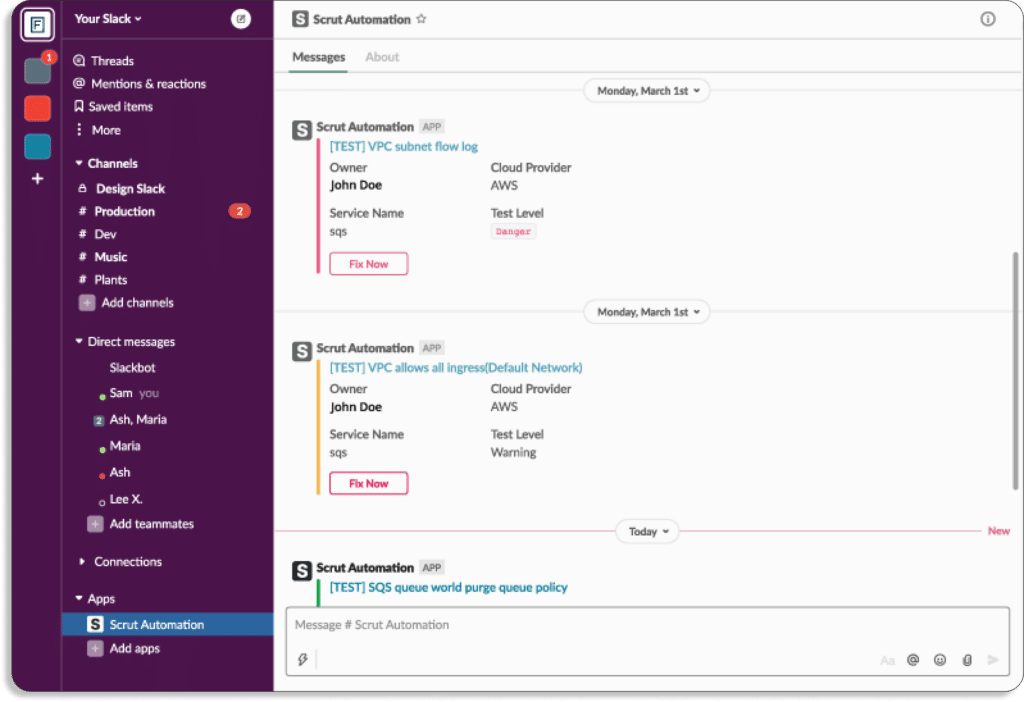
Vendor risk management is critical for safeguarding an organization, its customers, and all proprietary information. Auditors expect an organization to have information on how secure its vendors are in order to achieve compliance. 

If your vendor lacks a needed standard assessment for a specific framework, then it will be challenging for your organization to achieve certification against your aspired compliance certifications. 

In the absence of vendor risk management, you can expose your organization to risk. For instance, an outage on the vendor’s side can cause a financial/operational impact on your organization. 

From vendor onboarding to offboarding, a GRC tool takes care of the security. It identifies the vendors, evaluates and assesses risks associated with the vendor, and mitigates risks. 

Moreover, it provides continuous monitoring and, after vendor onboarding, removes every access to secure the environment and eliminate any vulnerabilities that can lead to data breaches.

Now, let’s see how Scrut helps with vendor risk management.

Scrut helps you to evaluate, monitor, and manage risks associated with your vendors. You can understand the security postures of your vendors with the help of Scrut. This enables you to find out whether a vendor fits your compliance needs or not.

Scrut helps you streamline your vendor compliance check with security questions. You can create your own custom questionnaire or use any of our pre-built templates.

In this way, you can send these questionnaires to your vendors for security reviews and get their responses in one place. 

This helps you accelerate vendor security reviews, which in turn helps in quick decision-making. 

Scrut acts as a central storage system for all information related to vendor security, that includes certificates, vendor audits, and paperwork.

You can share vendors’ responses with customers and auditors seamlessly from the platform. Thus you can assess risks for all your vendors.

At last, Scrut also manages proof of compliance for you. You can directly provide auditors access to the platform to check vendor security reports.

Don’t Stop at the GRC Tool. Go Beyond the Features 

GRC software is readily available from different vendors, but you need to analyze and compare vendors to get the best GRC. 

Here are two more things to keep in mind while choosing a GRC vendor.

1. How Easy it is to Get Started

Scrut smartGRC has pre-built policies aligned with popular security and privacy frameworks. These policies are made by industry experts. 

So you can get started quickly.

Further, you can customize these policies as per your requirements with Scrut’s built-in inline policy editor. 

2. Customer support

Customer support is a vital part of any deal. Most GRC vendors have a customer success team that maintains a relationship with their customers to mitigate any problems that occurs. 

You should understand the customer support of your chosen GRC platform. It will ensure if any risk occurs, then you can recover your system immediately.

Scrut has a team of experts to help you with any problem related to GRC. You can schedule meetings and review your systems to detect any GRC-related anomalies at your convenience.

See some of Scrut’s customer reviews on G2.

Authored by

Aayush Ghosh Choudhary
Co-founder & CEO at Scrut

How Scrut Helps with Risk Management

Scrut is a powerful tool for managing risk within your organization. It provides a comprehensive view of your risk posture, allowing you to easily identify, assess, and mitigate potential information security threats. 

With Scrut, you can make informed decisions about the risks you face and take proactive steps to protect your business from potential harm. Let’s understand how.

Risk assessment is a crucial aspect of any business, allowing companies to identify and address potential threats. However, many organizations struggle with risk assessments due to a lack of understanding or limited resources. This can lead to incomplete risk analysis.

To address this issue, enterprises often turn to enterprise risk management systems, which can be cumbersome and complex for mid-market SaaS and fintech startups. That’s where Scrut Risk Management comes in. 

Scrut is a solution that aims to provide a simple and effective way for clients to gain greater visibility into their risks, prioritize and manage them effectively, and focus on what truly matters.   
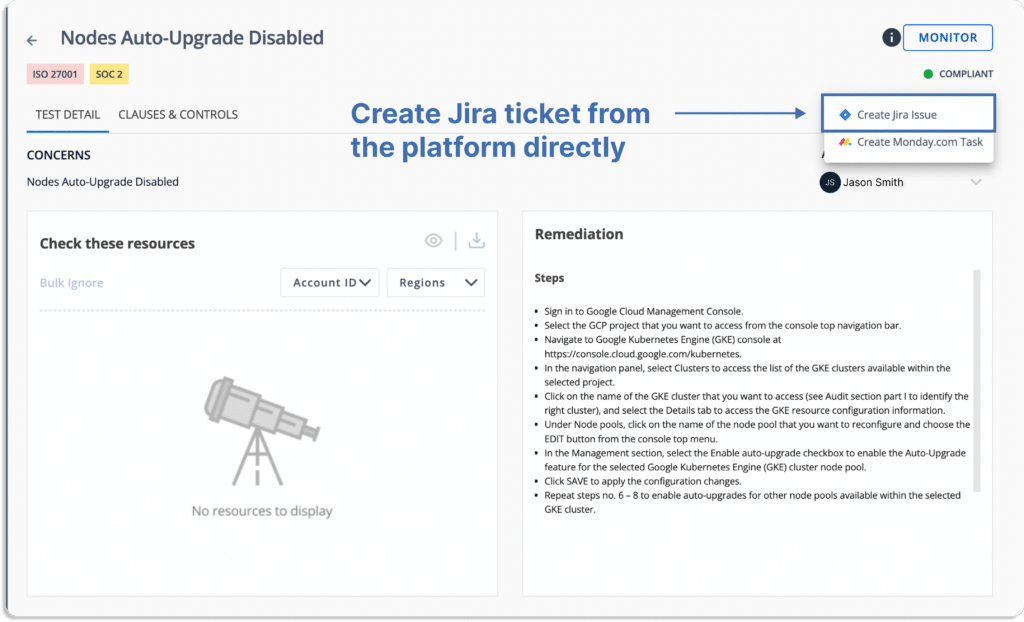
Scrut Risk Management Dashboard

Scrut risk management enables organizations to identify, assess and remediate risks, and make their security and compliance posture strong. 

Scrut risk management dashboard gives you a glance of the overall risk posture of your organization.

To simplify, Scrut gives you the ability to visualize, quantify, and take strategic decisions based on your risk posture. 

There are three steps in creating a risk management plan:

  1. Risk identification
  2. Risk assessment
  3. Risk treatment 

Scrut helps you with all of these. Let’s see how.

Risk Identification

Risk refers to any unpredictable event that could disrupt operations or cause loss to the finances or company’s reputation.

The first step in the risk identification process is understanding the scope and nature of your organization’s risks. Based on that, you can work on that risk to reduce its impact. Failing to do so can put your organization in a lot of trouble. 

Thus, while implementing a risk plan for the first time, ensure to involve all the stakeholders and then proceed with the risk identification step.

Scrut solves this problem by pre-polulating the most common risks that all business face. This eliminates the blind spot for CISOs.

Scrut classifies risks into 7 categories, as shown in the screenshot below. 

  1. Governance 
  2. People
  3. Customer
  4. Regulatory
  5. Resilience
  6. Technology
  7. Vendor Management

To make your risk register, you first need to list all the risks. You can do it by following the below steps in Scrut:

To start with, 

  • Click on create new
  • A pop up like this will appear on your screen:
  • You can choose any risks either from our risk library or create your own custom risks. 
  • For every risk, select the person responsible for keeping track and managing it, select the category from the list we discussed above.
  • Afterward, select the department from HR, Admin, IT and Engineering.
  • Lastly, a list of all the associated risks called as Risk register would be displayed.

One unique benefit of Scrut is that it automatically maps these risks against different compliance frameworks and their controls, as shown in the screenshot below. 

Risk Assessment

Once you have identified the risks associated with your business, the next step is to understand how it affects your organization. 

Regular risk assessments are performed to determine which risks should be prioritized. Scrut helps you measure your risk, reliably. The platform creates your risk scoring based on the likelihood and impact of events. 

Risk is associated with two events: likelihood that event will take place and its impact in case the risk takes place.

Risk = Likelihood * Impact

  • Likelihood:  Likelihood is the probability of the event.
  • Impact: The amount of damage an event can cause is known as impact. 

Let’s take an example of IT system management risk.

The likelihood of this event is 4 (high)

The impact in case the event occurs is also 4 (high)

Thus, Risk = Likelihood (4) * Impact (4) = 16 (high)

The final risk score always lies between 0 – 25, and you can interpret it as shown in the below table. 

Then, you can visualize the output of risk assessment in a heatmap.

A heatmap is a risk matrix in risk management in which risks are ranked based on their potential impact and the likelihood of occurrence. 

Scrut’s risk heatmap is the visual overview of your risk profile, as shown in the screenshot below.

With built-in expert-vetted scoring methodologies, you can quantify your risk profile and assess the impact of your treatment plans using inherent and residual scores.

Risk Treatment 

After you’ve completed the risk assessment, the final step is to create a risk treatment plan. A risk treatment recommendation is a set of safeguards or processes that can be implemented to decrease the likelihood, impact, or both of the inherent risks.

Risk treatment entails creating a variety of risk-mitigation options. Then you’ll evaluate those options, devise a plan of attack using your risk management strategy, and begin putting controls in place.

Of course, not all risks are equal; you must concentrate on the most significant ones.

Using the Scrut Risk Management tool, you can free your team from time-consuming manual work. 

With Scrut Risk Management platform, you have the following treatment options for every risk — 

  1. Accept –  To acknowledge the risk, but decide that any actions to avoid or mitigate the risk can be too costly or time-consuming
  2. Transfer – To take action by transferring the risk to another entity
  3. Mitigate – To take action that will minimize the potential impact of any given risk by implementing mitigating controls
  4. Avoid – To take action that will eliminate the risk in its entirety

Transferring Risk

In the example shown above, the risk of not having an antivirus, which could result in the exposure of personal information and the violation of privacy, can be transferred to another entity. 

We can transfer ownership of that item to a third party who is better equipped to handle the situation, such as an antivirus product company that will install the antivirus software for us.

Mitigating Risk

Mitigation measures aim to reduce a threat’s potential damage to manageable levels for the organization. In this case, we implement a background screening program for new employees hired to avoid espionage or employees with an inconsistent profile.

You can now create a task and assign it to the respective security official to implement the background screening program.

Accepting Risk

Accepting the risk is the best strategy if it is financially beneficial than any other option. In the above example, the cost of shipping assets back to the parent location and refurbishing them is high, and storing them in the warehouse is costly. In that case, renting out the used assets could be a good way to manage the risk.

Residual Risk: Risks that Remains Post Treatment

Once the risk has been treated, the residual risk score reflects the effects of risk treatment measures on the risk. 

At the most basic level, it is the value obtained from inherent risks after adjusting the impact of risk treatment. 

In the example below, the inherent risk score of 20 was reduced to a residual risk score of 4, indicating that this risk has become less impactful. 

Track Risk in Real Time with Risk Register

Scrut risk management eliminates the need to manage and constantly update your risk register across multiple spreadsheets. It compiles all risks related information and mitigating tasks in a central repository that can be easily shared with auditors for faster compliance audits.

Authored by

Aayush Ghosh Choudhary
Co-founder & CEO at Scrut

Top 11 Tugboat Logic Alternatives

Tugboat Logic is a GRC tool that gives security assurance to enterprises. It’s not the only GRC tool, there are equally good GRC platforms in the market that can better suit your requirements.

You can choose among different GRC tools available in the market based on our detailed review of the tools in this article. We have discussed the 11 best alternatives to Tugboat Logic.

Tugboat Logic is an efficient enterprise compliance automation tool that ensures hassle-free audits for your organization. 

It enables your organization to maintain privacy and stay compliant with security frameworks.

Tugboat Logic automates your InfoSec program and simplifies the compliance process of your organization with different frameworks, such as SOC 2, ISO 27001, GDPR, HIPAA, PCI DSS, and CMMC 2.0.

Now, let’s see the key features of Tugboat Logic.

Tugboat Logic – Key Features

The tool helps to build and manage an entire InfoSec program as per your requirements. It automatically defines security policies, responds to RFPs, and provides proof of compliance that you can use to gain the confidence of prospects and customers.
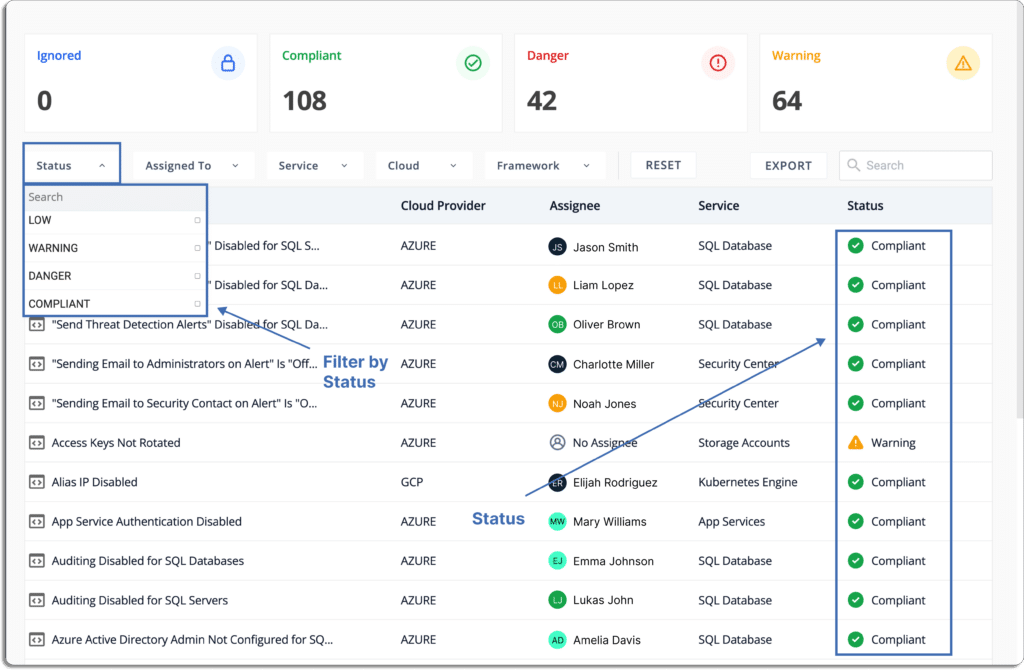
  • Tugboat Logic eliminates the hassle of collecting manual evidence as it has over 75 native integrations. Further, it offers a custom evidence API builder to integrate with the vendors of your choice that are not in the integration library.
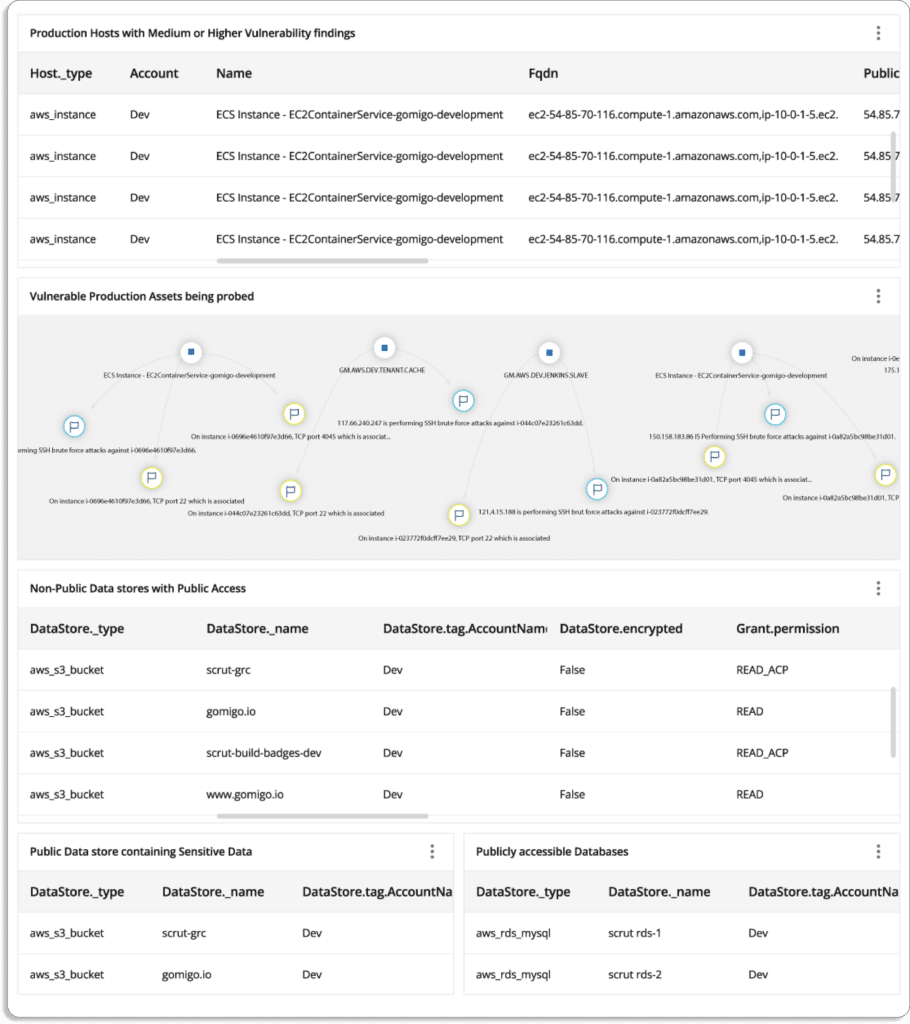
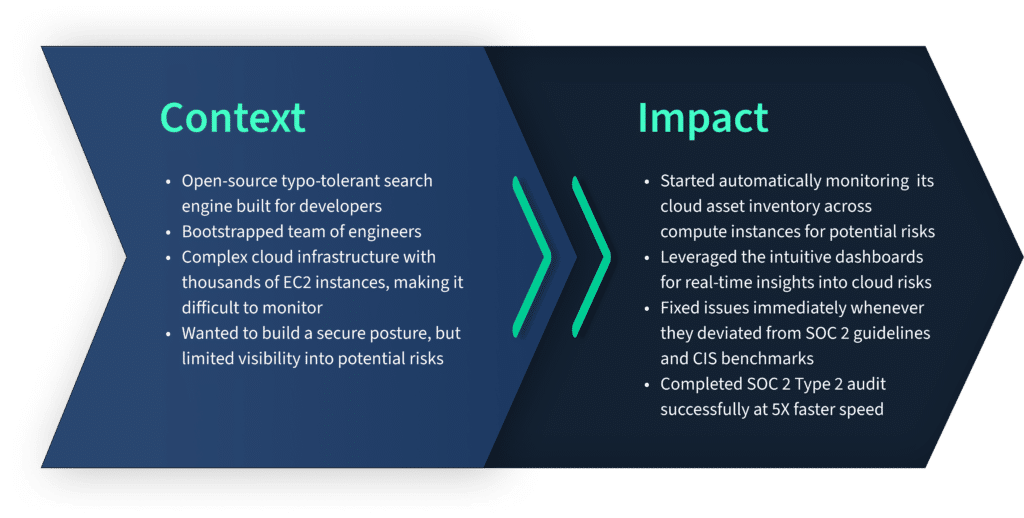
  • The tool monitors, identifies, and evaluates risks present in your organization. Next, it gives recommendations to mitigate security and compliance risks. 
  • It has a pre-built library of over 40 security policies and recommends security controls associated with each policy. This helps you to start and get audit ready for most of the standards quickly. 
  • It automatically generates policies for your organization’s InfoSec requirements
  • The platform provides audit-readiness module to prepare for privacy framework certifications such as SOC 2, ISO 27001, and others
  • Tugboat Logic vendor risk management module helps you understand your partner’s security posture. Tugboat automatically sends security questionnaires to third-party vendors and collects their responses, and keeps it at a single place. Thus, you can compare and choose a vendor that meets your security and compliance requirements.

Now, before discussing the Tugboat Logic alternatives in detail, let’s dive deep into a few situations where Tugboat Logic is not the right choice for you.

Tugboat Logic – Drawbacks

The tool has some drawbacks, such as

  • The tool does not send automatic reminders to your team members for pending tasks.
  • Integration with Salesforce is missing. This is surprising since many enterprises use Salesforce for managing their customer relationships.
  • Steep learning curve. It takes some time to get used to the UI.
  • More inexpensive options are available in the market
  • Sometimes, the search doesn’t work properly; searching questions in your own created question bank may show 0 results

Top 11 Tugboat Logic Alternatives

There are many GRC tools available in the market among which we have listed the top 11. 

1. Scrut

Scrut smartGRC platform gives you single-window observability into your InfoSec risks. What differentiates Scrut from the other GRC platforms is that it is a “risk-first” GRC platform as opposed to “compliance-first”.  

This is because risk observability is the foundation of all GRC programs. 

If you cannot discover risks, you can neither establish governance in your organization nor stay compliant.

To uncover all the cyber risks in your organization, 

  • Scrut first discovers all your cyber assets
  • Then it maps the relationships between all the assets

This gives you the context on the impact of risks associated with all your cyber assets. With this context, you can prioritize how to act on those risks. 

Let’s now see how you can benefit from Scrut in various ways.

Scrut provides all compliance resources in one platform

With Scrut, you get everything required to get compliant in one place. But we just don’t leave you with the platform.

We provide access to all the complementary services required to manage your compliance programs.

Along with the GRC tool, you get access to the following:

  • Help with gaps assessment
  • Penetration testers, including red-team testers

We also assist you in locating the auditors that are the perfect match for you. We have a network of best-in-class auditors, like BSI, EY, and RiskPro.

Besides this, we even manage your SLAs with the above partners and represent you during the external audit. This means you don’t need to take the headache of answering the auditor’s questions.

In short, Scrut is your one-stop solution for all governance, risk, and compliance programs.

Don’t believe us? Have a look at some of our customers’ reviews on G2.

Eliminate dashboard fatigue with unified, real-time view of risks

With Scrut, you don’t have to switch between different tools to view all the risks. 

Unlike other points solutions, you can directly manage your risks and compliance from a single platform, no matter how many cyber assets you have and where they are located.

Going one step ahead, Scrut smartGRC helps you set up controls that can act on those risks, many of which are part of popular standards like ISO 27001, SOC 2, GDPR, PCI DSS, HIPAA, etc. Once the controls are set up, you can monitor them directly from the platform. 

Get compliant 5x faster

Get audit-ready faster for security and privacy standards such as SOC 2, ISO 27001, HIPAA, GDPR, FedRAMP, CCPA, PCI DSS, and others.

In all, Scrut currently supports over 20 security and privacy standards. 

Scrut eliminates 70% of manual work by automating tasks, such as 

  • evidence collection, 
  • gap analysis, 
  • identifying misconfigurations, and 
  • centralizing policies. 

Moreover, when going for multiple standards and regulations, you don’t worry about duplication of efforts. Scrut automatically maps artifacts to all the standards you want to comply with. 

For example, if you create a critical policy through Scrut’s policy manager, say the Access Control Policy, it’ll automatically get mapped to relevant ISO 27001 controls and SOC 2 criteria. You need not create and map the policy twice for both the frameworks separately.

And we set this up very swiftly. For one of our customers that works with US federal agencies, it took us 3 business days to set up 11 frameworks. 

See the dashboard below from one of our customer. 

Automate evidence collection with 70+ integrations

Scrut connects with your existing tools, like cloud service providers, identity providers, MDM, task tracking tools, code version controls, HRMS, SSOs, and more, to automate your evidence collection.

Here are the integrations that we do off the shelf: 

Once collected, Scrut keeps these evidence records in a central place. 

Let us understand this with the help of an example.

In a general scenario, when not using Scrut, your senior developers would be required to review the code from a security perspective. This task is required if you are going for any of these frameworks: ISO 27001, SOC 2, CSA STAR and NIST 800-171.

Here are the steps involved if this is done manually:

  • Senior developers are required to review the code from security perspective.
  • Then they need to prepare a report for every audit and upload it in their Google Drive, Box, or whichever place they are keeping record at. 
  • Repeat the above process every quarter. 
  • What agitates this pain is this needs to be done every quarter.

What could go wrong this this manual process? There are possibilities that:

  • They miss to do the code review in time.
  • Even if the review is done, there are chances that they fail to upload the review report. 
  • The report get misplaced and you are not able to find it later when required.
  • Furthermore, there is no way to track if any backdated changes have been made or if it is deleted by anyone in the absence of logs. Thus, the integrity of the report is questionable.

On the other hand, Scrut, based on the frameworks you want to comply with, automatically populates the evidence tasks.

As you can see in the image below, the recurrence how frequently this report this reports need to be updated.

If for any reason the developer misses to upload the report, they get notified in their email or Slack, based on the settings. Thus, Scrut make sure that this task does not get left undone. 

As all your evidence are attached at with relevant tasks, there is no chances of it getting misplaced or deleted.  

Furthermore, Scrut logs all minute changes done by any user, whether in evidence changes made to policy documents, or API calls made through our integration.

The audit logs give the credibility the code review reports as every minute change is recorded. 

Earlier, one of our customers was keeping the evidence in Google Drive in various folders and was losing track of when the versions were updated. Scrut solved the problem immediately. 

Streamline audit-related tasks

Scrut smartGRC streamlines every audit-related task from audit readiness to examination. 

You can assign and keep track of tasks directly on the platform. This holds your team accountable to complete the assigned tasks within the deadlines.

Tasks owners

These owners can be a department or team heads who can further assign tasks to their team members.

Sub-tasks owners

When you are ready for an audit, you can schedule an audit directly from the platform.

Schedule an Audit 

Automate security training awareness for employees

Scrut offers prebuilt 30 minutes course made by industry experts to automate employee InfoSec training. This enables employees to get well-equipped with everything they need to understand potential risk and avoid making mistakes (like clicking on phishing emails).

As you onboard an employee, they get an email asking them to sign on to their training platform.

After they log in, they see a dashboard like this with all the policies.

They can go thorough policy by policy and acknowledge the same and the overall status with change.

As an admin, you’re always aware of the overall aspects of employees training programs.

At last, you can be sure that they have not just gone through the policies but have actually understood them with quizzes.

Minimum thresholds score guarantees that your employees are informed and prepared to handle threats. 

See the score of an employee who first failed, then went through the training, and finally passed.


We hold ourselves accountable till the end 

Our customers have a 100% audit success rate. This is because before going for the external audit, we conduct very rigorous internal audits to ensure that our customers can pass the audit in one go.

Scrut’s founding team has experience doing 3000+ assessments across the globe over the last 15 years. Additionally, the InfoSec delivery team consists of folks from the Big Four. 

With Scrut, you get hand-holding throughout your compliance journey. We don’t just leave you with a tool. We put our skin in the game!

Our payments are performance-based, and we get paid when the audits are successful and certificates issued. We’ll ride with you till the end of the line.

Customer Rating

  • G2- 5/5

2. Vanta

Vanta helps in compliance automation for SOC 2, ISO 27001, HIPAA, GDPR, and other in-demand security and privacy frameworks to scale security practices for organizations.

Vanta’s risk management solution simplifies and provides risk assessment automation to eliminate an organization’s manual, complicated, and limited risk management capabilities.

To scale an organization’s security and privacy frameworks, Vanta has specialized compliance frameworks.

Vantas’ guided scoping, policies, controls, and automated evidence collection support each framework and ensure the audit readiness of your organization.

Pros

  • The platform provides continuous compliance by ensuring an unparalleled view into complex environments. 
  • The platform detects vulnerabilities in cloud infrastructure by providing an automated test feature.
  • With Vanta, users can examine different aspects that need to be monitored by generating automatic to do lists.
  • The tool offers extensive monitoring capabilities, including monitoring for improper storage buckets and encrypting employee workstations.
  • The platform provides a task-based methodology to find work that can be done right away.

Cons

  • The platform has fewer specific integrations with US-based companies but needs more integrations with other software. For example, they don’t have integration for Microsoft Teams but have with Slack.
  • The tool needs clear scopes and feedback loops between SOC 2 controls, available policy choices, and auditors’ opinions.

Customer Rating

  • G2- 4.7/5

3. Drata

Drata helps you to gain visibility into your security posture and controls your compliance. It provides automated monitoring, evidence collection, and asset and personnel tracking. The tool streamlines the access controls completely with workflow automation.

You get the compliance status of all your people, devices, assets, and vendors into a single dashboard with 75+ SaaS integrations that provide complete visibility of controls across your security program.

It provides pre-vetted auditors to streamline the audit experience and support in your compliance journey.

Pros

  • The platform allows users to focus on developing products by providing a control suite and monitoring that reduces the cognitive load required for compliance. 
  • Quick access to compliance experts from the platform.
  • The tool provides estimation on how much work is still to be done by showing which activities you have finished and which are still unfinished through Drata’s dashboard. 

Cons

  • There is a 25MB file size limit for all evidence uploaded to Drata. Whenever you need to upload something larger, you must contact Drata’s assistance.
  • Lacks integrations like sending Slack notifications when a test fails.

Customer Rating

  • G2- 4.9/5

4. AuditBoard

AuditBoard provides a single platform to bring people, risks, and insights together to improve business resilience and keep pace with today’s demands. 

It safeguards your organization from costly violations through effective adherence to compliance activities by managing all the evolving compliance requirements.

The tool helps to improve risk visibility in your organization and drive risk-aware decisions for mitigating all the risks.

The tool helps you stay compliant with all the required security and privacy frameworks. You can scale your compliance program faster and keep pace with changing regulations as AuditBoard automatically maps new framework requirements to your controls.

Pros

  • Seamless and easy to adapt across the organization.
  • Provides templates and best practices that can assist you in modifying your present procedures as you adopt.
  • It doesn’t require much training for auditors and process owners to start utilizing the platform.

Cons

  • The tool does not have all the auditing capabilities and need to add data analytics and automation processes to be more functional.
  • Non-editable data in survey templates.
  • Initial set up is complicated.

Customer Rating

  • G2- 4.8/5

5. Hyperproof

Hyperproof platform organizes your risk management and compliance processes by automating workflows and unifying them so you can focus on what matters most. 

It is an end-to-end system for understanding compliance requirements, maintaining internal controls, establishing appropriate compliance/audit processes and workflows, automating manual tasks, and monitoring/reporting compliance posture.

With Hyperproof’s risk management module, you can capture, analyze, and manage all risks by observing how risk decisions and remediation efforts affect your compliance posture. 

The platform manages all compliance program requirements, internal controls, and evidence in one location. It provides prebuilt and customized templates for each framework for quick-start. 

Control mapping, control implementation, evidence collection, testing, and monitoring are all made much more structured and efficient with Hyperproof’s workflow optimization and automation features. 

Pros

  • The platform manages your compliances ensuring controls, mitigation strategies, plans, tasks, and validation are easily available to you.
  • The app reduces redundant work across programs, saving time and reducing errors.
  • You can transfer the work of one compliance framework to another framework. For example, you can transfer the work for SOC 2 over the ISO framework for ISO 27001 compliance.

Cons

  • Some functionality of the tool are not compatible with all browsers. For instance, downloading already uploaded artifacts through Firefox does not work properly.
  • There is steep learning for understanding structure controls, particularly when you have many compliance requirements.

Customer Rating

  • G2- 4.5/5

6. ZenGRC

ZenGRC simplifies audit and compliance management. With this tool, you can easily access necessary information for program evaluation and continuous compliance monitoring to address risk assessments to critical tasks with a complete view of the control environments.

ZenGRC effectively controls and assesses risks using risk management programs. ZenGRC pairs with Reciprocity Risk Intellect and unlocks risk insights for you to take proper risk-mitigating actions using existing compliance data from ZenGRC.

With ZenGRC, you can consolidate policies and procedures to automate routine compliance activities within your organization to maintain security and privacy frameworks compliance.

Pros

  • ZenGRC provides a holistic view of how compliance status, program maturity, audit results, and vendor affect the overall risk scope of an organization.
  • The tool provides easy mapping capabilities between frameworks, programs, risks, and vendors of an organization.
  • The tool provides a system of record for all types of objects including business, compliance, audit, and risk objects.
  • Its built-in dashboard, automated workflows and, data import and export capabilities save a lot of your time.

Cons

  • It has limitations in customizable notifications and interfaces automatically open new tabs that quickly clutter your browser.
  • Asset relationship mapping is very cumbersome and is not intuitive with what the system displays.

Customer Rating

  • G2- 4.4/5

7. Secureframe

Secureframe helps you achieve and maintain continuous security and compliance such as ISO 27001, SOC 2, PCI DSS, HIPAA, CCPA, GDPR, and more. The tool streamlines your privacy frameworks and security standards to accelerate sales cycles and security posture.

The platform monitors all five SOC 2 trust services criteria and manages ISO 27001 certificates and surveillance audits. It also creates and monitors healthcare compliance programs and protects customer data.

Pros

  • The platform provides regular meetings and Slack access while you get ready for your audit.
  • Automated hundreds of manual procedures by assisting in fetching your vendor data.
  • It provides easy to use reports tab to make your organization compliant with privacy frameworks.

Cons

  • It needs advance refreshing capabilities as now their team manually refreshes the tasks after you fix any issues such as solving issues in AWS.
  • Processes are a bit manual. It needs improvement in the automated processes to provide a seamless user experience.

Customer Rating

  • G2- 4.6/5

8. Sprinto

Sprinto is powering cloud companies with security compliance programs through security audits worldwide. The platform launches compliance programs for tech companies efficiently and minimizes risks using its risk mitigation strategies.

Sprinto has 20+ built-in audit-ready security templates. provides built-in workflows around policies such as acknowledging joiners on getting hired and periodic leadership reviews.

It provides pre-approved, auditor-grade compliance programs to launch compliance, reducing your burden of manually figuring out the compliance.

Pros

  • Sprinto handles most of the compliance-related tasks, including external audit firm interaction and protocols.
  • The software automates your compliance process and helps you to get SOC 2 Type 1 and Type 2 hassle-free in no time.
  • The tool integrates with major services such as AWS, GCP, and major HR management software.

Cons

  • You need desktop installation of this software that is difficult and a cumbersome task for users.
  • Your backend team needs to do a lot of manual work that can be replaced with automated workflows.
  • They provide many features that are sometimes tough for users to grasp all at once and have a steep learning curve.

Customer Rating

  • G2- 4.9/5

9. LogicGate Risk Cloud

LogicGate Risk Cloud is a cloud-based platform with a collection of pre-built applications that combines expert-level information and support with simple and no-code technology to transform the way you manage GRC operations.

You can start whenever you want with LogicGate Risk Cloud and add new frameworks and procedures as your GRC program develops. Since everything is on one platform, you can quickly link the components together so that your team has access to all the relevant data.

Pros

  • You can automate evidence collection by creating forms to gather, and store details and answers required for events and locations.
  • It takes your existing data formats and can easily import in the automated dashboard for better report generation capabilities for your organization.
  • The platform provides workflows to create forms, manage reporting, and a customizable dashboard that you can use for easy exporting into different formats to generate value and give visibility to the privacy program.

Cons

  • It needs more improvement in reporting customizations to provide better real-time reports for making informed decisions in the organization.

Customer Rating

  • G2- 4.6/5

10. Logic Manager

LogicManager takes your business risk management to the next level using its flexible and intuitive GRC software. It provides a comprehensive matrix of GRC solutions that accelerates your risk assessment and compliance. Its robust risk management solution keeps your organization’s security ahead.

  • The tools provide intuitive and accurate enterprise GRC dashboards and real-time reports to help you make an informed decision that increases your business performance.
  • You can customize your most essential actions for quick access to profiles and data
  • The tool provides you intelligent insights using its built-in controls and control suggestions to shrink your compliance burden.
  • The tool provides customized workflows for tasks automation to plan and scope processes for decision makers and monitors responsibilities with an easily accessible to-do list.
  • It helps to configure GRC from input fields to fit specific scenarios using custom profile and visibility rules.
  • It allows seamless integrations to more than 50 popular third-party applications using its integration hub.

Pros

  • The platform streamlines programs by providing customized workflows.
  • The owner can create forms without the need of experts or consultants.

Cons

  • The software doesn’t provide efficient risk assessments while maintaining historical data of previous risk assessments and due diligence requirements.
  • It needs more improvements with the out-of-the-box reporting, and integrated workflows.
  • The tool’s centralized configuration doesn’t enable individual thresholds for single entities of a big organization with different needs.

Customer Rating

  • G2- 4.4/5

11. JupiterOne

JupiterOne provides a consolidated compliance solution to your cybersecurity and governance team. It supports all major compliance frameworks, including ISO, SOC 2, NIST, CIS, HIPPA and PCI, and HIPAA. The team provides custom frameworks and policies to meet your specific governance and compliance requirements.

Your team can discover security risks, prevent data breaches, and manage continuous compliance with total visibility across your cyber assets. JupiterOne enables you to automatically collect data to satisfy compliance requirements and handle your next audit proactively.

Furthermore, it assists you in developing and automating strong procedures, policies, and controls that connect security needs to specific cyber assets in your digital environment.

The platform keeps your team on the same page with out-of-the-box policies, procedures, controls, and automatic evidence gathering features. It assists enterprises in streamlining their compliance needs, regardless of security maturity level.

The platform provides built-in templates for security policies and procedures that are directly linked to your environment. 

Pros

  • User can visualize the relationships to understand what exactly going on in their digital environment.
  •  User can find assets matching filters with query syntax.

Cons

  • When you get started with this tool, you may get intimidated by some extensive functions.
  • SaaS integrations need to be improved as often some desirable data elements are missed into JupiterOne.

Customer Rating

  • G2- 5/5

Authored by

Aayush Ghosh Choudhary
Co-founder & CEO at Scrut

Top 15 PCI DSS Compliance Software

Whether you are a start-up or a large enterprise, you must comply with the PCI DSS if you store or process credit card payments. 

However, managing PCI DSS compliance is difficult. Imagine reading through 1,800+ pages of documentation to determine which of PCI DSS’s 300+ security controls apply to your company!

With compliance automation tools, it is easier to comply with PCI DSS requirements.

Data breaches can cause a severe blow to a company’s reputation, making it vulnerable to potentially damaging public relations nightmares and financial losses. 

To protect users’ sensitive payment information and to guard against these risks, all organizations, regardless of size, must adhere to the Payment Card Industry Data Security Standard (PCI DSS). 

Fortunately, with the help of compliance tools, companies can more easily comply with the PCI DSS and reduce the risk of a data breach. 

PCI DSS automation software streamlines and automates the PCI compliance process. It assists businesses that store or process credit card details in meeting the regulatory requirements of the payment card industry data security standard.

In this article, we will discuss different PCI DSS compliance automation software and how they can help you protect your users’ sensitive information while staying compliant with PCI DSS regulations.

Top 15 PCI DSS Compliance Automation Software

Here is the list of compliance automation tools based on PCI DSS compliance that will save you time in your research.

1. Scrut Automation

Scrut makes PCI DSS certification easier by strengthening compliance with pre-built controls and continuous monitoring. The platform guides you through gathering the information you need to pass the audit and become certified.

  • Single window solution: Scrut is a single-window platform for all PCI DSS-related policies, tasks, and evidence activities. It provides a unified view of your PCI DSS compliance by providing an overview of where you stand and ensuring that you are on track for your audit.
  • 50+ pre-built policies 

As shown in the screenshot below, you can use our policy library, which contains over 50 pre-built policies for PCI DSS controls. Moreover, you can customize these policies with the in-built editor and get them vetted by our in-house PCI DSS compliance experts.

Scrut also gives you the flexibility to upload your own policies. 

Additionally, these policies are mapped to controls.

  • Centralized record for all evidence

The platform provides a centralized record-keeping system through which you can assign owners across your organization and store relevant evidence.

Scrut automates more than 65% of the evidence-collection process. To do this, Scrut integrates with various tools, like mobile device management, identity providers, cloud service providers, HRMS, etc.

Before using Scrut, one of our customers used Google Drive to store evidence. But they were losing track of the versions. With Scrut, that problem was immediately solved as Scrut stores these evidence pieces contextually for every control and test.

  • Easy to build trust with Trust Vault

With Scrut, you can showcase PCI DSS and other security certifications to build real-time transparency into your security and compliance postures.

You can host this on your website so that prospective customers can directly request the reports they need.

  • Smooth audit process

You can invite your auditor on the platform to collaborate on various audit tasks. Auditors can easily find all artifacts related to audits on the platform, which helps them to do audits quickly.

To do this, just create a new audit in the audit center

Then, invite the auditors to the platform. 

First, you need to add them with auditor roles.

To do this, go to settings and then manage users.

Then, click on add new user. You will see a pop-up like this.

Enter their details, and you are done. 

  • Track multiple compliances at once

The Scrut smartGRC platform comes with over 20 security and compliance frameworks out-of-box. 

These controls are mapped with multiple frameworks due to overlap between different frameworks. So, one control may fulfill the requirements of multiple frameworks. 

This eliminates the duplication of efforts when going for multiple frameworks at once or even if you go with other frameworks in future.

  • Automate cloud security monitoring

Scrut Automation not only assists you in becoming compliant but also in staying compliant. 

We are not restricted to the basic controls required to comply with popular frameworks. Scrut automatically tests your cloud configurations against 200+ cloud controls across CIS benchmarks to ensure a strong InfoSec posture.

  • Customer support

You may require professional assistance at any time regarding compliance. Our information security specialists are available around-the-clock throughout your compliance journey and even after.

Check our customer reviews below.

Customer Rating

  • G2: 5/5

Schedule a demo to learn more about how Scrut Automation can help you with PCI DSS compliance.

2. Vanta

Vanta helps organizations comply with the PCI DSS by determining which self-assessment questionnaire (SAQ) is appropriate for your organization and assists in completing a report on compliance (ROC). With Vanta, you can take action on PCI DSS compliance and reduce your company’s dependence on external consultants. Vanta’s continuous security monitoring reduces the burden of completing your SAQ or ROC while meeting the new PCI DSS 4.0 requirements. 

Pros

  • Vanta offers automated task reminders.
  • The tool provides complete visibility for policy sharing with third parties.
  • The platform provides you with a clear roadmap for meeting all requirements and gathering the necessary evidence.

Cons

  • The automated policy generator may not work as efficiently when you edit offline.
  • Tracking requirements such as encryption may not always work on Linux machines, necessitating manual verification and storage of that data in Google Drive for auditors.

Customer Rating

  • G2: 4.7/5

3. Hyperproof

Hyperproof is a compliance solution that assists organizations in understanding PCI DSS requirements, developing tailored controls for their business, automating the evidence management process, and monitoring their security controls. With Hyperproof’s pre-built templates, you can implement controls quickly. The platform collaborates with professional service firms with a proven track record and deep expertise in assisting organizations in becoming PCI DSS assessment-ready.

Pros

  • The platform saves users time with integration capabilities and seamless workflow for linking controls to multiple frameworks.
  • Hyperproof’s risk register allows users to manage longer-term risks to assess impact, likelihood, and mitigation progress.
  • The platform is simple to integrate with other applications to import and export data.

Cons

  • Uploading controls into your programs can be difficult, and the process is not entirely automated.
  • Users cannot customize and configure notifications as per their requirements.

Customer Rating

  • G2: 4.5/5

4. Drata

Drata’s dashboard provides a comprehensive view of your security posture and PCI DSS compliance status. Drata’s built-in PCI playbook gives you the tools you need to navigate PCI DSS compliance requirements while providing users with a single documentation source. 

The platform includes a playbook of pre-mapped controls that give visibility into your security posture and control over compliance. Furthermore, it offers a variety of integrations with background check tools to meet all security information policy requirements.

Pros

  • The tool suggests a list of auditors who are familiar with the tool and offers a significant discount for the audit.
  • The policy center is equipped with expert-level policies that have been pre-written and only require some general context replacement, saving hours of policy writing.

Cons

  • Additional charges need to be paid for features like Trust Center.
  • You cannot collaborate with the auditors on the platform.

Customer Rating

  • G2: 4.9/5

5. ZenGRC

The ZenGRC tool allows you to track your InfoSec program over time to ensure compliance. The platform offers a user-friendly dashboard with current statistics on the highest-priority risks. You can use the pre-built templates to assist in your compliance audits. It also provides a central location for all audit-ready records.

Pros

  • ZenGRC reduces manual efforts and facilitates business-related tasks.
  • The tool provides an automated compliance tracking feature.

Cons

  • Evidence storage solutions are not fully integrated with the tool.

Customer Rating

  • G2: 4.4/5

6. Apptega

Apptega is a cybersecurity management software solution that helps develop, manage, and report your PCI DSS compliance procedures, and your overall cybersecurity program. The platform designs your entire program once you log into the solution. It manages your PCI compliance program, which includes a real-time compliance scoring, budgeting, task management, collaboration, and other features. The tool allows you to map all your cybersecurity frameworks in one place. 

Pros

  • Users can crosswalk multiple frameworks at the same time.
  • The platform manages multiple scorecards from a single pane.

Cons

  • The platform sometimes gets slow in saving real-time data updates, and users experience a lag when inputting data and making compliance program updates.

Customer Rating

  • G2: 4.7/5

7. VComply

VComply is a compliance management solution that offers a repository of controls that are aligned with the PCI DSS framework requirements. You can create linked controls wherever gaps are identified to make risk mitigation easier. The tools allow you to define ownership for adhering to PCI DSS compliance guidelines with VComply. Furthermore, the tool sends automated e-mail notifications to the owners when tasks are updated.

Pros

  • Provides an easy follow-up process with system alerts.
  • Provides customizable features that can be adapted to an organization’s specific needs.
  • With VComply, users can get task updates as well. 

Cons

  • VComply dashboard does not provide search filters to view the overall status better. 

Customer Rating

  • G2: 4.6/5

8. Tugboat Logic

Tugboat Logic‘s audit assessment module automates the PCI DSS compliance process by providing you with all the information and guidance required to pass the audit by indicating which of the 300+ controls you need. The tool manages and tracks your PCI prep work, allowing your auditors to see what controls you’ve put in place alongside the evidence you’ve gathered. Tugboat Logic’s audit readiness module identifies the policies and controls that must be implemented to comply with PCI DSS.

Pros

  • The platform provides a security training feature with an overview of who has completed which training sections and who has not.
  • The readiness project feature provides a compartmentalized assessment of compliance requirements.
  • The tool provides security questionnaires with existing evidence and controls.

Cons

  • The tool does not offer a feature to send individual reminders to team members about the tasks they still need to complete.

Customer Rating

  • G2: 4.6/5

9. Qualys

The Qualys integrated solution provides a unified view of your assets and PCI compliance status. The platform identifies gaps in your compliance and directs you to pre-built templates, profiles, and policies.

Qualys meet many PCI DSS requirements, including asset management, payment web app security, external and internal vulnerability management,  and secure configuration management. The tool collects telemetry required for all PCI DSS requirements into a highly scalable cloud platform, assisting security practitioners in managing their PCI DSS posture.

Pros

  • Users can manage asset vulnerabilities throughout the entire vulnerability lifecycle.
  • It is extremely simple to manage assets across multiple AWS accounts using connectors.

Cons

  • Endpoint scanning can be slow sometimes.
  • The user experience can be suboptimal because the menu isn’t repeated across various modules and each UI is updated separately.

Customer Rating

  • G2: 4.2/5

10. AuditBoard

AuditBoard is a compliance solution that identifies, evaluates, and manages risks in a single location. It connects risks and controls across assets, laying the groundwork for various framework audits throughout your organization.

The platform dynamically scores and ranks risks to gain insight into their severity and understand the likelihood of potential threats. Furthermore, it automatically schedules and sends requests to stakeholders based on frequency.

Pros

  • You can use filters and keyword search options to find the controls.
  • AuditBoard provides real-time review and approval process features.

Cons

  • There is no module for third-party risk management.
  • It has a complex process for setting up new controls and processes. 

Customer Rating

  • G2: 4.8/5

11. Alert Logic

Alert Logic’s managed detection and response services assist you in becoming PCI DSS compliant. The platform offers automated security controls that simplify assessing and detecting vulnerabilities and suspicious behavior that could jeopardize your PCI DSS compliance status.

Alert Logic provides comprehensive managed detection and response (MDR) for public clouds, SaaS, on-premises, and hybrid environments.

Pros

  • The tool collects data from a variety of open-source and commercial sources, as well as from internal and external sources.
  • The platform identifies commitment indicators to protect assets from potential attacks.

Cons

  • Sometimes the tool provides incorrect threat geolocation.
  • Users are sometimes bombarded with irrelevant alerts.

Customer Rating

  • G2: 4.5/5

12. MetricStream 

MetricStream is an integrated risk management and governance, risk, and compliance solution that enables businesses to thrive on risk through risk-aware decisions. The platform identifies and mitigates potential PCI DSS compliance risks by providing a unified view of control documentation, assessments, and testing processes. 

MetricStream builds a structured and logical internal control hierarchy that maps PCI compliance policies and regulations to your company’s processes, assets, risks, and controls. The tool quickly resolves PCI DSS compliance and control issues using AI-powered issue management.

Pros

  • Integrates with other GRC modules as well.
  • The platform provides automated risk processes using templates and workflows.

Cons

  • Lack of a dashboard for executive-level reporting in the compliance module.

Customer Rating

  • G2: 5/5

13. Onetrust

OneTrust provides an interactive PCI compliance checklist manager to help you prepare for and pass audits faster.

You can manage the PCI DSS compliance lifecycle by reviewing, assigning, and marking controls in an at-a-glance operations dashboard. You can share evidence, track the project, and collaborate with an auditor directly within the platform once you’ve tracked evidence collection and completed all controls.

Pros

  • Users can directly send vendor security assessment questionnaires to third-party vendors.
  • Provides constant updates to keep users up-to-date.
  • Users can build detailed assessment questionnaires with an assessment automation module.

Cons

  • The platform does not provide system asset hierarchy levels.
  • Lacks in SSO and delegated user administration.

Customer Rating

  • G2: 4.3/5

14. Secureframe

Secureframe is a GRC platform that simplifies the PCI DSS compliance process at every stage, allowing organizations that process, store, transmit, or interact with credit card data to become compliant easily. 

The platform streamlines the assessment process by collecting evidence and meeting the PCI DSS’s 300+ control requirements in one location. It keeps track of over 100 cloud services, including AWS, Azure, and Google Cloud.

Pros

  • The platform includes integrations for automatically pulling data.

Cons

  • Secureframe doesn’t provide any information on how to resolve errors. For example, the tool notifies that there is a problem with a tool in a particular region but fails to specify which regions are affected.
  • Some of the instructions on the test pages are outdated.

Customer Rating

  • G2: 4.6/5

15. Laika

Laika is a compliance automation software that helps organizations get InfoSec certifications. The platform streamlines and accelerates your PCI DSS certification by combining automation, self-assessment support, and expert insights. 

Laika provides PCI DSS policy templates and automated vendor discovery. Furthermore, it customizes your PCI DSS compliance roadmap based on a detailed gap analysis.

Pros

  • The platform provides step-by-step instructions on everything users need to do to become compliant.
  • The tool summarizes the progress and questions related to the project.

Cons

  • You cannot find previous comments in a single location.

Customer Rating

  • G2: 4.8/5