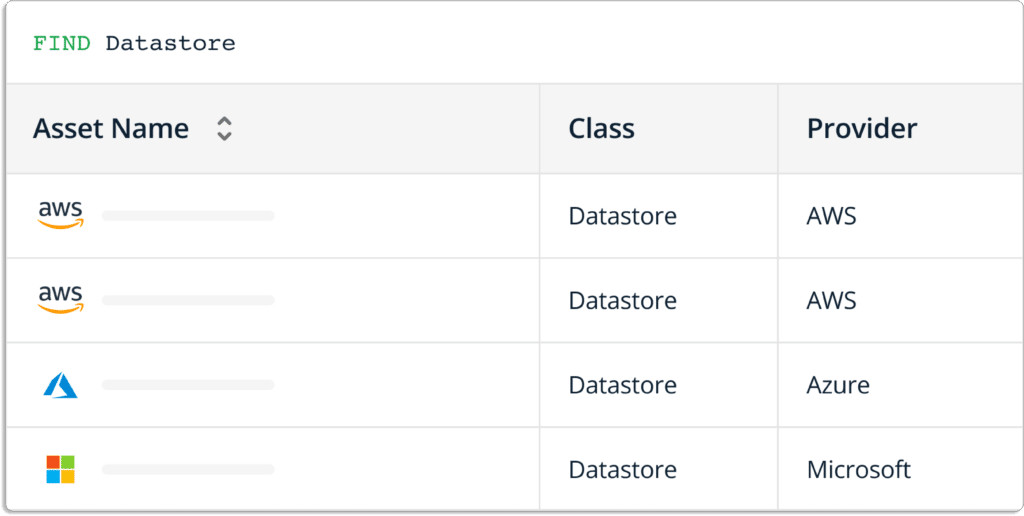
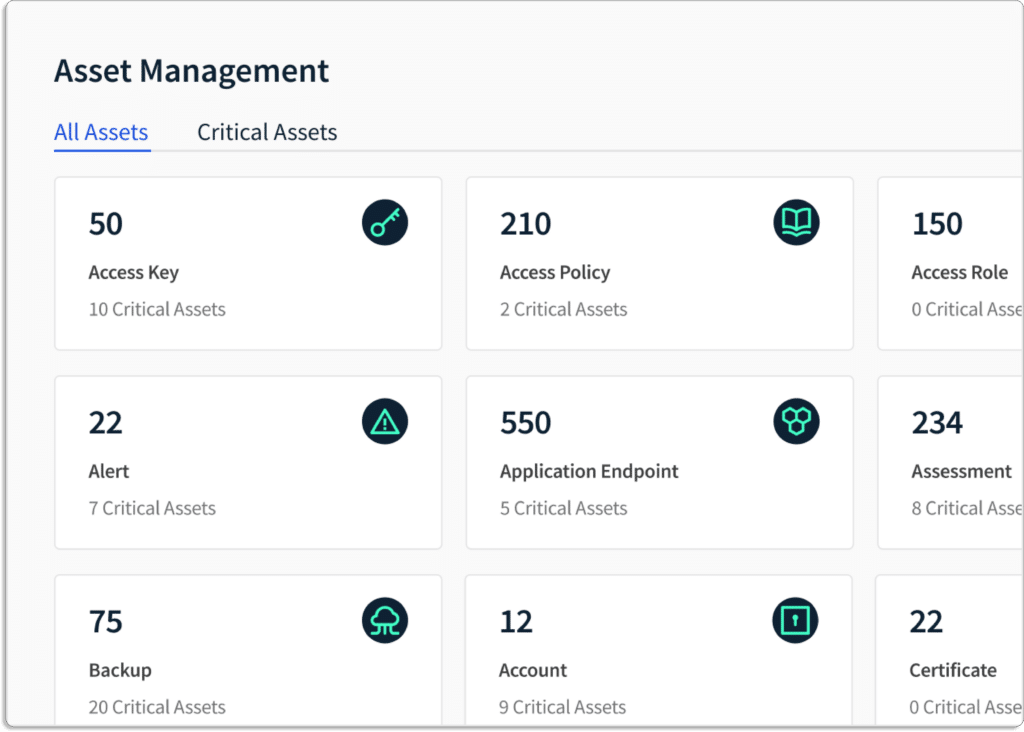
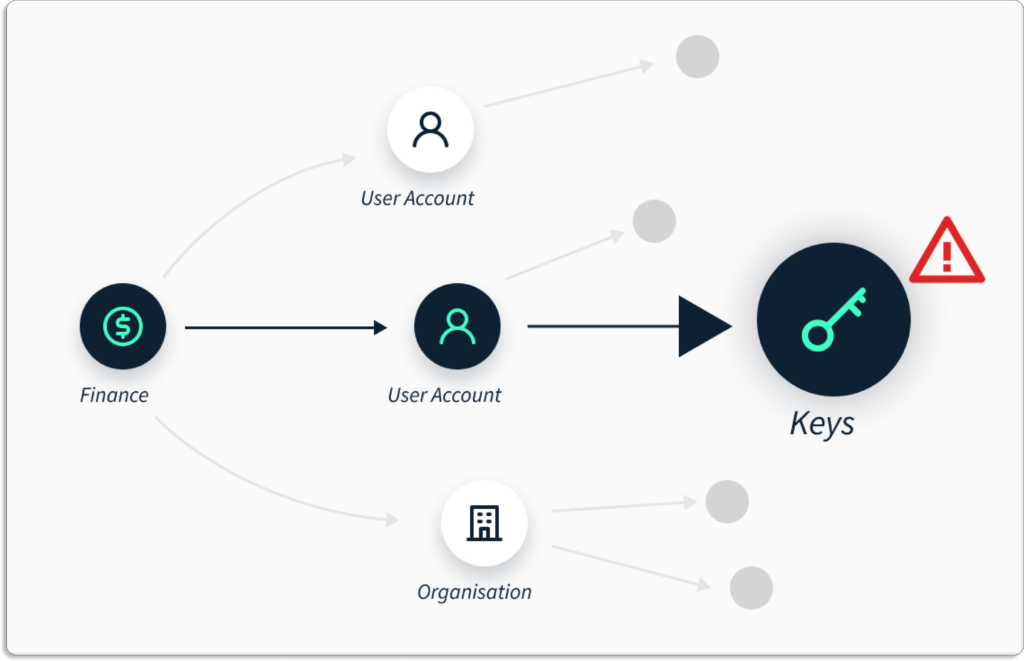
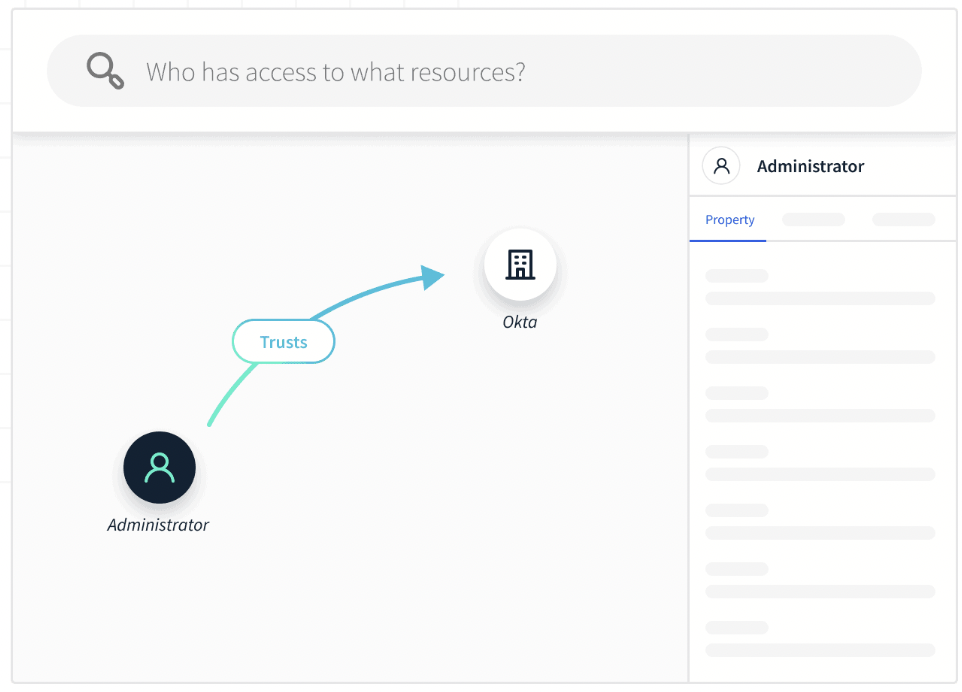
Rebranding announcement: Strengthening our commitment towards simplifying infosec for organizations
Today is a big day for all of us at Scrut Automation. We have officially taken a new look, and a new identity, which we are all super excited about.
We started Scrut Automation with one goal in mind – simplifying information security for cloud-native organizations. What that meant for most of our customers was to help them streamline their information security processes, to help them establish strong and robust security postures in line with industry-leading frameworks like SOC 2, ISO 27001, GDPR, and so on.
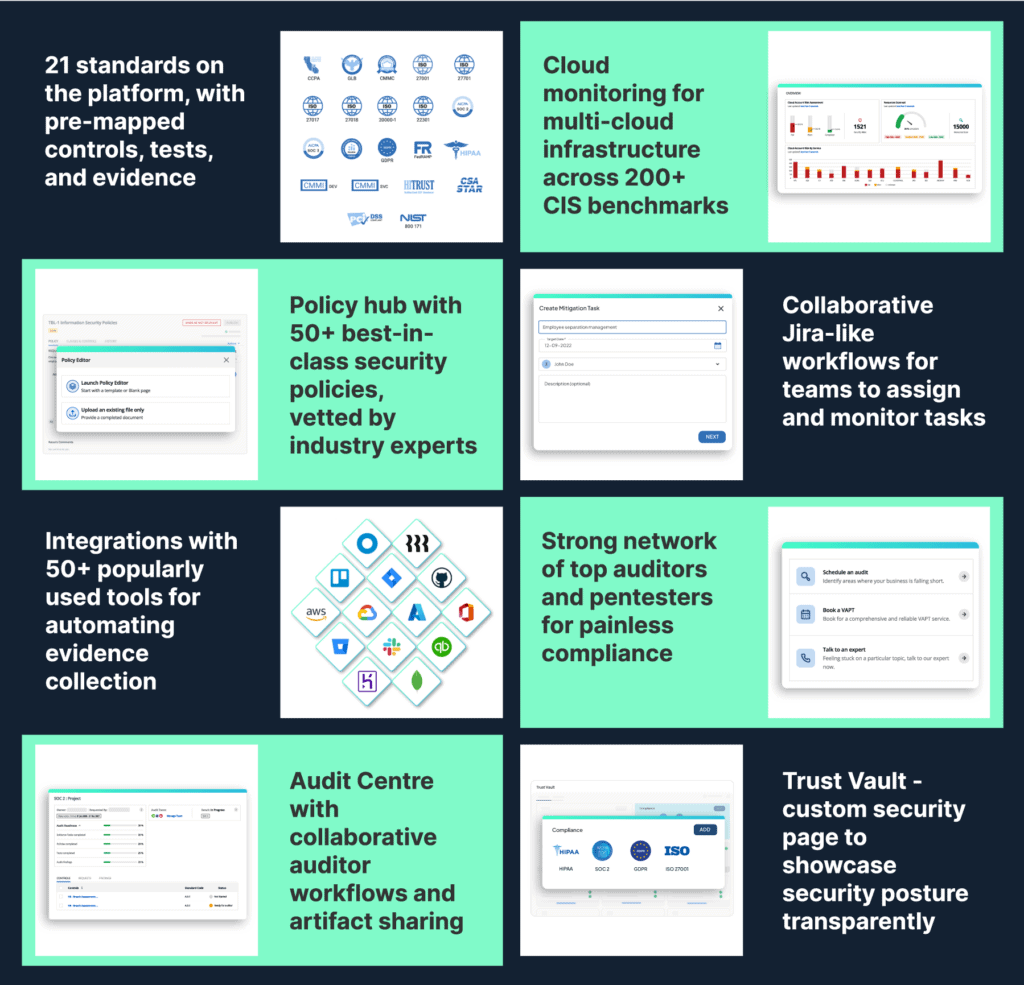
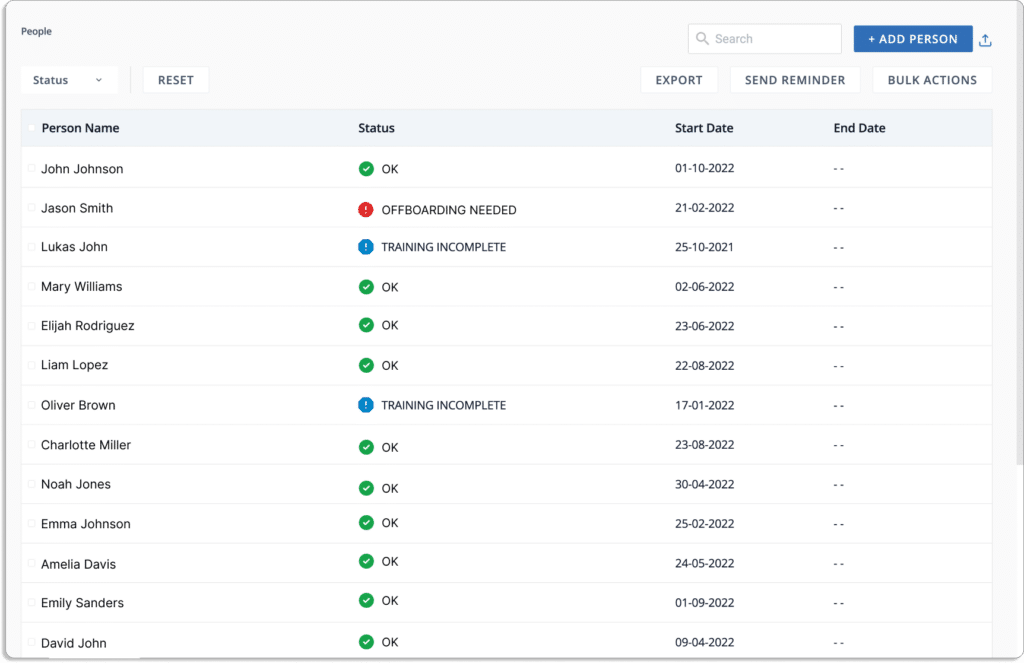
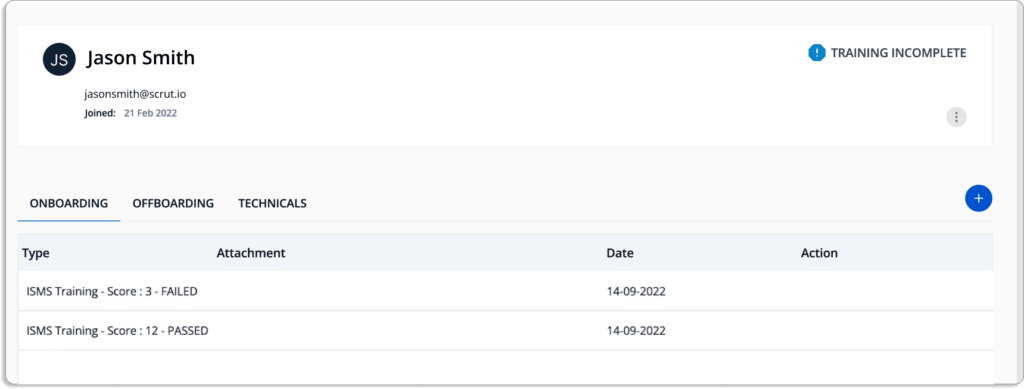
And we did that well. We built products, features, and networks that help our customers get compliant faster, with minimal effort and pain. Below is a quick snapshot of what we built to enable 100+ high-growth organizations to get compliant with 21 standards like SOC 2, ISO 27001, GDPR, CMMC, NIST, and the like, and to support them across a cumulative of 400+ assessments:
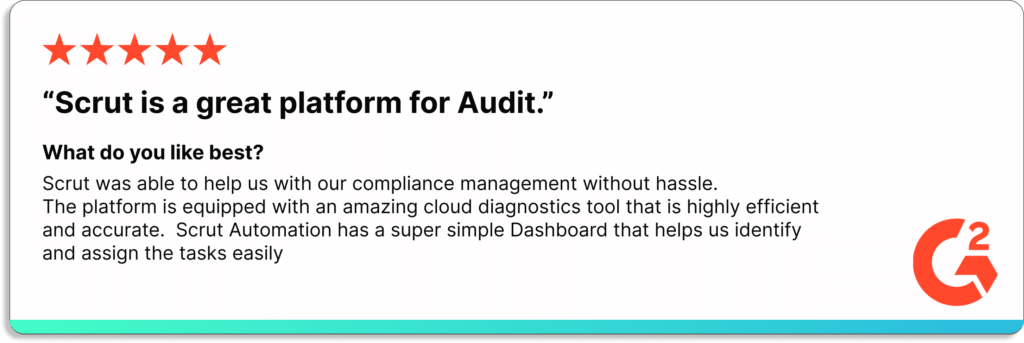
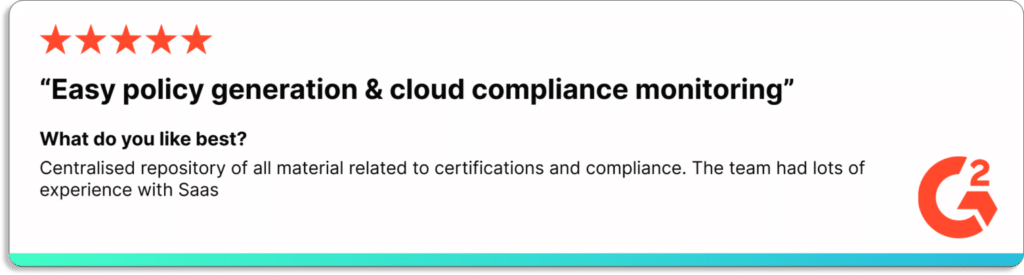
While this generated a lot of value for our customers (check out our G2 reviews) and gave us a lot of joy, we realized something was amiss.
Through the hundreds of hours spent speaking with founders, engineering teams, information security teams, CISOs, compliance officers, and auditors – there were a few fundamental learnings:
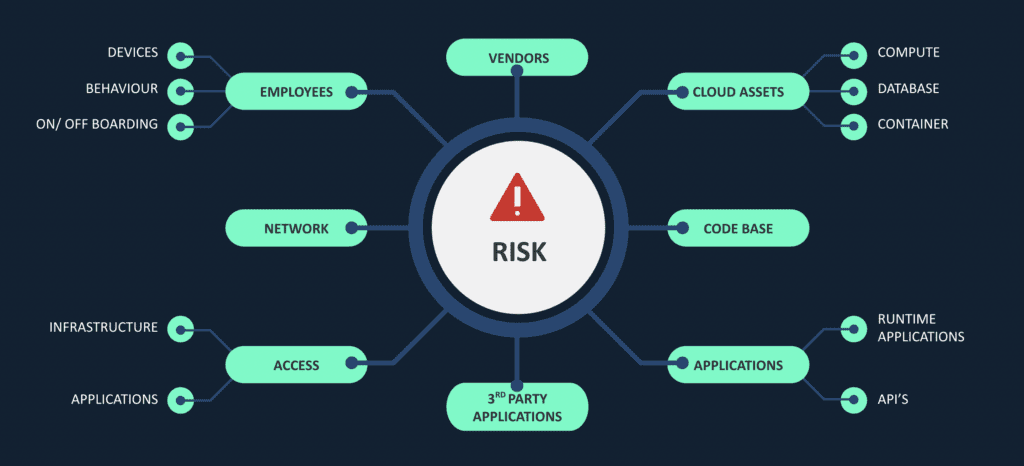
Risk visibility is limited
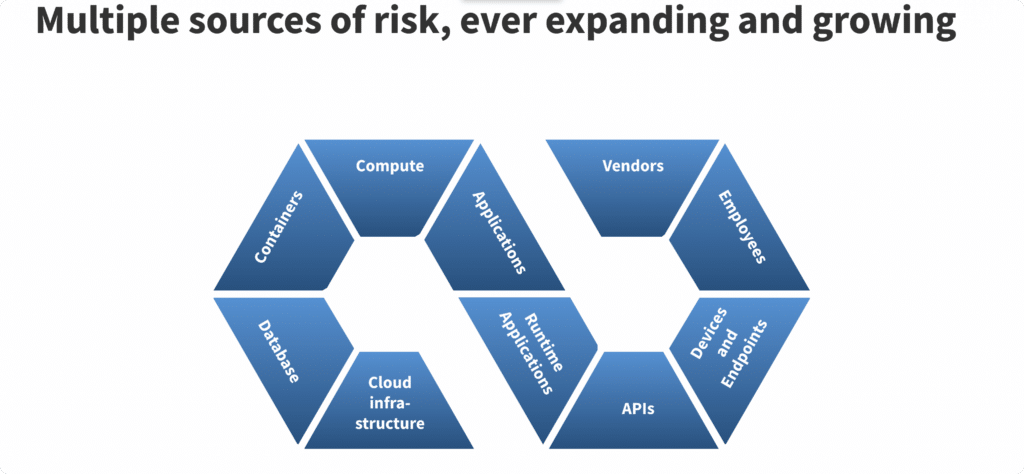
Most organizations do not have a realistic view of their potential risks and how to manage them. Be it cyber-assets, infrastructure and application landscape, their own employees, or their vendors – risk is distributed. And some are more critical than others.
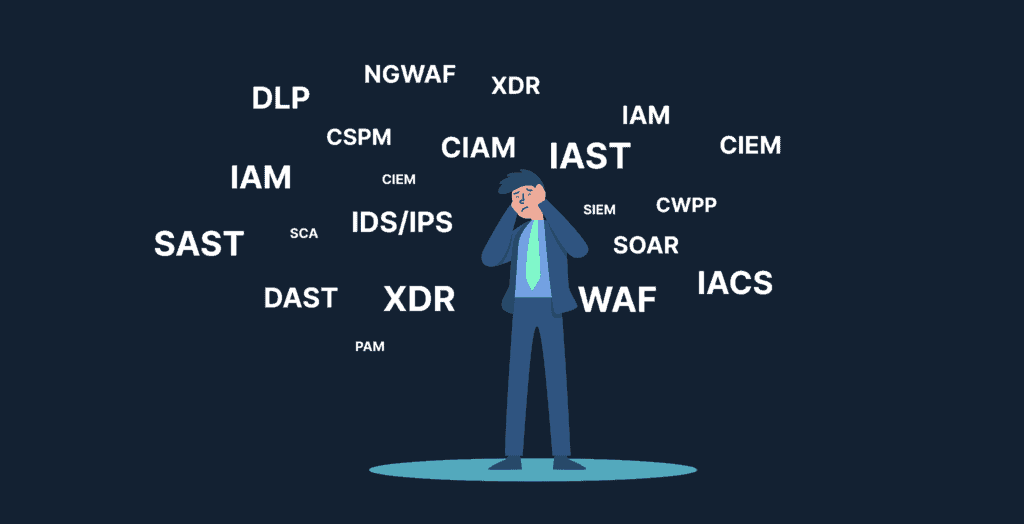
Tool fatigue and acronym fatigue are real
Organizations are dealing with multiple tools, and many of them are excellent ones at that. Don’t get us wrong – we adore some of these platforms. Snyk, Veracode, Okta, strongDM, Tenable, Blissfully, etc., are undoubtedly some of the leaders across these ‘acronym categories’, and organizations we personally draw a lot of inspiration from. However, this does not really solve the crux of the problem – gaining complete visibility of the risks an organization faces.
Controls do not talk to risks
This is inevitable. Without complete visibility of risks, organizations often only have one recourse – look at industry compliance frameworks for guidance. But the frameworks are just that. Your controls need to focus on where you see the most risk – the areas which are most critical for your business. At the same time, without complete risk visibility, you spend uncountable hours developing and enforcing controls on areas that are not as critical.
Audits for multiple standards come with repetitive overheads
Establishing independent controls established for an organization’s security posture and mapping them to individual frameworks’ or standards’ controls requires a significant amount of manual effort. What makes it more painful is that it is repetitive. For instance, >75% of the controls in ISO 27001 and SOC 2 overlap in some way, but for each of these audits, the compliance team needs to map out their controls to the standard’s controls and showcase proof of compliance, often resulting in hours and hours of extraneous non-value-adding manual effort.
It’s difficult to identify what needs fixing
Without complete visibility of risks, compliance, engineering, HR, admin, and other teams spend days, if not months on making changes that are incremental at best, overlooking often critical fixes. Prioritization of effort goes for a toss, which eventually results in loss of productive hours and/or potential vulnerabilities waiting to be exploited.
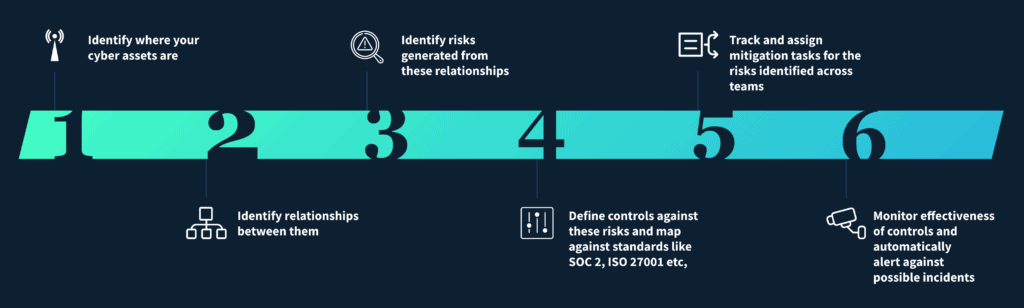
We realized that we would not be true to our mission without addressing all five. We are moving towards helping organizations across the globe build risk-first information security. By building a risk-first information security posture, organizations can be assured of a robust information security posture, and inevitably be compliant with all necessary and relevant standards, enabling them to accelerate those valuable deals.
Hence the need for a new identity. And the new brand.
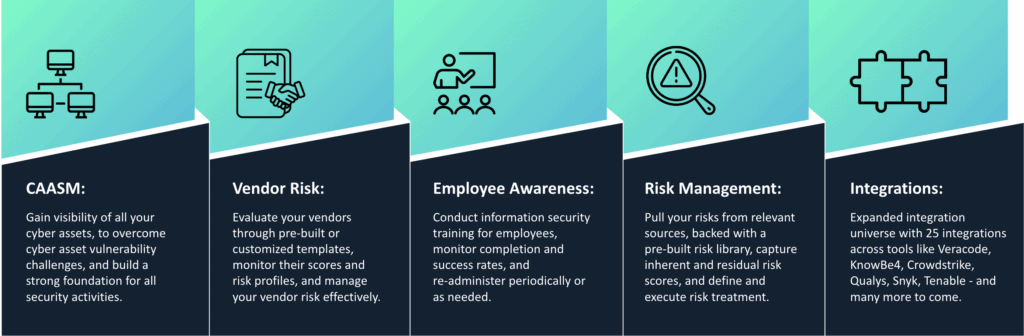
In one short image, our new and updated approach to information security:
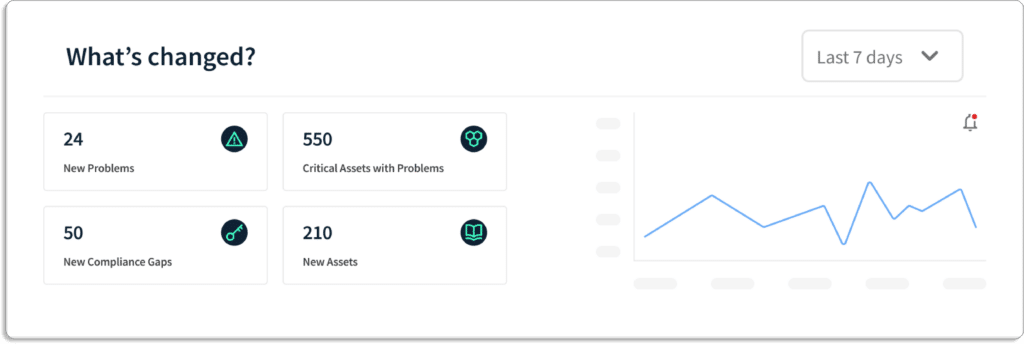
Over the last couple of quarters, our product and engineering teams have built some excellent products and features to help realize these goals. A quick snapshot:
We are very thrilled to be on this new path – and hope to replicate the success we have seen in the past.
31 Jul 2022
12minutes
Authored by
Aayush Ghosh Choudhary
Co-founder & CEO at Scrut
ZenGRC Alternatives
Reciprocity is an enterprise risk management tool – but the in-built GRC is lightweight and not robust enough. Moreover, it requires a significant amount of implementation and configuration support.
This article discusses the 13 best alternatives to ZenGRC that may help you with your GRC requirements.
Reciprocity byZenGRCenables organizations to maintain privacy and security frameworks. The platform automates your InfoSec program and simplifies compliance with frameworks such as SOC 2, ISO 27001, GDPR, and HIPAA.
Further, it simplifies the mapping of controls across multiple frameworks for your organization.
Before discussing the alternatives, let’s learn more about ZenGRC’s key features and drawbacks.
Key features of ZenGRC
ZenGRC simplifies audit and compliance management. The tool offers easy access to information for program evaluation and continuous compliance monitoring that addresses critical risks.
Acts as a single source of truth for all your compliance needs. ZenGRC gives you a single pane of glass view of all things that make up your compliance and risk programs: objectives, assets, controls, and history.
Pre-loaded content library to quickly get started. ZenGRC simplifies the mapping of control across multiple frameworks with its pre-loaded content library. These pre-built templates allow for customization and can be quickly deployed for popular frameworks, such as SOC 1 and SOC 2, GDPR, ISO, CCPA, etc.
Automate critical tasks. It automates the review process and evidence collection. Further, collected evidence automatically sync into your preferred systems, such as Jira and ServiceNow.
Foster collaboration among team members. It makes task management easier with the help of task assignments, tracking progress, and tagging features.
Drawbacks of ZenGRC
There is no in-line editor in ZenGRC for editing policies on the platform.
It doesn’t support custom frameworks.
The platform doesn’t has in-built employee security training module, unlike other GRC platforms like Scrut.
Risk observability features are missing, like asset discovery, relationship mapping, etc.
No option to collaborate with your auditors directly on the platform. So, the audit process can be time consuming.
Customer Rating
G2- 4.4/5
ZenGRC Alternatives
1. Scrut
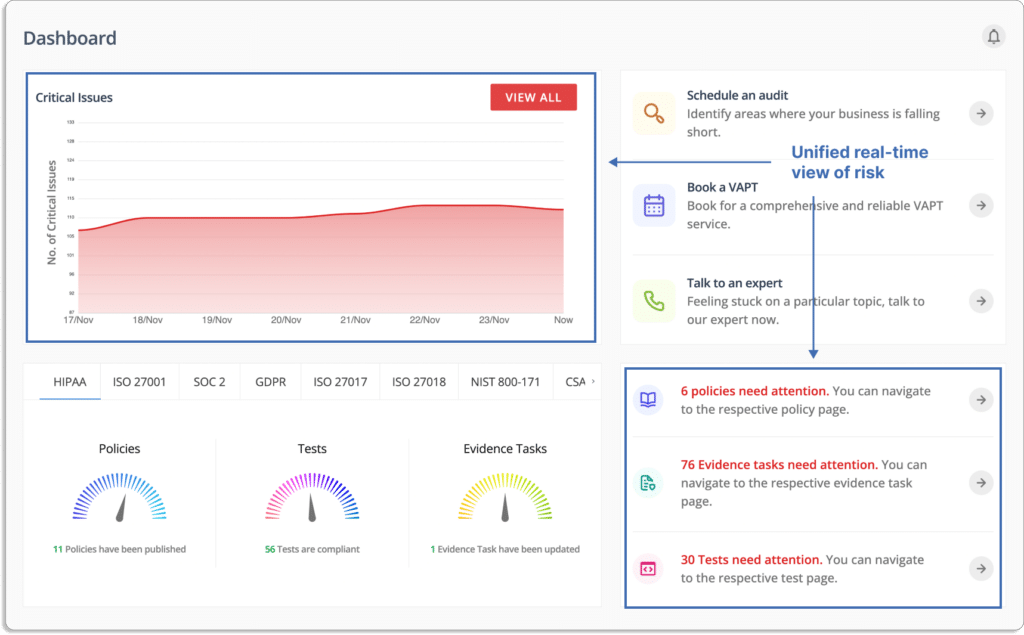
The Scrut smartGRC platform provides a unified, real-time view of risks and compliance status. This helps you understand your InfoSec and security posture.
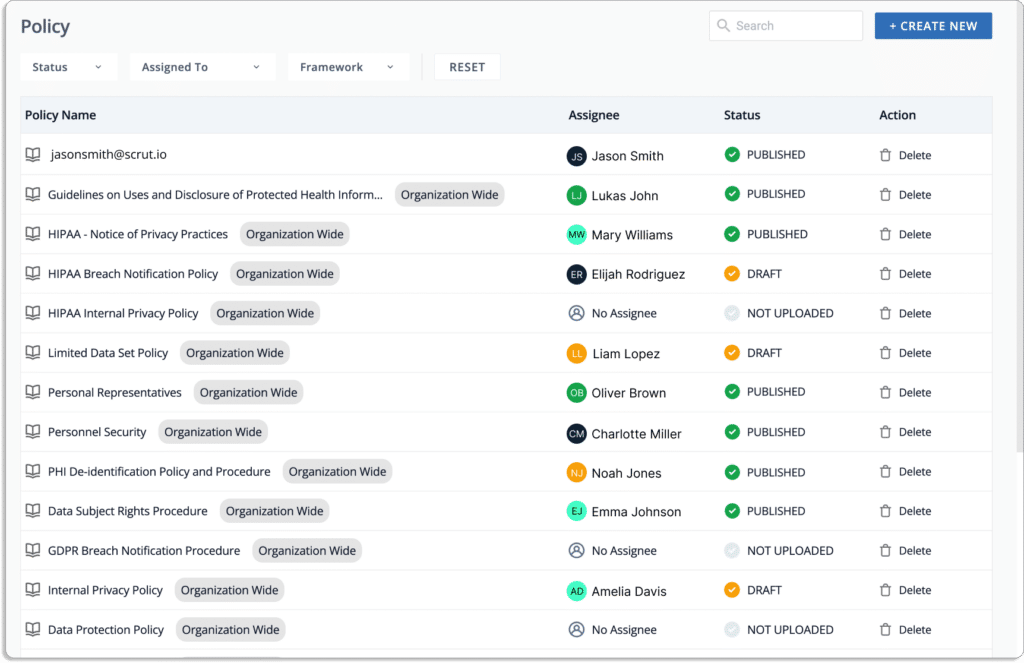
The platform offers you pre-built policies vetted by industry experts.
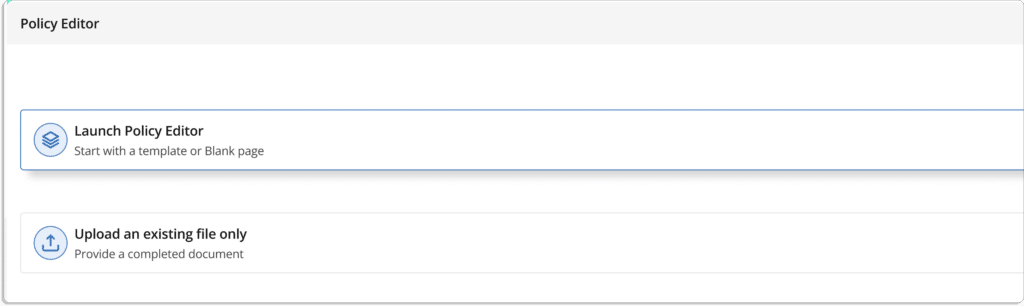
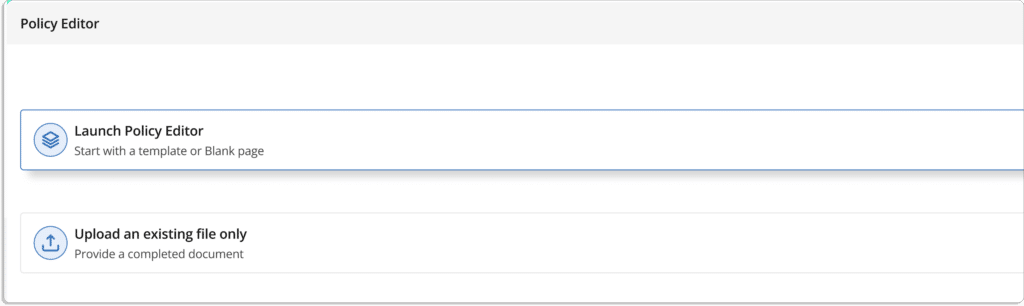
You can customize policies using the built-in editor or upload your existing policy docs on the platform.
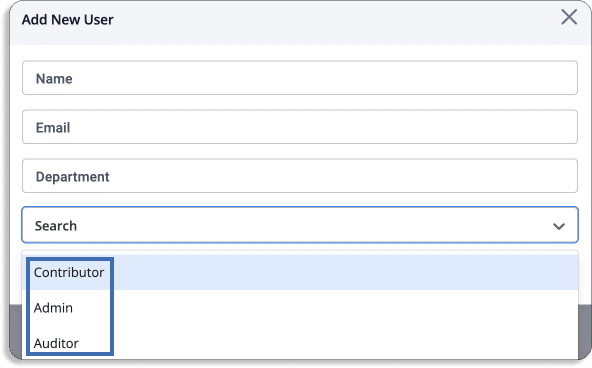
Additionally, you can manage permissions via different user types:
Contributor: Can make changes to policies but cannot publish them.
Admin: They can approve and publish policies.
Auditor: Invite auditors directly to the platform and complete your audit quickly.
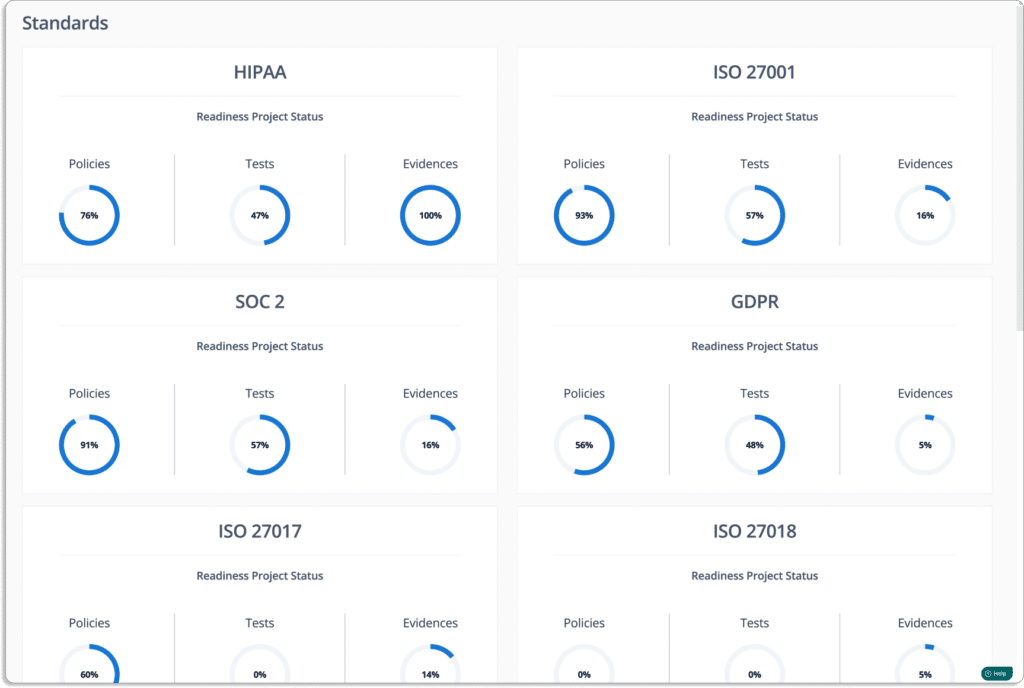
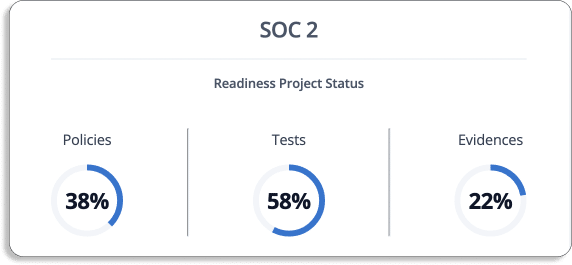
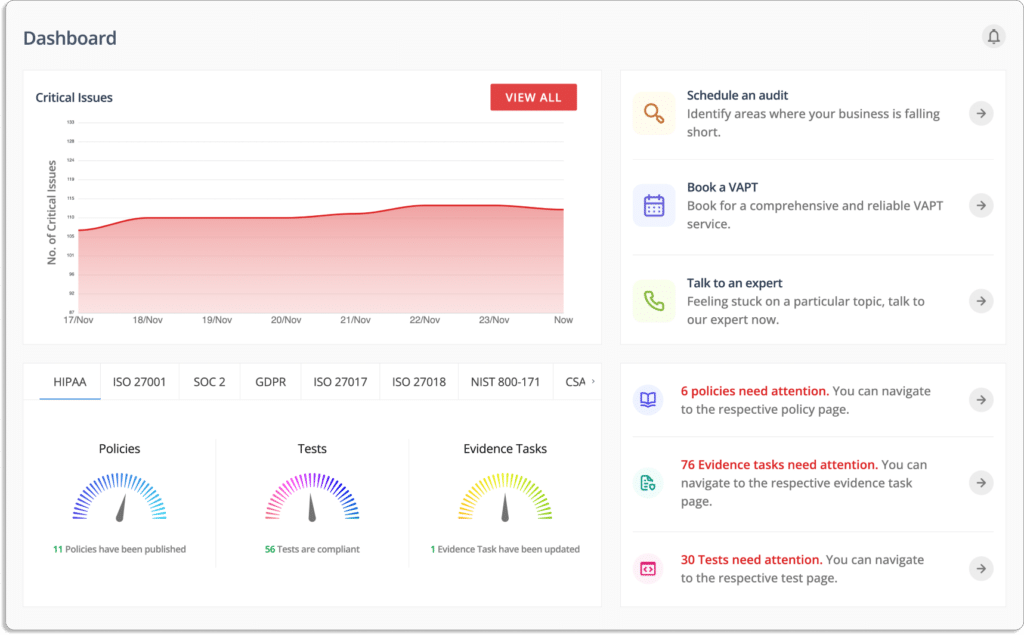
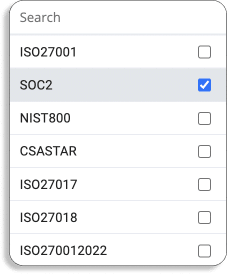
With Scrut, you can keep track of multiple compliances simultaneously, as shown in the screenshot below.
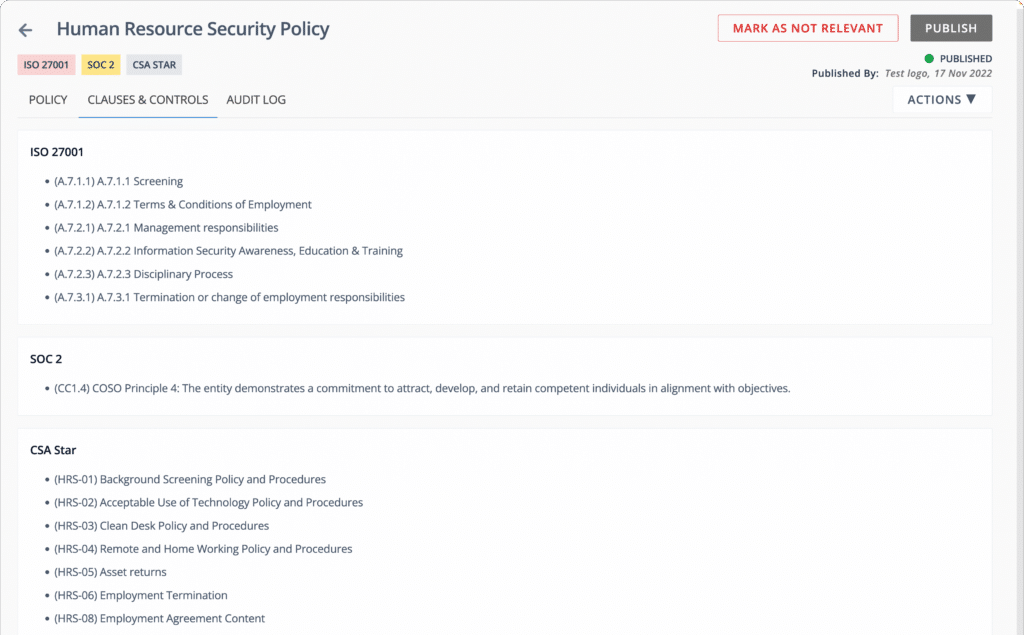
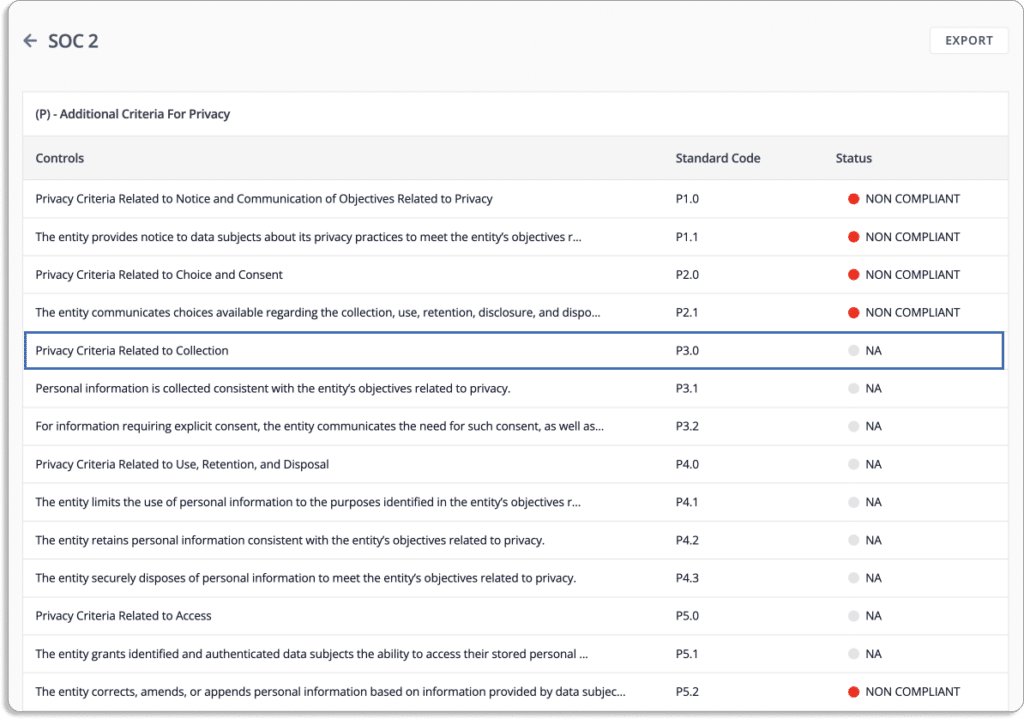
It automatically maps controls against different frameworks. This eliminates the hassle of creating new controls when you go for any new compliance frameworks, thus eliminating duplication of efforts.
Risk Management with Scrut
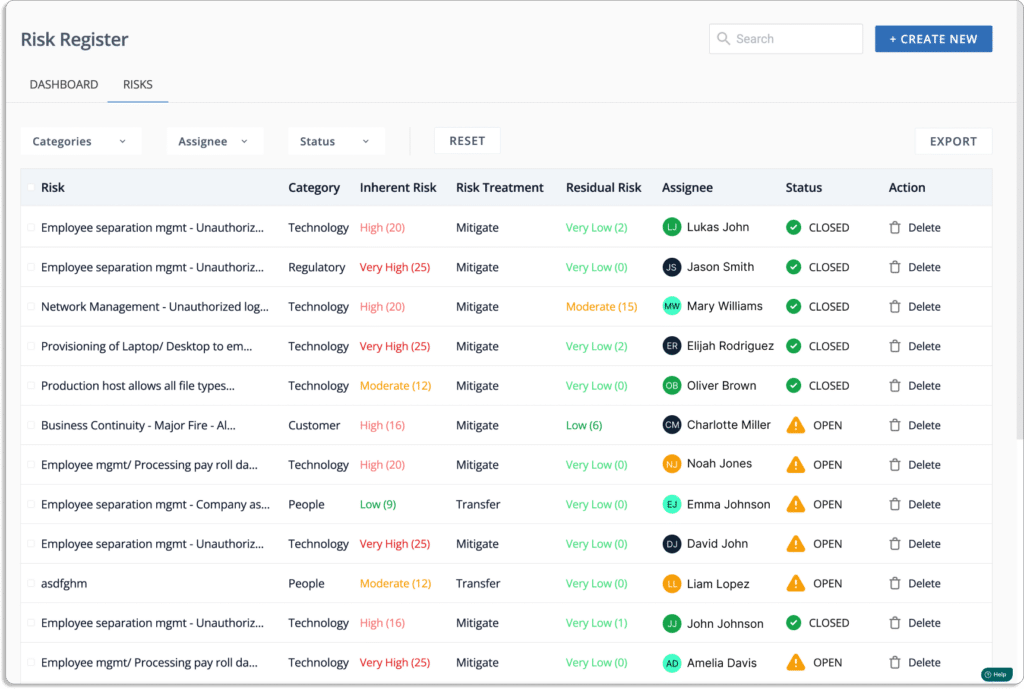
Scrut’s risk management will help you quickly build your risk register.
You can identify risks from pre-populated risks from the risk library. Scrut also allows you to build custom risks.
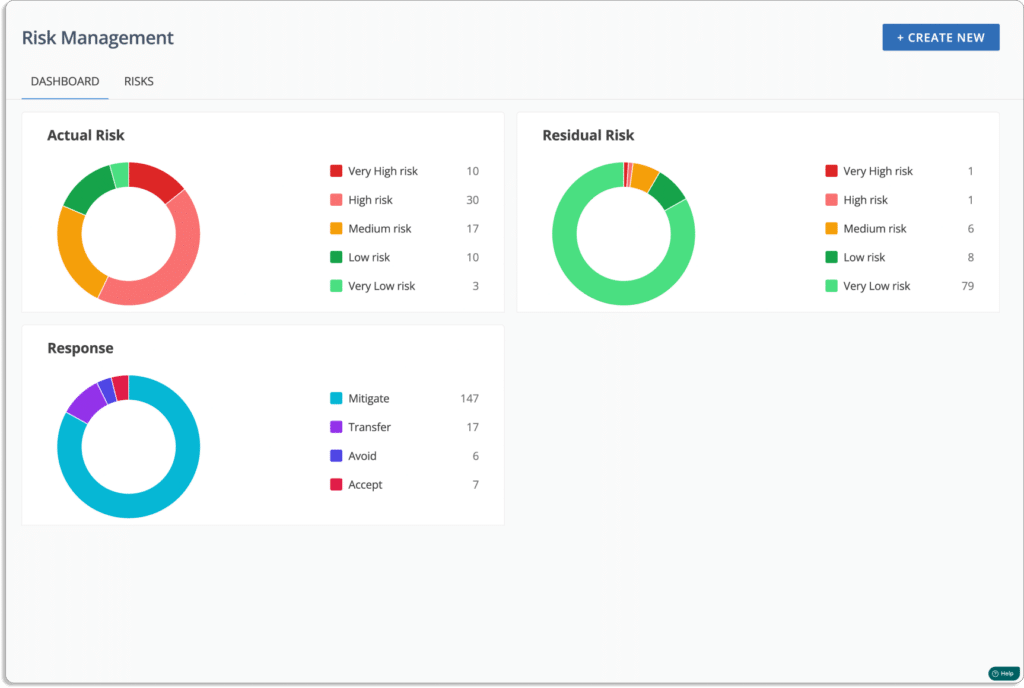
You can get a quick glance at your overall risk posture on the platform.
The platform automatically maps your risks to different controls across frameworks like ISO 27001, SOC 2, GDPR, HIPAA, and PCI DSS.
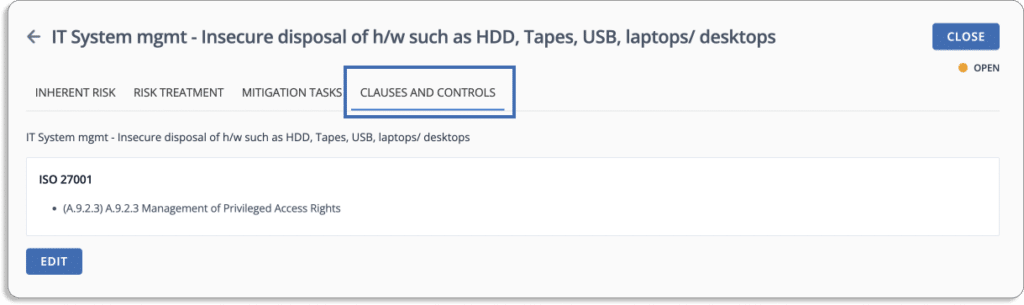
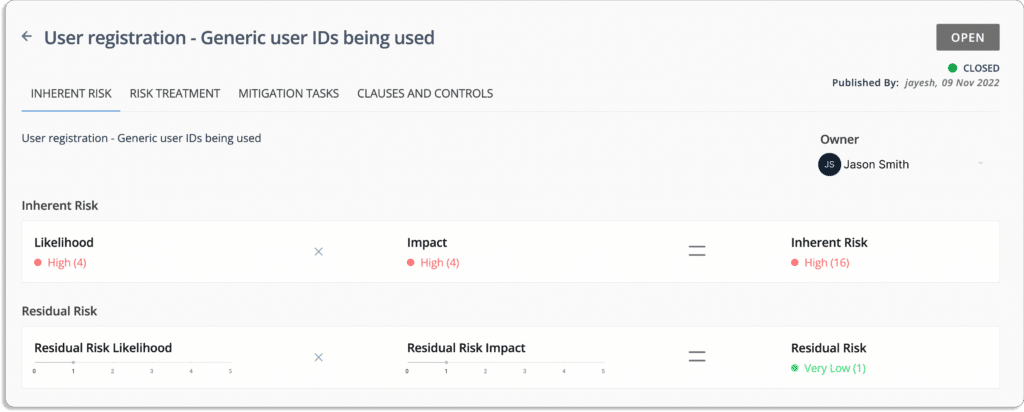
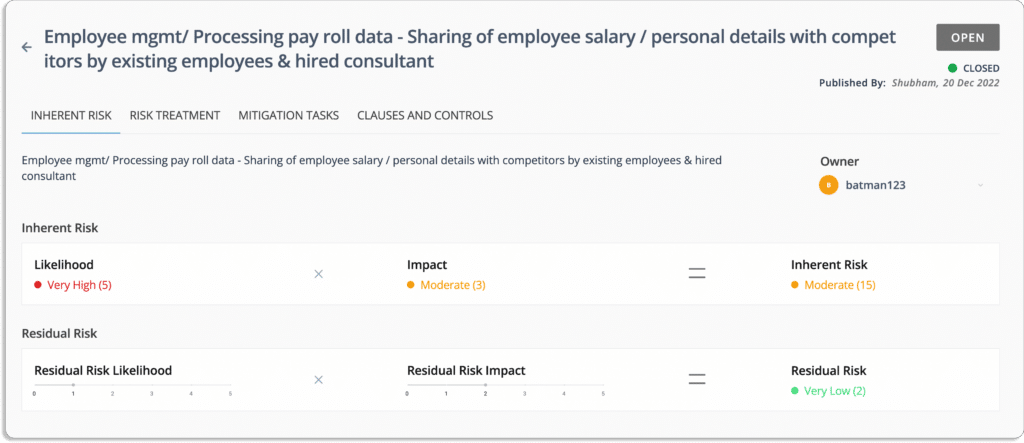
It also helps with risk scoring, treatment, and mitigation tasks. You can read more about how Scrut helps with risk management.
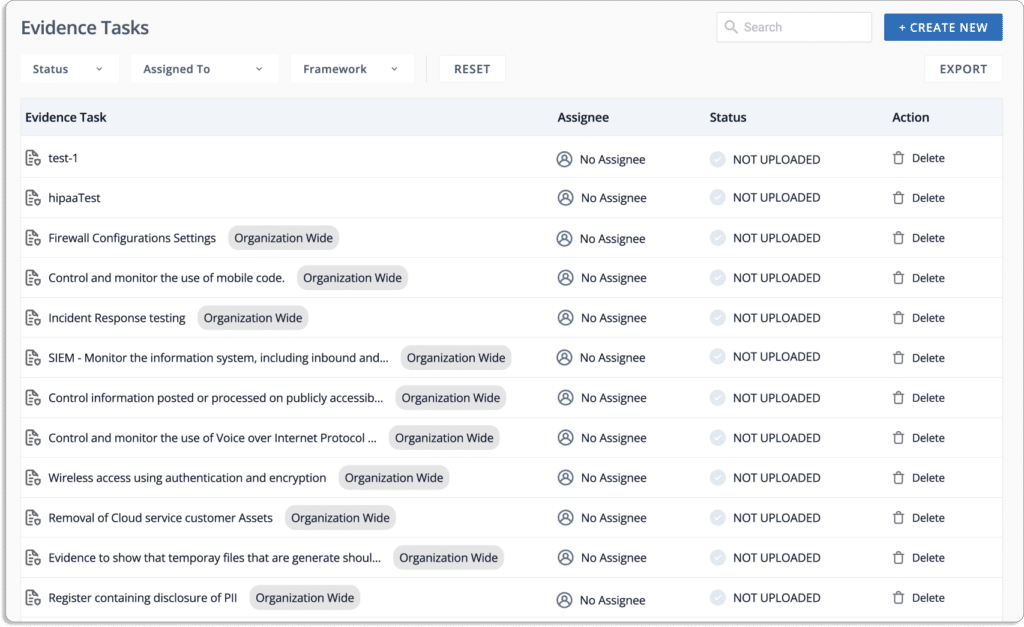
Streamline audit-related tasks and delegate ownership
Our GRC tool streamlines every task required to get audit-ready.
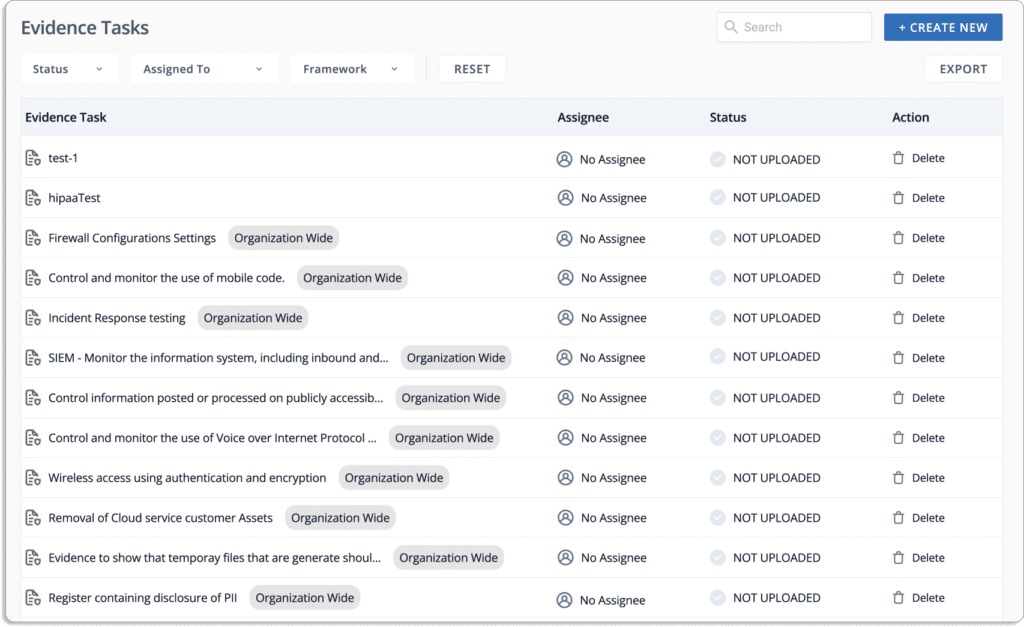
With Scrut, you can assign and keep track of tasks andhold your team accountable to complete the tasks in time.
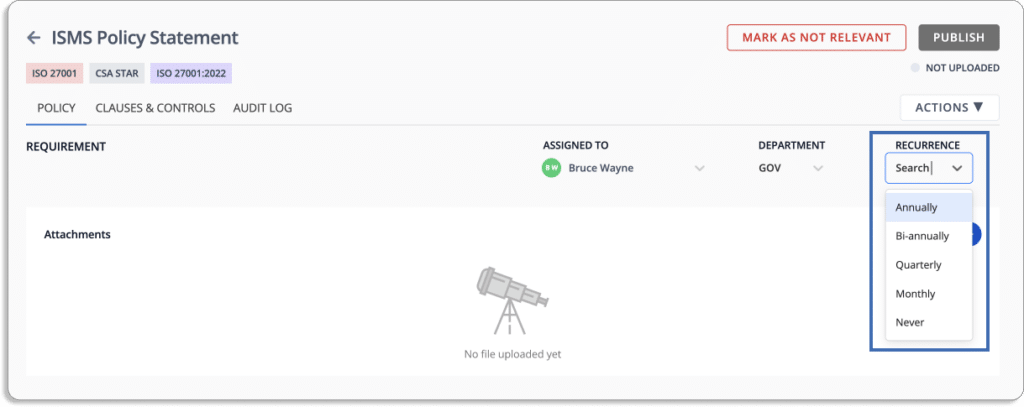
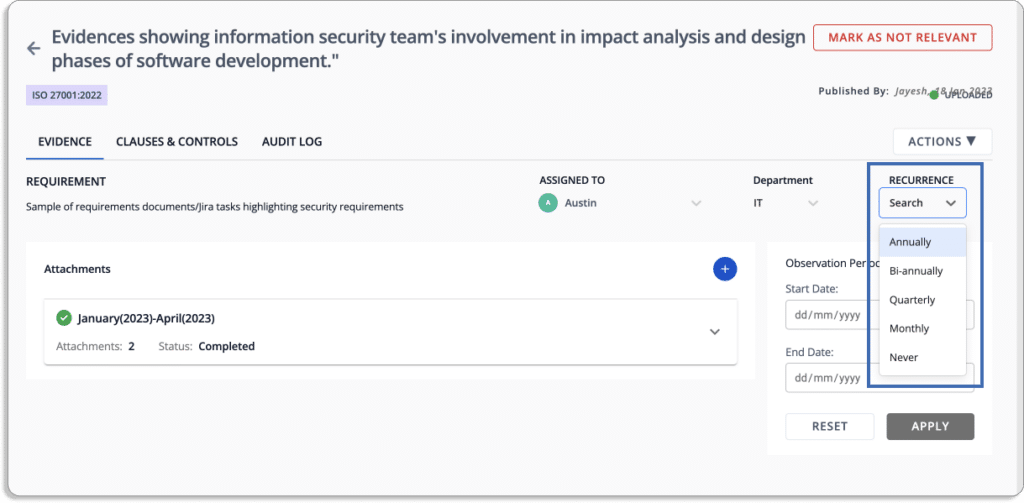
It sends reminders when a task is pending. You can choose the frequency of reminders.
For example, say your policy needs to be reviewed every quarter; you can choose recurrence as quarterly.
Or suppose you need to collect evidence every month that your security team participates in the impact analysis and design phase of software development.
So, the person responsible for updating the proof—in this case, Austin—will get a monthly reminder for the same.
Policy ownership: With Scrut, you can identify who is responsible for what policy within the organization. Further, you can assign different people to create or update policies.
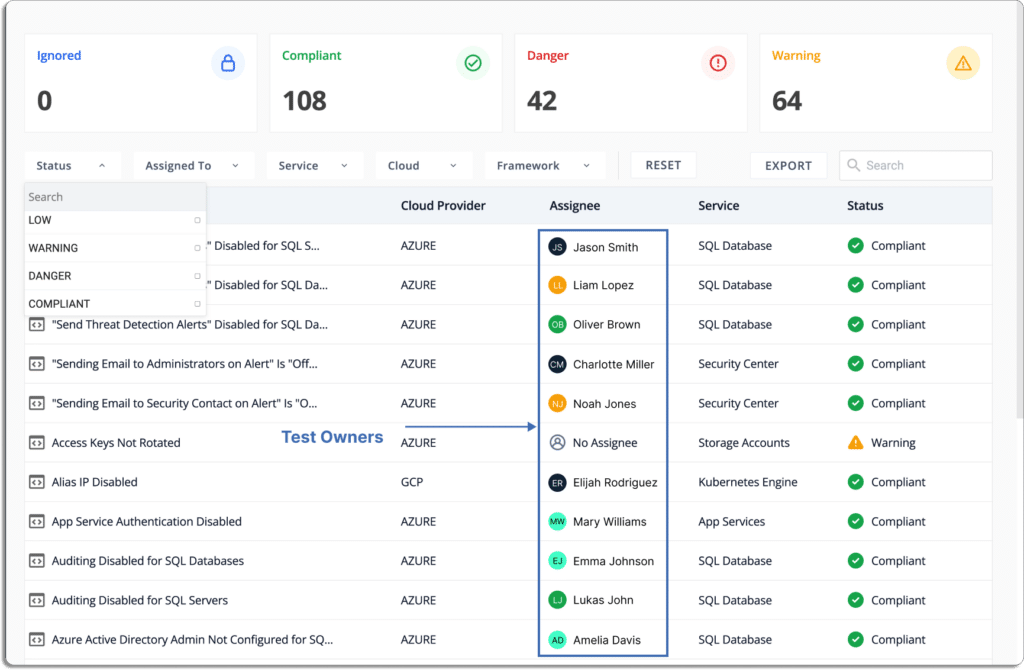
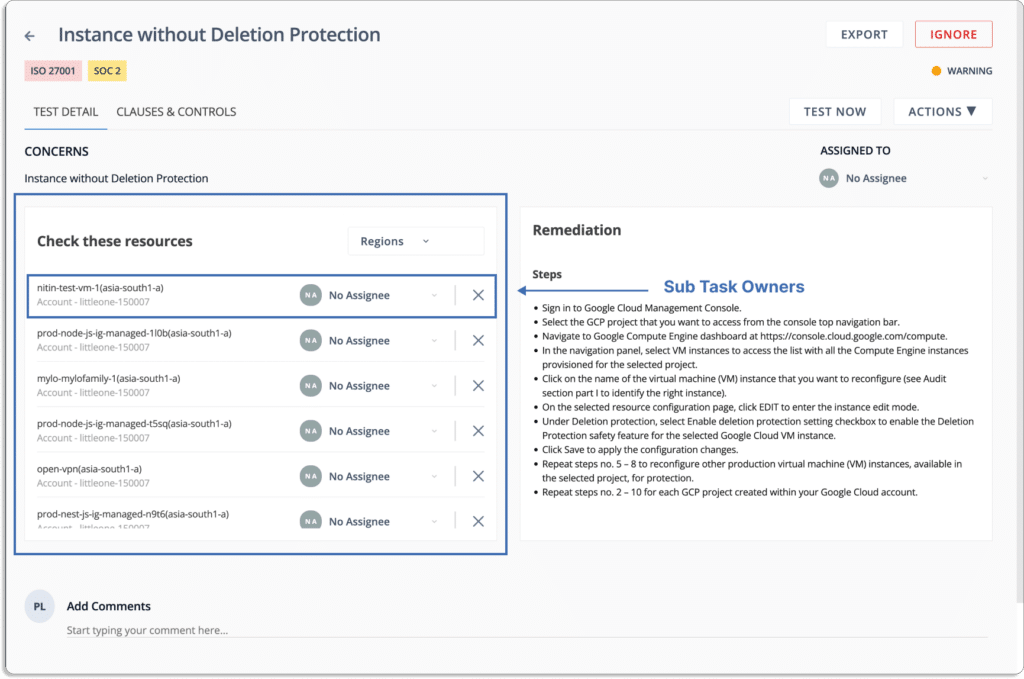
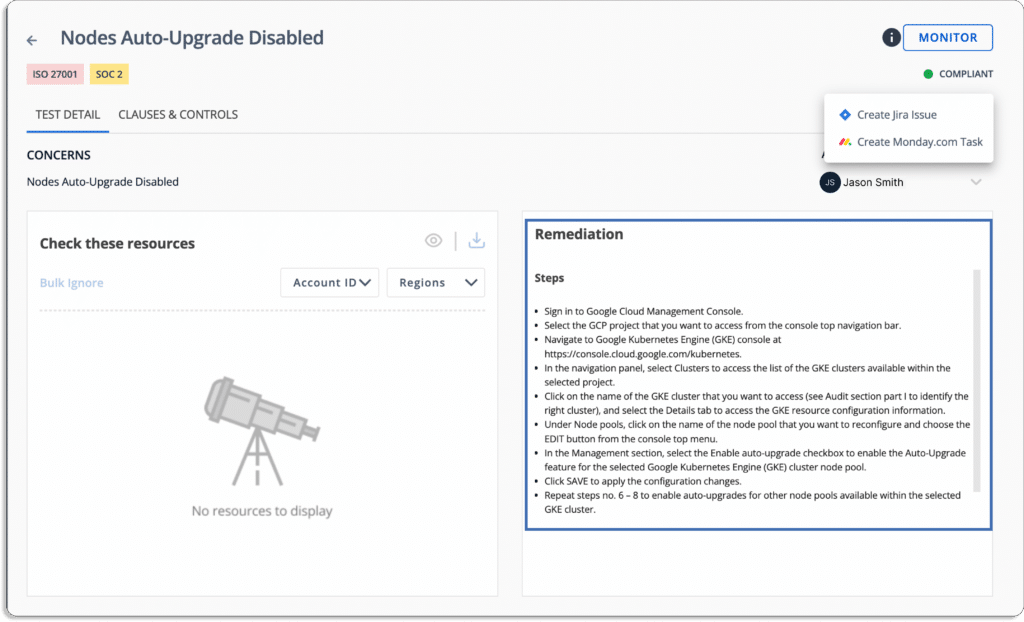
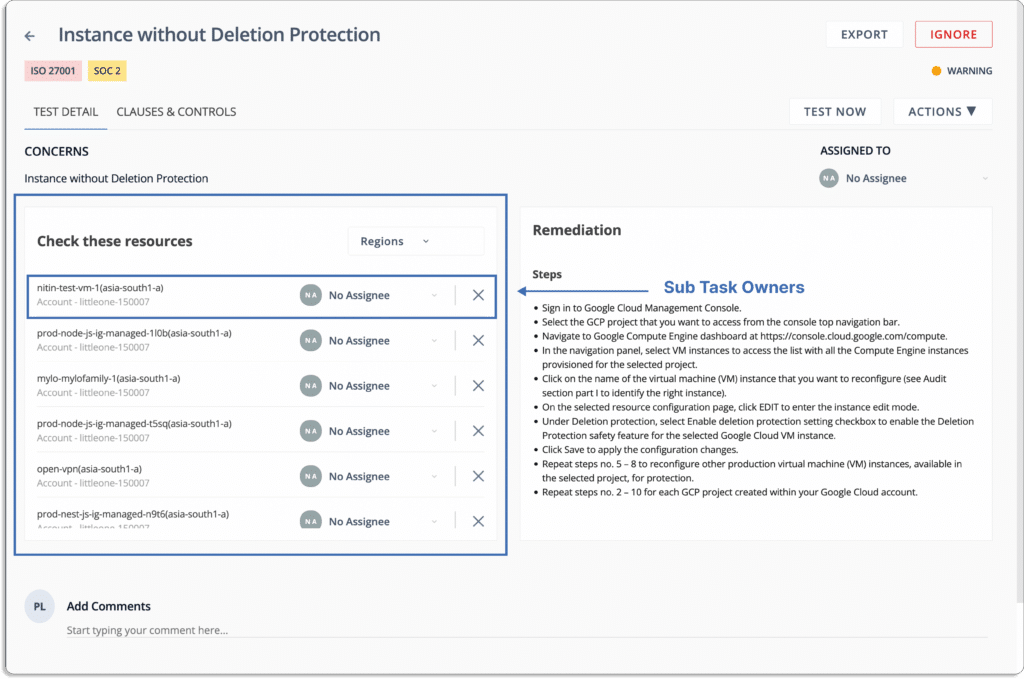
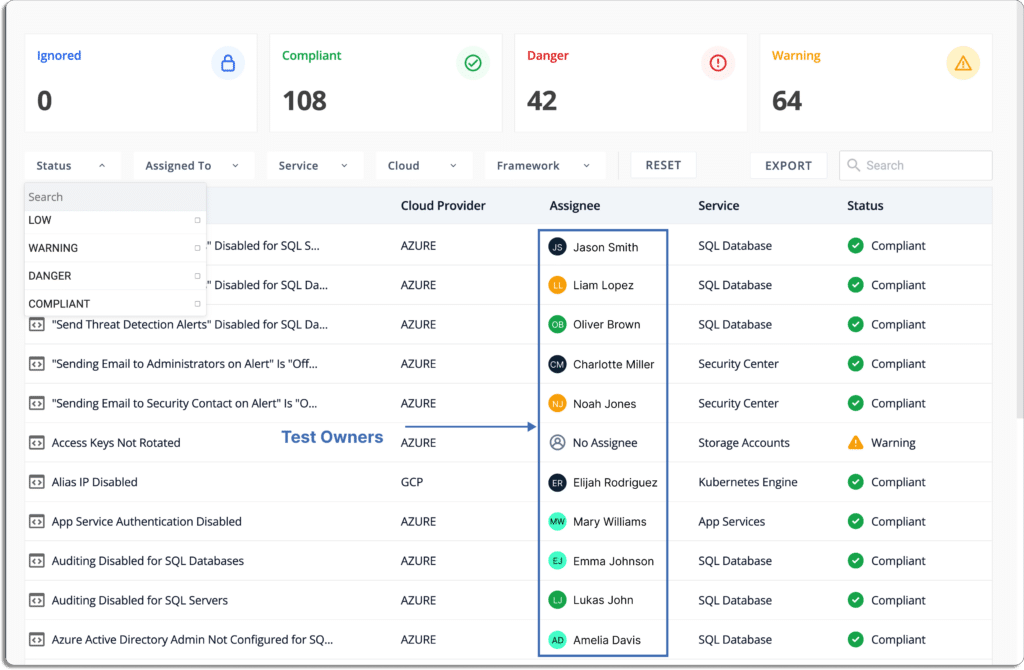
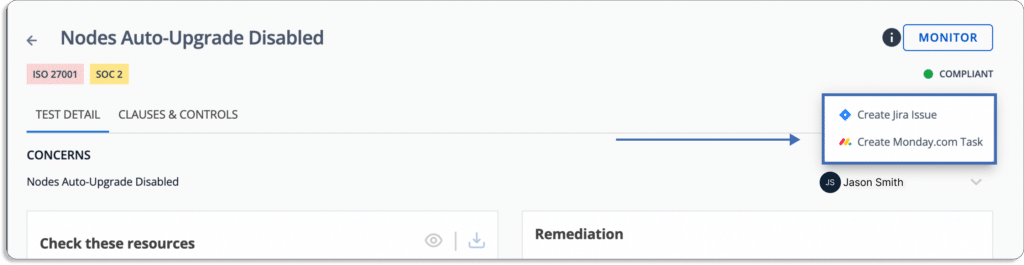
Test ownership: You can assign issues according to their criticality and monitor all their status from one place. Test Owners can be a department or team heads who can further assign tasks to their team members.
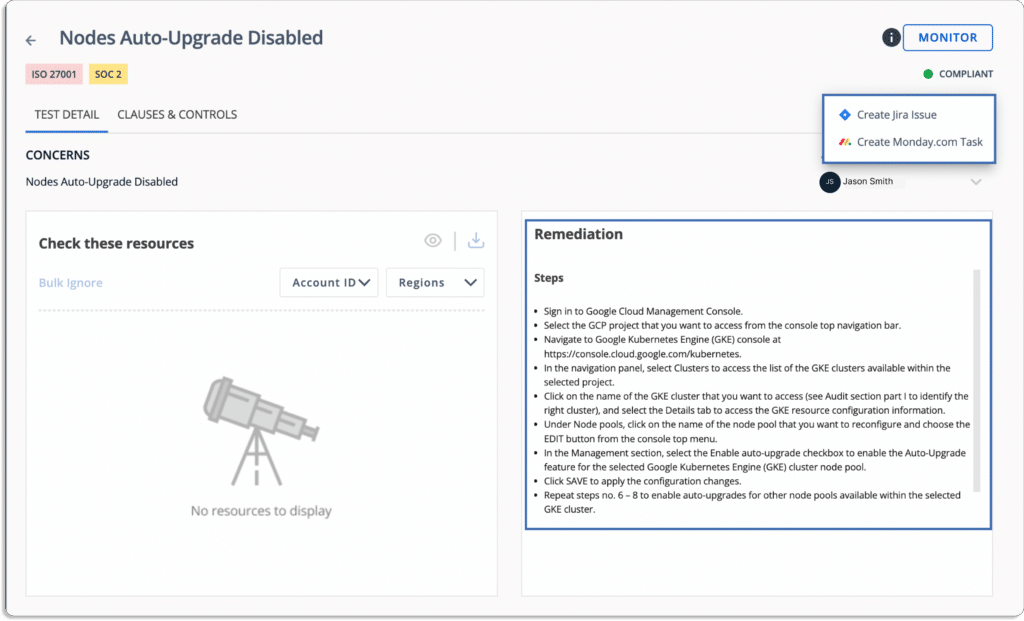
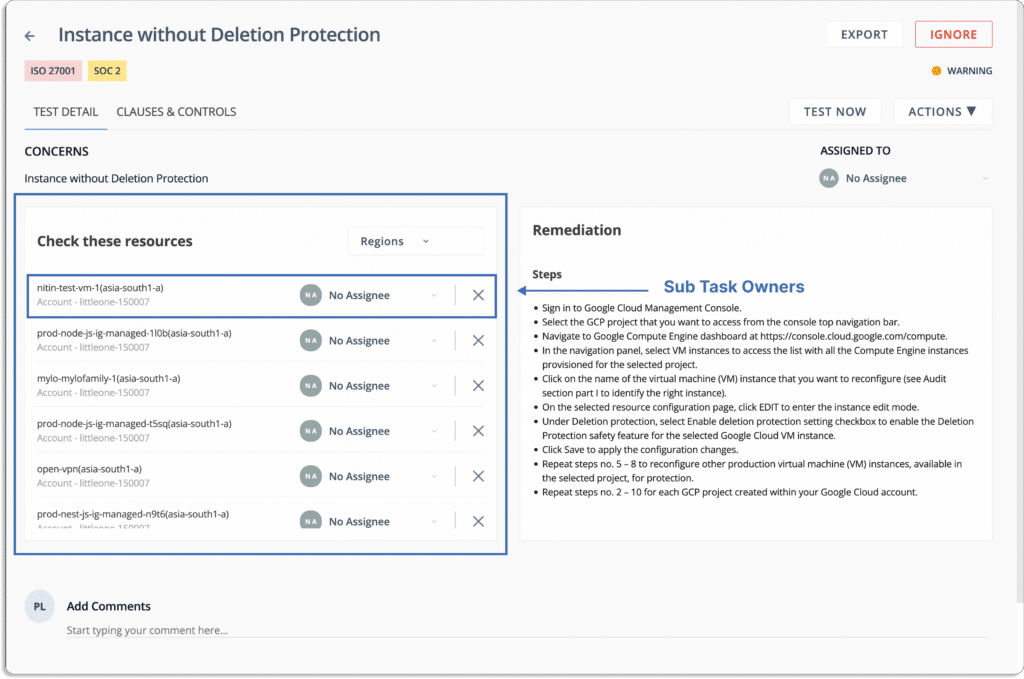
The platform provides a step-by-step guide to remediate issues. Further, each task under remediation can be assigned to a team member to resolve the issues faster.
Automate Evidence Collection: The platform integrates with more than 70 tools (AWS, GCP, Okta, Datadog, JAMF, Jira, GitLab, etc.) and helps you to automate over 70% of evidence-collection tasks and reduce manual efforts involved in the same.
It also keeps all information related to evidence in one place and that helps the auditor to quickly through them. This also eliminates the hassle of managing multiple sheets or docs for evidence.
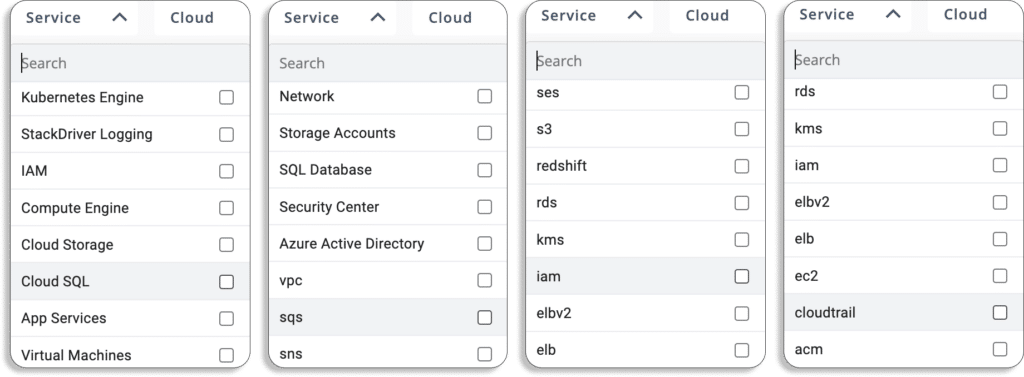
Cloud security: Scrut monitors your cloud environment across multi-cloud service providers (AWS, GCP, AWS, Oracle Cloud, IBM Cloud, and many more) providers and multi-account for misconfigurations.
It continuously monitors across 200+ cloud controls. This helps you promptly fix them before any malicious agents exploit them.
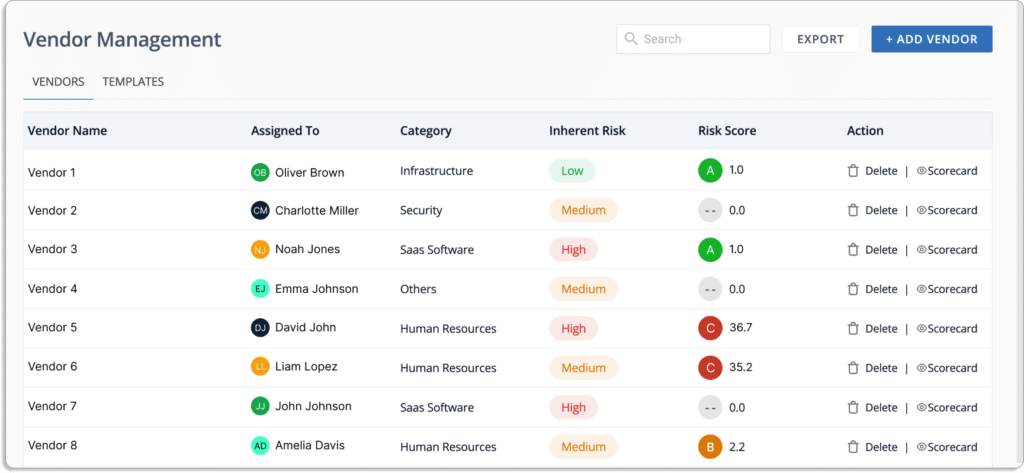
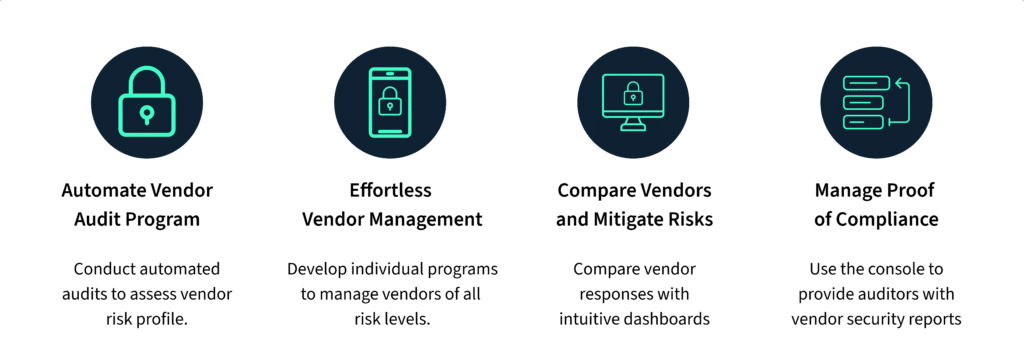
Vendor risk management: WithScrut, you can do faster, smoother, and smarter vendor risk assessments. The platform helps you develop a rapid, effective, and efficient method for evaluating, monitoring, and managing all risks related to vendors. The tool lets you easily find and understand the InfoSec posture of your vendors.
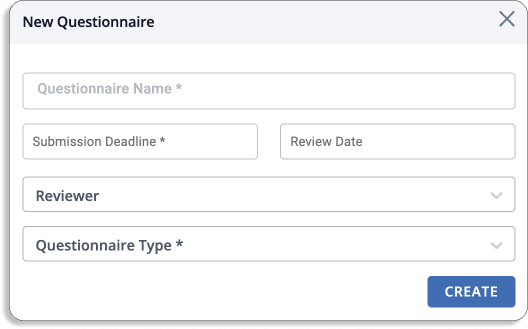
You can use pre-built templates for security questions or create your own specific to the vendor.
Further, you can invite your vendors to the platform to fill out the security questionnaires.
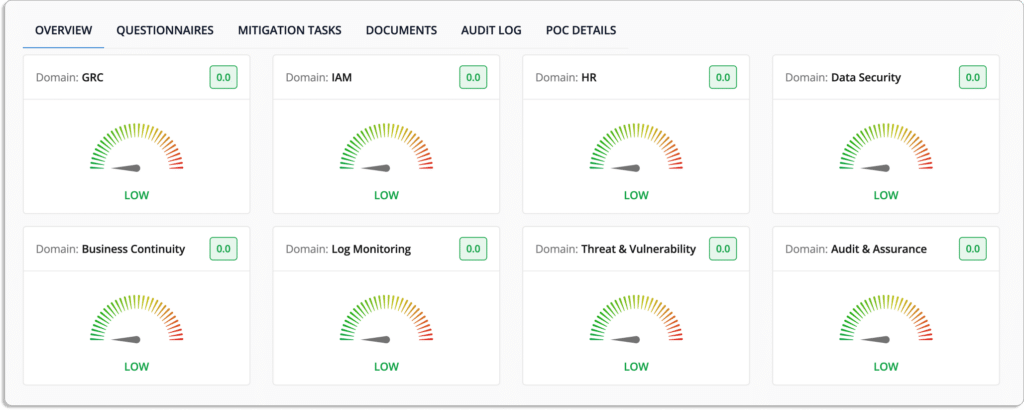
The platform also gives quick insights into your vendors’ compliance and security posture.
Key features of Scrut Vendor Risk Management
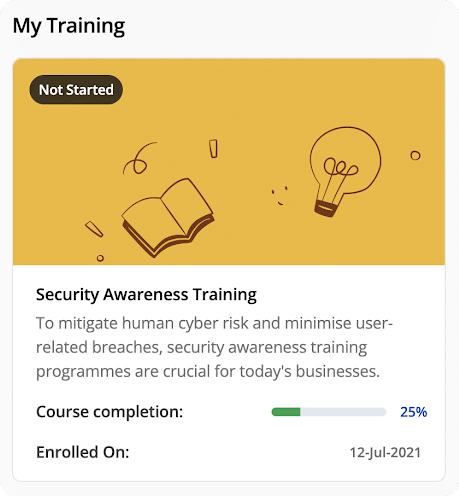
Security awareness training for employees: Scrut helps in the security awareness training task for employees through pre-built courses, documents, and automated policy assignments.
This empowers employees with everything they need to understand potential security risks and avoid making mistakes, such as clicking on phishing emails.
Scrut keeps you updated on the status of the overall training programs.
At last, you can make sure that employees have understood all the policies and guidelines, and you can set up quizzes and check their scores.
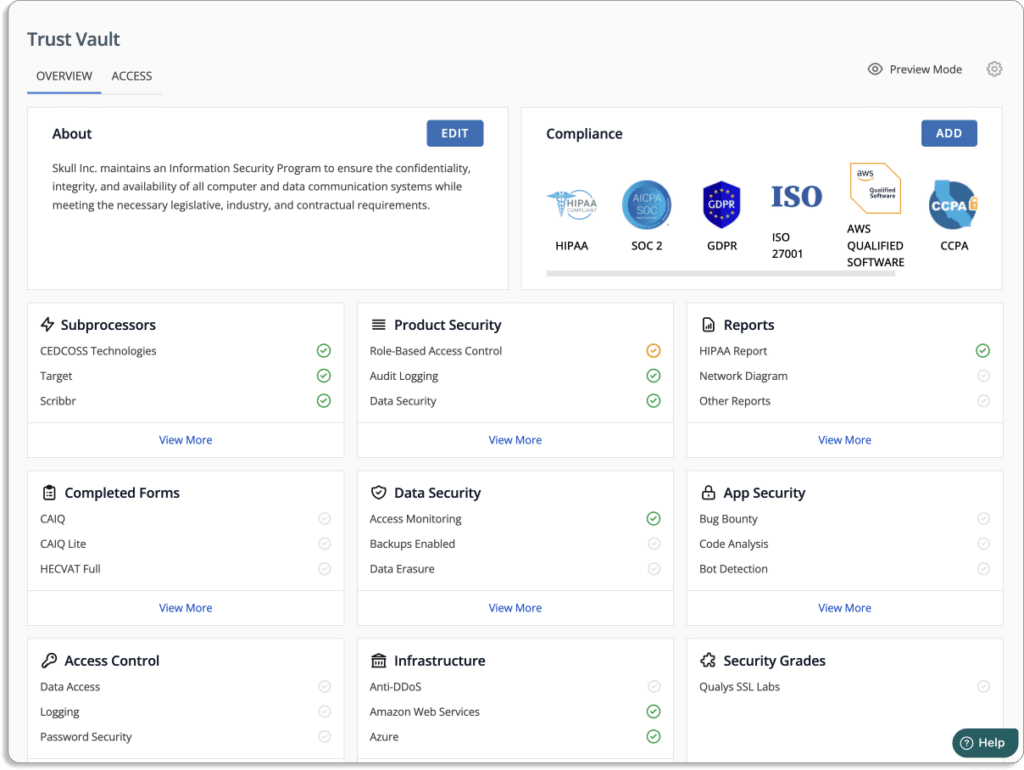
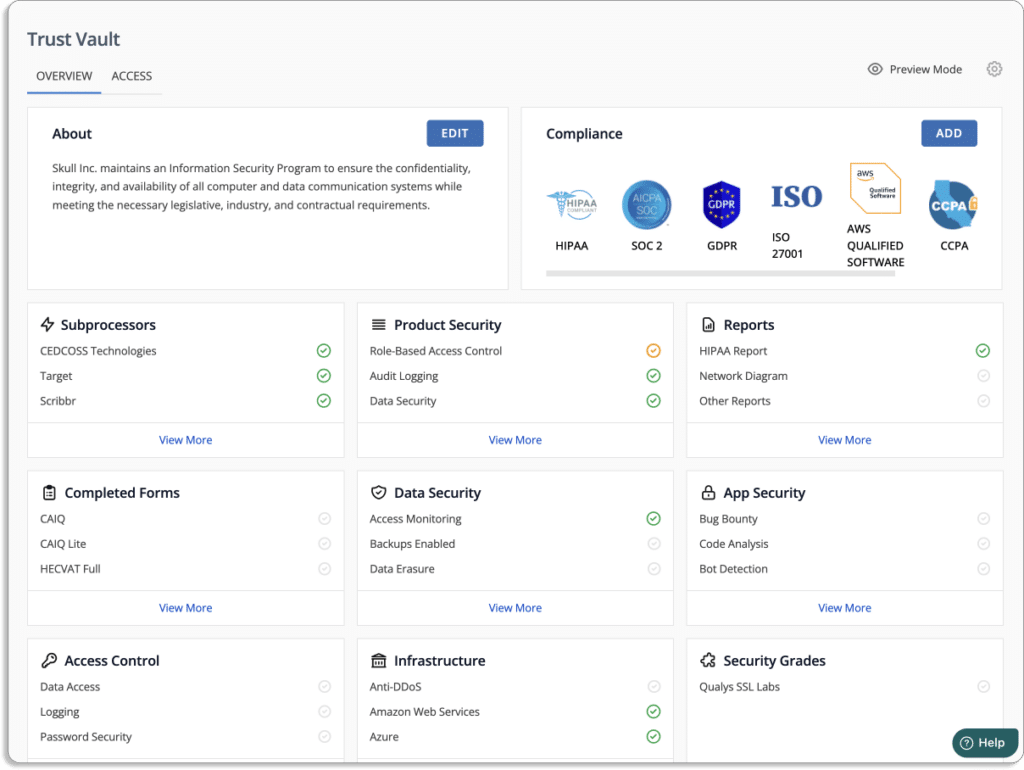
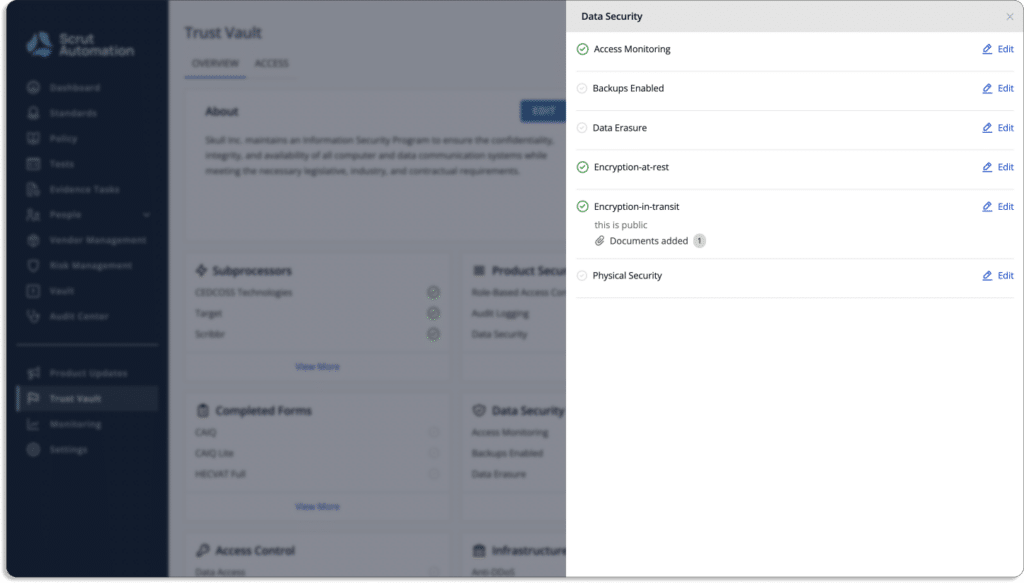
Demonstrate trust from day one: Showcase your security and compliance posture in real-time to prospects, partners, customers, and more to build trust from day one with the help of Scrut’s trust vault.
Create and share an auto-populated branded security page with Scrut’s Trust Vault to highlight all certifications and attestations like, ISO 27001, HIPAA, GDPR, SOC 2, and more. These require evidence documentation to demonstrate compliance can be stored and managed centrally in Scrut’s trust vault.
Check a few of our customer reviews on G2 below.
Customer Rating
G2- 5/5
2. Drata
Drata is a compliance automation tool that streamlines compliance workflows to ensure audit readiness while continuously monitoring and gathering evidence of a company’s security controls.
The platform provides 75+ integrations. It brings the compliance status of all people, devices, assets, and vendors into one place.
It provides automated monitoring and evidence-collection capabilities to communicate between siloed tech stacks and confusing compliance controls.
The tool provides visibility into your security control and posture through actionable insights, alerts, and reports.
The platform enables users to work with a network of pre-vetted auditors. It streamlines the audit experience by providing continuous platform enablement.
Pros
Assists in implementing systems and processes and identifying gaps.
The control suite and monitoring reduce the cognitive load required for compliance, allowing users to focus on developing the product.
Cons
Slow synchronization with AWS takes a longer time to make changes in the environment.
It lacks some integration features that can connect with auditing systems to pull out data from the platform.
Customer Rating
G2- 4.9/5
3. Tugboat Logic
Tugboat Logic creates and manages an entire information security program by automatically defining security policies, responding to RFPs, and providing proof of compliance to build customer trust.
The platform keeps your company secure by responding to due diligence questionnaires and completing audits. The tool helps you scale your business by automating your compliance journey and replacing your manual effort to find security talents for securing your organization.
It has a pre-built library of over 40 policies to create an infosec policy efficiently and quickly.
Pros
Tugboat’s machine learning suggests answers that allow users to repurpose previously answered questions.
The tool provides automatic evidence collection with integrations.
Cons
There is no feature to send individual reminders to the InfoSec team.
It takes manual effort to unlink similar policies and controls, duplicate processes where necessary, and map them to the appropriate readiness project.
Customer Rating
G2- 4.6/5
4. Vanta
Vanta is an efficient compliance automation tool that assists businesses in scaling security practices. It streamlines an organization’s compliance automation journey with the industry’s most sought-after standards, including SOC 2, ISO 27001, HIPAA, GDPR, and other critical security and privacy frameworks.
The tool continuously monitors your systems to improve your security posture.
It supports privacy frameworks with guided scoping, policies, controls, and automated evidence collection. The tool continuously monitors your system to be audit ready or prove attestation quickly.
Pros
Vanta controls, dashboards, and alerts are extremely helpful in keeping compliant rather than experiencing workload spikes.
The platform connects to all development systems, such as GCP and GitHub, saving a significant amount of manual testing and logging work.
Cons
Vanta alerts cannot be sent to a specific email address, such as a ticketing system or a Slack channel.
The platform’s document does not contain the same templates, samples, and other resources.
Customer Rating
G2- 4.7/5
5. Hyperproof
Hyperproof is an all-in-one solution for understanding compliance requirements, managing internal controls, defining ideal compliance processes and workflows, automating manual tasks, and monitoring compliance posture.
You can get a unified view of your risk management and compliance activities with organized and automated workflows.
The tool integrates with various services across cloud storage, cloud infrastructure, project management, security, DevOps, and business applications so that the compliance process can fit seamlessly into your existing workflows.
Pros
The tool works efficiently in the distributed environment of the organization.
It provides SaaS integrations to automate evidence collection for the management of the security program.
Cons
With Hyperproof, it is challenging to maintain a smoother continuous monitoring posture.
Hyperproof doesn’t have in-built employee security training courses, unlike other GRC platforms like Scrut.
There is no in-line editor in Hyperproof for editing policies on the platform. This means if you want to change or update any of your policies, you need to change it outside the platform and then upload it back on the platform.
Customer Rating
G2- 4.5/5
6. AuditBoard
AuditBoard assists users in bringing together people, risks, and insights to keep up with today’s demands and improves business resilience.
It automates processes and improves execution with a purpose-built solution to address today’s practitioners’ most pressing challenges.
AuditBoard is an efficient cloud-based technology that is revolutionizing how businesses manage risk. The tool has a streamlined integrated suite with simple audit, risk, and compliance solutions capabilities. It also provides organizations with efficient internal audits, SOX compliance, controls management, risk management, and security compliance.
The platform provides the connectedness, visibility, and efficiency you need to stay ahead of today’s risk environment.
Pros
The platform is highly customizable and allows organizations to add business-specific data.
The tool provides templates to help users to adjust their current practices.
Cons
Doesn’t allow editing data in survey templates.
The platform is difficult to customize.
It is challenging to start new controls from an administrator’s side. For example, adding a control only adds to a list of available controls in the admin section.
Customer Rating
G2- 4.8/5
7. Sprinto
Sprinto helps to automate security and compliance programs by integrating seamlessly with your cloud environment to consolidate risk and map entity-level controls. The platform goes to great lengths to ensure compliance and prompt remediation – all in real-time.
It allows users to work with a pre-approved, audit-friendly, and customized security compliance program.
Pros
Sprinto manages everything for compliance, from policy documentation to SOA. The platform handles all of the auditor conversations on the user’s behalf.
The tool helps users to stay compliant at all times by providing real-time control and gaps overview.
Cons
User experience is inconsistent throughout and, as it can be tough to navigate at times.
There is no employee assessment after the security training process.
Expensive compared to many other platforms.
No module for vendor risk management.
Customer Rating
G2- 4.9/5
8. ServiceNow GRC
ServiceNow is a governance, risk, and compliance platform that helps businesses break down barriers to manage risk and increase compliance across the board.
The tool transforms your organization with digital IT workflows and modernizes your business activities to optimize cost and productivity.
It reduces errors by increasing productivity with automated workflows and artificial intelligence technology.
Furthermore, it provides continuous monitoring and dashboards for real-time visibility of compliance programs.
Pros
You can create internal workflows for resolving issues and incidents with this platform.
It provides many categorizations and an intuitive dashboard for users.
Cons
It’s not easy to customize tasks on this platform.
The overall module is difficult to understand for users.
No option to edit comments made on incidents/cases/changes.
Customer Rating
G2- 4.3/5
9. Secureframe
With Secureframe, you can quickly achieve and maintain continuous security and privacy compliance—including SOC 2, ISO 27001, PCI DSS, HIPAA, GDPR, CCPA, and others. The platform automates and simplifies adherence to the most stringent global privacy and security standards.
The tool sends alerts and reports that notify you about crucial vulnerabilities so you can quickly take necessary actions to fix issues and stay compliant.
Pros
Users can choose auditors as per their choice.
Allows you to easily track where you and your team are at any point in the process.
Cons
The tool generates many errors with little information on how to resolve them. For example, it reports an issue with the X Amazon tool in a region but does not specify which areas are affected.
Absence of auto-reminders and evidence collection for integrated services.
Customer Rating
G2- 4.6/5
10. LogicManager
LogicManager is the SaaS-based enterprise risk management software that enables organizations to plan for the future, protect their reputations, and improve business performance through strong governance, risk management, and compliance.
This tool’s flexible and intuitive GRC software manages your organization’s risk management efficiently. It offers a robust GRC experience built with industry-standard technology to keep your organization compliant and competitive.
Pros
Users can easily createlibraries, workflows, and surveys.
Cons
The annual risk assessment process is inefficient to maintain while keeping historical data from the previous year’s risk assessments and due diligence requirements.
There is no undo feature.
Customer Rating
G2- 4.4/5
11. LogicGate
LogicGate Risk Cloud tool employs automation to track and respond to issues proactively, providing insights and best practices along the way. It also assists you in making sense of the regulations that apply to your business and establishing processes to ensure compliance.
Pros
Generate forms to automate, collect, and store information and responses required for events and locations.
Easy to create workflows.
Cons
There are minor possibilities with access entitlements in table reports.
Customization takes a lot of time compared to other platforms.
Customer Rating
G2- 4.6/5
12. Laika
Laika’s automated workflows, compliance templates, and teams help you get certified and pass enterprise security assessments faster.
Using this tool, you can build programs to meet the standards of your customer’s expectations. After each audit, you can track the progress in Laiks’s dashboard.
Pros
Users can use the policy management system as the authoritative source for all of the company’s policies.
Cons
Some features, such as the in-app editor, are difficult to use.
Occasional glitch.
Customer Rating
G2- 4.8/5
13. Riskonnect
Riskonnect GRC software consolidates everything you need to manage risk and compliance into a single location, allowing you to see what you’re up against, how everything interrelates, and the full impact on the organization.
Pros
It provides customizations and configurations to connect with different systems in your organization.
Cons
There is no replicating features to add reports, replacing users’ manual effort.
Administrator’s features are non-intuitive.
Customer Rating
G2- 4/5
31 Jul 2022
11minutes
Authored by
Aayush Ghosh Choudhary
Co-founder & CEO at Scrut
Ultimate guide to CAASM
Today, security teams are burdened with many different security tools, such as network security tools, endpoint security tools, CSPM tools, IAM tools, and many more.
Though each of these tools solves a particular use case, it requires security teams to juggle between various tools, which is not only an inefficient way. Further, none of these solutions don’t give you complete visibility into your security issues.
These point solutions are not connected with each other, thus security teams don’t have context into which issues to mitigate or remediate first.
You cannot secure your organization unless you have visibility into all your cyber assets, not just endpoints or devices.
CAASM solves this issue by giving you complete visibility into your IT environment. Moreover, it helps prioritize what issues to work on first based on the impact of potential breaches.
CAASM solutions enable your security and IT teams to consolidate your existing point solutions and data into a unified view of the entire cyber asset universe.
According to Gartner, cyber asset attack surface management (CAASM) is an emerging technology that provides security teams with continuous asset visibility and helps them solve vulnerability issues.
What is CAASM?
To understand CAASM, we first need to understand:
The definition of modern cyber assets
What is an attack surface
So, let’s see what these are.
What is a cyber asset?
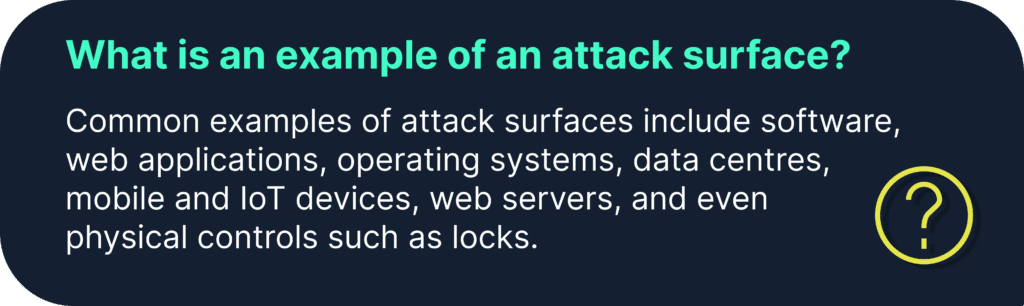
Any cyber asset that can give a cybercriminal an entry point in your IT infrastructure (also called as attack vector) act as an attack surface.
These assets include all physical and software-defined components of an organization, for example, code repositories, SaaS applications, different instances running in your cloud environment, IAM policies, websites, software, licenses, etc.
Generally, you can classify your cyber assets into the following three types:
Known assets: All the assets that you already know about come under known assets. These assets were traditionally managed by security teams and visible to them by default. It includes all the assets in your asset inventory, such as websites, servers, and other dependent assets running on them.
Unknown assets: These assets are beyond the purview of security and IT teams. There will always be unknown assets that introduce flaws into the attack surface. This includes shadow IT or abandoned IT infrastructure that has developed without the knowledge of the IT security team. It is difficult to capture asset details of this type of assets for a growing business without the proper processes and tools.
Rogue assets: These include malicious infrastructure created by cyberattackers for their own benefit—for example, typosquatting domains, new websites, or mobile apps that impersonate your assets.
Apart from this, risks may originate from assets not directly under your control, for instance, assets of your partners or vendors.
Equifax is a credit monitoring company, and a vendor breach cost them $1.38 billion in 2017.
The hackers exploited a vulnerability in Apache Struts (an open-source platform used for building web apps) to get access to sensitive data (i.e., name, social security number, date of birth, address, driving license and verdict card number) of approximately 147 million users.
Unlike traditional cybersecurity solutions, CAASM is not limited to just devices, servers, applications, endpoints, or users. This is because all of these can give hackers access to your systems, which brings us to our next point.
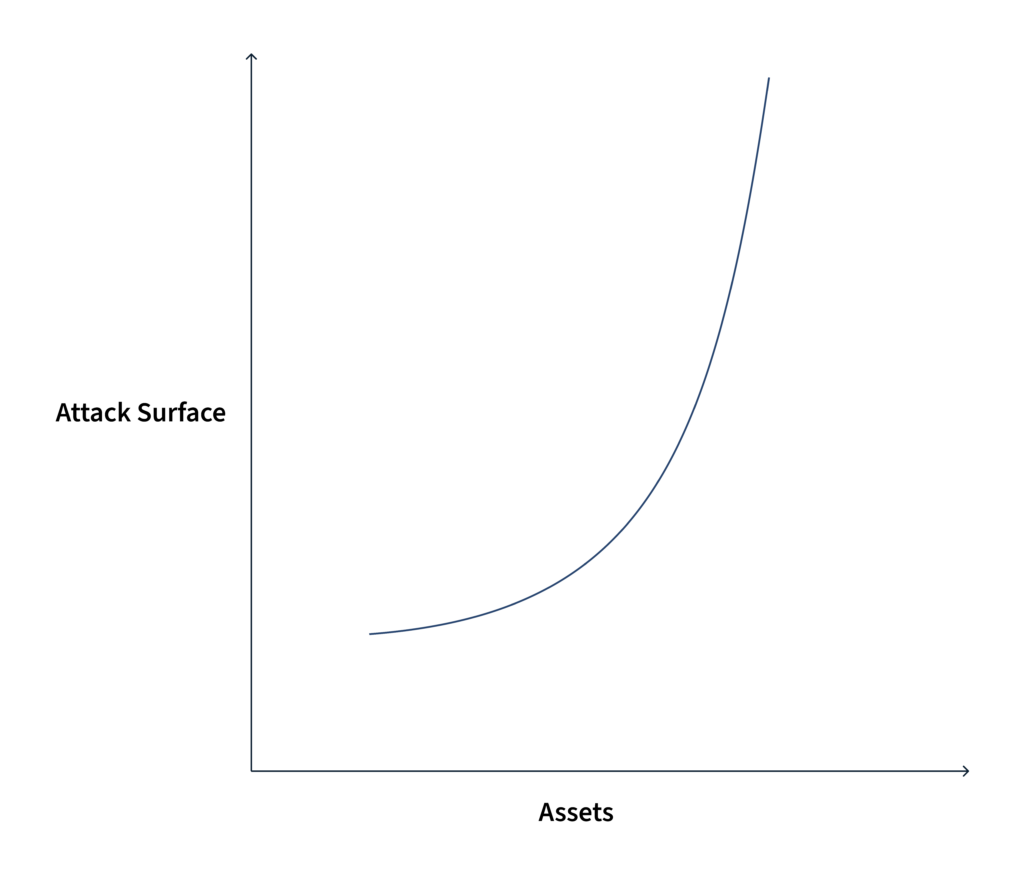
What is an attack surface?
The higher the number of assets you have, the larger your attack surface would be.
Now that we understand an attack surface and how it increases vulnerability, let’s learn more about attack surface management.
What is cyber assets attack surface management?
Attack surface management is the process of preventing and mitigating risks from all your cyber assets. It includes continuously detecting, monitoring, and managing all internet-connected internal and external assets for potential attack vectors, exposures, and risks.
Key Benefits of Implementing CAASM
CAASM solutions reduce the security complexity of organizations and simplify the implementation of security programs.
1. Get a real-time view of all your asset inventory
CAASM solutions help security teams to get a complete inventory of all internal and external cyber assets via API integrations with other tools already existing in the organization.
The number of cyber assets in a mid-size organization (employees size 200 – 1000) goes in tens of thousands, making it challenging to keep up with an up-to-date inventory.
CAASM is a complete, credible, up-to-date solution to build and track your asset inventory. It automates your asset inventory management and provides a centralized dashboard with every detail.
Other tools have failed at this.
Traditional solutions like spreadsheets are not enough for creating and maintaining modern asset inventory due to their fast-changing nature. The sheer volume of cyber assets in organizations today makes it impossible for these solutions to build an updated asset inventory.
Other issues with these traditional (often agent-based) tools are that they are not only difficult to deploy but are liable to many issues, like being disabled or can become corrupted. This will lead to inaccurate data.
Another problem is that they are point-in-time solutions, which means, they represent a snapshot of a particular time and miss transient assets information.
The reasons why it’s difficult to do with age-old tools made for on-prem world are:
As the attack surface is constantly changing due to the adoption of the remote work environment, security teams need to be aware of all the cyber assets in the organization to prevent data breaches. The number of assets changes very rapidly. So, it’s high time we need a real-time monitoring solution.
These age-old tools are incapable of discovering shadow IT, for example, SaaS apps. Many companies now store their customers’, employees’, IP, and other sensitive data in SaaS applications. So, you also need an inventory of SaaS apps, not just devices. As we have seen in the above sections, the modern definition of cyber assets includes code repositories, mobile devices, etc.
2. Quick answers to your security questions
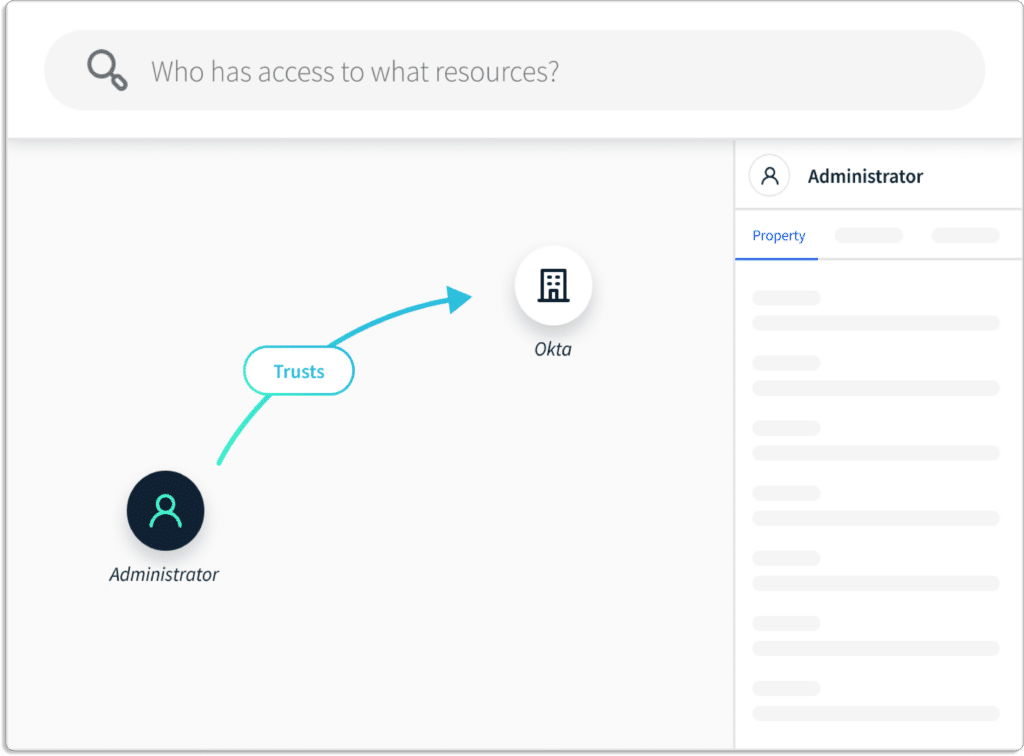
CAASM tools automatically discover cyber assets and provide a unified view of all the assets. They consolidate data of assets from different tools, allowing you to query across all data sources.
Furthermore, CAASM tools enable organizations to ask questions that extend various data sources. Security and IT teams can work with the same data set by integrating data from several sources into a single consolidated view.
It helps you get answer of questions like with single pane of glass:
What are your most risky cyber assets?
What accounts in your cloud environment are most vulnerable?
How a potential vulnerability can be exploited to cause damage to other assets
Total count of known and unknown cyber assets in your organization
Blast radius for vulnerable cyber assets
You can plan how to respond to a security breach incident with these questions.
3. Eliminate screen and alerts fatigue
CAASM platforms eliminate the hassle of going through multiple security tools. They consolidate data from different sources into one centralized dashboard and reduce the effort and attention required to see information in multiple tools.
The CAASM tool is your single source of truth for all the information you need to understand your organization’s security and compliance posture.
CAASM solves the challenges of too many tools, too many alerts, and too little time.
Currently, security teams face the problem of multiple sources of risks from various security tools. Hence it is difficult to prioritize these risks due to a lack of context.
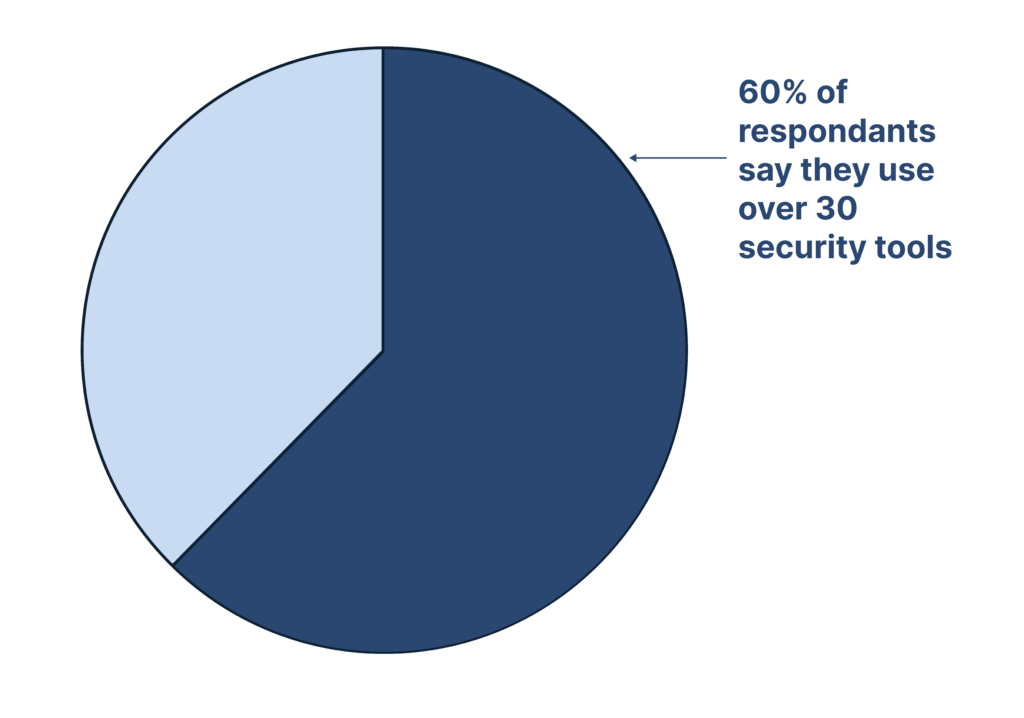
According to an IBM survey, approx 60% of companies have more than 30 security tools–a huge number.
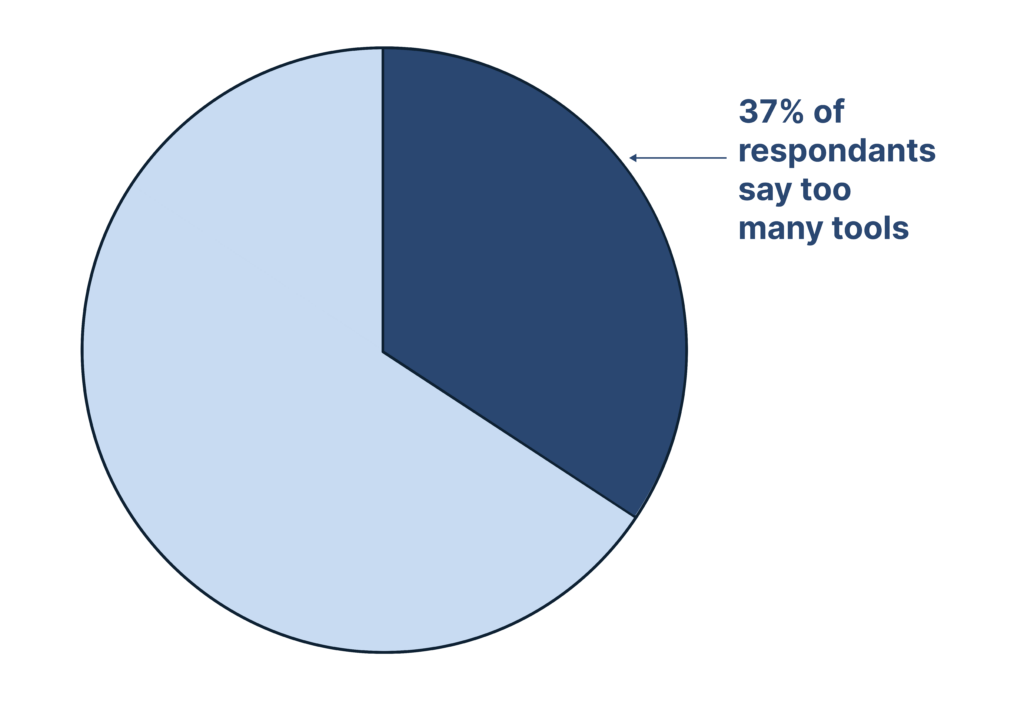
Furthermore, in the same survey, 37% of the respondents said they have too many security solutions and technologies for cybersecurity.
CAASM solutions solve this problem by giving you deep insights into risks organization-wide. This is unlike other point solutions like CSPM, CIEM, CWPP, and CNAPP, which give you insights into risks only within their individual scope.
The data is presented graphically for quick visualization. So, it’s easy to find exact security issues in your environment and answer security and compliance questions.
Our own CAASM tool, Scrut, eliminates screen fatigue, as you are not required to check multiple tools.
4. Improve incident response time with context
CAASM tools help you with risk-based vulnerability management and incident response. They help you solve security issues based on context and business impact.
A CAASM platform solves the problem of lack of context in siloed security solutions. In short, with a CAASM platform, you know what to fix first.
A CAASM platform provides context that helps you quickly zero down incidents’ causes and their impact. This helps prioritize the response by solving the issues faster.
For instance, in case of any incident, you get information about
What systems are affected?
Who are the users of those systems?
How many other users are affected?
The above information helps you understand the incident’s impact and how to resolve it faster.
With all risk information in a single dashboard, acting on vulnerabilities and incidents is efficient due to the full context of the incident.
A CAASM solution also helps security teams prioritize what issues to resolve first based on the potential damage they can cause.
Let’s see how it works with the example of Scrut. With Scrut, you can continuously monitor your cyber asset landscape for issues affecting critical business assets and infrastructure.
Scrut allows you to concentrate on the issues that are important to you. Therefore, remediation becomes easy.
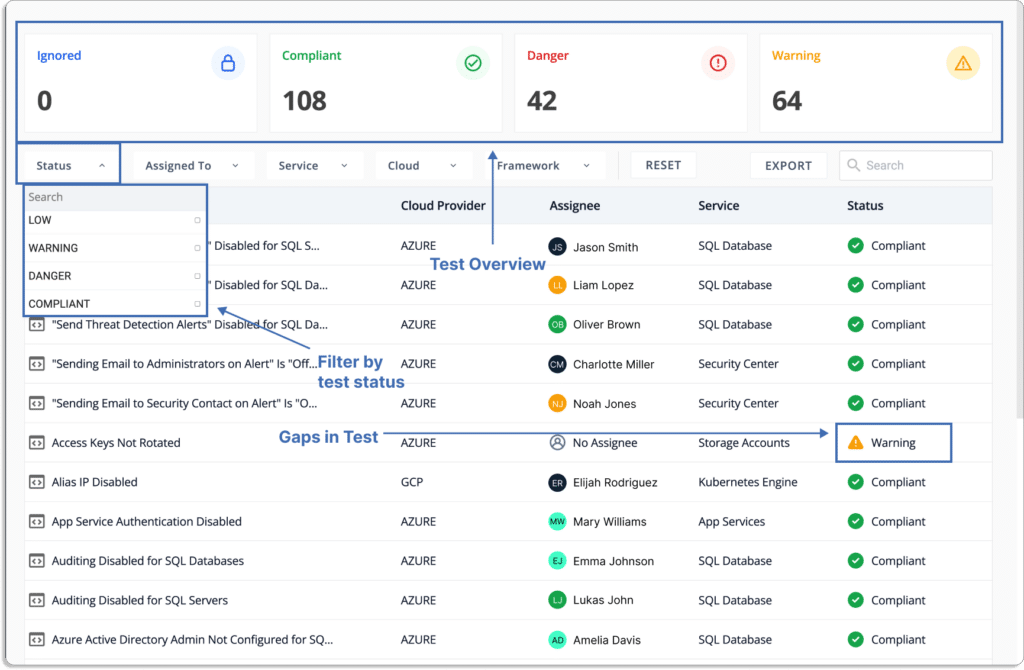
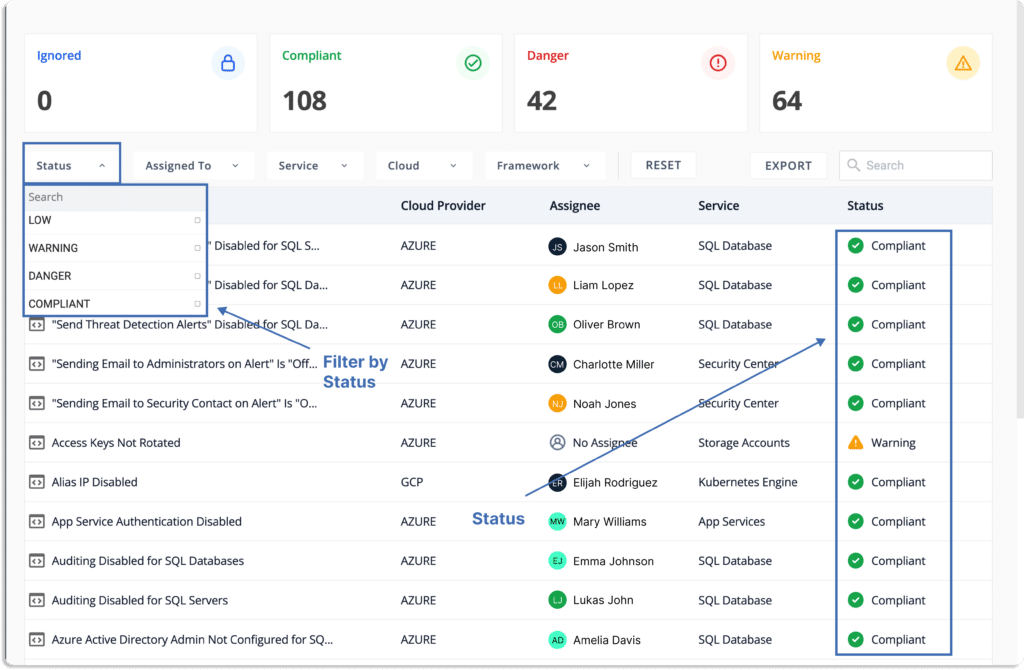
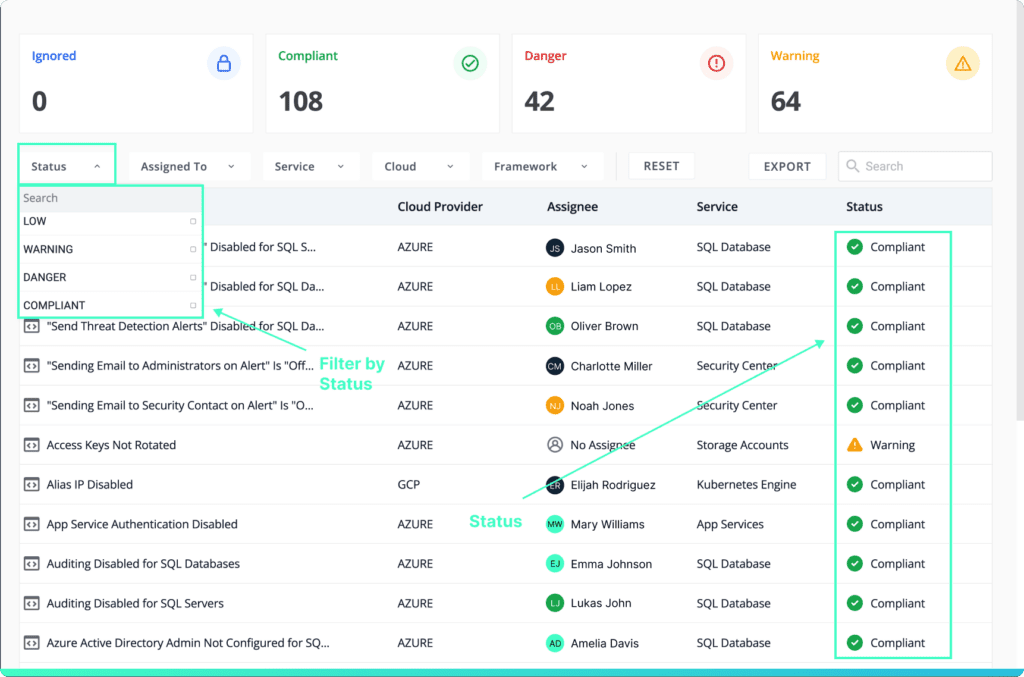
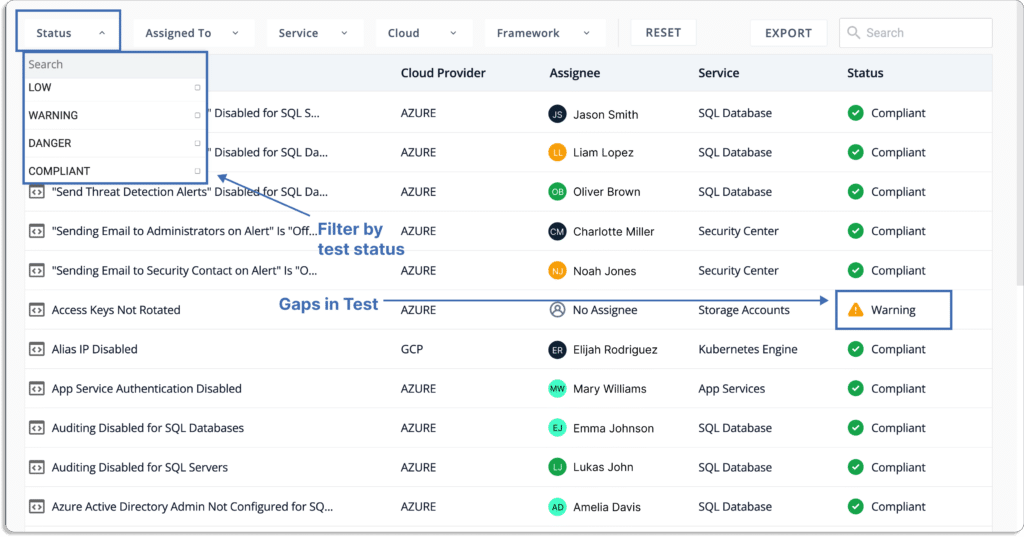
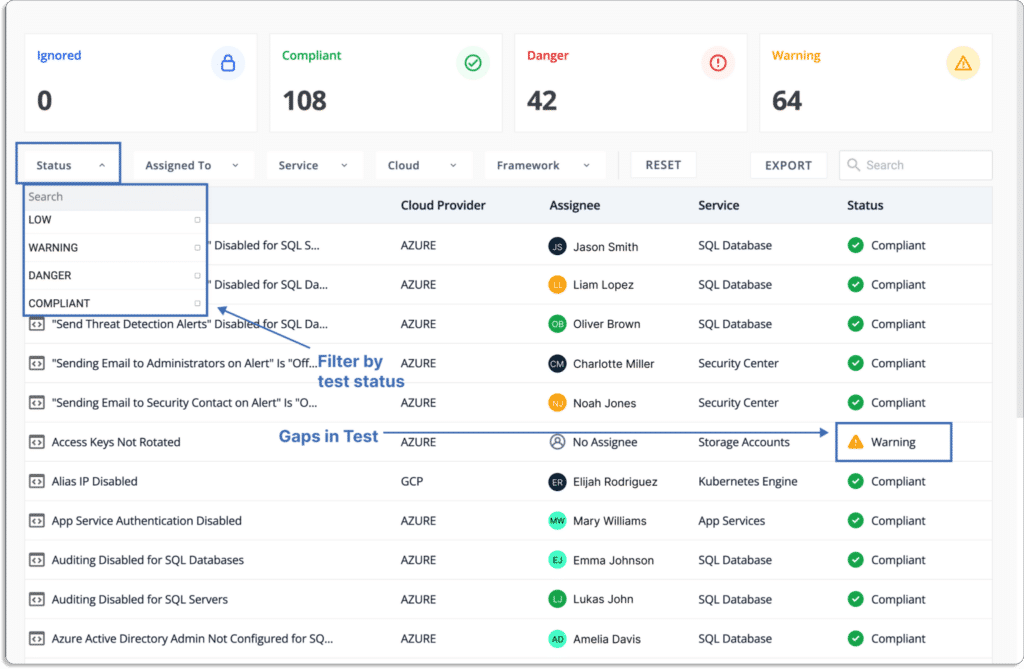
Scrut provides you with a single pane of glass for all the risks. These risks come with a status that helps you prioritize what to work on first.
Status
Danger – Most critical issues. Work on these first.
Warning – After working on the issues marked as danger, next, you can work on these.
Low – These risks should be worked on last.
Ignored – You can override any status to ignore.
Compliant – Everything is fine.
5. Continuous Compliance
CAASM tools continuously collect evidence from your cyber assets and help you understand the compliance posture against different frameworks, such as SOC 2, ISO 27001, HIPAA, PCI DSS, NIST, CCPA, GDPR, and more.
If there are any issues, for example, misconfigurations in your AWS account, it will notify you as we have seen above. Then, you can do remediation.
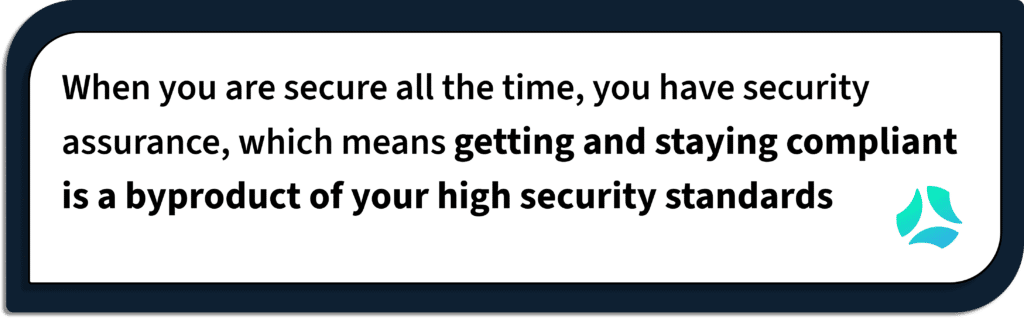
With continuous security monitoring, you don’t just remain compliant in a point of time, but compliance is a by-product of your strong security posture.
Key features of CAASM tools
We have listed the best CAASM tools in the industry. Most of the tools share these features: (//link to CAASM vendors once published)
1. Asset data discovery
CAASM solves the issues of asset data discovery. Otherwise, you are required to aggregate data from many sources manually, which is very time consuming.
CAASM tools give full visibility of your organization’s asset universe and discover all asset data. They integrate with 3rd party tools to discover assets across your distributed environment, regardless of where they reside.
CAASM solution helps you to efficiently manage all the internal and external assets and acts as a single source of truth for asset data. By discovering and consolidating all of your cyber assets continuously, CAASM automatically creates a complete and up-to-date asset inventory.
With the recent shift to the cloud, the assets, and subsequently the attack surface, are constantly changing.
Some CAASM solutions, like Scrut, go one step further and consolidate and normalize asset data across distributed, multi-cloud environments.
Having complete visibility of your assets is important because each of these assets can give attackers an entry point into your organization. You cannot just create the inventory once and update it monthly; you need to update it in real time, as the asset data quickly changes.
In short, CAASM gives you a centralized view of all cloud entities to identify critical business assets, and prioritize risks across your public, private, hybrid, and multi-cloud environments.
2. Attack surface management
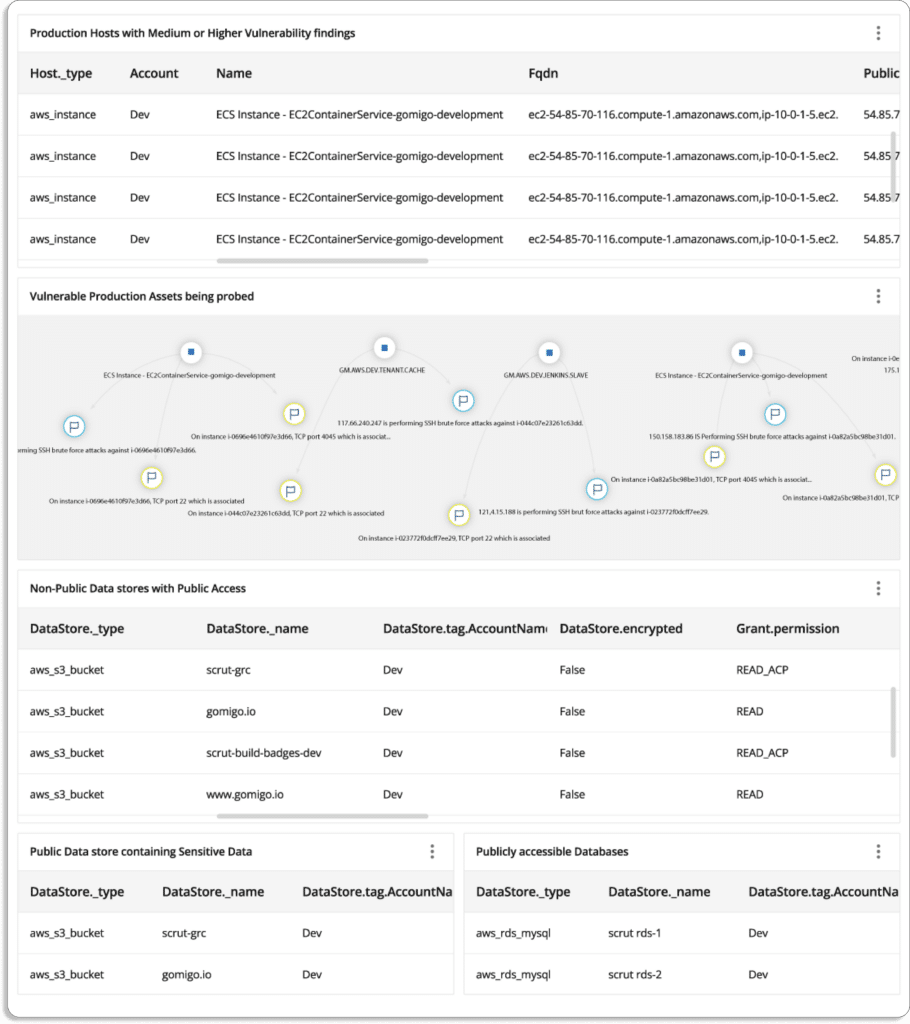
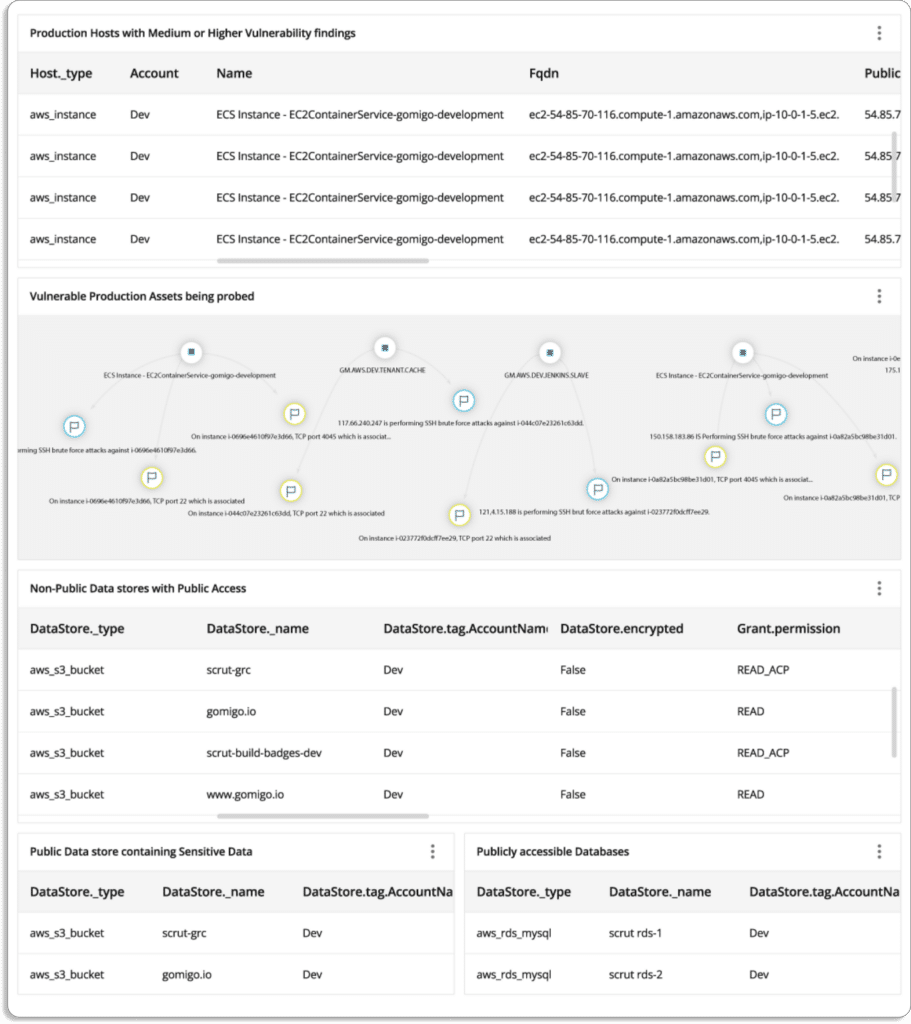
CAASM tools help you in tracking your cyber attack surface with an interactive visual asset map. (See the screenshot below of Scrut CAASM)
You can maintain a single view of your attack surface area by ingesting data from your existing security tools, controls, and databases.
With increasing cyber assets, your threat landscape is bound to grow due to factors like distributed work environment, cloud technology, SaaS sprawl, etc.
CAASM tools continuously identify, map, and analyze ever-spreading attack surfaces to prevent attackers from accessing sensitive information. Basically, CAASM solutions are helping you with minimizing your risk exposure.
In Gartner‘s terms, every organization needs to have visibility into any deficiencies in security hygiene to maintain a strong security posture.
3. Derive meaningful contextual insights
Generally, all attacks take place in a similar manner. The attacker(s) find a vulnerable system that security teams ignore because it is not a very critical asset. Once attackers get into your systems via these vulnerable systems, they can quickly escalate their privileges via connected systems till they reach something of high value.
To sum up, data breaches can happen because security teams lack context around how these ‘not very critical assets’ are connected to other assets—some of which might lead the attacker to critical assets.
CAASM tools help you derive meaningful contextual insights between cyber assets.A cyber asset attack surface management tool stores your organization’s cyber asset data—and the relationship data between those assets. This data helps you to gain deeper security insights based on contextual knowledge.
The data is presented in a graphical manner for quick visualization. So, it’s easy to find exact security issues in your environment, and answer security and compliance questions.
Scrut CAASM
Scrut offers easy-to-understand (visual) reports that make it easy for security teams
There are so many critical issues you can’t resolve all at once. CAASM solutions help security teams identify and prioritize critical risks. You can continuously monitor your cyber asset landscape for business-critical assets and infrastructure issues.
Take a look at this screenshot from Scrut. It allows you to concentrate on the issues that are important to you.
4. Compliance assessment & auditing
Companies must follow specific regulations and compliances to operate in different geographies based on their industries.
CAASM tools give complete visibility across your organization’s assets, such as code repos, networks, users, devices, and more. This helps your IT and security teams to pinpoint the issues and proactively address them to avoid any data breaches.
The platform provides alerts based on data-driven rules to help you identify problems and monitor compliance drift in your environment.
Furthermore, it enables you to stay in continuous compliance with different security and privacy frameworks, like SOC 2, HIPAA, PCI DSS, etc.
CAASM helps automate your compliance processes in the following ways:
Helps you with building and automating robust policies, procedures, and controls, which are inline with your compliance requirements.
CAASM helps monitor and spot gaps in your compliance posture. So, you can quickly remediate and pass audits in one attempt.
Collects evidence from different sources to ensure that you’re compliant with these frameworks.
See how Scrut makes getting and staying compliant a breeze.
How does CAASM work?
The foundation of CAASM is risk observability. But just knowing what assets you have is not enough. Unless you know how different assets are related to each other, it is extremely difficult to completely eliminate potential security threats.
A CAASM platform collects and analyzes data from cloud service providers, IAM policies, code repos, security controls, SaaS apps, vulnerability findings, and more to help you get a complete view of your cyber assets.
Not all the CAASM tools are created equal. Though we can’t talk about every tool’s detailed working capabilities, the basic structure is as follows.
Scrut connects to your existing cloud and on-premises data sources using agentless connectors.
Asset discovery: Scrut CAASM solution integrates with third-party tools to identify assets across your distributive environment. The platform assists you in discovering and consolidating all of your cyber assets.
Risk identification: It identifies critical assets that are highly risky, thus helping you prioritize those risks. With risk assessments, you can check the severity of the risks and mitigates them before they become a threat to your organization.
Implementing controls: Scrut CAASM implements the required security and compliance controls once essential assets are visible.
Creating mitigation tasks: After thatScrut CAASM helps you to create, assign, and track mitigation tasks from start to end.
Getting Started with CAASM
A general aversion to implementing new security technologies is not uncommon among teams already coping with an abundance of security measures.
However, CAASM is not just another security tool. Its true benefit is in the company-wide security insights it delivers.
31 Jul 2022
12minutes
Authored by
Aayush Ghosh Choudhary
Co-founder & CEO at Scrut
Top 16 CSPM tools in 2023
CSPM solutions provide cloud asset and configuration visibility. A CSPM tool maps interdependencies between cloud infrastructure, services, and abstraction layers to analyze the scope of the risk. It enforces data protection controls and identifies workload issues and potential attack surfaces. The growing adoption of cloud services brings with it challenges, such as difficulty in tracking cloud workloads and limited security coverage, with increased complexity due to the multi-cloud environment. Settings in the cloud are prone to manual errors leading to misconfigurations. A large number of cloud data breaches happen because of misconfigurations.
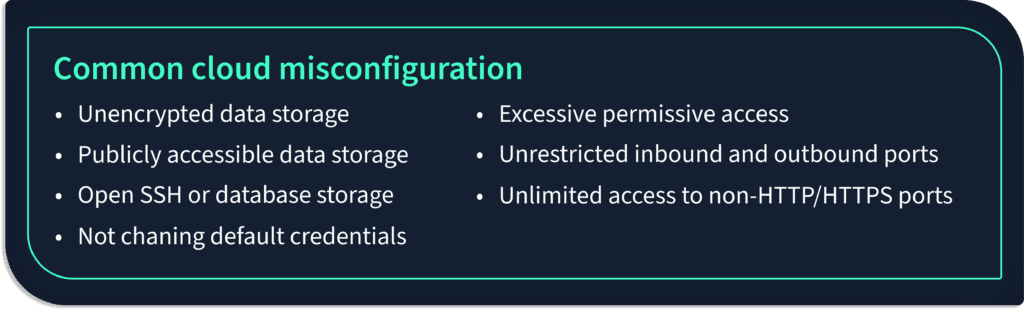
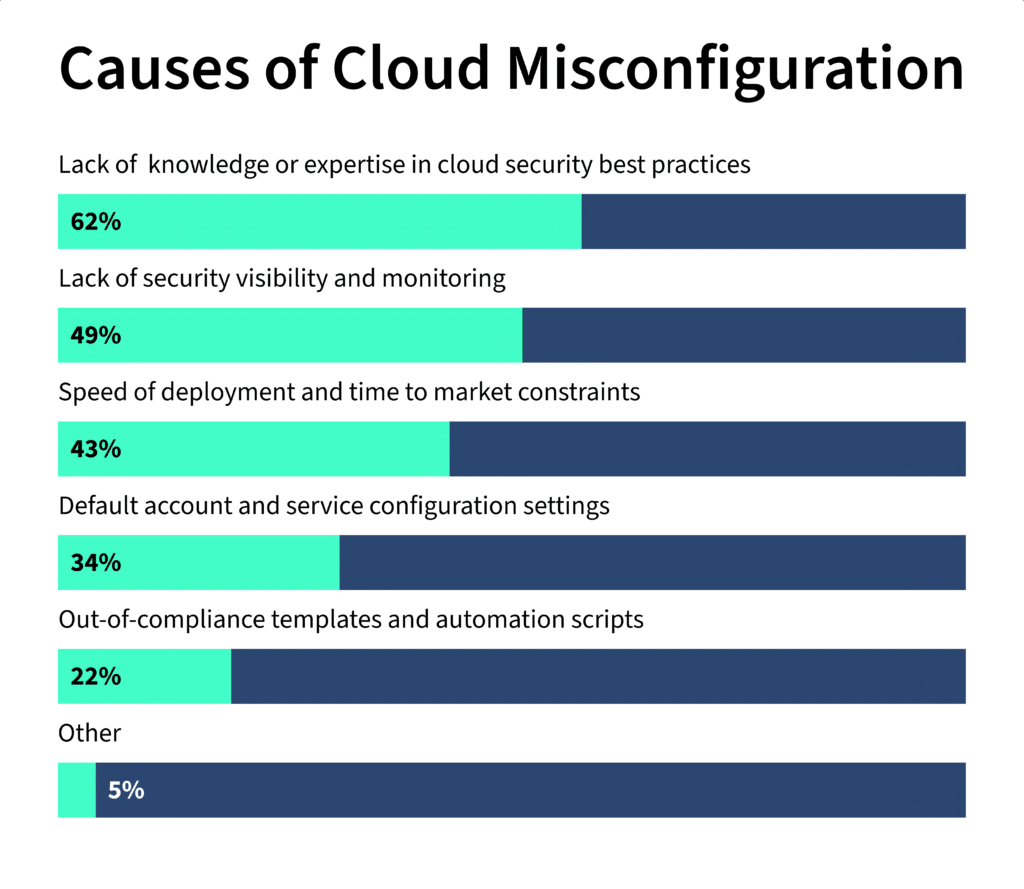
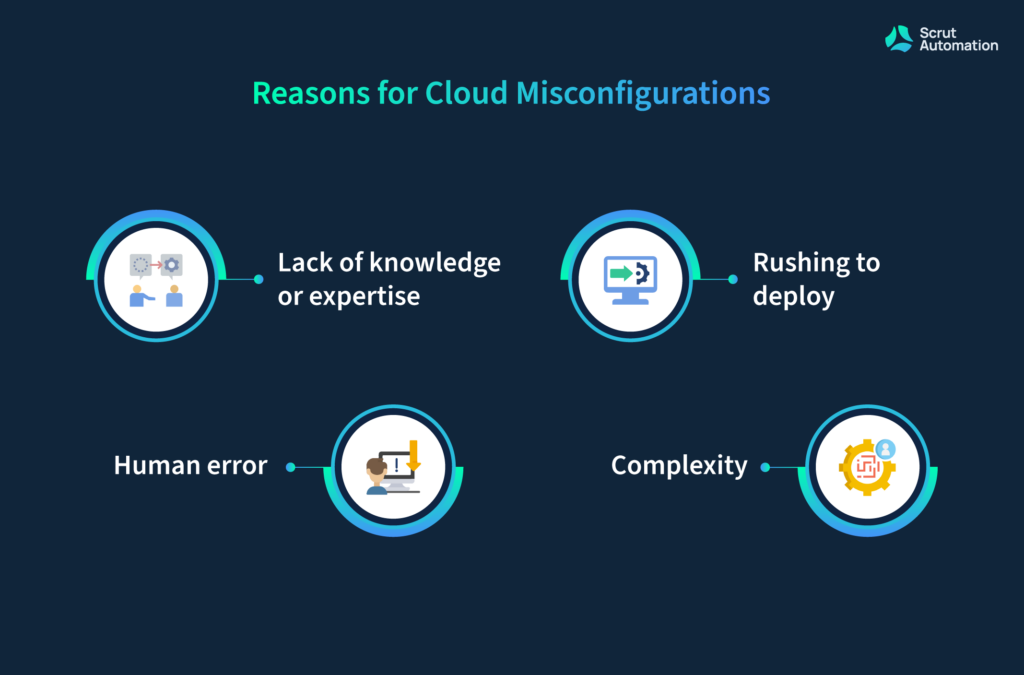
These misconfigurations occur due to various reasons:
Lack of awareness of cloud security.
Not having complete visibility in the cloud environment.
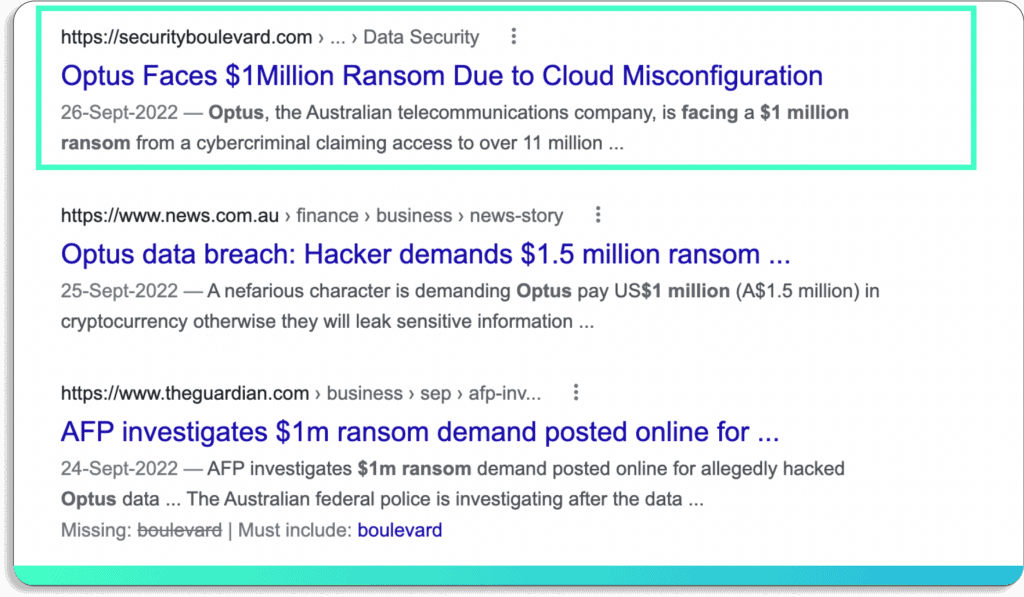
Recently, a simple misconfiguration in the access control caused a ransom attack on the Australian telecommunications company Optus.
Consequently, over 11 million records of the company were exposed.
Incidents like this are not rare. According to a report by VMware, misconfigurations are the cause of 1 in 6 cloud data breaches.
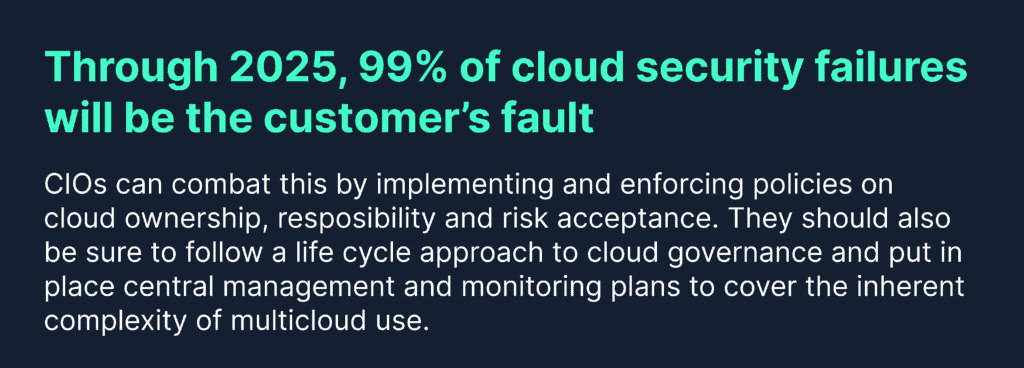
Furthermore, this number will only increase as more organizations shift their data to the cloud. According to a Gartner report, 99% of cloud security issues will be due to misconfigurations by the year 2025.
Moreover, traditional security tools fail to detect vulnerabilities in the cloud. Hence, organizations are turning towards cloud monitoring tools, like cloud security posture management (CSPM), to solve these issues.
CSPM tools help you secure your cloud across IaaS , PaaS, and SaaS with continuous real-time monitoring. They detect your cloud misconfigurations and help you proactively prevent cyber incidents, such as data breaches, data exfiltration, data theft, email spoofing, and DDOS attacks.
16 Cloud Security Posture Management (CSPM) Tools
If you go into the market looking for CSPM solutions, it is easy to get confused with hundreds of CSPM tools, each claiming to be the best.
So, we have picked the top 16 CSPM tools to reduce your research time.
1. Scrut Automation
Scrut Cloud Security is more than a traditional cloud security posture management tool. It scans and monitors misconfigurations in your public cloud accounts—AWS, Azure, Google Cloud Platform, and more.
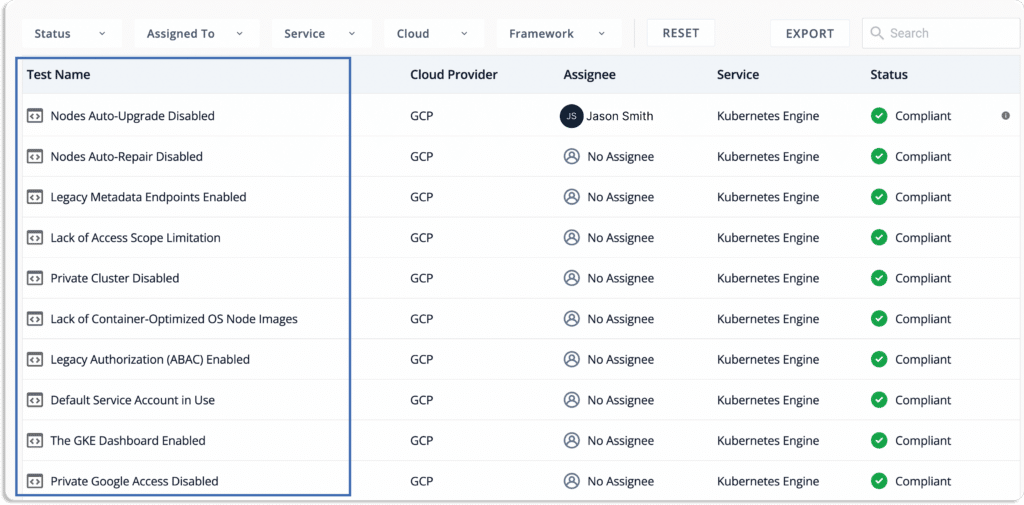
Continuously monitor against cloud controls: Scrut Cloud Security automatically tests your cloud configurations against 200+ cloud controls to maintain a strong InfoSec posture. It then provides simple automated workflows to fix them as they occur. Furthermore, it enables you to customize your security controls by adding custom controls to scan.
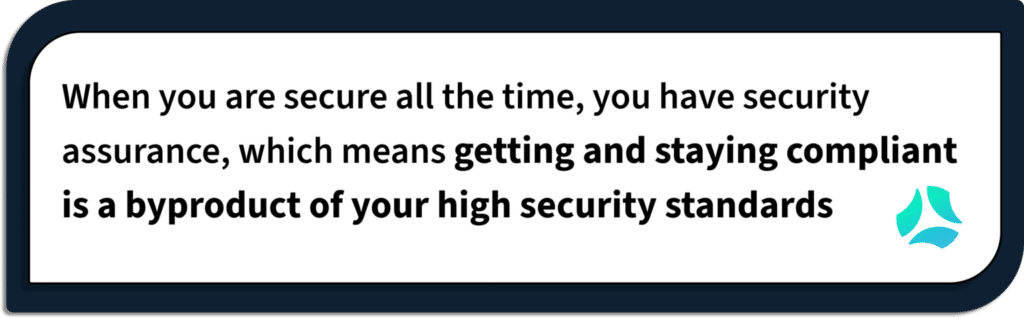
At Scrut, we take a different approach to security and compliance. We believe that if you have run your groundwork for cloud security, you are better prepared to get compliant. Compliance is a byproduct of being secure.
Fix cloud misconfigurations preemptively: Scrut Cloud Security ensures that your cloud infrastructure is continuously compliant. When misconfigurations occur, Scrut gives you alerts with actionable recommendations for remediation.
Moreover, you can delegate tasks to team members for misconfiguration fixes.
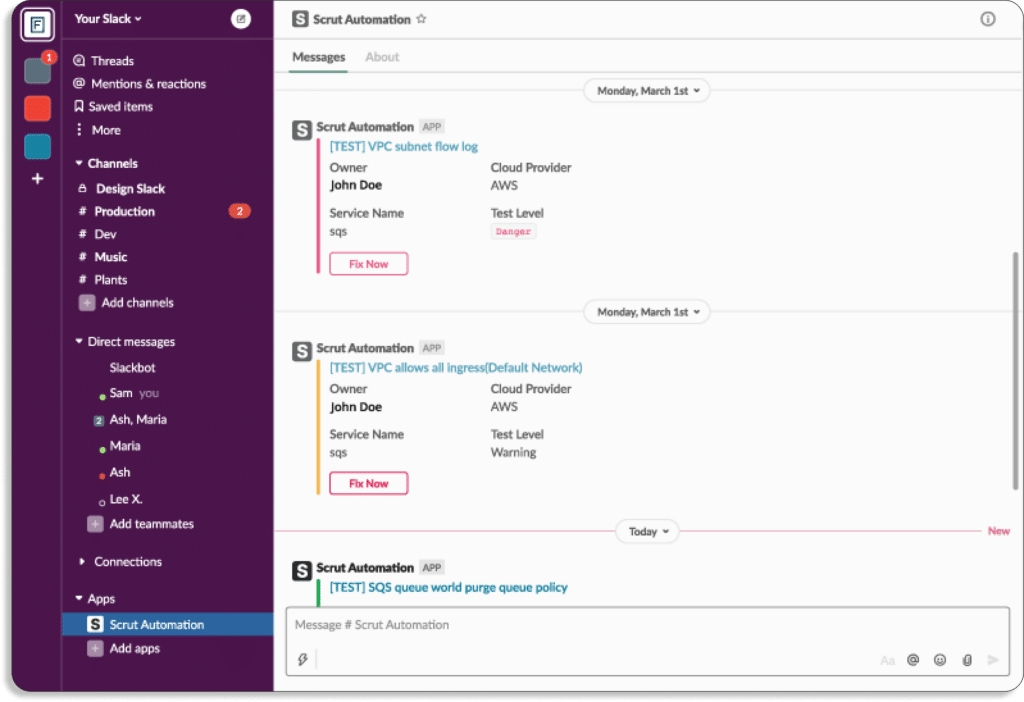
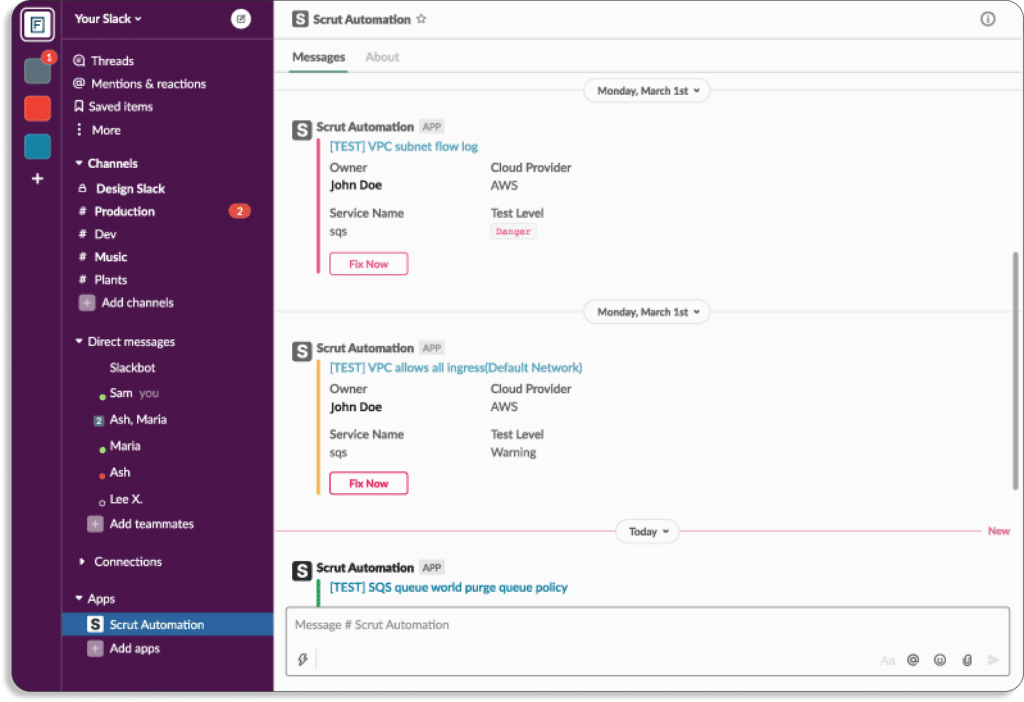
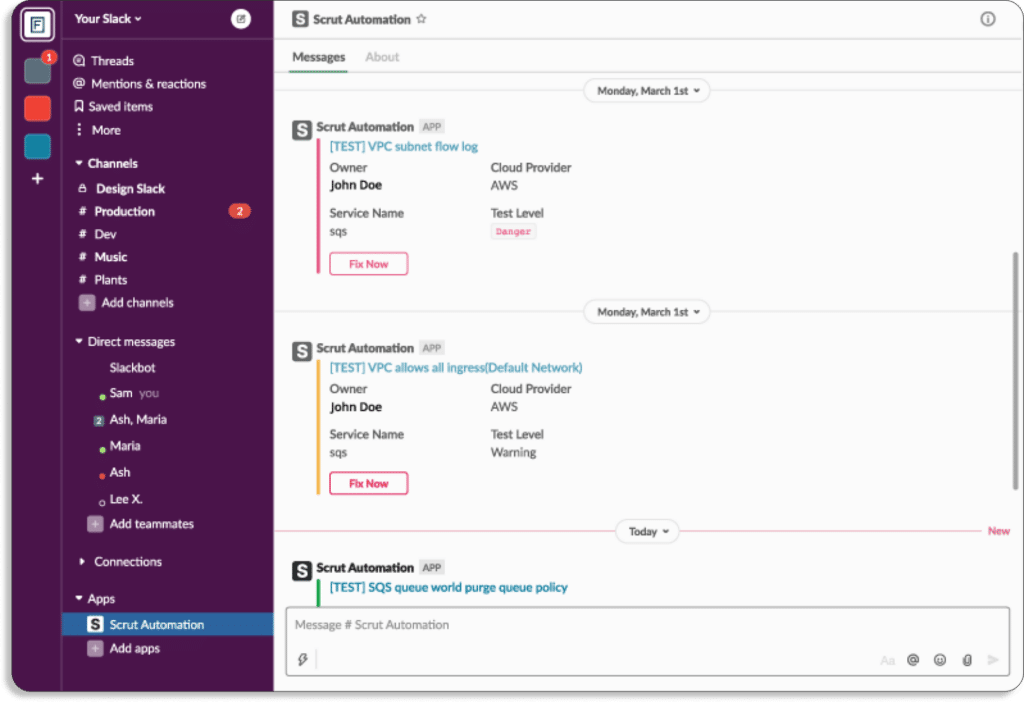
Furthermore, you get notifications directly on your existing tools, like Slack.
Unlike other CSPM platforms, Scrut doesn’t just bombard your security teams with alerts. During an internal research study, we found one of the key reasons customers preferred us over other CSPM platforms was our contextual and accurate alerts. So, we developed Scrut Cloud Security in such a way that it is easy to act on them.
One of our current customers was getting many false positives with their previous CSPM tool. It only wasted their security team’s time. With Scrut, this issue was resolved. Through a unified dashboard for all the risks and automated classification of status, you know what to work on first.
Status
Danger – Most critical issues. Work on these first.
Warning – After working on the issues marked as danger, next you can work on these.
Low – These risks are informational in nature and should be worked on last.
Compliant – Everything is fine. Don’t need to do anything.
Strengthen your cloud-native security: Scrut Cloud Security helps you establish full-stack security for all your cloud-native deployments, across virtual machines (VMs), containers, and serverless, by implementing best-practice security policies consistently across your hybrid and multi-cloud infrastructure.
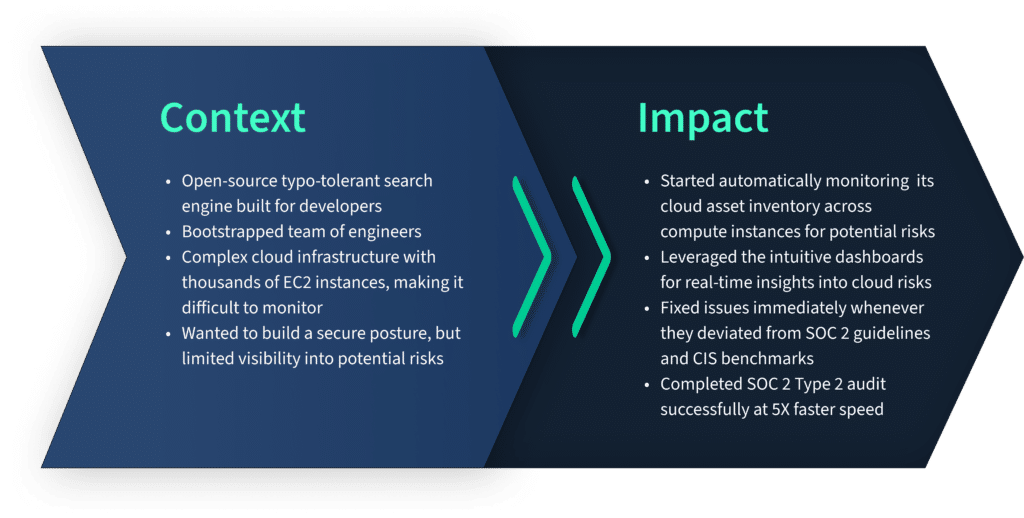
How Scrut Cloud Security helped Typesense improve their cloud security posture and get compliant with SOC 2 Type 2 5x faster?
One of our clients, Typesense, wanted to build a secure cloud posture to get compliant with SOC 2 Type 2 but were limited by incomplete visibility into their cloud risks. So, they turned to Scrut Automation.
During our initial discussion with them, we found that they had thousands of EC2 instances, which were difficult to monitor. Scrut solved that issues with automated monitoring across their cloud environment.
As a result, they successfully completed their SOC 2 audit at 5x speed.
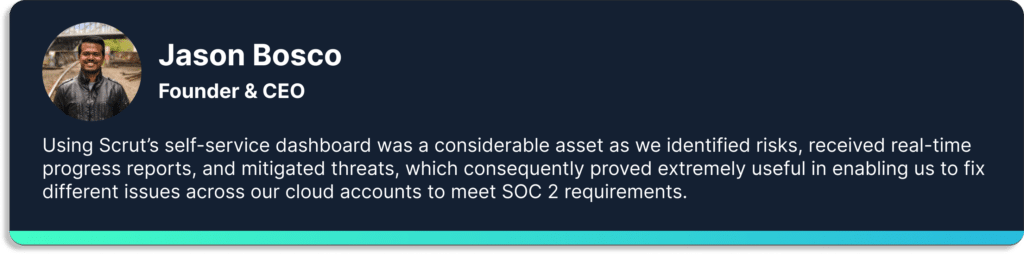
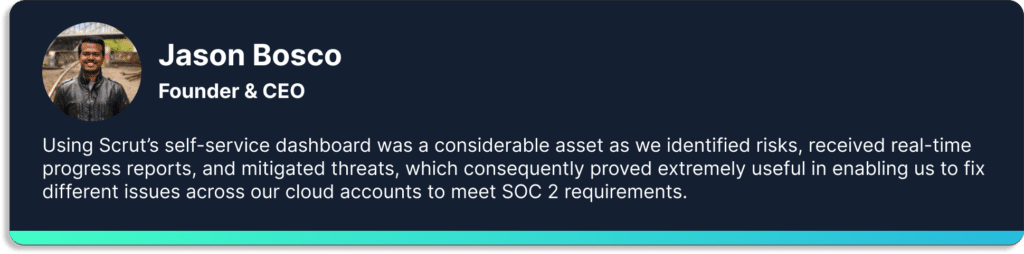
Here is what Jason Bosco, founder, and CEO of Typesense has to say about Scrut.
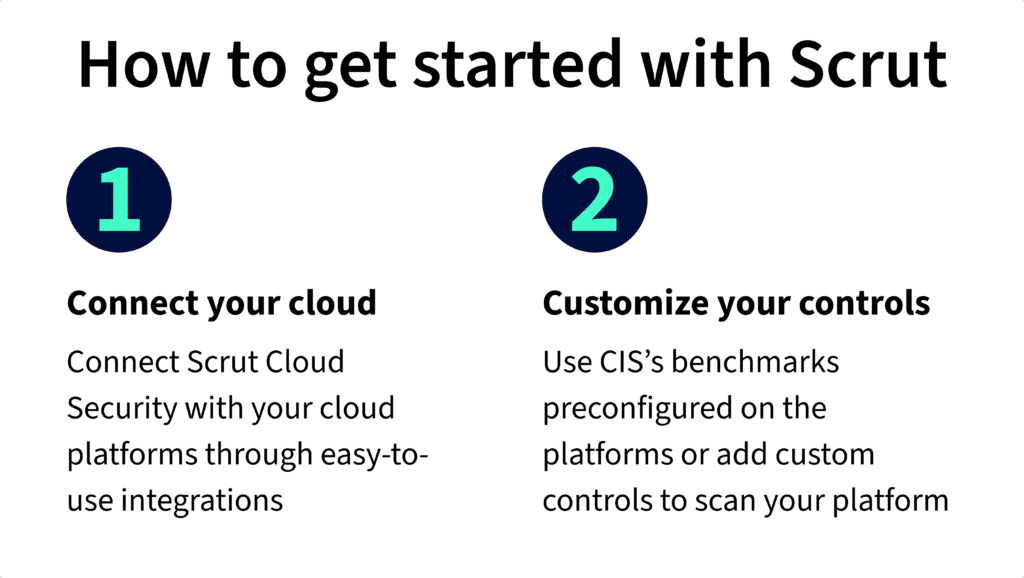
Getting started with Scrut is easy and quick. It is a 2 step process.
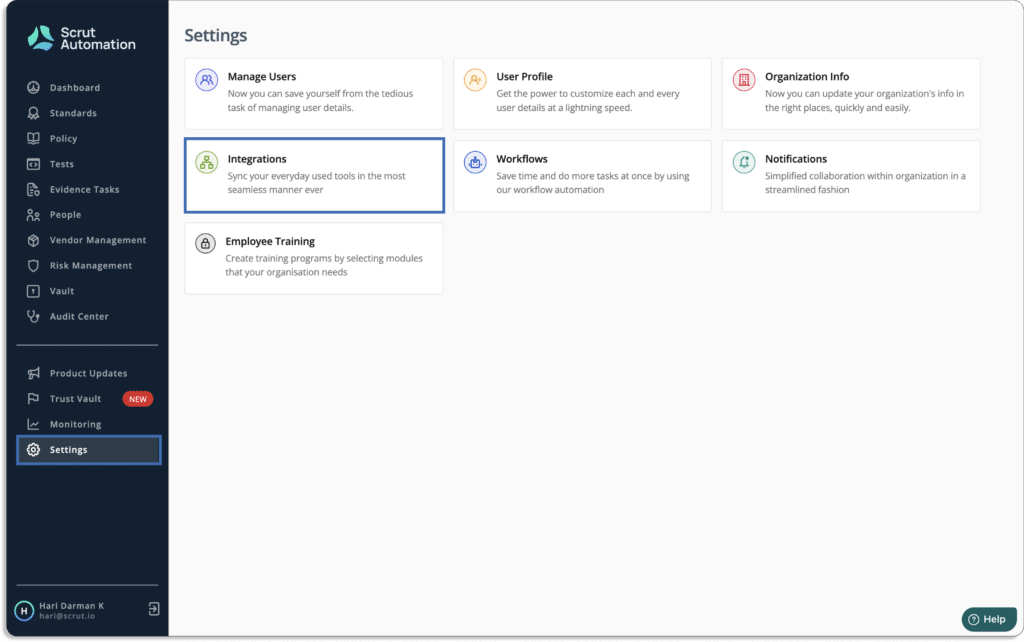
First, you need to connect your cloud infrastructure with the Scrut platform. This just takes a few minutes. Just go to Integrations under the Settings tab.
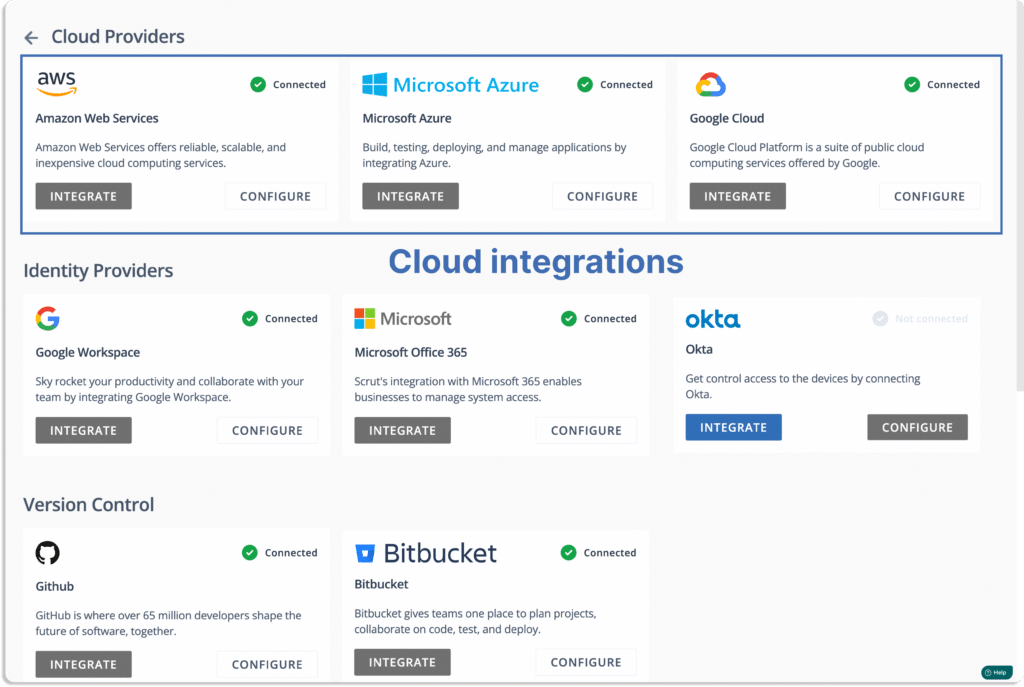
You will land on this page. Choose your cloud service providers.
Note that Scrut supports multi-cloud service providers.
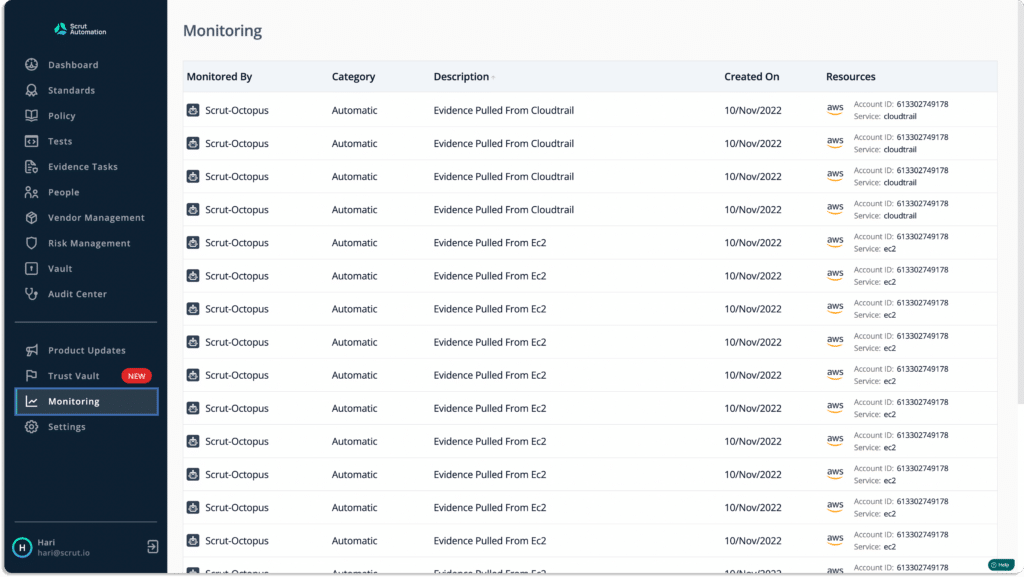
Once connected, you can see the data appearing in the tests tab.
Customer Rating
G2- 5/5
2. JupiterOne
The JupiterOne platform makes it simple for security teams to manage cloud security posture and governance requirements. It gathers information across your entire cloud and simplifies it, so that security teams can act on that data.
The platform consolidates and normalizes cyber asset data across the entire cloud environment, including identity providers, code repositories, endpoints, and ephemeral assets. It maps the relationships between each resource to provide a complete picture of the digital ecosystem.
Furthermore, the platform provides continuous monitoring of cloud environments and controls.
Pros
Provides inventory assets and configurations using the GraphQL API.
With the JupiterOne platform, anyone can integrate their environment and can add evidence to start assessing SOC, PCI, and HIPAA controls.
Users can easily visualize relationships to understand what is happening in thier cloud environment.
Cons
It can get overwhelming initially, and it takes time to get used to all the features.
Customer Rating
G2- 5/5
3. Orca Security
Orca is a comprehensive cloud security posture management (CSPM) solution that monitors cloud environments for misconfigurations, policy violations, and compliance risks, including cloud-native services. It helps prevent risks across every layer of cloud estate, including workloads and configurations, from development to production.
The tool enables organizations to address critical cloud security issues quickly, efficiently, and affordably, allowing them to operate confidently in the cloud.
Furthermore, it provides comprehensive coverage and visibility into cloud risks.
Pros
Provide detailed information about vulnerable cloud resources.
The tool is simple to administer.
Provides users with insights into their cloud environments in a short time.
Cons
Orca’s agentless technology provides less visibility into system activity, such as applications loaded in memory.
Customer Rating
G2- 4.7/5
4. Lacework
Lacework identifies threats and vulnerabilities across your entire environment with comprehensive cloud account security for AWS, Azure, Google Cloud, and hybrid environments. The platform reduces risk in your multi-cloud environment by detecting configuration problems and monitoring accounts for unusual activity.
It simplifies meeting compliance requirements and uses continuous analysis and historical context to reduce risk across your clouds.
Furthermore, it provides comprehensive visibility and continuous tracking to reduce risks and meet compliance requirements.
Pros
The platform, once integrated, provides excellent visibility, alerts, and notifications.
Users can deploy at the infrastructure level in 5 minutes. Kubernetes support is a significant benefit for businesses transitioning to modern infrastructure.
Cons
Trouble in synchronizing solved issues in Jira because Lacework doesn’t support two-way integration.
Customer Rating
G2- 4.5/5
5. Aquasec
Aqua Cloud Security Posture Management scans, monitors, and remediates configuration issues in public cloud accounts across AWS, Azure, Google Cloud, and Oracle Cloud according to best practices and compliance standards.
With Aquasec, users can apply consistent policies across all cloud-native deployments. The platform combines cloud workload protection for VMs, containers, and serverless with cloud infrastructure.
Pros
Threat analysis and mitigation reports include automatic scan visualizations that ensure the information needed to prevent malicious activity.
Provides customizable dashboards for cloud security and image scanning.
Cons
The platform lacks a few prominent alert notification channels, such as Datadog and Webhooks.
Customer Rating
G2- 4.5/5
6. CloudGuard Management
CloudGuard cloud security posture management, a component of the CloudGuard cloud-native security platform, automates governance across multi-cloud services and assets by visualizing and assessing security posture, detecting misconfiguration, and enforcing security best practices and compliance frameworks.
The platform manages the compliance and security posture of cloud-native environments such as Amazon Web Services, Azure, Alibaba Cloud, Google Cloud, and Kubernetes.
Pros
Provides greater visibility on all cloud workloads and services.
Supports all cloud areas like native services, infrastructure, serverless architecture, IAM, Kubernetes, network, etc.
Cons
Limitation of integrating with any 3rd party systems.
Takes a lot of time to configure and is not user-friendly.
Customer Rating
G2- 4.5/5
7. Threat Stack
Threat Stack protects your application infrastructure across all layers of your infrastructure stack and provides the observability required for proactive and targeted remediation activity.
The platform secures highly dynamic and complex cloud-native infrastructure that requires more than traditional, fragmented approaches.
It provides integrations and critical capabilities to customers to help them overcome modern security and compliance challenges via – vulnerability assessment, file integrity monitoring, cloud management console monitoring, and host-based intrusion detection.
Pros
A clear and concise dashboard displays server-related alerts.
Users can apply a set of rules that are already predefined for SOC 2.
The agents are very easy to deploy in clusters.
Cons
Tweaking alert rules and suppressing noisy false positives takes time.
The platform provides central visibility and real-time cloud infrastructure monitoring with a single, multi-cloud dashboard. It ensures that businesses can fully utilize the cloud with the assistance of cloud computing systems.
Pros
Cloud accounts can be kept track of at all times. All compliance checks are alerted to you in real time.
Provides vulnerability visibility across the infrastructure.
Cons
Configuration can be complex sometimes.
Deep Security has a problem updating policies. It is time-consuming to update the policy from management and distribute it to the agent on the server.
Customer Rating
G2- 4.6/5
9. BMC Helix Cloud Security
BMC Helix cloud security posture management platform helps in remediation for public cloud services like AWS, Azure, and GCP. It integrates with ITSM tools to automate ticketing enrichment. The platform offers ready-to-use policies for CIS, PCI DSS, and GDPR, as well as support for custom policies.
Pros
User-friendly, robust, and simple to use.
Administrators have complete control over who and what can be remedied and where. Remediation can be performed with a single button click or by self-driving remediation.
Cons
You cannot simply download the package and run the setup. There are 50 installs you have to perform. Each and everything must be installed in a specific order.
It is difficult to close incidents because of status issues.
Customer Rating
G2- 4.4/5
10. Ermetic
Ermetic manages cloud infrastructure entitlements and security posture in one multi-cloud platform. The platform enables users to address the most significant risk to cloud infrastructure by detecting, prioritizing, and remediating risky entitlements and misconfigurations at scale. It continuously discovers the entire multi-cloud asset inventory and employs full-stack analytics to accurately and contextually identify risk.
Pros
You can set the least privilege across all the three major cloud service providers (AWS, Azure and GCP) and grant the identities precisely the permissions they need to do their jobs.
Easy implementation with SSO for user management.
Cons
Cannot detect misconfigurations around Kubernetes yet
The tool needs improvement around vulnerabilities in the cloud.
It continuously monitors and provides insights into new and existing assets, anomalous behaviors, and potential threats to security teams.
The tool analyzes and normalizes disparate data sources to provide unparalleled risk transparency.
Pros
Easy integration with CI/CD, IaC, containers, and serverless functions.
Container security is redefined by real-time vulnerability scanning and reporting.
Cons
Expensive compared to many other tools
Its UI is a bit complicated.
Customer Rating
G2- 4.3/5
12. CrowdStrike CSPM
CrowdStrike Falcon Horizon is a cloud security posture management tool that detects and prevents cloud misconfigurations along with their remediations to resolve security risks.
CrowdStrike goes beyond ad hoc approaches by bringing everything you need for cloud security together in a single platform to provide adequate security from the host to the cloud and everywhere.
CrowdStrike Falcon Horizon enables security teams to keep applications secure and proactively monitor and remediate misconfigurations while fast-paced DevOps teams build non-stop in the cloud.
Pros
It detects and monitors the control panel and provides security threats across clouds.
Cons
Sometimes it shows an irrelevant vulnerability to cloud workload, which runs on other cloud platforms such as AWS and Microsoft Azure.
Customer Rating
G2- 4.4/5
13. Datadog
Datadog cloud security posture management performs continuous configuration scans across cloud accounts, hosts, and containers. Every resource is continuously scanned, and Datadog’s executive reporting offers summaries to monitor compliance with industry benchmark standards.
Pros
Combine all of your log management into a single, comprehensive view.
Cons
The cost is relatively high. A modest k8s EC2 node costs more to monitor than the EC2 itself.
Requires a lot of configuration and it is resource intensive.
Customer Rating
G2- 4.3/5
14. Zscaler
Zscaler cloud security posture management is a unified platform that helps to identify and remediate cloud misconfigurations and vulnerabilities across all major public cloud providers.
Pros
Due to closer Zscaler POP availability, connectivity speed is faster. You can be sure that you are sitting in a secure environment quickly.
When the end user selects authenticate, a notification with the option to accept or deny is sent directly to their phone. If they accept, they are immediately allowed to access the computer.
Cons
Custom app alignment is not the best because it takes some time to enter the correct data.
Zscaler occasionally crashes and prevents any interaction after the computer has been suspended.
Customer Rating
Capterra- 4.2/5
15. Rapid7 InsightCloudSec
Rapid InsightCloudSec secures your public cloud environment from development to production using a modern, integrated, and automated approach. It provides real-time analysis to manage cloud security posture.
The platform enforces security rules throughout the CI/CD build process to avoid misconfigurations. With Rapid7 real-time analysis and automated remediation, you can achieve continuous security and compliance.
Pros
The best thing about the Rapid7 services is their ease of use, scalability, and deployment models.
Cons
Sometimes fail to scan the site.
Devices that have been discovered and examined are never removed. Manual removal is required.
Customer Rating
G2 – 3.9/5
16. Sophos Cloud Optix
Sophos Cloud Optix is a cloud security posture management solution to identify cloud resource vulnerabilities quickly, ensure compliance, and respond to threats faster. The platform manages identities before they’re exploited. With Sophos Cloud Optix, you can prioritize and address your most critical security flaws before they are discovered and used in cyberattacks.
Cloud Optix ensures teams respond faster by identifying and risk-profiling security, compliance, and cloud spend risks and providing contextual alerts that group affected resources with detailed remediation steps.
Pros
Users can deduce potential security risk factors, access privilege policies, and anomaly detection.
The Sophos Cloud Optix assists in solving cloud problems, securing cloud inventories, maintaining cloud security compliance, and balancing cloud workload.
Cons
Expensive, and the initial setup is complex.
It is an agent-based solution.
Customer Rating
G2 – 4.3/5
31 Jul 2022
11minutes
Authored by
Aayush Ghosh Choudhary
Co-founder & CEO at Scrut
9 best Drata alternatives in 2024
Drata serves as a comprehensive compliance and security automation platform, streamlining workflows to ensure audit readiness. By automatically collecting evidence of an organization’s security controls, it facilitates adherence to standards such as SOC 2, ISO 27001, PCI DSS, HIPAA, GDPR, CCPA, and more.
Through seamless integration with your tech stack, Drata minimizes the need for manual system checks, simplifying the process of providing evidence to auditors. While it stands out as an excellent compliance automation tool, it’s essential to note that it may not be the optimal choice for everyone. Some drawbacks include separate charges for crucial modules, such as the Trust Center module.
It’s worth exploring alternative compliance and security automation platforms that may better align with your specific requirements. To assist you in finding the most suitable solution, we’ve compiled a list of the nine best alternatives to Drata for your consideration.
Drawbacks of Drata
Despite its compliance automation strengths, Drata faces criticism for the following reasons:
1. Impractical pricing structure
Drata adopts a pricing model that places several essential modules, such as Trust Vault, behind a paywall. The standard package does not include these critical components. Additionally, charges are applied separately for auditors and pen-testers, potentially adding to the overall cost.
2. Limited framework options
While Drata provides 17 inbuilt frameworks, custom frameworks come at an additional cost. This limitation may hinder organizations with specific or evolving compliance needs.
3. Inadequate security-focused cloud controls
Drata monitors approximately 80 controls, but these are primarily tailored for specific compliance requirements, neglecting a broader range of key controls essential for an organization’s overall security posture. The platform may lack coverage for critical aspects of cloud security.
4. Auditing support gap
Drata’s approach to audits may be perceived as providing mere lip service. The platform connects users with auditors but leaves them to navigate the audit process independently, potentially leading to a less supportive experience.
5. Limited support in policies
While Drata offers around 22 pre-built policy templates for do-it-yourself use, there is a notable absence of support for policy reviews, edits, or customizations. This lack of flexibility may impede organizations seeking tailored policy solutions.
6. Basic security training
Drata’s security training offerings lack customization based on campaigns and events. This one-size-fits-all approach may not adequately address the diverse training needs of organizations with varying security requirements.
7. Inflexible risk register
The risk register in Drata is characterized by a cookie-cutter approach, restricting risk scoring to a simplistic Impact x Likelihood formula. This inflexibility may not align with organizations seeking a more nuanced and tailored risk assessment process.
9 Drata alternatives
The following section presents a curated list of nine robust alternatives to Drata, each offering distinct features and strengths to address diverse compliance and security challenges.
1. Scrut
Scrut Automation is a governance, risk, and compliance (GRC) platform that prioritizes risk management, eliminating the need for manual compliance efforts.
Here are some reasons why Scrut can prove to be a great alternative to Drata for your compliance needs.
1. Single-point pricing
At Scrut, we prioritize transparency and simplicity with our single-point pricing model. Unlike some platforms, where essential modules often come with additional costs, at Scrut, every module is included at no extra charge. This encompasses not only the core modules but also extends to auditors and pen-testers, ensuring a comprehensive and cost-effective solution for our users.
2. Multiple frameworks
When it comes to frameworks, Scrut sets itself apart by providing 28 inbuilt options. What’s more, if your needs extend beyond these, Scrut offers the expertise of information security professionals to assist in creating custom frameworks at no additional cost, ensuring a tailored approach to your unique requirements.
3. Security-focused cloud controls
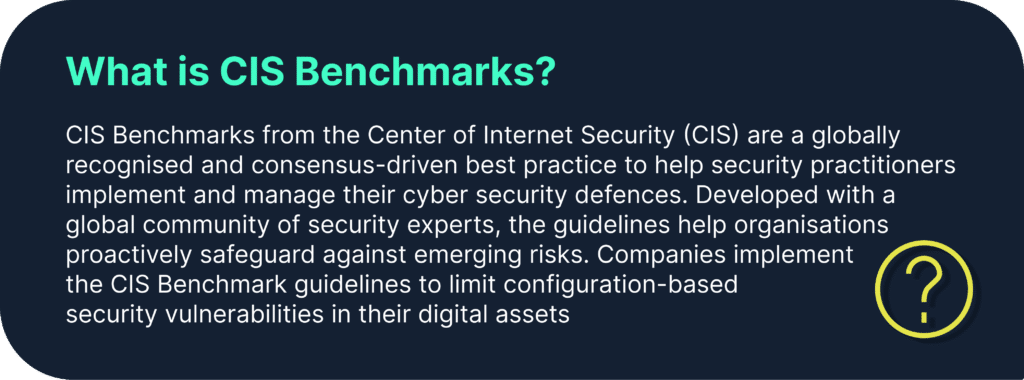
In the realm of security-focused cloud controls, Scrut goes the extra mile with automated checks spanning over 200+ controls. Our platform rigorously tests your cloud infrastructure against the esteemed CIS benchmarks, recognized as the gold standard for cloud security, ensuring a robust and comprehensive evaluation of your cloud environment.
4. Handheld audits
When it comes to audits, Scrut not only facilitates access to auditors but also takes the reins in managing Service Level Agreements (SLAs). This proactive approach ensures optimal outcomes, providing a streamlined and efficient auditing process for your organization.
5. Policies support
In terms of policy support, Scrut stands out with over 45 pre-built templates that are not only comprehensive but also customizable to align with your business needs. What’s more, our platform goes the extra mile by offering complete support from our information security team in both reviewing and customizing policies, ensuring a tailored and robust compliance framework for your organization.
6. Customizable security training
Scrut takes a personalized approach to security training, providing inbuilt modules for both security and privacy. With the flexibility to create cohorts for distinct campaigns, our platform offers campaign-based and event-based training programs and workflows, specifically designed to address the unique needs of higher-risk teams. This customizable approach ensures that security training aligns seamlessly with your organization’s requirements.
7. Actionable risk register
When it comes to managing risks, Scrut offers an actionable risk register that stands out for its flexibility. Our platform allows you to effortlessly create custom fields tailored to your organization’s specific needs. Additionally, you have the freedom to develop your own risk-scoring formulas, incorporating factors such as CIA, Risk Priority Number, or other custom fields. This adaptability ensures a dynamic and tailored risk management approach for your organization.
8. UCF
Scrut introduces the Unified Controls Framework (UCF), a feature that allows seamless mapping of all risks and artifacts to the controls. Leveraging UCF not only minimizes duplicity in controls but also simplifies compliance scalability. This functionality enables organizations to easily extend compliance efforts to new and lesser-known standards, fostering a streamlined and efficient compliance management process.
9. Security questionnaire automation
Our latest release, Kai, leverages AI to revolutionize security questionnaire automation. With Kai, you can respond to lengthy security questionnaires within minutes, eliminating the need for back-and-forth coordination between sales, presales, engineering, HR, and administrative teams. By intelligently scanning your controls, Kai fetches and provides appropriate responses automatically, streamlining the entire questionnaire response process.
2. Tugboat Logic
Tugboat Logic emerges as a security assurance platform that demystifies and alleviates the challenges associated with the security and compliance process. This platform takes the guesswork out by identifying the most suitable policies for your company and recommending pre-defined documents and controls essential for achieving security and compliance.
Tugboat Logic facilitates swift compliance attainment and efficient framework management by cross-referencing evidence to optimize efficiency and effectiveness.
Key features
Assists in preparing and maintaining ISO 27001, SOC 2, and other security and privacy frameworks.
Boasts a pre-built policy library featuring over 40 policies, aiding users in rapidly developing credible InfoSec policies.
Pros
Users can leverage Tugboat’s machine-learning suggested responses to repurpose previously answered queries.
Provides outlined actions necessary to achieve compliance with frameworks such as SOC 2, GDPR, ISO 27001, etc.
Streamlines the auditing process, simplifying collaboration with auditors.
Cons
Lacks a feature to send individual reminders with specific tasks for each member of the SOC 2 team.
Requires significant manual effort to unlink related rules and procedures, leading to duplication and mapping challenges.
3. ZenGRC from Reciprocity
ZenGRC serves as a single platform for all compliance, audit, risk, governance, and policy management applications.
It offers real-time risk insights directly connected to business priorities. The platform helps you make smart and informed decisions by showing the direct impacts of high-priority business initiatives.
Key Features
By connecting risk to business strategy, Reciprocity allows users to become more strategic.
Users can speed up compliance programs with Reciprocity ZenComply and track how they affect their risk posture.
You can reduce your company’s exposure to risk by using Reciprocity ZenRisk to receive contextual information about risk posture.
You can become more strategic with the Reciprocity ROAR Platform by being able to observe, comprehend, and respond to IT and cyber risks.
Pros
The platform is simple and offers much flexibility for adding unique attributes to different kinds of data.
Manage the entire audit cycle from beginning to end, including automating a request to gather evidence at certain intervals and concluding them with validation.
ZenGRC does not impose restrictions based on modules, allowing all modules to be implemented in the manner that is most effective for the company.
Cons
There is no option to display the project’s due date.
It does not automatically update the subtasks when a user changes the parent task’s owner.
Complex dashboard creation has more restrictions and is less apparent than other toolkit features.
4. JupiterOne
JupiterOne democratizes security, making it accessible for individuals and organizations alike. The platform champions an open, accessible, and more visible future while equipping cybersecurity experts with the necessary tools to safeguard their digital environments. With JupiterOne, users gain the ability to swiftly locate, map, examine, and secure cyber assets, effectively minimizing their attack surface.
Key features
JupiterOne excels in automatically gathering and maintaining relationship and asset data, providing substantial security insights, and delivering immediate answers to queries.
It outpaces other platforms by collecting an extensive range of asset data, including information from SaaS apps, CSPs, code repositories, vulnerability reports, IAM policies, security controls, as well as endpoints, IP addresses, users, and devices. This comprehensive approach enables users to effectively reduce their cyber attack surface.
Pros
Streamlines onboarding for an easy and painless experience.
Offers continuous instrumentation and monitoring of cloud environments and controls.
Provides automated reporting and evidence collection for compliance.
Cons
Initial confusion may arise due to the abundance of features.
Takes some time to fully comprehend all the security measures implemented on behalf of the user.
Falls short in pulling desired data from certain SaaS integrations.
5. Vanta
Vanta stands as a robust security and compliance automation platform, empowering businesses to streamline security procedures and automate compliance with industry-leading standards, including SOC 2, ISO 27001, PCI DSS, GDPR, HIPAA, and CCPA.
Key features
Vanta excels in automating up to 90% of the effort required for security audits, eliminating the hassles of time-consuming manual security checks.
Continuous monitoring ensures that your organization remains safe and compliant around the clock.
The platform facilitates the active sharing of Trust Reports with customers and prospects, bolstering confidence in your company and showcasing your commitment to security.
Pros
Vanta’s controls, dashboards, and alarms prove highly useful in keeping users attentive and preventing a surge in workload as an audit approaches.
Offers excellent integration capabilities with tools such as Rippling.
Simplifies the process of gathering and organizing required information in one centralized location.
Cons
Vanta lacks support for a few essential integrations, such as Checkr International, an employee background-checking tool.
Tracking requirements like encryption frequently encounter issues on Linux machines.
6. AuditBoard
AuditBoard emerges as a connected risk platform, seamlessly unifying standards such as SOC 2, ISO 2700x, NIST, CMMC, PCI DSS, and more across organizations. This platform empowers users to forge connections between people, risks, and insights, aligning with contemporary expectations and fortifying organizational resilience.
With AuditBoard, users can instill trust and scale their compliance programs.
Key features
AuditBoard’s connected risk platform provides real-time visibility into emerging issues, risk trends, and critical indicators, enabling users to stay ahead in today’s dynamic risk environment.
A purpose-built solution designed to automate procedures and enhance execution, fostering a collaborative approach to evidence gathering, control certification, risk assessments, and other tasks that unite teams and stakeholders.
Enhance job efficiency and deliver more strategic value across all auditing processes.
Pros
Minimal training is required for auditors and process owners to effectively utilize the platform.
User-customizable project management dashboards simplify updates for leaders and help users stay on track.
The platform’s features expedite the documentation process while improving the quality of audit work papers.
Establishing and managing projects is straightforward for control owners.
Cons
Initial challenges may be encountered by administrators when starting with new controls, users, etc.
The absence of a module or official capability for third-party risk management.
Tracking audit plan progress separately in spreadsheets is a notable drawback.
7. Secureframe
Secureframe stands out as a robust platform, providing seamless support for maintaining security, privacy, and compliance. This powerful solution offers automated compliance and security features tailored to the needs of growing businesses.
Moreover, with Secureframe, organizations can achieve audit readiness within a matter of weeks, streamlining the compliance process.
Key features
Leverage automatic reporting and notifications to effortlessly maintain compliance.
Foster collaboration with in-house Subject Matter Experts (SMEs) to ensure the Secureframe knowledge base remains consistently up to date.
Benefit from support provided by compliance experts and former auditors.
Pros
The policy builder is a time-saving feature, distinguishing Secureframe from other vendors that rely on platforms like Google Docs.
Secureframe provides a guided flow for executing standards such as SOC 2, HIPAA, PCI DSS, ISO 27001, simplifying the initial setup process and aiding auditors.
Cons
Bugs are occasionally encountered during information syncing, requiring manual data entry.
The tool may generate errors with limited information on resolution steps, lacking specificity in identifying affected components.
8. Sprinto
Sprinto’s GRC software serves as a catalyst for accelerating compliance with SOC 2, ISO 27001, GDPR, and HIPAA, specifically designed for cloud-hosted enterprises. This platform makes information security accessible to all by alleviating the challenges associated with achieving compliance with security frameworks. Sprinto achieves this by offering pre-approved, auditor-grade compliance programs that can be launched with just a few clicks.
Key features
Sprinto’s adaptive automation capabilities go beyond task outlining, consistently organizing, nudging, and capturing corrective actions against each task in an audit-friendly manner.
The platform allows the assignment of tasks in tiers, organized according to compliance priorities.
Sprinto’s compliance and audit experts collaborate with you from the beginning to ensure the implementation of the right controls and practices for your business.
Pros
Sprinto handles policy documentation, vendor risk assessment, SOA, and other compliance requirements comprehensively.
Provides a real-time overview of control statuses, highlighting areas of compliance and potential gaps.
Cons
Response time to queries can be delayed at times.
The platform is perceived as expensive, especially when pursuing multiple compliance certifications.
A lack of assessment criteria to evaluate employees’ security training is noted.
9. Hyperproof
Hyperproof’s GRC solution injects efficiency into your compliance and risk management processes. This all-encompassing platform meticulously organizes, automates, and unifies your risk management and compliance activities, allowing you to concentrate on what truly matters.
It serves as an all-in-one solution, providing clarity on compliance requirements, managing internal controls, defining optimal compliance processes, automating manual tasks, and continuously monitoring compliance posture.
Key features
Hyperproof’s risk management module facilitates the documentation, assessment, and management of all risks.
The platform consolidates program requirements, internal controls, and proof in a single, accessible location.
Collaborate seamlessly with stakeholders without the need to switch between tools.
Integration capability spans various services, ranging from cloud storage to project management, communications, cloud infrastructure, DevOps, security, and business applications.
Pros
Offers a seamless workflow for linking controls to numerous frameworks.
Hyperproof’s tool is exceptionally straightforward to set up and use.
Cons
Achieving a smoother continuous monitoring posture can be challenging, as Hypersync has limitations in terms of proofs.
Customer rating
G2 – 4.6/5
Capterra – 4.8/5
31 Jul 2022
10minutes
Authored by
Aayush Ghosh Choudhary
Co-founder & CEO at Scrut
Cloud security monitoring best practices
In today’s interconnected digital world, the shift to cloud computing has brought unprecedented advantages for businesses, including scalability, flexibility, and cost-efficiency. However, this migration to the cloud has also introduced a host of new security challenges.
Attack vectors and threats have evolved significantly, targeting cloud infrastructure, applications, and user data. Some key threats include:
Data breaches: Unauthorized access to sensitive data stored in the cloud.
Misconfigurations: Improperly configured services that expose data or create vulnerabilities. Gartner recently estimated that over 99% of cloud breaches by 2025 will be due to misconfigurations.
Insider threats: Malicious activities or data theft perpetrated by individuals within the organization.
Distributed Denial of Service (DDoS) attacks: Overwhelming cloud resources to disrupt services.
Credential theft: Unauthorized access due to stolen credentials or weak authentication mechanisms.
The critical role of proactive cloud security monitoring
The reactive approach to cloud computing security is no longer sufficient in the face of rapidly evolving threats. Proactive security monitoring is a strategic necessity to safeguard your cloud infrastructure, applications, and sensitive data.
Rather than waiting for a breach to occur, proactive monitoring involves constant surveillance, threat detection, and timely response to potential incidents.
This approach offers several key advantages:
Early threat detection: Proactive monitoring allows for the identification of potential threats before they escalate into major security incidents.
Reduced dwell time: Dwell time refers to the duration between a breach occurring and its detection. Proactive monitoring aims to minimize this time, limiting the potential damage.
Minimized impact: Swift response to detected threats can mitigate their impact and prevent data loss.
Compliance adherence: Many industries have stringent regulatory requirements for cloud data security programs. Proactive monitoring helps maintain compliance by swiftly identifying and addressing vulnerabilities.
Enhanced incident response: Proactive monitoring streamlines incident response processes by providing real-time insights and enabling immediate action.
By adopting proactive cloud security monitoring practices, organizations can create a resilient security posture that defends against emerging threats while maintaining the benefits of cloud computing.
What is cloud security monitoring?
Cloud security monitoring refers to the continuous process of tracking, analyzing, and responding to security-related events and incidents within a cloud environment. It involves the use of various tools, technologies, and strategies to detect potential threats, vulnerabilities, and unauthorized activities that could compromise the confidentiality, integrity, and availability of data and resources.
In the context of cloud computing, where traditional security perimeters are blurred and dynamic, proactive monitoring becomes paramount. It allows organizations to stay ahead of emerging threats and rapidly evolving attack vectors, ensuring the protection of sensitive assets and data.
What are the key objectives of cloud security monitoring?
Cloud security monitoring serves multiple essential objectives that collectively contribute to a robust cloud security posture management. So, what to look for in cloud security monitoring?
1. Threat detection
Monitoring enables the timely identification of anomalous activities, patterns, and behaviors that could signify a potential cloud computing security threat. This includes detecting unauthorized access attempts, suspicious network traffic, and unusual user behavior.
2. Incident response
In the event of a cloud computing security breach or incident, monitoring provides real-time insights that facilitate rapid response. Effective incident response minimizes the impact of breaches and helps prevent further compromise.
3. Compliance adherence
Many industries are subject to regulatory frameworks that mandate specific security measures. Proactive monitoring assists in maintaining compliance by identifying and addressing security gaps that could result in non-compliance.
Navigating shared responsibility models in cloud security
Most cloud service providers operate under a shared responsibility model, which delineates the division of security responsibilities between the provider and the customer. Understanding this model is crucial for effective cloud security monitoring:
1. Provider responsibilities
Cloud providers are responsible for securing the underlying infrastructure, including physical data centers, networking, and hardware. However, customers are still responsible for securing their data, applications, and configurations within the cloud environment.
2. Customer responsibilities
Customers must implement security measures for their applications, data, and access controls. This includes configuring firewalls, encryption, identity and access management (IAM), and monitoring.
By grasping the shared responsibility model, organizations can effectively design their cloud security monitoring strategy to address areas within their control and align with the provider’s security measures.
3 steps to build a robust cloud security monitoring strategy
An organization can follow the following steps to build an effective cloud security monitoring strategy.
A. Assessing your organization’s unique security needs
Every organization has its own set of assets, risks, and compliance requirements. Before embarking on a cloud security monitoring journey, conduct a thorough assessment of your organization’s unique cloud computing security needs:
Asset inventory: Identify critical assets, sensitive data, applications, and services that require protection.
Risk profile: Evaluate potential threats and vulnerabilities that could impact your cloud environment.
Regulatory requirements: Determine which compliance standards apply to your industry and geographical region.
B. Establishing a comprehensive security baseline
A cloud computing security baseline acts as a foundation for monitoring efforts. It sets the standard configuration and behavior that you expect within your cloud environment:
Configuration standards: Define and enforce secure configurations for cloud services, virtual machines, and network settings.
Access controls: Implement strong identity and access management (IAM) policies, including role-based access controls (RBAC) and least privilege principles.
Logging and auditing: Enable detailed logging for events, activities, and changes in your cloud environment.
Patch management: Establish procedures for the timely application of security patches and updates.
C. Selecting suitable monitoring tools and technologies
Choosing the right monitoring tools and technologies is critical to the success of your strategy:
Security Information and Event Management(SIEM): SIEM solutions aggregate and analyze security data from various sources, providing insights into potential threats and incidents.
Intrusion Detection/Prevention Systems (IDS/IPS ): These systems monitor network traffic for suspicious activities and can automatically block or alert on potential threats.
User and Entity Behavior Analytics (UEBA ): UEBA tools analyze user and entity behaviors to detect anomalies that could indicate unauthorized access or malicious activities.
Cloud-native monitoring services: Cloud providers offer native monitoring services that collect and analyze data from their services, such as AWS CloudWatch and Azure Monitor.
Remember to align your tool selection with your organization’s needs, cloud environment, and technical capabilities.
What are the best practices for cloud security monitoring?
Now that we know how to build an effective cloud security monitoring strategy, let’s dive straight into the best practices for a robust cloud security monitoring strategy.
A. Continuous monitoring
The following points are covered under continuous monitoring for cloud computing security
Real-time threat detection and alerts
Deploy monitoring solutions that provide real-time insights into your cloud environment. Set up alerts for suspicious activities, unauthorized access attempts, and potential breaches to enable swift response.
Automated response mechanisms
Integrate automation into your monitoring strategy. Automated responses can include isolating compromised resources, blocking malicious IP addresses, or triggering incident response workflows.
B. Multi-layered approach
The following is covered under the multi-layered approach
Network security monitoring
Monitor network traffic for anomalies and potential threats. Intrusion detection and prevention systems (IDS/IPS) can help detect and block malicious activities.
Host-based monitoring
Implement host-based monitoring to track activities within individual servers and virtual machines. This helps identify unauthorized changes and malware infections.
Application and data-layer monitoring
Monitor the security of applications and data. Keep an eye on application behavior, access patterns, and data transfers to detect potential data breaches.
C. Identity and Access Management (IAM) monitoring
IAM monitoring involves the following steps:
Monitoring privileged access
Monitor and audit privileged accounts and activities. Unusual actions by privileged users could indicate a security breach.
Detecting unusual user behaviors
Implement User and Entity Behavior Analytics (UEBA) to identify deviations from normal user behaviors, such as irregular login times or unusual data access patterns.
D. Data and compliance monitoring
The following two steps are included in the data and compliance monitoring
Encryption and data protection monitoring
Monitor data encryption mechanisms to ensure that sensitive data is properly protected. Detect any unauthorized attempts to access encrypted data.
Compliance with industry standards (e.g., GDPR, HIPAA)
Regularly audit your monitoring strategy to ensure compliance with relevant industry standards and regulations. This includes maintaining proper audit trails and documentation.
E. Anomaly detection and behavioral analysis
This section includes the following:
Establishing normal patterns of behavior
Collect and analyze data to establish baseline behaviors for users, applications, and systems. This helps in identifying deviations that could indicate a security incident.
Identifying deviations and potential threats
Implement advanced anomaly detection techniques to spot deviations from established patterns, which could be indicative of potential threats or attacks.
F. hreat intelligence integration
The organization should carry out the following steps in threat intellingence
Utilizing threat feeds and intelligence sources
Incorporate threat intelligence feeds into your monitoring tools to stay updated on the latest threat landscape. This enables proactive detection of emerging threats.
Enhancing monitoring based on current threat landscape
Adjust your monitoring strategy based on threat intelligence. Prioritize monitoring for threats that are currently active or relevant to your industry.
G. Incident response integration
Following steps are included in this section
Automated incident escalation and orchestration
Set up automated workflows for incident escalation. This ensures that the right stakeholders are notified promptly when a potential incident is detected.
Seamless transition from detection to response
Integrate your monitoring tools with your incident response processes. This allows for a seamless transition from detection to immediate response actions.
H. Conducting regular security assessments
Regular security assessments are essential to ensure the ongoing effectiveness of your monitoring strategy:
Vulnerability assessments: Regularly scan your cloud environment for vulnerabilities in applications, services, and configurations.
Penetration testing: Conduct ethical hacking exercises to identify potential weaknesses and test the efficacy of your monitoring systems.
Red team exercises: Simulate real-world attacks to evaluate your team’s response capabilities and the performance of your monitoring tools.
I. Establishing KPIs and metrics for monitoring effectiveness
Measuring the success of your monitoring strategy requires defining key performance indicators (KPIs) and metrics:
False positive rate: Measure the percentage of alerts that turn out to be false positives.
Mean Time to Detect (MTTD): Calculate the average time it takes to detect security incidents.
Mean Time to Respond (MTTR): Determine the average time it takes to respond to and mitigate security incidents.
Coverage ratio: Assess the proportion of your cloud environment being effectively monitored.
J. Continuous improvement through feedback loops
Adaptation and improvement are ongoing processes in cloud security monitoring:
Incident post-mortems: Conduct thorough analyses of security incidents to understand what went wrong and how to prevent similar incidents in the future.
User feedback: Encourage your security team to provide feedback on the efficacy of monitoring tools and processes.
Benchmarking: Compare your monitoring practices with industry best practices and adjust accordingly.
What are the challenges and pitfalls to avoid in cloud security monitoring strategy?
No strategy comes without its own challenges. Let’s discuss the challenges that an organization might face while implementing cloud security monitoring strategy.
A. Alert fatigue and false positives
One of the most common challenges in security monitoring is alert fatigue, where the sheer volume of alerts overwhelms security teams. False positives—alerts triggered by benign events—contribute to this problem. To mitigate these challenges:
Tune alerts: Fine-tune monitoring rules to reduce false positives. Ensure that alerts are triggered only for meaningful events.
Prioritize alerts: Assign severity levels to alerts, focusing on those that pose the highest risk to your environment.
Automate responses: Implement automated responses for routine alerts to reduce the burden on security teams.
Regular review: Periodically review and refine alerting rules based on actual incidents and feedback from analysts.
B. Lack of skilled personnel and training
Effective cloud security monitoring requires skilled personnel who understand cloud infrastructure, security concepts, and threat detection. To address this challenge:
Training programs: Invest in training programs to enhance the skills of existing staff or hire personnel with relevant expertise.
Certifications: Encourage team members to pursue industry-standard cloud security certifications and certification cloud monitoring.
Cross-training: Foster a culture of knowledge sharing within your security team to ensure collective expertise.
C. Inadequate tool configuration and maintenance
Deploying monitoring tools is just the beginning; regular maintenance and proper configuration are crucial for their effectiveness:
Configuration review: Regularly review and update tool configurations to align with changes in your cloud environment.
Patch and update management: Stay current with tool updates and patches to benefit from the latest features and security improvements.
The integration of artificial intelligence (AI) and machine learning (ML) technologies is revolutionizing cloud security monitoring:
Behavioral analysis: AI and ML can identify patterns and anomalies in user behavior that might not be evident through traditional rule-based approaches.
Predictive analysis: These technologies enable the prediction of potential security incidents by analyzing historical data and current trends.
Automated decision-making: AI-driven systems can make real-time decisions, enabling faster response to threats and reducing human intervention.
B. Integration of automation and orchestration
Automation and orchestration are becoming integral parts of effective cloud security monitoring:
Automated response: Immediate response actions, such as blocking suspicious IP addresses or quarantining compromised resources, can be triggered automatically.
Orchestration of workflows: Incident response workflows can be orchestrated to ensure that the right teams are engaged in a coordinated manner.
Playbooks: Develop pre-defined response playbooks to guide security analysts through a consistent and effective incident response process.
C. Anticipating emerging threats and adapting monitoring strategies
The landscape of cyber threats is constantly evolving. To stay ahead of these threats, organizations need to be proactive:
Threat intelligence platforms: Leverage threat intelligence platforms that provide real-time updates on the latest threats, vulnerabilities, and attack techniques.
Adaptive monitoring: Develop monitoring strategies that can quickly adapt to new threats and attack vectors.
Threat hunting: Proactively search for signs of potential threats in your environment, even before alerts are triggered.
Conclusion
In the ever-changing world of cloud computing security, proactive monitoring isn’t just an option—it’s a must. Protecting your digital assets and data requires a flexible and vigilant approach that matches the dynamic nature of modern threats. By following the best practices in this blog, you can create a strong cloud computing security monitoring plan that effectively defends against various cyber threats.
Start your journey towards a safer cloud environment with knowledge and action. Understand the importance of cloud security monitoring, adopt a multi-layered approach, and leverage AI and automation. Remember that cloud computing security is an ongoing process, not a final destination. Success involves assessing risks, adapting to new threats, and committing to continuous improvement.
As you navigate this landscape, prioritize collaboration, ongoing learning, and sharing information within your security team. Keep up with industry trends, seek training opportunities, and cultivate a culture of security awareness. This ensures that your cloud computing security monitoring strategy remains up-to-date and effective.
In a world of advancing technology and evolving threats, your dedication to cloud computing security monitoring is crucial for safeguarding your organization’s digital assets, reputation, and overall success.
For more information on how Scrut can assist you in cloud computing security, log in to our official website here.
FAQs
1. What is cloud computing security monitoring?
Cloud security monitoring is the continuous process of tracking, analyzing, and responding to security-related events and incidents within a cloud environment. It involves using various tools and strategies to detect potential threats and vulnerabilities that could compromise data and resources.
2. Why is proactive security monitoring important in the cloud?
Proactive security monitoring is essential in the cloud due to the dynamic and evolving nature of threats. It helps detect and respond to potential incidents before they escalate, reducing damage and minimizing downtime.
3. How do I ensure the effectiveness of my cloud computing security monitoring strategy?
Establish key performance indicators (KPIs) and metrics to measure monitoring effectiveness. Monitor false positive rates, mean time to detect (MTTD), mean time to respond (MTTR), and overall coverage ratio.
31 Jul 2022
12minutes
Authored by
Aayush Ghosh Choudhary
Co-founder & CEO at Scrut
How to automate Risk Management?
In today’s ever-evolving digital landscape, the importance of robust risk management in ensuring the security of organizations cannot be overstated. Cyber threats continue to grow in sophistication, making it crucial for businesses to proactively identify, assess, and mitigate risks. Risk management provides a systematic approach to understanding potential vulnerabilities, anticipating potential threats, and developing strategies to safeguard critical assets and sensitive data.
While risk management is a critical aspect of cybersecurity, the traditional manual approach can be time-consuming, resource-intensive, and prone to human errors. As organizations face increasingly complex and numerous risks, there arises a need for a more efficient and scalable solution. This is where automation comes into play. Automating risk management processes can significantly enhance the efficiency and accuracy of risk assessment, response, and mitigation.
In this blog, we will delve into the world of automating risk management and explore how organizations can leverage technology to bolster their security posture.
What is risk management?
Risk management is a systematic process of identifying, assessing, and mitigating potential risks that could impact an organization’s objectives or projects. It involves the identification of threats and vulnerabilities, evaluating their potential impact, and taking appropriate measures to minimize or eliminate their negative consequences.
In the context of cybersecurity and information security, risk management focuses on understanding and addressing the risks related to the confidentiality, integrity, and availability of an organization’s sensitive data, critical assets, and IT infrastructure.
What are the key components of risk management?
The risk management process typically involves the following key steps:
A. Risk identification
This step involves identifying and documenting potential risks that could affect the organization’s assets, operations, or objectives. It includes understanding the internal and external factors that could pose threats.
B. Risk assessment
Once risks are identified, they are assessed based on their likelihood of occurrence and the potential impact they could have on the organization. This step helps prioritize risks and allocate resources more effectively.
C. Risk analysis
During this stage, the identified risks are analyzed to understand their root causes, vulnerabilities, and potential consequences. This analysis aids in developing appropriate risk mitigation strategies.
D. Risk mitigation
Risk mitigation involves developing and implementing measures to reduce the likelihood of a risk occurring or minimize its impact if it does occur. Mitigation strategies can include implementing security controls, redundancy, training, and more.
E. Risk monitoring
Risk management is an ongoing process, and risks need to be continuously monitored to identify changes in their likelihood or impact. This allows for timely adjustments to risk mitigation strategies as needed.
F. Risk communication
Effective risk management requires clear communication of risks and mitigation efforts to stakeholders, including management, employees, and external partners. Transparent communication ensures a shared understanding of the risks faced and the organization’s approach to managing them.
G. Risk reporting
Regular reporting on risk management activities and their outcomes helps stakeholders stay informed about the current risk landscape and the effectiveness of mitigation efforts.
By implementing a structured risk management process, organizations can make informed decisions to protect their assets, enhance resilience, and ensure continuity in the face of potential threats and uncertainties.
What are the common challenges in traditional risk management approaches?
Traditional risk management approaches, while essential, can also face several challenges that hinder their effectiveness in addressing the ever-evolving cybersecurity landscape. Some common challenges include:
Manual and time-consuming processes
Lack of real-time insights
Incomplete risk visibility
Difficulty in quantifying risks
Siloed risk management
Inadequate resources and budget
Reactive approach rather than proactive
Inconsistent risk appetite
Rapid technological advancements
Compliance complexity
What are the advantages of automating risk management?
Some of the benefits of automated risk management include:
A. Enhanced efficiency and accuracy
Automating risk management processes can significantly improve efficiency and accuracy compared to manual methods. By utilizing automated tools, data collection, risk assessments, and analysis can be streamlined, reducing the time and effort required. Automation also minimizes the chances of human errors and biases, ensuring a more reliable risk evaluation.
B. Real-time risk assessment and response
One of the most significant benefits of automation is the ability to perform real-time risk assessment. Automated systems continuously monitor and analyze security data, promptly detecting potential threats as they emerge. This allows organizations to respond swiftly to cyber incidents, minimizing their impact and preventing further escalation.
C. Improved scalability and adaptability
As organizations grow and evolve, their risk management needs change. Manual risk management approaches can become cumbersome to scale, but automation provides the flexibility and scalability to adapt to changing requirements. Automated systems can handle larger datasets and adjust to new risks and technologies seamlessly.
D. Resource optimization and cost savings
Automating risk management can lead to resource optimization and cost savings. By reducing the manual workload, organizations can allocate their skilled personnel to higher-value tasks and strategic initiatives. Additionally, automation helps in identifying cost-effective risk mitigation strategies, making better use of available resources.
Steps to automate the risk management process?
Let’s discuss the steps to automate the risk management process:
Step 1: Preparing for automation
There are several sub-steps when it comes to preparing for the automation of the risk management process.
1. Building a strong risk management foundation
Define risk management policies, procedures, and governance structures.
Align risk management with organizational objectives and risk appetite.
Establish a clear understanding of risk management principles and best practices.
2. Identifying critical assets and data
Conduct a comprehensive asset inventory and data classification exercise.
Prioritize assets and data based on their value and importance to the organization.
Focus on protecting the most critical and sensitive assets and data.
3. Establishing risk tolerance and priorities
Define the organization’s risk tolerance levels for different types of risks.
Prioritize risks based on their potential impact on the organization.
Tailor risk mitigation strategies to align with established risk priorities.
4. Engaging stakeholders and building a team
Involve key decision-makers, IT teams, security professionals, legal, and compliance personnel.
Build a diverse and knowledgeable team to ensure a holistic approach to risk management.
Gain buy-in and support from stakeholders for the successful adoption of automation.
Step 2: Selecting the right automation tools
The best way to automate risk management is by using risk management software. Risk management software assists you in identifying, assessing, and documenting risks associated with various business processes and efficiently managing risk mitigation tasks.
The parameters that you should consider when choosing risk management software are listed below:
1. Functionality
Assess whether the tool covers essential risk management processes, such as risk assessment, incident response, and compliance monitoring.
2. Integration capabilities
Ensure that the automation tool can integrate with existing security infrastructure and third-party solutions to avoid disruptions and enable seamless data sharing.
3. Scalability
Verify that the tool can handle the organization’s current data volume and scale to accommodate future growth and increasing automation demands.
4. Flexibility and customization
Determine whether the tool allows customization to match the organization’s unique risk management requirements and workflows.
5. Security and compliance
Prioritize tools that adhere to industry security standards and regulatory compliance requirements to maintain data confidentiality and integrity.
6. User interface and usability
Evaluate the tool’s user-friendliness and accessibility to ensure that security teams can easily operate and manage it effectively.
7. Reporting and analytics
Look for tools that provide comprehensive reporting and analytics capabilities to gain insights into risk trends and security performance.
8. Vendor reputation and support
Research the vendor’s reputation, customer reviews, and the level of technical support they offer to ensure a positive experience.
Step 3: Integrating automation into risk assessment
Integrating automation into risk assessment involves several crucial sub-steps to enhance efficiency and accuracy.
1. Data collection and aggregation
The first sub-step is Data Collection and Aggregation, where relevant data is automatically gathered from various sources, including system logs, network traffic, and application logs. This data is then aggregated into a centralized repository to facilitate further analysis.
2. Automated vulnerability scanning and assessment
In this phase, organizations employ automated vulnerability scanning tools to identify weaknesses and security flaws in their systems, applications, and infrastructure. These tools generate comprehensive reports on the identified vulnerabilities, which are then prioritized based on their severity.
3. Utilizing artificial intelligence and machine learning
To further bolster risk assessment capabilities, organizations can leverage Artificial Intelligence and Machine Learning in their processes. By implementing AI and machine learning algorithms, they can analyze large datasets and identify patterns that may indicate potential risks and threats. AI-driven anomaly detection helps in identifying abnormal behaviors that might signify security incidents.
4. Incorporating threat intelligence feeds
Finally, Incorporating Threat Intelligence Feeds is a crucial aspect of automation in risk assessment. Organizations integrate threat intelligence feeds from reputable sources to stay updated with the latest known threats and attack vectors. By automating the process of matching this threat intelligence with the organization’s assets, they can identify potential areas of concern more effectively.
Step 4: Automating risk mitigation strategies
Automating risk mitigation strategies plays a crucial role in strengthening an organization’s cybersecurity posture and reducing response time to potential threats.
Here are the key steps to automating risk mitigation:
1. Implementing automated security controls
Automated security controls involve setting up security measures that can autonomously detect and respond to security threats in real time. These controls can include Intrusion Detection Systems (IDS), firewalls, and Security Information and Event Management (SIEM) systems. By implementing automated security controls, organizations can proactively safeguard their networks and systems from various cyber threats.
2. Continuous monitoring and incident response automation
Continuous monitoring involves the real-time monitoring of an organization’s IT environment to identify any suspicious activities or potential security incidents. Incident response automation allows for the automatic execution of predefined incident response actions when a security event is detected. This can include isolating affected systems, blocking malicious IP addresses, or notifying relevant personnel. Automated incident response helps to swiftly contain and mitigate security incidents, reducing the overall impact on the organization.
3. Patch management and vulnerability remediation
Automating patch management involves deploying software updates and security patches to systems and applications promptly. Vulnerability remediation involves automatically addressing identified vulnerabilities to prevent potential exploitation. Automated patch management and vulnerability remediation processes help ensure that systems remain up-to-date and secure against known vulnerabilities and exploits.
4. Automated user access management
Automated user access management involves using Identity and Access Management (IAM) systems to handle user privileges and access rights automatically. These systems can streamline user provisioning, de-provisioning, and access reviews, ensuring that users have appropriate access levels and that access is revoked promptly when users change roles or leave the organization. This minimizes the risk of unauthorized access and potential insider threats.
Step 5: Ensuring compliance through automation
Ensuring compliance through automation is essential for organizations to meet regulatory requirements and maintain a strong governance framework.
Here are the key steps to achieve compliance through automation:
1. Compliance automation best practices
Implementing compliance automation best practices involves creating a structured approach to automate compliance processes effectively. This includes identifying relevant regulatory requirements, establishing internal policies and controls, and mapping them to automated workflows. Organizations should also prioritize regular updates to the compliance automation tools and procedures to adapt to changing regulations and security threats.
2. Automated auditing and reporting
Automating the auditing and reporting processes streamlines the collection and analysis of data required for compliance assessments. By employing automated tools, organizations can continuously monitor their systems and infrastructure for compliance violations, security incidents, and other relevant events. These tools generate comprehensive reports, allowing for easier review and verification of compliance status.
3. Integrating compliance requirements into automation workflows
Organizations should integrate compliance requirements into their existing automation workflows and systems. This involves designing automated processes that incorporate compliance checks at various stages of operation. For example, automated workflows could include checks for user access rights, data encryption, or software versioning to ensure compliance with relevant regulations.
Step 6: Monitoring and improving automated risk management
Monitoring and improving automated risk management processes are crucial to ensure their effectiveness and alignment with organizational objectives.
Here are the key steps for monitoring and improving automated risk management:
1. Establishing Key Performance Indicators (KPIs)
To gauge the success of automated risk management, organizations should establish KPIs that align with their risk management goals. These KPIs can include metrics related to the number of identified risks, risk response times, the accuracy of risk assessments, and the effectiveness of risk mitigation strategies. By regularly measuring and analyzing these KPIs, organizations can identify areas for improvement and track progress over time.
2. Regular auditing and review of automated processes
Conducting regular audits and reviews of automated risk management processes is essential to identify any potential weaknesses, errors, or gaps in the system. Audits help ensure that automated processes are functioning as intended and they comply with relevant policies and regulatory requirements. Through reviews, organizations can gain insights into the overall performance of the automated risk management system and make necessary adjustments.
3. Addressing challenges and fine-tuning automation
Challenges may arise during the implementation and operation of automated risk management systems. These challenges could include false positives or negatives in risk assessments, integration issues with existing systems, or changes in regulatory requirements. It is crucial to address these challenges promptly and fine-tune the automation to optimize its performance. This may involve adjusting algorithms, updating data sources, or refining the automation workflows.
Step 7: Addressing the human element in automation
Addressing the human element in automation is critical to ensure that automated processes are effectively managed and aligned with organizational objectives.
Here are the key steps for addressing the human element in automation:
1. Human oversight and decision-making
While automation can greatly enhance efficiency, human oversight is essential to maintain control over critical decisions and actions. Organizations should ensure that there are designated personnel responsible for overseeing automated processes and intervening when necessary. Human decision-makers play a vital role in assessing the context of certain situations that automated systems may not fully grasp. This human intervention helps prevent errors, reduce false positives, and avoid potential negative consequences resulting from over-reliance on automation.
2. Training and upskilling the security team
To effectively manage and interact with automated systems, the security team should receive adequate training and upskilling. Training should cover various aspects, including how to interpret and act upon automated risk assessments, understanding the limitations and potential biases of the automation tools, and effectively collaborating with automated systems. Upskilling the security team ensures that they are equipped to make informed decisions and optimize the benefits of automation.
3. Communication and collaboration in automated workflows
Automation can sometimes create silos between different teams or functions within an organization. To address this, it is crucial to establish effective communication and collaboration channels in automated workflows. This involves fostering a culture of information-sharing and cross-functional teamwork. Different teams, such as IT, security, and compliance, must communicate and coordinate effectively to ensure that automated risk management processes align with broader organizational goals.
Step 8: Preparing for the future of risk management automation
Preparing for the future of risk management automation requires organizations to stay ahead of emerging technologies and trends while also addressing ethical considerations. Integrating automation with security orchestration is another crucial aspect of future-proofing risk management.
Here are the key steps to prepare for the future of risk management automation:
1. Emerging technologies and trends in security automation
To stay at the forefront of risk management automation, organizations must continuously monitor and adopt emerging technologies and trends in the cybersecurity landscape. This includes exploring advancements in artificial intelligence, machine learning, and data analytics for improved risk assessment and threat detection. Additionally, keeping an eye on new automation tools and platforms can help organizations enhance their risk management capabilities and adapt to evolving threats.
2. Ethical considerations and avoiding bias in automation
As automation becomes more pervasive in risk management, organizations must be vigilant about ethical considerations and the potential for bias in automated systems. Bias can inadvertently be introduced through algorithms, data selection, or the way automation is implemented. It is crucial to regularly review and audit automated risk management processes to identify and mitigate any biases that may arise. Ensuring fairness, transparency, and accountability in automation can help maintain trust and credibility in risk management practices.
3. Integrating automation with security orchestration
Security orchestration involves the seamless integration of different security tools, processes, and teams to create a cohesive defense against cyber threats. Integrating automation with security orchestration allows for the streamlined management of security incidents, faster response times, and better coordination among different security functions. This integration can enhance overall risk management effectiveness and ensure a more proactive and unified approach to cybersecurity.
To wrap up
In conclusion, automating risk management processes offers numerous benefits to organizations in today’s dynamic digital landscape. By leveraging automation, businesses can enhance efficiency, accuracy, and scalability in identifying, assessing, and mitigating potential risks. Real-time insights and continuous monitoring enable swift responses to emerging threats, bolstering the organization’s security posture. Furthermore, automation optimizes resource allocation, reduces costs, and frees up skilled personnel to focus on strategic initiatives. Integrating automation into risk mitigation strategies empowers organizations to implement security controls and incident response measures promptly, minimizing the impact of cyber incidents.
However, it is essential to address the human element in automation to ensure effective risk management. Human oversight remains critical to make critical decisions and prevent unintended consequences. Proper training and upskilling of the security team facilitate seamless interaction with automated systems and better utilization of automation’s capabilities. By embracing automation and refining its integration, organizations can proactively protect their assets, navigate emerging risks, and strengthen their overall security posture in an ever-evolving digital landscape.
FAQs
What is risk management?
Risk management is a systematic process of identifying, assessing, and mitigating potential risks that could impact an organization’s objectives or projects. It involves understanding threats and vulnerabilities, evaluating their potential impact, and taking appropriate measures to minimize or eliminate their negative consequences.
What are the key components of risk management?
The key components of risk management include risk identification, risk assessment, risk analysis, risk mitigation, risk monitoring, risk communication, and risk reporting.
What are the advantages of automating risk management?
The advantages of automating risk management include enhanced efficiency and accuracy, real-time risk assessment and response, improved scalability and adaptability, resource optimization, and cost savings.
31 Jul 2022
8minutes
Authored by
Aayush Ghosh Choudhary
Co-founder & CEO at Scrut
How to Choose a CSPM Tool – Ask These 5 Questions
When looking for a CSPM platform, one of the basic questions to ask yourself is whether the tool supports all the cloud platforms you use or not.
Though most CSPM tools now support all the popular cloud providers (AWS, GCP, and Microsoft Azure), if you use any other cloud vendors (like IBM Cloud, Oracle Cloud, Alibaba Cloud, Digitial Ocean, or any other cloud), you must check this in the beginning.
Additionally, you need to check if the CSPM tool supports multi-cloud and multi-account cloud environments, as most organizations (81%) use multiple cloud service providers.
Even if you are not working with multiple cloud providers today, there are chances that you will work with different cloud providers in future for various reasons—your company’s merger with another company, your company may acquire another company, or to keep costs low and reduce dependency on a particular vendor. In a survey, 90% of companies using multi-cloud strategy said that the strategy is working well for them.
However, a multi-cloud architecture is complex and managing it is difficult. This is because cloud providers have different security settings for the same services. When using services from multiple cloud providers, you also need to manage an increasingly high number of configurations and ensure all of them are correct. Thus, the chances of misconfigurations are also high.
In a survey, 45% of the respondents said they are facing security as a one of the key challenges when using a multi-cloud strategy.
Therefore, your selected CSPM tool must be able to connect with all your cloud providers simultaneously. If it cannot, it wouldn’t be able to find misconfigurations either.
Similarly, many companies have different cloud accounts for production and development environments. AWS (the largest player in the cloud market) recommends creating multiple accounts.
Therefore, the CSPM tool must also capable of connecting with multiple cloud accounts, apart from multi-cloud vendors at once.
Scrut Cloud Security can be connected with multi-cloud and multi-account cloud environments. In less than 10 minutes, you can integrate your entire cloud infrastructure across AWS, Azure, GCP, and others to the Scrut platform.
Once connected, the CSPM tools can automatically discover and build an inventory of all your cloud assets, which becomes the foundation of your cloud security. Unless a CSPM tool discovers a cloud asset, it cannot check its configuration, which brings us to our first question.
Does it have any limitation on the number of services it covers? Or What cloud services are covered?
In the past, CSPM technologies were primarily used to monitor storage and computing resources. However, today enterprises are increasingly utilizing various service types, such as serverless, containers, Kubernetes, etc. As a result, checking the services a CSPM tool covers becomes crucial.
At Scrut, we cover all the major services and help you establish full-stack security for all your cloud-native deployments.
Below we have listed all the services that we cover, and this list keeps on increasing regularly as we cover more services.
How good is the cloud security monitoring capability?
In its simplest form, a CSPM tool scans the cloud assets and checks their configurations against a list of cloud service configuration rules in its database. The better the list is in its database, the better the CSPM tool would be.
When it comes to cloud security monitoring, the most comprehensive list of cloud security rules available today is CIS benchmarks from the Center of Internet Security.
CIS benchmarks are a set of globally recognized and consensus based best practices. These guidelines are developed with a global community of security experts. They help security practitioners implement and manage their cyber security defenses—and proactively safeguard against emerging risks.
These benchmarks are available for most cloud providers, like AWS, GCP, Azure, Oracle Cloud, and IBM Cloud.
Scrut Cloud Security automatically tests your cloud configurations against 200+ cloud controls across CIS benchmarks to maintain a strong InfoSec posture. It also provides simple automated workflows to fix the misconfigurations as they occur. You can also customize your security controls for scanning.
At Scrut, we take a different approach to security and compliance. We believe that if you have run your groundwork for cloud security, you are better prepared to get compliant. Compliance is a byproduct of being secure.
How actionable are the insights from the CSPM tool? Or Does it help you in risk prioritization?
Monitoring your cloud is not the end goal of buying a CSPM tool. Ultimately, you need actionable insights from your CSPM tool for any drift from your security or compliance posture.
It’s common to have such drift in the cloud and nobody wants their CSPM tool to send them thousands of alerts for the same.
There is a risk associated with every misconfiguration. Most CSPM tools send unnecessary alerts for every misconfiguration resulting in a spammy and undesirable experience.
When we talk to CISOs, one of the major problems they tell us is that of alert fatigue. Their teams already receive a lot of alerts every month from various security tools, and they cannot keep up with all of them.
If your CSPM tools join the bandwagon, the chances are high that you might miss out on important notifications.
Therefore, your CSPM tools should be capable of providing context behind misconfigurations. With the context into these misconfigurations, you can identify those alerts that require your utmost attention. In short, your CSPM tool should be capable of risk prioritization.
Now, let us see how risk prioritization works in Scrut Cloud Security.
In Scrut, the overall status of your cloud environment is displayed on the main menu of the tests module.
Scrut also gives a status for every cloud resource. And when any cloud resource is not compliant with your security requirements, you will see any of these status:
Danger – Most critical issues, and thus need foremost attention. Work on these first.
Warning – After you’ve addressed the issues marked as “danger”, you can move on to these.
Low – These are low-priority risks and can be addressed later
You can filter the misconfigurations by status.
Moreover, Scrut maps these misconfigurations with your overall risk management plan. Hence, you also know their priority not just in your cloud security posture but your overall information security posture.
For example, look at these two cloud-related items from a risk register.
Scrut not only scores the risk items automatically, but also helps you with their remediation. Once the misconfigurations are identified and prioritized, you should not be wondering how to solve them.
How does it help you with the remediation of non-compliant resources?
CSPM solutions also help in remediating the misconfiguration issues in different capacities. Some CSPM solutions give your action items on how to solve the issues while a few others automatically remediate it for you, if provided the necessary permissions.
Note that the automatic remediation feature comes with equally steep pricing. So you need to balance the both.
When it comes to Scrut Cloud Security, it ensures that your public cloud accounts are always compliant and secure. When misconfigurations occur, Scrut alerts you with actionable recommendations for remediation.
Thus, you can fix cloud misconfigurations preemptively before they are exploited by a malicious agent.
Apart from providing action items for resolving each issues, Scut comes with task management and workflow management capabilities.
Scrut Cloud Security helps drive accountability for remediation. We believe that every control should have an owner responsible for all the misconfigurations associated with that control. This practice ensures that if any security or compliance issues arise, it gets resolved within time.
In Scrut, you can assign every test to an owner who would be responsible for resolving it.
They can delegate these resources to their team members.
When any deviation from security policy occurs, the notifications can directly be sent on your existing communication platform, like Slack.
Additionally, Scrut allows you to create tickets for misconfigurations in your IT service management tools, like Jira, directly from the platform.
Does it help you stay compliant with the required security and privacy frameworks?
The capability of CSPM tools to evaluate a company’s cloud infrastructure against different industry and regulatory requirements is another crucial feature.
If your organization has specific regulatory requirements, you should go with a CSPM solution that supports those frameworks.
You also need to consider how it will benefit you during audits. An effective tool for managing cloud security posture will perform continuous compliance checks to detect any system misconfiguration.
Therefore, you should consider how the CSPM tool can assist you in adhering to the required privacy and security requirements. Compliances you need to comply with depend on the regions you want to operate in, your sector, and the preferences of your customers.
For example,
If you are a software company selling in the USA market, you must be compliant with SOC 2.
If you are a healthtech company operating in the USA market, you must be compliant with HIPAA.
If you store data of EU users, you must be compliant with GDPR.
If you store debit or credit card information, you must comply with PCI DSS.
Many CSPM tools come with out-of-the-box support for these popular frameworks. For example, Scrut supports over 20 compliance frameworks.
Furthermore, it maps controls with their respective frameworks. This helps your auditors to easily find the test you have done, see the correction task when it was carried out, and by whom, without any intervention from the DevOps team.
Let’s say you’re going for ISO 27001 audit.
As shown in the below screenshot, your auditor can directly see the test you have done (A.9.1.1).
Moreover, Scrut gives you 100% coverage, rather than sample coverage, which increases the credibility of your organization.
Ultimately, this helps you complete the audit faster.
How Scrut Cloud Security Helped Typesense Improve their Cloud Security Posture for SOC 2 Type 2 (A Case Study)
Now, let’s discuss how Typesense improved their cloud security posture with Scrut Cloud Security.
Typesense, now our customer, is an open source search engine. They reached out to us with the goal of getting compliant with SOC 2 Type 2.
They needed visibility into their cloud risks, to be able to build a strong cloud posture before undergoing the audit. However, they discovered that it was challenging to monitor their AWS infrastructure due to the enormous number (in thousands) of EC2 instances.
With quick, agentless deployment, Scrut Cloud Security relieved them from the complexity of monitoring their cloud environment.
As a result, they were able to successfully finish their SOC 2 audit at a 5x faster rate.
Here is what Jason Bosco, founder, and CEO of Typesense, has to say about Scrut.
Getting Started with Scrut Cloud Security
Now, if you are looking to try Scrut, you can book a demo.
Getting started with Scrut is easy and quick.
31 Jul 2022
6minutes
Authored by
Aayush Ghosh Choudhary
Co-founder & CEO at Scrut
Pros and Cons of SOC 2 Compliance Automation Software
Businesses that lack experience may find it challenging to navigate SOC 2 compliance. To make the process less overwhelming, compliance automation tools can be a helpful solution. These tools can manage routine tasks such as identifying risks and managing workflows. As with any solution, there are advantages and disadvantages to using automation tools for compliance, which we will explore in this article.
SOC 2 compliance is a security framework established by the American Institute of Certified Public Accountants (AICPA) that outlines how businesses should safeguard customer data against unauthorized access, security incidents, and other threats.
According to Verizon’s 2022 Data Breach Investigations Report, 82% of breaches involved the human element, which included social attacks, errors, and misuse. Companies are dealing with an expanding threat landscape, so data security is a top priority. A data breach can cost millions, not to mention damage to one’s reputation and loss of customer trust. SaaS companies can achieve various standards and certifications to demonstrate their commitment to information security.
A SOC 2 Type I report attests to the controls in place at a service organization at a specific time. A SOC 2 Type II report attests to controls at a service organization over a significantly longer period, typically 3 to 12 months. The five trust service criteria subject to SOC2 audits are Security, Availability, Processing Integrity, Confidentiality, and Privacy.
Key Challenges of Achieving & Maintaining SOC 2 Compliance
Below listed are the challenges that one might face while going through the SOC 2 compliance journey:
All parties must be aware of each control requirement to avoid misunderstanding during audit interviews and turning into cases of non-compliance in your audit report. Get leadership involved early and on board with the process.
When preparing for SOC 2, it’s crucial to devote people and resources specific to the task. Without it, you run the risk of a report mentioning control exceptions or a holdup in the audit itself.
Making sure your systems, such as solution architectures and network designs, are well documented and kept audit-ready is a part of lowering security and operational risk.
Lastly, obtaining a SOC 2 audit report is a significant milestone but it should not be viewed as the end goal but rather as a starting point. Maintaining SOC 2 compliance requires regularly reevaluating and regularly improving your policies, processes, and tools.
Automation Tools for SOC2 Compliance
Compliance automation employs technology to automate compliance processes previously performed manually by employees. Normally, you’d have to update spreadsheets and take screenshots as evidence during your audit review. Compliance software integrates with your existing technology stack to gather that data. Businesses can use compliance automation technology to streamline compliance-related workflows such as risk assessments, control evaluations, testing, and risk remediation.
According to AICPA criteria mapping, SOC 2 and ISO 27001 have approximately 80% overlapping requirements. Both are critical security frameworks for growing businesses looking to expand globally. Rather than starting from scratch, compliance software can assist you in mapping your SOC 2 work to other frameworks. It will be faster and easier to obtain additional certifications, avoiding duplication of effort. The best compliance automation software includes pre-built content for common standards like HIPAA, GDPR, ISO 27001, PCI DSS, and others.
The Advantages of SOC 2 Compliance Automation Tools
The advantage of using automation tools for SOC 2 compliance is that they provide a unified view of everything compliance-related. This includes a dashboard that provides an overview of cloud risk assessments, control reviews, employee policy attestations, and identification of compliance gaps, allowing the compliance team to focus on areas that need to be fixed.
Compliance in a single unified view:
Scrut Automation provides an easy-to-use dashboard with quick insights into your compliance and information security posture. From a single dashboard with detailed monitoring and feedback, you can check your compliance status, upload policy evidence, send security surveys, and identify deviations.
Scrut’s policy library is a feature that can be utilized to set up a SOC 2-compliant information security program quickly. The library includes over 50 pre-built policies that can be used as it is or customized to meet an organization’s specific needs.
The built-in editor allows the compliance team to edit and review the policies by Scrut’s SOC 2 compliance experts to ensure they meet the standards.
In addition to the pre-built policies, Scrut allows organizations to upload their policies, providing flexibility and the ability to align with the organization’s existing policies.
Scrut’s onboarding assistance from its SOC 2 compliance experts can provide guidance and support for implementing the policies, ensuring that they are properly implemented and in compliance with SOC 2 standards.
The experts ensure that the organization’s SOC 2 compliance program is set up correctly and provide best practices for maintaining compliance over time.
Actively monitor and stay on top of your compliance posture:
Users can identify gaps and critical issues in real-time with continuous automated control monitoring, reducing costs and resources wasted doing manual work. The platform maintain daily compliance by staying on top of your compliance posture with automated, configurable alerts and notifications.
As shown in the above screenshot, the Scrut platform offers a real-time and unified view of risks and compliance and contextual insight to ensure your organization’s security.
Using the tool, you can review the summary of each SOC 2 policy, including the compliance status, clauses, and controls that can be assigned to an individual for responsibility.
Automated Evidence Collection Simplifies Audits:
Professional compliance experts work tirelessly to gather all the evidence their auditor requires just before a scheduled audit. One of the primary reasons security professionals choose automation tools is that the operations platform allows them to easily collect, manage, review, and re-use evidence for audits.
With 70+ integrations across commonly used applications, evidence collection is no longer a tedious, repetitive manual process. Scrut automates over 65% of the evidence-collection process across your application and infrastructure landscapes against pre-mapped SOC 2 controls. You can assign evidence-collection tasks to team members or “owners” and track their progress through the platform.
An automated SOC 2 compliance tool like Scrut allows you to share evidence artifacts with auditors and collaborate through the platform without needing separate communication channels. You can collaborate with the auditor via the automation tool for painless audits.
An automated control system is essential with the amount of data available today. It’s too big a task to entrust to your overworked compliance staff, and it’s far too expensive to keep up in the long run. Using the Scrut platform, you can streamline all of your compliance activities. Different records may necessitate different levels of approval.
Manage evidence of compliance with ease:
How can automation help you become the trusted company that consumers seek?
The automation platform provides modules for easily managing audit-worthy proof and evidence. Customers have real-time visibility into your compliance posture with no manual effort.
Create and share an auto-populated company-branded security page with Scrut’s Trust Vault to highlight your information security posture. You can store and manage all evidence documentation required to demonstrate compliance, as shown in the screenshot below.
Access to SOC 2 compliance experts:
By allocating a dedicated compliance expert, auditor, and consultant who guide you through the entire process, SOC 2 automation software like Scrut reduces the burden on your team.
With each organization having its regulatory requirements, automated solutions cannot be completely run without human intervention. This is where some unexpected consequences emerge.
Storing data outside of an organization: Putting your data in a third party’s hands always carries some risk. For example, if your SOC 2 software provider is hacked, it will affect both of you. Cloud applications are one of the most significant blind spots in your attack surface.
Data leaks: One downside is that storing data outside an organization’s perimeter can lead to data leaks and loss if the SOC 2 software provider’s cyber defenses are compromised or the company parts ways with the service provider. While most threat alerts can be tracked in-house, most data is processed outside the perimeter, limiting your ability to store and analyze extended historical data about detected threats.
31 Jul 2022
19minutes
Authored by
Aayush Ghosh Choudhary
Co-founder & CEO at Scrut
What is CSPM? Everything You Need to Know in 2023
The rise of cloud computing has transformed the way businesses operate by providing increased flexibility, scalability, and cost savings.
However, with the increased adoption of cloud infrastructure and services, there has been a significant increase in security risks.
This has led to the development of cloud security tools such as Cloud Security Posture Management (CSPM). In fact, CSPM has become an essential aspect of securing cloud-based environments these days.
In this guide, we will provide you with all the information you need to know about CSPM in 2023. We will cover the basics of CSPM, including its definition, benefits, and capabilities. We will also compare CSPM with other cloud security solutions and factors to consider when choosing a CSPM solution.
By the end of this guide, you will have a solid understanding of CSPM and how it can help to secure your cloud infrastructure.
What is CSPM?
CSPM is a security solution that provides visibility into the security posture of cloud infrastructure and services.
It helps organizations identify and remediate security vulnerabilities, misconfigurations, and compliance violations across multiple cloud platforms.
CSPM solutions automatically check the cloud environment to identify and mitigate security and compliance risks. Furthermore, they also continuously monitor gaps in security policy enforcement.
Simply put, a CSPM solution can give you the assurance that your cloud services are implemented/configured according to industry best practices.
How does CSPM work?
CSPM solutions basically solve the issue of visibility in a cloud environment.
At a high level, CSPM scans and analyzes cloud services such as IaaS, PaaS, and SaaS on a regular basis. The scan frequency depends on the CSPM solution used and often is configurable.
CSPM provides visibility into cloud assets and configurations — knowing what assets exist and where they are located — which is a significant challenge for many cloud-based companies. It assists organizations in automatically detecting activity related to metadata, misconfigurations, network, security changes, and the extent of the attack surface.
A CSPM tool is capable of comparing cloud application configurations to industry compliance frameworks like HIPAA, PCI DSS, GDPR, etc., allowing any violations to be quickly identified and remedied.
To get a better understanding of how a CSPM tool works, let’s do a deeper dive and dissect the features and functions offered by it. With that in mind, let us look at how Scrut CSPM works.
Connect cloud platform: Scrut CSPM integrates cloud security with your cloud platforms using pre-built integrations, which take less than 10 minutes to integrate.
Customize controls: You can use the preconfigured CIS benchmarks or add custom controls. These controls are mapped to the compliance frameworks you want to adhere to, through pre-built mapping.
Monitor cloud security: Scrut’s user-friendly dashboard allows you to keep track of your cloud security posture, misconfigurations, and the status of corrective actions.
Remediation tasks: You can create, assign, and track remediation tasks.
Through real-time risk detection, Scrut continuously monitors cloud environments for potentially malicious activity and unauthorized access events.
Scrut CSPM tool integrates with DevSecOps, DevOps, or SecOps tools like Crowdstrike and Synk, making it easier to adopt new cloud security archetypes.
CSPM tools, as an agentless solution based on Software as a Service, implement the CSPM concepts discussed above regarding visibility, configuration, compliance, and ongoing cloud environment management. In doing so, they essentially provide cloud governance, risk management, and compliance (GRC) capabilities.
Why is CSPM important?
The recent rise in cloud adoption has created new security challenges for most organizations today. Unlike the on-prem world, the nature of the cloud environment is different.
There is a lack of a definite perimeter to protect
Cloud is dynamic and periodic checks are not sufficient
Due to the lack of centralization, it is difficult to know what is happening inside the cloud
The two key challenges unique to cloud security are:
Complexity: The majority of cloud providers offer a diverse range of services including computing, storage, databases, analytics, networking, security, and much more. There are dozens of unique settings and granular configurations in each of them, making it difficult to ensure that organizations meet compliance and security requirements.
Lack of Visibility: Developers can now deploy new servers in the cloud without dealing with the complications associated with on-premise deployments, such as provisioning and budgeting. InfoSec teams, on the other hand, might be unaware of all the instances that are being spun up.
Both these challenges lead to misconfigurations in the cloud.
What are cloud misconfigurations and how do they occur?
Cloud misconfigurations are mistakes made during the setup or ongoing management of a cloud computing system that leaves it vulnerable to attack.
A cloud misconfiguration occurs when proper controls for applications, containers, infrastructure, and other software components are not implemented.
Misconfigurations are common in cloud environments and happen often by accident. According to a report by Synk.io, cloud misconfigurations account for almost half (45%) of data breaches in the cloud.
Furthermore, the share of data breaches due to misconfiguration will only increase in the future. According to a Gartner estimate, by 2025, more than 99% of cloud breaches will be due to misconfigurations.
Capital One was a high-profile example of cloud misconfigurations that resulted in real-world losses. A hacker exploited a flaw in the company’s cloud-based firewall to steal information from 100 million credit applicants and active cardholders.
These are just a couple of cloud misconfiguration examples. Today, cloud misconfigurations can take many forms such as:
Failing to properly secure access to cloud data and services, such as using weak passwords or leaving open ports that should be closed.
Leaving data or services exposed to the public internet when they should be behind a firewall or other security measures.
Using outdated or unpatched software that is vulnerable to attack.
Failing to properly configure logging and monitoring systems that can detect and alert administrators to potential threats.
Such cloud misconfigurations can occur for many different reasons. Some of these reasons mainly include:
Lack of knowledge or expertise — Cloud computing is a complex field, and many organizations lack the expertise needed to properly set up and manage cloud systems. This can lead to mistakes that leave the system vulnerable to attack.
Rushing to deploy — In many cases, organizations are under pressure to deploy cloud systems quickly in order to meet business needs. This can lead to shortcuts being taken or important security measures being overlooked.
Complexity — Cloud systems can be incredibly complex as they have many moving parts and dependencies. This complexity can make it difficult to properly configure the system, leading to misconfigurations.
Human error — Even with the best of intentions, humans can make mistakes. In a complex cloud system, even a small mistake can have major security implications.
Since eliminating misconfigurations is not possible entirely, organizations retort to finding them once they occur. CSPM solutions help cloud users identify and resolve these misconfigurations.
What is the role of CSPM in preventing cloud misconfigurations?
As you’ve learned, cloud misconfigurations can pose a serious risk that could end up in hefty financial losses and sometimes even legal issues.
Fortunately, CSPM can help prevent these misconfigurations from occurring in the first place.
To elaborate, CSPM can provide organizations with the tools and processes needed to monitor and manage the security of their cloud systems.
Some of the ways that CSPM can help prevent cloud misconfigurations include:
Detecting misconfigurations — CSPM tools can be used to scan cloud systems for misconfigurations, such as open ports, weak passwords, and unsecured data. This can help organizations identify and address potential security risks before they can be exploited by attackers.
Enforcing security policies — CSPM tools can be used to enforce security policies, such as access control policies and data encryption policies. As a result, it can prevent misconfigurations caused by human error or other factors.
Automating security tasks — CSPM tools can be used to automate security tasks, such as patch management and vulnerability scanning. Thanks to this, organizations can ensure that cloud systems are always up-to-date and secure.
Providing visibility — CSPM tools can provide organizations with visibility into the security of their cloud systems, including details about misconfigurations, vulnerabilities, and other security risks. This enables organizations to make informed decisions about how to improve the security of their cloud systems.
Overall, CSPM is most certainly a must-have tool for cloud misconfigurations and other security risks in your organization.
Cloud services covered by CSPM
As you may already know, there are three types of cloud services including IaaS, PaaS, and SaaS, and the CSPM solution covers all of them.
Let’s understand how CSPM covers each cloud service in detail.
IaaS (Infrastructure as a Service) — IaaS is a cloud computing service that provides virtualized computing resources, such as servers, storage, and networking, over the internet. CSPM solutions for IaaS can help organizations monitor and manage the security of their cloud infrastructure, including virtual machines, storage buckets, and network configurations.
PaaS (Platform as a Service) — PaaS is a cloud computing service that provides a platform for building, deploying, and managing applications over the Internet. CSPM solutions can help organizations using PaaS to monitor and manage the security of their cloud platforms, including web applications, databases, and development tools.
SaaS (Software as a Service) — SaaS is a cloud computing service that provides access to software applications over the internet. CSPM solutions can also help organizations using multiple SaaS applications by monitoring and managing the security of their cloud applications, including email services, collaboration tools, and customer relationship management systems.
An important note: CSPM solutions do not cover the underlying PaaS and IaaS used by a SaaS since the responsibility for their security lies with the SaaS provider. However, some SaaS applications may allow customers to configure certain details of the PaaS and IaaS components.
Benefits of CSPM
Let’s now discuss the key benefits of CSPM tools.
A Gartner research found that CSPM implementations can reduce cloud security incidents caused by misconfigurations by up to 80%. CSPM solutions allow you to continuously monitor dynamic cloud environments and identify discrepancies between your security posture and policies.
One place for visibility of cloud security. With CSPM tools, you get centralized visibility across a multi-cloud environment. They help you identify, assess, and manage risks across all your cloud resources. This is a more efficient approach than conducting assessments separately for each cloud account or resource. A comprehensive CSPM solution provides visibility into many aspects of your environment. This visibility includes:
Inventory across all your cloud environments
Cloud resources not adhering to the security policies
Accounts’ permissions
Accounts with no multi-factor authentication
Unencrypted databases
Helps you comply with security and privacy frameworks: As we discussed in the previous section, companies need to comply with different regulations and standards depending on the geographies they operate in and their industry type. This helps your customers, employees, partners, and government authorities know that you will keep their data secure. CSPM tools help you maintain a strong compliance posture. As CSPM solution continuously monitors your cloud environment, they will notify you if there are any deviations from the compliance requirements.
Manage risks in your cloud environment. CSPM tools use real-time risk detection to identify risks in an organization’s security posture. Some cloud security tools like Scrut classify them according to their severity. This helps you significantly alleviate the pain of alert fatigue. Security teams already receive thousands of alerts that make it impossible to work on all the issues. A CSPM tool gives context on the risks to prioritize which issues to work on first. For example, a public Amazon S3 bucket (logical container) is considered a high priority because it could result in a major data leak. Meanwhile, an S3 bucket that can be accessed by multiple users but is not accessible to the public via the Internet would be categorized as a lower priority. It’s a risk that the team should look into because it could be a case where the least privilege isn’t being followed. But it’s not as serious as the risk that could expose data to anyone on the Internet.
Reduce DevOps challenges in your organization. With a CSPM solution, your DevOps team can proactively monitor and manage your cloud resources to ensure they are configured securely and in compliance with industry best practices and regulatory requirements. Furthermore, a CSPM solution can also help reduce the workload on your DevOps team, freeing them up to focus on other tasks that are critical to your organization’s success by automating many of the processes involved in cloud security management. This can be especially valuable for organizations that are struggling to keep up with the demands of a rapidly evolving technology landscape. Additionally, a CSPM solution can help foster collaboration between your DevOps and security teams by providing a single platform for managing and monitoring cloud security. This can help ensure that all stakeholders are on the same page when it comes to security and compliance and can help prevent security gaps or misconfigurations that could lead to security incidents.
Capabilities of CSPM
Now that you’ve learned about the CSPM benefits, let’s explore the various capabilities of CSPM solutions and how they can help your organization manage its cloud security.
Multi-cloud & hybrid cloud support – If your organization is leveraging multiple cloud providers or a hybrid cloud environment to meet your business needs, you must consider investing in a CSPM solution with multi-cloud and hybrid cloud support. Such a CSPM solution can provide you with a unified view of your cloud resources across multiple clouds as well as environments. This, in turn, can let you monitor & manage your cloud security from a single dashboard, giving your organization greater visibility and control over your entire cloud infrastructure.
Continuous monitoring – CSPM solutions offer continuous monitoring of your cloud resources to ensure that they are configured securely and in compliance with industry standards and regulatory requirements. Simply put, by providing real-time alerts for any security misconfigurations, vulnerabilities, or compliance violations, CSPM solutions help you identify and mitigate security risks before they can be exploited by attackers.
Automated asset discovery – Given the dynamic nature of cloud environments, most organizations find it challenging to keep track of all their resources in their cloud infrastructure. But a CSPM solution with automated asset discovery capabilities can help by automatically identifying all your cloud assets and their configurations. As a result, you can ensure that all your cloud resources are secure as well as in compliance with necessary regulatory requirements.
Specialized in SaaS security – Software-as-a-Service (SaaS) applications have become an integral part of many organizations’ operations across the world. CSPM solutions with specialized SaaS security capabilities can help you monitor and manage the security of your SaaS applications, including identifying misconfigurations, vulnerabilities, and compliance violations.
Cloud misconfiguration detection and prevention – As mentioned earlier, misconfigured cloud resources can lead to security incidents, data breaches, and other issues that can compromise your organization’s security posture. CSPM solutions can help detect and prevent misconfigurations by identifying security gaps and providing recommendations for how to remediate them.
Threat detection and prevention – CSPM solutions can help you detect and prevent threats by monitoring your cloud resources for suspicious activities, such as unauthorized access or data exfiltration. Plus, they also send you real-time alerts and automated responses, which can help you quickly respond to threats and prevent them from causing irreversible damage to your organization.
Incident response support – In the event of a security incident, a CSPM solution can provide incident response support by providing real-time alerts, contextual information about the incident, and automated responses to mitigate the impact of the incident. This can help you minimize the damage caused by the incident and ensure that your organization is back up and running as quickly as possible.
Remediation automation – Many CSPM solutions can automate the remediation of security issues, reducing the workload on your security and DevOps teams. Not only that but organizations can even provide automated recommendations for how to remediate certain security issues and begin the remediation process automatically. As a result, it can save you a lot of time and effort required to maintain a secure cloud infrastructure.
Compliance monitoring – Many organizations operate in regulated industries that require them to meet specific compliance requirements, such as HIPAA, PCI-DSS, or GDPR. A CSPM solution can help you monitor your cloud infrastructure for compliance violations and provide recommendations for how to remediate them.
Integration with existing security systems – CSPM solutions can integrate with your existing security systems like SIEM, CASB, CWPP, and more. This enables security teams to have a centralized view of their security posture and to leverage their existing tools and processes for threat detection, incident response, and remediation. CSPM solutions offer a comprehensive set of capabilities to help organizations monitor and manage their cloud security posture. So by leveraging CSPM solutions, every organization can proactively detect and prevent misconfigurations, threats, and compliance violations, and ensure the security and resilience of their cloud environment.
Which types of organizations would benefit from CSPM solutions?
Any organization using cloud services can benefit from it. However, CSPM is best suited for the following three types of organizations:
1. Organizations with huge amounts of data in the cloud – The more data you have in your cloud, the more important asset it becomes for you. Simultaneously, it also becomes a lucrative target for attackers. Furthermore, this growth in data — and consequently growth in users — implies higher fines in case of data breaches.
Hence, organizations with a huge amount of data in the cloud can get significant gains by using a CSPM solution. CSPM tool can ensure that all of your resources are protected and that extra security efforts are focused on critical workloads.
2. Organizations that operate in a multi-cloud setup – Nowadays, organizations are adopting a multi-cloud strategy. This strategy is becoming common for several reasons, such as to avoid vendor lock-ins and for leveraging the unique and cost-efficient services offered by different cloud service providers.
However, multiple-cloud accounts increase the likelihood of misconfigurations. This is due to a lack of standardization in cloud services across different providers, making these cloud environments very complex. And consequently difficult to track. Additionally, cloud services and security best practices are constantly evolving, making it difficult to comply with the security guidelines from the security providers.
CSPM solutions solve these issues by monitoring cloud services across thousands of services automatically, no matter how complex the cloud environment is.
According to Gartner, 81% of organizations are using more than one cloud provider. This means the majority of organizations using cloud services will benefit from CSPM solutions.
3. Organizations that need to comply with infosec frameworks – CSPM solutions help in ensuring compliance with security and privacy frameworks by assisting you in auditing your cloud resources and demonstrating compliance with the required frameworks.
These frameworks may be in the form of laws and regulations like CCPA, HIPAA, and GDPR or voluntary standards like SOC 2 and ISO 27001. These tools also alert you if there are any deviations from compliance requirements.
Suppose your company operates in a regulated industry, such as healthcare or finance. In that case, you must adhere to specific regulatory standards such as HIPAA/HITECH and PCI DSS, as well as infosec frameworks such as SOC 2 and ISO 27001.
You may consider implementing a CSPM system to ensure that your cloud security standards and security posture meet regulatory compliance.
How does CSPM stack up against other cloud security tools?
With so many cloud security tools available in the market today, it can be confusing to know where CSPM fits in the overall cloud security tech stack.
To help you make an informed decision, we have compared CSPM with all major cloud security tools below.
CSPM Vs CASB
Cloud Access Security Brokers (CASBs) are security tools that help organizations secure data and applications that are stored in the cloud. They are mainly focused on securing access to cloud applications, whether they’re hosted in the public cloud or in a private data center.
While CASB solutions are great for managing user access and preventing data loss, they don’t provide the same level of visibility and control over cloud infrastructure as CSPM.
CSPM Vs CWPP
Cloud Workload Protection Platforms (CWPPs) are designed to protect cloud-based applications and workloads from cyber threats. They offer a range of capabilities, including vulnerability management, intrusion prevention, and compliance monitoring.
However, like CASBs, CWPPs focus primarily on securing applications and workloads, whereas CSPM focuses on securing the underlying cloud infrastructure.
In short, CSPM is critical for ensuring that the infrastructure is secure, which is a fundamental requirement for any cloud-based application or workload.
CSPM Vs CIEM
Another cloud security tool to compare with CSPM is Cloud Infrastructure Entitlement Management (CIEM). They offer a range of capabilities, including identity and access management, policy management, and auditing.
While CIEM tools are essential for managing access to cloud resources, they do not address misconfigurations or other security issues that can arise when deploying cloud infrastructure.
CSPM, on the other hand, is specifically designed to address these issues and ensure that cloud infrastructure is configured correctly.
CSPM Vs CNAPP
Cloud Native Application Protection Platform (CNAPP) is a tool that provides security for cloud-native applications. CNAPPs focus on securing containerized applications by providing runtime protection, vulnerability management, and compliance monitoring.
CSPM, on the other hand, focuses on the security posture of cloud resources. It provides visibility into the security posture of the underlying cloud infrastructure, such as network configuration and storage permissions.
CSPM Vs CAASM
Both CSPM and CAASM (Cyber Asset Attack Surface Management) tools provide comprehensive security for cloud environments. But they have some notable differences. CSPM is primarily focused on securing the infrastructure of cloud environments.
On the other hand, CAASM is designed to manage and secure the cyber asset attack surface of cloud environments. It provides a comprehensive view of all assets in the cloud, including applications, infrastructure, and data. CAASM then analyzes this data to identify potential attack vectors and provide recommendations for risk reduction.
All in all, CSPM is ideal for organizations that need to secure their cloud infrastructure quickly and effectively, while CAASM is better suited for organizations that require a more comprehensive view of their entire cloud environment.
How to choose a CSPM solution for your organization: 5 factors to consider
With so many CSPM solutions available, choosing the right one for your organization can be a daunting task.
To help you make the right decision, we’ve shared the five most important factors to consider when selecting a CSPM solution for your organization.
Factor #1. Integration with your cloud environment
One of the most critical factors to consider when choosing a CSPM solution is its ability to integrate with your existing cloud environment. Whether you’re using public, private, or hybrid clouds, you need a CSPM solution that can seamlessly integrate with your infrastructure.
When evaluating CSPM solutions, look for those that offer APIs, multi-cloud support, and native cloud integrations. APIs allow your CSPM solution to integrate with your existing cloud services, enabling you to access data and configuration information easily.
Multi-cloud support is essential for organizations that use multiple cloud providers, while native cloud integrations allow for more straightforward deployment and management of the CSPM solution.
Factor #2. Automation capabilities
Automation can significantly streamline CSPM processes, saving time and resources. When evaluating CSPM solutions, look for those that offer automation capabilities such as continuous monitoring, automated remediation, and security policy enforcement.
Continuous monitoring allows for real-time monitoring of your cloud environment, while automated remediation automatically corrects any security issues that are detected. Security policy enforcement ensures that your organization’s security policies are being adhered to, reducing the risk of security breaches.
However, when evaluating the automation capabilities of CSPM solutions, make sure to consider the level of customization and ease of use as well.
Factor #3. Customizable security policies
Customizable security policies are essential for meeting your organization’s specific security needs and compliance requirements. CSPM solutions can offer different types of security policies such as compliance checks, configuration assessments, and risk prioritization.
When evaluating CSPM solutions, look for those that offer policy flexibility, policy customization, and policy enforcement. The ability to customize policies allows for greater flexibility in meeting your organization’s specific security needs.
Policy enforcement ensures that policies are being adhered to, while policy customization allows for the creation of policies that meet specific security requirements.
Factor #4. Threat detection capabilities
Threat detection capabilities are critical for identifying and responding to security threats in real time.
CSPM solutions can offer different types of threat detection capabilities, such as anomaly detection, threat intelligence, and incident response.
When evaluating CSPM solutions, consider the level of threat visibility, the ability to detect new and emerging threats, and the speed of threat response.
Factor #5. Reporting and analytics
Reporting and analytics are essential for monitoring and improving your organization’s cloud security posture.
Different CSPM solutions come with different reporting and analytics features like dashboards, compliance reports, and risk assessment reports to name a few.
Ideally, you should consider a CSPM solution that has the ability to track progress over time, and the ease of reporting.
The ability to track progress over time allows for monitoring the effectiveness of security measures, while the ease of reporting allows for simplified reporting to management and stakeholders.
Overview of Scrut automation’s CSPM solution
Scrut Cloud Security is more than a traditional cloud security posture management tool. It scans and monitors misconfigurations in your public cloud accounts—AWS, Azure, Google Cloud Platform, and more.
Continuously monitor against CIS benchmarks: Scrut Cloud Security automatically tests your cloud configurations against 200+ cloud controls to maintain a strong InfoSec posture.
At Scrut, we take a different approach to security and compliance. We believe that if you have run your groundwork for cloud security, you are better prepared to get compliant. Compliance is a byproduct of being secure.
Fix cloud misconfigurations preemptively: Scrut Cloud Security ensures that your public cloud accounts are always compliant and secure.
When misconfigurations occur, Scrut gives you alerts with actionable recommendations for remediation.
Moreover, you can delegate tasks to team members for misconfiguration fixes.
Furthermore, you get notifications directly on your existing tools, like Slack.
Unlike other CSPM platforms, Scrut doesn’t just bombard your security teams with alerts. During an internal research study, we found that one of the key reasons customers preferred us over other CSPM platforms was our contextual and accurate alerts. So, we developed Scrut Cloud Security in such a way that it is easy to act on them.
With their previous CSPM tool, one of our current customers was getting many false positives that wasted their security team’s time.
The issues were resolved as soon as they moved to Scrut resolved. Through a unified dashboard for all the risks and automated classification of status, you know what to work on first.
Status
Danger – Most critical issues. Work on these first.
Warning – After you’ve addressed the issues marked as “danger”, you can move on to these.
Low – These are low-priority risks that can be addressed last.
Compliant – Everything is fine. You don’t need to do anything.
Strengthen your cloud-native security: Scrut Cloud Security helps you establish full-stack security for all your cloud-native deployments, across compute instances, databases, containers, and serverless, by implementing best-practice security policies consistently across your hybrid and multi-cloud infrastructure.
Now, let’s see a case study on how Scrut Cloud Security helped Typesense improve their cloud security posture and get SOC 2 Type 2 compliant 5x faster.
One of our customers, Typesense, wanted to build a secure cloud posture to get compliant with SOC 2 Type 2 but needed more visibility into their cloud risks. So, they turned to Scrut Automation.
During our initial discussion, we found that they had thousands of EC2 instances, which were difficult to monitor. Scrut solved those issues with automated monitoring across their cloud environment.
As a result, they completed their SOC 2 audit at 5x speed.
Here is what Jason Bosco, founder, and CEO of Typesense has to say about Scrut.
Concluding remarks
It is clear that with the increasing use of cloud services, CSPM has become a crucial component of any organization’s security posture.
But as cloud technology evolves, the need for a robust and dynamic cloud security approach becomes more pressing. CSPM is definitely here to stay, and it will undoubtedly play a vital role in securing the cloud environments of organizations in the years to come.
So, don’t get left behind, stay ahead of potential security threats, and maintain a strong security posture in the ever-changing cloud landscape with Scrut’s CSPM solution.
It’s an all-in-one cloud security solution that enables organizations to gain visibility into your cloud environment, identify potential security threats and vulnerabilities, and take action to address them before they can be exploited by attackers.
FAQs
What is an example of a CSPM?
There are several CSPM solutions available in the market today. But the most popular CSPM solution right now is from Scrut Automation.
What does CSPM provide?
CSPM, or Cloud Security Posture Management, provides comprehensive security for an organization’s cloud environment.
What is the difference between CWPP and CSPM?
CWPP and CSPM are both cloud security solutions, but they differ in their focus and scope. CWPP, or Cloud Workload Protection Platforms, is designed to protect individual workloads or virtual machines (VMs) in the cloud environment, while CSPM provides a comprehensive approach to securing an organization’s entire cloud environment.
What are the benefits of cloud security posture management?
Cloud Security Posture Management (CSPM) provides several benefits to organizations that use cloud services such as improved security, increased compliance, reduced risk, and simplified management.